
Workforce Management Software for Logistics: A Buyer's Guide
Choosing workforce management software for logistics? This guide cuts through the noise. Learn key features, ROI, and how to pick the right tool for your team.
Dan Robin
At 7 a.m., the day can already feel lost.
A driver calls out. A trailer shows up early. Another route is running behind because yesterday’s late orders spilled into this morning’s labor plan. The supervisor grabs a marker, starts crossing names off a whiteboard, and everyone pretends this is normal. In logistics, it often is normal.
But it shouldn’t be.
Most daily chaos in a warehouse or delivery operation doesn’t come from lazy people or bad managers. It comes from trying to run a live operation with static tools. A spreadsheet made yesterday can’t react to a sick call, a demand spike, or a dock delay. A paper roster can’t tell you whether the person you just moved is certified for the job you need covered. By the time someone figures it out, the floor is already paying for the mistake.
That’s why workforce management software for logistics has stopped being a side purchase and started becoming core infrastructure. The broader workforce management market is projected at USD 13.09 billion in 2026 and USD 34.46 billion by 2034, with a CAGR of 12.86%, according to Fortune Business Insights' workforce management market outlook. That kind of growth tells you something simple. A lot of operators have decided manual workforce planning is no longer good enough.
The Morning Chaos Is a Symptom Not the Disease
I’ve seen operations blame the wrong thing for years.
They blame attendance. They blame supervisors. They blame “bad Mondays.” Sometimes those things are real. Most of the time, the deeper problem is that the business is trying to manage a moving target with yesterday’s information.
A logistics operation is a living system. Order volume changes. Arrival times slip. A forklift operator gets pulled into receiving because inbound is suddenly stacked. A driver gets stuck on a route and dispatch starts borrowing labor from tomorrow without saying it out loud. Then finance looks at overtime and asks what happened, as if it came out of nowhere.
Static planning breaks first
The old way usually looks harmless at first. Someone exports order volume, another person builds schedules, and supervisors patch holes during the shift. That can limp along when demand is stable and the team is experienced.
It falls apart when variability shows up.
What makes workforce management software for logistics useful is not that it creates schedules. Basic scheduling is easy. What matters is that the tool connects labor planning to what’s happening in the operation. It treats labor as part of execution, not as an HR side task.
The daily scramble is usually the final symptom of a planning system that never had enough visibility to begin with.
Why the industry is moving
That market growth isn’t abstract. It reflects the pressure operations teams are under right now. Volatile order patterns, labor shortages, and the need for faster reactions have pushed workforce planning closer to the center of logistics operations.
This is also why buying the wrong tool hurts. If the system only digitizes your old process, you’ve paid to keep the same weaknesses. The whiteboard just became a dashboard.
A good system changes the operating model. It gives supervisors something better than guesswork. It gives planners a way to connect labor demand to work demand. And it gives leaders a cleaner answer when they ask why labor cost jumped on a Thursday.
What This Software Actually Does
Most vendors make this sound more mysterious than it is.
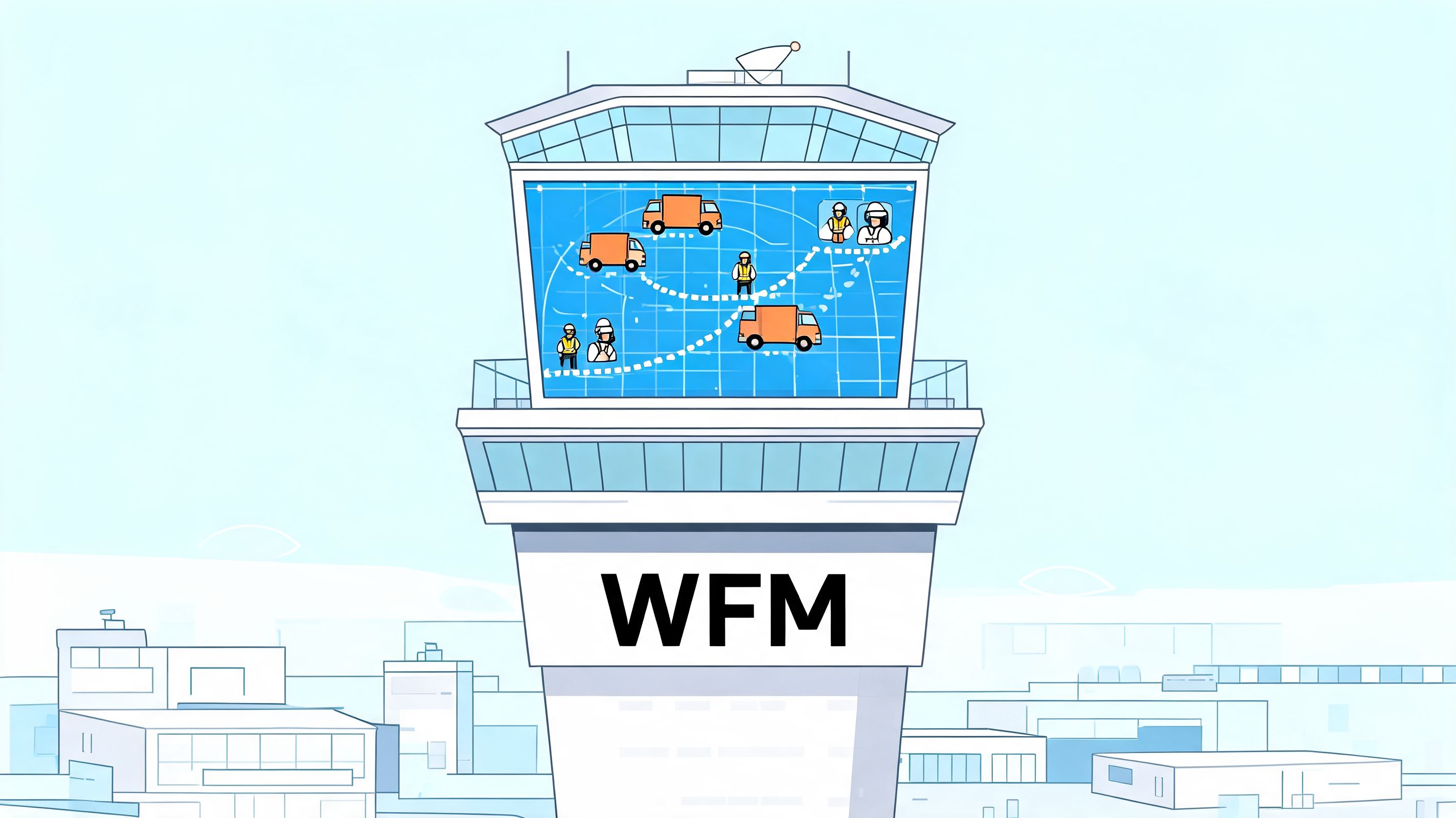
Workforce management software for logistics is basically air traffic control for your people. It watches demand, checks available capacity, and helps you decide who needs to be where before the floor gets into trouble.
It starts with the work, not the roster
The best systems don’t begin with “Who’s on shift?” They begin with “What work is coming?”
According to EPG’s overview of logistics workforce management software, these systems use a multi-layer architecture that breaks fulfillment into steps like picking, packing, and shipping. Then they calculate required capacity by matching order volume against engineered processing time standards. That demand-based planning allows staffing recommendations 3 to 7 days forward.
That matters because logistics labor isn’t one lump. Picking pressure is different from packing pressure. Loading is different from replenishment. Driver dispatch is different from dock work. If your tool can’t see that, it can’t really plan labor. It can only count heads.
What the engine is actually doing
Under the hood, a capable system is constantly matching two things:
Demand data like order volume, task type, and expected workflow by area
Workforce constraints like shift patterns, skills, labor rules, and site coverage
That’s the whole game. The tool turns messy operations into a staffing model that a supervisor can use.
A decent setup usually does a few practical things well:
It forecasts near-term labor demand so you’re not staffing blind.
It accounts for role differences instead of treating every employee as interchangeable.
It pulls in real availability from shift rosters and logon data.
It feeds actual performance back into planning so next week’s plan gets smarter.
Practical rule: If a vendor can’t explain how the system translates orders into labor hours, they’re selling a scheduling app, not workforce management software for logistics.
That’s also why integration matters so much. If the WFM platform can’t connect cleanly with your WMS, TMS, and payroll systems, you’ll spend half your time reconciling mismatched data. Then people stop trusting the outputs, and once trust goes, adoption goes right behind it.
Logistics Features That Genuinely Matter
A lot of workforce tools are built for offices and lightly adapted for operations. You can tell in the first demo. The screens look clean, the scheduling calendar looks polished, and none of it answers the essential question: what happens when the day goes sideways?
That’s where logistics separates the serious platforms from the generic ones.
Intraday control matters more than pretty schedules
The feature I care about most is real-time intraday optimization.
According to Nextiva’s write-up on workforce management tools, this lets logistics managers respond to demand surges or labor gaps within 15 to 30 minutes, and that can reduce order cycle time by 10 to 20% while improving labor utilization by 15 to 25%. In practice, this is the difference between absorbing disruption and broadcasting it across the shift.
If a truck is late, if absenteeism spikes, or if order mix changes midday, the software should help you reallocate labor without creating a second mess. Legacy roster tools don’t do that. They freeze the plan and leave supervisors to improvise.
Mobile is not optional
Warehouse staff and drivers are not sitting at desks refreshing a browser tab.
If the mobile experience is weak, adoption will be weak. Full stop is too dramatic, but the point stands. Drivers need schedules, updates, and changes where they already are. Supervisors need to communicate quickly without chasing people down the aisle or calling personal phones.
That’s why I pay close attention to mobile workflows tied to dispatch and field operations. Operational data from vehicles and equipment also gets more useful when it feeds labor decisions. If you want a good primer on that connection, Sheridan Technologies' IoT expertise is worth reading because it shows how connected fleet data changes day-to-day operational control.
For teams trying to cut down the usual noise between dispatch and drivers, it also helps to look at how others centralize communication. This guide on centralizing driver and dispatch communication gets at a problem most WFM vendors barely touch.
The features I’d call non-negotiable
Not every capability has equal value. Some are nice demo material. Some directly keep the shift running.
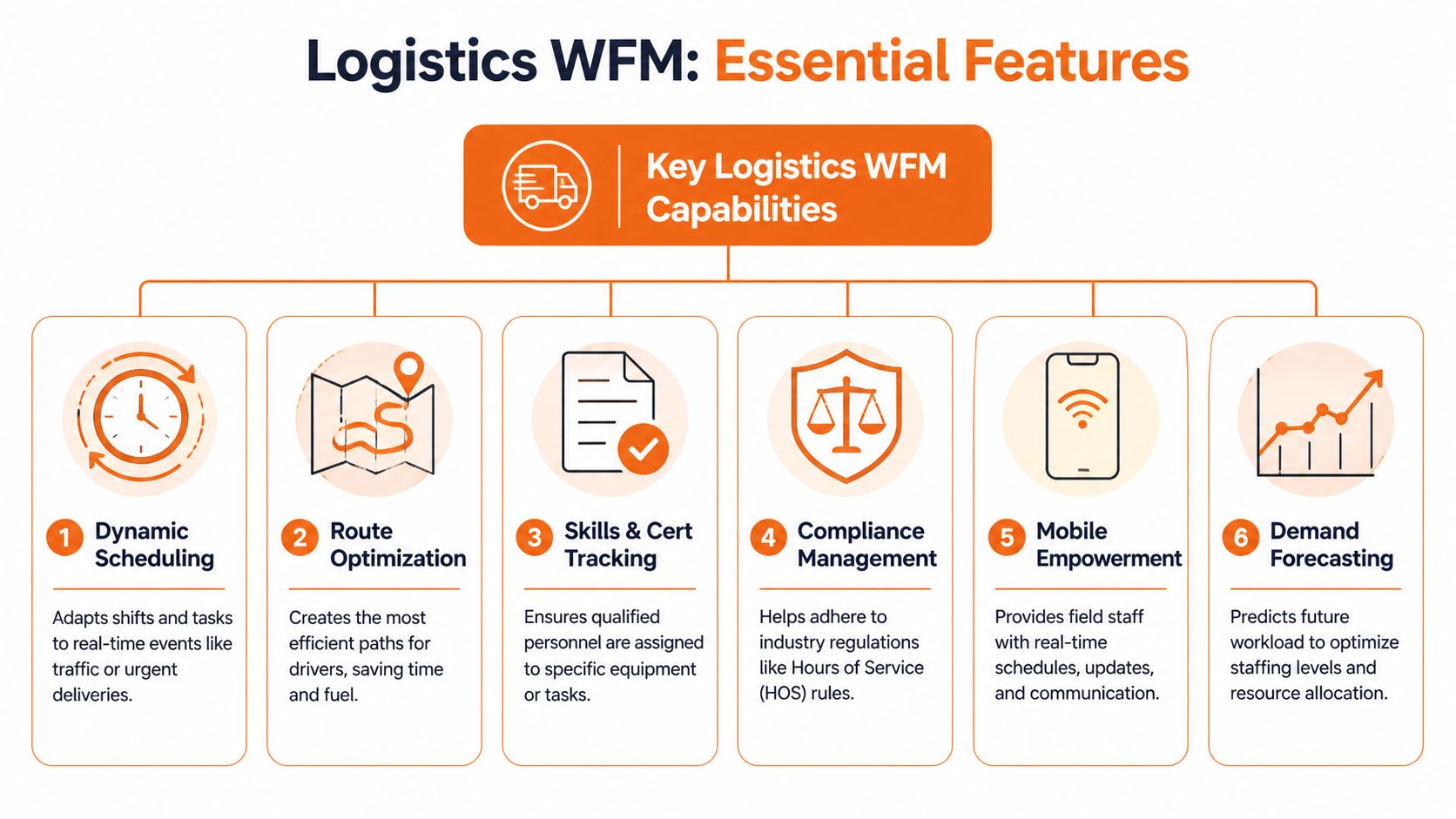
Skills and certification matching. If the schedule can assign anyone anywhere, it’s not a logistics tool. You need role logic for equipment, safety, and task eligibility.
Compliance guardrails. The system should stop obvious rule violations before a supervisor creates them under pressure.
Demand forecasting tied to work types. Headcount planning without task context is lazy software.
Shift swap and bid workflows on mobile. This cuts friction and gives planners more flexibility without endless manual coordination.
Cross-system integration. WMS, TMS, payroll, and time data all need to line up.
What doesn’t matter much? Fancy dashboards nobody uses. Heat maps with no operational action behind them. AI claims that can’t be explained in plain English.
Buy the tool that helps a supervisor make a better decision at 10:17 a.m., not the tool that looks impressive in a boardroom demo.
How to Justify the Cost and Measure Success
The easiest way to lose support for a WFM project is to pitch it as a software upgrade.
It isn’t. It’s an operations cost project.
Labor is one of the biggest controllable costs in logistics, and sloppy planning leaks money in dull, repetitive ways. Extra overtime. More agency coverage than expected. Too many people on one task while another task chokes. Managers usually don’t need a new dashboard. They need fewer expensive surprises.
Start with the financial case
The cleanest number in the business case comes from labor optimization. According to Movo’s logistics workforce management software overview, workforce management software in logistics can reduce labor costs by up to 30%, while also cutting unplanned time off by 25% and reducing overtime occurrences by 30 to 40% when staffing is aligned to demand.
That’s a serious conversation with a CFO. Not because every operation will hit the ceiling of those results, but because it frames the project where it belongs. In cost control, schedule quality, and operational stability.
The mistake I see is teams trying to justify the purchase with vague language about modernization. Finance hears “software.” They should hear “less waste.”
Track a short list that people can trust
You don’t need a giant KPI library. You need a handful of measures that tie planning quality to operating performance. I’d keep it tight:
Labor cost by site, shift, or function
Overtime trend
Schedule adherence
Absence and coverage patterns
On-time execution by labor-sensitive process
Turnover and backfill pressure
If you’re building an internal case, it also helps to map WFM to broader operations tooling. This piece on operational efficiency software is useful because it places workforce planning inside the larger system of execution, not as an isolated HR purchase.
If you can’t say which cost line should improve, you’re not ready to buy anything.
Don’t ignore the softer returns
Some returns won’t show up cleanly in month one, but they still matter. Better schedules reduce manager firefighting. More predictable shifts reduce frustration. Cleaner communication reduces the number of tiny mistakes that eat a day alive.
Those aren’t “soft” in the dismissive sense. They affect retention, consistency, and trust in the operation. They just don’t fit neatly into a single formula.
A strong business case uses both languages. Finance gets cost, overtime, and utilization. Operations gets fewer breakdowns. The frontline gets a workday that feels less arbitrary.
The Overlooked Element That Sinks WFM Projects
A lot of workforce management software for logistics is built around one assumption. If the schedule is optimized, the operation will improve.
That’s only half true.
You can build a mathematically beautiful labor plan and still lose the operation if the people carrying it out are disconnected, frustrated, or already halfway out the door.
Turnover wrecks the math
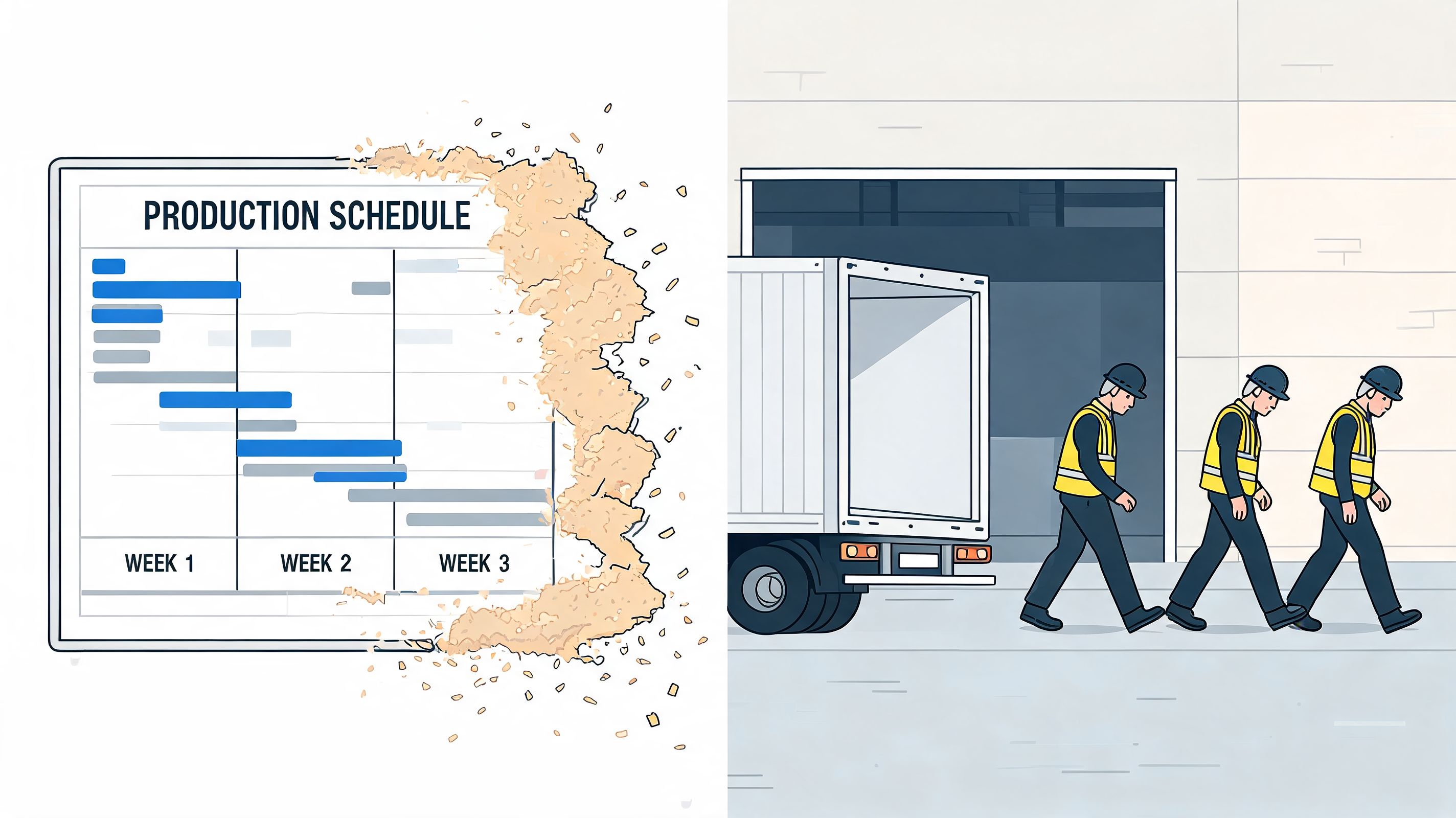
According to UKG’s logistics and distribution industry page, logistics faces employee turnover rates averaging 40 to 60% annually, and 70% of logistics managers cite poor communication as a top retention barrier. That should change how you think about WFM immediately.
If your operation keeps cycling through new hires, your forecasting gets noisier. Your supervisors spend more time covering basics. Your experienced people carry the load and burn out faster. Any efficiency gain you modeled starts leaking out through churn.
This is why I’m skeptical of tools that stop at scheduling and time tracking. They manage labor on paper, but they don’t help hold the team together.
Communication is operational infrastructure
In logistics, communication isn’t culture fluff. It’s part of execution.
People need to know what changed, why it changed, and what matters right now. They need updates that reach every shift, not just whoever happened to be in the pre-shift huddle. They need one place for tasks, messages, policy changes, and schedule visibility. When those things live in separate systems, the frontline gets fragments.
A better approach is to connect operations and communication in the same workflow. Some teams use separate systems and manage the handoff. Others choose a unified employee app. For example, Pebb combines chat, spaces, tasks, file sharing, shift scheduling, clock-in, and analytics in one mobile-first environment. That kind of setup is relevant when the problem isn’t just planning labor, but keeping warehouse and driver teams aligned across shifts and sites.
You can’t out-schedule a communication problem.
What vendors usually miss
Most demos focus on manager control. Fewer focus on employee clarity.
That’s backwards. The operation gets stronger when frontline workers can see their shifts, swap responsibly, receive updates quickly, and understand what’s happening without chasing a supervisor. Good workforce management software for logistics should reduce confusion, not centralize it.
If I were buying again, I’d ask one blunt question early: does this tool help us retain people, or only schedule the ones we still have?
That answer tells you a lot.
A Practical Framework for Choosing a Vendor
Once you start taking demos, everything starts sounding the same.
Every vendor says they handle scheduling, forecasting, compliance, analytics, and mobile access. Every sales team says implementation is straightforward. Every roadmap sounds impressive. None of that helps much when you’re trying to decide what will survive first contact with your operation.
The only way through it is to score vendors against your reality, not their slide deck.
What to look for during demos
I don’t want the polished admin walkthrough first. I want to see what a frontline supervisor sees during a bad day, what a driver sees on a phone, and how the system handles a last-minute change.
A useful comparison should also include how each platform stacks up more broadly. If you need a starting point, this workforce management software comparison is a practical way to frame the field before you narrow it down.
Here’s the checklist I’d use.
Evaluation Criteria | Why It Matters | Key Question to Ask |
|---|---|---|
Mobile usability | Your team lives on the floor and on the road. If mobile is clunky, usage drops fast. | Can you show the full shift change process on a worker’s phone, not just the manager dashboard? |
Integration with WMS, TMS, and payroll | If the data doesn’t flow, your planners end up reconciling systems by hand. | Which systems do you already connect with, and what still requires custom work? |
Intraday change handling | A logistics schedule is only useful if it adapts during the shift. | Show me how a supervisor handles absenteeism or a volume spike in real time. |
Skills and rule logic | Generic scheduling creates bad assignments and compliance risk. | How does the system prevent unqualified or non-compliant assignments? |
Supervisor ease of use | If the floor leaders hate the tool, they’ll work around it. | How many steps does it take to move labor between functions mid-shift? |
Employee experience | Clarity and fairness matter if you want adoption and retention. | What can employees see, change, request, or acknowledge on their own? |
Reporting quality | You need reports that explain what happened, not just export raw data. | Which reports are available out of the box for labor planning and exceptions? |
Support after go-live | The real test starts after implementation. | Who supports us after launch, and how do you handle operational issues during rollout? |
What usually gets overlooked
I’d also ask vendors to show ugly scenarios, not polished ones.
Ask what happens when the data feed fails. Ask how supervisors override recommendations. Ask how the system handles multi-site logic, partial adoption, or teams with uneven process discipline. Good vendors answer directly. Weak ones pivot back to features.
The right choice usually isn’t the platform with the longest feature list. It’s the one your operation will use under pressure.
Rolling It Out Without the Backlash
A bad rollout can turn a decent tool into a permanent headache.
People don’t resist software because they love old systems. They resist software because they think it will make their jobs harder, expose them unfairly, or hand control to someone far away who doesn’t understand the floor. Sometimes they’re right.
Start with one team and one pain point
Don’t launch everywhere at once. Pick one site, one department, or one shift where the problem is obvious and visible. Maybe absenteeism is creating daily schedule churn. Maybe supervisors are drowning in shift swaps. Maybe labor planning and dispatch communication are disconnected.
Fix one thing first.
That gives you space to learn where the data is messy, where the process is inconsistent, and where the tool needs adjustment before wider rollout. It also gives skeptical managers a real example instead of a promise.
Rollout succeeds when people feel the new system removes friction they already hate.
Train supervisors first, then let them translate
Frontline supervisors are the hinge point. If they trust the tool, the team usually gives it a fair shot. If they think it was forced on them, they’ll route around it.
So train them early. Show them how the system helps on a rough day, not just on a clean sample schedule. Let them push back. Let them find gaps. Their complaints are useful.
For the people side of that change, a simple primer on organizational rollout is worth revisiting. This overview of change management via REDCHIP IT SOLUTIONS INC. is a good reminder that adoption usually fails on communication, trust, and sequencing long before it fails on technical capability.
Tell the truth about what’s changing
Don’t oversell the rollout. Don’t say the system will fix everything. Say what it will change, what it won’t change yet, and what feedback will shape the next step.
People can handle change better than they can handle spin.
The best implementations I’ve seen had a simple rhythm. Start small. Listen hard. Fix obvious friction fast. Expand only after the floor can see that the tool is helping more than it’s hurting.
Frequently Asked Questions
question | answer |
|---|---|
Is workforce management software for logistics worth it for a smaller operation? | It can be, if your pain is real. You don’t need massive scale to suffer from overtime, coverage gaps, or messy shift communication. Smaller teams should be extra careful about ease of use and integration because they usually have less admin capacity to babysit the system. |
How long does it take to see results? | You’ll usually see early operational signals before you see fully settled ROI. Cleaner schedules, fewer manual adjustments, and better visibility often show up first. Financial improvement depends on data quality, manager adoption, and whether the operation actually changes its planning habits. |
Does it need to connect with a WMS or TMS? | In most logistics environments, yes. A standalone scheduling tool can help, but the real value comes when labor planning is informed by actual work demand and execution data. Without integration, teams end up duplicating work and second-guessing the numbers. |
What’s the biggest mistake buyers make? | Buying for features instead of operating fit. A platform can look advanced and still fail if supervisors find it slow, workers avoid the mobile app, or the vendor can’t handle your workflow reality. |
Should communication and engagement be part of the same system? | Often, yes. If scheduling lives in one place and updates, tasks, and shift communication live somewhere else, the frontline gets a fragmented experience. In logistics, that fragmentation creates mistakes faster than most office teams realize. |
What should I ask for in a demo? | Ask for live examples from your world. Show me a callout. Show me a late inbound. Show me a skill mismatch. Show me how an employee swaps a shift on mobile. If the demo stays polished and abstract, you still don’t know much. |
If your operation is stuck between scheduling software on one side and scattered frontline communication on the other, Pebb is worth a look. It brings shift scheduling, clock-in, chat, tasks, file sharing, and team spaces into one employee app, which is useful when the core problem isn’t just managing labor. It’s keeping drivers, warehouse teams, dispatch, and supervisors aligned every day.
