
A Real-World Workforce Management Software Comparison
Tired of confusing charts? Here's a real-world workforce management software comparison to help you find a tool that actually works for your teams.
Dan Robin
Here’s a hard truth: most workforce management software doesn't actually solve the problem. The real issue isn't a lack of features. It's the quiet chaos that comes from stitching together too many different apps.
The Messy Reality Of Managing A Modern Workforce
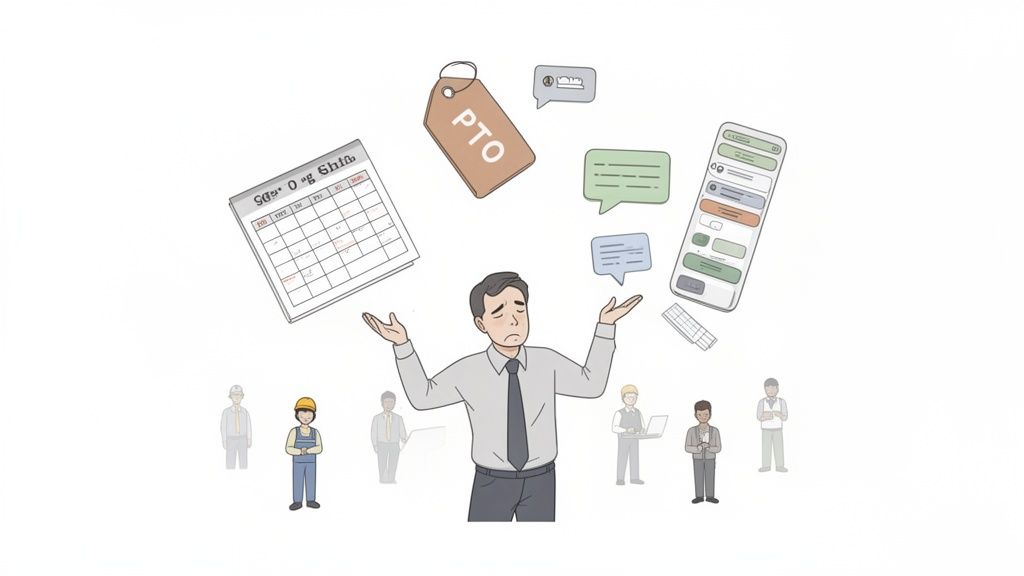
Let’s be honest. Managing a team today feels less like conducting an orchestra and more like juggling chainsaws. On a unicycle. We’ve lived this. One minute you’re building next week’s schedule in one app, and the next you’re fielding a PTO request that just came in through a text.
Then you find yourself posting a critical update in a Slack channel, just hoping your frontline staff—who don’t even use Slack—will somehow get the message. It's a constant, frantic shuffle between tools that refuse to talk to each other. Every single day is a battle against administrative drag.
More Than Just A Tech Problem
This isn't just a technology headache; it's a human one. When information is scattered, communication breaks down. Your frontline workers feel disconnected from the office team, and managers burn more time chasing information than leading. This disjointed system is quietly draining everyone's energy and focus.
We treat these as separate challenges—scheduling, communication, tasks—but they are all symptoms of the same core problem: a fragmented work experience.
This chaos has a real cost. Companies with highly engaged employees report 23% greater profitability. That’s not a small number. It’s the direct result of a team that feels unified and informed.
Here’s the thing: you can’t build a cohesive culture across a dozen different apps. People need a single, calm place to connect, find what they need, and get work done—a place that works just as well on a warehouse floor as it does in an office.
Let's quickly compare the old way versus a more unified approach.
Aspect of Work | The Disconnected Way (Multiple Apps) | The Unified Way (One App) |
|---|---|---|
Scheduling | Spreadsheets, separate scheduling tools, endless texts. | A single, shared calendar where staff view shifts and request swaps. |
Announcements | Emails that go unread, Slack messages missed by frontline teams. | A central news feed where everyone sees important updates instantly. |
PTO Requests | A messy mix of emails, paper forms, and verbal reminders. | A simple system for requests and approvals, all in one place. |
Daily Tasks | Sticky notes, disjointed task apps, and verbal instructions. | A clear, shared task list so everyone knows who is doing what. |
This isn't about finding a tool with the longest feature list. It’s about finding a fundamentally simpler way to work. It’s about ditching the chaos for a single source of truth that brings everyone together. That’s the real goal of any worthwhile workforce management software comparison—finding a little bit of calm in the storm.
Breaking Down The Contenders And What Really Matters
Spend any time comparing workforce management software, and you'll notice they all start to blur together. Every website flashes a laundry list of features and buzzwords, promising a perfect world that doesn't exist on the ground.
Let's cut through the noise.
Forget the marketing spin. Most tools fall into one of three camps. Understanding their core philosophy is the key to figuring out which one actually solves your problems.
The Legacy HR Behemoths
First, the giants. These are the massive, all-in-one HR platforms that have been around for ages. They promise the world: payroll, benefits, performance reviews, and workforce management. For a massive enterprise juggling complex compliance rules, they can feel like the safest bet.
But that power comes at a cost, usually paid by your team's sanity. These systems are notoriously clunky, with interfaces that feel like a time capsule from a decade ago. Getting your frontline staff to use them for simple things like checking a schedule becomes an uphill battle. They need something quick on their phones, not a system that requires a user manual.
The Niche Scheduling Tools
At the opposite end are the specialized point tools. These apps do one thing—like scheduling or time tracking—and often do it well. They're usually well-designed, intuitive, and a breeze for a small team to get started. If your only headache is the weekly rota for your coffee shop, one of these could be a perfect fit.
The problem is, work is never just about the schedule. It's about communication, last-minute announcements, and making people feel connected. These niche apps don't solve for that. Soon, you're back to juggling multiple tools: the scheduling app for shifts, a messaging app for chat, and email for anything "official." You haven't solved the chaos; you've just created new silos.
The real challenge isn’t just managing schedules; it’s closing the gap between your operations and your culture. A tool that only solves for one is only doing half the job.
The All-In-One Communicators
That brings us to the third category: a newer breed of platform built on the idea that operations and communication shouldn't live in separate worlds. These tools combine scheduling, tasks, and PTO with robust communication features like chat channels and company-wide announcements. They're built from the ground up to be the single hub where work gets done for everyone, from the front desk to the back office.
The philosophy is simple: a connected team is a more effective team. This modern approach is why the global workforce management software market—valued at around USD 9.43 billion—is exploding. As Straits Research highlights in their market analysis, companies are scrambling to unify the messy reality of frontline, remote, and hybrid work.
To make this crystal clear, here's the fundamental approach of each tool type.
Core Philosophies Of WFM Software Types
Tool Category | Core Philosophy | Best For | Potential Downside |
|---|---|---|---|
Legacy HR Behemoths | Top-down control and compliance. | Large enterprises with complex, rigid HR processes and deep IT resources. | Poor user experience, low adoption on the frontline, slow to adapt. |
Niche Scheduling Tools | Solve one specific operational problem perfectly. | Small businesses or teams with a single, straightforward pain point (e.g., scheduling). | Creates information silos, fails to address communication or culture needs. |
All-In-One Communicators | Operations and communication are two sides of the same coin. | Frontline, hybrid, and distributed teams that need to stay aligned and engaged. | May not have the niche-specific depth of a single-purpose tool. |
Ultimately, choosing a tool isn't about the longest feature list. It’s about deciding what kind of company you want to be. Do you need a powerful but clunky system, a simple but siloed app, or a unified space that brings your people and your work together? That’s the real comparison you need to make.
A Practical Comparison Of Key Software Functions
Feature lists are a trap. They boil down complex, human activities into sterile checkboxes, telling you what a tool does but nothing about how it feels to use it day-to-day. A real comparison isn't about counting features; it’s about understanding the experience behind them.
So, let's look at a few common tools through the lens of daily work. We’ll compare the heavyweight approach of a platform like UKG, the focused simplicity of a tool like Deputy, and the unified, communication-first model of Pebb.
The Grind Of Building A Schedule
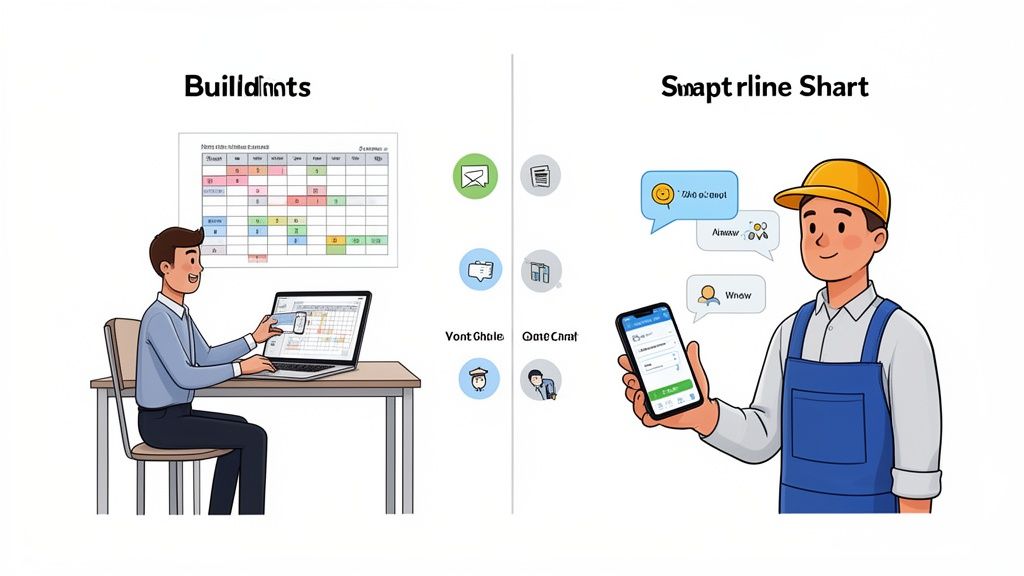
Picture this: you’re a manager at a busy retail store. With a tool like UKG, you have immense power. You can build schedules around labor forecasts, intricate compliance rules, and employee qualifications. It’s a cockpit full of dials, designed for precision control from a central command post—your desktop. This is fantastic for an HR department focused on mitigating risk and optimizing labor spend.
But what about the person on the floor? When their kid gets sick and they need to swap a shift, they don't need a command center. They need a simple, fast way to connect with a teammate on their phone.
This is where a tool like Deputy shines. It’s built for that frontline reality. Swapping a shift is as easy as sending a message. Managers get a notification and can approve the change with a tap. It prioritizes speed and ease of use over deep, back-end complexity. The trade-off? It might not have the same granular labor forecasting as a legacy system.
Then there’s Pebb. Here, scheduling isn’t just an operational task; it's part of the conversation. A manager builds the schedule, but it lives inside the team’s dedicated space, right next to their chats. When someone needs to trade a shift, the request and the discussion happen in the same place everyone already communicates. This closes the gap between planning and doing.
If you're looking for more ideas on this front, we've explored some of the best shift planning tools that can save you time and a lot of headaches.
The Echo Chamber Of Communication
Sure, every tool has an "announcements" feature. But how it works tells you everything. In many legacy systems, communication is a one-way street. A manager posts an update, and it goes out into the void. Maybe you get a "read receipt," but there’s no real dialogue. It’s a digital bulletin board.
Here’s the thing: your team isn't a passive audience. They have questions and feedback.
A tool that only broadcasts information but doesn't foster conversation is missing the point entirely. It manages messages, not people.
This is where a communication-centric platform like Pebb takes a different approach. An update isn't just a post; it's the start of a thread. It lives in a central feed where people can react and ask questions. This turns top-down announcements into a genuine, two-way dialogue, which is vital for companies with a mix of frontline and office workers.
This move toward connected systems is happening for a reason. Cloud-based tools now capture over 63% of the market share as businesses escape old on-premise hardware. The driving forces are scalability and the remote access essential for today’s hybrid teams. You can discover more insights about these market trends on Mordor Intelligence.
The Reality Of Time And Attendance
Finally, let’s talk about clocking in and out. For a healthcare facility, a geo-fenced mobile clock-in is crucial. For a remote team, a simple web clock-in is enough.
A tool like Deputy handles mobile clock-in very well, often with features like photo verification. It's designed to solve that specific need with crisp efficiency. For many small businesses, this is all they need.
UKG offers this, too, but it’s part of a much larger timekeeping module tied into payroll and compliance. The setup can be intricate, but it provides the detailed audit trail a large enterprise requires.
Pebb sees it differently. Yes, the clock-in feature is there—it's simple and reliable. But its real value comes from being integrated with everything else. An employee clocks in, and their status is instantly visible to the team. A manager can see at a glance who’s working, right from the same app where they chat and manage tasks. It’s not just about tracking hours; it’s about providing real-time visibility that helps the team coordinate.
The right tool isn’t the one with the most functions. It’s the one designed with a clear, opinionated view of how teams should work together. Is work a series of top-down commands, a collection of separate tasks, or a continuous conversation? Your answer will tell you which software truly fits.
Looking Beyond Features at Analytics and Integrations
The buttons and menus you see in a demo are only half the story. The real value comes from the data it gives you and how well it plays with the other tools you use. A pretty interface is nice, but insight is what moves a business forward.
This brings us to workforce analytics. To be clear, this isn't about surveillance. Good analytics are about understanding the pulse of your organization. It’s about spotting communication patterns, catching burnout risks, and learning what truly engages your team.
When you can see which announcements get the most interaction or which teams communicate most effectively, you’re gaining a real-time understanding of your company culture.
What Good Analytics Actually Look Like
Lots of tools show a dashboard with basic numbers, like messages sent or tasks completed. That’s a start. But deeper analytics help you answer much more meaningful questions.
Engagement: Are people just seeing updates, or are they reacting? High readership with low interaction might be a red flag.
Connectivity: Are certain departments operating in a silo? Seeing the communication flow can help you proactively bridge gaps.
Well-being: Are PTO requests suddenly spiking in one department? It could be a sign of a team under stress.
These insights are becoming the centerpiece in any serious workforce management software comparison. In fact, workforce analytics is set to claim the highest market share by powering predictive planning. The whole point is to spot an issue long before it shows up in your turnover stats. You can learn more about these workforce market findings and why data is so critical.
This visibility is especially important for a mobile workforce. Having the right data can transform how you support teams who aren't tied to a desk. We've written before about the unique challenges of mobile workforce management solutions.
The Integration Question: Is It Seamless or Just a Sync?
Then there’s integrations. Connecting to your payroll or HRIS tool is table stakes. Just about every platform says they integrate. But the real question is, how deep is that connection?
There’s a world of difference between a clunky data sync and a truly integrated ecosystem. A basic sync might just export a CSV file that you then have to manually upload. Sure, it "works," but it’s brittle and creates more administrative work.
A great integration feels invisible. It means your employee roster is always up-to-date, and time tracking data flows into payroll without anyone lifting a finger.
For instance, when a new hire gets added to your HRIS, they should automatically pop up in your work app. When hours are approved, that data should post directly to payroll, error-free. Understanding the importance of software integrations is paramount for creating an efficient operational backbone.
This is where you need to push past the marketing claims. Ask for a live demo showing exactly how the integration works. Is it a real-time connection, or a glorified data dump? The answer separates tools that simplify your work from those that just shift the burden somewhere else. A truly connected tool doesn’t just add features; it removes friction.
How To Choose The Right Tool For Your Team
There’s no single “best” workforce management tool. Anyone who says otherwise has an agenda. The right choice is always about your specific situation—who your team is, what they do, and the problem you need to solve right now. A tool that’s a lifesaver for a 10-person cafe will be a train wreck for a 1,000-person logistics company.
This flowchart helps visualize the decision-making process for different kinds of businesses.
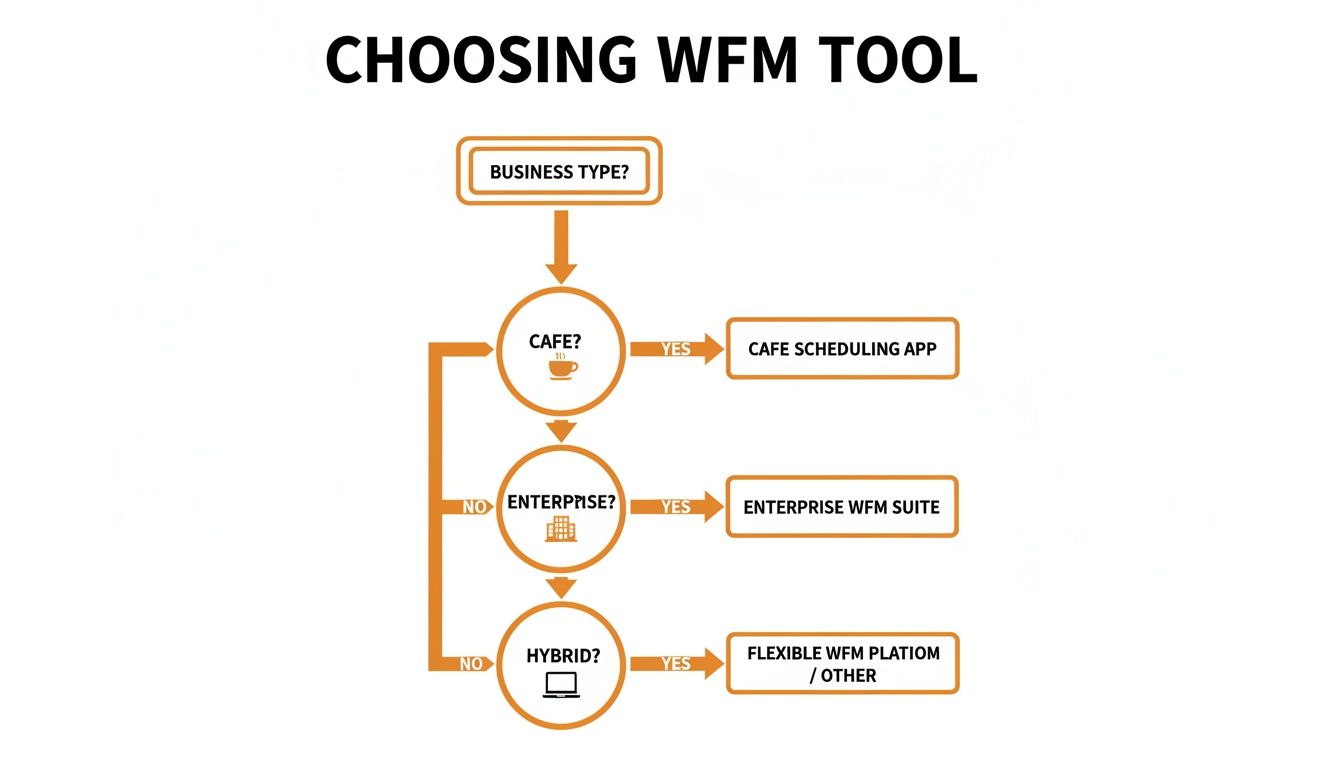
The key takeaway here is that your business model should be your guide. Are you a frontline-heavy operation, a massive enterprise, or a flexible hybrid office? That’s your starting line.
So, forget the feature lists for a second. Let’s walk through a few real-world scenarios. This is where a good workforce management software comparison gets real.
For Small, Frontline-Heavy Businesses
Picture this: you run a busy coffee shop, a retail boutique, or a local restaurant. Life is fast, your team is on the move, and your biggest headache is getting the weekly schedule out without a storm of texts. Your needs are simple, immediate, and must be mobile-friendly.
In this case, a specialized scheduling tool can feel perfect. They’re usually affordable and solve that instant pain of planning shifts. But be careful—you can hit a ceiling quickly. As you grow, the lack of integrated communication starts to show.
The moment you find yourself juggling a scheduling app, a separate group chat, and email for announcements, you’ve already outgrown that simple tool. You’ve just recreated the chaos.
For Large Enterprises with Complex Needs
Now, imagine you're an operations director for a large healthcare system. You're juggling thousands of employees, a maze of labor laws, and strict compliance standards. Your world revolves around risk management and making sure everything plays nice with your legacy HR systems.
Here, the big HR platforms might seem like the only game in town. They offer the intense control and deep reporting you need. The hidden cost? A user experience that can be soul-crushing for your frontline staff. If your nurses can't easily figure out the tool on their phones, adoption will tank. You’ll be stuck with a very expensive database that no one uses.
When looking at tools, it's also smart to check how related industries handle things. Reviewing the best franchise management software platforms can offer great insights into managing multi-location complexity.
For Hybrid and Distributed Teams
But what if your team is a mix of everything? Some people in the office, some remote, some in the field. This is the new normal. The challenge here isn't just operational—it’s cultural. How do you keep everyone feeling like one team when they aren't in the same room?
This is where all-in-one platforms like Pebb really shine.
The core idea is that communication, operations, and engagement are all tied together. They shouldn't be siloed. When your office team’s project updates live in the same place as your frontline team’s schedule, you start knocking down the walls that naturally build up in a distributed workforce. Everyone gets the same announcements and joins the same conversations.
Ultimately, the choice isn’t just about features. It’s about philosophy. If you believe a connected team is a more effective team, then the path forward becomes much clearer. You need a tool that brings people together, not just one that clocks their hours.
The Hidden Costs Of Implementation And Team Adoption
The sticker price on new software is just the beginning. The real cost is the time and energy you burn just getting your team to use it. I've seen it happen time and again: a company spends a fortune on a powerful new tool, only to watch it collect digital dust because it’s too complicated for the people it’s supposed to help.
Let's be honest. Any tool that requires a week of training for your frontline staff has already failed. Your team is busy. They need something that feels as natural as the apps they use on their phones every day.
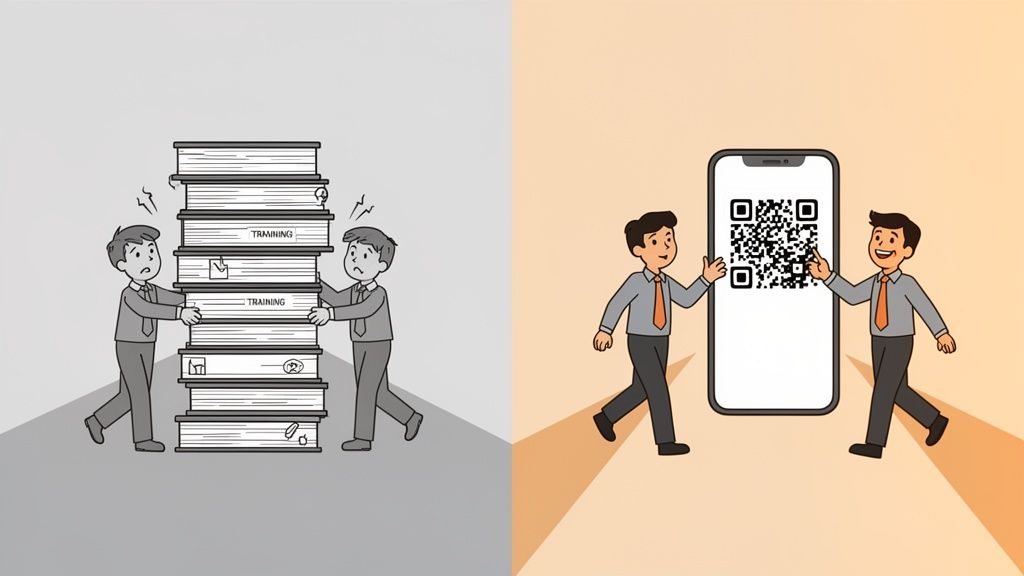
This is the human side of any software rollout, and it's where most comparisons fall flat. They talk about features but forget to mention the frustration of teaching a clunky system, or the quiet sigh from an employee who just gives up and goes back to texting their boss.
Adoption Is The Only Metric That Matters
From my experience, implementation shouldn’t be a months-long project. It should be as simple as sending an invite link. Onboarding should take minutes, not days. This isn't a wild idea; it’s just respecting people’s time. When a tool is simple, clean, and enjoyable to use, you don’t have to force people to adopt it. It just happens.
This is especially true for frontline workers. A study from The Workforce Institute found that 86% of employees believe technology can make their jobs less stressful. But that's only true if the tech feels like a helping hand, not another chore.
A platform your team has to be forced to use is a tax on their time and your culture. A platform they want to use is an investment that pays for itself.
When you're doing your workforce management software comparison, really dig into the onboarding process. Don’t just ask what it involves; ask how long it takes. Better yet, ask for a demo from the perspective of a brand-new, non-tech-savvy employee.
The True Cost Of A Bad Experience
A painful implementation does more than waste time—it chips away at trust. It sends a message that your team's experience isn't a priority. That friction builds up, leading to disengagement, messy workarounds, and a "shadow IT" network of unsanctioned apps that creates more chaos than you started with.
Choosing a tool that plays nice with your existing systems is also a huge piece of the puzzle. To see why this matters, you can learn more about the latest HR system integration trends for 2025. When systems talk to each other, it cuts down on the manual work that makes people dread new software.
So, look beyond the price tag. The most expensive software isn't the one with the highest subscription fee. It’s the one your people won’t use. The best tool is the one that feels less like a corporate mandate and more like a welcome upgrade—a simple, elegant thing your team will embrace, not just put up with.
Frequently Asked Questions
What's The Biggest Mistake Companies Make When Choosing WFM Software?
Honestly, getting dazzled by a massive feature list and completely overlooking the user experience. This is especially true for the frontline employees who will use the app every day.
A platform can have every bell and whistle, but if it's a nightmare to navigate on a phone, your team won't use it. The real cost isn't the monthly subscription; it’s the lost productivity and tanking morale from forcing people to use software they despise. Always prioritize a clean, simple, mobile-first design.
Do I Need An All-in-One Platform or a Specialized Tool?
Here’s a good way to frame that question: are you just trying to solve an operational headache, or are you trying to fix a deeper communication and culture problem?
If your only challenge is building a basic schedule, a specialized tool might do the trick for now. But if you’re also dealing with missed announcements, teams that don't talk to each other, and a general sense of disconnection, that's a red flag you need something more comprehensive.
When tasks, schedules, and conversations all live in the same place, work just gets easier. It bridges the gaps that cause so much chaos and helps your team feel like a single, connected unit.
How Important Are Integrations With HR And Payroll Systems?
They are essential, but don't just check a box. The quality of the integration is what matters. A great integration is invisible—it just works, saving you from manual data entry and preventing costly payroll errors.
A solid connection ensures your employee roster is always current and that clocked hours flow straight into payroll. Before you sign on the dotted line with any tool in your workforce management software comparison, insist on a live demo of the integration. You need to know if it's a true, real-time sync or just a glorified manual file export. That difference can mean hours of work every week.
Ready to bring your teams and tools together in one simple, modern app? See how Pebb unifies communication, operations, and engagement for companies like yours. Learn more about Pebb.
