
The No-Nonsense Guide to HR Document Management
Ditch the paper chaos. Our guide to HR document management explains how to build a simple, secure system that respects your team's time and keeps you compliant.
Dan Robin
The trouble usually starts with a small, urgent request.
A manager needs last year’s performance review before a promotion conversation. A new hire is waiting for confirmation that their signed offer letter came through. Someone in HR gets that cold, familiar feeling when an I-9 can’t be found right away. Nobody planned for the mess. It just grew, one shared drive, one email attachment, one paper folder at a time.
That’s why hr document management matters more than many organizations realize. It isn’t glamorous. It won’t win internal applause on its own. But when it’s broken, people feel it all day long. The office team feels it. The frontline team feels it. The employee waiting on a simple answer feels it most.
The Mess We’re Trying to Fix
I’ve seen this play out in companies of every size. HR keeps one set of files in a cloud drive, managers save their own copies locally, payroll has another record somewhere else, and a few important forms still live in a cabinet because “that’s how we’ve always done it.” Then pressure hits, and everyone starts digging.
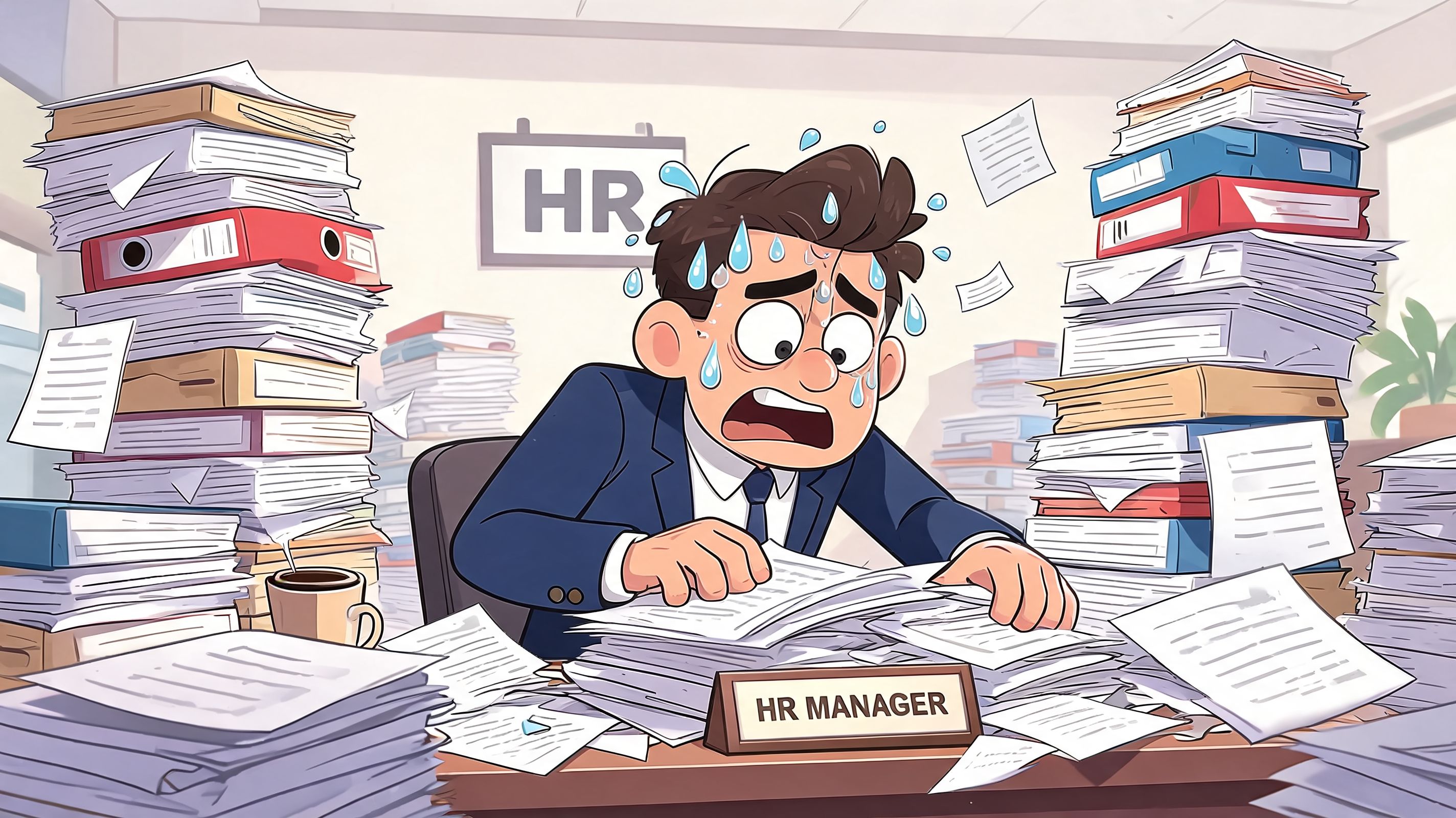
The worst part isn’t the wasted motion. It’s the tension. People stop trusting the process when basic records feel slippery. A new employee wonders whether their paperwork is handled. A supervisor waits to move on a staffing decision because they can’t confirm what was filed. HR stays late fixing a problem that should never have existed.
A 2024 review of HR document management pain points notes that HR employees can spend up to 40% of their time locating documents, and it links poor document processes to employee churn. That tracks with what many teams already know in their bones. Constant searching burns people out.
It’s not just an HR problem
This kind of mess gets framed as “back office admin.” That’s too narrow.
When documents are hard to find, work slows down far from HR. Store managers can’t confirm policy changes. Field supervisors don’t know whether a training acknowledgment is current. Employees on the floor or in the warehouse often get the worst experience because they’re the furthest from the filing habits of head office.
Bad document systems don’t fail all at once. They fail one frustrating search at a time.
The deeper issue is that scattered files teach people to work around the system. They text screenshots. They forward old PDFs. They keep personal copies “just in case.” That creates more confusion, not less.
If that sounds familiar, it’s worth looking at the broader pattern of why teams struggle to retrieve information in the first place. This breakdown on why teams can’t find the information they need gets at the root problem well. People don’t usually need more files. They need a calmer way to trust what already exists.
What Good HR Document Management Really Is
A lot of people think hr document management is software. It isn’t. Software helps, of course. But the actual system is a set of agreements.
It’s the agreement about where an offer letter lives. Who can see a disciplinary record. Which version of a policy is the current one. How long recruiting files stay around. What happens when someone leaves. If those decisions aren’t clear, the fanciest tool in the world won’t save you.
Good hr document management feels boring in the best way. It’s predictable. People know where to look. They know what they’re allowed to access. They know the document in front of them is the right one. That kind of clarity lowers friction across the company.
Trust is the real outcome
When teams move from scattered files to a clean digital system, the payoff isn’t just convenience. A document workflow analysis found that organizations with successful digital document management report a 50% reduction in errors and a 90% drop in lost documents. Those numbers matter because they point to something bigger than speed. They build trust.
Trust shows up in ordinary moments. A manager opens the employee record and doesn’t second-guess it. HR shares a policy and knows everyone is reading the current version. An employee submits something once and doesn’t get asked for it again two weeks later.
What it should feel like
A strong system usually has these qualities:
Simple enough to explain quickly. If you need a long training deck just to explain where files go, the system is too complicated.
Consistent across teams. HR, operations, payroll, and managers should not each invent their own filing logic.
Secure without being obstructive. Sensitive information needs protection, but routine access shouldn’t feel like a maze.
Useful for deskless workers too. If the system only works well for people sitting at laptops, it’s incomplete.
That last point gets missed all the time. Office teams often assume access is solved because they can open a drive from a browser. But a shift lead in retail or a nurse manager on the move needs the same confidence with far less patience for friction.
A good system respects that reality. It doesn’t make people hunt. It doesn’t make them guess. It gives them a straight answer.
The Building Blocks of a Calm System
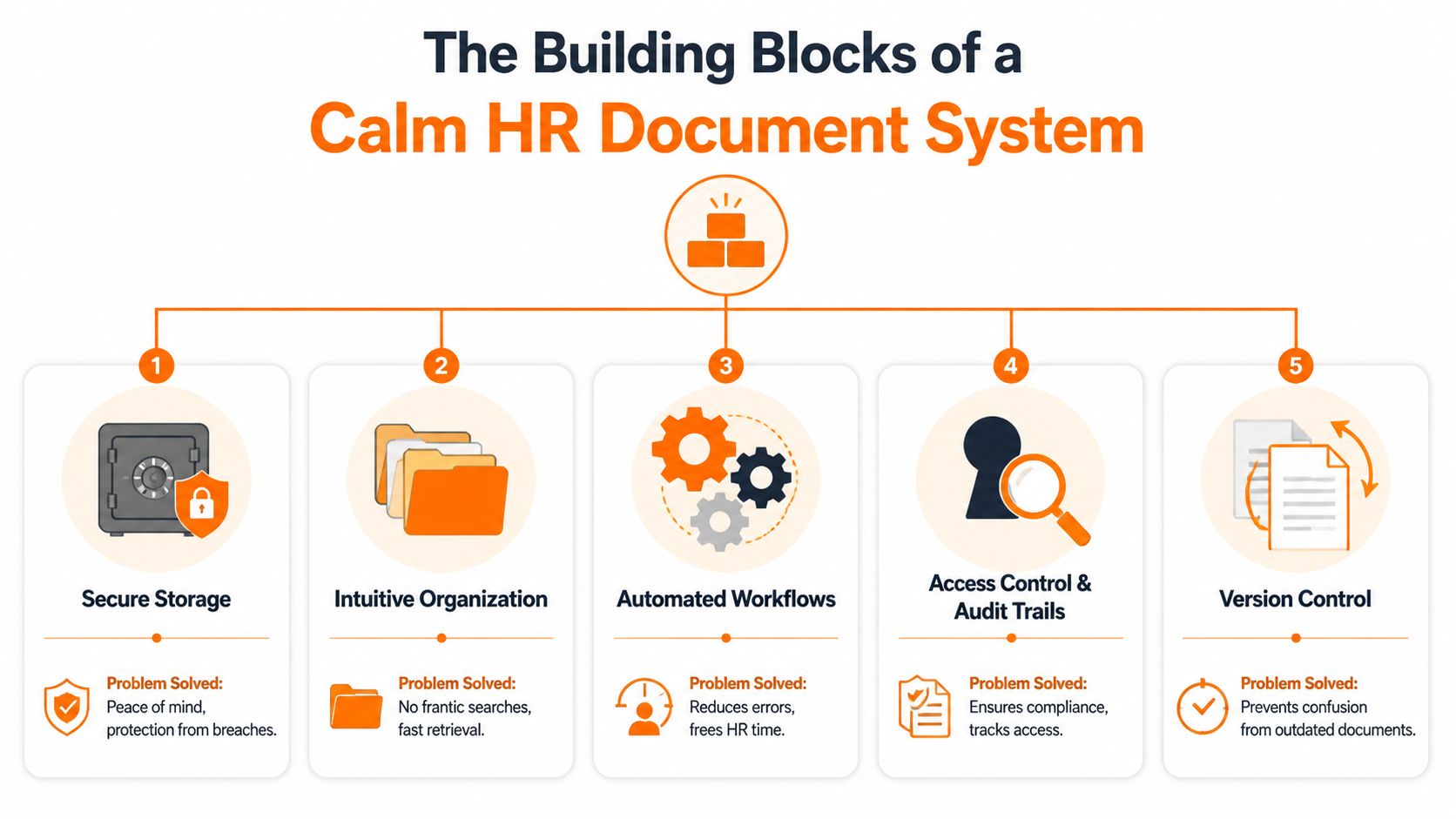
The easiest way to understand hr document management is to stop thinking in features and start thinking in jobs. Each part of the system has one job to do for a real person under real pressure.
Secure storage and intuitive organization
Secure storage sounds technical, but the human job is simple. It gives employees peace of mind that their personal information isn’t floating around in inboxes, random downloads, or folders with loose permissions.
Intuitive organization does the other half. It means you don’t need a detective to find a performance review or a signed handbook acknowledgment. People should be able to guess where something lives and be right most of the time.
A practical folder structure usually works best when it mirrors the employee lifecycle. Hiring documents together. Onboarding documents together. Performance records in one predictable place. Compliance files where authorized people can get to them without rummaging through unrelated material.
Practical rule: If your folder structure can’t be explained in 30 seconds, it’s too clever.
For teams trying to clean this up, these document management best practices are a useful reality check. The best systems aren’t the most elaborate. They’re the easiest to follow consistently.
Access control and audit trails
Not everyone should see everything. That isn’t secrecy. It’s basic respect.
Managers may need access to goals, reviews, and policy acknowledgments. They usually do not need open access to medical records, disciplinary notes beyond their scope, or private compensation details for unrelated employees. Role-based access keeps the circle tight and sensible.
Audit trails matter because memory is weak and turnover is real. When a document changes, a good system shows who viewed it, who edited it, and what happened next. That turns arguments into facts.
Version control and automated workflows
Version control fixes one of the oldest office diseases. “Final_v2_REALfinal” is not a process. It’s a warning sign.
The point of version control is that nobody acts on outdated information. The current form is the current form. The approved handbook is the approved handbook. The latest contract isn’t buried in a thread from six months ago.
Automated workflows help with the handoffs that humans regularly fumble. A document gets routed for signature. A reminder goes out before a deadline. A required file lands in the right place after completion.
Here’s a short way to judge whether these building blocks are doing their job:
Part of the system | What it should prevent |
|---|---|
Secure storage | Sensitive files sitting in the wrong place |
Organization | Long searches and duplicate records |
Access control | Oversharing and privacy mistakes |
Audit trails | Guesswork about who did what |
Version control | Decisions based on outdated documents |
Workflows | Missed steps and manual follow-up |
When these basics are in place, the whole company feels less brittle.
Navigating the Rules of HR Documents
Compliance scares people because it sounds like a legal trap. In practice, it’s often much simpler than that. Keep the right records. Protect private information. Retain documents for the right amount of time. Be able to show what happened.
That’s not bureaucratic overkill. It’s part of running a company that treats people fairly.

A proper HR electronic document management system helps because it turns shaky habits into repeatable rules. According to ServiceNow’s overview of HR document management, companies using the right kind of system see audit pass rates rise to over 90%, compared with 65% for paper-based systems. The same source notes that referencing an expired I-9 can lead to penalties of up to $2,500 per form.
That gets attention fast. But fear isn’t the most useful frame here. Sleep is. Good compliance practices help you sleep because the system carries some of the weight.
What the rules usually mean in practice
A strong system should handle a few things in the background:
Retention rules so records don’t sit around forever or disappear too early
Access controls so sensitive employee data stays limited to the right people
Audit history so you can see how a record was handled
Expiration reminders for time-sensitive documents
Clean separation between general HR files and especially sensitive records
Teams often encounter difficulties not because they intended to hide something, but because they relied on memory and goodwill. That’s not enough when the file matters.
Multi-state and multi-country teams have it harder
Once a company operates across locations, the document problem gets more complicated. Different regions can expect different retention periods, privacy practices, and employee rights. HR can’t keep all of that straight with a patchwork of shared folders and manual reminders.
If you’re working through employee privacy questions in a U.S. context, this guide for Mississippi employees' privacy is a useful companion read because it grounds privacy in practical employee concerns, not just policy language.
The spirit of compliance is simple. Handle employee information carefully, keep records straight, and be able to prove it.
That’s why immutable histories, role-based visibility, and automatic retention matter. They aren’t extras for large enterprises. They’re the mechanics of a company that wants fewer surprises and fewer avoidable mistakes.
Your Step-by-Step Plan to Get Organized
Organizations often make the same mistake at the start. They shop for a tool before they decide how they want to work. That usually ends with expensive software wrapped around fuzzy habits.
The better path is slower at first and faster later.
Start with inventory and rules
Before you move a single file, take inventory. Look at what you have, where it lives, who uses it, what’s duplicated, and which documents are sensitive. You can’t fix a mess you haven’t named.
Then make the rules. Decide on a folder structure, naming conventions, retention logic, and access levels before you touch implementation. Keep it plain. If managers need a flowchart to save one review in the right place, your structure is already doing too much.
A good planning exercise is to ask three questions of every document type:
Who needs it
Who should never see it
When it stops mattering
That simple framing prevents a lot of later confusion.
Choose a home that fits your rules
Now choose the tool. Not the other way around.
The right platform should support your structure instead of forcing a strange one on you. It should make permissions manageable, search fast, and routine actions easy enough that people will use them. Adoption matters more than feature count.
For teams also trying to reduce process drag across departments, NineArchs LLC's workflow insights offer a practical reminder that cleaner workflows come from removing friction, not layering on more approvals and software.
This broader guide to document management beyond simple storage also gets one thing right. Storage is table stakes. Actual value is in retrieval, permissions, and day-to-day use.
Migrate in a sane order
Don’t try to boil the ocean. Start with active files and high-risk categories first. Current employees. Current policies. Current compliance records. Archive the rest in phases.
A calm migration usually looks like this:
Begin with one team or document set so you can test the structure in real life
Clean as you go instead of faithfully transferring every old mess into the new system
Train people on the why so the process feels helpful, not imposed
Name one owner for final decisions on structure and exceptions
That’s enough to get momentum. The goal isn’t perfection on day one. It’s a system people will still follow six months later.
Common Mistakes That Create More Chaos
The most expensive mistake isn’t usually bad intent. It’s overengineering.
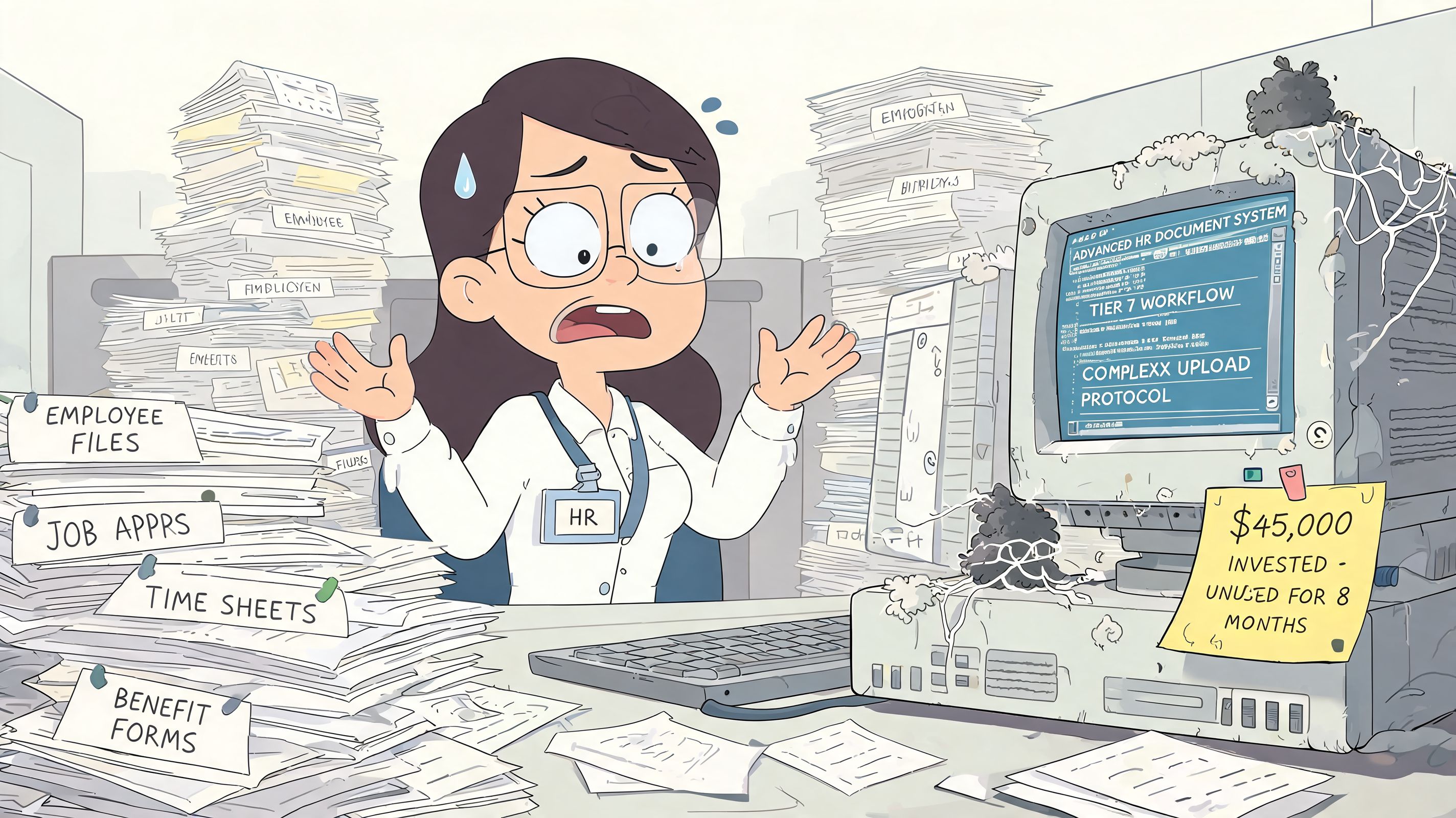
I’ve watched teams buy massive platforms with deep feature sets, only to discover that nobody enjoys using them and almost nobody uses them correctly. The system looks impressive in demos. In real life, managers go back to email attachments because the official route feels slower and harder.
Digitizing a bad process
This one happens all the time. A company takes a clumsy paper process, scans the forms, and declares victory. Nothing really improves. The same confusion survives, just in PDF form.
If approvals are unclear on paper, they’ll still be unclear online. If ownership is fuzzy before digitization, software won’t magically create accountability. Clean up the process first. Then digitize it.
A fast mess is still a mess.
Building a filing maze
Some teams respond to disorder by making the folder structure hyper-detailed. Fifteen levels deep. Endless subfolders. Tiny distinctions nobody remembers.
That kind of system collapses under ordinary use. People save files in the wrong place because the “right place” requires too much interpretation. Search becomes a backup plan for a structure that already failed.
A better rule is to choose the fewest levels that still make sense. Broad categories. Clear naming. Consistent ownership.
Ignoring the human side
The technical build is rarely the hard part. The hard part is getting people to trust and follow it.
Here are the mistakes that usually hurt adoption most:
Skipping context. If people don’t understand why the new system matters, they’ll treat it like admin overhead.
Designing for desk workers only. Frontline staff often need mobile access, quick retrieval, and simple flows more than anyone.
Allowing endless exceptions. Once every manager has a “special way” of saving files, the common system starts to fall apart.
Treating training as a one-time event. People need reinforcement in the first weeks, not just a launch-day demo.
The companies that get this right are usually a little less ambitious and a lot more disciplined. They pick simple rules. They enforce them gently but consistently. They design around how people work.
That’s what keeps order from sliding back into clutter.
Unifying Your People and Their Paperwork
The best hr document management system doesn’t sit off to the side like a dusty archive. It lives where work is already happening.
That matters even more in companies with both office and frontline staff. When documents live in one system, chat in another, schedules somewhere else, and policy updates in a portal nobody opens, people stop expecting clarity. They learn to ask around instead. That’s slow, uneven, and frustrating.
A better model brings communication, files, policy access, and daily coordination closer together. Then documents stop feeling like hidden HR property and start acting like shared company infrastructure. The employee handbook is easier to access. PTO guidance is easier to trust. Safety procedures are easier to pull up on a phone when someone needs them.
Why unified access matters
This isn’t just a convenience issue. It’s a work experience issue.
Frontline employees often don’t have the patience or time to hunt through layers of systems built for office habits. If they need a policy, a form, or a signed acknowledgment, it has to be simple. If a supervisor needs to confirm a record mid-shift, it has to be quick. A calm document system narrows the gap between headquarters and the floor.
For global teams, the challenge gets sharper. Companies operating across borders have to juggle different privacy and retention demands, and annual checkups often aren’t enough. As noted in this global HR document compliance analysis, for companies operating in multiple countries, annual audits can fall short, while quarterly AI-driven checks can reduce liabilities by 40%.
The real goal
The goal isn’t to create a perfect digital filing cabinet. That’s too small.
The goal is to make work less annoying and less fragile. To help HR spend less time chasing files. To help managers act with confidence. To help employees trust that the company can handle their information with care.
When hr document management is done right, people notice something subtle. Work feels less chaotic. Fewer loose ends. Fewer “can you send that again?” messages. Fewer little failures that eat up the day.
That’s not an admin win. That’s a people win.
If your team is trying to bring documents, communication, and day-to-day work into one place, Pebb is worth a close look. It gives office and frontline teams a shared home for file sharing, knowledge access, chat, tasks, and operational updates, with the permissions and structure needed to keep HR information organized and secure.
