
What Is Workforce Management? a Complete Guide
Discover what is workforce management with our complete guide. Explore WFM essentials, core components, & expert tips for modern teams in 2026.
Dan Robin

You're probably living this right now.
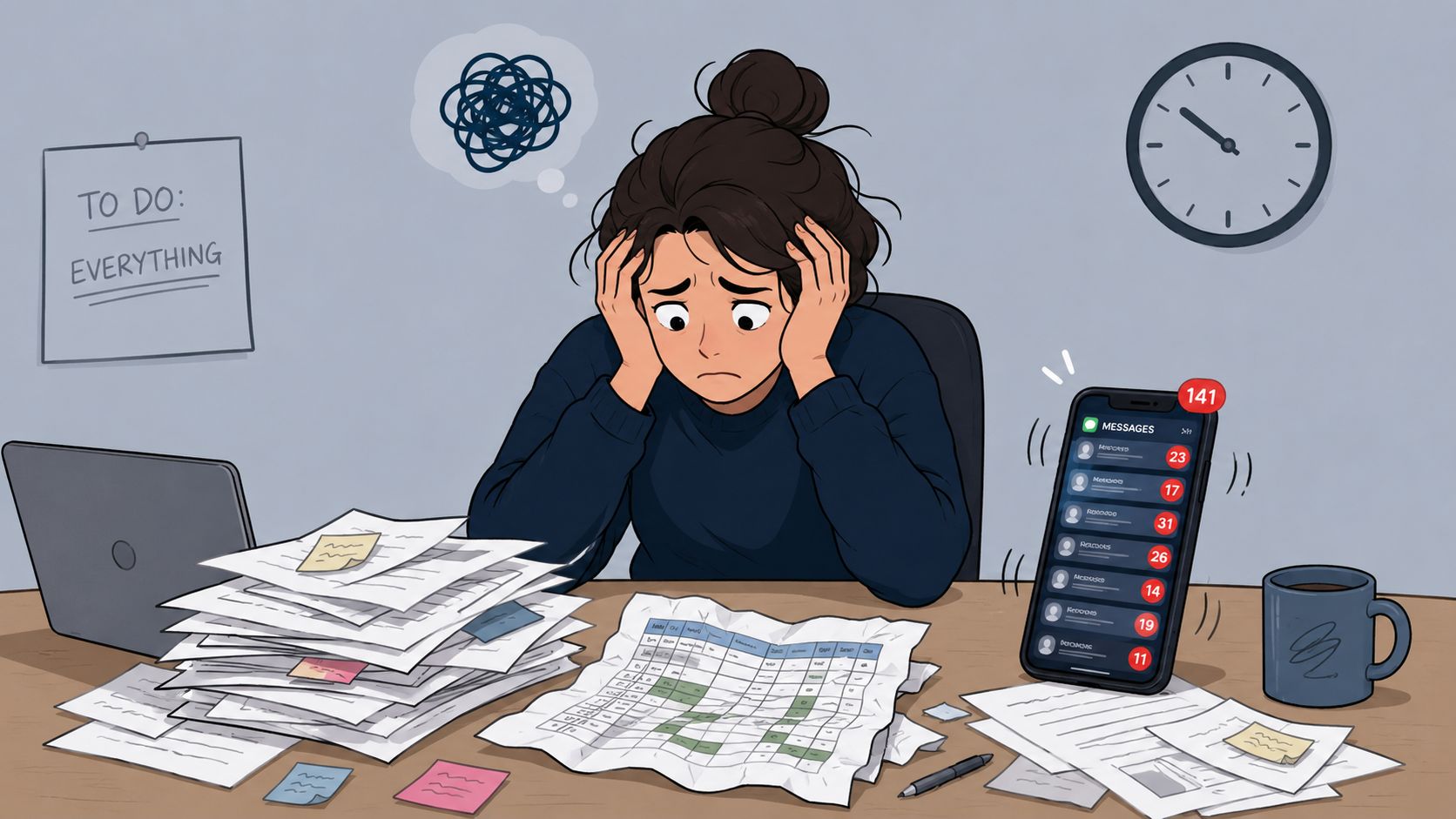
A manager is staring at a schedule that broke before the week even started. Someone called out. Someone else wants Friday off. Payroll is already drifting higher than planned. The team chat is full of “Can anyone cover?” messages, and nobody feels in control.
That's usually where people start asking what is workforce management. Not in a strategy meeting. In the middle of avoidable chaos.
Workforce management is the practice of making work run in a way that respects both the business and the people doing the work. It means getting the right people into the right roles at the right time, with clear expectations, fair schedules, accurate time tracking, and enough visibility to stop running the place on guesswork.
It's Not Just a Spreadsheet Anymore
For a long time, “workforce management” sounded bigger than it really was. In most companies, it meant a spreadsheet, a wall calendar, and one overworked manager who somehow knew everyone's availability from memory.
That setup works until it doesn't. Then the cracks show fast. Shifts get missed. Overtime piles up. Payroll gets messy. Good people get annoyed because the system feels random.
The old way creates daily friction
I've seen teams spend more time fixing the schedule than building one. That's the hidden cost of bad workforce management. It doesn't just waste hours. It creates a constant low-grade stress that people carry through the whole shift.
When people ask what workforce management is, I don't start with software. I start with sanity. It's the operating rhythm that keeps staffing, time, attendance, and communication from falling apart every day.
Workforce management isn't about squeezing people harder. It's about removing avoidable friction so they can do good work without unnecessary stress.
That's one reason this category keeps growing. The workforce management market projection from MarketsandMarkets says the global WFM market is projected to grow from USD 9.57 billion in 2025 to USD 15.67 billion by 2030, at a CAGR of 10.4%. Companies aren't spending on this because it's trendy. They're spending because labor is expensive, time is limited, and chaos is exhausting.
Calm operations are built, not hoped for
A calmer alternative looks simple on the surface. You know demand well enough to staff properly. People can see their schedule without hunting for it. Time worked matches time paid. Changes get communicated clearly. Requests for time off don't disappear into a text thread.
If you're still wrestling schedules in separate tools, it helps to see what dedicated workforce scheduling software changes in practice. The value isn't just cleaner admin. It's fewer surprises for everyone.
That's a significant shift. Workforce management used to be treated like back-office paperwork. It's now part of how serious operators protect margins, reduce daily disorder, and treat people's time with basic respect.
Breaking Down the WFM Engine
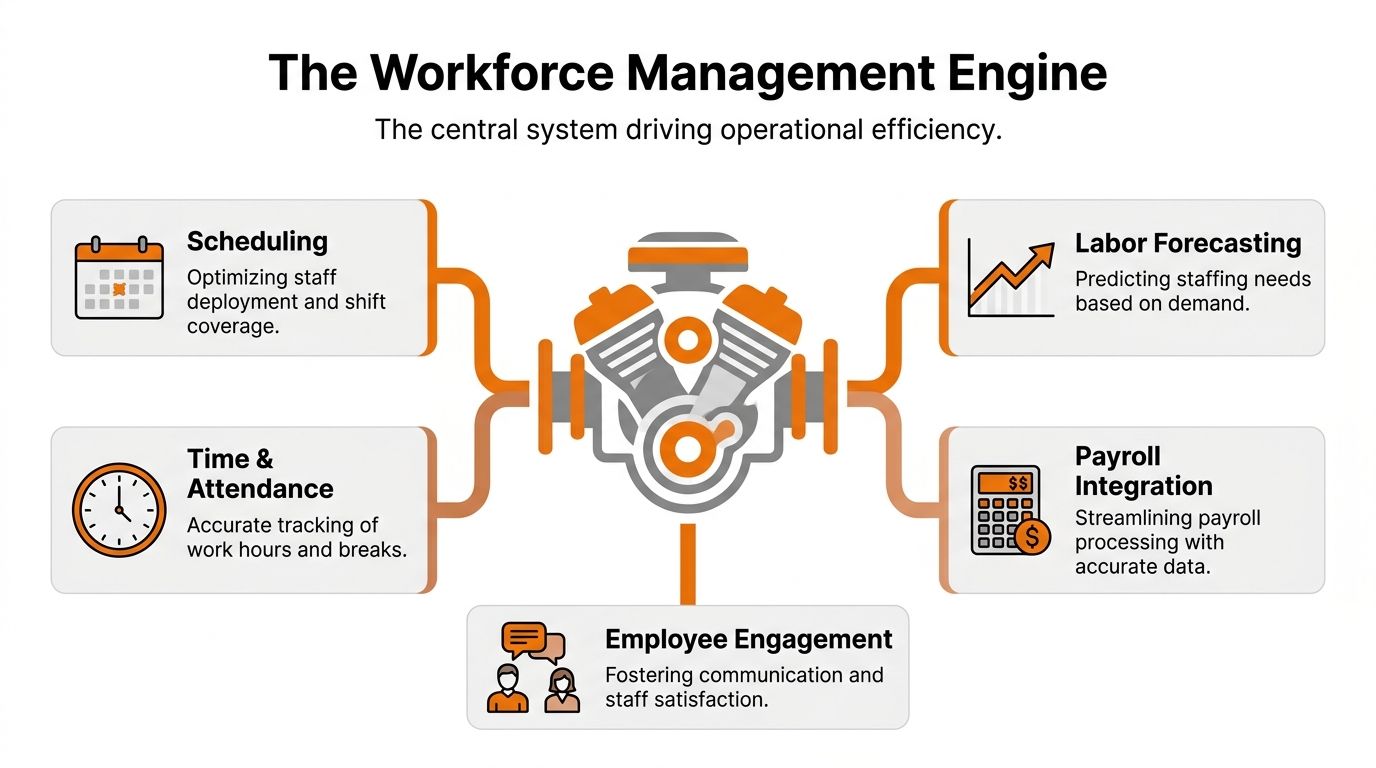
A good workforce operation behaves like an engine. Each part matters on its own, but the true payoff comes when the parts work together.
If one piece is weak, the whole thing starts rattling. Great schedules built on bad forecasts still fail. Clean time tracking without payroll integration still creates extra work. You need the whole system.
Forecasting sets the direction
The first pillar is labor forecasting, shifting the approach from guessing staffing requirements to utilizing real demand patterns. In a store, that might mean looking at peak hours. In hospitality, it might mean booking volume. In a support team, it often starts with contact volume and shrinkage.
The point isn't precision for its own sake. The point is avoiding the two classic mistakes: too few people when demand spikes, and too many when the floor is quiet.
For teams that run on appointments and sessions, even niche tools can teach the same lesson. A strong piece of tutoring scheduling software shows how much smoother operations get when demand, availability, and scheduling live in the same workflow instead of scattered tabs.
Scheduling turns intent into reality
Once you know what demand looks like, automated scheduling does the hard part of turning forecast into shifts.
Bad habits commonly emerge, such as managers scheduling whoever is easiest to remember. Fairness gets replaced by convenience. Availability lives in someone's inbox. Then people stop trusting the schedule because it keeps changing.
Good scheduling systems don't just fill empty slots. They account for skill, role, timing, and coverage. They also make it easier to avoid loading the same reliable people with every hard shift.
Time tracking tells the truth
The third pillar is time tracking. This is the record of what happened, not what was supposed to happen. Clock-ins, clock-outs, breaks, missed punches, late starts, extra hours. Without that layer, payroll becomes a debate.
That truth matters operationally too. If people are always staying late in one department, the issue may not be discipline. The forecast might be wrong, the task load unrealistic, or the handoff process broken.
Performance closes the loop
The fourth pillar is performance management. Here, workforce management transcends attendance control. You compare staffing decisions with outcomes. Did the team have enough coverage? Did service hold up? Did the labor plan match reality?
According to Nowsta's overview of workforce management software, modern WFM systems operate on four core pillars: labor forecasting, automated scheduling, time tracking, and performance management, and they can reduce costly overtime and scheduling errors by up to 30% when integrated correctly.
That last phrase matters. When integrated correctly.
Practical rule: Don't judge your workforce management by how pretty the schedule looks. Judge it by whether forecasting, scheduling, time tracking, and performance data are connected enough to help you make better decisions next week.
Here's the engine in plain terms:
Forecasting helps you decide how many people you need.
Scheduling places those people where the work is.
Time tracking records what really happened.
Performance management tells you whether the plan worked.
Payroll integration keeps labor data from turning into manual cleanup later.
You can run with one or two of these. Plenty of teams do. But you'll feel the drag every day until the engine is connected.
Why Bother Getting This Right
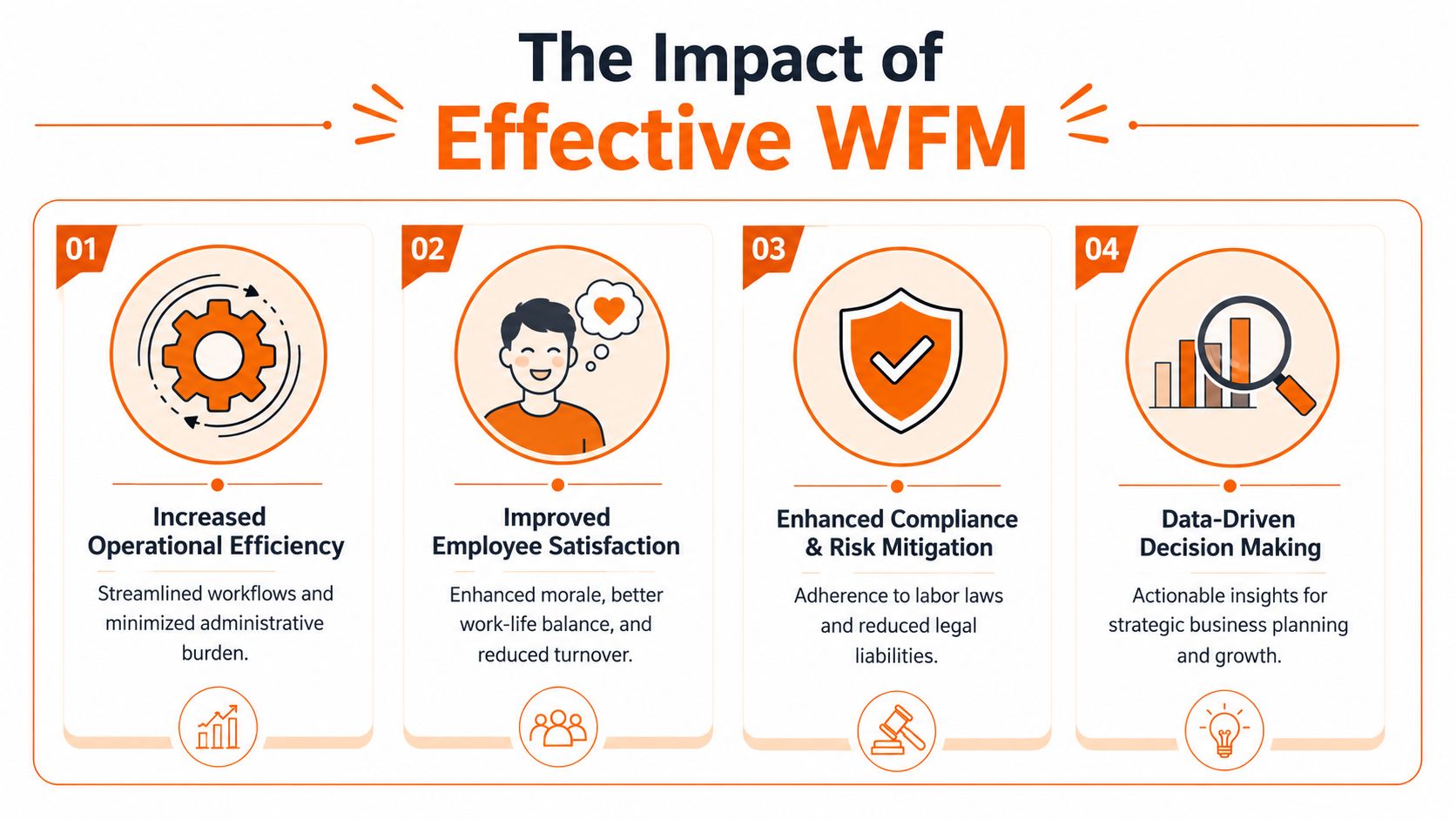
Some leaders still treat workforce management like a payroll side quest. That's a mistake. The true payoff shows up in trust, stability, and the quality of the workday.
When the schedule is fair and clear, people stop wasting energy decoding it. When staffing is close to reality, customer experience stops swinging wildly by shift. When time and attendance records are clean, payroll becomes boring. Boring is good.
Better systems create better days
A lot of turnover starts with frustration that feels small in the moment. Last-minute changes. Too many clopening shifts. PTO requests that vanish. Nobody explaining why one team is short every weekend.
People rarely say, “I left because your workforce management model was weak.” They say the schedule was a mess, payroll was wrong, or work felt chaotic. Same problem. Different words.
That's why I like the broader idea of Total Workforce Management. It doesn't split permanent staff, contractors, and shift workers into separate operational worlds. It tries to see the labor picture as it is.
The SAP explanation of Total Workforce Management makes this point clearly. A TWM approach integrates all worker types and focuses on the 7 R's: the Right people, in the Right role, in the Right place, at the Right time, with the Right skills, at the Right cost, and with Right engagement. Their framing is practical because it ties workforce decisions to real operating conditions, not abstract HR language.
Cost control is only part of the story
Yes, good workforce management can lower waste. That matters. But the stronger case is that it helps businesses stop creating self-inflicted problems.
A healthy operation usually looks like this:
Predictable coverage means managers aren't scrambling at the start of every shift.
Clear attendance records reduce payroll disputes and the resentment that comes with them.
Integrated labor visibility helps leaders spot where staffing is thin, bloated, or mismatched.
Fairer deployment makes people more willing to stay, contribute, and adapt when needed.
People can handle hard work. What burns them out is unnecessary disorder.
That's why good WFM is good business. It protects margins, but it also protects attention. A team that isn't fighting the schedule every week can focus on customers, output, quality, and each other. That's a much better use of everyone's energy.
Measuring What Truly Matters
A lot of teams drown in metrics and still don't know what's wrong. More dashboards don't fix that. A short list of honest numbers does.
I don't care much for vanity reporting in workforce operations. If a metric doesn't help a manager decide what to change next week, it's probably noise.
Start with attendance and retention
The first metric I look at is absenteeism. Not because it's dramatic, but because it's revealing. The UKG write-up on workforce metrics notes that absenteeism is a critical benchmark used by the U.S. Bureau of Labor Statistics, and high rates correlate with increased operational costs, lower morale, and reduced productivity.
That should tell you something. Repeated absence isn't just an attendance issue. It can point to burnout, bad scheduling, poor communication, or a team that has stopped believing the system is fair.
The second metric is retention versus turnover. They're related, but they tell different stories. The ActivTrak explanation of workforce planning metrics defines retention rate as the number of employees who stayed over a period divided by the headcount on day one, multiplied by 100. Turnover rate is the number of people who left divided by the average number of employees in that period, multiplied by 100.
Watch the small set that changes decisions
Here's the short table I'd keep in front of any operations leader.
Metric | What It Tells You | Why It Matters |
|---|---|---|
Absenteeism | Whether people are reliably showing up for scheduled work | High absence usually signals deeper friction in the operation |
Schedule adherence | Whether shifts are being worked as planned | Poor adherence weakens service, coverage, and labor planning |
Labor cost vs. budget | Whether staffing spend matches the plan | It shows if your forecasts and schedules are grounded in reality |
Retention and turnover | Whether people are staying or leaving | It helps you separate stable operations from hidden churn |
Another useful lens is productivity. The Zendesk article on workforce management metrics defines the core formula plainly: total output per employee or team divided by total input. That simplicity is helpful. Productivity gets fuzzy when teams avoid defining output.
And if you're running customer-facing operations, shrinkage matters more than many managers realize. The Global Response overview of call center workforce management metrics describes shrinkage percentage as a metric that includes absenteeism, vacation or PTO usage, and schedule adherence to calculate actual work time required.
If you want a deeper view of how these measures connect, this guide to workforce analytics is a useful follow-on. The key is to keep the system honest. Measure enough to see clearly, not so much that nobody acts.
Where Workforce Management Goes Wrong
Most workforce management failures aren't technical. They're operational habits dressed up as process.
A company buys a scheduling tool and assumes the problem is solved. But the schedule is still built in a vacuum. Time-off requests still live in messages. Payroll still depends on manual cleanup. Nobody asks employees whether the shifts are workable. Then leaders wonder why adoption is weak.
The common mistakes are boring and expensive
The first mistake is forecasting from hope instead of evidence. Managers understate staffing needs because they're under pressure to hold labor costs down. Then the team gets crushed, service slips, and overtime creeps in anyway.
The second mistake is treating employees like movable pieces. On paper, it can look efficient to slot people wherever coverage is thin. In reality, people have limits, preferences, commutes, family obligations, and varying skills. A schedule that ignores all of that may be technically full and still operationally broken.
The third mistake is tool sprawl. Scheduling in one place. chat in another. PTO requests by text. Time tracking in a separate app. Payroll in a different system. Every handoff creates room for delay, confusion, and quiet resentment.
Disconnected tools don't just slow managers down. They make employees feel like nobody has the full picture.
Disengagement has an operating cost
This isn't soft. It hits output.
A LinkedIn summary of workforce management trends cites a 2026 Gallup report that found global employee engagement fell to 20% in 2025, costing the world economy an estimated $10 trillion in lost productivity. You don't need to run a global company to feel the local version of that problem. Disconnected, frustrated teams don't work at their best.
What works better is more grounded.
Build schedules with input so availability and real constraints aren't an afterthought.
Review forecast accuracy often because labor plans drift when demand changes.
Reduce handoffs by connecting scheduling, attendance, communication, and payroll data.
Leave room for reality because every operation has exceptions, no matter how neat the policy looks.
The calmest operations I've seen aren't rigid. They're clear, flexible, and respectful. That combination is harder to build than a strict system, but it holds up better in practice.
Bringing It All Together in One Place
If the problem is fragmentation, the answer is not another layer of admin. It's one place where the work lives.
Managers need to build schedules, review attendance, handle PTO, send updates, and keep tasks moving. Employees need to check shifts, clock in, ask questions, and know what changed. When that happens across disconnected tools, the day gets chewed up by switching, syncing, and chasing people down.
One app changes the texture of the day
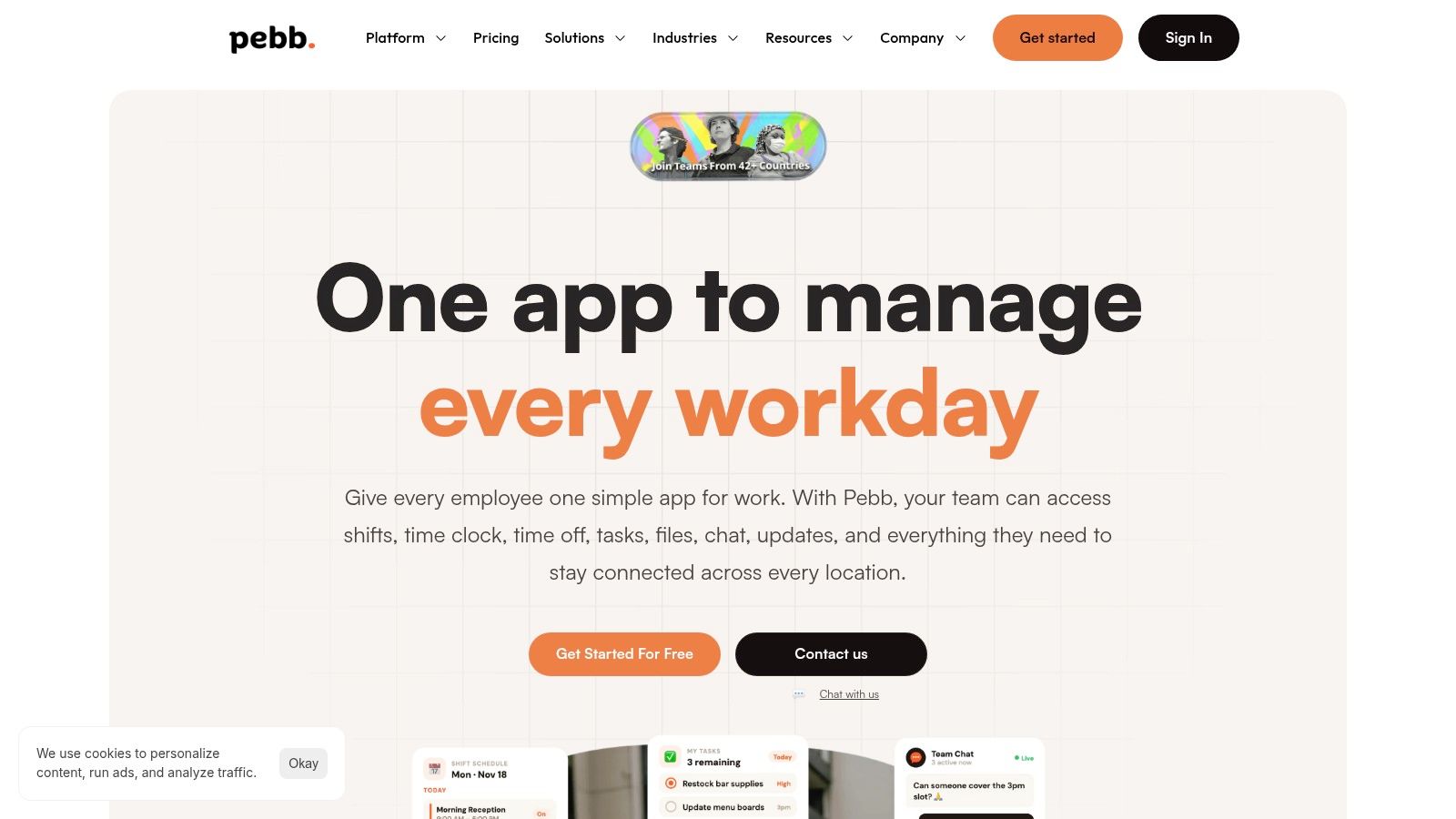
A unified work app makes practical sense. Instead of stitching together scheduling software, chat, tasks, and leave requests, teams work from one shared system.
For example, Pebb's workforce management software combines communication, scheduling, clock-in, PTO tracking, tasks, and team spaces in one app. For a frontline manager, that means schedule changes, attendance, and team updates can happen in the same workflow instead of being bounced across multiple systems.
That sounds small until you live the alternative.
A manager sees a leave request, adjusts the shift, sends the update, and the team can immediately see it on mobile. An employee clocks in, checks assigned tasks, and messages a coworker without opening three apps. That's not flashy. It's just cleaner.
Less friction beats more software
The best workforce tools don't make work feel more technical. They make it feel less fragmented.
I'd judge any platform by a few simple questions:
Can employees use it from their phone without training drama?
Can managers see schedules, attendance, and requests in one view?
Can the team communicate in context, not in a separate channel that gets ignored?
Can it reduce handoffs instead of creating a new one?
If the answer is no, you're probably buying another layer of complexity. Good workforce management should reduce moving parts for everyone, especially the people closest to the shift.
It's About People Not Positions
The phrase “human resources” has done some damage. It makes it easy to think of workforce management as the art of arranging units.
That mindset is where bad systems come from.
What is workforce management, really? It's a practice of clarity and respect. It says people should know when they're working, what's expected, how time is tracked, and where to go when something changes. It says managers should have enough visibility to plan responsibly instead of improvising under pressure.
Respect shows up in the details
You can see this principle outside paid work too. Even communities and nonprofits need order that doesn't waste people's time. That's why tools like volunteer management tools are useful to study. The context is different, but the lesson is the same. People show up more reliably when coordination is clear and considerate.
Good workforce management doesn't turn people into numbers. It stops numbers from overruling common sense.
Software helps. Process helps. Metrics help. But the ultimate test is simple. Does your system make work feel calmer, fairer, and easier to trust?
If it does, people notice. If it doesn't, they notice that too.
If your team is juggling schedules, chat, PTO, tasks, and clock-ins across too many tools, Pebb gives you one place to run the work without the usual friction. It's a practical way to make workforce management feel less like damage control and more like a steady operating rhythm.
