
Workforce Scheduling Software: Find Your Perfect Tool
Choose the best workforce scheduling software for 2026. Understand key features, avoid common pitfalls, & select a tool your team will truly love for
Dan Robin

Some weeks, the schedule falls into place. Most weeks, it doesn't.
It's Sunday night. Someone changed availability on Friday but forgot to tell you. One person wants fewer closing shifts. Another can only work mornings now because school started. Two people asked for time off in a text thread you can't find. You're staring at a spreadsheet that looked manageable on Thursday and now feels like a dare.
That's the part people miss. Scheduling isn't just moving names into boxes. It's one of the clearest ways a company shows respect, or doesn't, for the people doing the work.
The Sunday Night Scheduling Scramble
If you've managed a frontline team, you know the drill. The schedule lives in five places at once. A spreadsheet on your laptop. A note in your pocket. A group chat. A few verbal promises made during a hectic shift. Maybe a photo of last week's rota still pinned in the break room because nobody printed the new one yet.
The mess hurts everyone.
Managers feel it first as stress. Employees feel it as uncertainty. They don't know if they can say yes to childcare, a second job, a doctor's appointment, or dinner with family because they still don't know when they're working. What looks like an admin problem from the office often feels like instability on the floor.
Calm matters more than speed
That's why workforce scheduling software matters. Not because software is exciting. It usually isn't. It matters because good scheduling creates calm.
A decent tool gives you one place for availability, time-off requests, open shifts, and changes. A better one reduces the last-minute scramble in the first place. If you're still patching schedules together with texts and manual edits, it helps to see how online employee scheduling changes the rhythm of the week.
Poor scheduling doesn't stay on the schedule. It spills into morale, attendance, and trust.
Plenty of companies are trying to fix this. The global workforce scheduling software market reached $1.6 billion in 2024, up 12.2% year over year, and is projected to reach $2.3 billion by 2029 at a 7.4% CAGR, according to Apps Run The World's workforce scheduling market data. That tells me this isn't a niche headache. It's a broad, expensive, recurring operational problem.
The real job of the tool
The wrong way to buy scheduling software is to ask, “Will this help me build the schedule faster?”
The better question is, “Will this help us run work in a way people can live with?”
That changes what you look for. You stop chasing flashy automation and start caring about predictability, fairness, and whether the tool fits the way your team works. Fast is nice. Stable is better.
What Is Workforce Scheduling Software Really
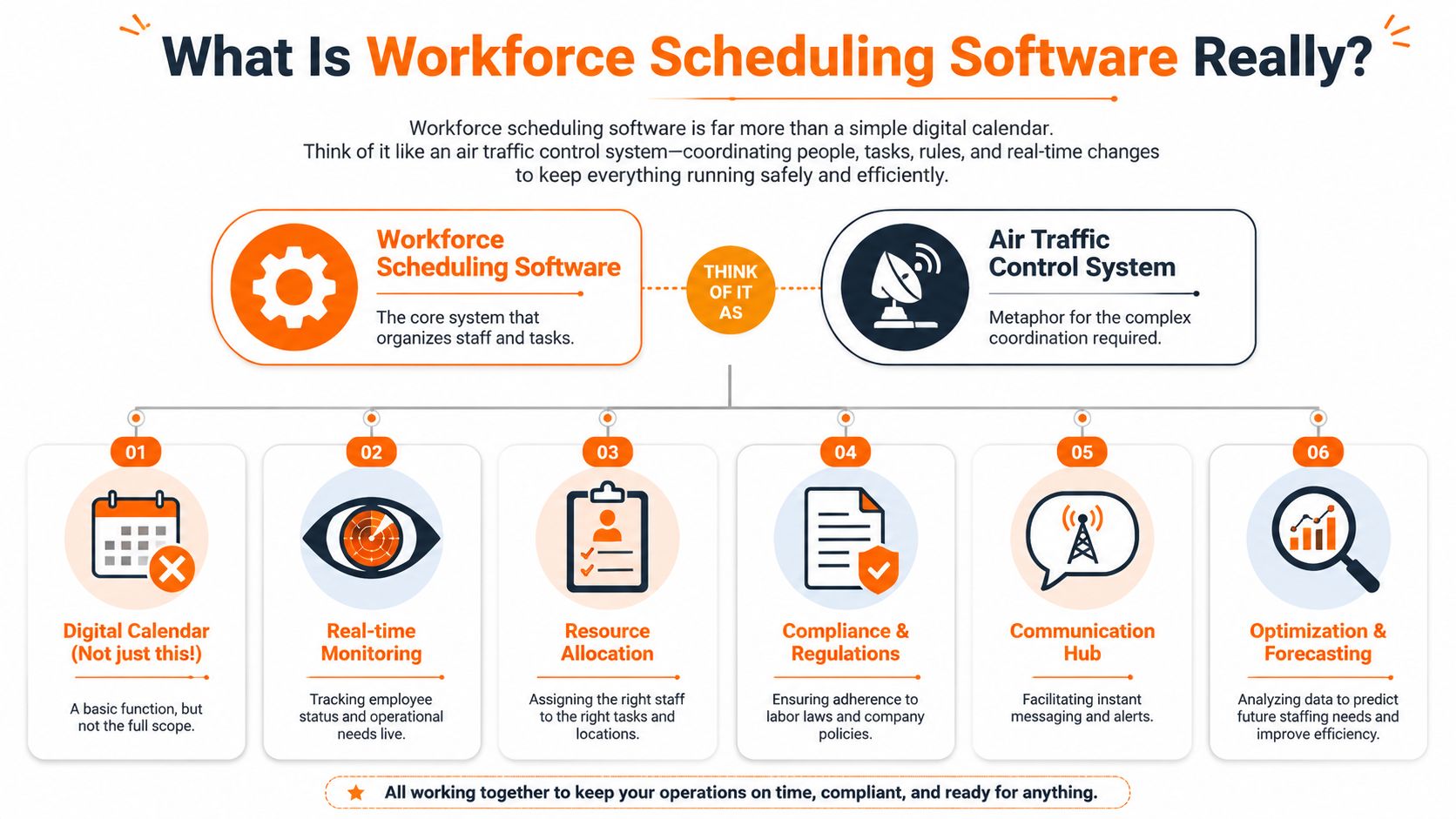
“Scheduling software” often brings to mind a digital calendar. That's too small.
A calendar shows what's happening. Workforce scheduling software helps decide what should happen, who can do it, who shouldn't, and what trade-offs come with each choice. It's closer to air traffic control than a wall planner. A lot of moving parts, a lot of constraints, and very little room for avoidable mistakes.
More than a roster
Good systems don't just publish shifts. They use constraint-based assignment to match worker availability, preferences, and skills to open shifts while avoiding over- and under-scheduling. That directly reduces labor-cost leakage and improves service coverage, as described in Workday's explanation of workforce scheduling.
That sounds technical, but the day-to-day version is simple. If one person is trained for a task and another isn't, the system should know that. If someone is unavailable on Tuesday afternoons, it should stop suggesting them for Tuesday afternoons. If the business needs stronger coverage during a rush, the schedule should reflect actual demand instead of habit.
What the software is really coordinating
A useful way to evaluate any tool is to ask what inputs it can handle without turning the manager into a full-time babysitter.
Availability and preferences help avoid schedules that look fine on paper and collapse in real life.
Skills and certifications matter in places where not every employee can do every task.
Labor rules and internal policies keep the schedule from creating compliance problems that someone has to unwind later.
Demand signals help staffing follow the work instead of guesswork.
Live changes make it possible to handle swaps, callouts, and open shifts without starting over.
If a tool can't juggle those inputs, it's not really workforce scheduling software. It's just a prettier spreadsheet.
Practical rule: If the manager still has to remember every exception in their head, the software isn't doing enough.
Judgment still matters
This is the part vendors often skip. Software can improve decisions. It can't replace judgment.
A strong manager still knows when the “optimal” schedule is a bad human decision. Maybe the system stacks too many difficult shifts on the same reliable person because it can. Maybe it fills every gap but ignores team fatigue. That's where real management comes in. The software should sharpen your judgment, not flatten it.
The Core Features That Actually Matter
Feature lists are where a lot of buying processes go off the rails. Every vendor can make a grid look impressive. What matters is whether the feature does a real job for the people using it.
Shift creation that saves your attention
Automated shift creation matters because managers have better things to do than rebuild the same schedule from scratch every week. But automation only helps when it reflects reality. If it ignores availability, skill mix, and actual operating patterns, you spend your time fixing the machine instead of managing the team.
The best automation gives you a solid first draft. Not a magic answer. A first draft.
Mobile access that people actually use
A mobile app sounds ordinary until you've worked with a team that doesn't sit at desks. For frontline staff, mobile access is the schedule.
A barista checks tomorrow's shift on the bus. A warehouse lead picks up an extra opening after dinner. A nurse asks for a swap without playing phone tag. If the app is clunky, workers stop using it and drift back to text messages and hallway conversations. Then the system becomes optional, which means it stops being the system.
Time-off and swaps without drama
This feature does more cultural work than people realize. Integrated time-off requests and shift swaps tell employees, “There is a clean way to ask for what you need.”
Without that, people negotiate privately, make side deals, or avoid asking at all. Managers get pulled into every tiny exception. Resentment builds because nobody knows whether decisions are consistent.
Real-time visibility beats static schedules
Static schedules go stale the moment real life hits them. Better platforms show whether shifts are fully staffed, calculate working hours online, surface conflicts immediately, and forecast labor costs and overtime risk, according to Spica's overview of advanced scheduling systems.
That matters because scheduling isn't a one-time event. It's a live operating process.
Here are the features I'd treat as essential:
Live staffing view so managers can spot gaps before customers or patients do.
Employee self-service for availability, swaps, and time-off.
Compliance guardrails so the software catches obvious problems early.
Payroll connection so hours don't get re-entered by hand somewhere else.
Forecasting support so labor planning follows real demand instead of last month's guess.
Payroll integration is boring and important
This one rarely gets top billing, but it should. When scheduling and payroll live apart, errors creep in through re-entry, adjustments, and manual cleanup. Every mismatch creates more work for someone and less trust from employees who just want to be paid correctly.
I've found that teams often underrate this because it doesn't feel strategic. It is. Nothing makes people lose faith in a system faster than a schedule that doesn't line up with time and pay.
Where These Tools Shine and Stumble
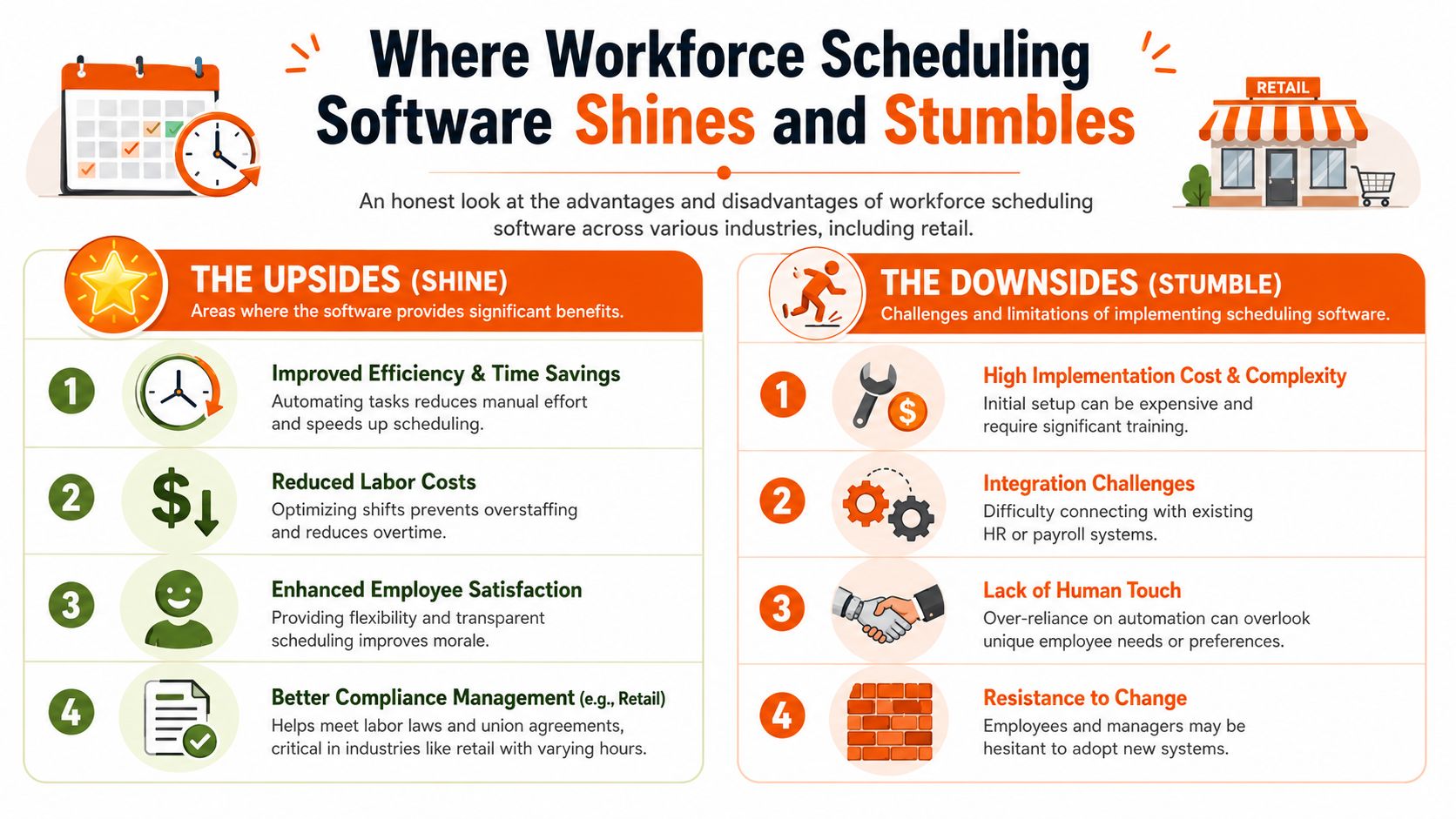
Workforce scheduling software can be excellent in the right setting and harmful in the wrong one. The difference usually isn't the algorithm. It's the quality of the operating choices around it.
Retail and hospitality
These tools shine when demand changes fast. In retail and hospitality, managers need to cover peaks, adjust for seasonality, and react when foot traffic or reservations shift. Software helps because it organizes a lot of moving parts without relying on one exhausted manager to remember everything.
Where it stumbles is fairness. If the schedule keeps giving premium shifts to the same people, or keeps closing one night and opening the next morning for another, the software may be efficient while the workplace gets worse.
Healthcare and logistics
In healthcare, skill matching and coverage matter in a very real way. The software can help make sure the right people are assigned to the right roles and that gaps are visible quickly. In logistics, it helps coordinate coverage across locations, shifts, and changing workloads.
But these are also the places where rigid automation can become dangerous. If the system pushes relentlessly toward coverage and cost without enough human review, it can create fatigue, overload, and brittle operations. On paper, every slot is filled. On the ground, people are burning out.
A full schedule isn't the same as a healthy one.
The retention problem most tools don't solve
A lot of software claims to improve employee experience. Some of it does. Some of it digitizes the same bad habits.
That distinction matters because scheduling instability carries a real human cost. In a U.S. survey of low-wage workers, 76% had less than two weeks of notice for work schedules, and irregular hours were linked to income volatility and difficulty arranging childcare and second jobs, as summarized in Zendesk's workforce scheduling analysis.
If a tool makes scheduling faster for managers while keeping workers in the dark, it hasn't solved much.
A better test than efficiency
I'd judge industry use cases with three simple questions:
Context | Where it helps | Where it hurts |
|---|---|---|
Retail | Adjusts staffing to changing demand | Can favor availability over fairness |
Hospitality | Handles fast shift changes and coverage gaps | Can normalize unstable hours |
Healthcare | Matches staffing to skill requirements | Can over-prioritize coverage at the expense of fatigue |
Logistics | Coordinates multi-shift, multi-site operations | Can become too rigid when conditions change |
If the software reduces chaos and gives people more predictability, it's doing its job. If it just makes bad scheduling faster, it's not progress.
The Unspoken Truths About Rollout and ROI
Buying the software is the easy part. Rollout is where good intentions go to die.
Most failures don't happen because the tool is broken. They happen because the company treats implementation like a settings exercise instead of a management project. Someone imports employee data, flips a few switches, runs a short demo, and assumes the team will adapt. They won't. Not without help.
Bad inputs create bad schedules
Scheduling software can only work with what it's given. If availability is outdated, job roles are inconsistent, approval rules are fuzzy, or managers all use different standards, the system will reflect that mess back to you. Nicely designed software doesn't clean dirty operations by itself.
This is also where AI talk gets overcooked. Yes, automation can help. No, it doesn't erase complexity.
Recent labor-market evidence makes that plain. The World Economic Forum's 2025 employment outlook notes that 86% of employers expect AI to transform their business by 2030, but 40% say skill gaps are the biggest barrier to transformation, and OECD work warns that automated scheduling can intensify work, reduce autonomy, and embed bias if it isn't governed carefully, as cited in iSolved's workforce technology overview.
Rollout lives or dies with trust
Managers need training, but employees need something else. They need to believe the tool won't make their lives harder.
That means explaining things clearly:
How availability works so people know what the system will and won't respect
How swap requests are handled so the process feels consistent
How schedules are published so notice becomes more predictable
Who can override the system when real-life circumstances need a human decision
If you're comparing tools, a practical starting point is this guide to employee scheduling software options. The important part isn't the list. It's noticing how differently these tools handle communication, visibility, and day-to-day control.
The rollout succeeds when employees stop asking, “What is this app?” and start saying, “I know where to check.”
ROI is bigger than admin time
Most ROI conversations are too narrow. They focus on how many hours a manager saves building schedules. That matters, but it isn't the whole return.
I'd look at signs the work environment is getting healthier. Fewer missed shifts. Fewer last-minute scrambles. Fewer payroll corrections. Better schedule notice. Less confusion about time off. Less manager energy burned on chasing replies and untangling exceptions.
When the schedule becomes more predictable, the operation usually gets stronger in ways that don't fit neatly into a flashy demo.
Beyond a Schedule The Case for a Unified Work App
A standalone scheduling tool can solve one problem and create another. You get cleaner rosters, but now communication lives somewhere else, documents live somewhere else, tasks live somewhere else, and nobody is quite sure which app is the definitive source of truth.
That fragmentation is expensive in a quiet way. Not always in money first. In friction.
Context matters
Scheduling works better when it lives next to the rest of the work. If a shift opens up, the right place to handle that isn't a disconnected system nobody checks. It's the same place where the team already communicates, reads updates, and manages day-to-day tasks.
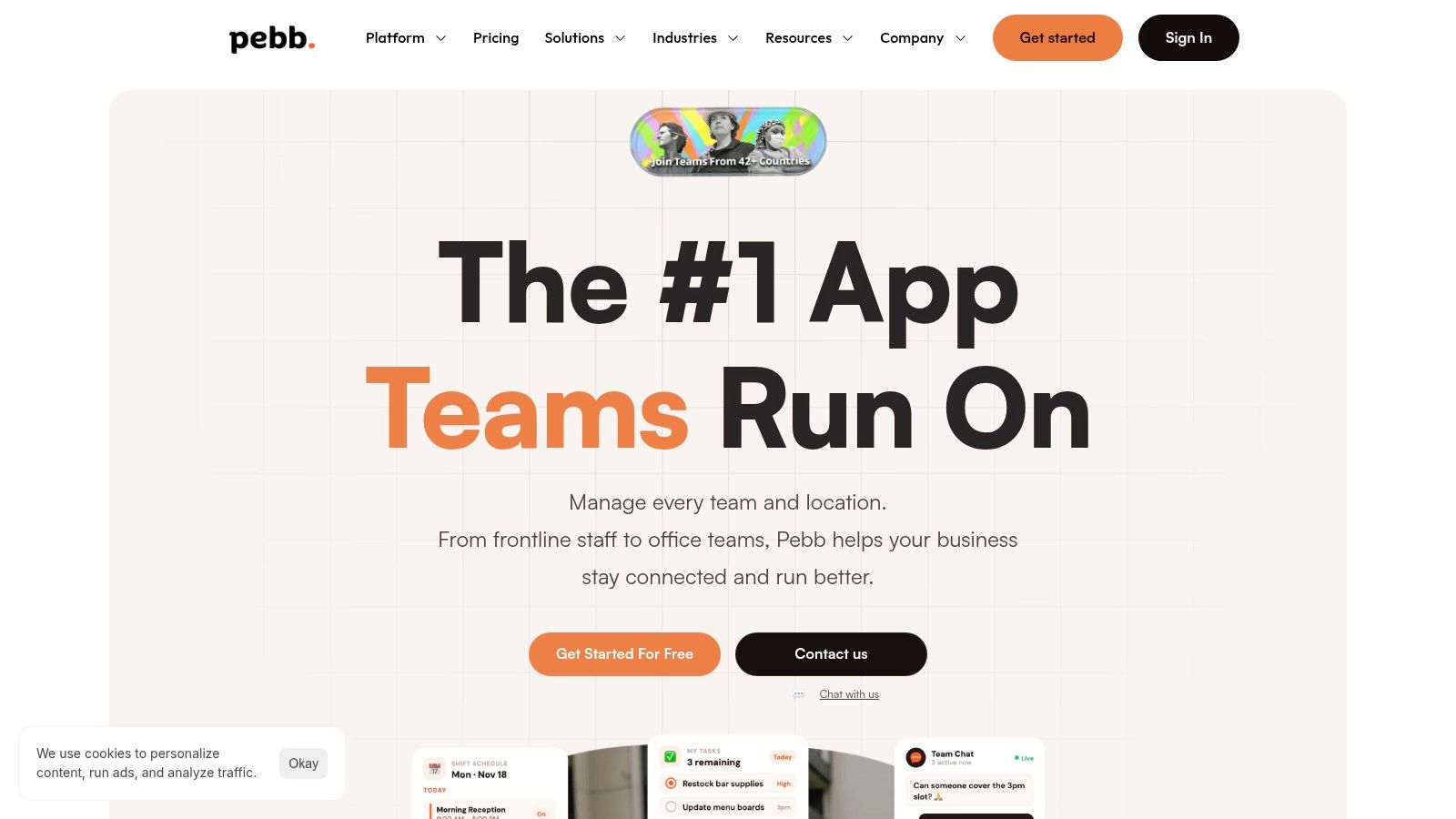
That's the case for a unified work app. Scheduling stops being an isolated admin task and becomes part of the team's shared operating space. A PTO request affects the schedule and the calendar. A manager posts an update and the relevant team sees it where they already work. A new employee can find their shifts, documents, and messages without learning five separate tools.
One place beats five decent ones
In this regard, a platform like Pebb is appropriate. It combines chat, Spaces, tasks, file sharing, scheduling, clock-in, and PTO tracking in one app, which is useful for teams that are trying to reduce tool sprawl rather than add another point solution.
I'm not convinced every company needs one giant platform for everything. But many teams do need fewer disconnected apps. Especially frontline teams. They don't benefit from a stack designed for people who sit at laptops all day.
Why this changes employee experience
The human benefit is simple. Work feels more coherent.
Instead of bouncing between systems, employees know where to go. Instead of managers repeating the same information across channels, they update it once. Instead of schedule changes appearing out of nowhere, they show up in context, near the conversation and the people affected.
That doesn't solve every staffing problem. It does remove a lot of avoidable confusion. And for many teams, confusion is the tax that makes every other problem worse.
Your Simple Selection Checklist
Most buyers ask whether the tool has the feature. I'd ask whether the team will live with the result.
Four questions worth asking
Use this checklist when you evaluate workforce scheduling software:
Question to Ask | What to Look For |
|---|---|
Does it respect my team's time? | Easy mobile access, simple availability updates, clear shift swaps, reliable notice |
Will it make my life simpler? | Clean interface, real-time visibility, sensible approvals, fewer manual handoffs |
Does it connect our team or isolate them? | Communication built into the workflow, not scattered across separate apps |
Can we grow with it? | Support for more locations, stronger reporting, and a setup that won't collapse under added complexity |
A lot of teams would benefit from reading this through the lens of an employee scheduling app, not just a scheduling engine. That small shift matters. It puts the worker experience back in the frame.
What I'd choose
I'd choose the tool that people can understand on a tired Tuesday, not the one that looks smartest in a sales call.
I'd choose the one that reduces awkward workarounds. The one that makes swaps clean, time off visible, and payroll less fragile. The one that helps managers use judgment instead of trapping them in a rigid workflow.
Good scheduling software doesn't just fill shifts. It helps people trust the week ahead.
That's a higher bar. It should be.
If you're trying to bring scheduling, communication, PTO, clock-in, and daily team coordination into one place, Pebb is worth a look. It gives frontline and office teams a single work app so schedules don't sit apart from the conversations and processes that shape them.
