
What Is Employee Communication and Why It Matters
What is employee communication? Learn how modern teams use clear channels, smart tools like Pebb, and real metrics to keep everyone aligned and engaged.
Dan Robin

The first time I saw a shift handoff fail badly, it wasn't because people didn't care. It was because the same update lived in a group chat, an email, and someone's memory of a manager conversation. Half the team knew the change, a few knew part of it, and the person starting the next shift got the fallout. That's what employee communication looks like in practice when it's sloppy. Not a messaging problem. A work problem.
Employee communication is the structured exchange of information, feedback, and direction inside an organization. That definition sounds plain because the job is plain. Get the right people the right context at the right time, then make sure they can respond, ask, and act. If you want a clean companion definition, the internal comms overview at Pebb's explanation of internal communications keeps the same focus on work, not ceremony.
The Real Definition of Employee Communication
A lot of leaders still treat employee communication like a newsletter job. It isn't. It's the nervous system of the business, the part that carries decisions, priorities, warnings, and feedback across teams that may never sit in the same room.
What it actually includes
It shows up in the obvious places, like announcements and policy updates. It also shows up in the messy places, like a supervisor correcting a process on the floor, a nurse clarifying a handoff, or a warehouse lead asking for a faster read on a delay. In practice, employee communication is less about “sending” and more about creating a shared understanding that helps people do the next right thing.
That matters because work is already communication-heavy. One workplace study summary says employees spend about 88% of their workweek communicating, including roughly 19 hours per week on writing tasks such as emails and reports, while the average office worker receives about 117 emails per day and sends around 31. Those numbers explain why vague, bloated updates fail. People are already flooded.
A useful test is simple, if a message doesn't help someone act, it's probably noise.
The best definition is also operational. Employee communication is the system that keeps instructions clear, gives people a way to push back when something's wrong, and closes the gap between what leaders think is happening and what staff are doing. That's why it belongs in operations, not just HR.
Why Employee Communication Is a Productivity Issue
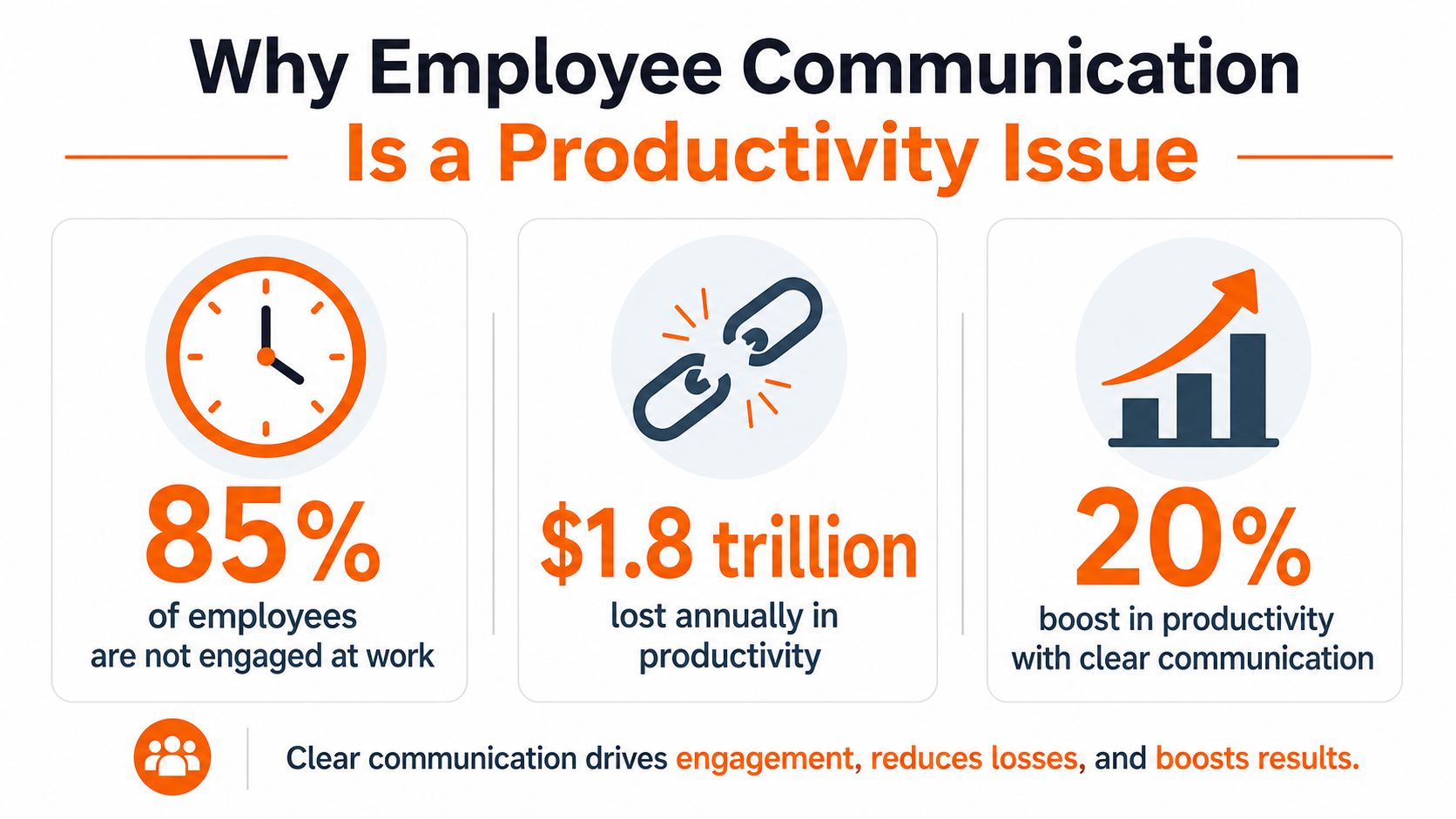
People still talk about internal communication as if it's soft work. That view doesn't hold up once you've watched a bad update ripple across a store, ward, or shift schedule. The cost shows up as confusion, rework, missed deadlines, and extra calls that nobody wanted to make in the first place.
The financial side is real too. The same workplace communication compilation says poor communication can cost $10,000 to $55,000 per employee per year in lost productivity, errors, and missed deadlines. Even without getting precious about the exact number, the direction is obvious. Bad communication is expensive because it creates repeated work.
Engagement sits in the middle of the problem
The stakes got sharper when global engagement fell. Gallup-reported figures summarized in 2026 show global employee engagement fell from 23% to 21% in 2024, the lowest level in years, after also falling in 2020. When engagement slips, communication becomes more than a broadcast function. It becomes a management discipline, because people need context, direction, and follow-through to stay aligned.
A late-2024 survey summarized in the workplace communication statistics source found only 36% of employees said email was their primary internal communication tool, while 26% named online chat or messaging and 17% named project management tools. That shift matters because it tells you where people are working. They aren't living in one inbox anymore.
If you want a practical angle on productivity, Vendmoore Enterprises insights are worth a look because they tie communication to how work gets done, not just how messages get delivered. That's the right lens. Not “Did we announce it?” but “Did people understand it, and did behavior change?”
The old model was broadcast. The better model is clarity, feedback, and fewer dead ends. That's what reduces friction.
The Channels That Actually Move Work Forward
The mistake I see most often is treating every channel like it's the same kind of pipe. It isn't. Company-wide updates, policy docs, team chats, and open forums all do different jobs, and the trouble starts when leaders use one channel for everything.
Formal channels and informal ones
Formal channels are for official, durable, and searchable information. Think company-wide announcements, policy documents, and scheduled leadership updates. These are the places for decisions, standards, and anything people may need to refer back to later.
Informal channels move fast. Team chats, quick voice notes, and open forums help people coordinate in the moment, especially when the work is changing by the hour. That's where peer-to-peer clarification happens, and that matters more than people admit.
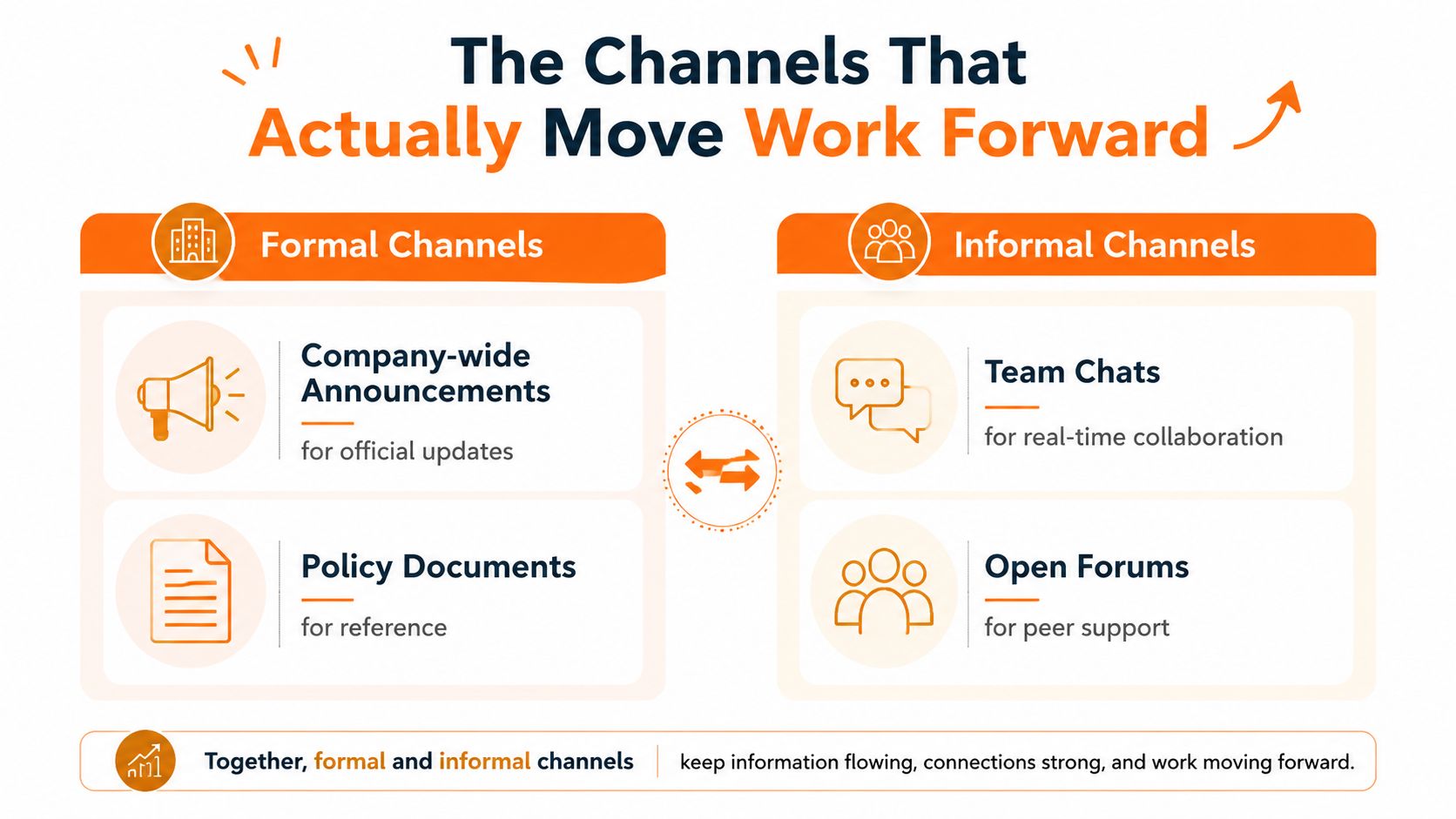
A good rule is to match the channel to the risk. Safety alerts and policy changes belong in formal, traceable places. Quick coordination, local problem-solving, and “did you see this?” questions belong in lighter channels. If you dump everything into chat, the important stuff gets buried under the urgent but trivial stuff.
Direction matters as much as format
Top-down communication sets priorities. Bottom-up communication surfaces problems before they get expensive. Peer-to-peer communication helps teams move without waiting for permission every time.
That's the part many leaders miss. The channel is not just a container, it shapes the behavior. A company that wants people to act quickly should not make every update feel like a document hunt. A company that wants honest feedback shouldn't trap employees in one-way broadcasts.
For a cleaner breakdown of channel types, Pebb's guide to types of communication channels is a practical reference. The bigger lesson is simple. Each channel needs a job. When it has one, people stop guessing where to look.
Best Practices for Frontline and Deskless Teams
Frontline work breaks the usual communication playbook. People aren't sitting at desks refreshing inboxes. They're on a floor, at a bedside, in a stockroom, behind a counter, or moving between tasks with a minute to spare. If communication doesn't fit that rhythm, it won't land.
Design for the shift, not the office
Mobile-first matters because the phone is often the only reliable device in reach. Updates need to be short enough to read in a break, clear enough to act on immediately, and focused on what changed. If a message can't be understood in one pass, it's too long for the moment.
Role-based personalization helps too. A supervisor doesn't need the same update as a cashier, and a floor nurse doesn't need the same noise as a back-office manager. The more you flatten the audience, the more you force people to sort through information that isn't theirs.
More communication isn't the answer. Better channel governance is.
That's the hard truth. Repeating the same update across too many places trains people to ignore you. Use push alerts for urgent, time-sensitive items. Use a home feed or hub for durable updates. Use feedback loops so people can reply without chasing three managers for an answer.
Keep the loop short
Frontline communication works when people can see what matters, respond fast, and trust that their response won't disappear into a void. That means giving each channel a clear purpose, then sticking to it. It also means avoiding the urge to announce everything everywhere.
I've seen teams improve by cutting duplicate messages and putting shift-critical updates in one place. Not because the content changed, but because the path to the content got shorter. That's a real operational gain.
If you're building for deskless teams, think less about volume and more about fit. Fit wins on the floor.
How to Measure Whether Communication Changes Behavior
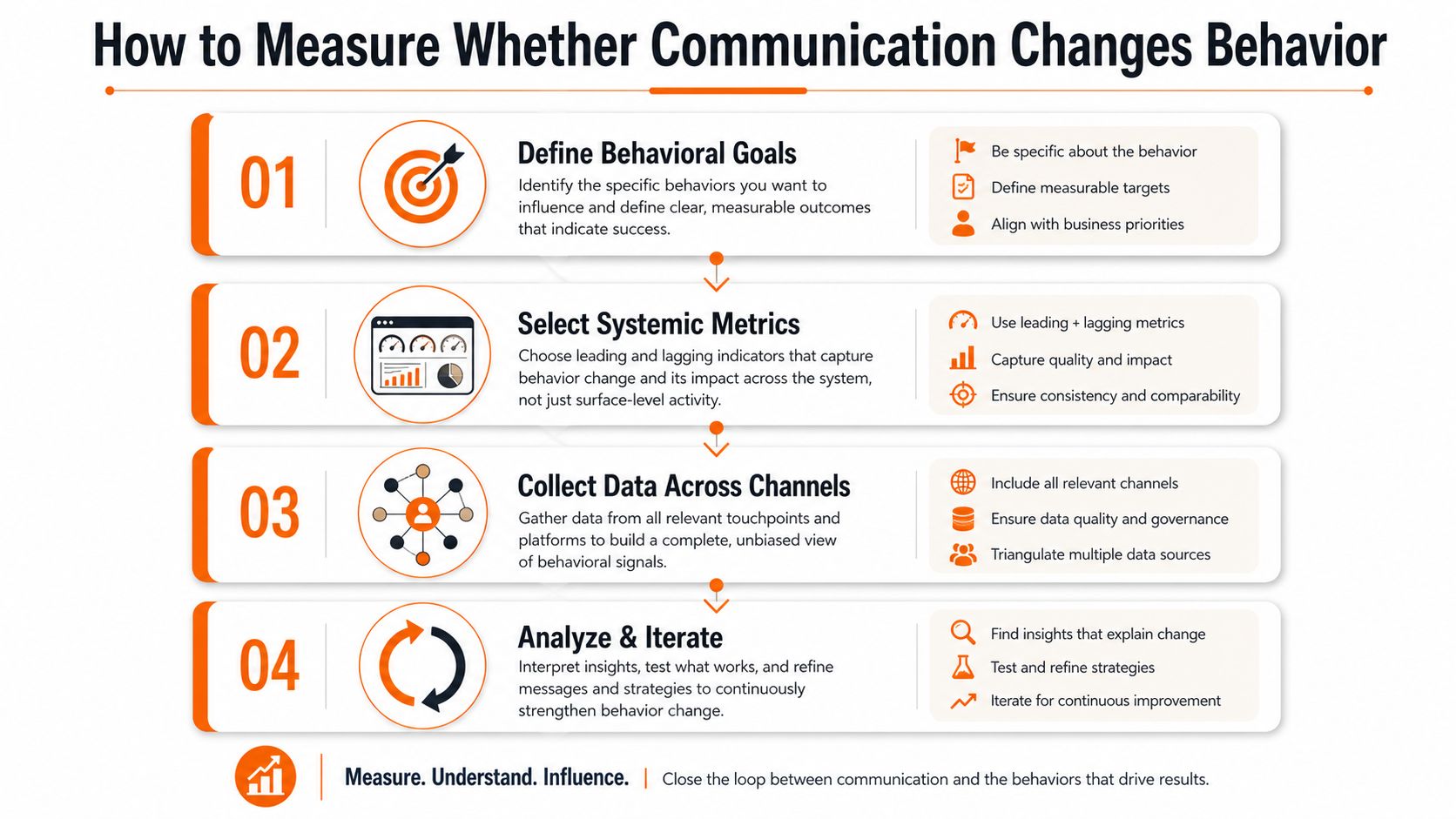
Open rates are fine. They're just not the point. A message can be opened, skimmed, and ignored. It can also be read and misunderstood. If you want to know whether communication changed anything, you have to measure behavior, not just exposure.
Start with a baseline
A technically sound baseline should be collected consistently for at least 4–6 weeks before treating the data as reliable, because shorter windows can hide channel-specific variance. That's important. Without a stable baseline, you end up reading noise as progress.
The useful metrics are the ones that show both reach and response. Track open rates, click-through rates, page views, completion rates, attendance, reactions, sentiment scores, and response times. Then add the softer signals that tell you whether people are finding what they need, like search-query patterns and contribution counts.
Connect communication to action
A mature program doesn't stop at “people saw it.” It asks whether they changed what they did next. That's why combining quantitative and qualitative signals matters. High visibility doesn't guarantee comprehension, and comprehension doesn't guarantee action.
If you're working through understanding remote work culture, the same logic applies. Remote teams can be highly connected and still miss the message if the update doesn't fit the flow of work. The channel is only part of the story. The follow-through is the rest.
How to measure communication effectiveness is a good phrase to keep in mind, because that's exactly the point. Measure whether people found the update, understood it, and acted on it. If your comms didn't change behavior, it mostly changed inbox volume.
Common Communication Pitfalls and How to Fix Them
The biggest myth in internal communication is that more is safer. It isn't. More messages can make people less attentive, especially when updates arrive in too many channels with too little difference between them.
Four problems that keep showing up
Message overload: People stop reading when every message feels urgent. The fix is to separate operational updates from background noise and stop duplicating the same note everywhere.
One-way broadcasts: If employees can't reply or raise issues, leaders learn too late. Build a real upward path for feedback, then answer it visibly.
Channel sprawl: Too many tools create hunting, not clarity. Cut overlap and assign each channel one job.
Detached leadership updates: When messages sound abstract, workers tune out. Tie updates to the daily reality of shifts, service, safety, or customer impact.
The fixes don't need a giant transformation program. They need discipline. Decide what belongs in a broadcast, what belongs in a conversation, and what belongs in a reference library. Then stop pretending every update deserves the same level of attention.
If a message matters, make it easy to find and easy to answer.
That's the test I use. It's blunt, but it works. Communication fails most often when leaders optimize for sending instead of understanding.
Employee Communication Across Retail, Hospitality, Healthcare, and Logistics
Different industries fail in different ways, but the pattern is familiar. The work moves faster than the message, and the message lands too late or in the wrong place.
Retail and hospitality
In retail, a district manager might need a price change, a staffing note, and a product recall handled by people who are all on different shifts. In hospitality, a restaurant manager has to push schedule changes, menu shifts, and service notes without creating clutter that front-of-house staff will ignore. The best systems keep operational updates short, visible, and tied to the shift.
Healthcare and logistics
In healthcare, communication is critical because handoffs, policy changes, and safety notices need to be clear without interrupting care. A nurse manager can't rely on everyone checking the same inbox. The message has to fit the pace of the ward.
In logistics, drivers and dispatchers need updates that work on the move. That means low-friction, mobile-friendly communication that can reach people between stops, not after the day is over. If language diversity is part of the picture, clarity matters even more. Short sentences beat clever wording every time.
A useful side effect of designing for these environments is that it strips out fluff. You can't hide behind corporate language when someone needs to know what changed before the next shift starts. That pressure is healthy.
Why a Unified Work App Changes the Game
Fragmentation is the quiet killer here. Chat lives in one app, policies in another, schedules in a third, and the actual work gets lost between them. People end up checking too many places and still missing the thing that matters.
One place, less friction
A unified work app brings communication, tasks, knowledge, and shift operations into one place. That's the structural fix teams need. Pebb does this by combining chat, updates, Spaces, tasks, a knowledge library, file sharing, and shift scheduling in one connected environment, which matters because employees don't think in tool categories. They think in “what do I need to do next?”
That same logic is useful for logistics teams too, and brief drivers and POD is a good example of how a focused app can support people who work away from a desk. The point isn't the brand. The point is coherence. If the message, the task, and the schedule live together, fewer things get dropped.
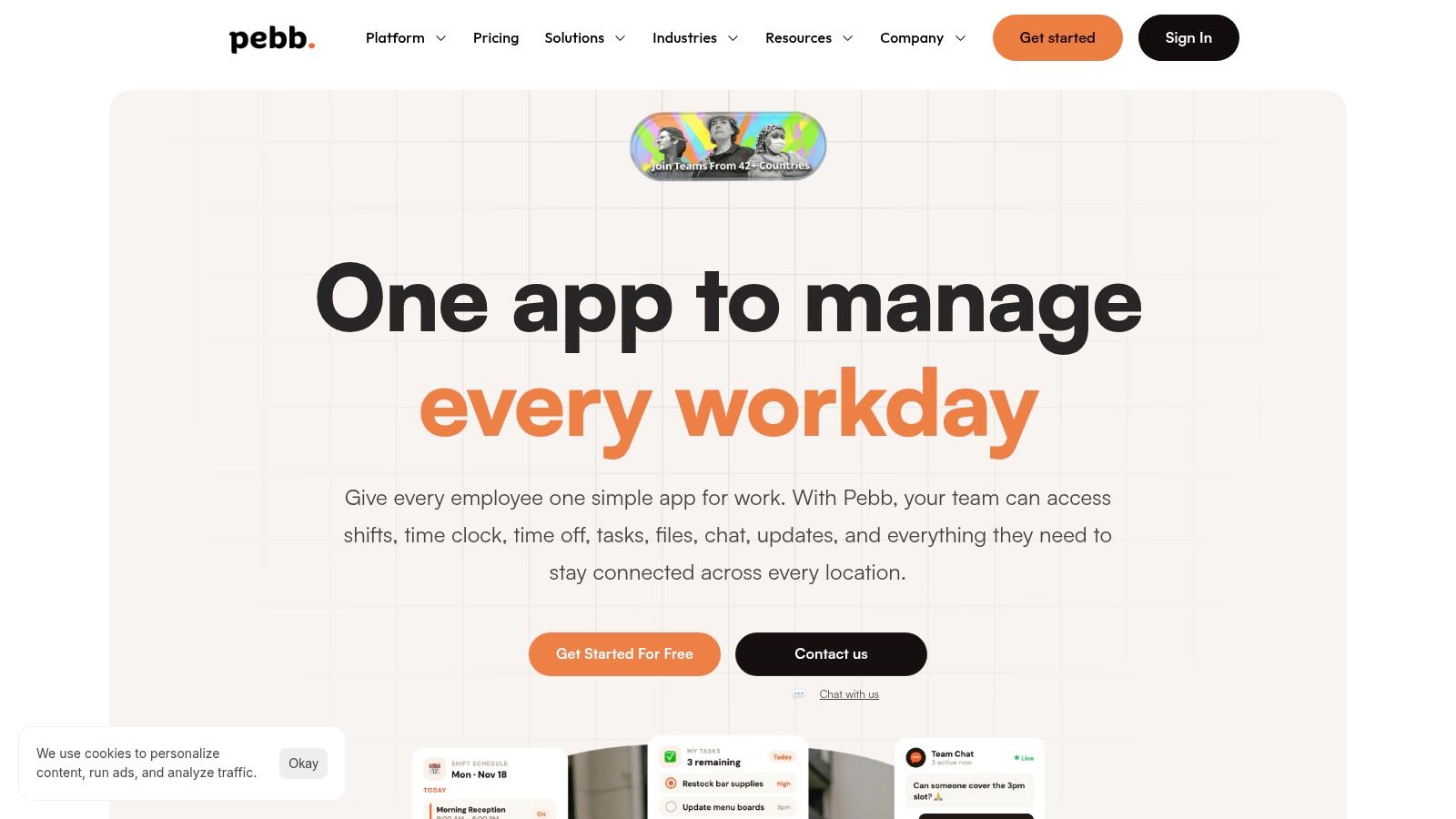
A unified system also helps leadership stay visible without shouting from ten places. Analytics show what people engage with, while a shared knowledge base keeps the same policy from being rewritten in every department. That's not flashy. It's just cleaner.
The best employee communication feels almost invisible when it works. People know where to look, what changed, and what to do next. That's the true win.
If your teams are still juggling chat apps, policy docs, shift updates, and scattered reminders, Pebb gives you one place to keep communication, operations, and engagement together. It's built for frontline and office teams that need a clear digital home, not another app to babysit. Visit Pebb and see how a unified work app can make the workday feel a lot less fragmented.
