
What Is A Company Intranet Used For: 2026
What is a company intranet used for - Explore what is a company intranet used for in 2026. Go beyond file storage to create a central digital home for team
Dan Robin

Most advice about intranets starts from the wrong place. It treats the intranet like a cleaner bulletin board, a tidier file cabinet, or a nicer-looking homepage for HR links.
That’s too small.
If you’re asking what is a company intranet used for, the honest answer isn’t “posting company news.” It’s giving people one digital place to work, find answers, hear what matters, and stay connected to the company without chasing five different tools. When that works, the intranet becomes useful. When it doesn’t, it becomes another tab nobody opens.
The gap is even bigger for companies with frontline teams. A lot of intranet advice still assumes everyone sits at a laptop, checks email all day, and has time to dig through nested pages. Most companies know that’s not true. They still buy or build tools as if it is.
Let’s Be Honest About the Word ‘Intranet’
The word intranet carries baggage for good reason.
In a lot of companies, it still means an internal portal people avoid until they have no other choice. Broken links. Old announcements. A search function that returns policy pages nobody trusts. By the time a message shows up there, the actual update has already spread through WhatsApp, email, or a manager on shift.
That reputation was earned through years of bad implementation, not because the idea itself is wrong. Every company needs one place employees can rely on. The mistake was turning the intranet into an administrative archive instead of a working system people use in the flow of the day.
I’ve seen this pattern repeatedly. The team launching the intranet cares about governance, document control, and department ownership. Employees care about something simpler. They want the fastest path to an answer, an update, or an action. If the system serves the org chart first, adoption drops fast.
Failed intranets usually don’t fail because employees dislike structure. They fail because the tool asks people to work around it instead of with it.
That matters even more for the large share of staff who are not sitting at a desk. For them, an intranet cannot just be a place where head office posts notices. It has to act like the company’s digital heartbeat. Current, easy to reach on a phone, and useful in the middle of real work.
A good intranet helps people check what changed today, find the latest version of a policy, confirm who owns a process, request time off, and understand what matters this week. Those are basic jobs. If employees cannot do them quickly, a nicer interface will not fix the underlying problem.
Clear boundaries help too. If you are sorting out what belongs inside the employee experience versus what should be shared with outside partners, this guide to intranet vs extranet differences lays out the distinction. Mixing those use cases usually creates muddled permissions, clumsy navigation, and a system that serves neither audience well.
The intranets people keep using have one trait in common. They feel current. Someone owns the content. Updates appear on time. Team information sits alongside company-wide communication. The platform earns another visit because it keeps answering real questions.
That is the bar. An intranet should function as the company front door for daily work, not a digital attic full of documents.
The Original Sin of Old-School Intranets
The failure of traditional intranets wasn’t visual. It was structural.
They were designed by office workers, for office workers. Everything about them reflected that assumption. Desktop login. Nested navigation. Long text pages. Heavy reliance on email prompts. A quiet expectation that employees had time, training, and access to sit down and browse.
Most companies do not look like that.
According to Blink’s overview of intranet use cases, 80% of the global workforce, or 2.7 billion people, are deskless. The same source notes that only 24% of frontline workers feel informed about company goals via traditional intranets, compared with 68% of office staff. That’s not a small usability gap. That’s information inequality built into the system.
Built for headquarters, ignored by everyone else
Think about a store associate, a warehouse supervisor, a nurse manager, or a hotel team lead. They’re moving all day. They don’t want to remember a password for a desktop-only portal they can only access from the back office. They need updates on their phone, fast answers, and tools that fit the rhythm of a shift.
Old intranets rarely gave them that.
Instead, companies created two classes of access. Corporate employees got the full picture. Frontline employees got fragments through noticeboards, supervisor cascades, and rumor. The intranet existed, but not for them in any real sense.
That divide still causes trouble. You can’t say communication is centralized when the people closest to customers, patients, shipments, or service delivery are the last to hear what’s happening.
The repository trap
A lot of teams still buy content management and call it an intranet. That’s usually the start of the problem.
A repository matters. Documents need a home. Policies need version control. Templates need structure. But if the intranet becomes only a repository, people visit it reactively and resentfully. They go there because they have to, not because it helps them stay oriented.
That’s why many teams eventually start looking for better intranet content management software. They realize the issue isn’t just storing files. It’s making information usable in context.
Practical rule: If your intranet works best for people sitting quietly at desks, it probably doesn’t work for the people who keep the business moving.
Here’s the trade-off. The more an intranet is shaped around administration alone, the less it serves the whole company. The more it serves the whole company, the less it can behave like a static archive.
That old model isn’t just outdated. It misses what the tool is for.
So What Is a Good Intranet Actually Used For
A good intranet earns its place in the workday. If people only visit it to hunt for a policy or read a message from leadership, it is still too narrow.
The better model does three jobs at the same time. It gives people a reliable way to hear what matters, a trusted place to find answers, and a practical way to handle routine tasks without chasing managers, HR, or old email threads. That matters even more for teams on the floor, in the field, on the road, or between shifts. They do not need another corporate bulletin board. They need a digital home base that works in the moments where work happens.
It gives the whole company one place to stay aligned
Company communication breaks down when updates depend on email timing, supervisor relays, or luck. A good intranet gives every employee the same starting point for important information. Policy changes, safety updates, onboarding steps, leadership notes, and team news all need a place people can check without guessing where the latest version lives.
According to LumApps’ intranet analysis, employees primarily use intranets for content pages (91%) and news pages (62%). That fits what many operators already know. People still want a central place to read, confirm, and revisit information that affects their work.
Clarity matters more than volume. Short updates, visible notices, and mobile access beat polished announcements that arrive late or get buried.
It becomes the company’s working memory
Every business has the same drag on productivity. Someone asks where the current form is. Someone else shares an outdated PDF. A manager answers the same leave question for the fifth time that week.
A useful intranet cuts that noise down. It holds the handbook, SOPs, training material, team pages, benefits information, directories, and process notes in one place people trust. The point is not storage alone. The point is reducing the number of times employees have to ask around to do basic things correctly.
That is why the strongest intranet benefits for modern organizations usually come from boring improvements. Fewer interruptions. Fewer version mistakes. Faster answers. Less dependency on whoever happens to be online.
It supports small tasks that keep work moving
This is the test many intranets fail.
If the platform only publishes information, employees treat it as a noticeboard. If it also helps them complete routine actions, it becomes part of operations. HR is the clearest example. As noted earlier, analysts at LumApps found that integrated self-service HR portals can reduce HR time spent on repeat questions. The practical benefit is obvious. Employees get answers faster, and HR gets time back for work that requires judgment.
In practice, a good intranet helps people do simple things without friction:
Find what applies now: current policies, forms, checklists, and training material
Know who to contact: employee directory, team pages, and role ownership
Complete routine requests: leave steps, onboarding tasks, and standard internal forms
Catch up quickly: updates that affect the next shift, location, or team
That combination is what makes an intranet useful. It does not just publish information. It helps the company stay in sync and keeps everyday work from slowing down over avoidable questions.
For deskless teams, that standard matters even more. If a warehouse lead, store associate, nurse, or field technician cannot check an update, find the right process, and act on it from a phone in under a minute, the system is serving headquarters better than the business itself.
Beyond Memos A Digital Place for Culture and Operations
The intranet gets more interesting when it stops acting like a publishing channel and starts acting like shared company space.
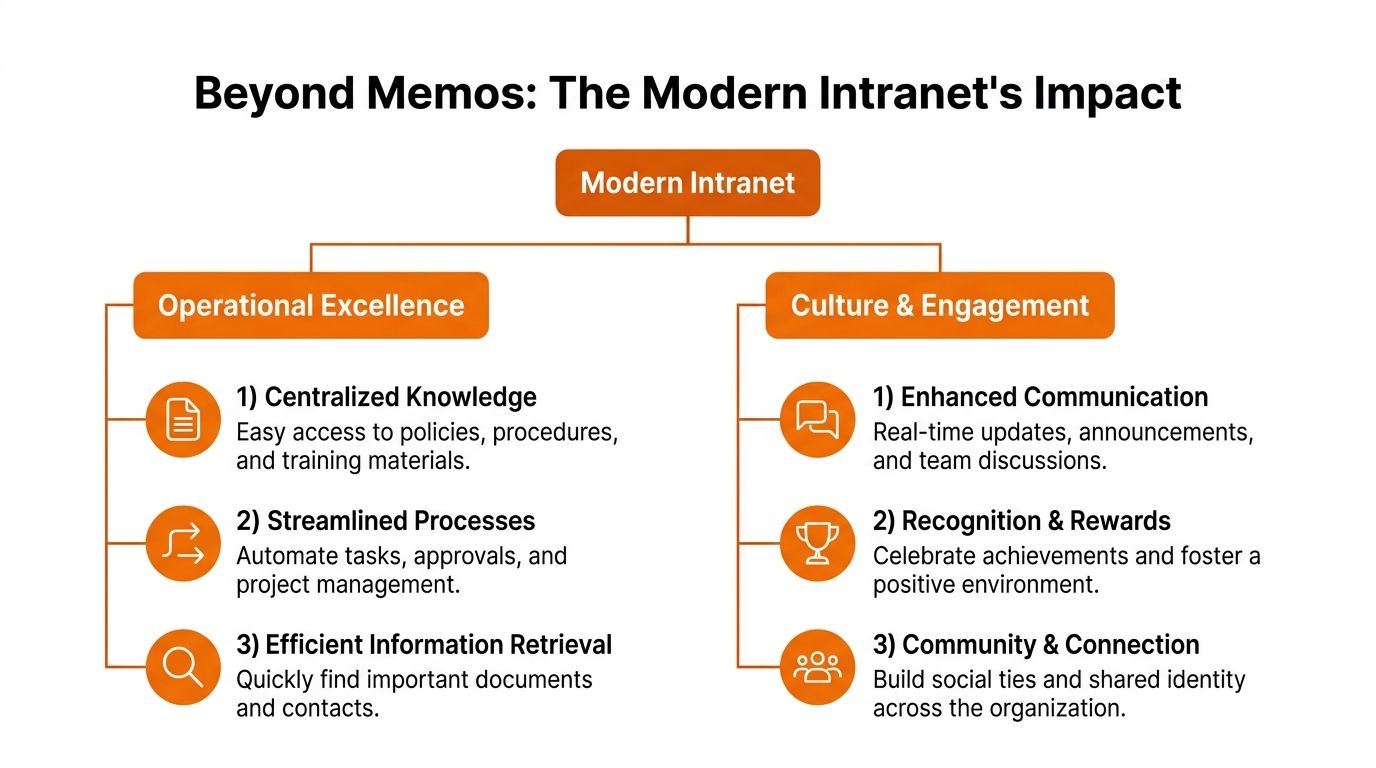
Most companies already understand the admin side. Put policies there. Post updates there. Store forms there. Fine. But if that’s all the intranet does, people will treat it like a utility closet. Necessary, but forgettable.
The better version does something else. It helps people feel the company as it exists across sites, shifts, and teams.
Culture needs a place to show up
Culture isn’t built by values posters. It shows up in what people see every day.
When employees can recognize a teammate, share a win from a location across the country, welcome a new hire, or see what another team is working on, the company feels less abstract. That matters even more in distributed organizations where many employees never meet in person.
For frontline teams, the old “central hub” idea often falls short. A static homepage doesn’t create connection. A living feed does. The more the intranet feels like the company’s ongoing rhythm, the more likely people are to check it because they want context, not because someone told them to.
A good intranet should carry the company’s heartbeat, not just its paperwork.
Recognition plays a bigger role than a lot of leaders admit. So do small moments of visibility. A short shift update. A customer success story. A team photo after a hard week. Those things aren’t fluff. They help people understand that their work is part of something shared.
Leaders need a direct line and a visible scoreboard
There’s also a harder operational edge to this.
According to ThoughtFarmer’s intranet use case examples, leaders use intranets to communicate directly with employees and demonstrate transparency. The same source notes that modern platforms can display real-time business metrics, including sales figures and customer feedback, on user dashboards.
That’s a major shift from the old model where performance was mostly discussed after the fact. If teams can see what’s happening now, they can respond now.
A simple comparison helps:
Old intranet habit | Better intranet habit |
|---|---|
Leadership posts occasional announcements | Leadership communicates regularly and directly |
Performance is discussed in separate meetings | Teams can see relevant business metrics in the flow of work |
Departments hoard their own updates | Information is visible, segmented, and easier to share |
Culture lives offline only | Recognition and shared moments are visible across locations |
The trade-off is clarity versus noise. If you dump everything into one feed, people tune out. If you segment information by team, role, and location, people see what matters without getting buried.
That’s what turns an intranet from a memo board into operating infrastructure.
How to Know If Your Intranet Is Working
A lot of intranet projects get judged by launch day. New homepage. New branding. New CEO message. Some training sessions. Then everyone moves on and assumes the tool is either working or not working based on vibes.
That’s a mistake.
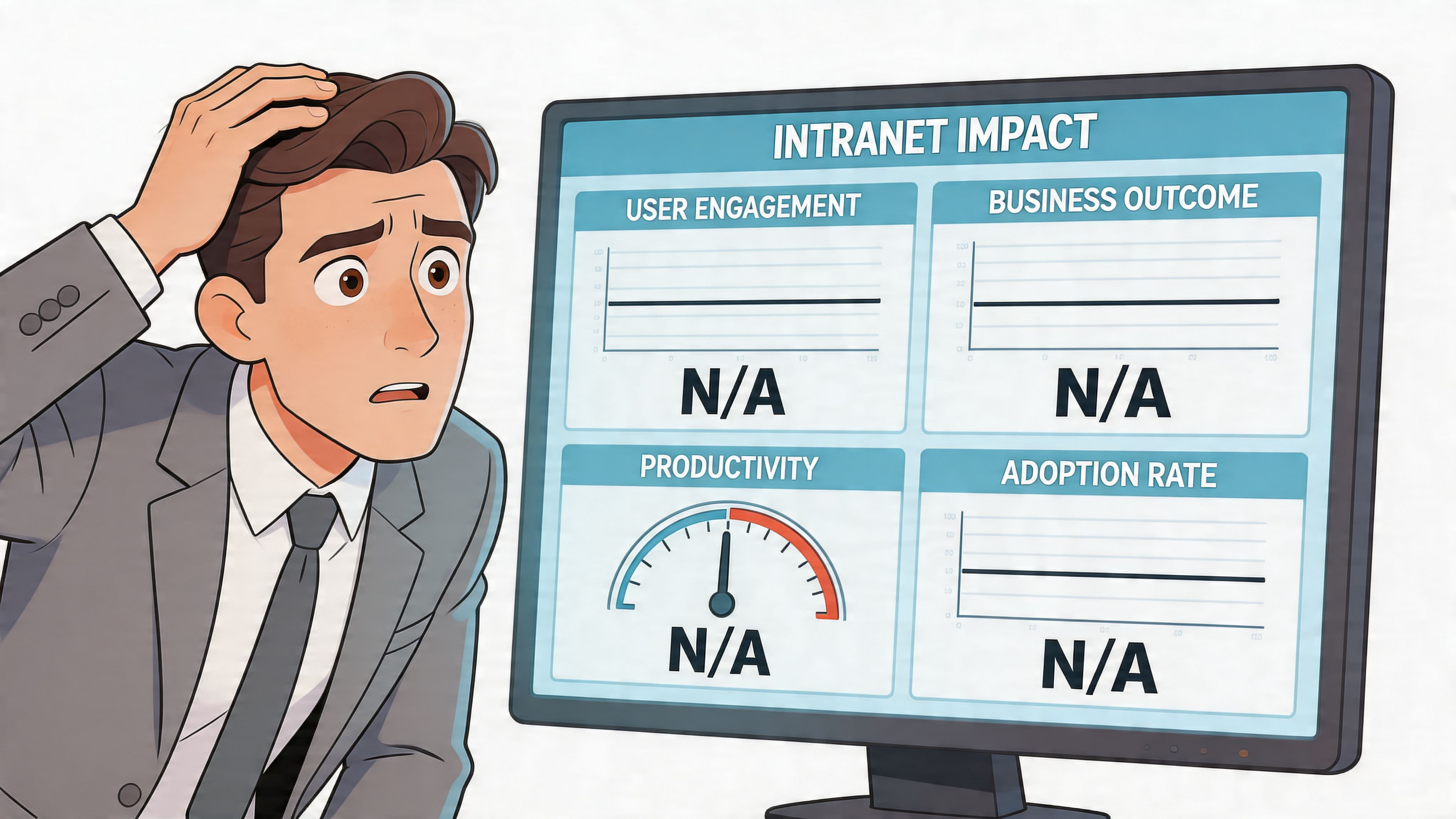
If you don’t measure the intranet, you’re running an internal side project, not a business tool.
According to Atlassian’s discussion of intranet benefits, 70% of organizations say intranets improve knowledge sharing, but only 40% track metrics to prove it. The same source says platforms that do measure impact can reduce email volume by up to 50%, and unified apps with integrated tasks can deliver 25% higher ROI than siloed intranets.
What to measure first
You don’t need a giant reporting framework. Start with a few questions that reflect actual use.
Are people showing up: logins, repeat visits, mobile usage
Are they finding things: successful searches, popular content, failed searches
Are they doing anything useful: completed forms, policy views, onboarding progress, reduced repeat HR questions
Are they changing behavior: fewer all-staff emails, fewer duplicated requests, less time spent hunting for information
Those signals tell you whether the intranet is helping work move or just existing in the background.
What failure usually looks like
Failure isn’t always dramatic. Often it looks tidy.
The homepage looks polished. Content is technically current. Leadership believes the intranet is “there.” But employees still ask basic questions in chat, hunt through email for attachments, and rely on managers to relay updates manually. That means the system hasn’t become the default place to go.
A blunt test: if employees still ask “where do I find that?” every day, the intranet is not doing its job.
Measurement also forces better decisions. It tells you which pages nobody reads, which searches return nothing, which teams never log in, and where adoption drops off. Without that, every intranet discussion becomes opinion.
A useful intranet earns its keep. It saves time, reduces clutter, and gives leaders evidence that the system is worth maintaining. If you can’t show that, the problem isn’t only the analytics. It may be the product itself.
The Anatomy of an Intranet People Actually Use
A useful intranet does not behave like a side portal employees remember only when HR sends a link. It behaves like the place work starts.

That matters because the old model was built for desk workers with time to click around. Real companies are not made up only of people sitting in front of laptops. A good intranet has to work for the warehouse supervisor on a phone, the nurse between rounds, the field technician in a van, and the finance manager at a desk. If it serves only one of those groups, it will never become the company’s shared operating space.
The pattern is usually easy to spot. Employees get company news in one app, documents in another, schedules somewhere else, forms through email, and answers through whichever coworker replies first. Leaders call this an intranet stack. Employees experience it as friction.
Search and relevance matter more than design polish
No one opens an intranet because the homepage looks nice. They open it because they need something now and expect to find it fast.
Analysts at Sociabble’s overview of modern intranet features point to two functions that change adoption: better search and more relevant content delivery. That lines up with what happens inside companies. If search is weak, people stop trusting the system. If every update is blasted to everyone, people tune out.
Relevance has to be built in. A warehouse picker does not need the same alerts as a regional manager. A new hire needs different prompts than a ten-year employee. One system can serve all of them, but only if it sorts information by role, team, location, or shift instead of forcing everyone through the same front page.
Mobile-first means built for the job, not squeezed onto a smaller screen
A mobile intranet is not a desktop portal with a responsive layout.
It needs to load quickly, surface the right actions, and respect the fact that frontline workers use it in short bursts. Read the update. Check the roster. Open the SOP. Message a manager. Submit the form. Done. If those actions take too long, the intranet gets replaced by chat threads, screenshots, and verbal handoffs.
Many systems break. They are technically available on mobile, but they were designed by people imagining office use. The result is too many menus, too much copy, and too many dead ends for workers who have thirty seconds, not ten minutes.
The product shape matters
An intranet people use usually pulls communication, knowledge, people search, and common tasks into one place. Not because consolidation is fashionable, but because switching between systems creates failure points. Every extra login, tab, and handoff gives employees one more reason to stop using the official tool.
Pebb is one example of that approach. It combines chat, news, team spaces, a knowledge library, tasks, file sharing, a people directory, and operational tools such as shift scheduling, clock-in, and PTO tracking in one app for web and mobile. For companies trying to support both office and frontline teams, that structure is often more practical than stitching together five separate tools.
The simplest test
Use this table if you’re evaluating what you have now:
If your intranet feels like this | It probably needs this instead |
|---|---|
Static portal | Live feed with relevant updates |
Folder maze | Strong search and clearer structure |
Office-only system | Mobile-first access for every role |
Read-only destination | Place to communicate and complete tasks |
One-size-fits-all homepage | Personalized views by role, team, or location |
The intranets people stick with share the same anatomy. Fast search. Relevant updates. Mobile use that makes sense in the field. Common tasks close to the information people need to do them. That is how an intranet becomes the company’s digital heartbeat instead of another forgotten portal.
From Digital Filing Cabinet to Company Front Door
The old intranet was easy to ignore because it asked very little of itself. Store the documents. Publish the memo. Exist somewhere on the network.
That version is fading for a reason.
A company intranet is used for much more than internal publishing. At its best, it becomes the place where communication, knowledge, and daily work meet. It helps people stay informed without chasing updates. It gives leaders a cleaner line to the organization. It gives teams one place to find what matters and act on it.
This matters most in companies that don’t live in one office. Distributed teams, shift-based workforces, and frontline-heavy organizations need a digital space that includes everyone, not just the people with desks and spare tabs open all day.
The question isn’t whether your company needs an intranet. Most do.
The question is whether your digital space behaves like an archive or a front door.
If people only visit it when they’re forced to, it’s probably still a filing cabinet. If they open it because it helps them work, understand the business, and feel connected to the company, then it’s doing the job.
That’s the standard worth aiming for.
If your company is trying to replace a patchwork of chat tools, document stores, scheduling apps, and internal news systems, Pebb is worth a look. It gives office and frontline teams one place for communication, knowledge, tasks, and operations on web and mobile, with the kind of structure that makes an intranet usable in real life.
