
What Are PMS Systems? A No-Nonsense Guide
Confused about 'what are pms systems'? This guide explains the 4 types (property, project, performance, practice), their features, and how to choose one.
Dan Robin
A lot of teams are running on managed chaos and calling it normal.
You see it most clearly in hospitality, healthcare, and any operation that lives or dies by handoffs. One person updates a spreadsheet. Someone else sends a text. A supervisor writes a note on paper because the app is too slow to open. By lunch, nobody trusts the numbers, so they start asking each other instead of checking the system.
That’s usually the moment people start asking, what are PMS systems, and whether getting one will fix the mess.
Sometimes it will. Sometimes it won’t.
A good PMS can bring order to an operation that’s been stitched together with inboxes, radios, spreadsheets, and memory. A bad one just gives your chaos a login screen. The difference matters.
Let's Talk About Managed Chaos
At 7:15 a.m., the lobby looks calm. Behind the scenes, the day is already slipping.
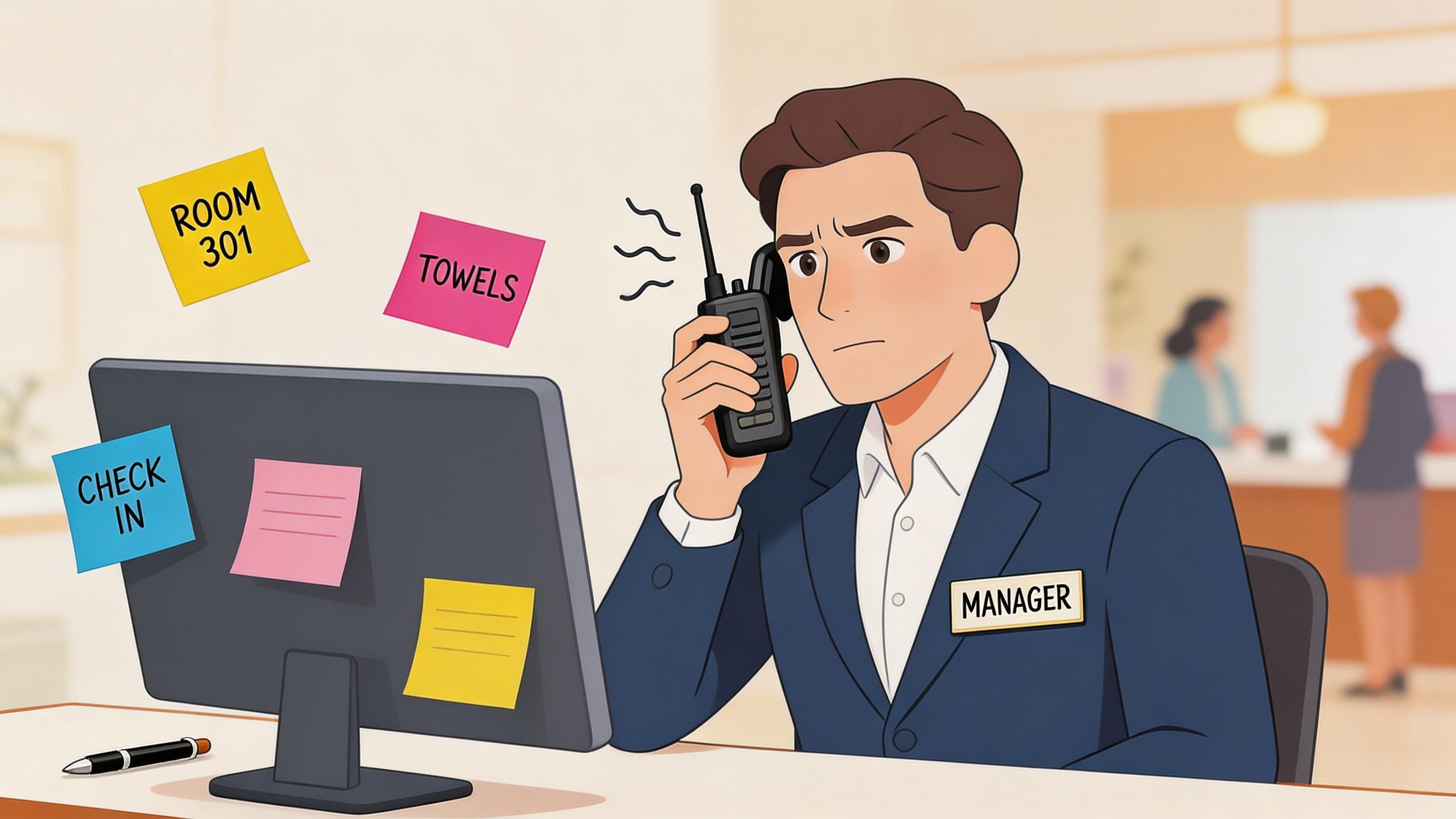
A guest arrives early and the front desk sees a room marked clean. Housekeeping says it is still being checked. Maintenance has a note about the same room on a phone, but the note never made it into the system. Nobody is trying to create confusion. The confusion comes from the work living in three places at once.
What disorder looks like on the ground
Teams rarely describe this as a system failure at first. They call it a communication issue, a training gap, or a rough shift.
On the floor, it usually shows up in familiar ways:
Room status confusion: The screen says ready, but the person who cleaned the room has different information.
Duplicate effort: Two employees pick up the same task because neither can see the other’s update.
Weak handoffs: Maintenance gets the ticket without the details that help solve the problem.
Workarounds everywhere: Staff use calls, texts, paper notes, and memory because the official tool is too slow or too disconnected from the job itself.
That last point gets ignored too often. A PMS can look fine in a demo and still fail the people doing the work. If frontline teams have to stop, switch apps, retype updates, or hunt for the right screen, they will build their own side system. They always do.
I have seen plenty of operations blame staff for not using the platform correctly when the platform never fit the shift in the first place.
A messy operation often looks busy and under control. The warning sign is that staff trust each other’s messages more than the system.
The cost shows up in people first
Guest experience takes the hit, but staff feel the problem earlier.
When a room status, reservation note, or work order is unreliable, people stop checking the system and start checking with each other. That means more interruptions, more repeated conversations, and more time spent confirming basic facts. Supervisors get dragged into simple status questions. New hires learn the workaround culture on day one. Good employees get frustrated because they are working hard and still walking into preventable mistakes.
That is where a unified work app can matter more than another manager dashboard. The practical value is not just cleaner reporting. It is giving housekeepers, maintenance techs, front desk staff, and supervisors one place to see work, update it fast, and trust that the next person sees the same thing. That is the core promise behind business process automation.recepta.ai/blog/what-is-business-process-automation).
The trade-off is simple. More structure can improve coordination, but only if the system respects how the work gets done. If it adds clicks, delays, or extra admin for the frontline team, chaos does not disappear. It just gets pushed out of view.
So What Is a PMS System Anyway
A PMS system is a management tool built to keep a specific kind of operation organized.
That’s the simple answer. The more useful answer is this: a PMS acts like a central nervous system for part of a business. It takes in information, keeps records straight, and helps different people work from the same reality instead of five conflicting versions of it.
The acronym causes more confusion than it should
When people ask what are PMS systems, they often assume there’s one universal definition.
There isn’t.
The letters PMS can mean different things depending on the industry:
Property Management System
Project Management System
Performance Management System
Practice Management System
That’s why the question can get muddy fast. Asking “what is a PMS” without context is a bit like asking “what is a vehicle.” You need to know whether you’re talking about a pickup truck, a ferry, or a forklift.
What they all have in common
Even though the industries differ, the core job is similar. A PMS helps a team manage recurring work that involves multiple people, shifting information, and a need for clean records.
In practice, that usually means a PMS does some mix of these jobs:
Tracks the current state of work
Stores important records
Standardizes repeatable workflows
Reduces manual coordination
Gives managers a clearer view of what’s happening
If you’ve spent any time around operations, you already know why this matters. Teams break down when every person holds a different version of the truth.
That’s also why PMS conversations often overlap with broader business process automation. Not because every workflow should be automated, but because repetitive handoffs, status changes, approvals, and updates are exactly where manual systems usually fail first.
The point of a PMS isn’t software for software’s sake. It’s to stop people from wasting energy stitching the work together by hand.
A PMS is only useful if it fits the real work
Buyers often get tripped up.
They hear “management system” and picture one giant platform that does everything. That’s rarely how it works in real life. A property team needs one kind of system. An HR team needs another. A clinic needs something else entirely.
So before comparing vendors, demos, and pricing pages, you have to answer one plain question:
What exactly are you trying to manage?
Once that’s clear, the right type of PMS gets much easier to spot.
The Four Flavors of Management Systems
A lot of buying mistakes start here. Someone says, “We need a better PMS,” and half the room assumes they mean property software, while the other half is thinking projects, performance reviews, or a medical office system. Same acronym. Different operational jobs.
That confusion matters because each type serves a different team, a different rhythm of work, and a different failure point. Some are built around assets and occupancy. Some are built around deadlines. Some live or die on whether frontline staff will keep them updated.
The 4 Types of PMS Systems at a Glance
System Type | What It Manages | Primary Industry | Core Function |
|---|---|---|---|
Property Management System | Rooms, reservations, housekeeping, leases, maintenance | Hospitality and real estate | Keeps property operations and occupancy data organized |
Project Management System | Tasks, deadlines, owners, deliverables | Agencies, product teams, construction, services | Coordinates work across projects and teams |
Performance Management System | Goals, reviews, development, feedback | HR and people operations | Tracks employee performance and growth |
Practice Management System | Appointments, billing, records, scheduling | Healthcare and legal | Runs the daily admin side of a practice |
Property Management System
This is the version people in hospitality usually mean.
A Property Management System runs the day-to-day engine of a hotel, resort, rental operation, or property group. Reservations, check-in and check-out, room status, billing, guest history, housekeeping coordination, maintenance requests. It all tends to pass through the PMS at some point.
On paper, that sounds straightforward. On the floor, it rarely is. A property PMS only works if the front desk, housekeeping, maintenance, and managers are all working from the same record without chasing each other for updates. If room status is wrong, the problem does not stay inside the software. It shows up at the desk, at the door, and in the guest experience.
That is also why the human side gets ignored too often. Plenty of property systems are purchased by leadership, configured by IT or vendors, and then dumped onto teams who already have too much to do. If logging an update takes five taps, three screens, and a login timeout, staff stop using it properly. Then the “system problem” turns back into a people problem.
Project Management System
A Project Management System is built for deadline-driven work with multiple owners.
Agencies use one to track campaigns and approvals. Product teams use one to manage releases and backlogs. Construction firms use one to coordinate timelines, trades, and dependencies. The core job is simple. Show what needs to happen, who owns it, and what is blocked.
The good ones stay close to the work itself. The bad ones turn status reporting into a second job.
I have seen teams build beautiful boards that nobody trusted by week three because updates lagged behind reality. That usually happens when the software is designed for managers watching work instead of staff doing work. Frontline adoption decides whether a project system creates clarity or just another reporting ritual.
There is a useful overlap here with service operations. Teams looking at project flow often end up studying AI-powered customer service because both break down in the same places: poor handoffs, missing context, and too many disconnected tools.
Performance Management System
A Performance Management System sits on the people operations side.
HR teams use it for goals, reviews, feedback, development plans, and sometimes compensation workflows. In a healthy company, it helps managers coach people clearly and consistently. In a weak setup, it becomes an annual form-filling exercise that nobody respects.
That trade-off is worth naming. A performance system should support better conversations, not replace them.
A useful one answers practical questions:
What does good performance look like here
How is each person tracking against that
What feedback has been documented
What support, training, or next step is needed
It also works better when it is connected to the tools employees already use for scheduling, communication, and records. That is why many teams compare performance tools alongside broader HRMS systems for employee operations, not as a standalone purchase.
Practice Management System
A Practice Management System is common in healthcare and legal operations.
A dental office might use one for scheduling, billing, insurance administration, and patient records. A law firm might use one for matters, documents, calendars, and invoicing. Different setting, same operational pressure. The system has to keep admin work organized without slowing down the professionals clients or patients are there to see.
These tools also carry more compliance weight than a typical project platform. Recordkeeping, audit trails, permissions, and process control are part of the job. If the system is clumsy, staff create side channels and workarounds. In regulated environments, that gets expensive fast.
Same acronym, different job
Broad advice about “PMS software” is usually too vague to help.
A hotel operator, an HR lead, a clinic manager, and a project director can all ask for a PMS and need completely different things. The smart question is not, “Which PMS is best?” It is, “Which system fits the work, and will the people doing that work use it correctly every day?”
That second question is where a lot of software decisions go right or wrong.
What a Good System Actually Does for You
A good system earns trust. That’s the test.
Not feature count. Not glossy demos. Not some dashboard full of charts nobody checks after week two. A management system is doing its job when people stop working around it and start relying on it.
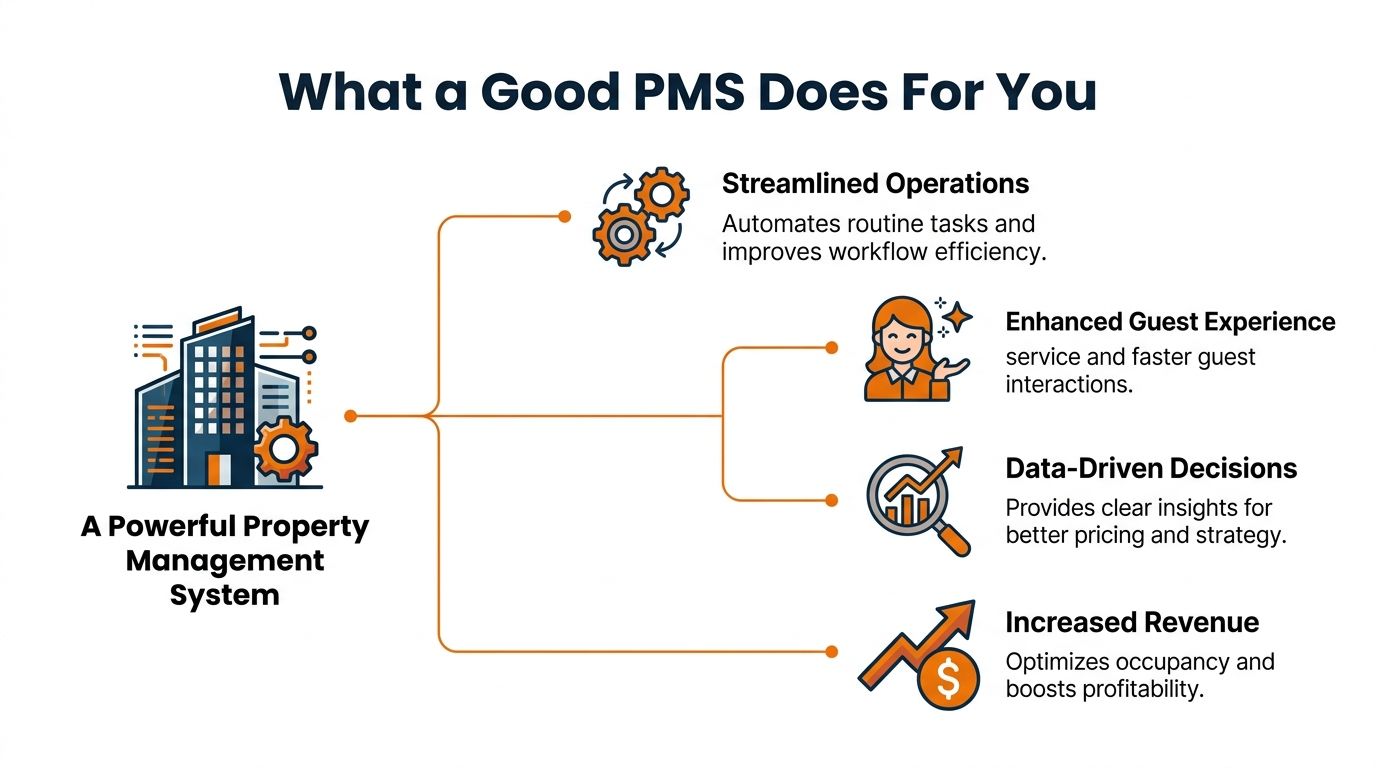
It gives you one version of the truth
Most operational pain comes from conflicting information.
Front desk says the room is ready. Housekeeping says it isn’t. Maintenance fixed the issue but never logged it. Finance has one record. Operations has another. Once this becomes normal, managers spend their day reconciling instead of running the business.
A good PMS cuts that down by giving everyone one place to check first.
That alone changes the rhythm of work. People stop asking five different coworkers for updates. They trust the record, then act.
It handles repetitive work without making people feel managed by a machine
The best systems remove busywork. They don’t create more of it.
In hospitality, modern PMS tools often automate standard updates, billing flows, room inventory sync, and routine status changes. In real estate or facilities work, they can centralize maintenance records, leases, and recurring tasks. That’s where the time savings come from. Not magic. Just less retyping and fewer manual handoffs.
For teams trying to reduce wasted motion across departments, this kind of operational cleanup sits in the same lane as operational efficiency software. The systems that work best aren’t always the ones with the most features. They’re the ones that remove friction people feel every day.
It helps you move from reactive to proactive
Modern systems become more compelling.
According to Vaia’s overview of property management systems, modern PMS with IoT and AI integrations can cut operational costs by 20-30% through the automation of tasks like energy management and predictive maintenance. That matters because reactive operations are expensive. A team that only discovers problems after a guest complains or a system fails is always behind.
A better setup can surface issues earlier. Equipment behavior, energy usage, room conditions, maintenance signals. Instead of chasing problems after the damage is done, managers can act sooner.
Practical rule: If your system only records problems after they happen, it’s a ledger. If it helps your team prevent them, it’s finally doing management work.
It improves the experience on both sides of the desk
People often talk about guest experience as if it lives apart from staff experience. It doesn’t.
If check-in is smooth, the system helped. If billing is clean, the system helped. If housekeeping got the right update at the right time, the guest feels that too.
In the hospitality-focused PMS market, 91% of hoteliers view PMS as a direct revenue driver and 89% note operational impacts, according to Mordor Intelligence. That makes sense. Better availability control, cleaner data, and faster workflows affect both service and revenue.
A good system also makes training less painful. People should be able to learn the daily basics without needing a translator, a workaround, and a prayer.
It gives managers clearer judgment
Good systems don’t replace judgment. They improve it.
When occupancy, housekeeping status, maintenance requests, and billing data are scattered, managers guess. They prioritize the loudest issue, not the most important one. Once the information is centralized, decisions get calmer.
You can see where work is piling up. You can spot recurring failures. You can stop managing by anecdote.
That’s when the software starts paying for itself.
How to Choose a System Without Losing Your Mind
Most buying processes go wrong because the demo goes right.
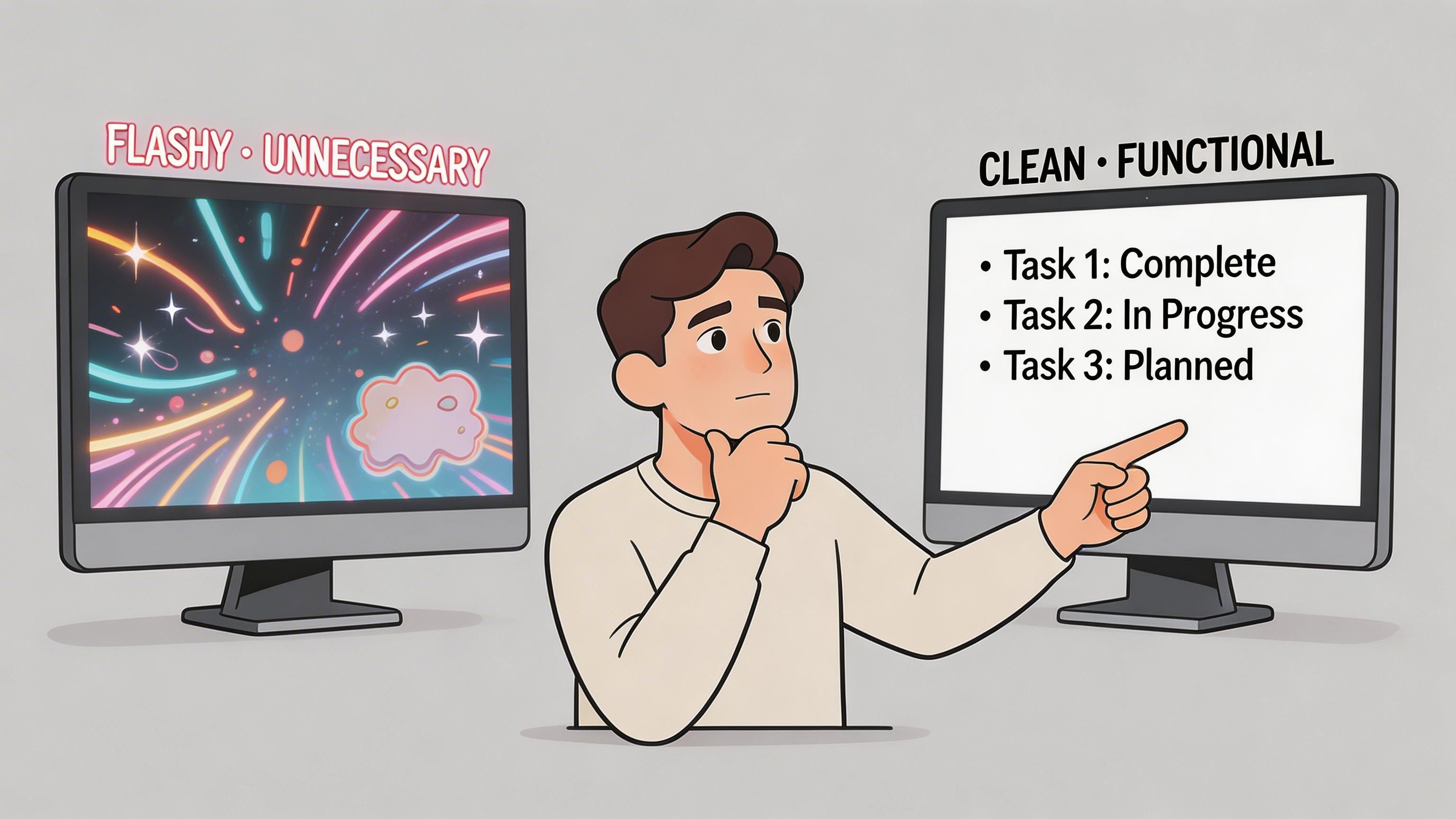
The screen is polished. The salesperson clicks fast. Every workflow looks clean because nobody in the demo has dirty hands, bad Wi-Fi, or six interruptions before noon. Then the contract is signed, and your team meets the product in use.
That’s when the truth comes out.
Start with the work, not the features
Don’t begin with a vendor shortlist. Begin with a normal week in your operation.
Walk through what happens on a Monday morning, a weekend rush, a shift change, a billing exception, a maintenance issue, a no-show, a training day. If the system can’t handle those moments without forcing people into side channels, it’s not a fit.
Ask blunt questions:
Who uses this first thing in the day
Who updates it under pressure
What happens when someone misses a step
Can a new hire learn the basics quickly
What work still ends up happening outside the tool
Most system failures are obvious before purchase if you look at real workflows instead of feature grids.
Cloud versus on-premise is a real trade-off
This choice gets oversimplified all the time.
Cloud systems are easier for many teams because the vendor handles maintenance, updates, and much of the infrastructure. That’s a big deal if you don’t have internal IT depth. Cloud also explains why adoption has accelerated across hospitality.
But there’s no free lunch here. As Planet’s guide to property management systems notes, for small properties, the choice between cloud and on-premise PMS involves hidden costs, and businesses in areas with unreliable internet can face meaningful productivity loss with cloud tools.
So the practical trade-off looks more like this:
Option | What tends to work | What tends to break |
|---|---|---|
Cloud PMS | Faster deployment, simpler updates, less in-house maintenance | Internet dependence, vendor lock-in concerns, less control |
On-premise PMS | More local control, useful where connectivity is unstable | Maintenance burden, patching, security responsibility, higher operational overhead |
If a vendor treats this like an easy universal answer, keep your guard up.
Integration matters more than most sales calls admit
The system doesn’t live alone.
Your PMS has to exchange information with payroll, accounting, booking channels, messaging tools, point-of-sale systems, identity providers, or scheduling tools depending on your setup. If those connections are weak, your staff becomes the integration layer. That means copy-paste, double entry, and mistakes.
That gets expensive fast.
Buy the system your team can actually use in a busy hour, not the one that looks impressive in a quiet demo.
Test the ugliest workflows
Don’t just ask the vendor to show check-in, dashboard reporting, or the clean happy path.
Ask for the annoying stuff:
A room status correction after a bad handoff
A shift change in the middle of open tasks
A billing dispute
A failed sync
A manager trying to approve something from a phone
If the product becomes clumsy the moment reality enters the room, you’ve learned something useful.
The final filter is simple. If your frontline team hates the system, the rollout is already in trouble. I’d rather have a simpler tool that people trust than a powerful one they avoid.
The Blind Spot in Most Management Systems
Most management systems are good at tracking work. They’re much worse at helping people coordinate the work while it’s happening.
That gap causes more trouble than vendors like to admit.
A property management system may know the room status. It may know the guest request. It may even know the maintenance ticket exists. But the back-and-forth that turns those records into action often happens somewhere else entirely.
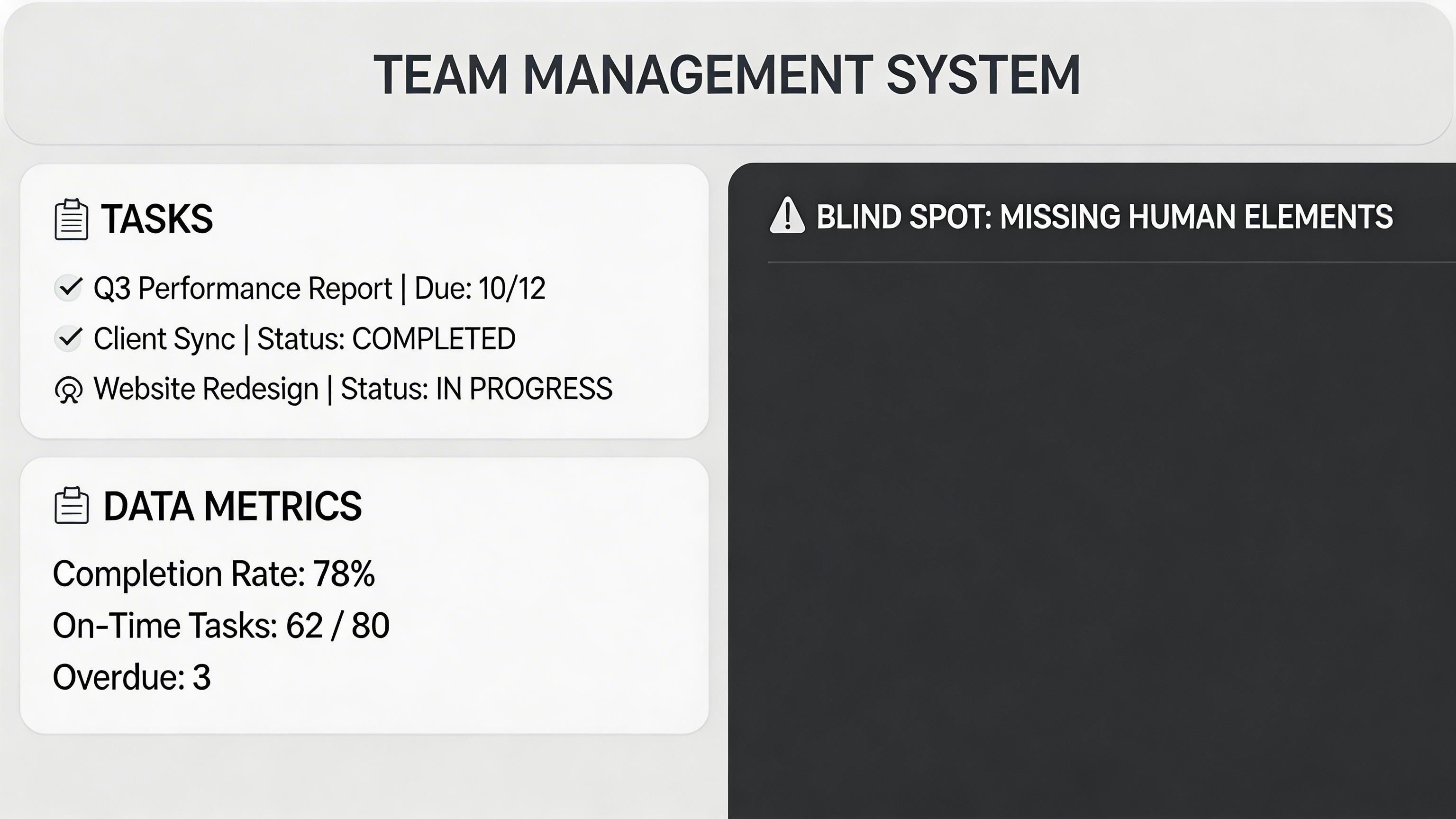
The system of record is not the same as the system of work
This is the blind spot.
The PMS stores the official status. Effective coordination happens in texts, calls, radios, hallway conversations, and whatever chat app the team adopted on its own. That split creates friction all day long.
A front desk agent sees a room change and needs housekeeping context. A maintenance tech needs more than a ticket title. A supervisor needs to alert the next shift about a guest issue that won’t fit neatly into a status field.
The operational record exists. The human coordination around it is scattered.
Why this hurts more than people think
The damage isn’t abstract. It shows up in slower service, repeated work, and tired teams.
The gap is especially visible in hospitality. Existing PMS discussions largely ignore how these systems connect with staff communication tools, even though 67% of hospitality workers report communication challenges across shifts, according to the summary cited from Wikipedia’s property management system entry. Traditional PMS platforms do not solve that problem on their own.
That number makes sense if you’ve ever watched a handoff between shifts. The official notes rarely carry the full story. So people fill in the blanks themselves. Sometimes correctly. Sometimes not.
What the frontline actually needs
Frontline teams usually need something far more basic than vendors pitch.
They need:
Clear task context
Fast updates between shifts
One place for questions and answers
A way to connect daily work with company information
Mobile access that doesn’t fight them
The old pattern is familiar. One system for operations. Another for scheduling. Another for chat. Another for documents. Another for announcements. People bounce between them or ignore half of them.
That’s not modern. It’s fragmented.
If your tools manage rooms, tickets, or cases but can’t support the people carrying them across shifts, you don’t have a complete operating system. You have a partial one.
The future looks more connected
I don’t think every tool needs to become one giant platform. That usually ends badly too.
But I do think the line between operational systems and employee systems has to get thinner. A PMS should not sit in one corner while staff coordination happens in the shadows. Those two worlds need to connect cleanly.
Because when they don’t, the team becomes the middleware.
And people are bad middleware.
It Is About People Not Just Properties
A management system is supposed to make work calmer.
That’s the standard I come back to. Not whether the feature list is long. Not whether the vendor says “AI” enough times. Not whether the dashboard looks modern. The question is whether the people doing the work feel less scattered once the system is in place.
That’s why the answer to what are PMS systems has to be bigger than software categories.
Yes, a PMS can manage rooms, projects, performance, or practice operations. But the useful question is what kind of company it helps you become. More coordinated or more fragmented. More confident or more dependent on workarounds. More connected or more split across tools.
The best setup is usually not one tool doing everything
Most organizations don’t need one giant platform pretending to be the answer to every problem.
They need a clean operational core, plus a better environment around it. That means records where records belong. Communication where communication belongs. Tasks, updates, documents, scheduling, and people information connected in a way that reflects real work instead of software silos.
For hospitality teams thinking through that broader setup, this look at an all-in-one app that works for hotels, resorts, and cruise ships is useful because it addresses the layer many PMS conversations skip entirely. The staff side.
Good systems respect the humans using them
That sounds obvious, but plenty of software still misses it.
People on the front line don’t want another tool that makes them stop, translate, and re-enter what they already know. They want something clear. Fast. Searchable. Easy to learn. Reliable during a messy shift.
If your system can manage the operation but not support the people inside it, it will always be incomplete.
And if you’re choosing one now, that’s probably the best question to end on.
Not “Which PMS has the most features?”
Ask this instead.
Which system gives our people the clearest way to do good work together?
If your operation already has a PMS but your teams still rely on scattered chats, side texts, paper notes, and separate scheduling tools, Pebb is worth a look. It gives frontline and office teams one place for communication, tasks, file sharing, updates, shift scheduling, clock-in, PTO tracking, and day-to-day coordination, so the people doing the work stay as connected as the systems tracking it.
