
Time Tracking for Teams That Actually Works
A practical guide to time tracking for teams — benefits, real challenges, key features, and a rollout checklist for frontline and distributed teams.
Dan Robin

A supervisor opens the payroll spreadsheet and immediately knows something is wrong. The warehouse shows a clean forty-hour week, but two people stayed late to finish a delayed shipment. The project report says the job is on budget, while the team lead remembers three days of rework. Nobody lied. The spreadsheet only captured attendance without capturing the work.
That gap is where time tracking for teams either becomes useful or becomes another administrative chore. The right system helps leaders understand hours, breaks, overtime, staffing, project cost, and exceptions without turning every employee into a suspect. The wrong one creates resistance, unreliable records, and a new queue of corrections.
The Moment the Spreadsheet Stops Working
The spreadsheet usually fails without warning. A supervisor copies hours from a paper sheet. Someone forgets to record a break. A remote employee adds yesterday's project time from memory. Payroll asks for clarification, and the manager starts comparing messages, calendars, and shift notes.
By then, the problem isn't that people didn't log hours. The problem is that nobody can reconstruct the story behind them. A row might say eight hours, but it doesn't explain whether those hours went to patient care, a customer order, a client project, training, or fixing someone else's mistake.
That distinction matters most in frontline and distributed teams. A hospital unit has changing patient loads and handoffs. A retail floor has coverage gaps that appear only after someone calls in sick. A hybrid engineering team has people moving between planned work, production support, meetings, and urgent requests. A single total rarely gives an operations lead enough context to act.
Practical rule: If a time record can't help a manager make a staffing, payroll, or project decision, the record is probably too shallow.
Manual processes also create a strange imbalance. Managers spend time chasing missing punches, while employees spend time proving that their entries are accurate. The organization owns a record, but nobody trusts it enough to use it confidently. Teams looking to move beyond that cycle can review this practical guide to manage employee hours without spreadsheets.
The shift toward mobile work has made this a frontline operations issue before it becomes a payroll issue. The U.S. Department of Labor's timesheet app guidance reflects the need to record regular hours, break time, and overtime in a mobile format. Paper workflows still exist, but the work itself no longer stays in one place.
This guide treats tracking as a human and operational system, not just a software category. The clock matters. So do the policy behind it, the manager who reviews exceptions, and the employee who needs to believe the record is fair.
What Time Tracking for Teams Really Means
A team can record every clock-in and still lack a useful picture of its work. Basic timekeeping answers, Did someone work, and for how long? Team time tracking adds the operational questions: Which shift, project, location, or task used those hours? Did the work follow the plan? What should change next time?
A personal timer helps a consultant remember billable work. Team tracking coordinates people across shifts, locations, projects, breaks, approvals, and payroll. It should make shared work visible without forcing every manager to become a spreadsheet specialist.
The practical requirements vary by setting:
A hospital shift team needs start and end times, break records, coverage visibility, and a clear process for resolving a missed punch before payroll closes.
A distributed engineering team needs project and task context when planned work competes with support, incidents, and internal requests.
A retail floor needs location-aware clock-ins, shift schedules, availability, and a quick view of who is present.
The team framing also changes adoption. Employees need a simple way to record time, while supervisors need a coordinated view connecting hours to the workday. That view should help distinguish demand from poor scheduling, training needs, or an avoidable process problem.
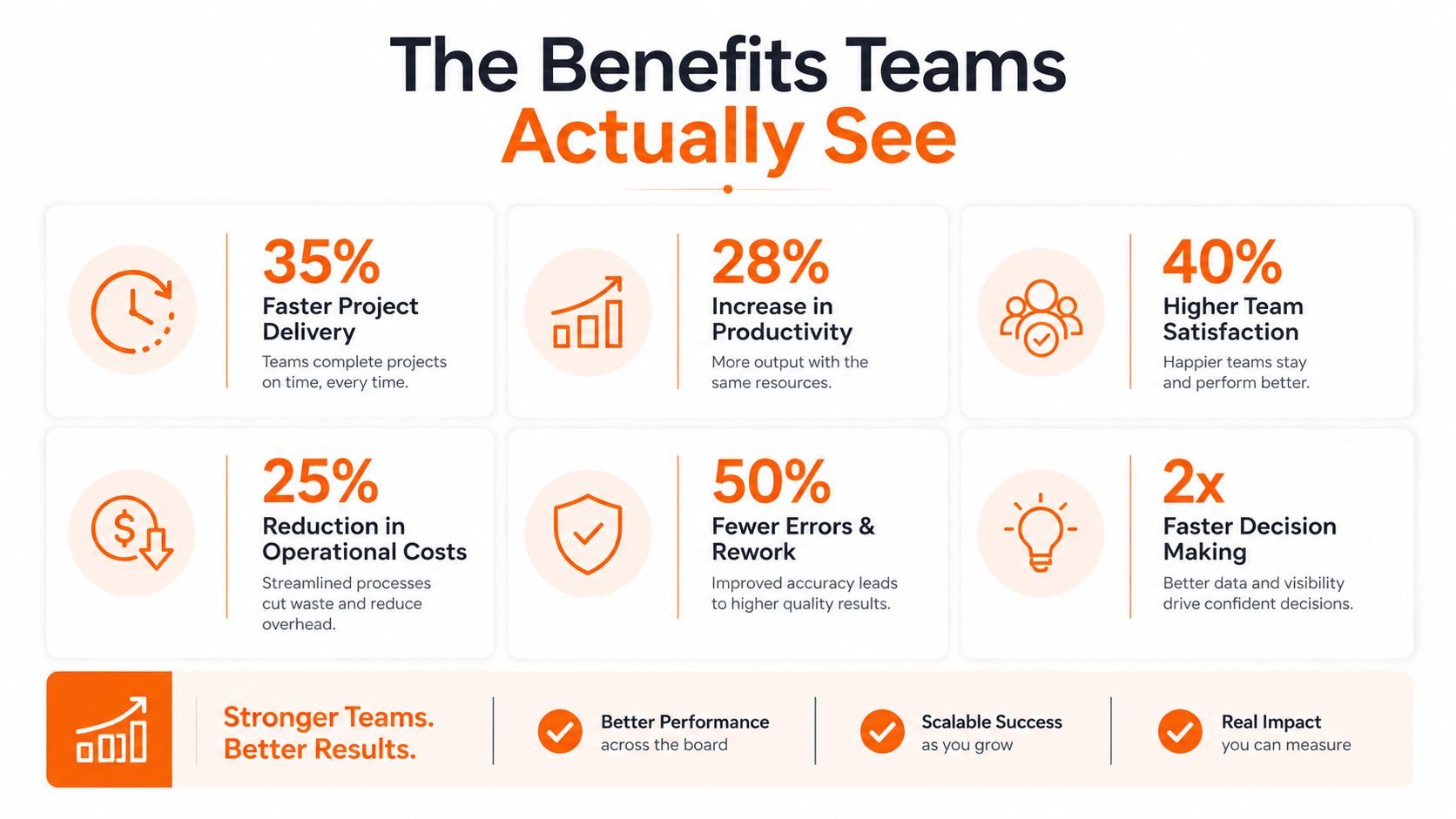
A 2026 industry summary of time-tracking statistics reports that only 17% of people actively track their time, compared with 43% of companies using time-tracking software. It also associates implementation with a 30% increase in billing accuracy and a 20% improvement in project profitability estimates, while estimating that 80% of workers submit inaccurate timesheets.
The purpose is not closer surveillance. It is a work record employees can trust and managers can use. Without that trust, even accurate software becomes another system people work around.
The Benefits Teams Actually See
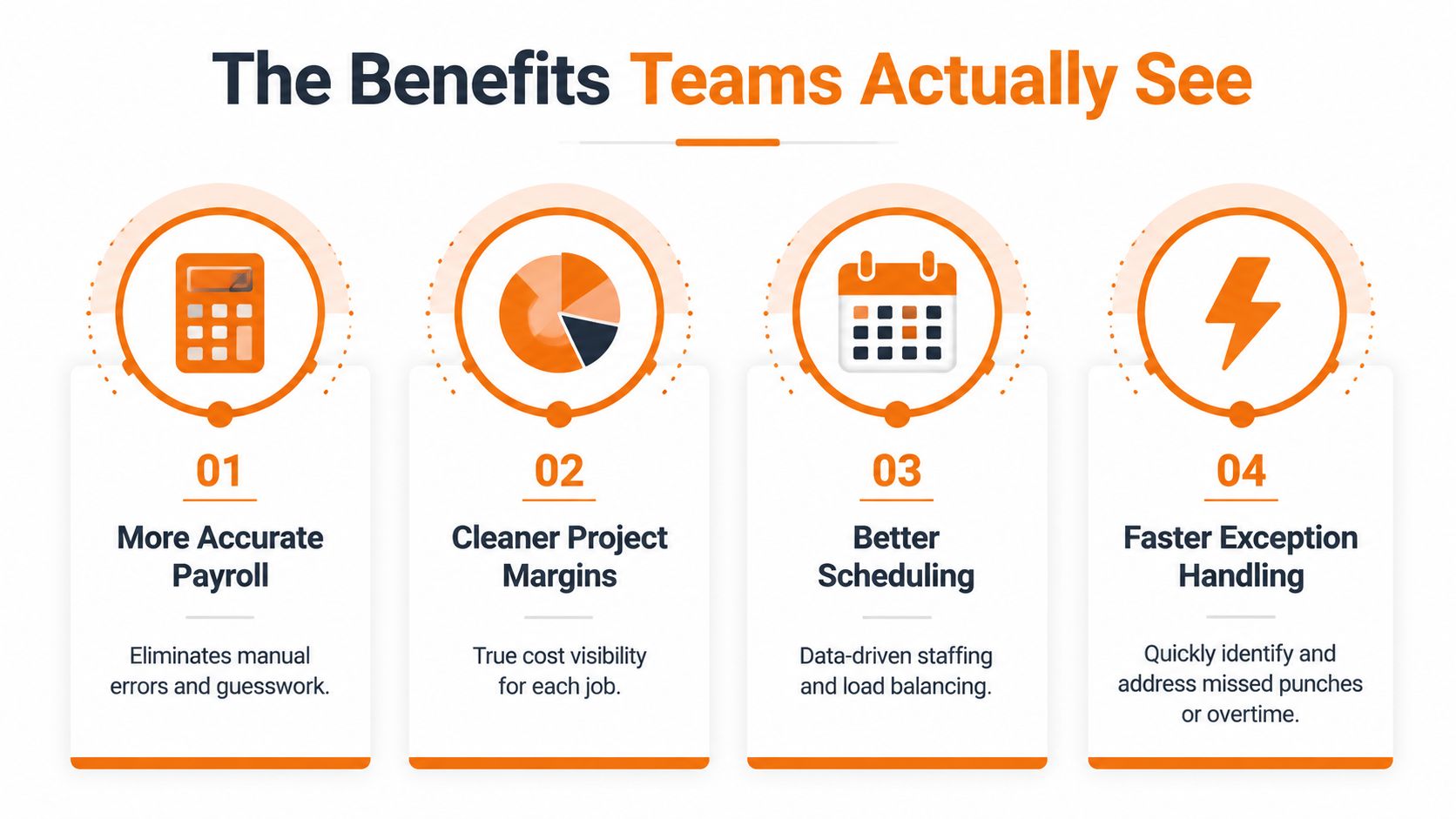
A payroll run exposes whether time tracking works. The useful measure is not whether the app has a clock button, but how many corrections payroll makes after submission. Direct clock-in and clock-out capture can reduce missed punches, transcription errors, and retroactive guesswork. One industry guide reports that modern systems can reduce payroll overpayments from roughly 1.5% to 0.3%, while a broader benchmark places manual or semi-manual payroll inaccuracy at 1% to 3% in the same analysis of time tracking and payroll errors.
Project margins improve when leaders can connect labor to the job that consumed it. The industry summary cited earlier associates time tracking with better billing accuracy and project profitability estimates. The practical work is comparing planned hours, recorded hours, billable hours, and rework before approving the next estimate. That comparison also shows whether a margin problem comes from scope, staffing, or weak time capture.
Scheduling is where frontline teams usually feel the change first. A logistics manager may find that one route repeatedly creates late finishes. A hospital supervisor may see breaks colliding with the busiest part of a shift. The system does not fix either problem by itself. It gives managers a reliable pattern instead of scattered anecdotes, so they can adjust coverage or question the schedule.
Exception handling is another practical gain. A missed punch, unexpected overtime entry, or break deviation should surface while someone can still correct it, not after payroll closes. Track payroll edits per pay period, time spent reconciling records, and time to close exceptions. These measures show whether the system is reducing operational work or merely producing another queue.
The human side still determines the result. Teams under pressure need sensible recovery, scheduling, and wellness policies. Guidance on wellness perks for busy professionals can complement time data, but it cannot disguise understaffing or make excessive hours acceptable.
Adoption is part of the business case. Employees must trust the record, and managers must use it to improve staffing and processes rather than punish imperfect days. Incomplete entries produce unreliable reports, regardless of the software's accuracy.
Where Time Tracking Quietly Fails
A time-tracking system can function perfectly and still fail. Employees may clock in, then correct entries later from memory. Supervisors may approve everything to clear the queue. Remote workers may stop recording project context because they think every minute is being inspected.
The surveillance concern is measurable. In a 2025 survey of 534 U.S. non-managerial workers, 75% said time tracking is helpful and 77% said it makes things fair, yet 30% said it makes them feel under surveillance and 26% said it adds stress, according to research on time tracking and employee trust. A rollout that ignores this tension will produce bad data even when the interface is easy to use.
The policy problems hide inside the workflow
Compliance failures often begin with an unclear rule. The U.S. Department of Labor explains that federal law doesn't require lunch or coffee breaks, but short breaks of about 5 to 20 minutes must count as paid work time and be included in overtime calculations. Meal periods of at least 30 minutes are generally different when the employee is fully relieved of duties, as described in the Department of Labor guidance on breaks.
For non-exempt employees, the FLSA requires at least 1.5 times the regular rate for hours worked over 40 in a workweek, and those hours must be tracked separately from regular time, according to this FLSA time-tracking explanation. California adds another layer, with overtime generally due after 8 hours in a day, double time after 12 hours, a 30-minute meal break for shifts longer than 5 hours, and 10-minute rest breaks for every 4 hours worked, as outlined in this California time-tracking compliance guide.
Don't sell the tool as surveillance protection after the fact. Publish the purpose, define who can see what, give employees access to their records, and document how corrections work. Teams evaluating implementation can also review this overview of employee time-tracking software with the policy question in mind.
The right shift is straightforward: stop selling features first. Design the policy first, then choose the tool that can enforce it fairly.
Key Features Worth Paying Attention To
Start with clock-in and clock-out. For a mobile or frontline team, the process should work on the device employees already carry, handle weak connectivity sensibly, and make the current status obvious. Location or device signals can help confirm that a punch came from an approved place or device, but they should support a stated policy, not become a hidden tracking program.
Shift scheduling comes next. A schedule that lives separately from time capture forces managers to compare two systems when a shift changes. The useful version connects assigned shifts, availability, PTO, breaks, and actual punches. It should flag a late arrival or unexpected overtime as an exception that a supervisor can review, not as an automatic accusation.

Records need to survive questions
Audit trails matter when someone asks who changed a time entry, when it changed, and why. For compliance-heavy teams, look for immutable edit histories, schedule-aware validation, role-based permissions, retention controls, and clear exports. An audit report on timekeeping management connects precise tracking with payroll accuracy, transparency, productivity, FLSA compliance, and cost efficiency.
Payroll and ERP exports should be boring. That's a compliment. Machine-captured timestamps, configurable rounding, and direct exports reduce transcription work and make exception handling easier. A separate HRIS platform guide is useful when you're deciding how time data should fit into a broader employee-record system.
Some features sound impressive but rarely repair a broken process. Gamification can make clocking feel childish or competitive. Complex project hierarchies create detailed reports that nobody maintains. Start with the smallest structure that answers payroll, staffing, compliance, and project questions.
Integration is the final filter. A tracker that doesn't connect with payroll, HR, project management, or communication tools can create more work than the spreadsheet it replaced. For a broader view of attendance capabilities, compare requirements against this guide to time and attendance software.
How to Choose a Tool Without Buying the Wrong One
Don't start with a vendor list. Start with the shape of your team.
An all-in-one employee platform suits organizations where time tracking needs to sit beside communication, shifts, PTO, tasks, and employee information. Pebb is one example. Its Clock In feature supports work-session capture, while teams can manage communication, shifts, PTO, and related operations in the same app. That can reduce tool switching for frontline employees, but it may not satisfy a professional-services firm that needs deep billable-time controls.
A dedicated time tracker is a better fit when project billing, cost codes, utilization, and invoice-ready records are the center of the problem. These tools can offer stronger project precision, but they may require separate systems for announcements, scheduling, employee records, and frontline communication.
A legacy attendance system still makes sense in some retail, hospitality, and facility environments with fixed terminals and established payroll routines. It can be dependable for basic attendance, but mobile access, distributed work, and modern privacy controls may be limited.
Tool Category | Best Fit | Compliance Depth | Culture Impact | Integrations |
|---|---|---|---|---|
All-in-one employee platform | Frontline, hybrid, and distributed teams | Depends on configuration and jurisdiction | Lower friction when purpose is clear | HR, payroll, communication, shifts |
Dedicated time tracker | Project-based and billable work | Often strong for time records and approvals | Can feel transactional without context | Project, billing, payroll |
Legacy attendance system | Fixed-site attendance and established payroll | Varies by system and policy | Familiar, but often rigid | Payroll and basic scheduling |
Judge every category against frontline fit, mobile experience, compliance depth, integrations, and culture impact. Ask employees to complete the main workflow on a phone, ask payroll to explain the export, and ask a manager to resolve a deliberately messy exception.
Pricing deserves the same scrutiny as features. Opaque fees, missing audit logs, weak permissions, and no clear data-retention controls are reasons to walk away. Teams comparing adjacent financial systems may also find this guide to choosing accounting software for 2026 useful because the same principle applies: buy for the workflow you run.
A Rollout Checklist That Actually Gets Used
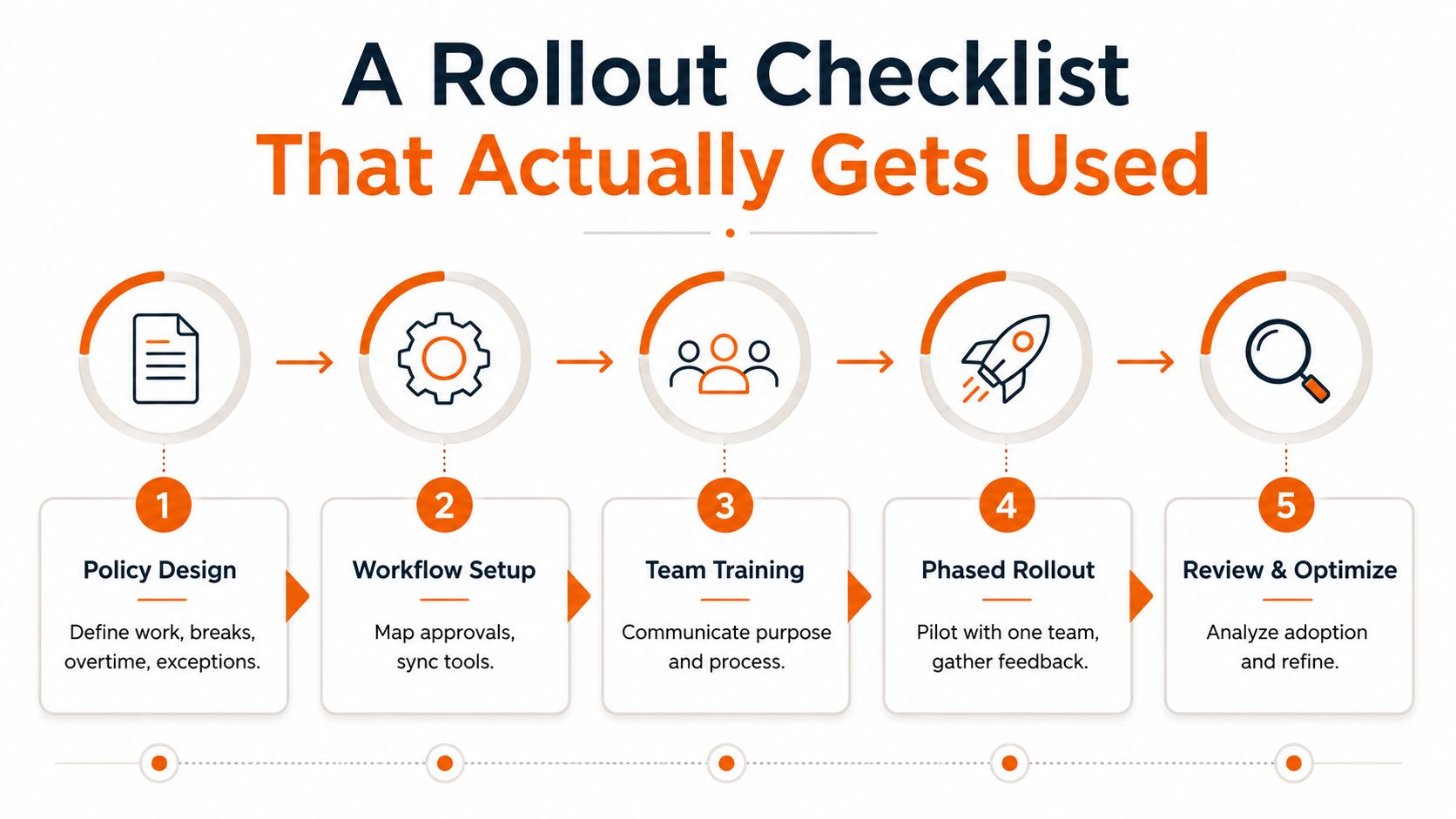
The first mistake is treating rollout as a software launch. It's a policy launch with software attached.
Start with the rules
Write down what counts as work, how breaks are recorded, who approves corrections, how overtime is handled, and what happens when a punch is missed. Include state and country differences instead of forcing one rule onto every location. For cross-border or mobile teams, define the legal basis, employee notifications, data minimization, role-based access, server location, and retention policy, as outlined in this 2025 time-tracking data protection guide.
Then map the workflow. Employees need a simple correction path. Supervisors need exception alerts and a clear approval queue. Payroll needs records that can be exported without manual reconstruction.
Train the job, not the whole platform
Give a frontline employee the shortest possible lesson: clock in, clock out, record a break, request a correction. Give a manager a separate lesson on schedules, exceptions, approvals, and reports. A forty-page manual won't change behavior. A short mobile-first onboarding flow, a single-link invite, and a supervisor who answers questions will.
Pilot with one team before expanding. Test missed punches, shift swaps, PTO conflicts, overtime, device changes, and weak connectivity. Shift-aware validation matters because a record can be technically complete and still conflict with the schedule.
Measure the rollout with operational evidence, not login enthusiasm:
Payroll edits: Count corrections per pay period before and after implementation.
Exception closure: Track how quickly managers resolve missed punches and overtime questions.
Administrative effort: Record the hours spent reconciling time records.
Data quality: Compare scheduled hours, recorded hours, approved corrections, and unexplained gaps.
The first 30 days decide whether tracking becomes routine or resistance. Fix confusing rules quickly, publish what changed, and show employees that corrections lead to fair records rather than punishment.
The Culture Question Behind the Clock
Every clock-in system makes a daily statement about how a company treats time. It can say, “We need a reliable record so nobody loses pay and managers can staff responsibly.” It can also say, “We don't trust you, so we'll collect everything we can.” Employees notice the difference.
The technology doesn't decide which message people receive. Managers do. They decide whether location data is necessary, whether edits are visible, whether a late punch starts a conversation or triggers blame, and whether schedules reflect the hours people are expected to work.
The move from paper attendance to mobile, integrated systems makes this choice more visible. Time records now sit near schedules, PTO, payroll, project data, and employee communication. That connection can reduce friction, but it also makes governance more important. Collect only what the work requires, explain who sees it, and give people a fair way to correct the record.
The question worth keeping is simple:
Are we tracking time because we don't trust our team, or because we want to see the work clearly enough to support it?
A good system doesn't eliminate management. It gives management a better starting point. The best rollout is the one employees barely think about because the rules are clear, the workflow fits the day, and the record helps everyone tell the truth about the work.
Pebb brings clock-in, shifts, PTO, communication, tasks, and employee information into one mobile and web app for frontline and office teams. If you want to replace disconnected attendance and communication tools with a shared operational workspace, visit Pebb and see how it fits your team.
