
Why Time and Attendance Software Should Feel Invisible
Is your time and attendance software just a digital punch clock? Discover how the right tools build trust and clarity, rather than watching over your team.
Dan Robin
Let’s talk about time tracking. For too long, time and attendance software has felt like a digital babysitter—the modern version of an old factory punch clock, built for surveillance, not support. It was all about making sure people were at their desks, not helping them do great work.
That's the wrong story.
We Need to Talk About Time Tracking
The whole conversation has been stuck in a loop of control and micromanagement. But what if we looked at it differently? What if this wasn't about watching over people's shoulders, but about creating fairness and clarity for everyone?
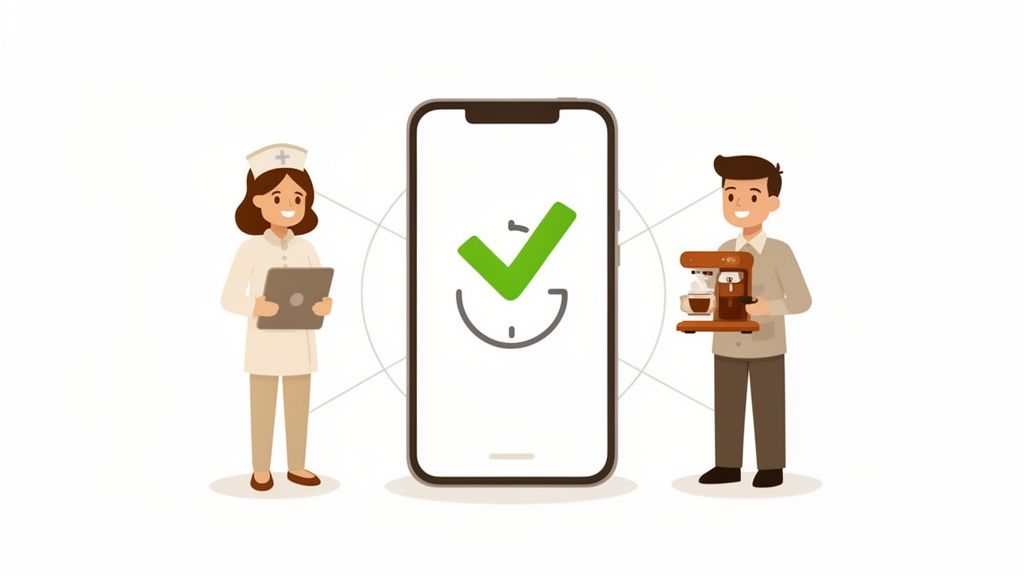
At its heart, a modern time tracking system should be built on trust. It needs to be so simple and reliable that everyone—from a nurse clocking in for a 12-hour shift to a developer working from home—can depend on it without a second thought.
From Control to Collaboration
Let’s get one thing straight: if your main goal is to spy on your team, no software will fix a broken culture. Good tools don’t create good cultures; they support the ones that already exist. The shift we care about is moving from a top-down, supervisory mindset to one of shared understanding.
When done right, time tracking is about respecting people’s contributions and their lives outside of work. It’s what ensures they’re paid correctly for every minute they work, especially overtime. It makes shift scheduling transparent and PTO requests a breeze.
This isn't about logging hours. It's about getting rid of the administrative headaches that get in the way of real work and cause needless stress for managers and employees alike.
Think about the domino effect of a clunky, manual process. A manager wastes hours hunting down payroll errors instead of coaching their team. An employee gets frustrated because their time-off request got buried in an inbox. These little moments of friction add up, slowly chipping away at trust.
A New Perspective on an Old Idea
The real aim is to make the whole process feel almost invisible. It should be a background task that just works, freeing people up to focus on what they were hired to do.
Here’s what that looks like in the real world.
For employees, it means clocking in with a quick tap on their phone, checking their schedule easily, and trusting their paycheck will be spot-on. No more guesswork or chasing down a manager.
For managers, it means approving timesheets in minutes, not hours. It gives them a clear view of staffing without getting lost in spreadsheets.
And for the business, it means guaranteed compliance with labor laws and solid data to make smarter decisions.
This is about building a single source of truth everyone can rely on. It’s a tool for collaboration, not control. If you're looking for more on this, great resources like Parakeet AI's blog are worth a read. The conversation shouldn’t be about software features; it should be about the kind of workplace we want to build.
The Hidden Costs of ‘Good Enough’ Systems
That old spreadsheet or the clunky system you inherited feels free, doesn't it? It’s familiar. It’s “good enough.” But sticking with it is a choice, and it’s costing you more than you realize. The price isn’t a subscription fee; it’s paid in wasted hours, frustration, and risk.
Let's be real. The true cost is the two hours your manager spends every pay period hunting down one timesheet error instead of mentoring a new hire. It’s the quiet annoyance your best employee feels when their PTO request gets lost in an email, making them feel invisible.
These aren't minor hiccups. They are the friction points that grind down trust and add dead weight to everyone's day. When your systems are a mess, it sends a message: we don’t value your time. The impact is subtle but significant, as even small issues with how poor time management impacts employee well-being can take a serious toll.
The Real Price of Manual Tracking
I once knew a small retail business, “The Corner Bookstore,” that was drowning in paper timesheets. The owner, Sarah, spent her Sunday nights with a calculator and coffee-stained papers, trying to decipher handwriting and account for shift swaps.
Last month, she miscalculated overtime for two employees. It led to an awkward conversation and a corrected payroll run. The mistake cost her nearly $300 in direct costs, but the damage to morale was much harder to measure. Her team started double-checking their hours obsessively—a clear sign that trust was broken. This isn’t a one-off story; it happens everywhere, every day.
Sticking with a manual system isn't saving money. It's just deferring the cost and paying for it with your team's time, your managers' focus, and your own peace of mind.
This administrative drag is why the market for modern time and attendance software is booming. Cloud-based tools are becoming standard, with the sector projected to grow from USD 3.32 billion in 2024 to USD 7.37 billion by 2032. With over 60% of companies now using a hybrid model, the need for mobile-first tools is undeniable. This isn’t just about convenience; it’s about survival. Non-compliance with labor laws can trigger fines costing 5-10% of your entire payroll. You can find more details on this trend over at SkyQuest.
Before we go further, let’s lay it out. The gap between an old process and a modern system is wider than most people think.
Manual Tracking vs Modern Software: The Real Cost
This table breaks down the hidden costs of sticking with outdated methods compared to the benefits of an integrated system.
Area of Impact | Manual / Outdated System | Modern Time & Attendance Software |
|---|---|---|
Accuracy & Payroll | High risk of human error, leading to over/underpayments and costly corrections. | Automated calculations eliminate errors, ensuring 100% accurate payroll every time. |
Manager Time | Hours spent chasing timesheets, deciphering entries, and manually approving requests. | Approvals take seconds. Managers get real-time data to focus on coaching, not clerical work. |
Compliance | Difficult to track overtime, breaks, and labor laws, creating significant legal risk. | Built-in compliance rules automatically flag potential violations before they happen. |
Employee Experience | Frustrating process for tracking hours and requesting time off; breeds mistrust. | Simple, self-service mobile app empowers employees and builds transparency and trust. |
Operational Insight | No real-time data. Business decisions are based on guesswork and outdated information. | Live dashboards provide clear insights into labor costs, attendance patterns, and productivity. |
As you can see, the "free" system comes with a hefty price.
Beyond Dollars and Cents
But honestly, the biggest cost isn’t financial. It’s cultural.
A company that runs on messy spreadsheets tells its people that administration is more important than their actual work. It forces managers to be clerks instead of leaders. It creates an environment where your team has to fight the system just to get paid correctly or take a day off.
Modern time and attendance software isn't about making things faster; it's about removing the tedious work that gets in the way of building a great company. It’s about creating a system so smooth it becomes invisible.
The choice isn’t between a “free” spreadsheet and a paid tool. It’s between a system that creates friction and one that fosters clarity. And your choice says a lot about what you value.
How Good Software Actually Helps Your Team
Let's cut through the noise. Forget the long feature lists for a moment. What does good time and attendance software actually do for your team? The best tools feel invisible. They don't add another complicated task; they quietly get rid of the friction that’s been slowing everyone down.
Think of it this way: great software takes annoying, time-sucking tasks and turns them into a few taps on a phone. This isn't about technical jargon. It’s about real, practical help for the daily headaches that get in the way of real work.
More Than Just a Digital Punch Clock
At first glance, the core functions—clocking in, building schedules, requesting time off—sound basic. But they are the bedrock of a trustworthy workplace. When these simple things work without a hitch, your team can stop sweating the small stuff and focus on what they do best.
Take geofencing. On paper, it might sound a little "Big Brother." That’s a complete misunderstanding of what it does. It’s not about tracking someone's every move. It's about making the clock-in button on their phone only appear when they’re on-site. This one simple thing gets rid of guesswork, prevents honest mistakes, and builds trust.
The goal isn't to add more rules. It's to build a system so clear and fair that everyone can rely on it, no questions asked. A system that works for your people, not against them.
When an employee can clock in and know their hours are logged perfectly, it’s a huge weight off their shoulders. That foundation of accuracy is where everything else starts. The flowchart below shows just how damaging the alternative can be—how small manual errors can spiral into frustration and risk.
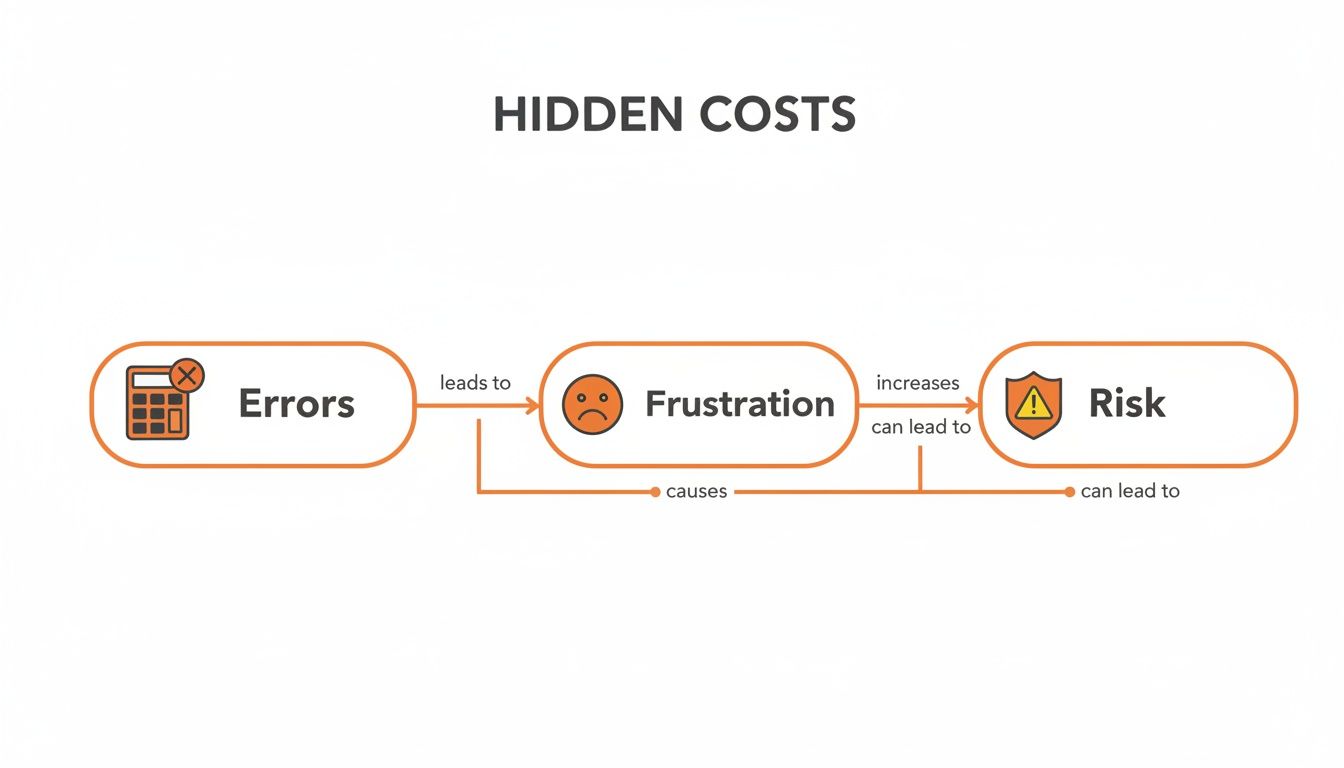
As you can see, what starts as a simple payroll error quickly creates frustration. That frustration, in turn, opens the door to bigger compliance risks and erodes trust.
Connecting the Dots for a Simpler Workday
But just logging hours is only half the story. A truly great tool connects all these moving parts into one seamless experience. It isn’t just a clock-in app; it’s the central hub for your team’s entire work life.
Shift scheduling is a great example. That paper schedule taped to the breakroom wall? It becomes a living document on everyone’s phone. A manager can see at a glance who’s available, and an employee can request a shift swap without a dozen text messages.
Then there are PTO requests. What used to involve hunting down a form and chasing a manager becomes a simple request in the app. The system already knows the employee’s balance and sends the request to the right person, who can approve it with a tap.
And finally, compliance. The software acts as a helpful guardrail, automatically flagging potential overtime or missed breaks. This isn't about catching people; it's about proactively ensuring fairness.
These aren't just separate features—they work together to create a calmer, more predictable environment. This is especially critical for frontline teams. Think about the nurses, retail associates, and warehouse crews who don't sit at a desk. For them, clarity isn't a nice-to-have; it's everything. Knowing the travel and expense management best practices also helps, as both are about bringing clarity to complex parts of the business.
Ultimately, you want to give your team one reliable place for all the administrative stuff. When you get that right, the software fades into the background. It just works.
From Hospital Wards to Construction Sites
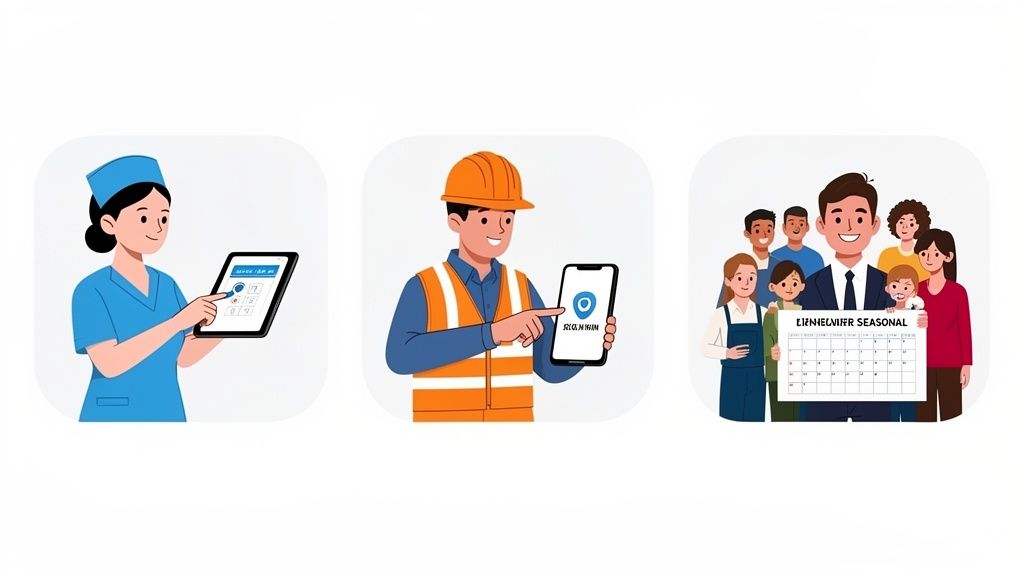
A tool is only as good as its fit for the job. You wouldn't use a sledgehammer to hang a picture frame. The same applies to software. The needs of a hospital’s critical care unit are worlds away from the chaos of a construction site or the morning rush at a coffee shop.
Let’s be honest: generic, one-size-fits-all time and attendance software often creates more problems than it solves. It ignores the reality of how different teams get work done. The abstract benefits don't mean much until you see how it solves your problems. It's about understanding the operational headaches each industry faces.
Healthcare Under Pressure
Picture a nursing supervisor, Maria, on a Tuesday morning. Two nurses call in sick, and she has to fill a critical 12-hour shift that starts in three hours. Her old method? A frantic chain of texts and phone calls, hoping someone could pick it up. It was a stressful, messy process.
Now, she uses a system that shows everyone's availability in one place. She sends out an open shift notification to all qualified nurses, and within minutes, a per-diem nurse claims it from his phone. The schedule updates instantly, payroll is adjusted automatically, and Maria can get back to patient care instead of playing phone tag. For her, the right tool isn’t about tracking time; it’s about ensuring safe staffing levels with calm and clarity.
Retail and the Seasonal Rush
Now, think about Alex, a retail manager gearing up for the holidays. He’s just hired 20 temporary employees, and his biggest challenge is creating a fair schedule. Last year, he spent hours wrestling with a spreadsheet, only to have it become obsolete the moment someone needed to swap a shift. The result was constant confusion, no-shows, and a frustrated team.
Good time and attendance software gives him a central command center. Staff can set their availability, request swaps, and see the latest schedule on their phones. Alex even gets alerts if a change might push someone into overtime, helping him stick to his budget. The tool brings order to seasonal chaos, making work more predictable for a team that desperately needs it.
A tool's real value isn't in its list of features. It's in its ability to understand the context of your work and quietly solve the problems that keep you up at night.
This need for context-aware tools is fueling massive growth. A comprehensive market analysis shows the global market was valued at around USD 3.1 billion in 2022 and is projected to grow at 7.1% annually, driven by sectors like healthcare and retail. The pandemic only accelerated this, creating a huge need for tools that could handle flexible work without manual timesheets. This trend shows no signs of slowing.
Logistics and the Warehouse Floor
Finally, let’s go to a logistics warehouse where a foreman, David, is overseeing three shifts. His biggest headache used to be calculating accurate overtime pay. With crews working around the clock, figuring out who was eligible was a weekly nightmare that often led to payroll errors and disputes.
An integrated system changed the game for him. It automatically applies the company's specific overtime rules, factoring in meal breaks and shift differentials without manual work. When an employee clocks in or out, the system does the math correctly, every time. For David, this provides a single source of truth, ending payroll arguments and giving him back hours to actually manage the floor. If you're running a smaller operation, you might find our guide on time clock systems for small business helpful.
These stories aren’t about software. They're about people finding a better way to manage their work. The right tool simply gets out of the way, letting them do their jobs with more confidence and less friction.
Choosing a Tool Your Team Will Actually Use
Let’s be honest. The most feature-packed software is worthless if your team hates using it. We've all seen it: a shiny new tool is rolled out, only to be abandoned a few months later as everyone drifts back to their old spreadsheets.
The trap is getting bogged down in technical details. We obsess over feature comparisons and pricing, but forget to ask the one question that matters: will this make life easier for the people using it every day?
The real measure of any time and attendance software isn't how much it can do, but how simply it does it. The whole point is to remove friction, not add another complicated system.
The Five-Minute Test
Here’s a rule of thumb I use called the "five-minute test." Imagine a new employee, with zero training, opening the app for the first time. Can they figure out how to clock in, view their schedule, and request time off in under five minutes?
If the answer is no, it's a non-starter. Your team is busy. They don’t have time to decipher confusing menus or hunt for a button that should be obvious. A great tool just feels right. It’s intuitive.
When you're looking at your options, focus on what really counts.
Is it mobile-first? Your team runs on their phones. The experience on a small screen can't be an afterthought; it has to be perfect. Does it connect seamlessly with the payroll and HR systems you already use? A tool that operates in a silo just creates more headaches. And is it actually simple? Does it use plain language, or is it cluttered with corporate jargon?
This isn’t about dumbing things down; it’s about respecting your team’s time. A tool that works with them is the only one worth your investment. For a closer look, check out our guide on the best time and attendance software.
Trust Isn't a Feature—It's the Foundation
Beyond a slick interface, something far more important is at stake: trust. When employees enter their hours, location, and personal time off into a system, they are trusting you to protect that data. Security isn't just a line item; it's the bedrock of a healthy company culture.
You're not just looking for a vendor; you're looking for a partner. You need someone upfront about their data privacy policies and committed to safeguarding your team's information.
The real ROI isn’t just in the hours you save or the payroll errors you eliminate. It’s in the quiet confidence your team feels knowing the system is fair, accurate, and secure. That kind of trust is priceless.
The market for these tools is exploding. A detailed market report shows the North American market growing from USD 1.04 billion in 2024 to USD 3.38 billion by 2035. What’s fueling this? Businesses are using mobile and biometric systems to slash payroll errors by as much as 80%. With remote and hybrid work here to stay, the need for secure, mobile-friendly platforms is only getting more critical.
In the end, choosing the right tool is an act of empathy. It’s about putting yourself in your employees' shoes. Does this help them, or does it hinder them? Does it build trust, or does it create doubt?
Forget the flashy demos. Find the tool your team will actually want to use. That's the one that will change everything.
The Goal Isn’t to Track Time—It’s to Make It Count
Let’s pull this all together. This deep dive into time and attendance software isn't just about finding a slicker way to log hours. It’s about something more important.
It’s about getting your time back.
Time for your managers to lead. Time for your employees to do their best work. And time for the business to focus on its mission. The goal was never to just track time; it was always to make that time count.
When the grind of tracking work becomes automated, accurate, and fair, something interesting happens. It disappears. It fades into the background, a reliable utility that hums along without anyone having to babysit it.
What Happens When Tracking Fades Away
Managers who were buried in spreadsheets suddenly find they have time to lead. They can mentor new team members, solve operational challenges, and support their people. They get to trade their administrator hat for a coach's whistle.
For employees, it builds a foundation of trust. They know they'll be paid correctly without having to fight for it. Requesting time off takes a few taps. This simple, reliable process sends a clear message: we trust you, and we value you.
We’ve become obsessed with the tools of productivity—the software, the apps, the systems. But the real aim is to build a calmer, more productive, and more human workplace. The best tools are the ones that help us get there, then get out of the way.
The entire business just runs better. Payroll is no longer a monthly fire drill. Compliance isn't a constant source of anxiety. And big decisions are made with clear, accurate data instead of gut feelings. This clarity creates a stable launchpad for growth.
Giving People Back Their Most Valuable Resource
At the end of the day, good software gives people back their most valuable, non-renewable resource: their focus.
It frees them from the tedious, soul-draining work that saps energy and morale. It lets them pour their talent into the work they were hired to do—the work that moves the needle.
So as you look at your own systems, see past the feature lists for a second. Ask yourself a simpler question: Does this tool give us our time back, or does it demand more of it?
The answer tells you everything you need to know.
Frequently Asked Questions
We get it. Thinking about adopting new time and attendance software brings up questions. Here are a few we hear all the time, answered directly, without the marketing fluff.
How Much Does Time and Attendance Software Cost?
Let’s be honest, costs are all over the place. Most modern tools use a per-user, per-month subscription that can range from a few dollars to over ten dollars for each employee. But looking only at the sticker price is a classic mistake.
The cheapest tool is often the most expensive one in disguise. If it's clunky, no one will use it. If it requires constant manual corrections, you’re just trading a subscription fee for wasted manager hours. The real question isn’t what it costs, but what it saves. A good system should easily pay for itself by stamping out payroll errors and giving your managers their time back.
Will My Employees Feel Like They Are Being Spied On?
This is a big one, and it’s a completely fair concern. The answer comes down to one thing: how you talk about it. If you frame the new tool as a way to "increase oversight," then yes, people will feel watched. You can’t fix a culture of mistrust with an app.
But if you introduce it as a tool for fairness, accuracy, and making everyone’s life easier, the story changes. When an employee can clock in from their phone, see their schedule instantly, and request PTO without chasing anyone down, they feel respected.
The goal isn't surveillance; it's clarity. It’s about building a single, trustworthy source of truth that ensures everyone is paid correctly and scheduling is transparent.
Communication is everything. Explain that the aim is to make things fair, not to watch their every move. The tool is there to support them, not to scrutinize them.
How Difficult Is It to Switch From Our Current System?
It’s almost certainly easier than you think, provided you pick the right partner. A modern, cloud-based tool shouldn’t feel like a massive IT project that hijacks your quarter. The real work is in moving your employee data over and making sure it connects with your payroll system.
A good provider will hold your hand through this. Look for a tool that offers simple data import features and already has connections with major payroll platforms. The transition should feel like a guided process, not a technical nightmare. Your goal is to find a system that minimizes disruption, so your team can start benefiting from day one. It’s a shift that should bring relief, not more headaches.
Ready to build a calmer, more productive workplace? See how Pebb unifies communication, operations, and time tracking into one simple app your team will actually love to use. Learn more about Pebb.
