
Time Off Tracker: A Practical Guide for Modern Teams
Learn how a time off tracker simplifies PTO management, prevents coverage gaps, and keeps your team in sync. Practical advice for HR and frontline leaders.
Dan Robin

The worst time-off system is the one everyone pretends is working. Requests arrive in text messages, approvals happen in hallway conversations, and by Friday someone is asking why two people are off the same shift. By then, the damage is already inside the schedule.
A time off tracker should do more than store dates. It should act as the system of record for leave, balance calculations, approvals, and visibility across the team. When it doesn't, managers guess, payroll cleans up messes, and employees stop trusting the process.
Why Your Current PTO Process Is Probably Broken
Most organizations do not run a real leave process. They run a patchwork of texts, emails, sticky notes, and one person who “keeps track of it all” until they are on vacation themselves. That can survive in a small, steady team, but it breaks as soon as shifts change, sites multiply, or managers start covering for each other.
A proper time off tracker gives the business a single source of truth. It does not just remember that someone asked for Friday off. It calculates the balance, routes the request, records the decision, and shows the absence where managers can use it in planning. That is the difference between a calendar and an operational control point.
The gap matters because leave is already underused in the U.S. One source says only 18% of U.S. companies use a dedicated time-off feature to record PTO and leave, while 82% do not, and 70% of U.S. employees don't use their paid time off (Clockify time tracking statistics). QuickBooks' PTO survey found workers receiving PTO averaged 10.7 vacation days, 6.5 sick days, 4 personal days, 6.5 holidays, and 2 volunteering days, with workers averaging about 11 PTO days per year overall, and 70% didn't use all their time. Those numbers are a reminder that the process is not just administrative. It shapes whether people take the leave they have earned.
Practical rule: if a leave request cannot be approved and reflected in the roster the same day, it is not really tracked. It is just recorded late.
For teams trying to reset expectations around rest and coverage, a practical resource like the Corporate Challenge Events EOFY playbook can help leaders think about how time away affects team rhythm, not just individual calendars. That matters in frontline and distributed teams, where one missed approval can leave a shift short or create avoidable tension between managers and staff. Leave is never only about the person taking it. It affects the people who stay behind and keep work moving.
The Hidden Costs of Spreadsheets and Manual Logs
Spreadsheets look harmless because they're familiar. Everyone understands a shared sheet, and at a glance it seems cheaper than software. The problem is that “cheap” tools often hide the exact costs you're trying to avoid, balance errors, version chaos, and endless cleanup.
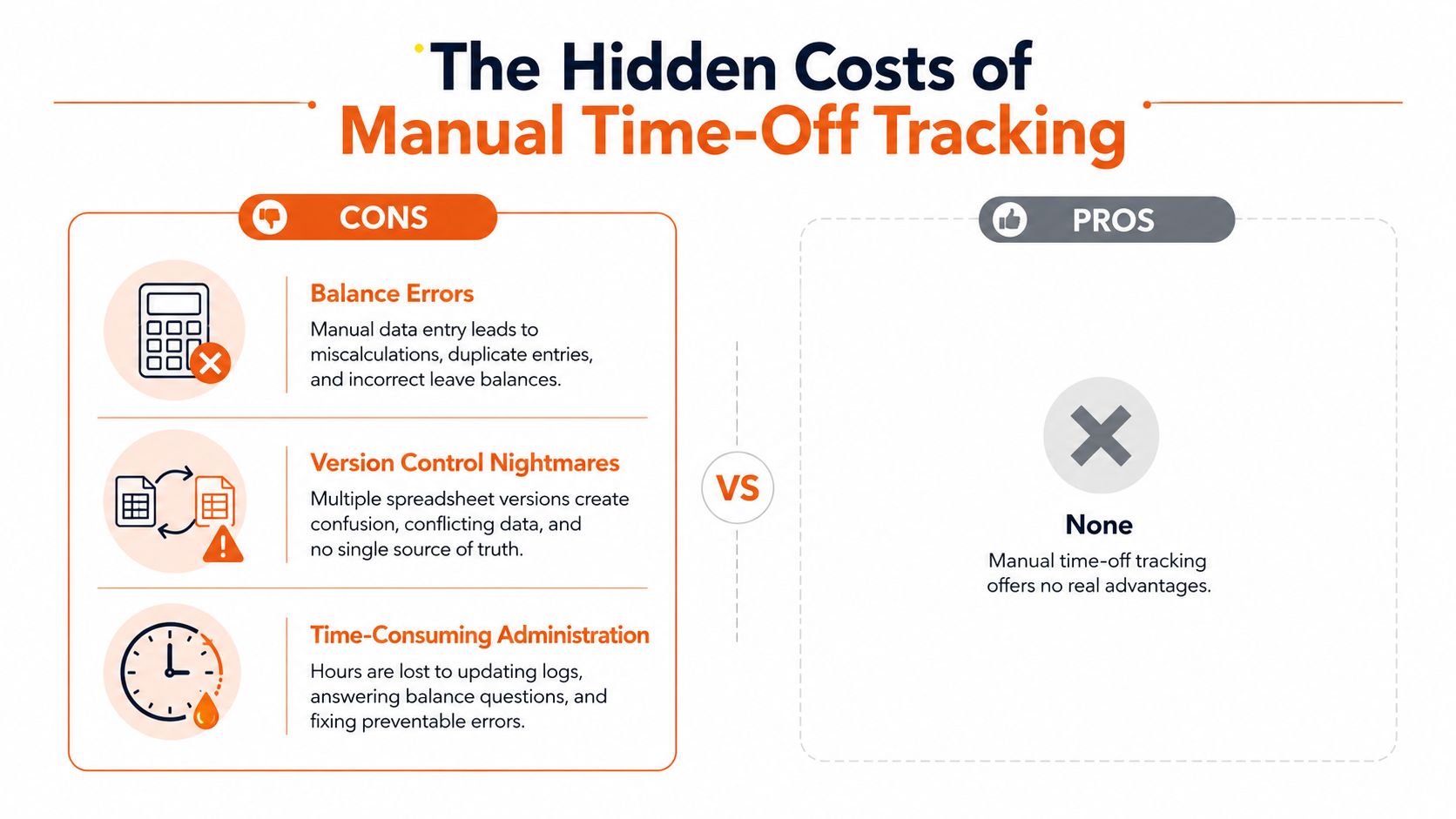
A manual log can't protect you from policy drift. When leave rules change, or when someone moves to a different location with a different policy, the sheet doesn't know what changed. A rules-based tracker does the math every time. A spreadsheet asks someone to remember the math.
The other issue is trust. If one manager updates a file after lunch and another opens an older copy by evening, you now have competing versions of the truth. That's how people end up arguing over balances instead of planning coverage. The administrative work also piles up, because every correction creates another correction.
A more robust system gives HR and managers a tighter grip on the process. ADP describes PTO tracking as an add-on to time and attendance that provides up-to-the-minute balances across vacation, personal, sick, and other leave types, while Arcoro recommends periodic audits, trend analysis, balance communication, and reminder emails to reduce missed or lost time (ADP PTO tracker). That's the point, visibility, not heroics.
For teams still comparing spreadsheet habits with a real tracker, this internal breakdown is useful: Excel-based PTO tracking risks and trade-offs. The honest answer is simple. A sheet can store names and dates. It can't govern absence well when policy gets messy.
Manual tracking doesn't just waste time. It makes small errors feel normal, until they're expensive.
Core Features Every Reliable Tracker Needs
A tracker earns trust when it handles the rules behind leave, not just the request form on the surface. It needs to calculate balances correctly, support different absence types, and work for people whether they sit at a desk, walk a floor, or move between sites. Anything less is a nicer-looking calendar with the same old problems.

Automated accrual beats static balances
A real system should not hold PTO as a frozen number that someone updates by hand. It should calculate balances from a rules engine, with custom leave types, location-specific policies, custom workweeks, and per-employee quotas so accruals, carryover, and eligibility are calculated automatically (Microsoft AppSource PTO system overview). That matters because policies rarely stay simple. A worker changes shifts, moves sites, or crosses a jurisdiction boundary, and the old balance can be wrong quickly.
Real-time updates matter too. Arcoro's guidance is direct about why tracking exists, managers need current balances before they approve another request, or the process turns into guesswork (Arcoro employee time off tracking). The balance has to change as soon as leave is approved. Not later. Not after someone remembers to sync it.
Non-standard leave cannot be an afterthought
Vacation is only part of the picture. A useful tracker also needs to handle medical leave, parental leave, unpaid leave, disability leave, and statutory leave, with approval flows that match the policy behind each type. TalentHR's guidance says a leave tracker should store employee details, leave type, and approval status, which is a useful reminder that absence management goes beyond PTO alone (TalentHR leave tracker guidance).
Many tools fall short here. They can handle a weekend in Cabo but struggle when leave touches compliance, documentation, or a separate approval chain.
Mobile access is not a nice extra
Frontline workers do not sit at a desk waiting for a browser tab. They need a mobile workflow that lets them request time, see status, and check team visibility quickly. Workforce.com PTO tracker shows PTO requests can be submitted by day or hour, approved in email or in-app, and applied to timesheets automatically, which is the kind of flow hourly teams need.
A time off tracker earns its keep when it removes friction for the employee and uncertainty for the manager. If it does not do both, it is just another login.
Building Governance and Approval Workflows
Software does not repair a weak PTO policy. It exposes it faster. If approvals are vague, balances are inconsistent, or managers can override rules whenever they want, the tracker will document the mess instead of cleaning it up.
Start with the request form. A practical time-off request form should capture the employee's name, employee ID, contact information, manager, start date, end date, total days or hours requested, PTO type, balance visibility, coverage plan, and approval fields (Knack PTO request form). Without that structure, reviewers have to hunt for missing details, route requests by memory, and reconstruct decisions later. A clean form shortens the review on the front end and reduces confusion after the fact.
Approval logic must align with how the business operates. Some requests go to a direct manager. Some need a second review. Some need a blackout check or a staffing review before anyone signs off. In shift-based operations, approval is only part of the work, because the roster has to change as soon as leave is approved. A key challenge is whether managers can see coverage gaps before they become same-day problems.
For teams that handle different absence types, routine PTO needs to stay separate from leave-of-absence workflows. A single approval lane for everything creates avoidable confusion. Medical, parental, disability, unpaid, and statutory leave often call for different routing, different evidence, and different visibility. The tracker should follow the policy behind each leave type, instead of forcing every request through the same path.
A useful rule is simple:
Coverage first, approval second. If the team cannot absorb the absence, the request needs another look.
For a practical example of how request flow can be organized inside the employee experience, Pebb's time off request guidance is worth keeping close. The goal is not more rules for their own sake. It is fewer surprises for managers, payroll, and the team on the floor.
Solving Adoption Friction with a Unified App
The hardest part of leave tracking isn't configuration. It's adoption. If people have to leave the app they already use, log into another tool, and remember where to find the request button, many of them won't bother until it's urgent. That's how errors creep in.
A unified employee app changes the habit. Pebb, for example, includes time off inside the same environment where teams already chat, check shifts, and handle daily work. That matters for frontline managers and deskless employees, because the request sits next to the work instead of off to the side. Pebb's own product description says it brings Time Off into Spaces alongside chat, posts, tasks, file sharing, events, shift scheduling, and clock-in, which keeps the workflow in one place.

Governance and adoption intersect at this point. HR requires accurate records, managers need prompt approvals, and employees need a process that avoids excessive administrative burden. When requests occur within the same application used for communication, the likelihood of timely input increases because the path is shorter. That's not magic. It's just how people behave.
For companies that care about presentation and trust, even small details matter. If your employee app is part of how people see the organization, the interface around leave should feel as polished as the rest of the system. A useful companion reference on that front is Secta Labs business portraits, which is a reminder that employee-facing tools shape how people experience the company, not just how HR stores data.
The deeper issue is visibility. When a request lives in the same place as schedules, team updates, and approvals, leaders don't have to stitch together separate systems to understand what's happening. That makes it easier to act quickly, especially in shift-heavy environments where a missed absence can ripple through the whole day.
Moving from Compliance to a Culture of Rest
A time off tracker should do more than keep records tidy. It should show whether people are taking the leave they have earned, and whether certain teams keep postponing time away until the pattern becomes normal. In frontline and distributed operations, that is not a small detail. It is usually the first sign that coverage, staffing, or manager behavior needs attention.
Analysts at Clockify time tracking statistics reported that many employees who receive PTO still leave time unused, and a meaningful share finish the year with several days left on the table. The point is not the exact count. The point is what those patterns usually mean in practice. People are carrying work too long, managers are not surfacing the issue early enough, or the approval process makes it easier to postpone rest than to use it.
A good tracker makes rest visible without creating extra work. HR can spot underuse before it turns into a retention or burnout issue. Managers can plan coverage without turning every approval into a guilt conversation. Employees can see that the process is predictable and fair, which matters when teams already deal with shift changes, field work, and changing schedules.
For teams focused on how PTO usage shows up across the organization, the internal note on employee PTO visibility and usage is useful context. The practical lesson is straightforward. If the company says rest matters, the system should make it easy to request, easy to approve, and easy to review later.
Build the workflow so people can use the time they have earned. Then the tracker supports culture instead of just satisfying policy.
