
Employee Onboarding Software: A No-Nonsense Guide
Tired of clunky systems? Our guide to employee onboarding software explains what matters, how to choose, and how to serve both office and frontline teams.
Dan Robin
I've lived through three onboarding software rollouts.
The first one looked polished in the demo and fell apart on day one. New hires got bounced between email threads, PDF forms, a learning portal nobody could log into, and a chat tool they weren't added to until someone remembered. HR thought the process was organized. The new hire felt lost.
The second one was fine. It handled forms, routed approvals, and gave managers a checklist. Better than chaos. Still, it treated onboarding like an admin event instead of a human experience.
The third one finally clicked. Not because it had the longest feature list, but because it answered the questions every new person has in their first week. Who do I talk to? What do I do first? Where do I find things when I get stuck? That's what employee onboarding software should do.
Most advice on this topic assumes everyone sits at a desk with two monitors and plenty of time. That's not how many companies work. If you hire nurses, warehouse staff, store associates, drivers, field technicians, restaurant teams, and office staff, you need a different approach. One system for desk workers and a completely different experience for everyone else usually creates a mess.
The First Day Feeling
A new hire's first day tells them what kind of company they just joined.
I've seen two versions of that day. In the bad version, the person arrives excited and spends the morning filling out forms, waiting for passwords, and asking basic questions nobody thought to answer. Lunch comes before they know their schedule, where policies live, or who their manager expects them to shadow. By the end of the day, they've learned one thing well. This place is disorganized.
The good version feels different right away. Before day one, the person already knows where to go, what to bring, what their first week looks like, and who's going to help them settle in. They can sign what needs signing without a scavenger hunt. They can find the team, the handbook, the shift details, the training steps, and the right contact person from one place. They're still nervous, of course. But they're not alone.
That gap matters more than most leaders think.
The market continues to expand because companies recognize this is a significant challenge. The global employee onboarding software market is projected to reach $1.7 billion by 2026, yet only 19 to 26 percent of organizations rate their current software as “very helpful,” according to Archie's employee onboarding statistics roundup. That indicates a significant trend. Many companies purchased a tool. Far fewer purchased one that improved the experience.
The promise you make on day one
Onboarding isn't a pile of tasks. It's the first promise your company makes and keeps.
If that promise feels fragmented, new hires assume the work will be fragmented too. If it feels thoughtful, they start building trust. That's true for office staff. It's even more true for remote and frontline teams, where there's less room to recover from a confusing start.
Onboarding software doesn't fix a weak process. It exposes it fast.
The mistake I made early on was treating onboarding as an HR workflow. It isn't. It sits at the intersection of HR, operations, IT, internal communication, and management. That's why one-size-fits-all tools often disappoint. They may be good at paperwork and still terrible at helping real people get oriented.
Why mixed workforces break old assumptions
Office hires can usually muddle through bad software for a while. They have laptops, coworkers nearby, and time to ask around.
Frontline workers often don't. They need quick access on a phone, during a shift, between tasks, in a language and format that makes sense. Remote hires need the same kind of clarity, minus the hallway conversations that fill in the gaps.
That's why modern employee onboarding software has to serve both kinds of workers well. If it only works beautifully for the people at headquarters, it's not really working.
What Good Onboarding Is Really For
Most companies buy employee onboarding software for the wrong reason.
They want to send documents, collect signatures, assign equipment, and track completion. Those things matter. They're also the floor, not the ceiling. If your tool stops there, you've digitized paperwork, not onboarding.
Good onboarding does three jobs at once. It creates clarity, connection, and confidence. A new hire should quickly understand what success looks like, who they rely on, and how the place runs when nobody's reading from a script.
The three questions every new hire needs answered
In practice, strong onboarding software should help answer three simple questions:
Who do I need to know? Manager, buddy, team, cross-functional partners.
What do I need to do first? Forms, training, priorities, first-week milestones.
How do things work around here? Norms, communication habits, approvals, schedules, unwritten rules.
That sounds obvious. It rarely gets built that way.
A lot of tools are still designed around what HR needs to administer. Fewer are designed around what a new person needs to feel grounded. That's the difference between “completed onboarding” and “ready to contribute.”
The business case is already settled
This isn't soft stuff. It shows up in retention and output.
Organizations with a structured onboarding process experience an 82% increase in new hire retention and a 70% boost in productivity, yet only 12% of employees believe their companies excel at onboarding, according to StrongDM's employee onboarding statistics. You don't need much interpretation there. Companies know onboarding matters, but most still don't do it well.
Practical rule: If your onboarding tool makes life easier for HR but harder for the new hire, it's the wrong tool.
I've seen leaders frame onboarding software as an efficiency purchase. That undersells it. This is a retention tool. A manager enablement tool. A culture tool. In operational businesses, it's also a consistency tool. When five locations onboard five people five different ways, you don't have a culture. You have variance.
What works and what doesn't
What works is a system that reduces uncertainty without turning the process robotic. New hires need a clear path, but they also need signs of life. A welcome message from a real manager. A team introduction that doesn't feel copied and pasted. Easy access to policies and practical how-to answers.
What doesn't work is pretending automation can replace human attention. It can't. The software should remove friction so managers and teammates can do the human part better.
That's the core objective. Not just getting someone “through onboarding,” but helping them feel they've joined a place that knows what it's doing.
Features That Matter and For Whom
Every employee onboarding software demo starts with the same handful of features. Automated workflows. E-signatures. Document storage. Compliance tracking.
All useful. All expected. None of them are the reason people say, “That was a great first week.”
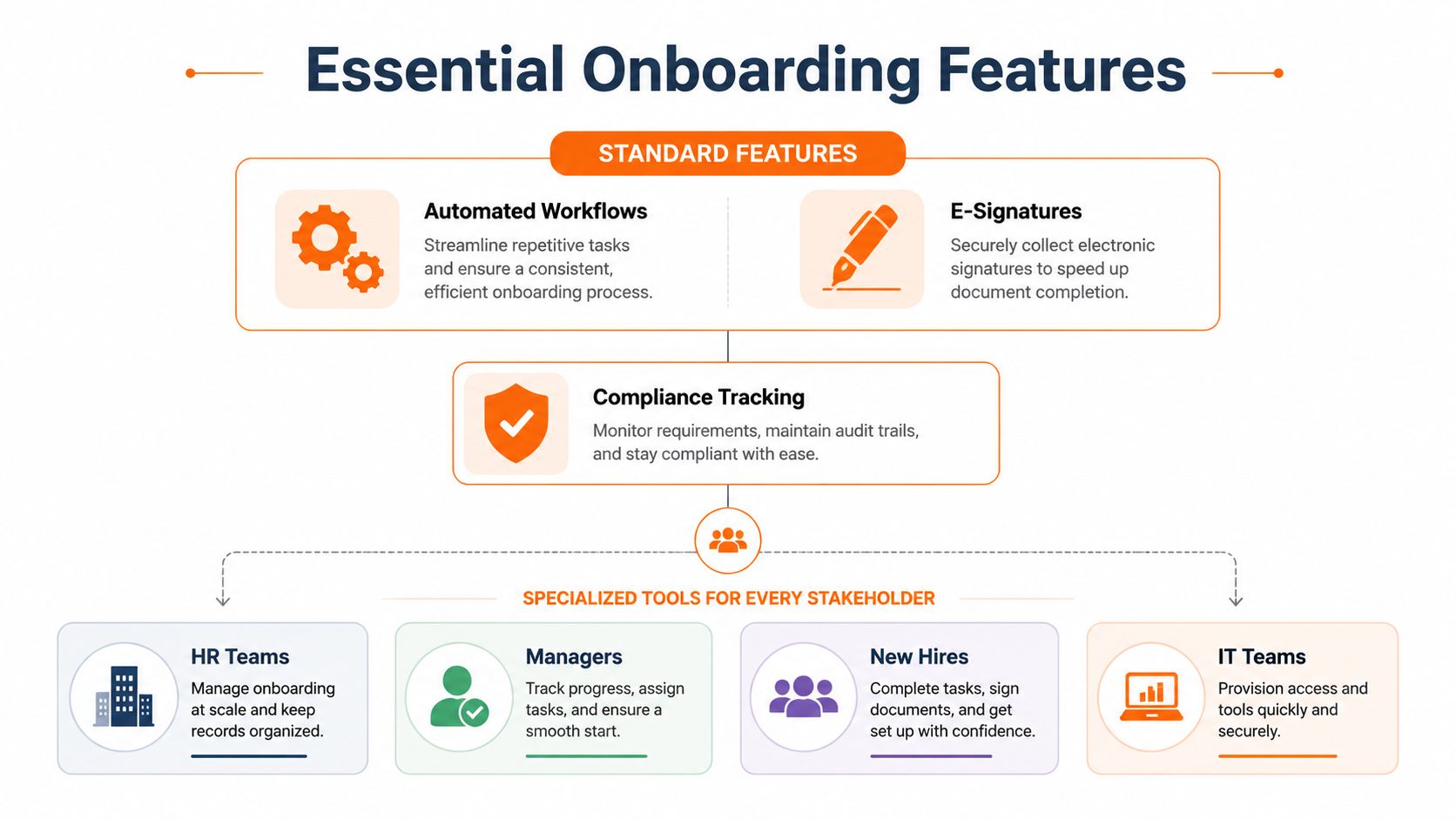
Table stakes versus the features people actually use
I think about onboarding features in two buckets.
The first bucket is administrative control. That includes forms, e-signatures, task routing, approvals, policy acknowledgment, and audit trails. You need this. It keeps you compliant and cuts manual work.
The second bucket is orientation and connection. That's where the true value shows up. Searchable people directory. Team spaces. A knowledge library that new hires can easily use. Clear task lists. Announcements in one place. Access to the schedule. A simple way to ask a question without guessing who owns it.
Here's the split I wish more buyers looked at:
Feature type | Examples | Why it matters |
|---|---|---|
Administrative basics | e-signatures, forms, compliance tracking, workflow automation | Keeps the process organized and reduces admin drag |
Human essentials | people directory, chat, team spaces, knowledge library, manager check-ins | Helps new hires get oriented and feel part of the company |
The second bucket is where many tools get thin. They onboard a record in the system. They don't onboard a person into the work.
Frontline teams expose weak product design
This gets even more obvious when your workforce includes hourly and frontline roles.
An estimated 80% of frontline workers rely on smartphones as their primary work device, yet most onboarding software is desktop-centric, leading to 40% higher disengagement rates for new hires in these roles, according to Lumos on employee onboarding software. That lines up with what I've seen. A tool can look clean on a laptop and still be almost unusable for a store associate trying to complete onboarding on a break.
A lot of software still assumes people can sit down, open a browser, click through a dozen tabs, and upload documents without interruption. Retail, healthcare, hospitality, logistics, and field operations don't work like that.
If a new warehouse hire can't complete the essentials from a phone, your onboarding process is built for the wrong employee.
What different groups actually need
Different stakeholders need different things, and good employee onboarding software respects that.
New hires need simplicity. One place to see tasks, documents, team info, and where to ask questions.
Managers need visibility. They should know what's done, what's blocked, and where to step in.
HR needs consistency. Standard flows, policy tracking, and fewer manual chases.
Operations leaders need fit. Shift-aware access, location-specific information, and mobile usability.
IT needs clean handoffs. Account setup, permissions, and less confusion when access issues pop up.
For mixed workforces, the best feature isn't another automation rule. It's a unified experience. That's why I'd rather use a tool that combines communication, tasks, knowledge, and operational basics than stack three separate apps and hope the new hire stitches them together. If you're evaluating that broader category, Pebb's guide on what features to look for in an employee experience platform is a useful framing.
A strong platform for desk and frontline teams doesn't just help HR process people faster. It helps people find their footing faster. That's the bar.
A Simple Checklist for Choosing a Tool
Software demos are theater.
The account executive shows a spotless workflow, a perfect dashboard, and a smiling test employee named Mia who somehow completed every task on time. None of that tells you what the tool feels like in a real company with busy managers, shared devices, shift work, late approvals, and people who don't read long instructions.
I learned to stop asking, “Does it have this feature?” and start asking, “Can real people use this without help?”
The questions that cut through demo polish
When I evaluate employee onboarding software now, I use scenario questions.
Can a new nurse, warehouse picker, or retail associate complete the essentials from their phone? Can a manager see progress in seconds without digging through admin screens? Can someone find a policy, a shift detail, and their team chat from the same place? If the answer is technically yes but practically awkward, that's a no.
I also look for where friction hides. Sometimes the platform itself is fine, but the setup burden is absurd. If every workflow change needs vendor support or a power admin, you'll move slowly. If local managers can't adapt content for their site or team, the process goes stale.
The checklist I'd use again
Criteria | Question to Ask | Why It Matters |
|---|---|---|
Mobile usability | Can a new hire finish the critical steps on a phone without pinching, zooming, or switching apps? | Frontline adoption rises or falls on this |
Manager visibility | How quickly can a manager tell what's complete, late, or blocked? | Managers shape the experience more than HR does |
Simplicity | How many steps does it take to reach tasks, documents, and team contacts? | Extra clicks create drop-off fast |
Communication | Does the tool support real interaction, not just one-way checklists? | New hires need answers, not only assignments |
Knowledge access | Can people search policies, procedures, and how-to content easily? | Questions repeat when information is buried |
Fit for mixed workforces | Does it work well for office, remote, and frontline teams in the same system? | Separate experiences create inconsistency |
Flexibility | Can different locations or roles have different paths without creating chaos? | One process rarely fits every role |
Integration sanity | Does it connect to the HR, payroll, and identity tools you already use? | Bad handoffs create duplicate work |
Reporting | Can you see adoption, engagement, and bottlenecks clearly? | Completion alone won't tell you much |
Rollout burden | How much training will admins, managers, and employees need? | Complex tools die in rollout |
Borrow a lesson from legal tech
Legal operations provide a useful parallel here. Teams searching for AI tools often focus on flashy demos and overlook the day-to-day workflow fit. For this reason, I value practical comparison pieces like this guide to compare top legal AI platforms. While the category is different, the lesson remains the same. The right tool is the one people will use under normal pressure.
Buy for the busiest user, not the most patient admin.
That one rule would eliminate a surprising number of bad software decisions.
A few non-negotiables
I'm opinionated here because I've paid the price for compromise:
Don't accept desktop-first design if you have frontline teams. You'll regret it.
Don't overvalue configurability if the basics feel clumsy. Organizations often need clarity more than endless options.
Don't separate onboarding from communication unless you enjoy answering the same questions in four places.
Don't let procurement choose alone. Include HR, ops, managers, and at least a few people who'll use it in the field.
If you want a market view before shortlisting vendors, this roundup of the best employee onboarding software is a practical place to start.
The best choice usually isn't the platform with the most features. It's the one with the fewest failure points.
How to Roll It Out Without the Drama
Most onboarding software projects don't fail at purchase. They fail at rollout.
The pattern is familiar. Leadership approves the tool, HR builds the workflow, IT connects a few systems, and then someone announces that everyone will start using it next Monday. Managers feel blindsided. Frontline supervisors get no context. New hires become the test group. Then people say the tool “didn't stick.”
That's not a software problem. That's an implementation problem.
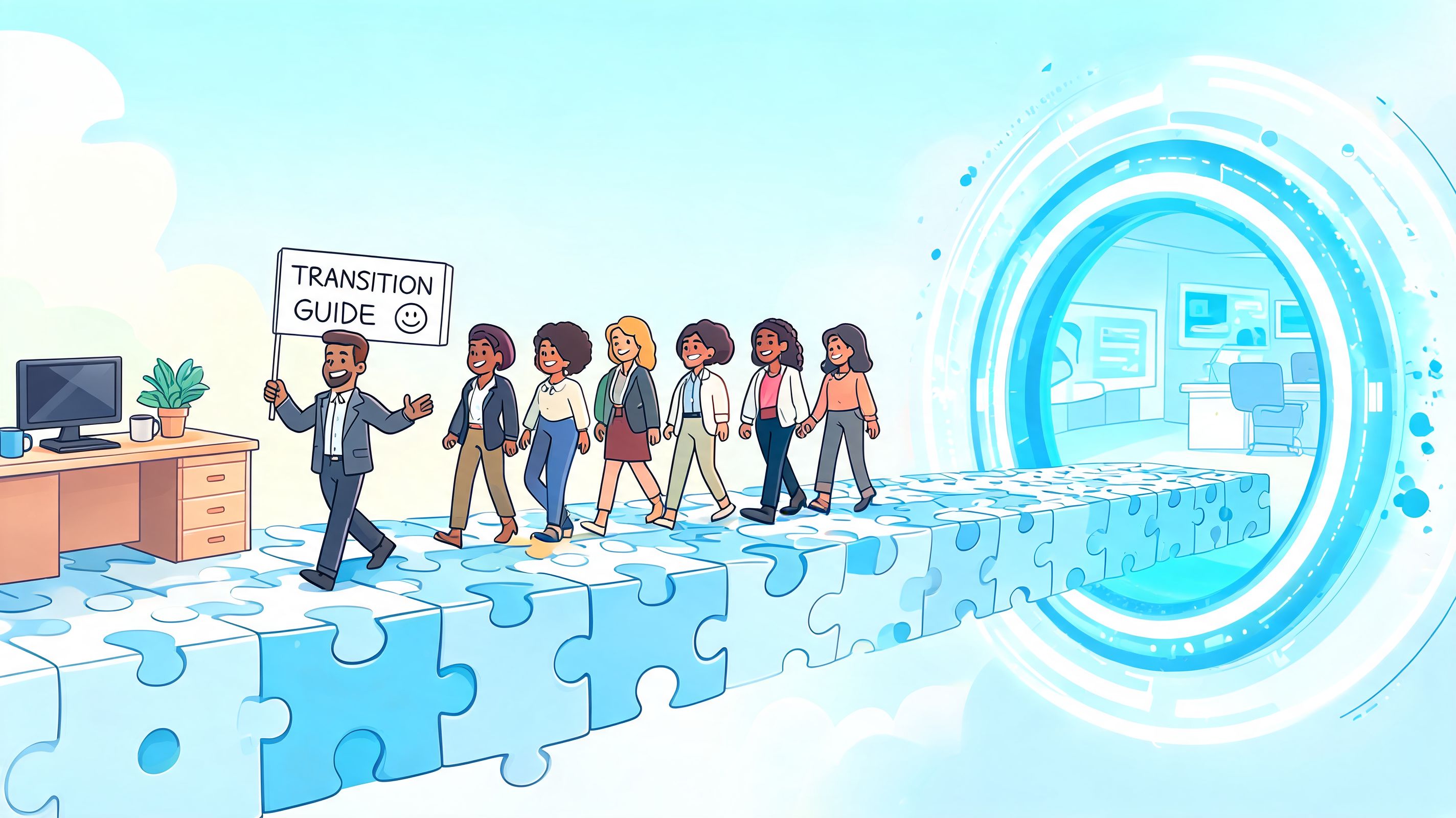
Start smaller than you want to
The best rollout I've seen began with one pilot group. Not the easiest team. A real team with real constraints.
That gave us room to find the rough spots. Which instructions confused people. Which managers ignored reminders. Which screens looked fine in setup and awkward in practice. A pilot creates evidence, and evidence is more persuasive than a launch memo.
Find the people others already trust
Formal project owners matter. Informal champions matter more.
In frontline businesses, that usually means supervisors, charge nurses, shift leads, or location managers who people already turn to for answers. If they understand the tool and believe it saves time, adoption gets easier. If they think it's “another HR system,” the rollout slows down immediately.
A short list works better than a broad committee:
One HR owner who keeps the process coherent
A few manager champions who test it in practical scenarios
One operations voice who catches practical issues early
One technical owner who handles integrations and access
Explain why this is changing
People don't resist software because they hate software. They resist surprise, extra work, and unclear benefits.
Tell managers what's changing, what isn't, and what gets easier for them. Tell new hires where to go and what they'll find there. Tell frontline teams how this reduces paper, confusion, and missed steps. Keep saying it. Then say it again.
A rollout works when people feel prepared, not impressed.
If you're replacing scattered tools with a broader employee app, this guide to best practices for employee app rollout covers the human side well.
The strongest launches feel almost uneventful. That's a compliment. No drama usually means people knew what was coming and why it mattered.
Knowing If Your Onboarding Is Working
Completion rates are comforting and misleading.
A new hire can finish every required task and still feel disconnected, confused, and half-supported. If your dashboard says green but your managers keep hearing “I'm not sure where to find that,” your onboarding isn't working as well as you think.
Look past the checklist
The better questions are behavioral.
Are new hires returning to the knowledge base after day one? Are they connecting with teammates beyond their direct manager? Are managers doing timely check-ins? Are people asking fewer repeat questions because the information is easier to find? Those signals tell you whether onboarding is building capability, not just recording compliance.
The long tail matters too. A lot of teams stop paying attention after the first week. That's usually too early.
Emerging data from 2026 shows that 35% of new hires disengage by week six without proactive manager nudges, and only 15% of onboarding platforms are equipped to track that with AI-powered analytics, according to Enboarder's look at onboarding software trends.
What to watch in practice
I like a small set of measures that force honest conversations:
Manager follow-through. Are check-ins happening when they should?
Knowledge access patterns. Are people finding and using core information?
Engagement signals. Are new hires participating in team spaces, updates, or conversations?
Support friction. What questions keep repeating because the process still isn't clear?
Don't ask only whether onboarding was completed. Ask whether the person looks more confident each week.
That's where better employee onboarding software earns its keep. Not just in routing tasks, but in showing patterns early enough for someone to help.
If you can see confusion building, you can intervene. If all you can see is completion, you're already too late.
The Case for a Single, Unified App
A new store associate starts at 7 a.m. Their schedule is in one app. Their training video is in another. Payroll forms are on a desktop they will not touch until lunch. Team updates are buried in email. By 10 a.m., they have already learned something important about your company, and it is not your values. They have learned where confusion lives.
That same pattern shows up in office teams too. Laptop shipped. HR tasks in one system. manager notes in another. IT tickets somewhere else. The details differ, but the experience is the same. Work feels fragmented before the person has even found their footing.
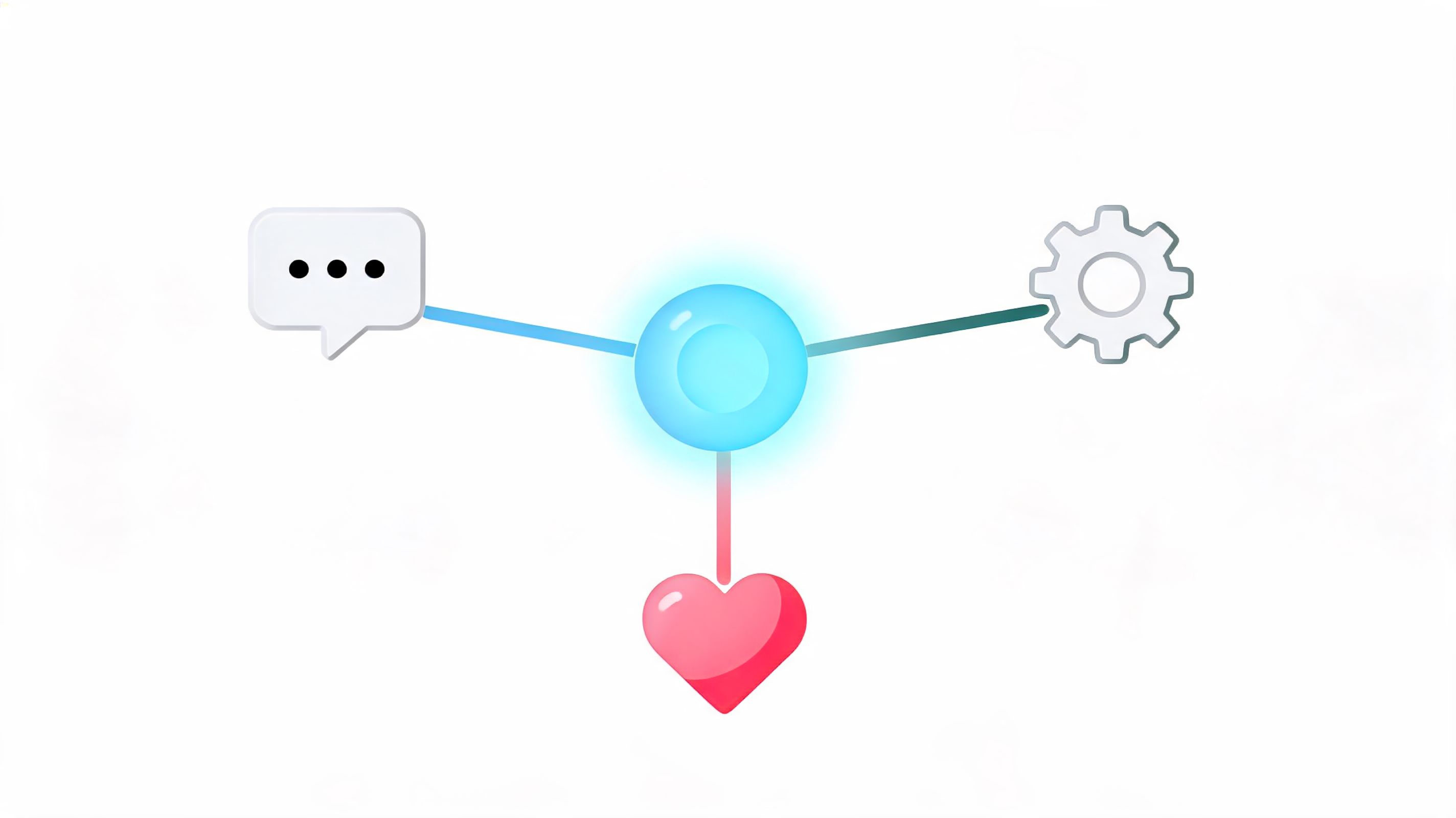
After three implementations, I have a strong view on this. Onboarding works better when it starts in the same place daily work happens. New hires should not have to translate your org chart into a map of disconnected tools just to get through week one.
A single app will not solve a weak process. It does remove a lot of avoidable friction. Tasks sit next to team communication. Policies are easy to find. People can look up a colleague, check an update, complete a step, and ask a question without jumping across five systems. For frontline teams, that usually means one mobile app. For desk-based teams, it means the same home base across web and mobile.
That matters because mixed workforces break quickly under split systems. If office staff get a polished onboarding flow but field, retail, healthcare, or warehouse employees get paper forms, text messages, and a login maze, you are not running one onboarding program. You are running two standards of employment.
Pebb is one example of this model. It combines chat, Spaces, tasks, a knowledge library, a people directory, and operational tools like shifts and clock-in in one app. That setup is often more practical than stitching together separate systems for communication, content, and onboarding, especially when one platform needs to serve both desk-based and frontline teams.
The trade-off is real. A unified app may not beat a specialist tool in every single category. But in onboarding, consistency usually matters more than having the strongest standalone feature set in five different places. People need clarity, access, and one obvious starting point.
The best setups make onboarding feel like the beginning of real work, not a side process that disappears after day three.
