
A Calmer Guide to Apps for Attendance Tracking
Tired of messy timesheets? Discover how the right apps for attendance tracking can restore calm and simplify work, not complicate it. A guide for leaders.
Dan Robin
The best apps for attendance tracking aren’t really about tracking. They’re about trust. They’re simple, reliable tools that get the basics right, then quietly get out of the way. They give managers and employees back their time and attention, replacing messy spreadsheets and manual nonsense with a little bit of calm.
We Lost Track of Time and Decided to Find a Better Way
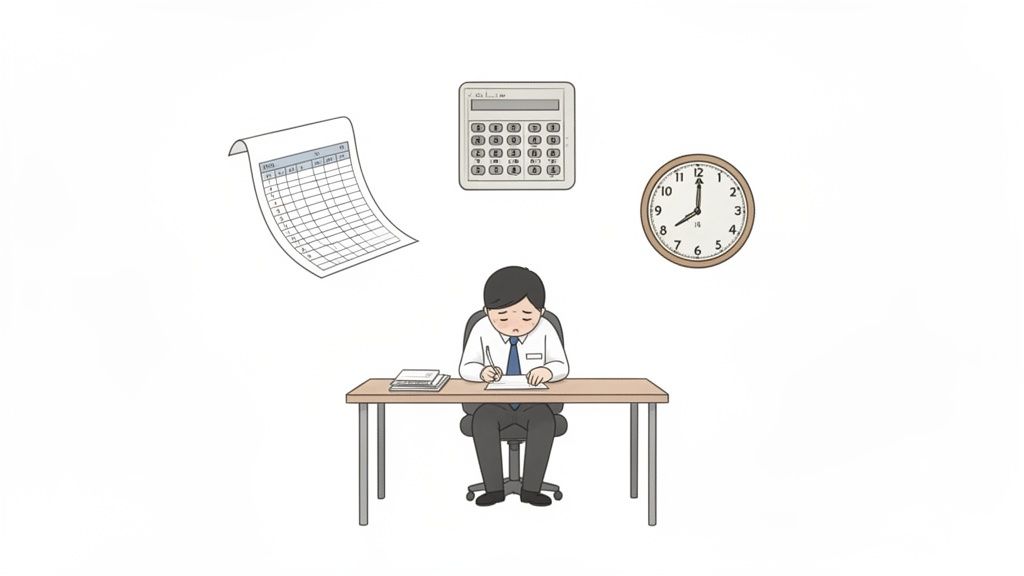
This isn't another list of software. It's a story about a problem we’ve all lived through: the quiet chaos of figuring out who worked when. I’ve been there. Wrestling with spreadsheets, chasing down forgotten time cards, and sorting through email chains just to clarify a few hours. It’s a soul-crushing waste of time.
That kind of administrative headache is a relic. It’s built on the old idea that managers have endless time for paperwork and employees don’t mind a clunky process.
Let’s be honest. That was never true. The real cost of this mess isn’t just wasted hours; it’s lost focus. It’s sinking morale. It’s the slow erosion of trust when payroll mistakes inevitably happen.
The Shift from Manual to Modern
For today’s busy, often-scattered teams, the old ways are completely broken. Whether you’re running a coffee shop, a retail floor, or a warehouse, you need a system that actually keeps up.
This isn’t a niche problem. It’s why the market for these tools is exploding, projected to hit USD 3,250.4 million by 2033. Businesses are just tired of doing things the hard way. They’re moving to cloud-based apps that give them the freedom to manage teams from anywhere. You can read more on the market growth for attendance tracking systems.
The goal isn’t just to track hours anymore. It’s to reclaim the time and energy spent on admin so everyone can focus on the work that actually matters.
This isn't about surveillance. It’s about building a system that’s fair, transparent, and so easy it’s almost invisible. A good tool doesn’t add another task to your team’s plate. It takes one away.
A Calmer Approach to Attendance
My goal here isn’t to sell you on some overly complex "solution." It’s to talk about a calmer, more human way to handle attendance. I genuinely believe modern apps for attendance tracking have become a necessity, not a luxury.
In this guide, we'll get into what makes an app genuinely useful. We’re cutting through the marketing noise to focus on the things that help real teams work better. Think of it as a shift in perspective—from seeing attendance as a chore to seeing it as the foundation for smooth, predictable operations. It's about finding clarity in the chaos.
When you’re looking for an attendance tracking app, it’s easy to get lost. Companies love to talk about "AI-powered insights" and "synergistic dashboards." But what does your team actually need to clock in, do their work, and get paid correctly without a bunch of hassle?
After working with countless businesses, I've learned it boils down to a few straightforward things. The best tools aren't the ones with the most features; they're the ones that master the fundamentals and then get out of your way.
It’s not about flashy tech. It’s about solving real problems. Can a new hire figure it out in two minutes? Does it work on their phone? Does it make payroll less of a nightmare? These are the questions that matter.
The Foundation: A Simple, Reliable Clock-In
First things first. The app has to nail the basics. The clock-in and clock-out needs to be dead simple and 100% reliable. It should work from a noisy job site, a quiet home office, or the front desk.
If an employee has to tap through five screens to start their shift, the tool has already failed. It creates friction where there should be none. Reliability is the bedrock of trust here. If the app is buggy, that trust disappears. Fast.
This is more than a convenience. A seamless clock-in sets the tone for the day. It’s a small signal to your team that you respect their time and want to make their lives easier.
Accuracy Without Intrusion: The Role of Geo-Fencing
So, how do you make sure people are where they say they are without making them feel like they're under surveillance? This is the balance that a feature like geo-fencing strikes.
Geo-fencing isn't about tracking someone's every move. It just creates a virtual boundary around a location, like your office or a job site. It lets employees clock in only when they're inside that area.
Think of it like a digital key that only works when you're at the front door. It’s a quiet, automated way to verify presence that respects privacy and frees managers from having to check up on everyone.
This one feature can nearly eliminate accidental clock-ins from home and slash payroll errors. For a busy restaurant manager, it means they can trust the timesheets without watching every person walk in.
Beyond the Clock: Paid Time Off and Overtime
A great attendance app understands that work is more than clocking in and out. It’s also about sick days, vacation requests, and overtime. A truly useful tool brings all of this into one place.
Managing PTO requests through emails and paper forms is a recipe for disaster. A good app gives your team a self-service portal where they can check their leave balances and submit requests in seconds. This builds transparency and helps them manage their own time.
Likewise, instant overtime alerts are a game-changer for managers. They help them stay on top of labor costs in real-time, preventing budget surprises at the end of the pay period. It’s about giving leaders the information they need to make smart staffing decisions on the fly, not a week later.
The numbers prove it. The time and attendance software market was valued at $3.37 billion in 2024 and is projected to hit $8.96 billion by 2034. While large corporations have dominated this space for years, small and mid-sized businesses are now the fastest-growing segment, showing a clear shift away from clunky, outdated systems. You can dig into the data on the trends shaping attendance software.
Core Features vs. Nice-to-Haves in Attendance Apps
It's crucial to know what’s necessary versus what’s just a nice-to-have. This table breaks down the essentials from the extras to help you focus on what really delivers value.
Feature Category | What It Is (The Core Need) | Why It's Essential | The 'Nice-to-Have' Version |
|---|---|---|---|
Time Capture | A simple, one-tap clock-in/out button that works on mobile and web. | It's the primary function. If this is clunky, the whole system fails. | Facial recognition, biometric scanners, or AI-driven "smart clock-ins." |
Location Verification | Geo-fencing to confirm employees are at the work location when they clock in. | Drastically reduces time theft and payroll errors by ensuring accuracy. | Real-time GPS tracking that follows an employee throughout their shift. |
PTO Management | A self-service portal for employees to view accruals and request time off, with a simple approval flow for managers. | Eliminates messy paper trails, empowers employees, and saves managers hours of admin. | Automated accrual policies based on complex tenure rules or predictive leave analytics. |
Scheduling | The ability for managers to build, publish, and edit schedules that are visible to the team. | Provides clarity on who is working when, preventing no-shows and confusion. | AI-powered schedule optimization that auto-assigns shifts based on sales forecasts. |
Reporting & Payroll | Basic timesheet reports that can be easily exported for payroll. | This is the end goal—to get people paid accurately and on time. The reports must be clear and correct. | Custom-built dashboards with dozens of KPIs, labor cost forecasting, and "workforce productivity" scores. |
Ultimately, what matters most is clarity and simplicity. Does the app make it easy for everyone—from the new hire to the CEO—to see what’s going on? Does it reduce your administrative burden instead of adding to it? If you can answer "yes," you're on the right track.
The Hidden Costs of Disconnected Tools
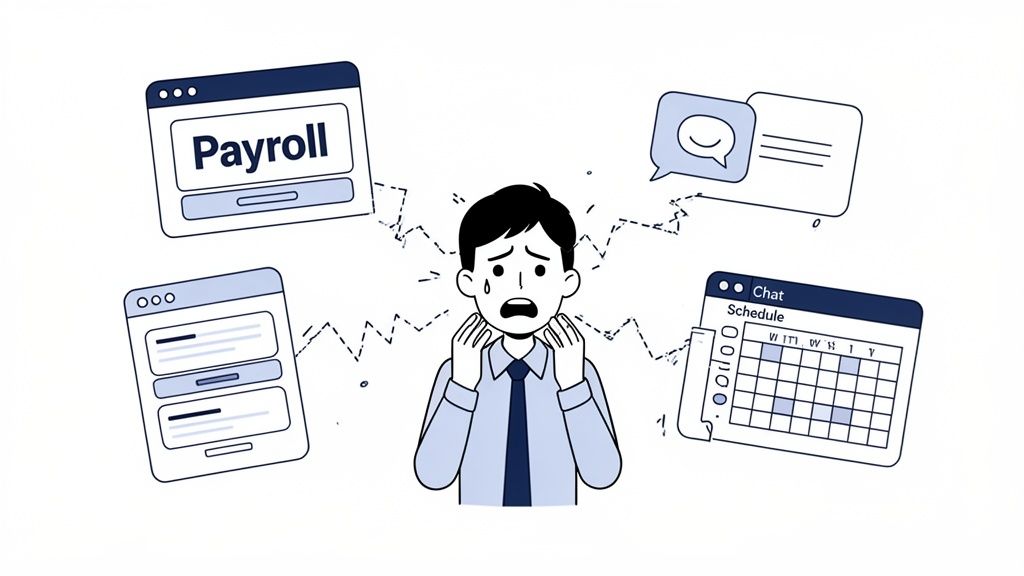
Let me be direct: single-purpose tools often create more problems than they solve. An attendance app that only tracks time is a dead end. It’s an island of data, completely disconnected from where the real work happens.
At first, it seems simple enough. You get a tool to solve one problem. But soon you’re dealing with the downstream effects, and that’s where the real headache begins.
This isn’t just about inconvenience. It’s about a misunderstanding of what attendance tracking is for. It’s not an isolated HR function. It’s a critical part of your team’s daily operations.
The Endless Cycle of Export and Import
Let’s be honest. The moment you have to manually export a CSV file from your attendance app and upload it into your payroll software, the system has failed. This clumsy, error-prone process is where mistakes are born.
A single typo can lead to an incorrect paycheck, which is one of the fastest ways to break trust with your team. This manual data transfer creates what I call "work about work"—tedious admin tasks that add zero value and drain hours from a manager's week.
An estimated 160 million hours per week are lost to this kind of "work about work" in the U.S. alone. Disconnected tools are a major reason why, forcing people into repetitive, manual work just to bridge the gap between systems.
Each disconnected tool adds another step, another password, and another potential point of failure. It's a fragile system held together by manual effort. It’s bound to break.
When Communication Breaks Down
Here’s a classic scenario. A manager updates the weekly schedule in the scheduling app. But a last-minute change gets discussed in the team chat. Meanwhile, the attendance app still has the old schedule, sending incorrect shift reminders.
This is the chaos of fragmented systems. Communication is in one place, scheduling in another, and time tracking in a third. The result is a disjointed experience where no one is ever sure they have the right information. The burden falls on your employees to piece it all together, juggling five different apps just to do their jobs.
This isn't just inefficient. It's deeply frustrating. It makes simple tasks feel complicated and creates stress for everyone. Exploring the true cost of these communication silos shows just how much damage they can do.
A More Humane Approach to Work Tech
The alternative is to stop treating attendance as a separate task. Instead, it should live right where your team communicates and plans their day. When your apps for attendance tracking are part of an all-in-one platform, the entire workflow becomes seamless.
Think about it: a manager posts a new schedule in the same place the team chats. An employee clocks in from their phone, and that time is instantly connected to the right project. A PTO request is submitted and approved right inside the team’s main workspace—no extra logins needed.
This isn't just about efficiency. It’s a more integrated and humane way to manage work. It respects your team’s time by giving them one clear place for everything they need. It turns attendance from a chore into a simple, invisible part of the workday. And that makes all the difference.
How an All-in-One System Makes Work Easier
So, what does a better approach actually look like? It’s not about another app. It’s about getting rid of the clunky handoffs between tools and creating one smooth, logical flow for the workday.
Think about a manager who needs to publish next week's schedule. Instead of fiddling with a spreadsheet, saving it, and then blasting out a group text, they just post the new schedule right inside the team chat. Everyone gets a ping, and the schedule lives right there alongside all other team conversations.
This isn’t a minor tweak. It’s a fundamental shift that turns attendance from a tedious chore into a natural part of the day.
A Day in the Life With an Integrated System
Let’s walk through what this feels like. Meet Sarah, a frontline employee at a busy retail store.
Her day starts with a simple tap. She opens the team app, gets a reminder for her 9 AM shift, and clocks in. The app’s geofencing confirms she’s on-site, so the entry is instantly linked to the right pay rate. No manual entry, no guesswork.
Later, a customer asks a tricky question. Sarah opens the same app, taps into the team’s knowledge base, and finds the answer in seconds. She never had to leave the app or log into a separate portal. It's all just there.
That’s the magic of an integrated system—one app that ties together communication, scheduling, and time tracking.
As you can see, a clean mobile interface can show an employee their schedule, let them clock in, and request time off, all in one spot. This isn't just convenient; it’s about giving your team one reliable source of truth for their workday.
The View From the Manager's Desk
Now, let's flip it around. Mark is running the floor and gets an alert: Sarah is nearing overtime. He doesn't have to wait for a report at the end of the pay period; he has the insight he needs to make a smart call right now.
A bit later, another team member sends a PTO request through the app. Mark sees it, glances at the team schedule, and approves it with a tap. The system instantly updates the schedule and deducts the time from the employee’s leave balance. No paper forms, no spreadsheets, no email chains.
When attendance is woven into the fabric of daily communication, you get more than just accurate timesheets. You get clarity, accountability, and far less administrative headache.
The whole process is transparent and effortless. Mark can spend his time coaching his team instead of chasing timesheets. The system handles the grunt work, freeing him up to focus on what matters. To truly simplify work, consider how software integration services can connect your various tools, from HR to payroll.
The Real Win Is Simplicity
Let’s be real. Nobody enjoys logging into three different systems. No employee wants to juggle a chat app, a scheduling portal, and a time clock. They just want to show up, do their work, and get paid correctly.
An integrated approach respects that. It understands that time tracking isn’t an isolated task—it’s connected to schedules, payroll, and team communication. When you bring those functions under one roof, the work itself just gets easier.
The goal isn't just to find the "best attendance tracking app" in a vacuum. The real aim is to find a platform that makes the entire workday feel less fragmented. It’s about building a calmer, more organized place where your tools actually support your team instead of getting in their way.
Picking the Right Tool Without the Headache
Alright, you get it. An all-in-one system is a calmer, smarter way to handle attendance. But how do you pick the right tool from a sea of options that all look the same? It's easy to get sidetracked by flashy feature lists and slick demos.
From my experience, the best approach is to tune out the noise. Instead, focus on a few simple, human-centered questions. A powerful tool that’s a pain to use will just gather dust. The goal is to find something that fits how your team actually works, not how a salesperson wishes they did.
Here's how to cut through the clutter and make a choice you feel good about.
Test the First Five Minutes
The most telling test for any new software is the "first-five-minute" experience. Seriously. Can a brand-new employee download the app, log in, and figure out how to clock in without a training manual? If the answer is no, you’re setting yourself up for headaches.
When you're getting a demo, don't just watch a polished presentation. Insist on seeing the real onboarding process for a new hire, step by step.
A clunky onboarding experience is a massive red flag. It tells you the tool was built for administrators, not the people using it every day. Simplicity isn't a nice-to-have; it's the whole foundation.
Get right to the point:
How does a new person get invited and set up?
What does the clock-in process really look like on their phone?
How easy is it for them to check their schedule or ask for a day off?
If the answers are long and complicated, move on. Your team is busy. They don't have patience for a tool that adds friction. A great app should feel natural from the second they open it. This principle isn't unique to attendance tracking; you'll find similar advice when choosing effective workplace management apps.
Look for Smooth Workflows, Not Just Features
A long list of features means nothing if they don't work together. Instead of asking what the app can do, ask how it handles a real-world scenario. For instance, don't just confirm it has PTO tracking. Ask, "Show me exactly what the approval process looks like for a manager."
Is it a one-tap approval or a multi-step nightmare? When a request is approved, does it automatically update the schedule for everyone? These details make a huge difference in the daily grind.
This flowchart gives you a simple starting point.
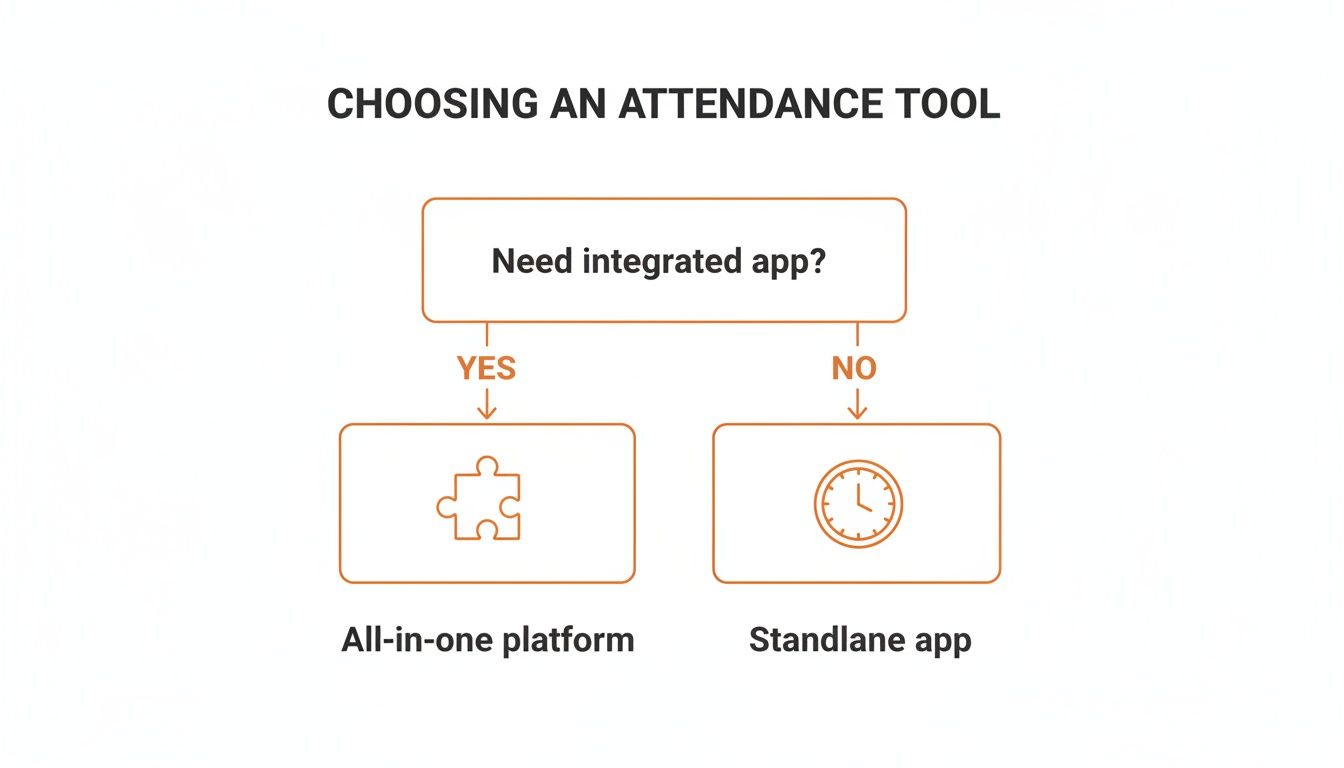
The visual spells it out: if key operations like scheduling and communication are tangled up with attendance, an all-in-one platform is the logical path forward. If they're not, a simple standalone app might do. We explore this further in our guide to finding the right app for scheduling employees, which explains why these functions are so much better together.
Security and Reliability Are Non-Negotiable
Let’s be frank: you’re handling sensitive employee data. Vague promises about security don’t cut it. You need to know exactly how your team's information is protected. Ask about data encryption, privacy policies, and where the data is stored.
Reliability is just as important. An app that crashes will create more problems than it solves. Look for uptime guarantees and read online reviews for any mentions of bugs. This isn't just an IT issue; it's a matter of trust.
The market for these tools is booming for a reason. The attendance management software market hit USD 2.5 billion in 2024 and is projected to reach USD 5.2 billion by 2033. This surge is fueled by the 80% of employers who are prioritizing accurate tracking to boost efficiency. With cloud-based systems leading the pack, you have plenty of stable options out there.
At the end of the day, picking the right tool boils down to one thing: putting your team's experience first. A simple, reliable, and connected system will always outperform a complex one that just looks good on paper.
The Goal Is to Give Time Back, Not Just Track It

Let’s circle back to where we started. The real reason you’re searching for apps for attendance tracking isn’t about logging hours. It’s about changing how your business thinks about time—and how you can get more of it back.
When you find the right tool, you’re not just buying software. You’re buying back time for your managers to lead people instead of chasing timesheets. You’re giving your employees back the mental energy they waste on clunky systems.
And for the business? You’re giving it the gift of clarity, letting it run on solid data instead of guesswork.
More Than Just a Timesheet
Good attendance data is the unsung hero of a well-run business. It’s the starting point for fair pay, the bedrock of efficiency, and a key ingredient in building a culture of trust.
When you get this right, it should feel almost invisible. The process just fades into the background, becoming an effortless part of a calmer, better way of working.
The right tool doesn’t add to the chaos; it brings a sense of order. It simplifies the complicated and automates the tedious, freeing up your people to do the work that actually matters.
This is especially true for businesses with frontline staff. For teams on the move, a simple, reliable mobile app can make all the difference. We've seen firsthand how the right tech can transform the workday. You can dive deeper into the best apps for shift workers to see this in action.
What Lasting Value Looks Like
The true return isn't just the minutes saved on payroll. The real value is in the ripple effect across your entire organization.
You’ll see it when your managers feel less like administrators and more like mentors. You’ll see it when employees feel respected because their time is valued correctly. You’ll feel it in the lack of drama at the end of every pay period.
Think about the long game. The goal isn’t to find an app that checks a few boxes. It’s to find a partner that helps you build a more thoughtful, organized, and human place to work.
And that, in our experience, is an investment always worth making.
Frequently Asked Questions
When you start digging into apps for attendance tracking, it’s easy to feel overwhelmed. Here are some straight answers to questions we hear all the time.
What’s the Single Most Important Feature I Should Look For?
Ease of use. It has to be dead simple for everyone, from your newest hire to your most tech-averse manager.
If clocking in is a pain, or if approving a timesheet takes five confusing steps, people will find workarounds. A clean, intuitive mobile app isn't a nice-to-have; it's the foundation for getting accurate data without adding friction to everyone's day.
Are These Apps Really Worth It for a Small Business?
Absolutely. In my experience, small businesses feel the positive impact the fastest.
When you're running a small team, every hour matters. The time you claw back from manually adding up timesheets is time you can pour directly into talking with customers or growing the business. Plus, modern apps are built to be affordable and scale with you.
How Do These Systems Handle Complex Pay Rules, Like Overtime?
This is where a good, integrated system proves its worth. You can set up your company’s specific rules directly in the platform—different pay rates for certain roles, projects, or job sites.
Overtime is a great example. A solid app will automatically calculate extra pay based on your rules, flagging it as it happens, not weeks later. This takes all the manual math and guesswork off your plate.
It's not just about saving a headache. This level of automation helps you stay compliant with labor laws and ensures your team is paid accurately, every time.
Is It a Hassle to Switch From Paper Timesheets to an App?
It’s way easier than most people think, but the key is picking the right tool. You want an app designed for a quick rollout, not a six-month implementation project.
The best apps let you invite your whole team with a simple link and offer guided setups that get managers running in minutes. For employees, it should be so intuitive that it requires virtually no training. The goal is to make life easier, and that should start with the transition itself.
Ready to stop chasing timesheets and give your team a simpler way to manage their workday? See how Pebb brings communication, scheduling, and attendance into one calm, organized space. Explore Pebb today.
