
A Saner Way to Track Time
Discover how the right time clock systems for small business can streamline payroll, boost clarity, and save you from the hidden costs of manual tracking.
Dan Robin
That paper timesheet tacked to the breakroom wall? It feels harmless. Easy. But I’ve learned it’s one of the quietest ways a small business bleeds money. The right time clock systems for small business aren’t about policing your team; they’re about plugging those leaks and making your payroll accurate, fair, and almost entirely automatic.
The Slow Bleed of Manual Time Tracking
Let’s be honest—the honor-system spreadsheet or the sign-in sheet feels simple. I get it. It’s probably how you’ve always done it, and on the surface, things seem fine. But for most small businesses, it’s a silent killer of profits.
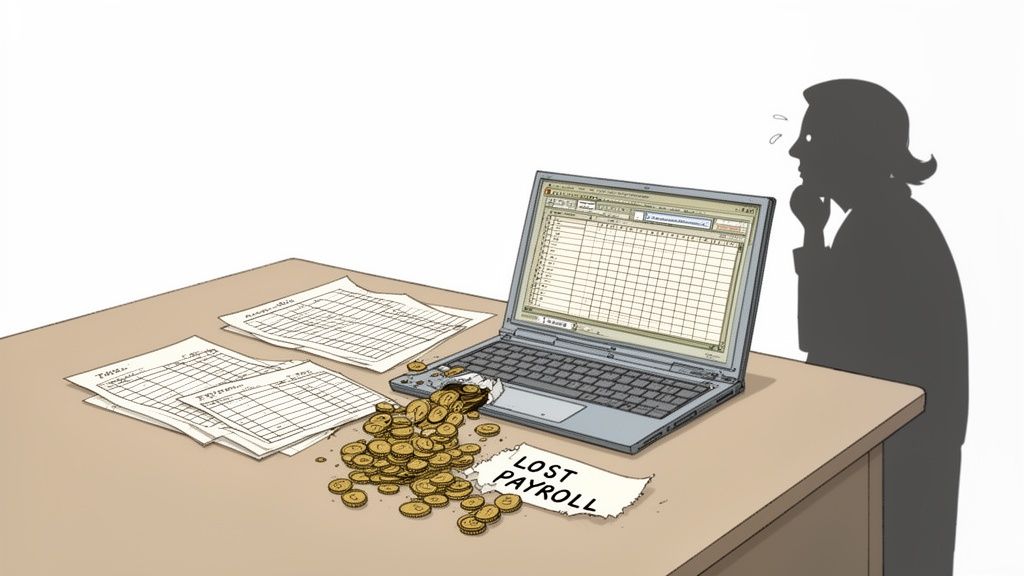
This isn’t about distrust. Far from it. It’s a frank acknowledgment that we’re all human, and manual systems are magnets for small mistakes. I've seen it time and again: tiny payroll leaks that, over a year, add up to real money. Money that could have paid for that new piece of equipment or funded a much-needed marketing push.
The Small Numbers That Add Up
The trouble with manual tracking is that the problems aren’t dramatic. They’re the small, everyday things that compound over time.
Think about someone rounding their time up by a few minutes. It happens. But multiply that across your whole team for a year, and you're looking at thousands of dollars paid for time that wasn't actually worked. The American Payroll Association found this kind of time theft—even when it's just unintentional rounding—can cost businesses up to 7% of their gross payroll each year. For a small operation, that's a massive hit.
Then there’s "buddy punching," where a coworker clocks in for a friend who's running late. It’s more common than you’d think. Every time it happens, it hits your bottom line. It's usually not malicious, just a natural consequence of a system that’s incredibly easy to game.
We’re not pointing fingers; we’re pointing at a broken process. The goal isn't to police your team, but to install a system that’s fair for everyone—the business included.
The Administrative Black Hole
But the payroll leakage is only half the battle. The administrative headache of manual time tracking can be just as damaging. Think about the hours you or your manager sink into chasing down timesheets, trying to read messy handwriting, and manually punching all that data into your payroll tool.
It’s not just tedious; it’s a minefield for human error. A single misplaced decimal point can throw off an entire paycheck. That leads to a frustrated employee and another fire for you to put out. All that administrative drag pulls you away from the work that actually grows your business. Thankfully, there are modern apps for attendance tracking designed to make this whole process disappear.
It's time to stop looking at time tracking as a chore and start seeing it as an opportunity. The cost of sticking with the old way is far greater than the investment in a better system.
What Modern Time Clock Systems Actually Do
When you hear “time clock system,” you probably picture that old, clunky machine bolted to the breakroom wall. The one that made that satisfying ka-chunk sound when you stamped your timecard. Let's get one thing straight: that's not what we're talking about anymore.
Modern time clock systems for small business are less like a time-stamping machine and more like a smart, reliable assistant. Think of it like swapping a paper road atlas for a GPS. The atlas shows you the destination, but a GPS gives you live traffic updates, finds faster routes, and tells you exactly when you'll arrive. It's that kind of leap forward.
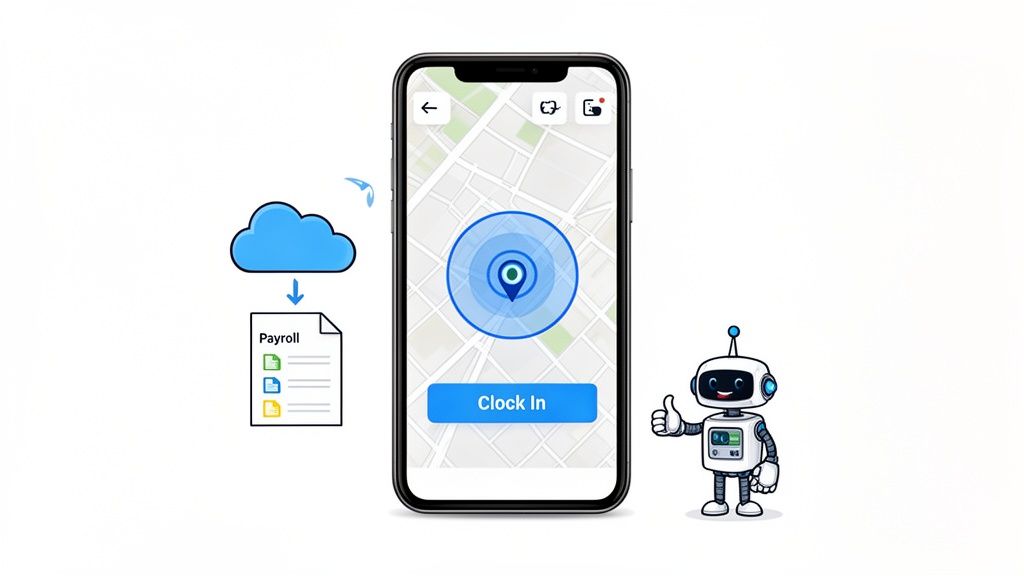
These tools do so much more than just log hours. They bring a level of clarity and efficiency to your business that, until recently, felt out of reach for smaller operations.
More Than Just a Punch Clock
At their heart, today’s time clock systems automate the mind-numbing work that used to devour hours of your week. No more hunting down paper timesheets or manually keying data into a spreadsheet. Everything is captured digitally and sent exactly where it needs to go.
This isn’t about micromanaging. It's about removing the administrative friction that slows everybody down. It frees you up to focus on the work that actually grows your business.
Here’s what that looks like in practice. An employee clocks in on their phone or a company tablet, and the system instantly creates a perfect digital timesheet. It’s always accurate, always legible, and always ready for you. The best systems plug right into your payroll provider. When it's time to run payroll, you just review and approve. No more manual data entry, which is where a staggering 80% of small businesses run into costly payroll errors. Team members can request time off right from their phones. Once you approve it, the system automatically tracks their PTO balance and updates the schedule. Lunch and rest breaks are logged just as easily, keeping you compliant with labor laws without any extra effort.
Bringing Clarity to Mobile and Distributed Teams
But that's just scratching the surface. The real game-changer is how these systems support teams that aren't tied to a single office. If you manage a construction crew, a cleaning service, or a field sales team, you know the chaos of trying to track their hours accurately.
This is where a feature like geofencing becomes your best friend. It’s a simple but brilliant idea.
You can set a virtual boundary around a job site. When an employee enters that zone, their app lets them clock in. When they leave, it reminds them to clock out. It’s not about tracking their every move; it’s about confirming they are where they need to be, when they say they are.
This simple feature creates accountability. It gives you peace of mind that your billable hours are spot-on, and it gives your team a dead-simple way to log their time without driving back to an office. An employee clock-in app completely removes this headache for a mobile workforce.
At the end of the day, a modern time clock system isn't a tool of control. It’s a tool for clarity. It replaces guesswork with accuracy and major headaches with peace of mind. You end up with a fair, transparent process that benefits everyone—you, your managers, and your entire team.
The Only Features That Truly Matter for Small Teams
Let’s be honest, the market for time clock systems is crowded. Every company promises a universe of features, flashy dashboards, and endless integrations. For a small team, most of that is just noise. You don't need more complexity; you need a tool that solves real problems without creating new ones.
I’ve seen so many business owners get stuck in "feature-comparison paralysis," agonizing over bells and whistles they will never use. It’s like buying a professional chef’s kitchen when all you really need is a sharp knife and a good pan.
So, let's cut through the clutter. Here are the features that actually move the needle for a small business.
Payroll Integration Isn't a Feature—It's a Lifeline
If a time clock system doesn’t connect directly with your payroll provider, walk away. Seriously. This is the single most important part of the whole setup. It’s non-negotiable.
Without a real integration, you’ve just bought a fancy digital spreadsheet. You're still stuck manually exporting timesheets and re-typing numbers into another system. You're just shifting the tedious work around, not getting rid of it.
A true integration means that when it’s payroll time, all your approved hours are just there, waiting for you. No manual data entry. No typos. No misplaced decimals. This one connection saves hours of administrative headaches and dramatically cuts down on costly errors. It's the entire point.
Mobile Access with GPS Verification
Your team probably isn't chained to a desk, so your time clock shouldn’t be either. Whether you run a landscaping crew, a catering company, or a retail shop with multiple locations, your people need to clock in where the work actually happens. A simple phone app is essential.
But mobile access by itself isn't enough. You need GPS verification or geofencing. This feature simply confirms an employee is at the designated job site when they clock in. It’s not about playing Big Brother; it's about accuracy and accountability. It ensures your client is billed correctly and gives your team a foolproof way to log their hours without extra trips or paperwork.
For any system managing employee data, especially with remote teams, a commitment to security is critical. Reviewing resources like Shorepod's Trust Center can offer a good sense of a provider's data protection measures.
Automated PTO and Break Tracking
Think about how much time you waste managing time-off requests over email, text, and hallway conversations. It's a mess. Automated PTO tracking ends that chaos.
Employees request time off in the app, you get a notification, and you can approve it with one click. The system then automatically deducts the hours from their balance and updates the schedule. Simple.
The same goes for breaks. A good tool can prompt employees to clock out for lunch and back in, making sure you stay compliant with labor laws without anyone having to think about it. It’s a small thing that removes a surprising amount of administrative friction.
This focus on core needs is why demand for these tools is exploding. The global market for time clock software is projected to more than double from $2.87 billion in 2023 to $5.87 billion by 2029. That growth isn't driven by flashy extras; it's fueled by small businesses looking for simple, powerful ways to manage their team's time. You can learn more about this market expansion from industry reports on apps365.com.
Forget the endless feature lists. Focus on these three pillars—payroll, mobile GPS, and PTO tracking—and you’ll find a tool that doesn’t just track time, but actually gives it back to you.
Why the Real ROI Is Operational Clarity
Most business owners start looking into a time clock system to get a handle on payroll. They're fantastic for that. But if you only focus on plugging payroll leaks, you're missing the bigger picture. It’s like buying a smartphone just to make phone calls.
But that’s only half the story. The true, long-term return comes from something far more valuable than just saving a few bucks. It comes from the operational clarity you gain.
This is where a simple tool evolves into a powerful strategic asset. It’s about seeing your business in a way you never could before.
From Guesswork to Smart Decisions
For years, I ran my business on gut feelings. I thought I knew our busiest hours. I assumed I knew which projects made us the most money. But "thinking" and "knowing" are two completely different things.
Accurate labor data is the antidote to guesswork. When you know exactly how many hours are being spent, where they're being spent, and by whom, you can finally make decisions based on reality. This clarity is what gives you real control.
You start to see patterns you’d otherwise miss. Modern time clock systems are even more powerful when you use their data for human resources analytics, which unlocks deeper insights into your team's efficiency and true labor costs.
This chart breaks down the essential functions small businesses really need from their operational tools.
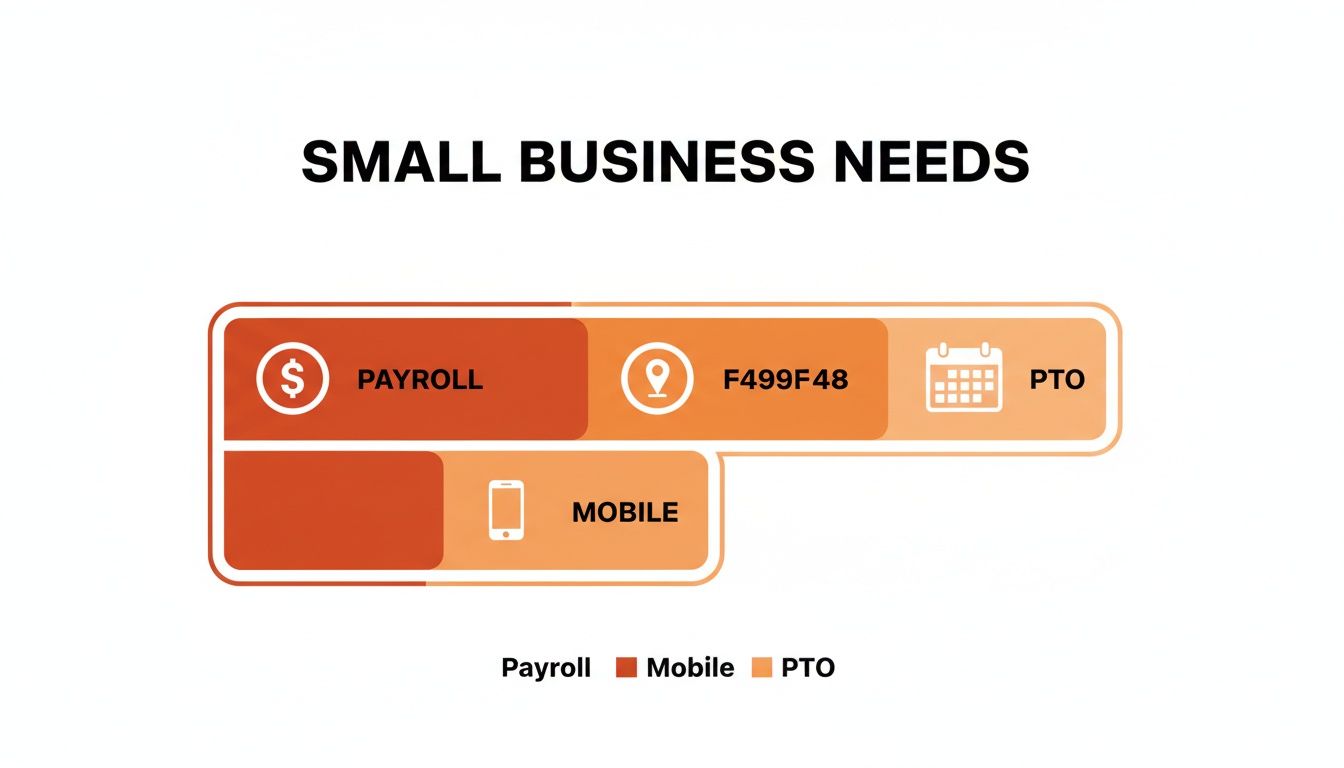
As you can see, core needs like payroll accuracy, managing a mobile workforce, and tracking PTO are the bedrock of operational efficiency.
Manual vs Automated Time Tracking A Reality Check
Thinking of sticking with spreadsheets? This table breaks down the tangible differences in time, cost, and accuracy between old-school methods and a modern time clock system.
Aspect | Manual Tracking (Spreadsheets, Paper) | Automated Time Clock System |
|---|---|---|
Time Spent | Hours per pay period on data entry, corrections, and calculations. | Minutes per pay period. The system does the heavy lifting. |
Accuracy | Prone to human error, buddy punching, and rounding issues. | 99%+ accuracy. Geofencing and biometrics eliminate errors. |
Compliance Risk | High. Creating an audit trail for overtime and breaks is a nightmare. | Low. Automatic, tamper-proof records for easy compliance. |
Data Insights | Almost none. It's just a raw list of hours worked. | Rich, real-time data on labor costs, project tracking, and more. |
Cost | "Free" but with high hidden costs in wasted time, errors, and overpayments. | Low monthly fee with a high return on investment. |
The choice becomes pretty clear when you see it laid out like this. The hidden costs of manual tracking add up fast, while automation pays for itself almost immediately.
A Real-World Example
Let me tell you about a small retail shop I know. The owner felt like she was constantly understaffed during the afternoon rush and overstaffed on quiet Tuesday mornings. It was a scheduling puzzle she could never quite solve.
After implementing a modern time clock system, she pulled a month's worth of data. The numbers were crystal clear. Her peak hours weren't just from 4-6 PM as she'd guessed; they started around 2:30 PM. And those Tuesday mornings? Even slower than she realized.
Armed with this data, she made two simple changes: she shifted one employee’s start time from 9 AM to 12 PM and added an extra person for a short mid-afternoon shift. The result? Wait times went down, customer satisfaction went up, and sales increased by 15% within two months. She didn't hire anyone new; she just put the right people in the right place at the right time.
That’s operational clarity in action.
Beyond Time Tracking
This newfound clarity extends to every corner of your business. When you have reliable data, you can finally answer critical questions. Which jobs are truly profitable? Are we staffed correctly across locations? How do we stay compliant without drowning in paperwork? The system automatically creates a perfect audit trail for breaks, overtime, and total hours, making compliance a background process instead of a monthly fire drill.
This shift delivers a massive return. One recent study found 73% of users are 'very satisfied' after automating their time tracking. Moving to a cloud-based system can even lead to revenue gains as high as 30% from precise tracking and fewer errors.
Ultimately, saving money on payroll is a great start. But the real prize is turning your labor data into your most powerful tool for making smarter, more confident business decisions. It’s about finally knowing, not just guessing.
The Hidden Problem with Standalone Apps
So you did your homework. You found a great time clock app and you’re feeling pretty good about it. Your team has a slick new way to track their hours, and the weekly payroll run is suddenly less of a nightmare. It feels like a win.
But here’s the thing we’ve learned after seeing hundreds of businesses go through this: solving one problem in isolation often creates a brand new one you didn't see coming.
Now you have another subscription to manage. Your team has yet another app to download, another login to remember. All the while, the weekly schedule is still a blurry photo of a spreadsheet sent in a group chat, and important company announcements get buried under an avalanche of GIFs. You’ve plugged one leak, but the boat is still taking on water.
The Fragmentation Trap
This is what I call the fragmentation trap. A standalone time clock absolutely solves the immediate pain of tracking hours, but it feeds a bigger, more chaotic issue: fragmentation. Your most essential business operations are now scattered across a half-dozen different tools that don’t talk to each other.
It’s like trying to cook dinner with your ingredients spread out across three different kitchens. You’d spend more time running back and forth than actually cooking. That's what we do to our teams when we hand them one app for time tracking, another for scheduling, and yet another for communication. Work becomes a scavenger hunt.
This disjointed mess doesn't just kill efficiency; it silently drains morale. When your team has to jump between multiple apps just to figure out when their next shift is, it adds a layer of friction to their day. It sends a subtle message that their experience at work is an afterthought. This is one of the main reasons we believe your employees don’t need another app; they need a single, coherent place to get work done.
Why Context Is Everything
I'm a firm believer that true efficiency comes from integrating time tracking into the single place where work actually happens. When the time clock lives right next to the weekly schedule, and the schedule lives next to the team chat, something powerful happens. You create context.
An employee can see their upcoming shift, clock in, and send a quick message to their manager about a delivery—all without ever leaving one app. Everything is connected, just like it is in the real world.
You’re no longer just tracking hours; you’re building a cohesive operational hub. This isn’t about adding another tool. It’s about creating a digital home for your team—a single source of truth that simplifies work for everyone.
Think about the root of the problem. The need for a time clock system often comes from a deeper need for accuracy. Time theft is a silent killer for small businesses, but the right digital tools can slash those losses. Old-school methods often lead to 4-8% payroll inaccuracies from things like early clock-ins or buddy punching, which are especially rampant in shift-based work. As kumospace.com points out, modern systems fight this. An integrated system attacks the problem at its core by tying clock-ins directly to the schedule and team communications.
The All-in-One Philosophy
The alternative to the fragmentation trap is refreshingly simple: consolidation. Instead of a patchwork of single-purpose tools, imagine one platform where everything just works together seamlessly. Time clocks and schedules are linked. Communication is tied to operations. PTO requests live in the same ecosystem.
This isn't about finding an app that crams in more features. It’s about finding one app that does the right things in one place. It’s a calmer, more organized way to run your business, and it shows you respect your team's time and attention—not to mention your own.
Your Questions Answered
Stepping into a new way of managing your team’s time always brings up a few questions. That’s a good thing. It means you’re thinking through the details. We’ve had these conversations countless times, and a few common, honest questions always come up.
Let’s talk through them, one business owner to another.
Will My Employees Think I Don't Trust Them?
This is probably the most common—and completely valid—concern we hear. The last thing you want is for your team to feel like you’re suddenly watching their every move. The key is all in how you frame it.
This isn’t about surveillance; it’s about creating a system that is fair and accurate for everyone. Explain that the goal is to eliminate guesswork, ensure everyone gets paid precisely for their work (especially overtime), and simplify annoying tasks like requesting time off.
Let’s be honest, nobody enjoys filling out a paper timesheet. When your team sees that a modern system makes their own lives easier, they almost always get on board. It’s about building a transparent process that benefits the whole team, not just the business.
How Difficult Is It to Set Up?
Years ago, implementing any new software felt like a massive project. Thankfully, those days are long gone.
Most modern, cloud-based time clock systems for small business are designed for people who are busy running a business, not managing software. You can typically get your entire team set up and running in a single afternoon.
The process is usually straightforward: you create an account, invite employees with a simple link, and maybe tweak a few basic settings. The best tools have intuitive mobile apps that require almost no training. The entire point of a good tool is to remove friction, not create more of it.
What's the Difference Between Free and Paid Apps?
This question comes up a lot. Free apps can be a decent place to start if you’re a very small team with the most basic needs—literally just clocking in and out. But you’ll likely hit a wall with them pretty quickly.
Paid systems are where you find the features that actually deliver a return. We're talking about the essentials we covered earlier: direct payroll integrations, geofencing for mobile teams, advanced reporting, and automated PTO management.
More importantly, a paid tool comes with real customer support. When you have a payroll question on a Tuesday morning, that alone is worth the small monthly fee. The biggest difference, though, is that a paid tool often integrates time tracking into a larger operational platform, solving multiple problems at once instead of just one.
Can This System Work for a Mobile Team?
Absolutely. In fact, this is where modern time clock systems truly shine. If you manage a team that works across multiple job sites—think construction, landscaping, or cleaning services—traditional time tracking is a logistical nightmare.
Modern systems are built for this reality. They use mobile apps with GPS technology to make tracking simple and accurate, no matter where your team is.
An employee can clock in on their phone the moment they arrive at a client’s location, and the GPS stamp verifies they were on-site. It provides clear accountability and gives your employees an incredibly simple way to log their hours without extra trips to a central office. It’s a smarter, calmer way to manage a team on the move.
Bringing your time clock, scheduling, communication, and PTO into a single, cohesive hub isn't just about efficiency—it's about creating a better place to work. Pebb is the all-in-one work app that does just that, simplifying operations and connecting your team in one place. See how Pebb can transform your business.
