
Task Management App: A Practical Guide for Frontline Teams
Find the right task management app for your frontline and office teams. Learn what matters, what to skip, and how to get adoption that actually sticks.
Dan Robin
The first sign usually isn't a software problem. It's a supervisor standing at the end of a shift with sticky notes in one hand, a group text in the other, and a spreadsheet open on a phone that barely cooperates. Someone left early. Someone else forgot the handoff. The work got done, but the record of it is scattered across three places and nobody trusts which one is right.
That's the gap a lot of teams live with. Office tools assume steady desks, long stretches of focus, and people who can bounce between tabs all day. Frontline work doesn't work like that. It happens in motion, across shifts, in noisy rooms, on warehouse floors, behind counters, and in vehicles. A task management app only helps if it fits that reality.
Why Most Task Tools Fail Frontline Teams
The failure usually starts with good intentions. A manager picks a polished tool, rolls it out in a meeting room, and expects the floor to follow. Then the first busy shift hits, and the app asks for too many taps, too much typing, or too much context that frontline workers don't have time to supply.
The problem is the environment, not the people
Desk tools are often built for people who sit still and live inside email and calendar tabs. Frontline teams move between customers, equipment, rooms, and tasks that change fast. A supervisor might need to hand off a cleaning checklist to the next shift, flag a maintenance issue, and confirm that a photo was attached to the right job, all before the break room quiets down.
That's why generic to-do apps so often fade out. They treat work like a private list. Frontline work is collaborative, messy, and tied to a place and a moment. If the tool can't keep up with that, people go back to text messages, paper, or whatever system already exists.
Practical rule: if a task can't be created, understood, and updated in seconds on a phone, it's too slow for the floor.
I've seen teams do better when tasks live where the work already happens, not in a separate tab nobody remembers to open. A useful example is the way onboarding teams think about shared materials, and that's why even something like enterprise merch for onboarding teams can matter in the wider rollout conversation. When people can see the work, the supplies, and the expectations together, handoffs get cleaner.
Sticky notes hide risk
Sticky notes and side conversations feel fast until they don't. One person remembers the note, another forgets the message, and the third person assumes someone else handled it. That's how small misses become avoidable rework.
Frontline teams need one place where the task, the owner, the due date, and the proof of completion stay together. A tool that only stores a checklist misses the actual job. The job is coordination under pressure.
That's also why office-centric task tools tend to fail. They don't break in dramatic ways. They just become the thing people bypass when the shift gets busy. By the time leadership notices, adoption has already gone sideways.
What a Task Management App Actually Does
A task management app is easy to misunderstand if you've only used consumer to-do lists. A real team tool isn't there to help one person remember errands. It gives a group one shared place to create work, assign it, follow it, and close the loop without chasing people for updates.
It turns work into a shared record
The frontline employee needs a simple answer to one question, what do I do next? The supervisor needs a different answer, who owns this and what's stuck? Operations and HR need something broader, a record they can trust across shifts, sites, and teams.
That shared record matters because it reduces the little gaps where work gets lost. It also creates continuity. If a task was updated at 2:10 p.m. and completed at 2:25 p.m., nobody needs to reconstruct the story from memory later.
This is why task management has outgrown the old “productivity app” box. The global task management software market was valued at USD 4.11 billion in 2024 and is projected to reach USD 11.48 billion by 2033, with a 13.68% CAGR across the 2025–2033 forecast period, according to a market summary published on Yahoo Finance. Independent market estimates point in the same direction, with projected growth from USD 3.703 billion in 2025 to USD 13.61 billion by 2035 at 13.9% CAGR in one forecast, and from USD 1.44 billion in 2026 to USD 2.66 billion by 2031 at 13.1% CAGR in another, with Asia Pacific identified as the fastest-growing region in that latter estimate, via Market Research Future.
The category now spans more than one format
App-specific forecasts show the same spread. The task management app market is projected at USD 2.4 billion with growth to USD 5.1 billion by 2033 at 9.0% CAGR and 9.4% year-on-year growth, according to HTF Market Intelligence. A separate AI-focused forecast splits the category further, with one estimate placing the AI task manager app market at USD 125.9 million in 2025 and another projecting USD 1.65 billion in 2025 to USD 3.82 billion by 2030, which shows how differently analysts define the space, via Future Market Insights.
That divergence matters. Some tools are basically mobile task lists. Others sit inside broader work platforms. The right definition depends on who's using it and what problem you're trying to solve. For frontline teams, the bar is simple. The app has to hold the work, not just label it.
Features That Matter for Mobile and Frontline Work
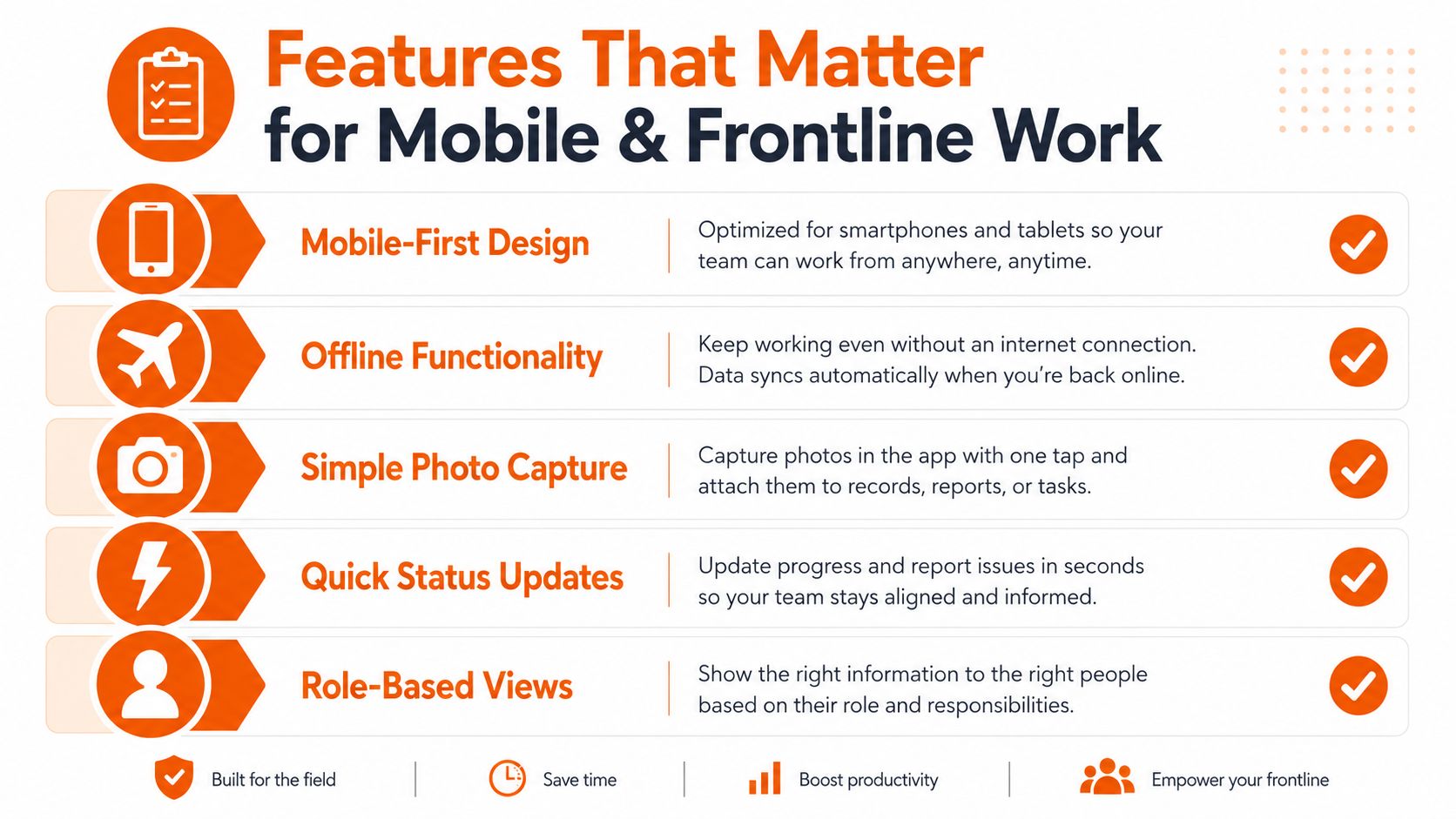
A good frontline task tool doesn't try to impress everyone. It tries to stay useful when someone's wearing gloves, walking a floor, or jumping between interruptions. That changes the feature list fast.

Start with capture, not configuration
The first thing that matters is fast input. If creating a task feels like filling out a form, people won't do it in the moment. They'll tell someone later, or not at all.
Mobile-first capture means the app works on a phone without feeling like a shrunken desktop. It should let people add a task, attach a photo, assign ownership, and move on. That's why context matters more than a long feature sheet. A task tied to a room, machine, shift, or customer is far more useful than a loose note in a list.
For frontline and distributed teams, the right tool usually needs a tight connection to the rest of the workday. Chat, updates, files, and tasks should sit close together. That's the whole point of a connected employee app, and one practical reference point is Pebb's employee app for frontline workers, which frames tasks inside broader work communication rather than isolating them.
A task app should reduce the number of places people need to check, not add another one.
Avoid clutter that slows action
A lot of apps go wrong here. They add layers of priority labels, scoring systems, and views that look smart in a demo but become friction in real life. That's not just a usability problem. It can become a motivation problem.
Independent analyses of productivity-app gaps keep pointing out the same thing, rigid and cluttered task lists can leave people overwhelmed, especially when the job is emotionally heavy or mentally crowded. That includes work that feels hard to start, ambiguous, or easy to avoid. In those situations, the best tools help people begin, not just catalog what they haven't done yet. The case for emotionally supportive task design is discussed in this analysis of task-app shortcomings.
For frontline teams, the best features are usually the ones that reduce hesitation. Quick status updates. Simple views by role. Offline-friendly behavior when the signal drops. Clear assignment tied to shift reality. Everything else should earn its keep.
Match the app to the job
A warehouse crew doesn't need the same interface as a desk team. A hospital floor doesn't need the same workflow as a regional office. That's why role-based views matter. The person closing the nightly checklist should see a different screen than the manager reviewing exception tasks.
There's also a practical reason to keep the design lean. Frontline users often judge a tool in minutes, not weeks. If the app feels like work before the work starts, adoption stalls. If it helps them act immediately, it starts becoming part of the day.
How to Get Adoption That Lasts Beyond Week One
Most task apps fail for a different reason. Nobody makes them a habit. Once the rollout excitement fades, people drift back to the faster path, usually a text thread, a hallway update, or a verbal handoff.
Make the first 15 minutes count
A practical test is simple. Can a new user do real work within the first 15 minutes? That standard comes from a practical comparison of productivity tools, and it fits frontline software well because training time is limited and attention is already split. If someone cannot find their tasks, update status, and understand the next step almost immediately, the app turns into another layer of admin. That framework is discussed in Taskfire's productivity app comparison.
I'd push that even harder for shift teams. If the app needs a walkthrough every time a new supervisor takes over, it is too complicated. The interface should teach itself, because frontline staff do not have time for a second onboarding session just to move work forward.
Use the 90-day habit rule
One industry guide lays out the rollout discipline clearly. Teams that keep using task apps follow three rules for 90 consecutive days, choose the simplest app that covers real needs, create a specific daily trigger for opening it, and avoid heavy configuration in the first month, according to Saasrat's task management guidance. That matches what I have seen on the ground. People do not need more knobs. They need one clear routine.
The trigger matters more than most leaders expect. It can be as simple as opening the app at shift start or before a handoff, which is why rollout planning should include practical employee app rollout guidance. What matters is consistency. Once that opening moment becomes automatic, the tool stops feeling optional and starts becoming part of the shift.
Share wins early
Early wins keep people from drifting back to old habits. A cleaner handoff. One fewer missed follow-up. Less time spent asking who owns what. Those are small gains, but they build trust fast.
A rollout should also avoid the trap of over-configuration. Too many custom fields. Too many views. Too many edge cases. Each one looks harmless on its own. Together they make the tool feel brittle and harder to trust when the pace picks up.
If the first month is spent tuning the app instead of using it, usage will usually suffer later.
Choosing and Integrating the Right Tool
A practical selection process starts with devices, workflows, and the rest of the stack. A task management app for frontline work has to fit the phones people already carry, the way shifts move, and the systems that sit around daily operations. If it lives off to the side, it becomes one more place to check instead of the place where work gets done.
Check the basics first
Here's a simple selection checklist.
Criterion | Frontline-Friendly App | Traditional Office Tool |
|---|---|---|
Device coverage | Works cleanly on phones and web | Better on desktop than mobile |
Task visibility | Built for shared, shift-based work | Often centered on personal lists |
Status updates | Quick and simple | Usually buried in comments or notes |
File and photo context | Easy to attach to a task | Often awkward on mobile |
Integration fit | Plays well with chat, HR, payroll, and auth | Usually focused on email and calendar |
The right tool should also match the way your operation already runs. A useful comparison point is Excel CRM starter tips, because many teams still begin with spreadsheets before they need clearer structure, permissions, and live updates. That is not a mistake. It is the point where a spreadsheet starts to strain and a more organized system becomes necessary.
Look at the stack, not just the app
Tasks do not live alone. They sit beside chat, people data, onboarding material, schedules, and updates. If your team has to jump between five places to finish one job, the process is already costing time.
Integration matters in frontline environments because the work is already spread across too many systems. A good tool should fit into HR and payroll systems, identity management, and operational communication. It should not force people to remember another login just to see what they need to do today. It should cut down on sprawl, not add to it.
Pebb is one option in this space, and it combines chat, tasks, file sharing, spaces, and scheduling in one app. That structure matters because a task is easier to act on when it sits next to the conversation and the document, instead of being detached from them.
Choose for usage, not for the demo
A polished demo can hide real friction. Actual usage exposes it quickly. The app needs to work on the phone a supervisor carries, support pricing the business can live with, and offer either collaboration or individual focus depending on the role. If those basics are off, a long feature list will not make the rollout hold.
The strongest procurement question is simple: where will the work live three months from now? If the answer is the same tool people already use for updates and communication, adoption is easier. If the answer is somewhere else, drift usually follows.
Measuring What Actually Changes
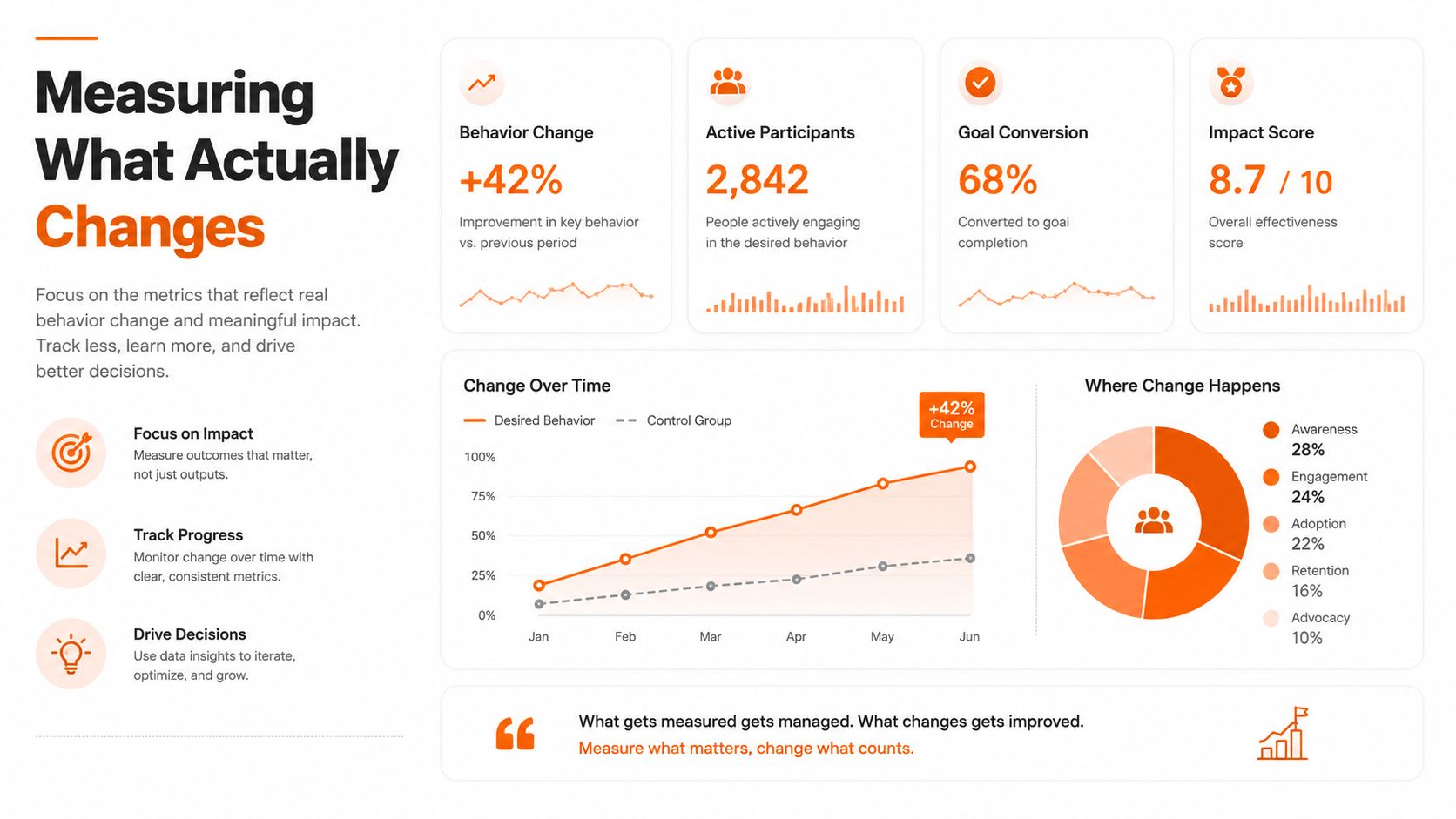
Once the app is live, vanity metrics get in the way fast. Login counts can look healthy while the operation stays messy. A better question is whether work is flowing with less friction.
Watch the handoffs
The first signal I look for is whether missed handoffs go down. That's where frontline tools either prove themselves or get ignored. If one shift can see what the last shift finished, what's open, and what needs attention, the floor gets calmer.
You can also look at task completion by shift or location. Not to rank people, but to spot breakdowns in process. One site may be missing context. Another may have a supervisor who isn't using the app consistently. The data shows where attention belongs.
Leadership visibility matters here too. Analytics should help managers see where work is piling up, where a process is slowing, and where the app is being used well. For a broader frame on that kind of visibility, see Pebb's note on measuring staff engagement, which treats activity trends as a management signal rather than a vanity dashboard.
Use the right kind of improvement data
Time-to-productivity for new hires is a useful metric because it shows whether the system helps people learn fast or leaves them guessing. You can also watch how often tasks need clarification after assignment. If supervisors keep answering the same question in chat, the task fields aren't doing enough work.
Engagement trends matter too, but only if they connect to actual behavior. A tool that gets opened often but doesn't reduce misses is not doing its job. A tool that gets used less but improves handoffs may be a better fit than the prettier option.
Measure whether the work got easier to carry, not whether the app got busier.
That's the lens. Good task management isn't about more activity. It's about fewer gaps, clearer ownership, and less time spent reconstructing what should already be obvious. If the app can show you that, it's earning its place.
Rethinking What Your Team Really Needs
The wrong question is which task app has the most features. The right question is which one disappears into the day so cleanly that people stop thinking about the tool and start thinking about the work. That's what frontline teams need, not another place to click.
The best systems don't separate tasks from conversation, or schedules from context. They keep them together. When a worker can see the task, the note, the file, and the update in one place, the whole shift feels more manageable. That's not fancy. It's just respectful of how real work happens.
I've come to trust simple tools that hold up under pressure. If a task management app makes the day more fragmented, it's not helping. If it makes handoffs cleaner, ownership clearer, and follow-through easier, it earns its keep.
Pebb brings tasks, chat, files, updates, spaces, and scheduling into one app, so frontline and office teams don't have to stitch the work together by hand. If you're comparing task management app options for shifts, locations, and mobile use, visit Pebb and see whether a single place for communication and tasks fits the way your team already works.
