
The Real Guide to an Employee App for Frontline Workers
Looking for an employee app for frontline workers? This guide explains what really matters, from features and ROI to rollout and getting your team on board.
Dan Robin
It is rarely a deliberate choice to build a fragmented communication system. Often, it occurs by accident. A store manager prints a single notice for the break room. A supervisor starts a WhatsApp group for speed. HR sends an email that half the workforce never sees. Someone passes the message along at shift change, and by the time it reaches the last person, the details are fuzzy.
That setup works right up until it doesn't. A policy change gets missed. A safety alert arrives too late. A new hire learns more from coworkers than from the company. People on the floor start to feel like the office always knows first and they're expected to catch up later.
That's why an employee app for frontline workers matters. Not because apps are trendy. Because the old patchwork makes people feel invisible, and operations run worse when the people closest to customers and the work are the last to know.
The Disconnect Is Real and It's Costing You
I've seen this pattern in almost every frontline-heavy business. The office thinks it communicated because the memo was sent. The field, store, ward, kitchen, or warehouse experiences something very different. They hear about the update from a colleague, from a rushed manager, or from a paper notice taped near a clock-in station.
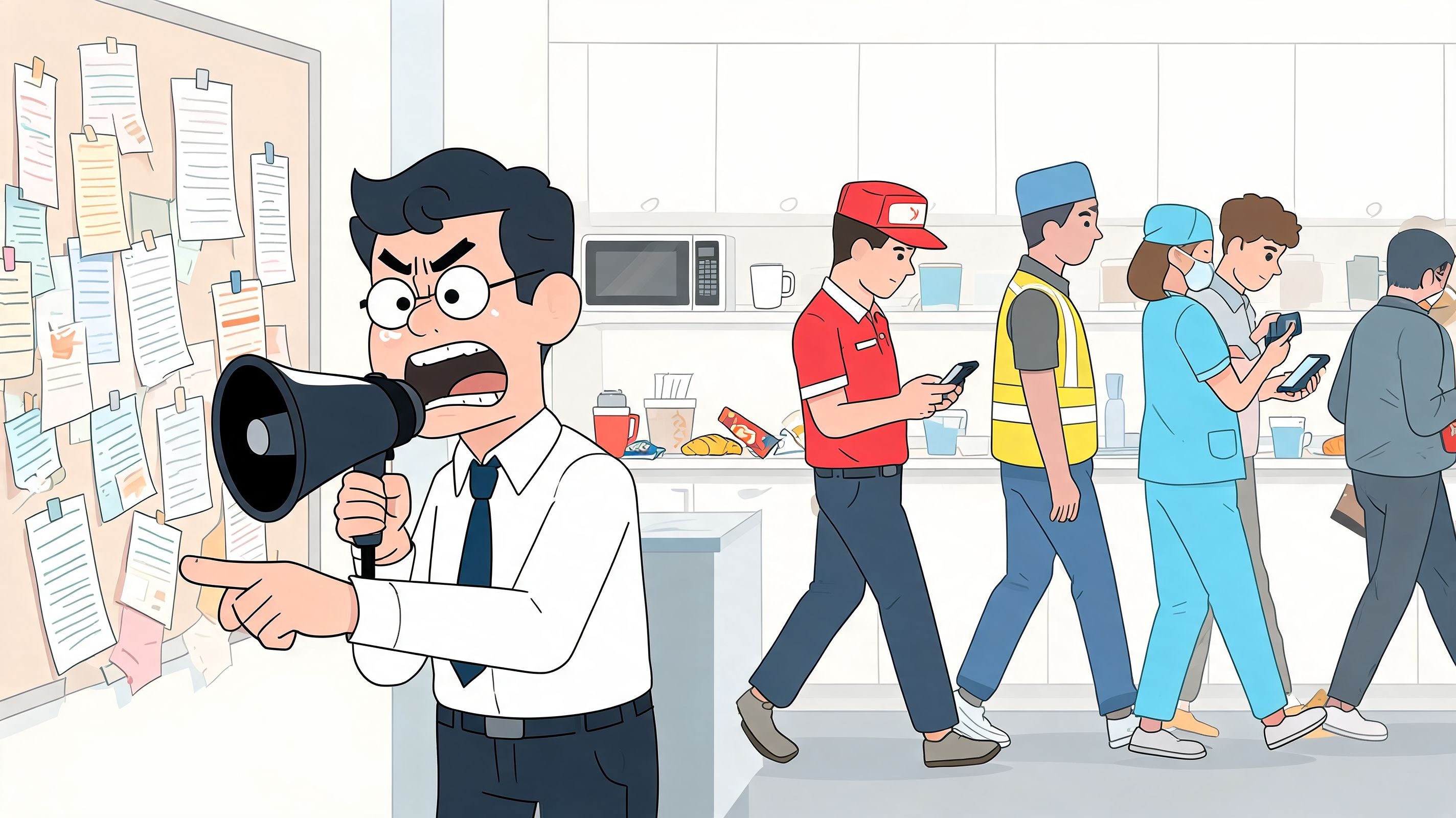
That gap creates more than annoyance. It creates mistakes, resentment, and a quiet sense that some employees are inside the company and others are just working for it. If you've ever wondered why good people roll their eyes at another “important update,” this is usually the reason. They don't trust the channel, and they don't trust that the message is meant for them.
The real problem isn't the message
A lot of companies talk about frontline communication as a channel problem. I think that's too small. It's a respect problem first.
Industry experts emphasize that 80% of the global workforce is frontline, yet these employees are often disengaged and disconnected. This observation still leaves the difficult question of whether a tool closes the information gap or just digitizes it, as noted by Appspace's frontline worker overview. This is the element leaders overlook. A new app can still reproduce the same old hierarchy if the office posts everything and listens to nothing.
You can see this dynamic in day-to-day breakdowns like the ones described in these common workplace communication problems. The symptoms look familiar. Conflicting instructions. Slow handoffs. Team members learning critical news late. Managers spending half their day repeating themselves.
Practical rule: If frontline employees hear important news after desk-based staff, you don't have a tool problem alone. You have an equity problem.
What this costs in real life
The cost shows up in places leaders care about. Safety gets weaker when updates travel by rumor. Training gets sloppy when people can't find the latest process. Morale drops when recognition and opportunities feel reserved for people with desks and inboxes.
The best reason to fix this isn't software. It's simple fairness. People do better work when they know what's happening, why it matters, and where to go when they need help.
What an Employee App Actually Is and Is Not
An employee app isn't a smaller version of your intranet. It isn't a clunky HR portal squeezed onto a phone screen. And it definitely isn't another place to dump company announcements no one asked for.
A good employee app for frontline workers is a private, mobile home base for work. One place to check a shift, read an urgent update, ask a question, find a policy, and handle small operational tasks without hunting through five systems or texting three people.
What it replaces
The easiest way to understand the category is by contrast.
It replaces the breakroom bulletin board that's out of date by Tuesday. It replaces the supervisor's personal group chat where work and private life bleed together. It replaces the “didn't you get the email?” culture that excludes anyone without a company address.
It also replaces a lot of informal workarounds that feel efficient until they create risk. Consumer messaging apps are fast, but they're messy. Shared logins are convenient, but they create confusion. Desktop-only tools might satisfy procurement, but they don't help someone who is moving all day.
What it should feel like
The right mental model is not “another communication platform.” It's more like a well-run campus. There's a front door. People know where to go. The important stuff is easy to find. The urgent stuff gets your attention. The rest doesn't interrupt you unless it matters.
If you're evaluating the broader communication stack around that app, it helps to understand how the app fits into a company's larger system of voice, messaging, and alerts. A useful reference is Nutmeg Technologies unified communications infrastructure, especially if you're sorting out what belongs inside the employee app and what belongs in your wider communications setup.
A frontline app works when it removes friction. It fails when it asks busy people to learn one more system that gives little back.
That's the line. If the app feels like homework, adoption stalls. If it saves time in the first week, people keep coming back.
The Business Case You Can Actually Believe In
I'm skeptical of vague promises about “engagement.” Most operators are. If you're making the case for an employee app for frontline workers, talk about work that gets easier, faster, and more consistent.
The strongest business case usually starts with problems you already pay for. Managers chasing read receipts by phone. Missed process updates. Slow shift coverage. New hires asking the same questions because the answers live in three different places.
Tie communication to actual work
There's a reason communication matters beyond morale. In frontline settings, it touches the basics of the job. As of 2022, 70% of frontline workers said they were satisfied with workplace communication, and the information they value most includes benefits at 61%, recognition at 46%, safety at 42%, and training at 41%, according to TheEMPLOYEEapp frontline communication survey. That mix says a lot. People aren't just asking for company news. They want the information that helps them work safely, grow, and feel seen.
When leaders frame the app as an internal-news channel, they undersell it. When they frame it as a way to support safer work, cleaner onboarding, better coverage, and more reliable execution, the conversation gets real.
The believable return
You don't need heroic assumptions to justify the investment. Start with simple questions:
Manager time: How many hours each week do supervisors spend repeating updates, texting individuals, or answering “where do I find this?”
Speed: How long does it take to fill an open shift, confirm a policy change, or get a task update from every location?
Consistency: How often do locations interpret the same instruction differently because the message arrived late or through the grapevine?
Those costs are already in your business. The app doesn't create a new category of value. It reduces drag.
If the only metric you use is “did people like the app,” you'll miss the point. Ask whether managers spend less time chasing people and whether workers can get what they need without waiting.
What makes the case believable
The most credible arguments are operational, not emotional. Faster training access matters. Clear safety communication matters. So does recognition, especially in jobs where people often feel replaceable.
When frontline teams can see what matters and act on it quickly, the app stops being a communication expense and starts looking like part of the operating model.
What Really Matters in a Frontline App
Feature lists are where a lot of buying decisions go off the rails. Every vendor has chat. Every vendor has announcements. Most can show you a tidy demo. None of that tells you what the app feels like on a busy Tuesday when someone's wearing gloves, the signal is weak, and the person using it has thirty seconds between tasks.
What matters is whether the tool disappears into the day. The best employee app for frontline workers doesn't feel like software. It feels like the shortest path to getting something done.
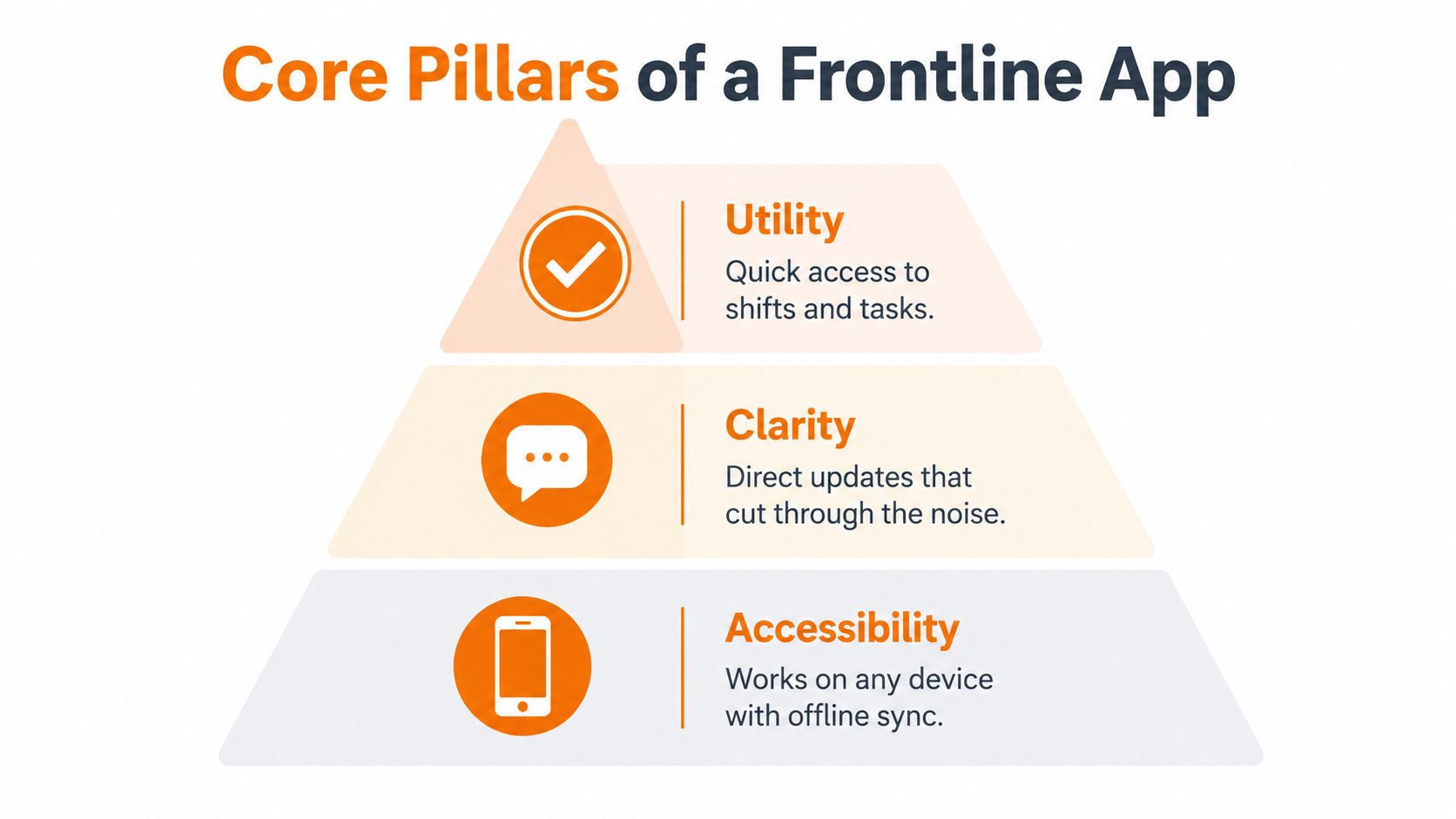
Utility comes first
People don't open workplace apps out of loyalty. They open them because they need something. Usually right now.
That might be a shift schedule. A task list. A process doc. A manager message. A way to report an issue without hunting someone down. If the app solves one immediate problem well, it earns repeat use. If it only broadcasts news, it becomes background wallpaper.
This is why I prefer tools that bring communication, tasks, and knowledge into one experience. The handoff matters. A worker should be able to read a safety update, confirm a task, and pull up the related procedure in a few taps. If those actions live in separate systems, the friction comes back.
For a more detailed breakdown of what belongs in that core experience, this guide to employee communication app features that matter most is a good starting point.
Access has to be simple
A lot of frontline rollouts fail before they begin because the login process assumes everyone has a company email and a desktop habit. They don't.
According to Flip's overview of frontline app access and authentication, 40% to 60% of frontline workers lack corporate email, which is why phone-based login, biometrics, and SMS-based access matter so much. The same source notes that these approaches can reduce access-related support tickets by 25% to 35%. That lines up with what most operators learn quickly. If people can't get in fast, they stop trying.
So I'd treat these as essential:
Phone-first sign-in: Let people start with the device they already use.
Low-friction return access: Biometrics and simple re-entry beat password resets.
Admin control: Managers need role-based access without filing a ticket for every small change.
Clarity beats volume
Most companies don't have a communication shortage. They have a filtering problem.
The app should help people see what matters to them, in their role, at their location, on their shift. A warehouse worker doesn't need every corporate update. A nurse doesn't need retail merchandising notes. Relevance is what keeps the channel credible.
One option in this category is Pebb, which combines chat, updates, tasks, a knowledge library, file sharing, scheduling, and admin controls in one mobile and web app. That kind of unified setup works well when you're trying to cut down on tool sprawl rather than add another layer.
Offline behavior tells you if the product was built for the real world
This one gets overlooked. Plenty of vendors say “offline access.” Fewer think through what happens when a person reads an update in a dead zone, completes a task without a signal, and expects the system to catch up cleanly later.
If your teams work in warehouses, field sites, older buildings, or remote locations, don't accept vague answers. Ask how the app behaves when syncing fails, how updates reconcile, and what managers see when actions happen asynchronously.
That's not a technical edge case. For some teams, it's normal work.
How Different Teams Use These Apps in the Real World
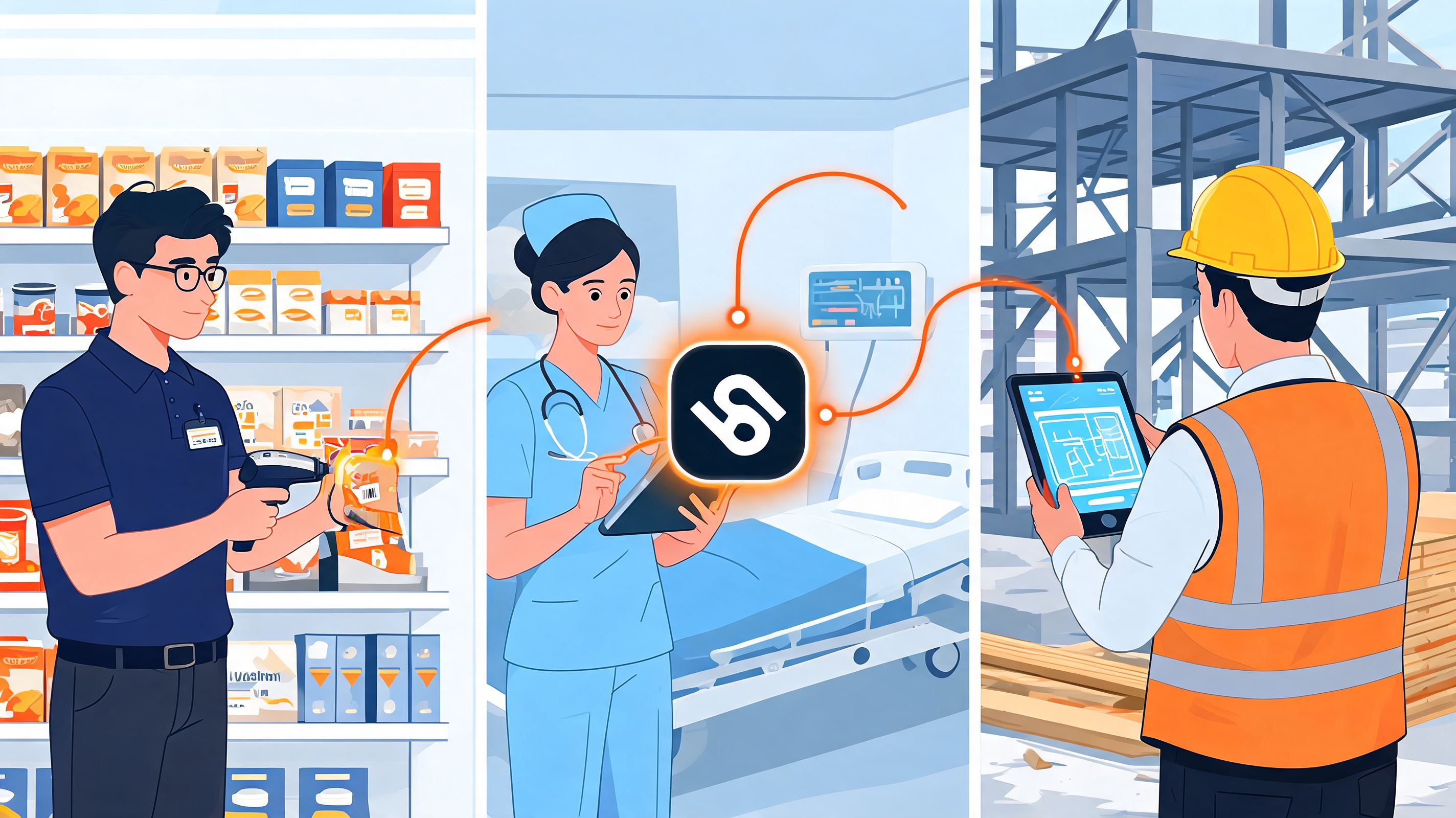
The value of an employee app gets obvious when you stop talking about features and watch how different teams use it under pressure. The pattern is the same. Less chasing. Less guesswork. Fewer side channels.
Retail and hospitality
A store manager posts a visual update before the morning shift. The team sees the new display standard, the promotion details, and the day's staffing notes before customers start arriving. No printed packet. No “I thought someone told them.”
In a restaurant, the same pattern helps with daily specials, allergy notes, and last-minute menu changes. The key isn't that the message exists. It's that every server can find the same answer in the same place, without relying on memory during a rush.
Healthcare and care environments
A nursing supervisor has an open shift and needs coverage fast. The old method is a chain of calls and texts. The app method is cleaner. The right group gets the alert, interested staff respond, and the manager can close the loop in one thread.
That matters because care environments don't tolerate communication drift well. Policies, staffing changes, and urgent notices need a clear path. A mixed channel setup also helps in buildings where connectivity varies.
Warehouses and field teams
The delivery method really matters. For teams in warehouses or field locations with inconsistent connectivity, apps need push notifications, SMS, and offline sync working together. According to MangoApps' frontline employee app overview, SMS achieves 98% open rates, and two-way communication engagement can increase by 86% within 90 days of implementation. Those numbers explain why single-channel thinking falls apart in real operations.
A warehouse foreman sending a safety alert doesn't care about elegant theory. He cares that the message lands. A field supervisor wants confirmation back, not silence.
Use the app for the everyday flow of work. Use multichannel delivery for the moments that can't wait.
What changes for managers
Managers feel the difference first. They stop acting like switchboards.
Instead of repeating the same answer across calls, texts, and hallway conversations, they can point to one current source. Instead of wondering who saw the message, they can focus on who needs follow-up. That shift is easy to underestimate, but it's one of the fastest ways to reduce daily chaos.
Choosing the Right Tool and Avoiding the Wrong One
The market for frontline tools is crowded, and a lot of products look similar in demos. They aren't similar at rollout. That's where weak tools get exposed.
I'd make the decision with a blunt filter. Can a new hourly employee use it without help? Can a busy store or site manager run it without leaning on IT? Can it handle real-world communication patterns instead of forcing everyone back to email habits?
Follow the behavior, not the brochure
As of March 2023, 57% of employers were communicating with frontline staff by text, a 13-point jump in one year, and texts had a 98% read rate compared with 20% for email, according to the March 2023 frontline communication findings reported by PR Newswire. That should change how you evaluate products. If the app treats SMS and mobile communication as an afterthought, it's ignoring how people already behave.
You don't need a perfect platform. You need one that fits the work.
Vendor selection checklist
Evaluation Criteria | What to Ask / Look For |
|---|---|
Ease of use for frontline staff | Can a first-time user log in, find messages, and complete a basic task without training? Ask for a demo built around an hourly worker, not an admin. |
Manager usability | Can a site manager post an update, target the right team, and manage access without opening a support ticket? |
Mobile-first access | Does the app work cleanly on personal phones, and does it support sign-in methods that don't depend on corporate email? |
Multichannel communication | Can the tool send push, support SMS, and handle situations where app-only delivery isn't enough? |
Offline reality | What happens when a worker reads or completes something without a signal? Ask for specifics, not marketing language. |
Security and permissions | Can you control who sees what by role, team, or location without making the system hard to run? |
Knowledge and operations in one place | Can people move from an alert to a document, task, or shift action without switching tools? |
Reporting that matters | Can leaders see who is reached, where communication breaks down, and whether teams are using the app consistently? |
Implementation support | Does the vendor help with rollout habits, manager training, and adoption, or do they stop at setup? |
Red flags I wouldn't ignore
Some warning signs are obvious once you've seen them a few times:
Pretty demo, clumsy daily use: Looks polished in a boardroom, slows people down on the floor.
Admin by committee: Every small change requires IT or a vendor ticket.
Communication only: Broadcast-heavy product with weak support for tasks, knowledge, or operations.
Desktop thinking in a mobile wrapper: Designed for office workers first, with frontline use bolted on later.
A good choice feels boring in the best way. It fits the work. People use it. Managers trust it.
The Secret to Getting Your Whole Team on Board
The software is the easy part. The hard part is convincing people this isn't another top-down project that creates more noise and more monitoring.
If you want adoption, start smaller than your ambition. Pick one location, one department, or one shift group with a manager who already has trust. Watch what they use. Watch what they ignore. Then fix the rough edges before you call it a company rollout.
Sell the benefit to employees, not the initiative to leadership
Frontline employees won't care that the platform reduces fragmentation. They'll care that it saves them time, clears up confusion, and helps them avoid surprises. That has to be the message.
You also need local champions. Not formal cheerleaders. Real operators people listen to. When a respected supervisor says, “Check the app, that's where the current answer lives,” habits start to shift.
This is the same logic behind effective employee engagement. People buy in when the change feels useful and fair, not when it arrives as another corporate mandate.
Build habits, not just access
Getting someone to download an app is not adoption. The question is whether it becomes part of the workday.
A simple rollout rhythm helps:
Start with one or two high-value use cases: scheduling, urgent updates, or key documents usually work better than broad “internal comms.”
Train managers first: if leaders don't use it consistently, the workforce won't either.
Run small campaigns inside the app: recognition, onboarding moments, or safety refreshers give people a reason to come back.
If you need a practical framework for that momentum piece, this guide on internal campaigns that drive platform adoption is worth a read.
The rollout succeeds when employees feel the app was introduced for them, not imposed on them.
The deeper point is this. An employee app for frontline workers is not just a new channel. It's a signal. It tells people whether the company is serious about giving them the same clarity, access, and respect that office staff take for granted. When that signal is genuine, the technology sticks.
If you're trying to replace scattered chats, paper notices, and disconnected tools with one mobile home for communication and daily work, Pebb is worth a look. It brings chat, updates, tasks, knowledge, scheduling, and engagement into one app for frontline and office teams, which makes it a practical option for organizations that want fewer systems and a cleaner rollout.
