
Unlock Efficiency With Shift Scheduling Software
Optimize scheduling. Our guide to shift scheduling software helps you choose the best tool & build fair schedules that respect your team's time.
Dan Robin
Most scheduling problems don't start on the floor. They start at a desk, late at night, with a manager trying to make a week fit together.
You know the scene. A spreadsheet is open. Time-off requests are buried in texts. Someone scribbled availability on paper. One person can only work mornings now. Another forgot to mention a class schedule. Someone else wants fewer closing shifts, and understandably, they’ve earned the right to ask.
By the time the schedule goes out, nobody feels good about it. The manager is tired. The team is annoyed. And the week hasn't even started.
That’s why shift scheduling software matters more than many organizations acknowledge. It’s not just about speed. It’s about fairness, trust, and whether your operation feels steady or brittle. A clean schedule tells people, “We thought this through.” A messy one tells them the opposite.
The Sunday Night Scheduling Scramble
The old way looks harmless until you live inside it.
A spreadsheet seems cheap. Group texts seem flexible. Sticky notes and memory feel good enough, right up until they aren’t. Then Sunday night turns into damage control. You’re plugging gaps, chasing replies, and hoping the person who said “I should be free” actually meant it.
That kind of scheduling drains more than time. It drains patience.
According to employee scheduling market reporting, 55% of managers spend over 8 hours a week building schedules manually. The same source says 74% of employees cite poor scheduling as a primary reason for leaving their jobs. That should stop any manager cold. Scheduling isn’t admin work sitting off to the side. It reaches straight into retention.
If you’re still treating scheduling like a back-office task, you’re missing the point. The schedule is one of the few company decisions employees feel in a direct, personal way. It shapes sleep, childcare, commuting, class schedules, and whether someone can make dinner at home.
What the spreadsheet never shows
A spreadsheet won’t show resentment building after the same person gets the worst shifts. It won’t tell you that your team has stopped trusting the posted schedule because it changes too often. It won’t reveal that managers are solving the same availability conflicts over and over because the process itself is broken.
Poor scheduling doesn't stay a scheduling problem. It turns into a morale problem, then a staffing problem.
That’s why teams go looking for something better. Not because they want flashy software, but because they want fewer avoidable fires. If you're sorting through options, this guide to online employee scheduling is a useful starting point because it frames scheduling as an operating habit, not just a feature.
The cost of winging it
Manual scheduling also creates a subtle culture issue. When the process feels random, people assume decisions are random. Even when you’re trying to be fair, the team may not experience it that way.
That’s the part many leaders underestimate. Respect at work often starts with small things done consistently. A schedule posted on time. Clear approvals. Fewer surprises. Some breathing room.
Get that wrong, and everything downstream gets harder.
More Than a Digital Calendar
A lot of teams buy the wrong tool because they misunderstand the job.
Shift scheduling software is not a prettier calendar. It’s not Google Calendar with extra colors. A calendar shows time. Scheduling software manages commitments, availability, roles, approvals, and changes in a way a real operation can live with.
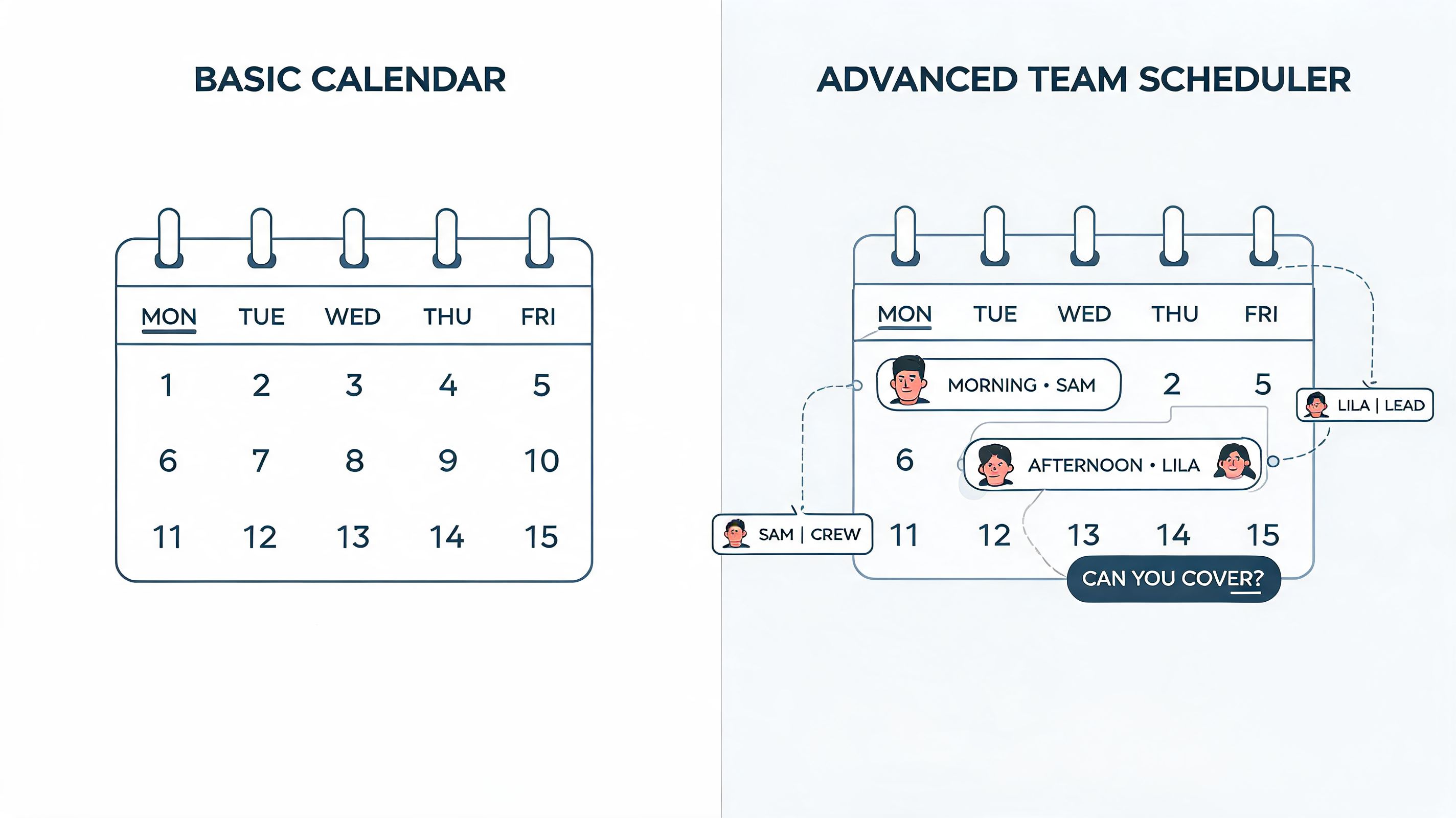
A plain calendar is like a list of ingredients on the counter. Useful, sure. But it won’t cook dinner. Good scheduling software is the working kitchen. It knows what’s missing, what conflicts, what needs approval, and what can be reused next week without starting from scratch.
What a real scheduling system does
At a minimum, it should hold the truth in one place. Who can work. Who can’t. Who asked for time off. Which roles need coverage. What changed. Who approved it. Who saw it.
That sounds basic until you’ve worked without it.
Teams often try to stretch calendar tools farther than they should go. Add-ons can help with personal productivity and meeting coordination, and AONMeetings' top Google Calendar add-ons is a solid roundup if your main problem is calendar management. But once you’re scheduling frontline shifts, rotating coverage, and handling swaps and approvals, you need a system built for labor, not meetings.
The real shift is operational
The biggest change isn’t digital. It’s behavioral.
With the right tool, managers stop rebuilding the week from zero. Employees stop asking where the latest version is. Time-off requests stop getting lost in chat threads. You move from reactive scheduling to deliberate scheduling.
A simple comparison makes the difference clear:
Approach | What it feels like |
|---|---|
Shared calendar | Everyone can see the plan, but nobody can really manage it |
Spreadsheet plus messages | Flexible at first, messy under pressure |
Shift scheduling software | One place to build, approve, publish, and adjust without confusion |
Practical rule: If your schedule lives in one tool but approvals, swaps, and questions live in three others, you don’t have a scheduling system. You have a scavenger hunt.
That’s why good shift scheduling software creates calm. Not because it automates everything, but because it gives everyone one version of reality.
Features That Actually Solve Problems
Feature pages are where good judgment goes to die.
Every vendor has a grid full of checkmarks. Every tool claims to save time. None of that helps much when you’re trying to decide what fixes your day. The useful way to evaluate shift scheduling software is simpler. Separate table stakes from game changers.
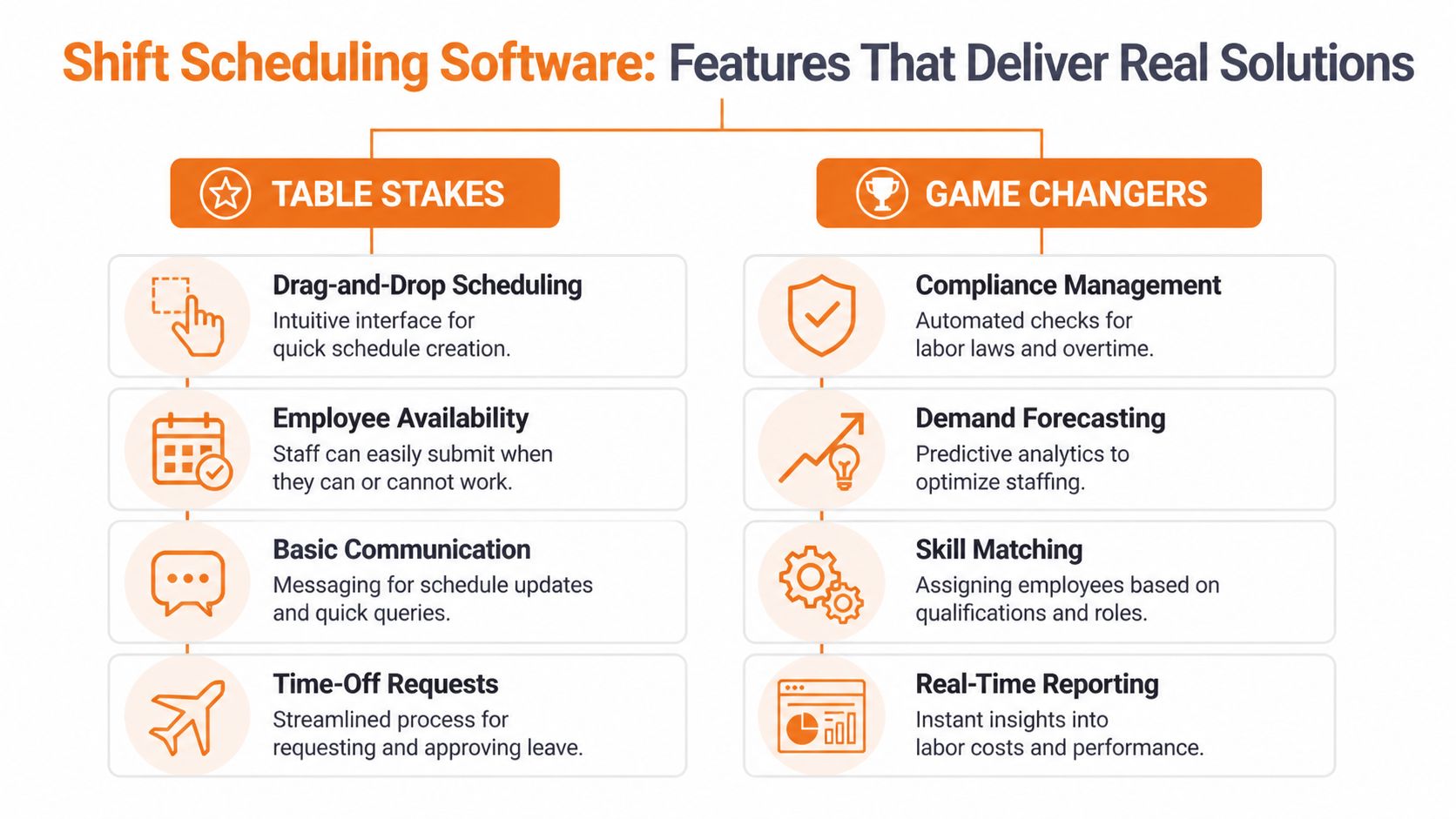
Table stakes
These are the features that should already be there. If a tool struggles with these, stop the demo.
Mobile access that works. Your team won’t sit at a desktop to check tomorrow’s shift.
Clear availability and time-off requests. If people can’t submit changes cleanly, managers end up back in text-message land.
Easy shift swaps with approval controls. Flexibility matters, but so does oversight.
Fast schedule publishing and notifications. A schedule that exists but doesn’t reach people quickly is still a problem.
None of this is glamorous. It’s also essential.
If you’re trying to tighten operations more broadly, it helps to think about scheduling as one piece of a larger system. This short guide to implementing workflow automation is useful because it shows how repetitive approvals and handoffs break when they aren’t designed end to end.
Game changers
A crucial differentiation takes place.
Some tools just help you place names into boxes faster. Better than nothing. But stronger systems help you make better decisions before the week gets messy.
One example is interval-level scheduling. According to Hivedesk’s overview of choosing shift scheduling software, enterprise scheduling works at the interval level, not just the shift level. In plain English, that means the software can account for coverage needs across smaller slices of time instead of treating a six-hour or eight-hour shift as one flat block.
Why interval scheduling matters
That sounds technical until you picture a lunch rush, patient handoff window, or support queue spike.
If your software only sees whole shifts, it can miss the fact that two breaks landed at the worst possible moment. It can also miss coverage gaps hidden inside an otherwise “full” schedule. Interval-based tools are better at protecting the hours where operations wobble.
The same Hivedesk piece notes that organizations moving to interval scheduling report 15% to 25% reduction in overtime hours while improving compliance and service coverage. That’s not magic. It’s what happens when the system can detect gaps before people feel them.
AI that earns the label
Another game changer is predictive scheduling support, especially when it uses historical patterns, skills, availability, and workload to help build a fairer roster.
As People Managing People explains in its review of employee shift scheduling software, modern platforms use machine learning and optimization methods to forecast staffing needs, match preferences, and surface alternatives when absences happen. The important part isn’t the acronym. It’s whether the software helps you avoid avoidable mistakes.
Here’s the test I use:
Feature claim | What to ask |
|---|---|
“AI scheduling” | Does it use real attendance, preferences, and role rules, or just auto-fill empty shifts? |
“Smart forecasting” | Can it help plan for demand changes before the week starts? |
“Fair scheduling” | Can it balance preferences and coverage without creating hidden favorites? |
“Compliance support” | Does it flag risky schedules before publication? |
Basic automation saves clicks. Better intelligence saves judgment.
If you’re comparing mobile-first tools built for hourly teams, this roundup of apps for shift workers can help narrow the field. The key is to look past the feature list and ask what problems each feature prevents.
The best features aren't the ones that look impressive in a demo. They're the ones that stop Tuesday from turning into cleanup.
The Real Return on Investment
Most ROI conversations about scheduling are too small.
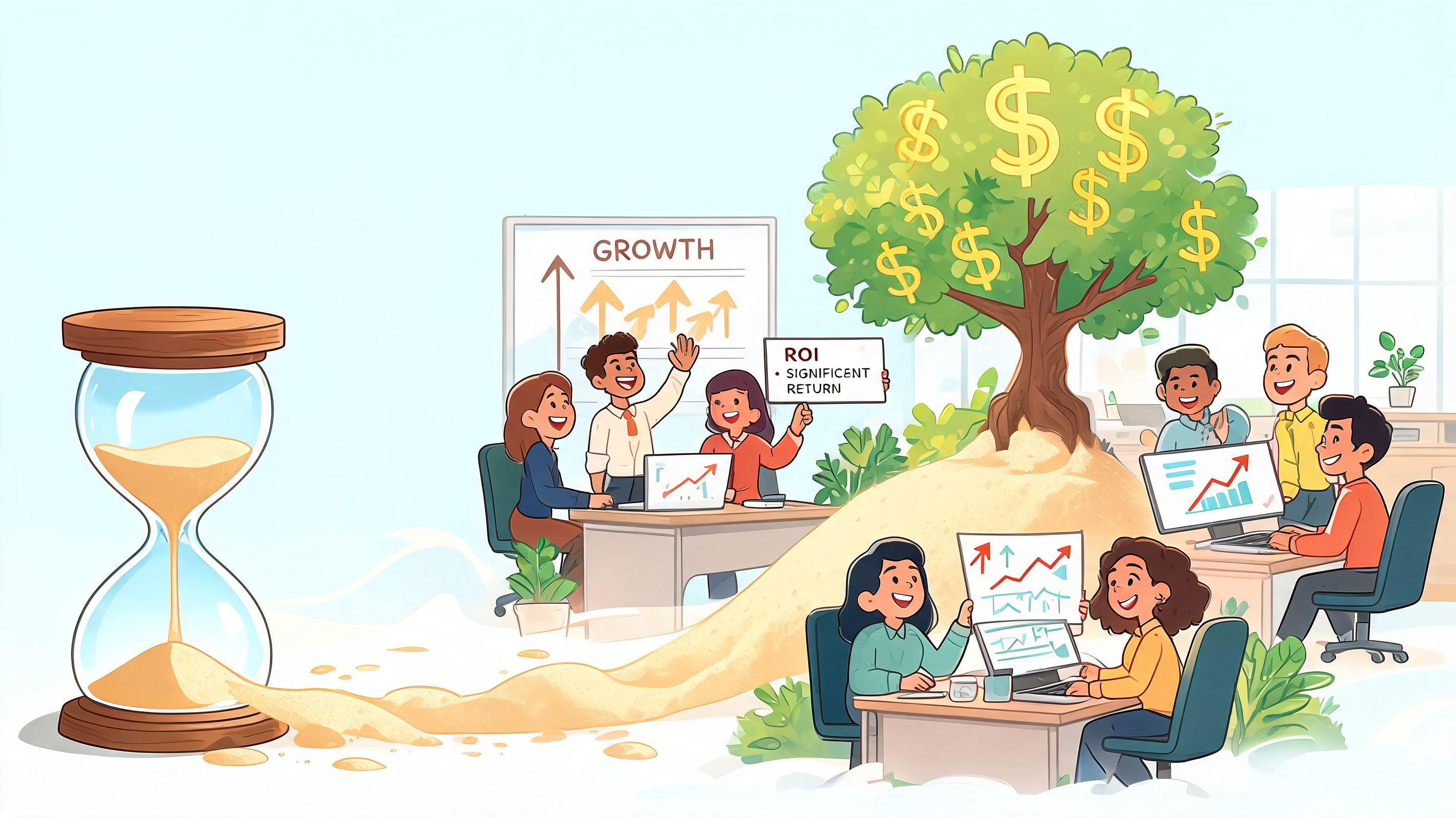
They focus on manager time, and yes, that matters. But if all you’re measuring is how long it takes to build a schedule, you’re missing the deeper return. Better scheduling changes how people experience work. That affects morale, attendance, and whether employees stick around long enough to become dependable.
Time saved is the shallow win
A lot of teams stop the analysis too early. They launch the tool, notice that managers build schedules faster, and call it a success. That’s incomplete.
According to TimeWellScheduled’s write-up on micro-scheduling and productivity, post-implementation drop-off rates can exceed 30% if engagement isn’t tracked. The same source notes that the stronger return comes from sustained adoption, and that absenteeism can be reduced by 12% when analytics gauge employee satisfaction with their schedules.
That’s a more serious way to think about ROI. Not “did we buy software?” but “did the team keep using it, and did that change behavior?”
What to measure instead
A better scorecard looks like this:
Adoption over time. Are employees still using the app after the novelty wears off?
Schedule stability. Are there fewer last-minute changes?
Absence patterns. Are no-shows and late scramble fills becoming less common?
Manager friction. Are supervisors spending less energy on cleanup and exception handling?
Employee confidence. Do people trust the published schedule?
Some of those are numerical in a dashboard. Some you hear in the hallway. Both count.
A tool that saves hours but creates resentment isn't a good investment. It's just a faster way to make people unhappy.
The cultural return is harder to fake
When schedules are fair and clear, teams feel it. People stop assuming they need to fight for basic predictability. Managers stop carrying the whole system in their head. The workplace gets calmer.
That calm has value, even when it doesn’t fit neatly into a spreadsheet. It shows up in fewer arguments over favoritism. It shows up when employees stop screenshotting old schedules because they don’t trust updates. It shows up when supervisors can coach people instead of constantly rearranging names on a grid.
That’s the key return. A better schedule creates a more reliable business because it creates a more respected workforce.
Choosing a Tool Without Losing Your Mind
The market is crowded, and most demos blur together after the second one.
Everybody promises ease of use. Everybody says they handle communication, compliance, and mobile access. Then you roll the tool out and discover that swapping a shift takes six taps, payroll exports break, and half the team never adopts it because the app feels like homework.
So keep the evaluation simple. Ignore the polished sales script and test the stuff that causes pain in real life.
Start with the phone
If your team works on their feet, the mobile experience is the product.
Can someone open the app, find their next shift, request time off, and understand what changed without training? If not, move on. A scheduling tool that only feels clean on a laptop has already failed most frontline teams.
This matters even more if your workforce is spread across locations or hybrid setups. For broader context on how managers support distributed teams day to day, John Pratt's insights on remote management are worth reading. The same lesson shows up there too. If the tool creates friction, people route around it.
Ask integration questions early
Many teams frequently suffer considerable setbacks.
According to Shyftplan’s discussion of shift scheduling software, integration is a top concern for 68% of operations managers, and data sync delays between scheduling and payroll tools lead to errors in 25% of hybrid setups. That’s not a minor technical detail. That’s payroll, trust, and cleanup work.
Use a short checklist during evaluation:
What systems must this connect to on day one? Usually payroll, HR, time tracking, and communication.
What breaks if the sync is delayed? Don’t accept vague answers.
Who owns setup and support? Your ops team needs a real contact, not just a help center article.
Can you test with your own rules and edge cases? Demos are too clean. Your business isn’t.
Run a small pilot, not a big launch
Company-wide rollouts sound decisive. They’re usually reckless.
Pick one location or one team with a manager who will give honest feedback. Use real requests, real shift swaps, and real approvals. Watch where people hesitate. Watch what gets ignored. Watch whether the manager ends up using side channels anyway.
A good pilot will tell you more than any feature comparison sheet.
Here’s a practical evaluation table:
What to test | Good sign | Bad sign |
|---|---|---|
Schedule creation | Manager can build a real week quickly | Tool needs heavy setup for basic use |
Employee adoption | Staff can use it without coaching every step | Team falls back to texts and screenshots |
Change handling | Swaps and edits are visible and controlled | Updates get lost or create confusion |
Integration | Payroll and HR data move cleanly | Manual re-entry appears anywhere |
If you want a grounded view of what these tools look like in practice, this guide to employee scheduling apps is a helpful comparison point. The main thing is to choose for daily use, not demo theater.
Buy the tool your busiest supervisor can use under pressure. That's the real test.
Scheduling Inside Your Company's Digital Home
A schedule never lives alone.
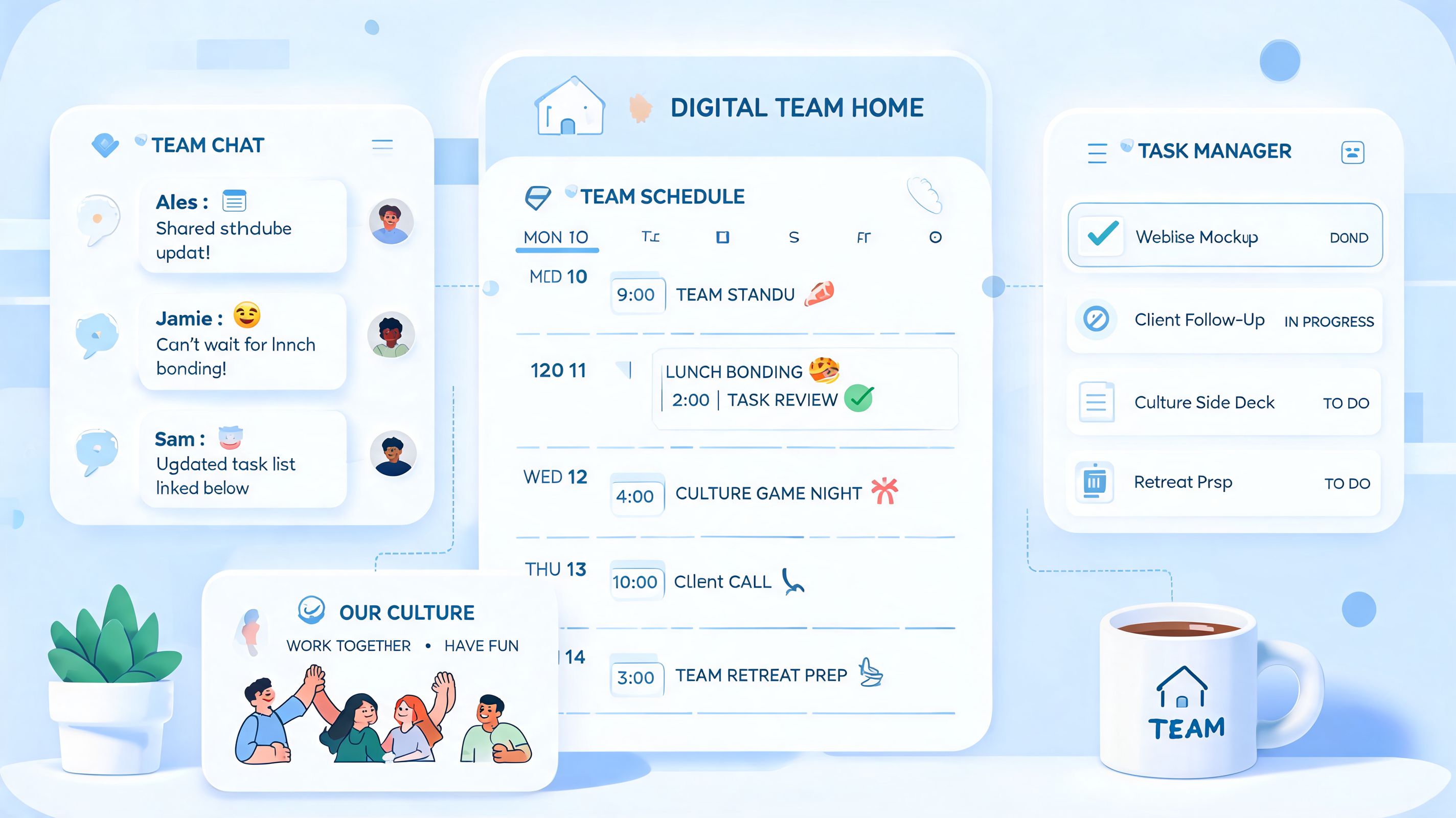
It touches communication, approvals, tasks, updates, documents, and the thousand little exchanges that keep a team aligned. That’s why standalone scheduling tools often hit a ceiling. They can build the grid, but actual work still spills into chat apps, email, paper notes, or someone's memory.
Where scheduling works better
The cleanest setup is when scheduling sits inside the same place your team already uses to communicate and coordinate work.
Then the schedule isn’t a separate destination people have to remember. It’s part of the day. A manager publishes a shift update, and the team sees it where they already talk. Someone needs a swap, and the conversation happens next to the actual shift. A person clocks out, checks tomorrow’s assignment, and sees team updates in the same flow.
That kind of setup does something important. It lowers the cost of staying informed.
Culture follows convenience
This sounds operational, but it’s cultural too.
When work lives in one digital home, people don’t have to chase information across disconnected tools. That reduces missed updates, but it also changes the tone of work. Things feel more coherent. New employees learn faster because the company’s habits are visible in one place. Managers spend less time relaying the same information through five channels.
One example is Pebb, which combines chat, Spaces, tasks, file sharing, shifts scheduling, clock-in, and PTO tracking in one app. That kind of unified setup can make scheduling easier to adopt because employees aren’t being asked to learn a separate tool just for shifts.
One place beats five partial places
This doesn’t mean every all-in-one app is automatically right for every team. Trade-offs still matter. Some operations need deep workforce features. Others need simplicity and high adoption first. But the principle holds up.
A disconnected stack creates tiny failures everywhere:
Messages drift away from the schedule
Approvals happen where nobody can audit them later
Employees miss updates because they live in the wrong app
Managers re-enter the same information across tools
A connected workplace reduces those gaps. Not by forcing culture from the top, but by making the respectful thing the easy thing. Clear updates. Fewer surprises. Less hunting.
That’s why scheduling belongs inside the company’s digital home. Not because it’s trendy, but because work is already connected whether your tools are or not.
A Schedule Is a Promise
A lot of companies still treat scheduling like a logistics problem.
It is a logistics problem. But it’s also a human one. When you post a schedule, you’re making a promise about predictability, fairness, and whether people can organize the rest of their lives around work without feeling jerked around.
Employees notice that promise long before they notice mission statements.
A good schedule says, “We respect your time.” A bad one says, “You’ll find out when you find out.” That difference shapes culture more than many leaders want to admit. If your operation feels tense, inconsistent, or fragile, the schedule is one of the first places worth looking.
Shift scheduling software won’t fix weak management or poor communication on its own. But it can remove a lot of the avoidable chaos that keeps those problems alive. It gives good managers a steadier way to lead, and it gives employees a fairer way to work.
Calm operations usually start with a calm schedule.
The question isn’t whether your team needs a better tool. It’s whether you’re ready to treat scheduling like the promise it already is.
If you want scheduling, communication, tasks, clock-in, and PTO tracking in one place, Pebb is worth a look. It gives teams a single app for the daily work that usually gets scattered across several tools, which can make schedule changes easier to see, discuss, and act on without all the usual back-and-forth.
