
Ditching the Spreadsheet: A Calmer Way to Do Online Employee Scheduling
Stop wasting hours on spreadsheets. See how modern online employee scheduling frees up your time, cuts costs, and makes your team happier.
Dan Robin
We’ve all been there. It's Sunday night. You’re staring at a spreadsheet that looks like a high-stakes game of Tetris, trying to make everyone’s requests fit. You juggle shifts, match skills, and pray you don’t accidentally break an overtime rule. You just know one wrong move will cause chaos all week.
It’s a familiar kind of pain. A self-inflicted wound, really. We’ve lived it.
The True Cost of Manual Scheduling
Let’s be honest. We call manual scheduling "free," but it’s one of the most expensive things a business can do. It costs hours you’ll never get back. It quietly drains your sanity. And it eats away at your bottom line. This isn’t just about inefficiency; it’s about the real, human toll of an outdated process.
Think about it. The frantic group texts to fill a last-minute sick call. The accidental overtime that bloats your payroll. The slow-burn frustration from a team that can never quite plan their lives. That’s the reality of running a business on spreadsheets and paper calendars. We did it for years, and frankly, we got tired of fighting fires.
The Hidden Price Tag of 'Free'
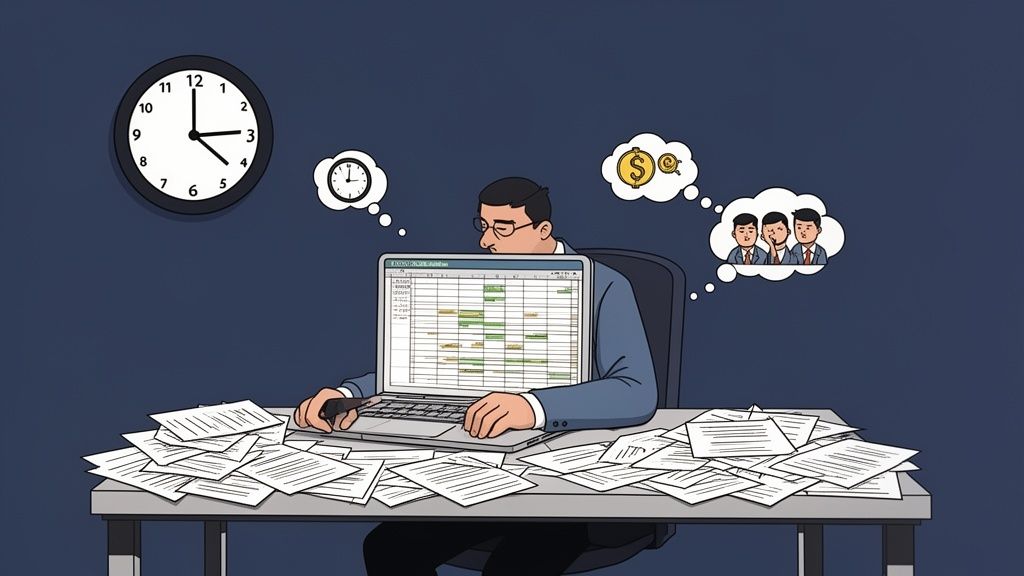
The most obvious cost is time. For so many managers, building the weekly schedule eats up an entire afternoon, every single week. But the financial drain goes much deeper.
A simple miscalculation can push an employee into overtime, leading to a nasty surprise on your payroll report. Forgetting to cover a single shift can mean an understaffed floor, lost sales, and unhappy customers who might not return. And when schedules feel unpredictable and unfair, good people leave. The cost to hire and train a replacement is always higher than the cost of a good scheduling tool.
This isn’t just a hunch. The market for employee scheduling software was valued at $0.48 billion in 2024 and is projected to hit $1.36 billion by 2033. Why the massive growth? It’s a direct response to managers who waste three to eight hours every week on manual scheduling. They’re finally saying, "Enough."
More Than a Spreadsheet Problem
But the real damage isn't always measured in dollars. It's about the culture you create by accident. A chaotic scheduling process sends a clear message: instability and a lack of respect for your team's personal lives. It puts them in a position where they can't confidently book a doctor's appointment, plan a family dinner, or count on a consistent paycheck.
The core issue is that manual methods treat people like cogs, not colleagues. The goal becomes plugging holes rather than building a reliable, engaged team.
Moving to online employee scheduling isn't about getting a fancy new tool. It's a fundamental shift. It’s a vote for respecting your own time and, just as importantly, your team’s. We've seen that once scheduling is solved, other forms of automation can ease your business workload in ways you never expected.
This transition sets the stage for a better way to work. Once you see the true burden of the old way, you'll be ready to build a foundation of calm and predictability—something a spreadsheet was never designed to do.
What Is Online Employee Scheduling, Anyway?
Let’s be real for a second. "Online employee scheduling" sounds a bit stuffy and corporate, doesn't it? But all it really means is finding a simpler, more human way to figure out who needs to be where, and when.
Forget the idea of some complicated "system." Think of it as a living calendar your whole team shares. It’s the opposite of that rigid spreadsheet you spend hours perfecting, only to have it become obsolete the minute someone gets sick.
Here’s an analogy I like: scheduling with spreadsheets and texts is like planning a party by mailing letters. It’s painfully slow, and by the time a letter arrives, the plan has changed. Online scheduling is the group chat for that party—everyone sees the latest plan instantly, and updates happen in real time.
It's dynamic. It's collaborative. And it's always up to date.
From Static Document to Living Hub
The magic isn't just putting a schedule online. It's about changing the schedule from a dead document into the central hub for your team. Instead of a source of frustration, it becomes the single source of truth.
As a manager, you can finally see the whole picture at a glance. No more frantic texts to confirm who saw the latest version. You see everyone's availability, time-off requests, and the full schedule, all in one spot.
For your employees, this is a game-changer. It gives them a real sense of control. They can pull out their phone, see their hours, and request a shift swap without starting a confusing text chain. This move toward employee self-service is a huge part of modern team management and a key feature in most workforce management software today.
The old way of scheduling treats people like interchangeable cogs. The new way acknowledges that they have lives, and that a stable, predictable schedule is a fundamental form of respect.
This problem isn't new. For years, businesses tried to use algorithms to perfectly align staffing with customer traffic. But this often led to chaotic schedules. A 2007 report from the Center for WorkLife Law pointed this out, arguing that this approach treated employees as a variable cost to be minimized, which inevitably led to burnout.
It’s More About Trust Than Tech
When you get down to it, this shift is less about adopting new technology and more about building a transparent, reliable culture. When the schedule is clear, fair, and easy for everyone to access, it removes a massive layer of background stress.
An accessible schedule is a signal of trust. It tells your team, "We trust you to manage your availability, and we respect your time." You can see exactly how a modern employee shift scheduling app helps build this kind of trust.
This isn’t about chasing a perfect, inflexible system. It’s about creating a calm, predictable foundation for your business. When people aren't worried about their next shift, they can finally focus on what matters: doing great work.
What Actually Matters in a Scheduling Tool
When you start looking for an online employee scheduling tool, it’s easy to get lost in a sea of features. You'll see promises of AI-powered forecasting, complex reports, and a dozen color-coding options. Honestly, most of it is just noise.
I've been in this space for years, and I've seen countless managers get dazzled by a long feature list, only to end up using just a tiny fraction of the tool. So, let's cut through the fluff and talk about what actually moves the needle.
This image captures the "before and after." It's the journey from a mess of spreadsheets and sticky notes to a single, clean calendar everyone can access from anywhere.
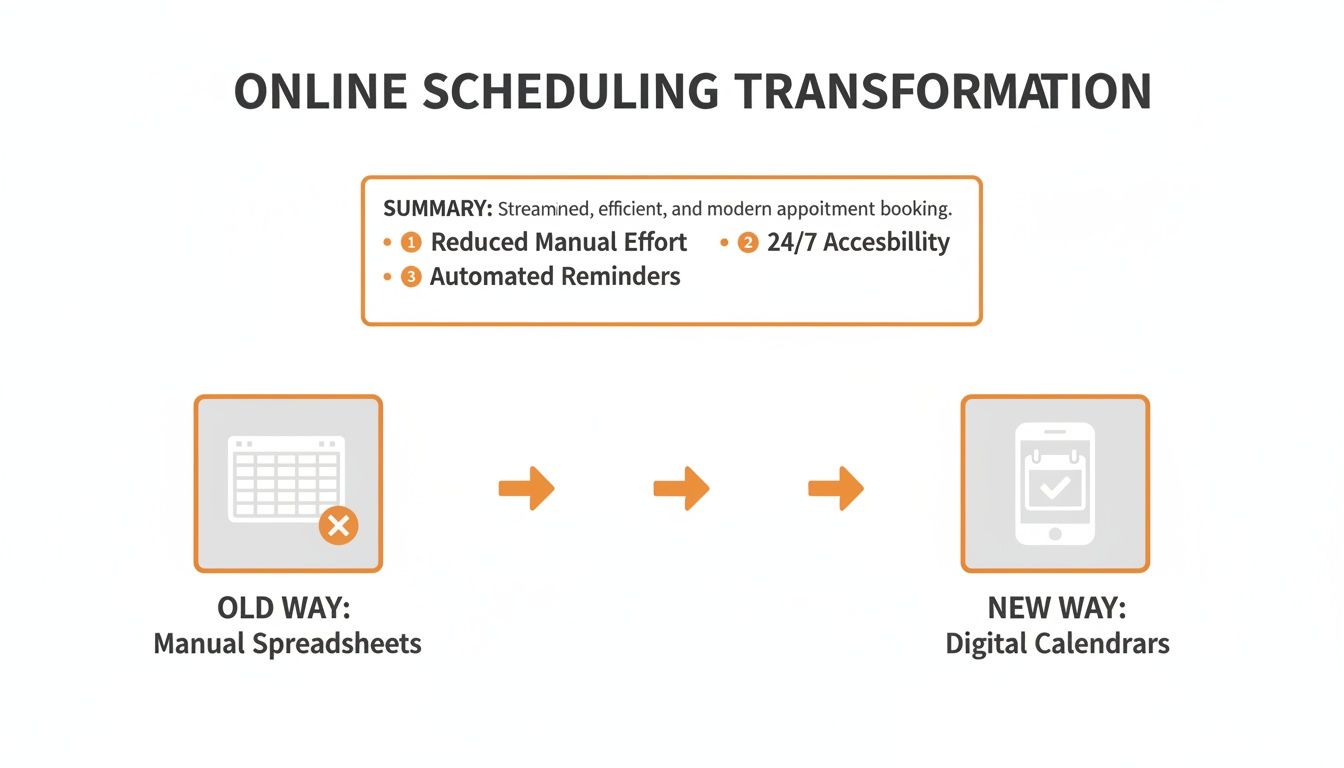
It’s about trading frustration for clarity. For both you and your team.
1. A Simple, Fast Mobile App
This is the big one. It's not a "nice-to-have"; it's everything. If your team has to log into a computer to see when they work, you've already failed. The schedule needs to live where your team lives: on their phones.
A great mobile app isn't a shrunken website. It’s fast, intuitive, and built for real life. It means a new hire can check their first shift without a clunky onboarding, and a veteran employee can see next week's schedule while waiting for coffee. It just works. No more late-night texts asking, "Hey, am I opening tomorrow?"
2. Self-Service Shift Swapping (with Guardrails)
Let’s be honest—one of the biggest time-sinks is playing schedule coordinator. An employee can't make their shift, so they text you. Suddenly, it's your problem. You start a flurry of calls, hoping someone can cover. It's exhausting.
Self-service shift swapping is a game-changer. You help your employees solve their own conflicts. Someone needs their Friday covered? They post it for the team. A qualified coworker can claim it, all within the app.
The point isn't to lose control; it's to stop being the bottleneck. A good tool lets you set the rules. You can require manager approval for all swaps or limit them to employees with the same skills. You maintain final say without getting dragged into the back-and-forth.
This single feature fosters ownership and responsibility. It treats your team like adults.
3. Clear, Integrated Communication
What happens when a shift opens up last minute? In the old world, you'd send a chaotic group text or start dialing. The message gets buried, people see it too late, and you’re left scrambling.
Your scheduling tool must have communication built in. When you publish the schedule, everyone should get a clean notification. When an open shift is posted, it should instantly alert only the people qualified and available to take it.
It sounds simple, but this is where you reclaim huge chunks of your day. It’s no surprise good online employee scheduling tools can slash the time managers spend on these tasks by up to 75%.
The transition is stark when you see it side-by-side.
Manual vs. Online: The Real-World Difference
Let's break down what actually changes. It's not just about technology; it's about reducing everyone's stress.
Task | The Old Way (Spreadsheets/Paper) | The New Way (Online Scheduling) |
|---|---|---|
Building the Schedule | Hours spent in a spreadsheet, balancing requests, availability, and budgets. | Drag-and-drop shifts, use templates, and get instant labor cost feedback. |
Distributing the Schedule | Printing copies, emailing attachments, or texting photos of the schedule. | Publish with one click. The whole team gets notified on their phones. |
Handling Time-Off Requests | Juggling texts, emails, and sticky notes. Easy to forget or double-book. | Employees submit requests in the app. You approve or deny with a tap. |
Finding Shift Coverage | You become a dispatcher, making calls and sending group texts to find a replacement. | Employees post the shift. Qualified coworkers can claim it, often with your approval. |
Communicating Updates | More group texts. Confusion about who saw the latest version. | In-app announcements and targeted notifications ensure the right people get the right message. |
A recent McKinsey study predicts that by 2026, over 65% of organizations will offer self-service features via mobile apps. The industry is moving this way for a reason. You can read more about how scheduling tools are evolving and see why this is the new standard.
So forget the distracting feature lists. A great mobile app, smart self-service, and clear communication are what will truly transform your work.
Your Schedule Is Your Company Culture
Here’s something that gets lost in all the talk about payroll and efficiency: your schedule is a direct reflection of your company culture. It's a loud statement about what you value.
Think about it. A schedule built on frantic texts and last-minute changes tells your team their personal time doesn't matter. This kind of chaos breeds anxiety and resentment.
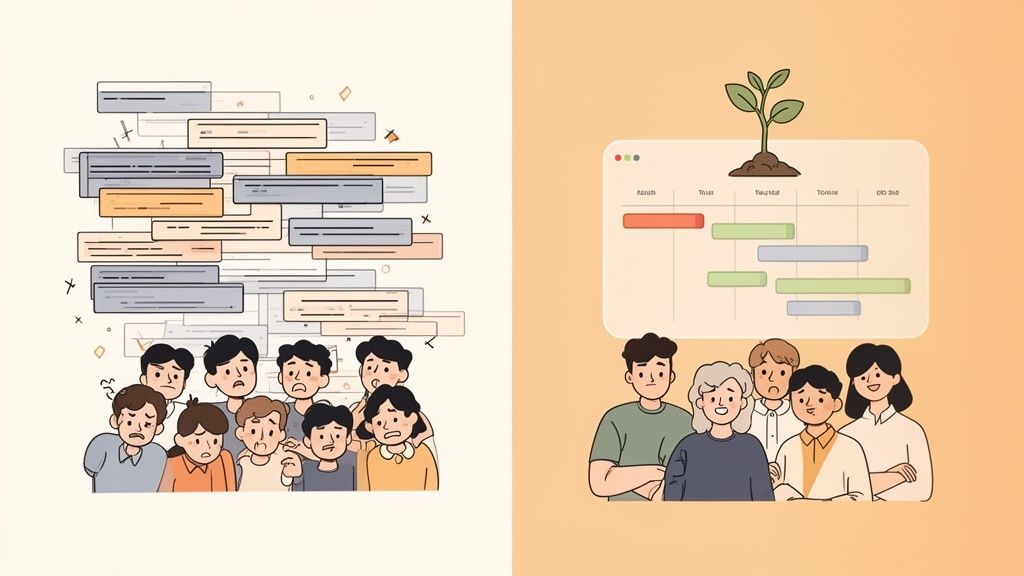
Now, picture the opposite. A schedule that is clear and predictable communicates trust. It shows your team you see them as whole people. A calm, collaborative scheduling process is one of the most powerful—and overlooked—ways to build a team that wants to stick around.
From Top-Down Dictates to Team Ownership
The old way was always a top-down command. A manager would wrestle with a spreadsheet and then post the final schedule. This approach turns employees into passive bystanders.
When you switch to online employee scheduling, you can flip that script. You give your team the power to see their schedules, set availability, and trade shifts. You're handing them real ownership. You’re saying, "We trust you to be part of the solution."
This might seem like a small shift, but the psychological impact is huge. The schedule is no longer something that happens to them; it becomes something they are a part of. That sense of control is a cornerstone of a healthy work environment.
Scheduling Where the Work Happens
Here's another critical point: where does your schedule live? If it’s in one app, your chat is in another, and time-off requests happen over email, you've created a mess.
But when scheduling is built right into the communication tool your team already uses, it becomes a natural part of the conversation. An open shift can pop up as a notification in your team's main chat channel.
This integration is about more than convenience. It's about making scheduling a seamless part of the daily workflow. It reinforces the idea that the schedule is a shared responsibility, not some administrative headache.
When you get rid of the friction, you get rid of the stress.
The Foundation of a Calm Company
At the end of the day, a good scheduling process is about creating predictability. It’s the bedrock on which a calm, focused company is built. For years, big retailers chased the dream of using algorithms to perfectly match staffing to customer traffic. But they often treated their employees like variable costs, resulting in brutally unpredictable hours and high turnover.
This misses the point entirely. Jerking employees around to shave a few dollars off the bottom line is fundamentally disrespectful. The better way is to build a little slack into the system and trust your people.
A stable schedule does more than cut down on turnover. It gives your team the mental space to do their best work. When they aren't worried about their hours, they can actually focus on what matters: taking care of customers. Your schedule isn't just a tool; it's a promise you make to your team.
How to Avoid the Pitfalls of a New System
Let’s talk about that feeling in your gut right before you roll out new software. The fear that you’ve just wasted time and money on the wrong tool. Those worries are valid.
A new app won't magically fix a broken process. If your scheduling is a mess, a new tool will just give you a digital mess. The real goal is to find a calmer way to run things. After helping countless teams make this switch, here’s our hard-won advice.
Start with the Smallest Win
The biggest mistake is trying to do everything at once. You get dazzled by cool features—labor cost forecasting, slick reports—and try to launch them all on day one. That’s a surefire way to overwhelm your team.
Instead, narrow your focus. Solve one or two of your most painful problems first.
The most successful rollouts have a simple goal for week one: get the schedule published in the new app, and make sure everyone can see it on their phone. That's it.
Once that core task is second nature, you can layer in other functions, like tracking availability or managing time-off. Each small victory builds momentum and trust.
Solve Their Problems, Not Just Yours
Here's a tough truth: if a new tool only makes the manager's job easier, your team won't use it. You can't just mandate a new system. The secret is to bring them into the process.
Before you look at demos, sit down with your crew. Ask what drives them crazy about the current schedule. The last-minute changes? The confusing shift-swapping process? Not knowing their hours far enough in advance?
When you choose a tool that solves their biggest headaches, it becomes something they actually want to use. They'll become your biggest supporters because you showed you were trying to make their work life better. We’ve found that team buy-in is the key factor in the best employee scheduling software.
Don’t Create Another Island
Finally, whatever you do, avoid adding another standalone tool. When your scheduling app is an island, separate from everything else, you haven't simplified anything. You've just created another chore. Another app to download, another password to forget.
The whole point of modern online employee scheduling is to make work feel more connected. The schedule should live where your team already is. An open shift notification should pop up in the same channel as the daily chat.
The goal is fewer apps, not more. It’s about creating a single source of truth. Does this tool bring my team together, or does it force them into yet another app?
The Real Return on a Better Schedule
We talk about saving time, but what does that actually mean? The true value of great online employee scheduling isn't just about getting a few hours back. The real question is: what will you do with that reclaimed time?
That’s time you can now spend training a new hire instead of frantically texting to cover a shift. It’s the mental space to talk with customers or brainstorm ideas, rather than constantly putting out scheduling fires. It’s a quiet but powerful shift from reacting to your schedule to actually running your business.
For decades, the conversation around scheduling has been about efficiency. But efficiency at the expense of people is a dead end. It’s what gives us rigid, algorithmic schedules that treat team members like numbers on a spreadsheet—a practice that crushes morale and leads to burnout.
It’s About People, Not Just Profits
The real return isn't a number you can circle on a balance sheet. It’s a feeling in your workplace. A good schedule builds a better work environment. And a better environment is better for business.
Lower Turnover: When your team has predictable schedules, they can plan their lives. People who feel respected stick around.
Reduced Absenteeism: With a clear schedule and an easy way to swap shifts, you’ll see fewer no-shows. People can solve their own conflicts instead of giving up on the shift.
Higher Engagement: When the team isn’t stressed about their hours, they have more energy for their actual jobs.
This isn’t a feel-good theory; it’s a proven business strategy. When you create stability for your people, you create a more stable operation.
A Foundational Fix, Not a Quick Fix
Switching to a modern scheduling system isn't a magic bullet. It's more like repairing a crack in your foundation. It’s not flashy, but it’s a deep, structural improvement that makes everything else stronger.
When the schedule is calm, your team is calmer. When your team is calmer, your customers feel it. It’s a ripple effect that starts with something as simple as knowing who’s working next Tuesday.
The goal isn't to squeeze every drop of productivity out of your staff. It's to build a system that’s reliable, fair, and human—one that recognizes your people are your most valuable asset, not a variable cost.
The return is a business that runs more smoothly, a team that’s more resilient, and a culture where people feel valued. In our experience, that’s the only kind of growth that lasts.
Your Top Scheduling Questions, Answered
Thinking about ditching spreadsheets is exciting, but it also brings up a few nagging questions. It’s normal to hesitate before changing a core process.
We hear the same worries from managers all the time. So, let's tackle them head-on. No fluff, just straight talk.
Is It a Pain to Get My Team to Actually Use It?
Honestly? It can be, if you choose the wrong tool or roll it out the wrong way. The secret isn't forcing another task on your team; it's giving them something that makes their lives easier.
If an app is clunky, slow, or feels like a corporate mandate, they’ll ignore it. But if it’s genuinely simple—letting them see their hours, swap shifts, and book time off from their phones—they’ll jump on it. The best thing you can do is involve them from the start. Ask what drives them crazy now and find a tool that solves that problem. When they see it as a solution, adoption happens almost overnight.
What's the Real Difference Between a Stand-Alone Tool and an Integrated One?
This is a huge point. A dedicated, stand-alone tool might look impressive, but it almost always creates an "app island." It’s another place your team has to go just to figure out when they work.
An integrated tool, where the schedule lives right next to your team chat, weaves scheduling into the natural flow of the workday. The goal should always be to have fewer apps, not more.
When your schedule is in the same place you're already talking, everything just clicks. No more switching screens to figure out who’s on tonight.
How Much Is This Going to Cost Me?
Pricing is all over the map. For most small to mid-sized businesses, modern tools usually charge on a per-user, per-month basis, typically between $2 to $8 per employee.
But the price tag is only half the story. The real math is about the time you get back. If you save even a few hours a month you used to spend fighting with spreadsheets and tracking down staff, the software pays for itself almost instantly. Think of it less as a cost and more as an investment in your own sanity.
Will I Lose Control if Employees Can Swap Shifts?
No. In fact, you gain more meaningful control. This isn’t about letting people do whatever they want; it’s about giving your team power within a framework you create.
Good software lets you set the rules. For example, you can require a manager’s final sign-off on all swaps. Or you can set it up so employees can only trade with others who have the same skills. You go from being a bottleneck for every change to simply being the final checkpoint. You help your team without giving up the oversight you need.
Ready to see how a calm, integrated approach to online employee scheduling can transform your workday? Pebb brings your schedule, communication, and tasks together in one simple app. Start your free trial today.
