
An Onboarding Checklist Is Not a Warm Welcome
This onboarding checklist for new employees covers essential steps, timelines, and tips to accelerate integration and boost retention.
Dan Robin
We’ve all been there. Day one at a new job, drowning in a sea of PDFs and irrelevant HR videos, with a vague sense that nobody quite knows what you’re supposed to do. The typical onboarding experience feels less like a warm welcome and more like a bureaucratic hazing ritual. It’s a flurry of activity that produces very little clarity, leaving new hires feeling disconnected and overwhelmed.
Here’s the thing: a good start isn’t about checking boxes. It’s about building connection and confidence from the first minute. Most onboarding checklists are just administrative to-do lists in disguise. They track paperwork, not progress. They ensure compliance, but they don't inspire contribution. A 2024 Gallup analysis found that only 12% of employees strongly agree their organization does a great job of onboarding. That means we’re failing our people when it matters most.
We decided to build our process around a different idea: What if a new hire's first week felt less like orientation and more like they’d already been part of the team for months? This required us to throw out the old playbook and focus on what actually helps someone feel capable, connected, and ready to do real work.
This isn't just another generic template. It's our lived experience, a calm guide to creating an onboarding checklist for new employees that actually works. Let’s walk through the practical steps, phase by phase.
1. Account Setup and Access Configuration
Let’s be honest: nothing kills first-day excitement faster than a new hire staring at a screen, unable to log in. The very first item on any practical onboarding checklist for new employees is getting their digital keys to the kingdom. Account setup isn't just an IT task; it’s the official welcome. It’s the moment an employee moves from a candidate to an active team member.
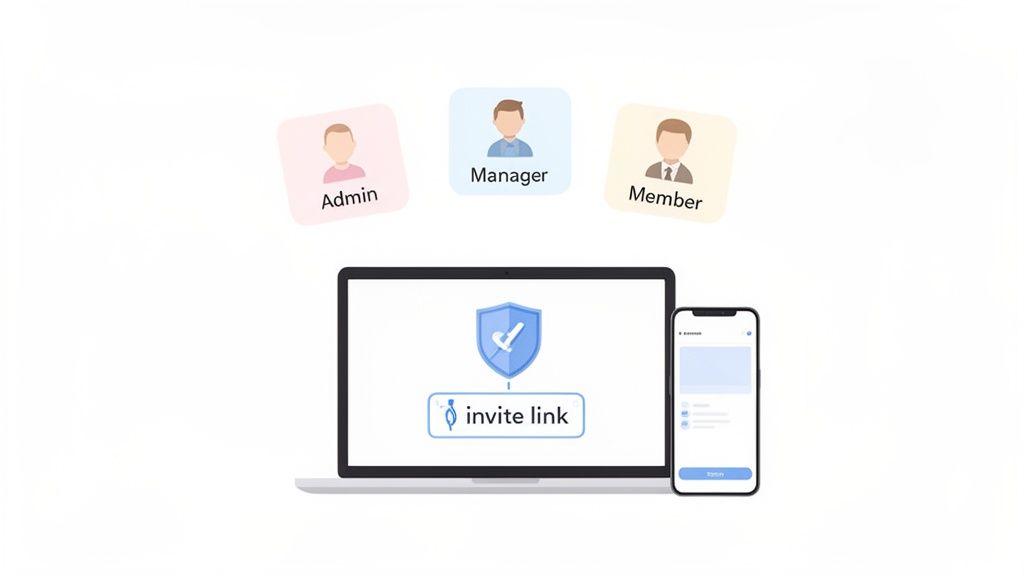
This foundational step means creating their login and, more importantly, setting their access permissions based on their role. The goal is to give them exactly what they need to do their job from day one—no more, no less. It’s about productivity and security.
Why It Matters
Proper access prevents overwhelming new hires with irrelevant tools while protecting sensitive company data. A retail cashier needs access to the POS and scheduling app, but not the regional sales dashboard. In tools like Pebb, you can use a single invite link that automatically assigns these permissions, getting entire teams online in minutes.
How to Get It Right
Making this process smooth is easier than it sounds.
Use Role Templates. Don't reinvent the wheel. Create pre-defined permission templates for common roles like "Store Associate" or "Shift Supervisor."
Automate Where Possible. Connect your HR system to your main workplace tools to automatically create and disable accounts as people join or leave.
Audit Regularly. People change roles. A quarterly audit ensures permissions stay aligned with current responsibilities.
Test Everything. Before their first day, have someone test the new hire's login across all essential platforms.
For managing digital identities and secure access, tools like usePassflow can help streamline the process without compromising security.
2. Platform Orientation and Feature Training
Handing someone login details without a tour is like giving them keys to a new car without showing them where the ignition is. Once a new hire is in the system, the next step on your onboarding checklist for new employees is a clear orientation to your core digital platform. This isn't just pointing out features; it's about connecting their daily tasks to the tools they'll use.
This step introduces new team members to the central nervous system of your company. The goal is to make them feel confident and capable from their first shift, eliminating the friction that comes from fumbling with unfamiliar technology.
Why It Matters
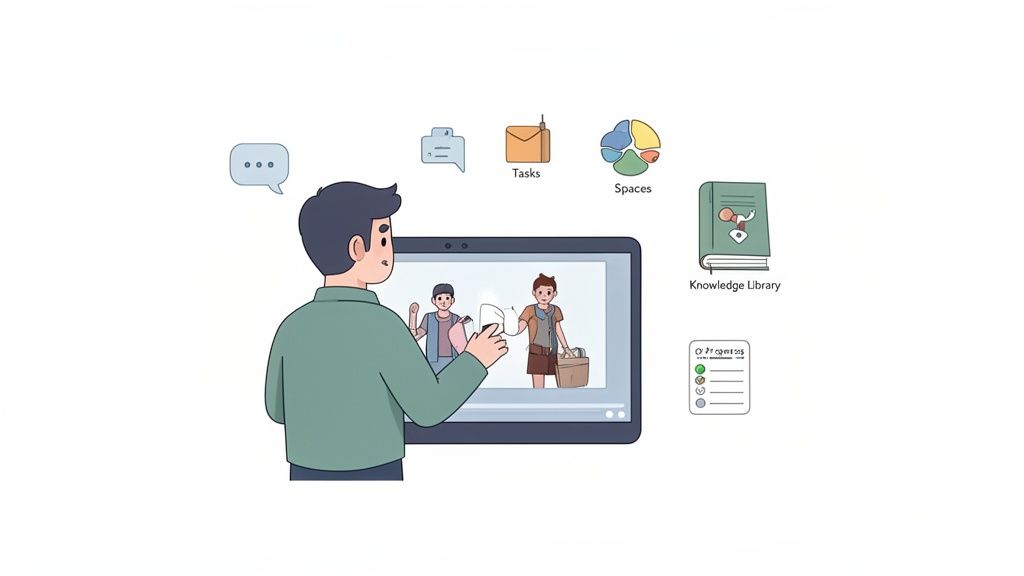
Good platform training directly impacts how quickly an employee becomes productive. When a retail associate knows how to use the Tasks feature for daily checklists or a hospital team can find updated protocols in a Knowledge Library, they can act with certainty. It’s about making work intuitive and reducing the "how do I do this?" questions that slow everyone down.
How to Get It Right
Making platform training stick requires a thoughtful approach.
Create Role-Specific Learning Paths. A manager needs to know how to assign tasks, while a frontline employee just needs to know how to complete them. Tailor your training.
Use Bite-Sized Tutorials. No one wants to sit through a 90-minute webinar. Create a library of short (2-5 minute) videos covering specific functions, like "How to Clock In."
Incorporate Interactive Elements. Test comprehension with short, simple quizzes after a module. This reinforces learning.
Assign a Peer Buddy. Pair the new hire with an experienced team member who can answer quick, informal questions.
3. Company Policies and Compliance Documentation Access
Beyond logins and software, real integration means understanding the rules of the road. Providing immediate access to company policies isn't just a legal formality; it’s about establishing trust and clarity from day one. When new hires know where to find the employee handbook or safety protocols, they feel more secure.
This step involves creating a central, searchable hub for all critical documents. Instead of emailing a dozen PDFs, you give them one place to find everything. For frontline teams in retail or healthcare, this must be mobile-friendly. A warehouse worker should be able to check a safety procedure right from their phone.
Why It Matters
Centralized access to policies ensures consistency and reduces risk. A new hospitality employee needs to find food safety protocols instantly, not search through old emails during a busy dinner service. Having compliance documents readily available in a tool like Pebb’s Knowledge Library makes compliance an active part of the daily workflow, not a forgotten training module.
How to Get It Right
Making your policies accessible ensures they are actually read. Here’s how.
Organize for Clarity. Structure your Knowledge Library by role or department. A retail associate should see the employee handbook first, not corporate marketing policies.
Track Acknowledgment. Use features that require employees to digitally sign off on critical documents, creating a clear audit trail.
Provide Summaries. For complex documents, include a one-page summary or a short video. This makes dense material more approachable.
Keep It Current. Use a system that allows for real-time updates. When a policy changes, notify everyone automatically.
Effectively communicating policies is foundational. You can learn more about how to communicate policies and procedures to get your team started right.
4. Role-Specific Team and Space Assignment
Dropping a new hire into a company-wide chat on day one is like pushing them into a crowded stadium and expecting them to find their friends. It's overwhelming and unproductive. That’s why a crucial part of any modern onboarding checklist for new employees involves placing them in the right digital environment from the start. This means assigning them to the specific teams and "Spaces" where their work happens.
This step is about translating your org chart into a functional digital workspace. By creating dedicated Spaces for teams or locations, you ensure new hires connect with the right people and see only the information relevant to them. It’s about creating focus.
Why It Matters
Strategic assignment prevents information overload. A nurse in a hospital’s pediatric unit doesn't need notifications from the cardiology department. A retail associate in San Francisco shouldn’t be sifting through updates meant for the Boston store. In a tool like Pebb, you can build these dedicated Spaces, ensuring that all communication is hyper-relevant.
How to Get It Right
Building this digital structure is straightforward with a bit of planning.
Map Your Org Chart First. Before creating digital spaces, sketch out your company's structure. This blueprint ensures your digital environment reflects how your teams operate.
Use Descriptive Names. Name Spaces clearly, like "Warehouse - Receiving Shift A." Clarity trumps creativity here.
Create Cross-Functional Spaces. For projects involving multiple departments, create dedicated spaces to facilitate collaboration without cluttering primary team channels.
Automate Assignments. When possible, connect your HR system to your communication tool to automatically add new hires to their assigned Spaces based on their role and location.
5. Shift Scheduling, Clock-In, and PTO Setup
For frontline teams, their schedule defines their work life. A missing shift or a confusing clock-in process can turn a new hire's first week from exciting to stressful. Setting up these operational essentials on day one is a critical part of any onboarding checklist for new employees. It's about giving them clarity.
This step involves publishing their schedule, walking them through how to clock in and out, and ensuring their PTO policies are clearly explained. It’s the practical foundation that allows them to focus on learning their role, not on administrative headaches.
Why It Matters
Getting this right builds trust. When a retail associate sees their schedule on their phone or a warehouse worker can easily clock in, it shows the company is organized and respects their time. A well-managed schedule prevents understaffing and keeps operations running smoothly.
How to Get It Right
Making scheduling and time tracking seamless is about clear communication and simple tools.
Walk Through the Process. On day one, show the new employee how to view schedules, clock in, and request time off using their phone.
Clarify Policies Upfront. Explain PTO accrual rates and request procedures. Provide a simple one-page guide they can reference later.
Use Shift Templates. For roles with consistent schedules, create templates for common patterns to speed up the process.
Enable Mobile Access. Frontline employees are rarely at a desk. Ensure they can manage their entire work life from their phone.
To find the right tool for your team, you can explore some of the best employee scheduling software options available.
6. Manager and Peer Connection Facilitation
A new job can feel like the first day of high school. No matter how experienced someone is, finding the right people to ask for help can be daunting. That’s why a key part of any onboarding checklist for new employees is deliberately building connections. It’s about transforming a name on an org chart into a network of supportive people.
This step is about creating structured opportunities for new hires to meet their manager, team, and peers. It’s about building a social safety net from day one, which is the secret ingredient to making someone feel like they belong.
Why It Matters
Workplace loneliness is a real productivity killer. Facilitating connections early combats isolation and improves retention. A new nurse paired with a seasoned RN learns the ropes faster. In a tool like Pebb, a searchable People Directory helps new hires put faces to names and find experts without having to ask around awkwardly.
How to Get It Right
Making personal connections feel organic, not forced, is the goal.
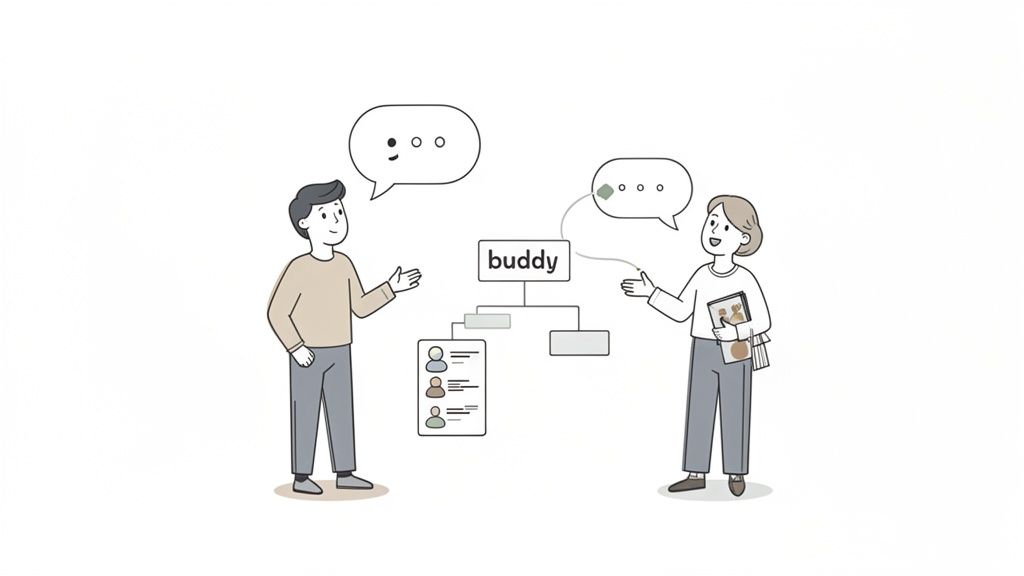
Assign a Buddy Immediately. Pair the new hire with a peer from their team within the first 24 hours. This gives them a go-to person for informal questions. You can learn more about how to create a buddy system at work.
Schedule Manager Time on Day One. The first one-on-one with their manager should happen on day one. It sets the tone and establishes a clear line of communication.
Announce Their Arrival. Use a company-wide news feed or team space to post a welcome announcement. Include a fun fact to spark conversation.
Facilitate Cross-Team Intros. For distributed teams, schedule brief virtual coffee chats to help new hires build a broader organizational map.
7. Communication Protocols and Workplace Culture Orientation
A new hire can have all the right logins, but if they don’t understand how the team talks, they’re still an outsider. Teaching communication protocols isn't about rigid rules; it's about handing them the social map to navigate their new workplace. This is where you make the company’s culture tangible.
This step involves explaining which tools to use for what, expected response times, and the overall vibe of your internal interactions. It’s the difference between someone confidently posting an update versus anxiously wondering if an email was better.
Why It Matters
Defining these protocols prevents confusion and helps new hires integrate into the team's workflow. For a distributed company, this might mean a "no Slack after 6 pm" rule. In a hospital, it involves reinforcing HIPAA compliance in all digital messaging. For a retail chain, it’s about ingraining a cheerful, customer-first tone in every message.
How to Get It Right
Making your communication style easy to grasp is a deliberate act.
Create a Simple 'How We Talk' Guide. A one-page document in your knowledge library can outline the primary use for each channel (e.g., Pebb for announcements, email for external partners).
Show, Don't Just Tell. Use your company's news feed to actively model your culture. Share team wins and celebrate work anniversaries.
Define 'Urgent.' Explain what constitutes a true emergency and the protocol for handling it. This prevents unnecessary stress.
Manager-Led Conversation. The direct manager should have a personal conversation during the first week to discuss team-specific norms and answer questions.
8. Initial Task and Responsibility Assignment
A new employee’s first few days can be a fog of introductions and paperwork. Without clear direction, that initial energy quickly turns into uncertainty. That’s why assigning their first tasks isn’t just about getting work done; it’s about providing an immediate sense of purpose. This step transforms an abstract job description into concrete action.
This part of the onboarding checklist involves creating a roadmap for their first week or month. It should include both onboarding items (like training modules) and initial job duties. The goal is to reduce ambiguity and show them how they can contribute from day one.
Why It Matters
Clarity is kindness. When tasks are laid out from the start, employees feel valued, not lost. For a new warehouse picker, this means knowing their first tasks are safety certification and zone learning. Using a tool like Pebb's Tasks feature allows managers to assign, sequence, and monitor these initial responsibilities.
How to Get It Right
A thoughtful task list can make all the difference.
Balance Learning and Doing. Mix onboarding tasks (e.g., "Review our knowledge library") with small, real-world assignments (e.g., "Complete your first bug fix"). This builds confidence.
Sequence Logically. Foundational tasks should come first. An employee shouldn't join a project meeting before they've completed security training.
Provide Context. Don’t just assign a task; explain why it matters. Attach relevant documents directly within the task description.
Set Realistic Deadlines. A new hire works at a different pace. Set achievable deadlines for their first few weeks and schedule regular check-ins.
9. Technical Equipment and Tools Distribution
An employee’s first day shouldn't be a scavenger hunt for a working laptop. Providing the right tools from the moment they start is a tangible sign that you’re prepared for their arrival. This part of your onboarding checklist is about equipping them for success.
This step involves coordinating everything from hardware like laptops to software licenses and physical gear like badges. For frontline teams, this often means providing a mobile device pre-loaded with essential apps, turning it into a single tool for their role.
Why It Matters
Having the right tools ready eliminates first-day friction. Imagine a retail associate whose tablet is pre-configured with the POS system, inventory app, and their Pebb communication hub. This level of preparation shows respect for their time.
How to Get It Right
A smooth tool distribution process is a sign of a well-run organization.
Create Role-Based Equipment Kits. Develop standardized equipment checklists for each role ("Warehouse Associate," "Remote Sales Rep").
Order Immediately. The moment a candidate accepts an offer, trigger the equipment procurement process.
Pre-Configure Everything. Before handing over any device, pre-install all necessary software and company apps.
Track Your Assets. Use a simple system to track who has what equipment. This is crucial for accountability.
Include a "Welcome Kit." Ship equipment with a printed quick-start guide, a list of IT contacts, and maybe some company swag. It’s a small touch that makes a big difference.
10. Analytics Review and Performance Baseline Establishment
Let’s be honest: ambiguity is the enemy of a new hire’s confidence. Wondering "am I doing a good job?" can be paralyzing. That’s why a key part of any modern onboarding checklist for new employees is setting clear, data-driven expectations from the start. This isn't about micromanagement; it's about giving new team members a map and a compass.
This step involves defining role-specific Key Performance Indicators (KPIs) and establishing a baseline for productivity. It's a transparent agreement on what success looks like, moving feedback from subjective feelings to objective conversations.
Why It Matters
A performance baseline turns onboarding into a measurable journey. In a warehouse, this could mean tracking a new picker’s units-per-hour. Inside a tool like Pebb, managers can see these analytics in real-time, gaining visibility into team engagement and identifying who might need extra support before they fall behind.
How to Get It Right
Making performance tracking a positive process is key.
Define 3-5 Core Metrics. Don't overwhelm new hires. Focus on the few key metrics that truly define success in their role.
Establish the Baseline Early. Set initial metrics during the first week. This provides a clear starting point to measure growth against.
Schedule Regular Check-ins. Discuss the metrics weekly for the first month. Use these conversations to coach, not to criticize.
Use Data to Support, Not Punish. Analytics should be a tool for identifying coaching opportunities. If engagement is low, the first question should be "How can we help?"
Celebrate Milestones. When a new hire hits a target, acknowledge it. This reinforces that the metrics are about growth.
10-Point Onboarding Checklist Comparison
Item | Implementation Complexity 🔄 | Resource Requirements ⚡ | Expected Outcomes 📊 | Key Advantages ⭐ | Quick Tips 💡 |
|---|---|---|---|---|---|
Account Setup and Access Configuration | Medium — SSO/RBAC integration and provisioning workflows | IT/HCM integration, IAM tools, initial configuration time | Secure, consistent access; faster time-to-productivity | Centralized access control; reduced password burden | Use role templates; automate provisioning from HR; audit regularly |
Platform Orientation and Feature Training | Medium–High — content creation and ongoing updates | Content creators, trainers, video/tools, time for cohorts | Higher adoption; fewer support tickets; faster confidence | Improves platform use and collaboration | Create short role-specific videos; use interactive tutorials; schedule follow-ups |
Company Policies and Compliance Documentation Access | Medium — digitization, versioning and audit trails needed | Legal review, documentation platform, maintenance effort | Consistent policy understanding; audit readiness | Searchable, mobile-accessible compliance library | Organize by role; require acknowledgments; notify on updates |
Role-Specific Team and Space Assignment | Medium — org mapping and automation for spaces | HR data, space templates, admin time to configure | Reduced information overload; better relevance of communications | Targeted team communication; improved discoverability | Map org chart first; automate assignments; create cross-functional spaces |
Shift Scheduling, Clock-In, and PTO Setup | High — payroll integration and complex scheduling rules | Payroll systems, schedulers, mobile time-tracking, manager training | Accurate timekeeping; streamlined payroll; fewer schedule conflicts | Compliance with labor rules; mobile shift management | Walk through clock-in on day one; test payroll integration; use templates |
Manager and Peer Connection Facilitation | Low–Medium — coordination and profile setup | Manager/peer time, people directory configuration | Faster social integration; improved retention and mentorship | Builds belonging; eases knowledge transfer | Assign a buddy in 24 hours; schedule day-one manager intro; announce new hires |
Communication Protocols and Workplace Culture Orientation | Medium — documentation plus leadership modeling | Leadership time, examples, news feed/content, reinforcement cadence | Clear expectations; reduced miscommunication; cultural alignment | Sets norms for response and channel use | Provide a one-page guide; define "urgent"; reinforce via news feed |
Initial Task and Responsibility Assignment | Low–Medium — task sequencing and manager discipline | Manager time, task templates, task-tracking tool | Clear priorities; measurable onboarding progress | Immediate structure and accountability | Sequence prerequisites first; balance learning and contribution; schedule check-ins |
Technical Equipment and Tools Distribution | High — procurement, provisioning, shipping logistics | Procurement, device management (MDM), IT setup, shipping costs | Devices ready on day one; consistent tooling and security | Reduces first-day friction; standardizes security settings | Start orders on hire; pre-configure apps/security; track assets |
Analytics Review and Performance Baseline Establishment | High — KPI definition, dashboards, privacy considerations | Analytics platform, data access, manager training, baseline data | Objective performance visibility; early support for at-risk hires | Data-driven onboarding improvements; measurable KPIs | Define 3–5 role metrics; set baselines early; use metrics for support not punishment |
A Checklist Is a Start, Not the Destination
So there you have it. A phase-by-phase breakdown of a good onboarding checklist. It’s easy to look at these lists, feel organized, and think, "Okay, we’re done."
But that’s only half the story. The real work is a shift in perspective. It’s about seeing onboarding not as a series of administrative hurdles, but as the first conversation you have with a new team member. It’s your opening statement about who you are as a company.
The Human Element Behind the Tasks
Think back to the items we covered: setting up accounts, assigning a buddy, scheduling that first manager check-in. These aren't just boxes to tick.
Account Setup isn't about IT tickets; it’s about removing the friction that makes someone feel like an outsider.
Company Policy Review isn't about compliance; it’s about clearly communicating the ground rules so everyone feels safe.
Manager and Peer Connection isn't a calendar invite; it's the intentional act of weaving a new person into the fabric of your team.
This is where so many onboarding programs fail. They focus on the what and forget the why. A checklist ensures consistency, but your people deliver the experience. The goal isn’t a perfect process; it’s a feeling of belonging.
From Administrative Burden to Strategic Advantage
We don't always get it right. I’ve seen it happen: a laptop is delayed, a key training session is rescheduled. Life happens. But when your system is built with intention, these small hiccups don't derail the entire experience. The goal remains: make the first day feel as comfortable as the thirtieth. Make connection easy. Make information findable. Make purpose clear.
Your onboarding checklist for new employees is just a tool. It's a prompt to have the right conversations at the right time. It's a guide to ensure no one falls through the cracks. But it can't replace genuine human interaction.
The ultimate test is simple. A month from now, does your new hire feel like they belong? Do they know who to ask for help? Do they understand how their work contributes to the bigger picture? If the answer is yes, your checklist did its job. It was the blueprint for a great beginning.
Ready to turn your checklist from a static document into a living part of your daily operations? Pebb brings your entire onboarding process together, from assigning tasks and sharing documents to connecting new hires with their teams. See how you can build a better first day, and every day after, at Pebb.
