

Author: Ron Daniel
How to Communicate Policies During Onboarding
Prioritize and phase onboarding policies, centralize them in a searchable hub, use multi-channel formats, and track acknowledgments for better compliance.
Most onboarding programs fail before they even begin. I’ve seen it firsthand - new hires are handed a stack of documents, a link to an outdated handbook, and a playlist of training videos. Then they’re expected to absorb it all in one go. Overwhelmed and confused, they either skim through or tune out completely. Sound familiar? It happens more often than we like to admit, and the consequences - missed compliance, frustrated employees, and even legal risks - can be costly.
Here’s what I’ve learned after working with hundreds of teams at Pebb: onboarding isn’t just about sharing policies; it’s about making those policies clear, relevant, and easy to access. When done right, it sets the tone for trust, accountability, and long-term success. But most companies get stuck trying to figure out what to prioritize, how to share it, and how to ensure employees actually understand what’s being communicated.
In this guide, I’ll show you exactly how we’ve reimagined policy communication at Pebb. From breaking policies into manageable phases to using tools that simplify compliance tracking, we’ve cracked the code on making onboarding both effective and engaging. Let’s dive in and transform that chaotic first week into a smooth, productive start for your new hires.
Identify Key Policies and Map Them to the Onboarding Timeline
When it comes to onboarding, throwing a pile of policies at new hires on day one is like trying to drink from a firehose - overwhelming and ineffective. Trust me, I’ve seen it happen. Employees end up retaining almost nothing, and that’s no way to kick off their journey with your company.
The trick is to prioritize and pace. Think of it like building a house: you lay the foundation first before worrying about the decor. Some policies are must-haves from day one, while others can wait until the dust settles.
Break Policies Into Priority Tiers
Here’s the deal - not all policies carry the same weight. Some are legally required, others protect your business from major risks, and then there are those that are good to know but not urgent. The key is to sort them into three priority tiers:
Tier 1: These are the policies that can’t wait - legal requirements or those addressing high-risk areas. Think harassment and discrimination policies, safety protocols, IT security basics, and your code of conduct.
Tier 2: These are the operational guidelines that help employees function day-to-day, like PTO policies, expense reimbursement procedures, and communication protocols.
Tier 3: This tier covers the “nice-to-know” information, such as benefits enrollment, professional development opportunities, and wellness programs. These can roll out gradually over the first 30 to 90 days.
The beauty of this system is how it adapts to different roles. For example, a warehouse worker needs safety protocols front and center, while a remote software developer must prioritize data security policies. Retail staff? Customer service standards and dress codes take the lead. Tailoring the tiers to specific roles ensures that employees get what they need when they need it.
Map Policies to Onboarding Phases
Once you’ve sorted your policies into tiers, the next step is to map them to specific phases of the onboarding process. This helps avoid overwhelming new hires and ensures they get the right information at the right time.
Preboarding: This is the time between offer acceptance and day one. It’s perfect for handling the legal essentials - sending over the employee handbook, code of conduct, and acknowledgment forms. Knock out the paperwork early so day one can focus on more engaging activities.
Day one: Focus on immediate safety and security. Harassment policies, workplace safety basics, IT security protocols, and emergency procedures should take center stage. For example, office workers need to know where the fire exits are, while remote employees should understand VPN usage and password protocols.
First week: This is when you introduce operational policies that help employees hit the ground running. Cover communication tools, attendance policies, and basic HR procedures like how to request time off. By now, they’re settled enough to absorb more detailed information.
30 to 90 days: This is your window for the rest - benefits details, performance review processes, and professional development opportunities. By this point, employees have a clearer picture of their role and how these policies fit into the bigger picture.
Spacing things out like this keeps the onboarding process manageable and ensures employees only receive information when it’s relevant.
Maintain a Single Source of Truth
Here’s where many organizations stumble: policies scattered across emails, shared drives, and random PDFs. It’s a compliance nightmare and a headache for employees trying to find what they need.
At Pebb, we’ve tackled this head-on. We created a centralized knowledge library where every policy lives in one easily searchable, always-up-to-date location. Employees don’t have to wonder if they’re looking at the latest version - it’s all there, organized by team or topic.
We’ve also built in admin controls, so you can decide who sees what and when. For instance, new hires in their first week only see the policies relevant to their current phase. This keeps their experience focused and uncluttered.
Version control is a must. Every time a policy gets updated, the system tracks what changed, when it changed, and who acknowledged it. This not only protects you legally but also ensures everyone stays on the same page. If there’s ever a dispute, you’ve got the records to back you up.
And let’s talk about search functionality. Employees shouldn’t have to dig through folders or remember where something’s stored. They should be able to type “PTO policy” or “data security” into a search bar and get instant results. Without this, you’re making compliance unnecessarily complicated.
The beauty of having a single source of truth? It scales effortlessly. Whether you’re onboarding one person or 50, everyone gets consistent, accurate information from the same reliable place. No confusion, no outdated documents - just smooth, efficient onboarding.
Design a Multi-Channel Policy Communication Approach
Over the years, I’ve realized something crucial: employees process information in all kinds of ways. Some dive into detailed documents, others prefer quick videos, and then there are those who need to hear it directly from someone. If you’re relying on just one method - like emailing out PDFs - you’re probably losing a big chunk of your team before they even get started.
Taking a multi-channel approach changes the game. It’s about meeting people where they learn best and reinforcing key policies through different formats. When you layer these methods thoughtfully, you’ll notice a big boost in how well the information sticks.
Match Channels to Onboarding Phases
Here’s the secret: the way you communicate should evolve with each phase of onboarding. Different stages call for different tools.
Preboarding: Email is your best friend here. It’s the perfect way to send out essentials like the employee handbook, code of conduct, and acknowledgment forms. Keep the instructions clear and to the point - this isn’t the time for lengthy explanations.
Day One: This is when live interaction shines. Whether it’s in-person or virtual, orientation sessions are ideal for covering key topics like harassment prevention, workplace safety, and IT security. Live sessions allow for real-time questions, but if that’s not an option, a short, recorded video can work just as well.
First Week: Now it’s time to get interactive. Use checklists to guide new hires through tasks like “Review PTO policy” or “Complete IT security training.” These small wins build momentum and ensure nothing gets overlooked. Plus, having a searchable knowledge library means employees can easily find policies later without digging through old emails.
Beyond the First Month: Keep the momentum going with updates in your company’s news feed. Share quick reminders about compliance deadlines or tips related to existing policies. Role-specific group chats also help - sales teams might need regular updates on client data handling, while warehouse staff benefit from safety refreshers.
Simplify with an All-in-One Platform Like Pebb
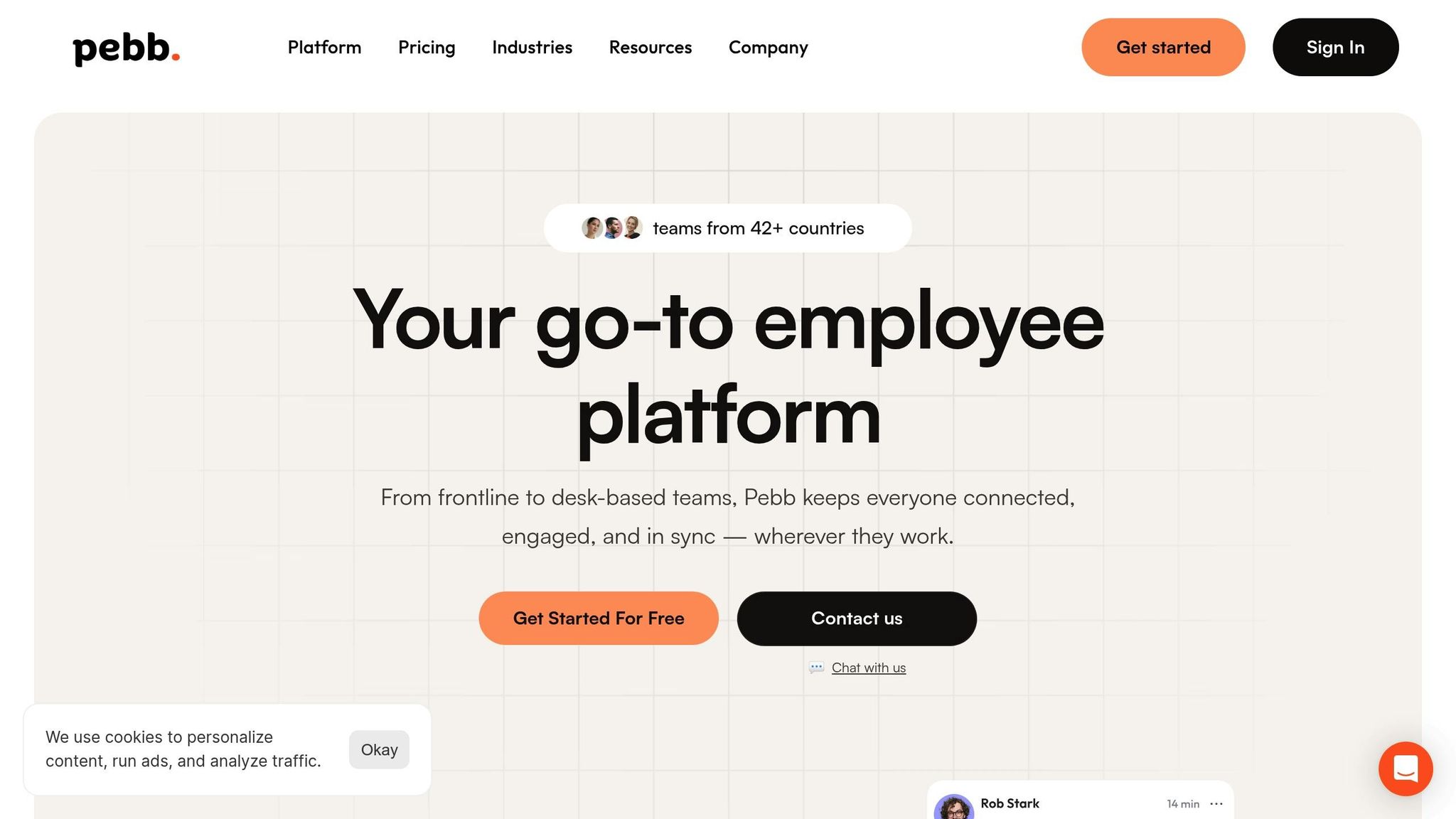
Here’s where things often fall apart: juggling a multi-channel strategy across a dozen different tools. Policies might live in one system, training videos in another, acknowledgment forms somewhere else, and communication scattered across email, Slack, and Teams. It’s a recipe for confusion.
That’s why we built Pebb - to bring communication and operations together in one place. From news feeds to group chats, task lists, calendar events, digital forms, and a searchable knowledge library, it’s all housed on a single platform that works just as well on mobile as it does on desktop. This is especially helpful for frontline teams who aren’t sitting at a desk all day.
When a new hire joins, they get instant access to Pebb. Their onboarding checklist appears in their tasks section with items like “Review harassment policy” or “Watch safety training video.” Each task links directly to the relevant document or video - no hunting, no guesswork.
You can also use the news feed to share updates. For example, if there’s a new hybrid work policy, post a summary with a link to the full document. Employees can read it, comment with questions, and keep the conversation tied to the policy itself.
Group chats make role-specific discussions easy. Retail managers can share customer service tips, while remote developers discuss IT security. This way, everyone gets only the information that’s relevant to them.
The knowledge library is where all policy documents live. It’s organized, searchable, and always up-to-date. If someone needs the expense reimbursement policy, they just type “expense” into the search bar and find it instantly.
To avoid overwhelming people, Pebb lets you control who sees what. New hires only see what’s relevant to their phase, and department-specific policies are shown only to the appropriate teams. This keeps things focused and manageable.
One of my favorite features is how Pebb handles policy acknowledgments. Instead of hoping employees open an email and click the right link, you can assign a specific task - like “Acknowledge updated data privacy policy.” They can’t mark it complete until they’ve opened the document and checked the box. This creates a clear record for compliance tracking.
Pebb keeps it simple and affordable, too. The Premium plan is just $4 per user per month, or you can use the Standard plan for free with up to 15 employees. Compare that to piecing together Slack, Staffbase, and a separate knowledge system, and you’re saving both money and headaches.
With Pebb bringing communication, operations, and engagement into one app, teams can onboard new hires with less friction and better alignment. That translates to smoother onboarding, fewer misunderstandings, and better compliance.
The beauty of a multi-channel strategy lies in integration. When everything operates within one ecosystem, policy communication becomes easier, more effective, and far less stressful. It’s a win for everyone.
Make Policies Clear, Actionable, and Accessible
Let me tell you, I’ve seen onboarding programs fall flat simply because the policies were a tangled mess of legal jargon. Long, complicated paragraphs filled with technical terms? They’re a recipe for confusion and frustration. Here's the thing: simplicity wins every time. When policies are easy to understand, actionable, and accessible, people actually pay attention - and that's the goal, right?
Simplify Policy Language and Structure
Most policy documents read like they’re written by lawyers, for lawyers. But let’s face it, new hires aren’t looking to pass the bar exam - they just want to know what’s expected of them. So, ditch the fancy words and focus on plain, straightforward language.
For example, instead of saying, “Employees are required to submit expense reimbursement requests within a timeframe not exceeding 30 days from the date of expenditure,” try this: “Submit your expense reports within 30 days of purchase.” See the difference? It’s clear, concise, and gets straight to the point.
Breaking policies into bite-sized sections also makes a world of difference. Nobody wants to dig through a 20-page document to find one simple answer. Use clear headings, bullet points, and enough white space to keep things easy on the eyes. Think of it like writing a recipe - list the ingredients first, then break down the steps.
And here’s a tip that’s worked wonders for us: use real-life examples. Abstract rules are forgettable, but relatable scenarios stick. Instead of saying, “Maintain appropriate communication while working remotely,” spell it out: “If you’re stepping away from your desk for an hour, drop a quick note in the team chat to let everyone know when you’ll be back.” It’s practical, actionable, and helps employees visualize what they should do.
One strategy I swear by is adding a "What This Means for You" section to every policy. For example, when explaining data privacy rules, you could say: “This means you shouldn’t email client information to your personal account” or “Always lock your laptop when you leave your desk, even for a quick coffee break.” It’s all about connecting the dots between the policy and real-world behavior.
And don’t forget the structure. Always lead with the essentials - what employees need to know and do right now. Context and exceptions can come later. If someone only reads the first paragraph, they should still walk away with the key takeaway.
Now that we’ve simplified the language, let’s talk about making sure everyone can actually access these policies.
Consider Accessibility for All Employees
Here’s a lesson I learned the hard way: not everyone interacts with policies the same way. A desk-based employee might have no trouble pulling up a PDF, but what about warehouse workers or retail staff who rely on their phones during breaks? Accessibility isn’t just a nice touch - it’s non-negotiable.
For starters, every policy document, video, and form needs to be mobile-friendly. That means responsive design, readable fonts, and buttons that don’t require a surgeon’s precision to tap. If employees can’t easily access policies on their phones, they’re not going to engage with them.
If your workforce includes non-English speakers, translations are a must - especially for critical policies like safety guidelines or harassment prevention. Trust me, professional translation services are worth every penny to avoid misunderstandings.
People also learn in different ways, and that’s okay. Some prefer reading a document, others need a video, and a few might benefit from hearing it explained out loud. Offering policies in multiple formats - like written guides, quick videos, or even infographics - ensures everyone can absorb the information in a way that works for them.
And let’s not forget employees with disabilities. Features like screen reader compatibility, closed captions on videos, and alternative text for images aren’t just helpful - they’re essential. Designing with accessibility in mind from the start saves you the headache of retrofitting later.
This is where Pebb shines. Our platform is built for mobile, so frontline employees can pull up policies right from their phones during a break. Plus, the knowledge library supports multiple file types and lets you organize content by language or department. Got Spanish-speaking employees? Create a dedicated group where policies are shared in Spanish, and they can ask questions without language barriers getting in the way.
Use Interactive Tools to Reinforce Understanding
Here’s the thing: reading a policy is one thing, but actually understanding and remembering it? That’s a whole different ballgame. This is where interactive tools can make a huge impact.
Quizzes are a game-changer for reinforcing key points. After someone reviews your IT security policy, hit them with a quick five-question quiz. For example: “What should you do if you receive a suspicious email?” or “How often should you update your password?” These quizzes aren’t meant to stress anyone out - they’re just a fun way to make sure the important stuff sticks.
We’ve also started using AI-powered tools to break down complex topics into smaller, digestible lessons. Instead of overwhelming new hires with a 10-page harassment prevention policy, we spread it out over a series of short lessons during their first week. It’s like spoon-feeding information instead of dumping it all at once.
Another tool I love is pulse checks. A week after orientation, send out a quick survey with questions like: “Do you feel confident about our PTO policy?” or “What policy topic do you need more clarity on?” The feedback tells you exactly where people are struggling, so you can address those gaps before they become bigger issues.
Interactive tools also make policies feel less like a lecture and more like a conversation. Scenario-based questions are a fun example. Employees choose what they’d do in a specific situation, then get instant feedback on whether they made the right call. It’s like a choose-your-own-adventure book, but for compliance.
With Pebb, we’ve streamlined this process even further. You can assign tasks like “Complete IT Security Quiz,” and employees can click directly to the quiz from their task list. Once they pass, the task automatically marks as complete, and you’ve got a record for compliance tracking. Easy, right?
When policies are clear, accessible, and engaging, compliance stops being a headache. Employees see the effort you’ve put into making things easy to understand, and they actually want to stay on the same page. It’s a win-win for everyone.
Reinforce Policies Through Manager and Peer Engagement
Let me tell you something I’ve learned the hard way: no matter how polished your orientation sessions are or how crystal-clear your policy documents might be, they’ll fall flat if they’re not reinforced day-to-day. Policies don’t stick just because they’re written down - they stick because people live them. That’s where managers and peers come in. They’re the ones in the trenches with new hires, turning what could feel like a chore into second nature.
At Pebb, we’ve realized that effective onboarding isn’t just about introducing policies - it’s about making them part of the team’s daily rhythm. When managers and peers naturally weave policies into conversations and workflows, compliance stops feeling like a box to check and starts becoming second nature.
Incorporate Policies Into Manager Check-Ins
Managers have a golden opportunity to reinforce policies during their regular one-on-ones. The trick? Bring them up when they’re relevant. Policies shouldn’t feel like a lecture - they should feel like helpful, timely advice.
Here’s an example: imagine a manager sits down with a new hire to discuss their first project. That’s the perfect moment to casually say, "Hey, just a heads-up - quick questions go in the team chat, but anything that needs a record should go through email. And if you’re unsure about sharing client data, just ping me." It’s simple, it’s tied to their work, and it sticks because it’s practical.
Or take timekeeping policies. Instead of waiting for someone to mess up their timesheet, a manager can say during a check-in, "I saw you’re working from home Fridays - just make sure to log your hours by the end of the day so payroll runs smoothly." These little reminders prevent problems before they even start.
What makes this work is consistency. Managers need an easy way to keep track of which policies they’ve covered and when. That’s where Pebb’s one-on-one chat feature shines. Managers can pull up any policy from our centralized knowledge library and share it directly in the chat. No more digging through email attachments or scrambling for the latest handbook version - it’s all right there, ready to go.
When managers use these moments to naturally integrate policy discussions into their check-ins, new hires are more likely to absorb and apply them.
Use Peer Support Through Buddy Systems
Sometimes, the best person to explain a policy isn’t a manager - it’s a peer who’s been in the new hire’s shoes. That’s why buddy systems are such a game-changer. A good onboarding buddy doesn’t just show you where the coffee machine is; they help you navigate the unwritten rules and nuances that formal training misses.
For instance, your PTO policy might say, "Submit requests at least two weeks in advance." But a buddy can add, "Yeah, and if you’re planning time off around the holidays, get it in way earlier because everyone books out fast." It’s those little real-world tips that make policies feel practical instead of abstract.
Another example? Your remote work policy might say, "Be available during core hours." A buddy can explain, "Most of us are online from 10:00 AM to 3:00 PM for meetings, but if you need to step out, just drop a note in the team chat." It’s the kind of advice that makes new hires feel like they’re part of the team from day one.
At Pebb, we’ve made it easy to set up buddy systems. With group chats and shared resources, buddies and new hires can ask questions, share tips, and access policy documents in one place. This creates a safe space for questions - because let’s be honest, new hires might hesitate to ask their manager something like, "Is it weird if I leave right at 5:00 PM, or does everyone usually stay late?" But they’ll definitely ask their buddy.
Standardize Communication With Tools Like Pebb
Here’s the challenge: how do you make sure every new hire gets the same level of guidance, no matter who their manager or buddy is? The answer lies in standardized tools and templates.
At Pebb, we’ve built reusable onboarding checklists to help managers and buddies stay consistent. For example, a manager’s checklist might include tasks like "Discuss remote work expectations," "Review timekeeping policy," and "Explain data security protocols." Each task links directly to the relevant policy document in our knowledge library, so there’s no guesswork or hunting for files.
Buddies get their own version of the checklist, covering informal but equally important stuff - like how to set up your workspace, where to find the team calendar, and who to go to for specific questions. When everyone’s working from the same playbook, new hires get a seamless experience.
The beauty of Pebb is that it works wherever you do. A retail manager can pull up a policy on the sales floor, or a warehouse buddy can share a quick tip during their break. It’s flexible, accessible, and fits into everyone’s workflow.
Another huge plus? Visibility. Managers and HR can see which policies have been covered, which tasks are still pending, and where new hires might need extra support. It’s like having a bird’s-eye view of the entire onboarding process, ensuring nothing slips through the cracks.
When managers and peers actively reinforce policies, onboarding becomes a shared effort. New hires feel supported, policies are understood in real-world contexts, and compliance becomes second nature. It’s a win for everyone. Up next, I’ll dive into how we track compliance and keep improving the process. Stay tuned!
Track Compliance and Continuously Improve Policy Communication
Here’s the thing about policy communication: it’s not a one-and-done deal. You might craft the most thorough onboarding program, but if you’re not tracking who’s actually reading, understanding, and acknowledging those policies, you’re flying blind. And if you’re not using that data to make improvements, you’re leaving valuable opportunities on the table.
At Pebb, we’ve learned that effective policy communication is more of an ongoing conversation than a fixed process. It’s about paying attention to what’s working, identifying what’s falling short, and making adjustments based on real data and feedback. Let me show you how we approach this.
Track Acknowledgments and Training Progress
Once you’ve centralized your policies, the next step is making sure employees engage with them. And by “engage,” I don’t mean sending out an email and crossing your fingers. You need clear visibility into who’s reviewed what, when they did it, and what’s still pending.
At Pebb, we’ve integrated this kind of tracking directly into our platform. When we roll out a policy update, it gets flagged for acknowledgment. Employees can’t just scroll past it - they have to actively confirm they’ve read and understood it. This creates an auditable record, so nothing falls through the cracks.
We also use task management features to make it easy for new hires to stay on track. For example, if they need to review the updated data security manual, we assign it as a task with a specific due date - say, by their third day of onboarding. From there, we can track its status in real time. Is it assigned? Is it completed? It’s all crystal clear.
Instead of chasing down individuals to check if they’ve done their part, we rely on a centralized dashboard. It shows us exactly who’s completed their policy reviews, who’s behind, and where follow-ups are needed. New hires simply log into Pebb, knock out their assigned tasks, and move on - no more digging through shared drives or endless email chains. It’s streamlined and efficient.
And here’s the best part: everything is digitally tracked. If an auditor ever asks, “Can you prove every employee acknowledged your harassment prevention policy?” you can confidently respond, “Absolutely, here’s the report.” That kind of peace of mind? It’s worth its weight in gold.
Use Feedback to Refine Policy Communication
But tracking is just one side of the coin. The other? Listening. If people are confused, overwhelmed, or frustrated with your policies, they’ll let you know - if you give them the chance.
At Pebb, we actively seek feedback from new hires at key milestones: after their first week, first month, and first quarter. We ask simple, direct questions like, “Was the policy information easy to find?” or “Did you feel supported when you had questions about policies?” These insights can be eye-opening. Maybe your remote work policy is buried too deep in the system, or your code of conduct training feels unnecessarily repetitive. You won’t know unless you ask.
Managers are another great source of feedback. They’re the ones reinforcing policies daily, so they often spot where new hires struggle. For instance, a manager might say, “Three people this month asked me the same question about PTO accrual - it’s clear the policy doc isn’t clear enough.” That’s your cue to simplify the language or add an FAQ section.
We also use analytics to dig deeper. If we notice a particular policy document has a low completion rate or employees are spending way less time on it than expected, that’s a red flag. Maybe the content is too dense, or maybe it’s not relevant to everyone and needs to be segmented differently. The data helps us identify these issues early, so we can fix them before they snowball.
Another clue? Repeated questions in group chats or one-on-ones. If new hires keep asking the same thing, it’s a sign that part of the policy isn’t landing. That’s when we step in to rewrite, add a video explainer, or include more real-world examples. The goal isn’t to guess - it’s to use data and feedback to guide improvements.
Here’s a tip: don’t wait until onboarding is over to gather feedback. Check in early and often. A quick survey after the first week can uncover issues while there’s still time to adjust for that group. And when you make changes based on feedback, tell people. Say something like, “We heard you - so we’ve updated the benefits guide to make it easier to understand.” It shows employees that their input matters.
The truth is, perfection isn’t the goal on day one. It’s about getting better with every round of new hires. By closely tracking compliance and actively listening to feedback, you create a feedback loop that strengthens your policy communication over time. And that’s how you build an onboarding process that works - not just for HR, but for everyone involved.
Conclusion
Here’s the thing - communicating policies during onboarding doesn’t have to feel like pulling teeth. It boils down to three simple steps: roll out policies with intention, make the content easy to understand and access, and back it all up with genuine human connection. Nail these, and onboarding stops being just another task on the to-do list. Instead, it becomes a launchpad for your new hires' success.
But let’s be honest - most HR teams are already juggling a million things. Tracking who’s read what policy or answering the same questions over and over? That’s a headache no one has time for. That’s exactly why we created Pebb. We wanted to solve this challenge by offering a solution that simplifies everything.
With Pebb, all your documents live in one place. Updates? They’re streamlined. Policy reinforcements? They happen naturally through everyday interactions. No more digging through endless email threads or shared drives - new hires just log in and find everything they need, right at their fingertips. Plus, you can post updates that require acknowledgment, so you know everyone’s on the same page when policies change.
"Pebb is by far the best all-in-one communication platform that works out of the box on web and mobile. We moved our team in one day." – Pebb Customer
And here’s the best part: Pebb’s setup is ridiculously easy. You can get started in minutes, and it works seamlessly on both web and mobile. At just $4 per user for the Premium plan - or free for up to 15 employees on the Standard plan - it’s an affordable way to bring your communication together without cutting corners.
We’ve seen firsthand how this approach drives real results. Policy communication becomes simpler and more consistent. And that’s not just a stat - it’s proof that when policy communication is simple, clear, and human, people actually pay attention.
FAQs
How does Pebb make it easier to communicate policies to new employees during onboarding?
At Pebb, we’ve made onboarding as smooth as possible by creating a centralized hub where your team can connect and communicate effortlessly. Everything a new hire needs - compliance policies, company updates, onboarding materials - is organized in one place. No more digging through endless emails or feeling lost on day one.
Our platform comes packed with features like group chats, a knowledge library, tasks, calendar events, digital forms, and dedicated spaces for specific teams or topics. These tools make it easy for employees to find the right information quickly, without frustration. And because the interface is so intuitive, it keeps everyone engaged and in sync. Whether you're rolling out a welcome for new team members or sharing critical updates, Pebb makes it simple and stress-free.
Why is using a multi-channel approach effective for communicating policies during onboarding?
Using multiple channels to share compliance policies with new employees isn’t just smart - it’s essential. People absorb information in different ways. Some might dive into a detailed document, while others would rather watch a short video or join an interactive Q&A session. By tapping into various tools like chat platforms, knowledge libraries, and interactive resources, you’re meeting everyone where they’re most comfortable, ensuring nothing important slips through the cracks.
Here’s where Pebb comes in to make life easier. With tools like group chats for real-time conversations, a knowledge library to house all your policies, and news feeds to share updates, everything stays organized and accessible. And the best part? You can get started for free, or upgrade to premium for just $4 per user. It’s an affordable way to keep your onboarding process smooth and effective.
How does Pebb make policies easy to access and understand for all employees, no matter their learning style or language needs?
At Pebb, we’ve made it a priority to keep policies accessible and straightforward. How do we do it? By creating a centralized, searchable library where everything is neatly organized. Whether an employee is looking for something in their team’s space or a specific topic, they can find it in just a few clicks.
We also understand that everyone absorbs information differently. That’s why we offer policies in multiple formats - videos, images, and documents - to make sure the content is clear and engaging for all kinds of learners. And here’s the best part: with Pebb’s user-friendly design and mobile-first platform, employees can stay up-to-date whenever and wherever they are. Language barriers or learning preferences? Not a problem - we’ve got it covered.
