
Best Microsoft Teams Alternative for Staff
Microsoft Teams alternative for staff - Compare top Microsoft Teams alternatives for staff. Find the best platform for frontline scheduling, mobile UX, and
Dan Robin
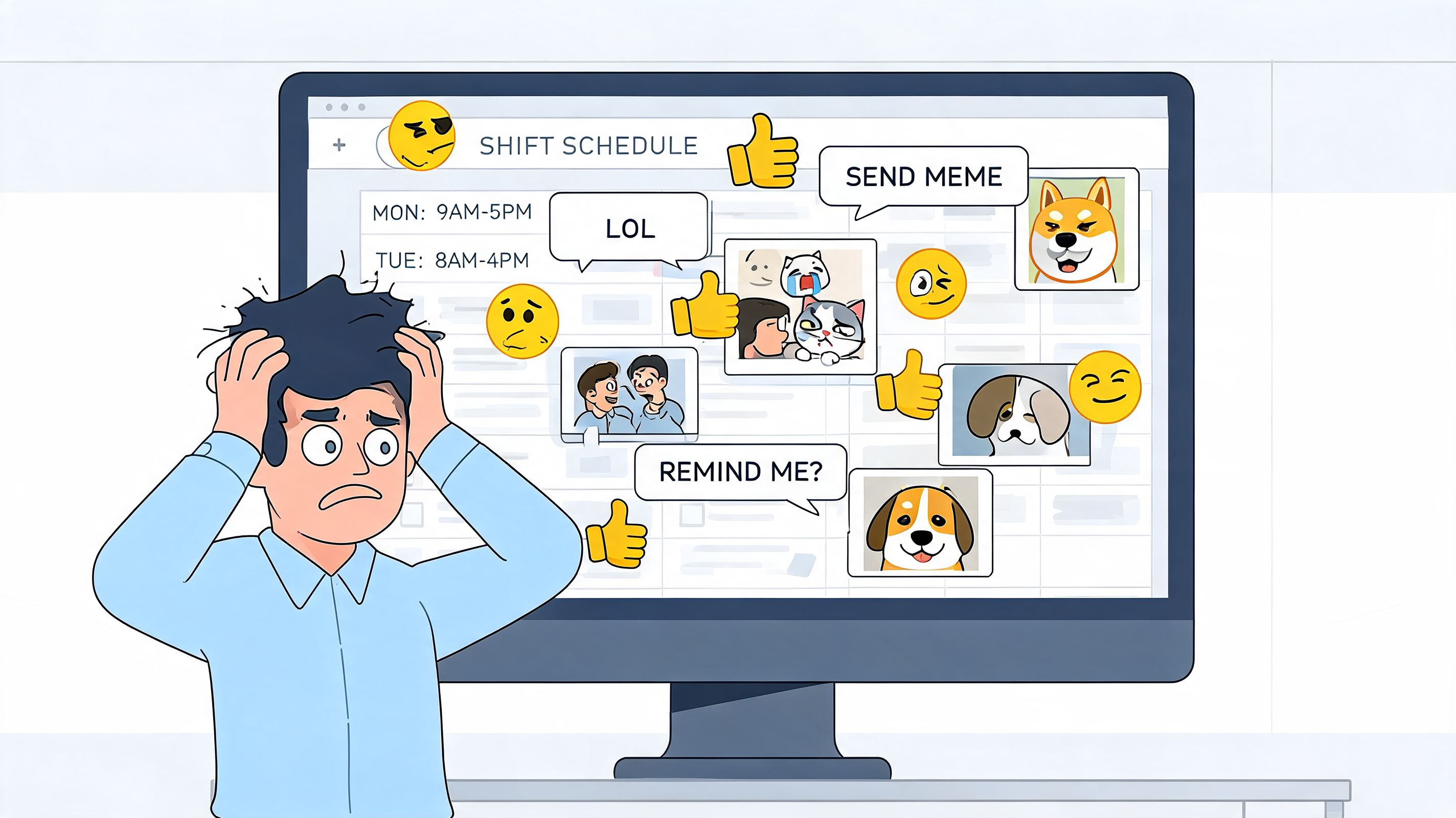
I once posted a shift schedule in Teams and watched it disappear under birthday GIFs, side chats, and a last-minute meeting link. That was the moment I stopped pretending an office tool was going to become a staff app just because we wanted it to.
If you're looking for a Microsoft Teams alternative for staff, don't start with chat features. Start with the actual work your people need to do on a phone, on a shop floor, between customers, between rounds, between sites.
The Office Tool That Never Left the Office
Teams is a serious product. I'm not dismissing that. After launching in 2017, it grew into a huge workplace platform, and by 2024 Microsoft said it had more than 320 million monthly active users, as noted in this Teams alternatives market overview. That kind of scale matters because replacing Teams means replacing a tool many companies already use for communication, meetings, and file collaboration.
But scale and fit are not the same thing.
Built for people with tabs open all day
Teams makes sense when your staff live inside Microsoft 365. If they spend the day in Outlook, Word, Excel, PowerPoint, and recurring meetings, Teams feels natural. It's part of the same office rhythm.
Frontline work runs on a different rhythm.
A supervisor in retail doesn't need another channel structure to manage. A nurse manager doesn't want to dig through threaded chatter to confirm who swapped a shift. A restaurant GM doesn't want payroll questions, policy updates, and tonight's staffing gap spread across chat, email, text, and a pinned file no one can find.
That's where the separation lies. Teams is good at office collaboration. Staff teams need daily operations.
What staff teams actually need
When I've seen Teams fail, it usually wasn't because messaging broke. It was because the work happened somewhere else. The chat was in Teams. The rota was in another app. PTO lived in HR software. Onboarding was a PDF nobody read. Urgent announcements got mixed with casual chatter.
That creates a messy digital workplace fast.
Teams can be excellent for knowledge workers and still be the wrong tool for people who don't sit at a desk.
If your team is mostly mobile, mostly shift-based, or mostly away from a laptop, you're not picking a new chat app. You're choosing the place where work starts and where people go when they need an answer fast.
Here's the quick comparison I wish I'd had earlier:
Tool | Best fit | Where it works well | Where it breaks for staff |
|---|---|---|---|
Microsoft Teams | Office-heavy companies using Microsoft 365 | Meetings, internal collaboration, document-centric work | Shift work, quick mobile tasks, day-to-day staff operations |
Slack | Fast-moving desk teams | Chat, channels, lightweight coordination | Scheduling, PTO, operational workflows |
Pebb | Mixed frontline and office teams | Communication plus shifts, clock-in, PTO, tasks, knowledge in one place | Less ideal if you only want a pure developer-style chat tool |
Why Microsoft Teams Fails Your Frontline Staff
The usual comparison gets the problem wrong. It treats this as Teams versus another chat app. That misses the actual issue.
Frontline teams don't just need chat and video. They need an employee workflow app with things Teams doesn't really cover as a core experience, including shift scheduling, PTO coordination, mobile-first access, and forms, tasks, and workflows, as argued in this frontline-focused Teams alternative analysis. That's why the right question isn't “Which chat app is best?” It's “Which tool replaces both internal communication and day-to-day staff operations?”
Communication gets mixed with operational work
This is the first trap. In Teams, everything tends to flatten into the same environment. Important updates sit beside reactions, side conversations, meeting links, and file comments. For office teams, that's manageable. They're already in the app all day.
For frontline staff, it's a problem. They dip in and out. They need speed and clarity.
If I'm running stores, clinics, warehouses, or field crews, I need to know three things fast:
What changed today
What I need to do now
Where to find the latest approved info
Teams can technically hold that information. It often does a poor job of presenting it clearly to people on the move.
Mobile matters more than most buyers admit
A desk worker can tolerate a little complexity. They've got time, a keyboard, and multiple screens. Frontline staff usually have a phone, a short gap between tasks, and no patience for hunting through tabs.
That changes everything.
A staff app should let someone clock in, check a shift, request time off, read an update, confirm a task, and move on. If the mobile experience feels like a smaller version of a desktop collaboration suite, adoption drops. Not because workers are resistant. Because the tool gets in their way.
Practical rule: If your people need training just to find tonight's shift change, you chose the wrong system.
Teams fills gaps with add-ons and workarounds
Many rollouts go sideways at this stage. Leaders see that Teams can integrate with lots of things, so they assume it can become the staff hub. In theory, yes. In practice, that usually means stitching together multiple tools and asking employees to remember what happens where.
Then the workarounds start.
Someone posts schedules as files. Someone else uses a separate scheduling app. Managers handle urgent questions over text because it's faster. HR keeps onboarding docs in SharePoint. Team leads track action items somewhere else. Soon you don't have one system. You have a patchwork.
A real Microsoft Teams alternative for staff should reduce that mess, not formalize it.
The Real Contenders A Feature Comparison
The honest shortlist usually comes down to three different philosophies.
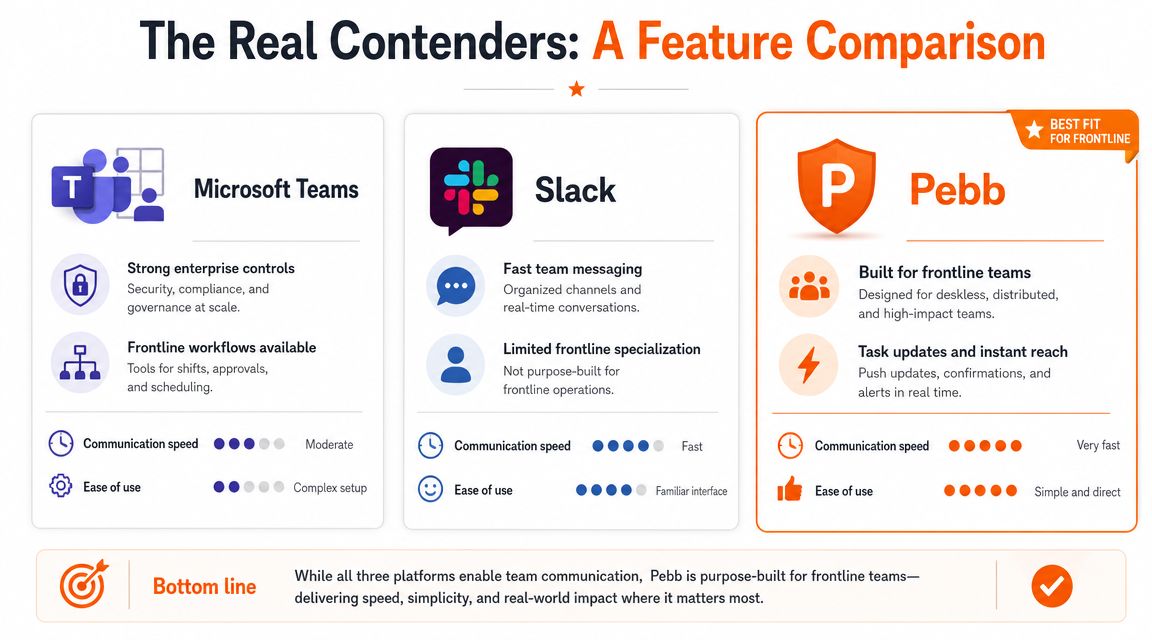
Teams says, “Put work inside the Microsoft world.” Slack says, “Make communication faster.” A staff-first platform says, “Put communication and operations in the same place.”
That last category is the one most buyers skip too quickly.
What I compare first
A useful benchmark is whether the platform handles the workflow end to end: scheduling, capturing notes, producing a recap, and finding a decision weeks later. Strong alternatives aren't just faster at chat. They preserve institutional memory and support retention and auditability, as explained in this evaluation framework for Teams alternatives.
That benchmark sounds technical, but it's very practical. If your managers can't find the final version of a policy change two weeks later, the app failed. If a shift handoff depends on memory instead of a searchable record, the app failed.
For companies also weighing broader workplace suite choices, this UK SMB cloud suite guide is useful because it frames the bigger ecosystem decision, not just the chat layer.
Side by side on what staff teams care about
Area | Microsoft Teams | Slack | Pebb |
|---|---|---|---|
Communication | Strong for office chat, meetings, channels, file discussion | Strong for fast chat and channel-based communication | Supports chat, calls, updates, and a news-feed style experience for staff communication |
Staff operations | Usually needs extra tools for scheduling, PTO, and clock-in | Usually needs extra tools for scheduling and HR workflows | Includes shifts scheduling, clock-in, PTO tracking, tasks, and knowledge in the same system |
Mobile experience | Capable, but shaped by office collaboration patterns | Cleaner for messaging, still chat-first | Built around mobile access for daily staff use |
Knowledge and follow-through | Works best if teams are disciplined with files and structure | Good for conversation history, weaker as an operations hub | Combines knowledge, tasks, files, and people context in one place |
Admin model | Strong in Microsoft-heavy environments | Good for chat administration | Better fit when you want one home for staff communication and operations |
What Teams feels like in real use
Teams is the safe choice when your company already runs on Microsoft. That's why a lot of organizations stick with it. The governance is familiar. The documents already live nearby. Office staff know the patterns.
But on the floor, that same structure becomes friction.
You end up translating office logic into frontline work. Channels become stand-ins for locations. Files become stand-ins for procedures. Messages become stand-ins for workflows. It works, technically. It's still awkward.
What Slack does better, and where it stops
Slack is cleaner for chat. I'll give it that. For many desk teams, it feels faster and less bloated. If your problem with Teams is mostly clutter and your people live in conversations, Slack can be a real improvement.
But it's still mostly a communication tool.
Slack doesn't magically become a staff operations hub because you add apps to it. You can assemble something functional, but you're back in integration land. That's fine for engineering teams. It's not what I want for a multi-location staff operation.
A better chat app is not automatically a better staff app.
The one category worth taking seriously
Tools built around staff workflows stand apart in this regard. One example is this breakdown of a free Teams alternative and how Pebb is positioned. The relevant point isn't the “free” angle. It's that the product combines messaging with shifts, PTO, tasks, file sharing, and a people directory in one environment.
That matters because staff work is repetitive, time-sensitive, and mobile. People need one place to act, not five places to check.
If your team includes supervisors, hourly workers, field staff, or rotating crews, I'd stop comparing only chat quality and start comparing operational completeness.
Matching the Tool to the Job
Most software debates drag on because people compare tools in the abstract. That's a mistake. The right tool depends on what your team does between 9 and 5, or more likely outside 9 and 5.
When Teams is the practical choice
If you're a large company deep in Microsoft 365, Teams may still be the least painful option for office staff. The files are there. The meetings are there. IT already knows how to manage it.
That doesn't make it elegant. It makes it familiar.
This is also where enterprise concerns matter. Governance and data control are often the deciding factors. Alternatives are sometimes chosen because Teams is strong for internal collaboration but can leave gaps in telephony, contact-center needs, and unified admin analytics, while other suites may combine AI, call intelligence, and consolidated user provisioning, as discussed in this enterprise review of Teams alternatives.
When Slack is the better fit
Slack makes sense for tech companies, product teams, agencies, and other groups that work in fast conversations and don't need the platform itself to run shifts or attendance. If your team lives in short updates, project channels, and app integrations, Slack is often a cleaner experience.
I'd choose Slack over Teams for a developer-heavy environment almost every time.
But I still wouldn't choose it for a workforce that needs scheduling, manager approvals, policy access, onboarding, and task confirmation in the same app. It solves a different problem.
When a staff-first app wins
If you run retail, hospitality, healthcare, logistics, field services, or construction, you need a different center of gravity. Your app has to work for the people who are hardest to reach and easiest to overlook.

Those teams need:
Schedules they can trust, without downloading files or checking old posts
Quick approvals, like PTO or shift swaps, without back-and-forth chaos
Clear updates, separated from everyday chatter
A simple place for policies and onboarding, so new hires aren't lost on day one
For that kind of operation, I'd look at a tool built around mobile messaging plus staff workflows. A helpful starting point is this guide to a team messaging app for business, especially if you're trying to connect office staff and frontline workers without splitting them across different systems.
The right system should feel boring in the best way. People know where to go, what to check, and what to do next.
My blunt recommendation
Use Teams if your workforce is mostly desk-based and already committed to Microsoft.
Use Slack if your problem is mainly chat friction among office teams.
Use a staff-first app if your business runs on shifts, locations, handoffs, and mobile workers. In that world, communication is only half the job. The other half is operations.
Beyond the Price Tag The Real Cost of a Staff App
Software buyers love to compare license fees because that's the cleanest line on a spreadsheet. It's also how they miss the bigger cost.
The expensive tool isn't always the one with the higher monthly price. Often it's the one that forces five workarounds, low adoption, and a constant stream of “Where do I find this?” messages.
Tool sprawl is a tax
When communication sits in one tool, scheduling in another, payroll somewhere else, onboarding in a shared folder, and task tracking in yet another app, managers become human glue. They spend time connecting systems that should have been connected already.
Staff feel that fragmentation immediately. They don't say “our digital workplace is fragmented.” They say, “I never know where anything is.”
That confusion costs attention. It also creates avoidable mistakes, especially when updates are time-sensitive.
Training overhead is real
A simpler system wins more often than buyers expect. Not because people can't learn new software, but because frontline teams don't have spare time for software archaeology.
This matters even more in organizations with compliance or regional data concerns. There's growing demand from startups, NGOs, and public-sector institutions for on-premise or sovereign deployments with full data control, and the strongest alternatives meet regional data residency needs while keeping single-vendor simplicity and lower training overhead, as noted in this review of sovereign and simplified Teams alternatives.
The point isn't just governance. It's operational sanity.
A migration checklist that won't annoy your staff
If you're moving off Teams for staff use, keep it simple:
Start with one team or location
Pick a group with clear pain points. Don't begin with the most political department.Explain the reason in plain language
Tell people what gets easier. Faster schedules. Cleaner updates. Fewer apps.Move one workflow first
Shifts, PTO, onboarding, or urgent announcements. Don't migrate everything at once.Judge adoption by behavior
Are people using it without reminders? That's the true test.Check total cost, not sticker price
Compare software fees against the cost of overlap, confusion, and admin time. If you're weighing a consolidated option, the Pebb pricing page is one example of how to see the platform and plan structure in one place.
Cheap software gets expensive when nobody uses it properly.
A Simple Home for Your Whole Team
The mistake I see most often is treating this like a hunt for another meeting and chat product. That's too small a frame.
A real Microsoft Teams alternative for staff should be a home base. One place where people check updates, handle shifts, find policies, ask questions, complete tasks, and stay connected to the company without needing a desk.
What better looks like
Better does not mean more features. Usually it means fewer moving parts.
It means a new starter can join and understand where things live. It means a shift worker can open the app and know what changed. It means a manager doesn't have to repeat the same instructions across three systems. It means communication and operations finally stop fighting each other.
That's why I'm skeptical of “just add more integrations” as the default answer. Integrations help. They don't fix a tool that was built with a different worker in mind.

My closing view
Teams is good at what it was built for. I wouldn't rip it out just to make a point. But I also wouldn't keep forcing it onto frontline staff and calling the resulting friction “change management.”
If your team is distributed, hourly, mobile, or split across sites, you need a tool that respects that reality. Sometimes that also lines up with a broader staffing rethink. If you're building distributed operations and need flexible hiring support around that model, Lathire is one useful resource to look at.
The best system is usually the one your people stop complaining about because it fits the work. If your current setup still feels like an office tool pretending to be a staff app, maybe the core question is simple: where does your team live during the workday?
If you want one place for chat, updates, tasks, knowledge, shifts, clock-in, and PTO, take a look at Pebb. It's built for teams that need communication and day-to-day staff operations to live together instead of being spread across a pile of separate tools.
