
Implementation Timeline for Pebb: A Realistic Rollout Guide
Build a realistic implementation timeline for Pebb. Learn phased milestones, role-based adoption plans, and common rollout pitfalls to avoid.
Dan Robin

The most popular advice about an implementation timeline is usually wrong. It treats launch day as the finish line, then acts surprised when people don't use the new tool consistently. In real workplaces, especially those split between offices, sites, and shifts, the hard part starts after the button gets pushed.
A technical launch answers one question: can people access the system? A successful rollout answers a better one: can each group use it confidently as part of daily work? Those answers rarely arrive on the same day.
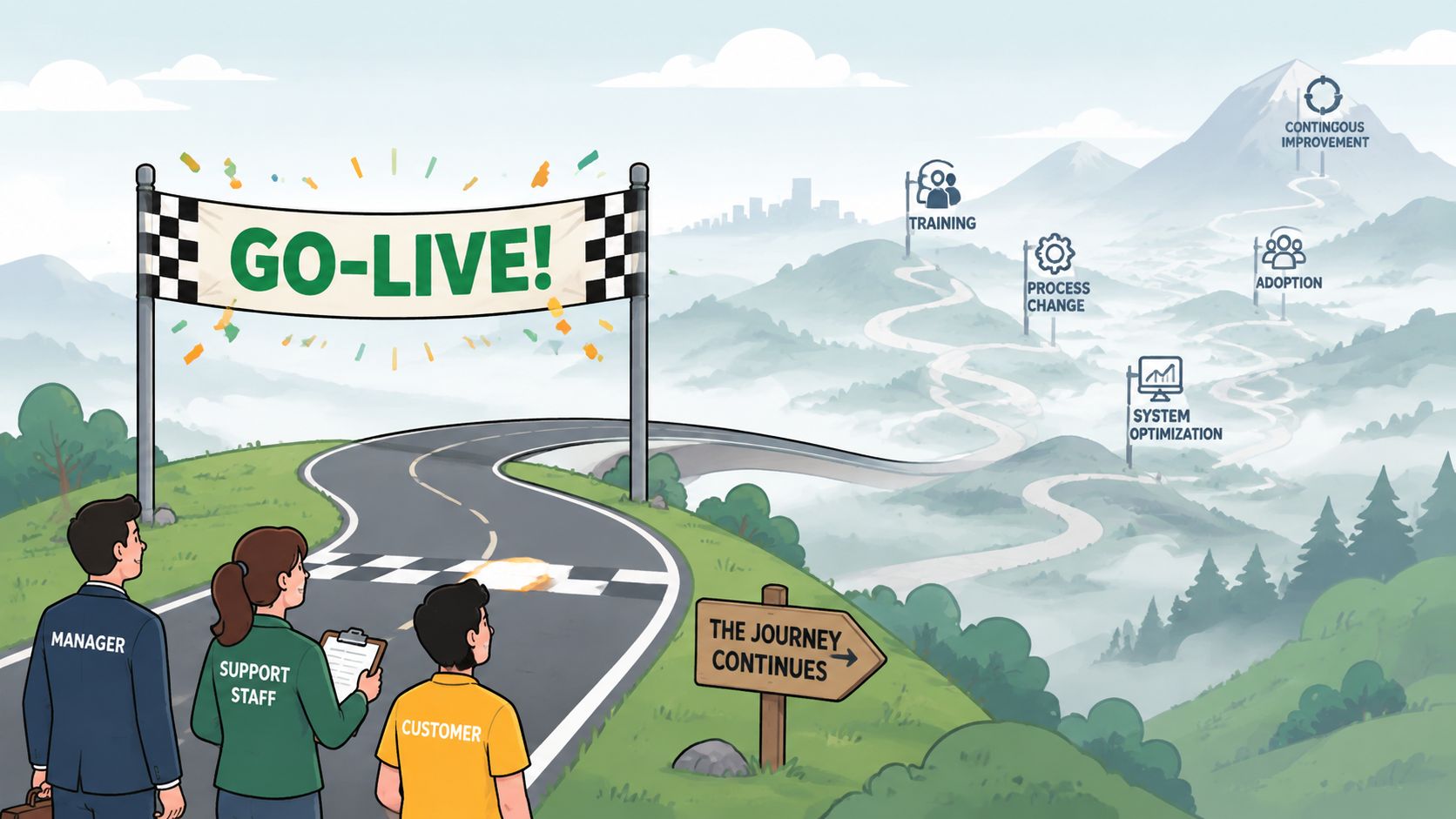
Why Launch Day Is Not the Finish Line
Go-live is a milestone, not a result. Your administrators may be ready first because they helped configure the system. Office teams might follow once they understand where conversations, files, and updates belong. Frontline employees often need a different path, especially when they work rotating shifts, share devices, or have limited time away from active duties.
That difference changes the implementation timeline. A plan built around technical deployment can look healthy while adoption remains uneven. People might log in once, read an announcement, and return to the old process. The system is live, but the habit isn't.
A benchmark summary reports that 70% of digital transformation initiatives take longer than originally planned, with the average journey spanning 3 to 5 years. The same source places enterprise-wide AI deployments at 18 to 24 months, ERP modernization at 24 to 36 months, and cloud migrations from 6 months to more than 2 years, depending on scope. These figures come from an OECD benchmark summary on digital transformation measurement, and they point to a simple operational truth. Large implementations are measured in quarters and years because data, workflows, training, and governance all have to move together.
A workplace app may be faster to set up than an ERP system. That doesn't make adoption automatic.
Stable use matters more than first access
I use three adoption questions when reviewing a rollout:
Can employees get in? Invitations, permissions, authentication, and mobile access work.
Can they complete a real task? They can find a policy, respond to a manager, check a shift, or locate a colleague.
Do they return without being chased? The new tool has become part of normal work.
The third question is the one that determines whether the implementation earned its place. A good employee app rollout guide should help teams plan beyond launch communications and account creation.
The timeline must include role-based training, manager reinforcement, support coverage, and a period where teams can ask basic questions without feeling behind. It also needs a clear decision about the old process. If employees can keep using email, paper notices, group texts, and a legacy app indefinitely, many will choose the path that feels familiar.
Practical rule: Call the rollout complete when people can do their work in the new system without project-team supervision, not when the system is technically available.
That standard feels slower at first. It usually saves time later because it exposes confusion while the rollout team can still fix it.
The Phases of a Pebb Rollout
A useful implementation timeline has distinct phases, even when some work overlaps. The mistake is treating those phases as administrative boxes. Each one should produce something concrete and end with a decision about whether the team is ready to continue.
A practical rollout pattern commonly divides implementation into seven phases, from initiation in weeks 1 to 2 through planning, configuration, testing, pilot, full deployment, and optimization after launch. The sample implementation timeline from Pitcher provides that structure. For a unified work app, the labels may differ, but the discipline is the same.

Start with decisions, not settings
Planning and discovery should define the reason for the rollout, the groups affected, and the work that must move first. Name the executive sponsor, project owner, administrators, department leads, and frontline representatives. Decide which communication, operating, and engagement activities belong in the first release.
The deliverable isn't a long wish list. It's a short scope document with success measures, ownership, risks, and a release boundary. If everything is urgent, nothing is prioritized.
Next comes configuration and build. Set up Spaces around how teams work, not how the organization appears on an outdated chart. A warehouse, restaurant location, hospital unit, or regional office may need its own space, while a company-wide area handles shared news and policies.
Set up the basics in the right order:
Workspace structure: Create Spaces, permissions, roles, and ownership.
People and access: Prepare the invite path, user records, and authentication or HR connections.
Useful content: Place essential policies, onboarding material, files, and FAQs in the Knowledge Library.
Operating routines: Decide where updates, tasks, shifts, events, and questions belong.
Configuration is finished when a representative employee can complete the core tasks without a project manager explaining every click.
Test the work people actually do
Training and testing should be role-based. An administrator needs governance and reporting knowledge. A manager needs to publish updates, answer questions, and support a team. A frontline employee needs a short route to the information and actions relevant to a shift.
User acceptance testing should use real scenarios. Ask a supervisor to post a change, a new employee to find a policy, and a worker to locate a shift or contact a colleague. If the pilot group can't complete those tasks, the answer isn't more launch enthusiasm. Fix the design.
The pilot should include different locations, roles, schedules, and levels of technical confidence. A group of enthusiastic office users gives you a polished demo, not a reliable test.
Roll out in waves
Go-live and early adoption should happen in controlled waves where possible. Start with the pilot, correct the friction, then expand to teams with similar needs. Give managers talking points, quick guides, support contacts, and a clear answer to the question, “Where should I do this now?”
Set a go or no-go gate before each wave. Don't move forward if invitations are failing, required content is missing, managers aren't prepared, or users can't complete the core scenarios.
After launch, optimization and scale turns observations into action. Review unanswered questions, inactive groups, duplicate tools, and content that nobody can find. The project team should keep improving the experience until daily use is stable, then transfer ownership to normal operations.
Realistic Timelines by Organization Size
A 50-person restaurant group and a 2,000-employee logistics company may choose the same workplace app, but they don't share an implementation timeline. Headcount matters. So do locations, schedules, integrations, data quality, permissions, and the number of managers who need to reinforce the change.
One benchmark places deployments with 1 to 25 users at 4 to 8 weeks, organizations with 25 to 100 users at 3 to 6 months, and enterprise deployments with 100 or more users at 9 to 18 months. The same implementation assessment from Infodeck warns that vendor estimates can be optimistic by 50% to 200%, especially when migration, training, and change management are left out of the schedule.
Those ranges aren't a promise. They're a reason to ask better questions.
Organization Size | Typical Duration | Key Variables |
|---|---|---|
Small team, 1 to 25 users | 4 to 8 weeks | Standard setup, few roles, limited data, one operating location |
Mid-size organization, 25 to 100 users | 3 to 6 months | Multiple teams, manager preparation, content migration, integrations |
Enterprise deployment, 100+ users | 9 to 18 months | Many locations, shift complexity, governance, staged waves, legacy systems |
Small teams can move quickly, but only with focus
A small organization may configure its workspace, prepare core content, invite users, run a short pilot, and launch within one planning cycle. The constraint is usually not the platform. It's attention. If the owner is also running operations, decisions can sit idle between meetings.
Keep the first release narrow. Choose the spaces, workflows, and content that solve an immediate problem. Don't delay useful adoption while trying to perfect every future configuration.
Mid-size teams need coordination
Mid-size organizations often have enough complexity to require formal ownership, but not enough staff to dedicate a large rollout office. Location leads and managers become the difference between a clean rollout and a slow one.
Build time for content review, role mapping, manager practice, and repeated communication. If the organization uses HR, payroll, or authentication integrations, confirm the data owners early. A technically simple connection can still stall when nobody owns the source data or approval.
For a broader planning perspective, the Up North Media AI implementation guide is useful because it treats implementation as a roadmap with sequencing, ownership, and readiness rather than a single deployment date.
Enterprise timelines stretch at the edges
Large organizations commonly need 6 to 18 months to implement major enterprise systems, while modular cloud approaches can shorten setup. One benchmark reports an average reduction from about 15.5 months to 9 months year over year, associated largely with SaaS adoption reducing technical setup time, as described in this software rollout benchmark.
That compression doesn't remove the people work. A large rollout still needs governance, migration checks, testing, training, support, and decisions about each site or business unit. The fastest responsible plan is usually modular, not reckless.
A separate benchmark reports that only 49% of companies go live on schedule. It records slight delays of 1 to 2 months for 27%, moderate delays of 3 to 6 months for 13%, and missed scheduled dates for 11%. The figures appear in a rollout benchmark dataset, and they reinforce why buffer belongs in the original plan, not as an apology added later.
The Hidden Middle of Implementation
Most rollout plans give launch day a name, a calendar invite, and a celebration. Then they underfund the weeks that follow. That's where employees discover which process is real, which manager answers questions, and whether the old tool is still running the business.
A common pattern starts well. People open the announcement, join the new space, and explore. Then a shift manager posts an update in the old channel because that's where the team already looks. An employee misses the new post. Another asks for the document by email. Within a short time, the organization has two versions of the truth.

Governance keeps the rollout from splitting
Before launch, decide who owns spaces, membership, publishing rights, sensitive information, and unanswered questions. After launch, review those decisions because real usage will reveal gaps that configuration workshops can't.
Migration deserves the same attention. Old employee records, documents, and group structures may contain duplicates, outdated permissions, or unclear ownership. The practical guidance in Pebb's data migration best practices is most useful when treated as an operating workstream, not a final export task.
A short parallel-run period can protect continuity, but only if it has rules. Running the new and old processes side by side without a retirement plan creates double work. Employees don't know which channel to trust, and managers spend their time copying information between systems.
Managers carry the habit into the shift
Managers need more than a launch email. Give them a simple cascade:
What changed: Name the process that moves first.
What to do: Show the exact action employees should take.
What to stop: Identify the old channel or form that no longer receives official updates.
Where to get help: Provide a named support route and a short FAQ.
What to reinforce: Repeat the behavior during team meetings, shift handoffs, and one-to-one conversations.
Office hours work because they catch small problems before those problems become stories about the tool being difficult. Job aids help when they are written for the task, not for the system. An adoption scorecard gives leaders a shared view of which teams need support.
The old process should retire when the new process is reliable for the people who depend on it, not when the project calendar says it should.
Set a go or no-go decision for retirement. Check whether required information is available, managers can support basic questions, and employees can complete the core workflow. If one site still lacks access or training, solve that exception directly instead of keeping two systems open for everyone.
The post-launch campaign should continue through reinforcement, useful examples, and visible manager participation. Guidance on digital adoption recommends teaser communication before launch, a detailed announcement shortly before go-live, weekly tips and question sessions during the first month, and success-story sharing through the following months. That sequence appears in this digital adoption timeline from Happeo. The exact messages will vary, but the principle holds. Adoption needs repeated reasons to return.
Common Rollout Pitfalls and How to Avoid Them
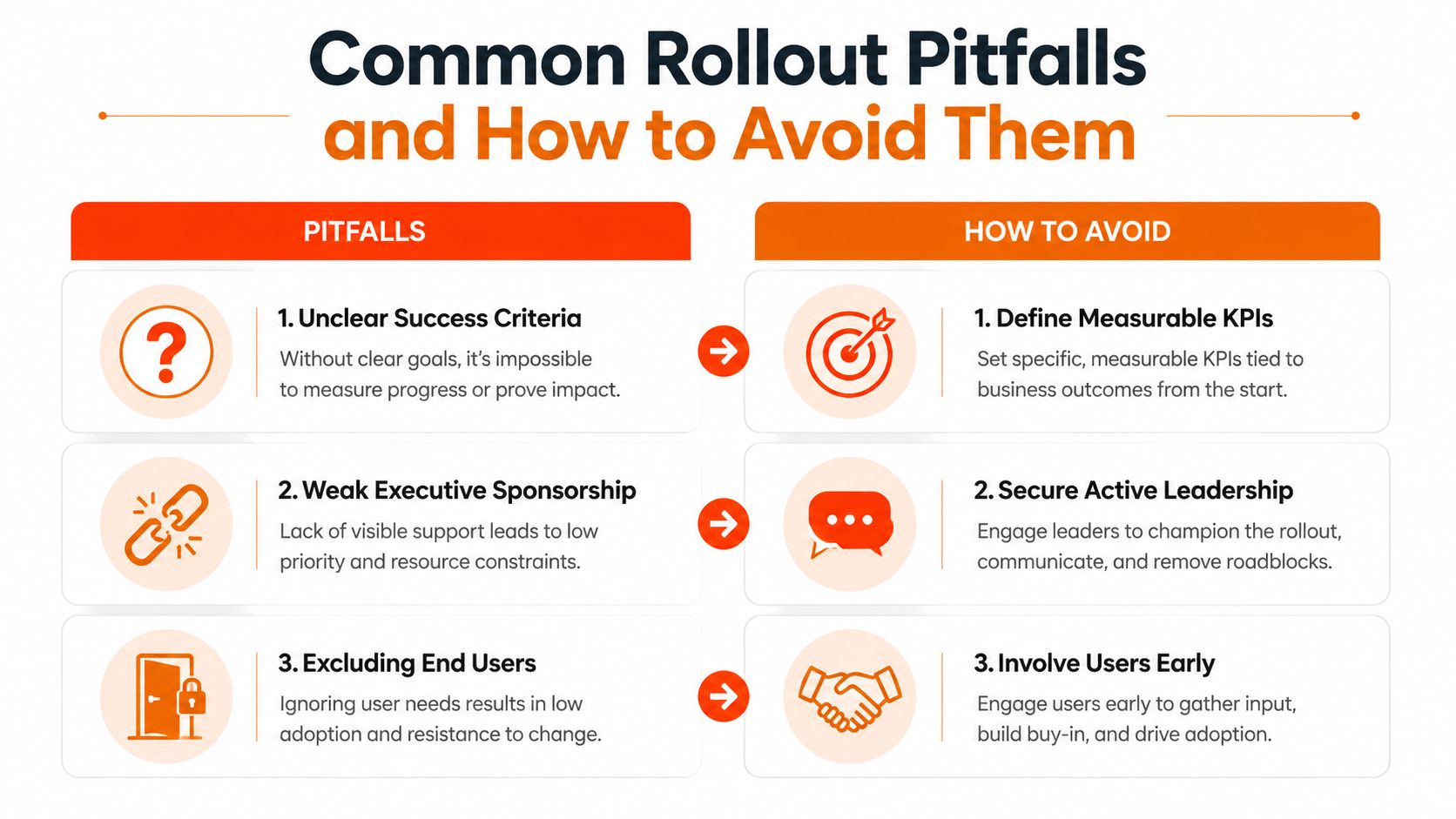
Rollout failures usually follow familiar patterns. Teams define success as “launch completed,” the sponsor disappears into other priorities, frontline employees enter the pilot too late, and training becomes a collection of generic slides. The tool then gets blamed for a planning problem.
The recurring drivers include unclear success criteria, weak executive sponsorship, exclusion of end users, insufficient training, and excessive complexity. Those drivers are summarized in guidance on software implementation success factors, which also emphasizes governance, design approval, testing, and change management.
Define success before configuration
A project team can't correct a problem it hasn't named. Choose a small set of adoption signals tied to work, such as whether employees can find required information, whether managers publish updates in the intended space, and whether teams stop using the retired process.
The measures should guide decisions, not decorate a presentation. If a location has low participation because invitations failed, fix access. If people log in but can't find policies, improve structure and search. If managers keep sending updates elsewhere, coach the managers and clarify ownership.
Give sponsorship a job
Executive sponsorship shouldn't mean a name on the project charter. The sponsor needs to make decisions, remove blockers, communicate the reason for change, and visibly use the new tool. Employees notice when leaders announce a new channel but continue operating through the old one.
A sponsor can also protect the timeline from uncontrolled scope. Every extra feature, integration, or custom rule adds design and testing work. Start with a simple configuration that gets people to a useful first task quickly, then add complexity only when the need is clear.
Put end users in the room early
Frontline workers know where a polished rollout plan breaks. They know which devices are available, which moments are too busy for training, which terms people use, and which information managers repeat every day.
Invite those workers into pilot design and testing. Include skeptical users, not only champions. Their objections are often cheaper to address before launch than after a failed wave.
First value beats full feature coverage. If employees can solve one important problem quickly, you have a foundation. If they face a maze of options, the timeline loses momentum before adoption begins.
Treat training as part of the build, not a final event. Provide short, role-specific guidance, practice real scenarios, and make support visible during the first working days. Keep a risk register with an owner and a next action for each issue. A risk nobody owns is just a future delay.
Measuring Adoption and Keeping Momentum
An implementation timeline without measurement is a wish written in calendar form. The useful question isn't how many people opened the app once. It's whether the right people are returning to complete the work the rollout was meant to improve.
Use analytics to watch engagement and activity trends, then interpret them by role, location, and team. A healthy signal might be managers publishing in the intended space, employees finding shared knowledge, or teams using the agreed channel for updates. A login alone says very little.
The guide to measuring staff engagement offers a practical lens for connecting activity data to employee experience. The important part is governance. Assign someone to review the signals, decide what needs attention, and report actions back to managers.
Use checkpoints, not one final review
At the 30-day checkpoint, look for access problems, unanswered questions, missing content, and teams that haven't formed a routine. At 60 days, review whether managers are reinforcing the new process and whether the old channel is still carrying official work. At 90 days, decide what has stabilized, what needs another adoption wave, and which improvements belong in the normal operating backlog.
A communication campaign should support those checkpoints. Teasers create awareness before launch. A clear announcement explains the immediate action. Weekly tips and question sessions handle friction. Later, share specific examples of useful behavior so teams can copy what works.
Escalate issues when they threaten trust, not only when they threaten the schedule. A broken invitation, missing policy, or conflicting announcement can do more damage than a cosmetic configuration gap because employees use it as evidence that the new process isn't dependable.
Adoption grows when leaders make the next action obvious, managers repeat it in the flow of work, and the system gives employees a reason to return. That's the implementation timeline worth planning.
Pebb brings chat, calls, updates, Spaces, tasks, shared knowledge, files, scheduling, and employee information into one work app for frontline and office teams. If you're planning a rollout around stable daily adoption rather than a one-day launch, visit Pebb to see how the platform can fit your timeline.
