
10 Internal Communication Best Practices That Actually Work
Tired of noise? We break down 10 internal communication best practices to connect your teams, from the frontline to the office. Real advice, no jargon.
Dan Robin
We’ve all lived through the chaos. The endless email chains where vital information gets buried. The missed announcements in a noisy chat app. The constant feeling that people on the front lines have no idea what’s happening back at headquarters. It’s a quiet, slow-burning fire that drains energy and makes work harder than it needs to be.
For years, we’ve just accepted this as the cost of doing business.
But what if we stopped? What if we decided that calm, clear, and intentional communication wasn't a luxury, but a prerequisite for doing good work?
We’ve spent years working with teams on the ground—in hospitals, warehouses, retail stores—to figure out what actually works. The answer isn't more tools or more messages. It’s fewer, better conversations in one central place. It’s a system designed so that every employee, whether they’re at a desk or on their feet, feels informed and connected without being overwhelmed.
This isn’t just another list of generic tips. We’re going to walk through the real internal communication best practices that cut through the noise. For a different perspective, you can also explore these other internal communication best practices.
Let's fix what's broken.
1. Create a Unified Communication Hub
We’ve seen the alternative. A critical update is shared in Slack, a policy change is sent via email, and the weekly schedule lives in a separate app. The result is chaos. People waste time hunting for information, and important messages get lost. This is one of the biggest points of friction in modern work.
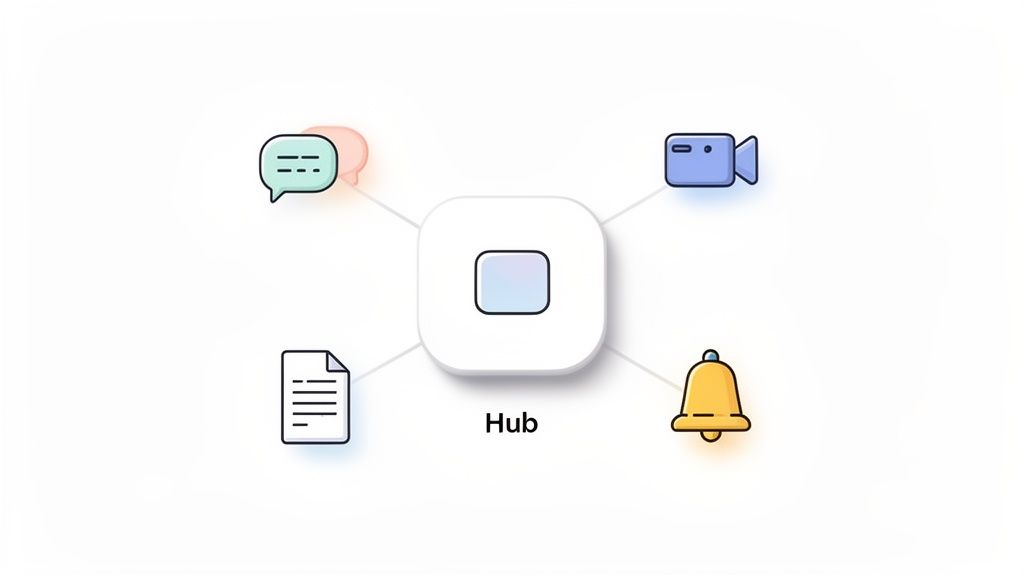
A unified hub isn't just about putting all your tools in one place; it's about creating a single source of truth. It consolidates everything from company-wide announcements and team chats to files and shift updates into one streamlined place. This kills information silos and ensures everyone, especially your distributed frontline teams, gets consistent, timely information.
Why it matters
Let’s be honest, asking an employee to check five different apps before starting their shift is a recipe for disengagement. For organizations with frontline workers in hospitals, warehouses, or retail, a mobile-first hub becomes the digital town square. It’s where everyone connects, no matter their role or location.
How to do it
This doesn't have to be a massive overhaul.
Map your current channels: Before you switch, figure out where conversations are happening now (email, group texts, etc.). Plan how those will move to the new hub.
Start small: Roll out the platform to a single team or location first. Gather feedback and learn from real-world use before going company-wide.
Set clear guidelines: Prevent channel clutter from day one. Create rules for how channels are named and used so everyone knows where to post what.
Prioritize mobile: Your hub must work flawlessly on a phone. This is non-negotiable for reaching people who don't sit at a computer all day.
2. Use Role-Based Permissions
Not everyone needs to see everything. An "open" communication policy that shares sensitive HR data company-wide isn't transparent; it's a liability. Balancing openness with need-to-know security is one of the most underrated internal communication best practices, especially for companies with complex structures.
Role-based permissions create a secure, relevant experience for every employee. They ensure that a frontline retail associate sees their shift schedule and team updates, while a regional manager gets access to performance dashboards. It’s about delivering the right information to the right people at the right time.
Why it matters
Giving every employee admin-level access is like handing out master keys to your building. It's a disaster waiting to happen. For a hospital, this means protecting patient data by restricting access to clinical staff. For a retail chain, it means a cashier can't accidentally change the schedule for another store. It respects privacy, ensures compliance, and reduces human error.
How to do it
Setting this up doesn't require a massive IT project.
Audit your roles: Before you assign anything, map out who needs access to what. You'll probably find you need fewer permission levels than you think. Start simple.
Create templates: Build pre-set permission templates for common roles like "Store Associate," "Shift Supervisor," or "HR Admin." This makes onboarding new hires easy.
Use the principle of least privilege: Give employees only the minimum access they need to do their jobs. They can always ask for more if they need it.
Review permissions quarterly: Roles change. People move. Access needs to be updated. A regular audit prevents "privilege creep" and keeps your company secure.
3. Establish Clear Communication Standards
Without rules of engagement, communication channels turn into a mess. Urgent messages get buried under memes, response times are all over the place, and nobody knows where to go for what. Setting communication standards isn't about bureaucracy; it's about creating a shared understanding that reduces friction and respects everyone's time.
These policies clarify which channel to use for specific updates (urgent vs. routine), expected response times, and general etiquette. For companies with teams across different shifts and locations, like in logistics or healthcare, guidelines prevent misunderstandings and ensure your culture is consistent, no matter who is on the clock.

Why it matters
When expectations are clear, people can communicate with confidence. A logistics company can define a clear protocol for shift handovers, ensuring no critical details are lost. A tech company can set "do not disturb" hours to protect work-life balance. These aren't just rules; they are guardrails that foster efficiency. A 2024 McKinsey study found that clear communication protocols are a top driver of team psychological safety.
How to do it
Good policies are a group effort, not a top-down decree.
Co-create your guidelines: Involve people from different departments, roles, and shifts. When employees help build the rules, they're more likely to follow them.
Keep them simple: No one will read a 20-page document. Keep your policies brief, use plain language, and post them in an easy-to-find knowledge base.
Show, don't just tell: Provide clear examples of what good communication looks like (and what it doesn't). This approach is especially effective for structured team communication like implementing regular toolbox talks.
Review and reinforce: Introduce these standards during onboarding and revisit them annually. A policy is only as good as its adoption.
4. Prioritize Mobile-First Communication
If your internal communication strategy relies on a desktop, you’re missing a huge part of your workforce. Frontline employees in retail, healthcare, and logistics aren't sitting at computers. They're on their feet. Expecting them to check an email inbox or a desktop portal shows a fundamental disconnect from their daily reality.
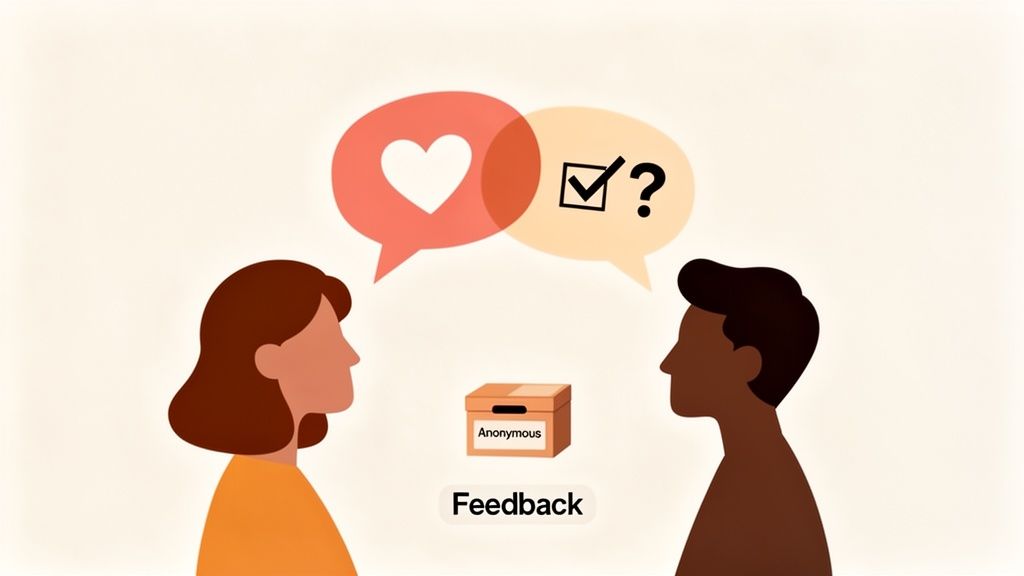
A mobile-first strategy means designing communication for the device your employees actually use: their phone. It ensures they can get critical updates, access schedules, or clock in with a few taps. It’s about meeting them where they are.
Why it matters
Asking a warehouse team to huddle around a shared kiosk for safety updates is inefficient and outdated. Mobile communication brings immediacy and relevance directly to them. A hospital can send nurses real-time shift updates. A restaurant team can swap shifts and check menus from their phones. This direct line of communication keeps everyone aligned and makes their work life simpler.
How to do it
Going mobile-first is about more than just having an app.
Design for one-handed use: Make sure the app’s navigation is simple and key actions are easy to reach, even when someone is on the move.
Use push notifications wisely: Save notifications for urgent, need-to-know information like a last-minute schedule change or a safety alert. Overuse them and you just create more noise.
Test on various devices: Your app must work reliably on different phone models and across spotty Wi-Fi or cellular connections.
Provide offline access: Critical information like schedules or safety protocols should be accessible even without a stable internet connection.
5. Use Dedicated Spaces for Teams
Imagine a town hall meeting where every department tries to discuss their specific daily tasks all at once. It would be a mess. Yet, many companies run their digital communication this way, blasting every update to everyone. This creates overwhelming noise.
Dedicated spaces are the answer. Instead of a single firehose of information, you create distinct digital rooms for specific teams, projects, or locations. This is a fundamental shift from a broadcast model to a structured, conversational one. Each space has its own chat, files, and tasks, giving teams the clarity they need without distracting others.
Why it matters
The inventory team at one retail store doesn't need real-time updates about a shift swap at another location across the country. By organizing communication into dedicated spaces, you reduce noise and improve focus. A hospital can create separate spaces for nurses and administration, ensuring patient-critical information is shared instantly with the right people. For a new hire, joining their team’s space is like an instant orientation.
How to do it
This is more about organization than technology.
Start with natural divisions: Create spaces based on your existing structure: departments, locations, or major teams. "Store #101," "Warehouse Crew," "Marketing."
Establish a naming convention: Keep things tidy. A consistent format like
[Location]-[Team](e.g.,NYC-Sales) or[Project]-[Name](e.g.,PROJ-Q4Launch) prevents confusion.Clarify each space's purpose: Use the space description to state who it's for and what should be shared there.
Create an "all-company" space: Don't forget a general space for organization-wide announcements.
Make spaces discoverable: Let employees find and join relevant public spaces, like social clubs or project groups.
6. Build a Living Knowledge Library
How many times has a shift been interrupted by the same question? "What's the Wi-Fi password?" "Where's the guide for closing the register?" These small queries add up. This is where a living knowledge library becomes one of the smartest internal communication best practices you can adopt.
A knowledge hub isn't a digital filing cabinet; it's a single, searchable source of truth for your company's essential information. It centralizes everything from HR policies and operating procedures to training videos. For distributed teams, this hub eliminates the "who do I ask?" game and ensures consistent information everywhere.
Why it matters
No one wants to track down a manager to ask a simple question, especially during a busy shift. A centralized, mobile-accessible knowledge base gives every employee the power to find answers on their own. A restaurant chain can document food safety protocols for all its kitchens. A healthcare system can provide instant access to clinical guidelines.
How to do it
Creating a useful library is about starting small and being strategic.
Start with the FAQs: Don't try to document everything at once. Begin with simple guides for the top 10 questions your managers hear most often.
Assign ownership: To prevent your library from becoming outdated, assign people or departments to own and update documentation for their areas.
Use visuals: For procedures, a short video or a series of photos is often better than a wall of text. Show, don't just tell.
Link to it everywhere: When you send a message about a policy change, link directly to the updated article in the knowledge base. This trains people to go there first. If you need a place to start, here's how to build a knowledge base from scratch.
7. Use Analytics and Engagement Metrics
How do you know if your communication is working? You can send out beautiful emails and post daily updates, but if no one reads them, it’s just noise. Guesswork isn't a strategy. This is where data comes in.
Without data, you're flying blind. Analytics give you a clear view of what’s happening. You can see which messages get the most engagement, which teams are most active, and where information isn't landing. Hospital administrators can see if vital safety updates are being acknowledged by night-shift nurses. A retail team can confirm new policies have reached all stores. It turns communication from an art into a science.
Why it matters
Let's be honest, our assumptions about what employees want to hear are often wrong. Analytics replace those assumptions with facts. You might think a long-form weekly update is essential, but the data could show that short, daily video messages from leadership get three times the engagement. This insight is priceless. It helps you stop wasting effort and double down on what truly connects with your people.
How to do it
Getting started with analytics isn't about becoming a data scientist. It’s about asking the right questions.
Define your key metrics: Don't track everything. Focus on what matters. This could be read-receipts on critical updates or engagement rates on company news.
Segment your data: Look for patterns by role, location, or shift. Are frontline workers in one region less engaged? This could signal a local issue.
Track quantity and quality: It’s great if a message is seen, but did it resonate? Pair reach metrics (views) with engagement metrics (likes, comments) to get the full picture.
Use insights to get better: If you see that "kudos" posts are popular, create more opportunities for peer recognition. If a channel is silent, find out why.
8. Implement Two-Way Dialogue
Top-down communication is easy. You send an announcement, and that’s it. But if that’s all you’re doing, you’re only hearing one side of the story. Real communication is a conversation, not a broadcast. Creating channels for feedback and suggestions is one of the most powerful internal communication best practices because it builds trust and surfaces issues before they become crises.
This isn’t about a suggestion box gathering dust. It's about building a culture where people feel safe to speak up. For frontline teams, this is non-negotiable. Leadership needs to understand the realities on a retail floor or a hospital ward, and that insight only comes from the people doing the work.
Why it matters
Employees often see problems and opportunities long before management does. A two-way dialogue turns your entire workforce into a network of problem-solvers. When a healthcare worker can anonymously report a safety concern without fear, the whole organization gets smarter. It’s the difference between guessing what your team needs and actually knowing.
How to do it
Building a feedback loop requires a commitment to listen and act.
Establish clear channels: Don't just say, "My door is always open." Create specific places for feedback, like a digital form for operational ideas or an anonymous channel for sensitive concerns.
Commit to a response time: Set a public standard, like acknowledging all feedback within 48 hours. This simple act shows you're listening.
Close the loop: When feedback leads to a change, announce it. Share the original suggestion and the action taken. This proves that speaking up leads to real results.
Train managers to listen: Coach your leaders to receive feedback without defensiveness. Their role is to facilitate conversation, not shut it down.
9. Coordinate Crisis and Urgent Communication
When an emergency hits, the last thing your team needs is confusion. A sudden facility closure or a safety incident requires immediate, clear direction. Without a plan, updates get lost in the noise, leading to chaos and putting people at risk. Establishing clear protocols for crisis communication is one of the most vital internal communication best practices you can have.
A crisis protocol isn't just a mass text. It's a pre-defined system that outlines who can send urgent messages, what channels to use, and what information to share. It ensures that when seconds count, the right people get the right message instantly. This turns panic into a coordinated response.
Why it matters
Let’s be honest, an email notification about an active safety threat is useless. For organizations with frontline teams, urgent alerts must be impossible to ignore. A hospital can use a dedicated, high-priority channel for code announcements. A logistics company can instantly communicate route hazards to all its drivers. This approach cuts through the everyday chatter to deliver mission-critical information.
How to do it
A resilient crisis plan is about preparation, not reaction.
Define 'urgent' clearly: Create specific criteria for what counts as a crisis. Is it a system outage, a weather closure, or a security threat?
Assign clear authority: Limit the power to send company-wide urgent alerts to a small, designated group of leaders. This prevents misuse and ensures messages are always credible.
Create message templates: Don't write crisis messages from scratch. Prepare clear, concise templates for common scenarios so you can fill in the blanks and send them in moments.
Test your system regularly: Run drills to test your urgent notification channels. This helps you find and fix problems before a real crisis occurs.
10. Build Culture Through Connection
Let's be honest, internal communication isn't just about operational updates. When done right, it's the engine that builds your company culture. Without intentional spaces for connection, even the most efficient teams can feel like a collection of strangers, especially in distributed or shift-based environments where "water cooler" moments don't happen naturally.
This is where creating dedicated spaces for social interaction becomes vital. These aren't frivolous add-ons; they are the digital campfires where your team’s identity is forged. Think of dedicated channels for celebrating milestones, sharing customer wins, or connecting over shared hobbies. It’s how you move from a group of people who work together to a community that cares about each other.
Why it matters
Culture feels abstract, but it’s built on tangible moments. When a hospitality brand creates a space to celebrate an "above and beyond" customer service moment, it reinforces a culture of excellence. When a healthcare team publicly recognizes a heroic act, it fosters a sense of shared purpose. These activities give people permission to bring their whole selves to work, boosting morale and retention.
How to do it
Building these cultural touchpoints is easier than you think.
Designate culture champions: Find enthusiastic employees to moderate social spaces and keep the conversations going.
Create recognition templates: Make it easy for anyone to celebrate a peer. Simple templates for "Employee Spotlights" or "Customer Wins" lower the barrier to entry.
Schedule regular events: Put recurring events on the calendar, like monthly all-hands meetings or virtual celebrations. Consistency builds community.
Create interest-based spaces: Launch channels for hobbies or wellness challenges. This helps employees connect on a personal level.
Keep it low-pressure: Make sure participation feels like an invitation, not a mandate. The best cultural moments are authentic and voluntary.
Top 10 Internal Communication Practices Comparison
Initiative | Implementation Complexity 🔄 | Resource Requirements ⚡ | Expected Outcomes ⭐ | Ideal Use Cases 📊 | Key Advantage / Quick Tip 💡 |
|---|---|---|---|---|---|
Create a Unified Communication Hub | Moderate 🔄 — migration & governance needed | Medium ⚡ — platform licenses + training | High ⭐⭐⭐⭐ — reduced tool sprawl, consistent messaging | Distributed teams, SMBs replacing legacy tools | Centralizes messaging; pilot with a small group before full rollout 💡 |
Implement Role-Based Permissions and Security | High 🔄 — complex role mapping & reviews | Medium ⚡ — IAM integration, admin effort | High ⭐⭐⭐⭐ — protects sensitive data, ensures compliance | Healthcare, payroll, multi-location enterprises | Granular access & audit trails; perform a role audit and use templates 💡 |
Establish Clear Communication Standards and Policies | Low–Medium 🔄 — drafting and enforcement | Low ⚡ — time for documentation & training | Medium–High ⭐⭐⭐ — consistency and fewer conflicts | Shift-based orgs and multi-site teams | Co-create concise playbooks; post prominently and review annually 💡 |
Prioritize Mobile-First Communication for Frontline Teams | Medium 🔄 — mobile design, testing, offline | Medium ⚡ — app development & device testing | High ⭐⭐⭐⭐ — better reach, fewer missed updates | Frontline: retail, healthcare, logistics | Optimize for one-handed use and offline access; limit non-urgent pushes 💡 |
Use Dedicated Spaces for Team Organization and Transparency | Low–Medium 🔄 — structure & naming governance | Low ⚡ — configuration and ongoing curation | High ⭐⭐⭐⭐ — reduced noise, easier onboarding | Teams, departments, project groups | Use naming conventions and templates; review spaces quarterly 💡 |
Build a Living Knowledge Library and Documentation Hub | Medium 🔄 — content migration and taxonomy | Medium ⚡ — authorship, maintenance, search tuning | High ⭐⭐⭐⭐ — faster onboarding, single source of truth | Organizations needing consistent procedures and compliance | Start with top FAQs and assign document owners; use templates 💡 |
Leverage Analytics and Engagement Metrics | Medium 🔄 — dashboarding and segmentation | Medium ⚡ — analytics tools + analyst time | High ⭐⭐⭐⭐ — data-driven improvements, ROI visibility | Leaders tracking engagement across shifts/locations | Define clear metrics and segment by role/location; sanitize data for privacy 💡 |
Implement Two-Way Dialogue and Feedback Mechanisms | Low–Medium 🔄 — channel design and moderation | Low ⚡ — tools + response capacity | High ⭐⭐⭐⭐ — increased trust, surfaced insights | Frontline-heavy orgs needing bottom-up input | Commit to timely responses and close the feedback loop; enable anonymous options 💡 |
Coordinate Crisis and Urgent Communication Protocols | High 🔄 — escalation rules, testing, authority | Medium ⚡ — mass-notify tools, training | High ⭐⭐⭐⭐ — faster critical notifications, safety protection | Healthcare, logistics, retail with urgent safety needs | Define 'urgent' criteria, limit authorized senders, and test monthly 💡 |
Build Culture and Connection Through Spaces and Engagement Activities | Low–Medium 🔄 — curation and event planning | Low ⚡ — champions' time and event resources | Medium–High ⭐⭐⭐ — improved belonging and retention | Distributed, remote, and shift-based teams | Designate culture champions; keep activities optional and authentic 💡 |
It's about progress, not perfection.
Looking at this list can feel overwhelming. You might be thinking about your current patchwork of emails, chat apps, and outdated intranets and wondering where to even start.
Here’s the thing: you don’t have to do it all at once. The goal isn’t to build a flawless communication machine overnight. The goal is simpler and more human: to make work a little clearer, a little calmer, and a little more connected for everyone.
So where do you start?
Instead of trying to boil the ocean, just pick one thing. Find the practice that speaks to your biggest headache right now.
Is your team constantly asking the same questions? Maybe your first step is to start that living knowledge library. Just getting your PTO policy and onboarding guides into one searchable place is a huge win.
Do your frontline workers feel out of the loop? Focus on a mobile-first communication channel. Give them a direct line to updates right from their phones.
Is your culture feeling a bit transactional? Maybe you can create a dedicated space for celebrating wins. Building connection is the glue that holds teams together.
The point is to choose a starting point that delivers a tangible benefit. One small win builds momentum. It proves that a better way of communicating isn't just a theory; it's achievable.
Why this really matters
Getting internal communication right isn't just about efficiency. It’s about changing the employee experience. When communication is clear and accessible, you’re not just sharing information—you’re building trust.
When people feel heard and informed, they feel respected. They know where they stand. That psychological safety is the foundation of engagement, innovation, and retention.
Great communication reduces the friction of daily work. It cuts down on the noise and the wasted time. It gives your people back their most valuable resource: their focus. This isn't a soft skill; it's a strategic advantage.
So, don’t aim for perfection. Aim for one meaningful step forward. The journey starts with the decision to make things just a little bit better today than they were yesterday.
Tired of juggling a dozen tools to reach your team? Pebb is the unified platform designed to put these internal communication best practices into action, bringing your entire workforce together in one calm, organized space. See how it works.
