
Homebase Per Location Fees vs Seat Pricing
Compare Homebase per location fees vs seat pricing for frontline teams. Real cost examples, decision checklist, and what to watch before you sign.
Dan Robin

You're staring at a pricing quote that looks tidy on paper, maybe even generous. Then the second month hits, a new site opens, two stores add weekend coverage, payroll gets turned on for the busy locations, and the bill stops looking like the quote you signed.
I've seen this movie from the ops side. The mistake is usually the same. People compare Homebase per location fees vs seat pricing like they're the same machine with a different sticker. They're not. One model cares about sites, the other cares about people, and each one breaks in a different way when your workforce moves.
Pricing Element | Per-Location Model | Seat Model |
|---|---|---|
What you pay for | Each physical site | Each active employee or user |
What usually drives cost | Opening more locations | Adding more people to the schedule |
Best fit | Dense sites, stable staffing | Volatile staffing, growing teams |
Common surprise | Small sites still bill like full sites | Seasonal or temporary headcount pushes cost up |
If you're running payroll, scheduling, and staffing across more than one store, you need the version of the math that matches reality. A clean quote is nice. A clean bill is better. For a broader take on pricing flexibility, I like this pricing flexibility guide, because the same trap shows up across a lot of SaaS tools, not just workforce software.
When the Quote Looks Smaller Than the Bill
A regional ops manager sees a Homebase Essentials quote and relaxes a little. The per-location number looks manageable, the math is simple, and the pitch feels honest. Then the next quarter arrives, two stores pick up more labor, payroll gets added at a third, and the “simple” bill starts behaving like a living thing.
That is the trap with site-based pricing. The quote is not false, it is incomplete. Homebase's published pricing is flat per location on paid tiers, and payroll plus some add-ons sit outside that base fee, so the headline number stays low until the rest of the stack shows up Homebase pricing. For a close look at how pricing structure changes what you pay, see this pricing flexibility analysis.
The part operators miss
Per-location pricing feels safe because it is easy to forecast. You count stores, multiply, and move on. That works until a small new site bills like a full one, or payroll and communication tools get added on top.
Practical rule: if the quote does not spell out payroll, hiring, and communication in writing, you do not have a real price yet.
Seat pricing behaves differently. It tracks the people you schedule or manage, so it follows staffing more closely than real estate. For teams that grow and shrink around the roster, that model usually makes more sense than charging every site the same way.
The difference shows up fast when headcount swings. A location fee stays fixed even if a store runs light. Seat pricing moves with active users, so trimming the roster can trim the bill too. That is why enterprise software often uses per-user or hybrid billing, because it fits labor-driven teams better than a flat site charge enterprise software pricing guide.
Homebase's model can still work. If you run dense sites with steady crews, the fee spreads out cleanly. If you are comparing it with seat pricing, stop asking which sticker is lower. Ask which bill is more honest when the roster changes.
How Per-Location and Seat Pricing Actually Work
Per-location pricing is blunt by design. You pay one flat fee for each physical site, and that base cost does not change just because the roster gets lighter or heavier. In Homebase, that model shows up in the lower tiers, and the employee count can be unlimited per location on paid plans Homebase pricing.
Seat pricing works the other way. You pay for each active user, employee account, or scheduled person, so the bill follows people instead of properties. In a setup like that, inactive workers usually stop costing you, which is why seat-based tools fit churn-heavy or seasonal teams better than a fixed site charge enterprise software pricing guide.
The detail that changes the math
The active versus inactive line is where the bill changes shape. If the platform only counts active people, trimming the roster can lower spend fast. If the platform bills by location, the cost stays pinned even when a site is running light.
That is why payroll, hiring, and team communication deserve separate review. Vendors often package them unevenly, and once those tools sit on top of a location fee, the “one price” story breaks down. Homebase's structure shows that clearly, since payroll and some add-ons sit outside the base location fee Homebase pricing.
For operators managing multiple sites, location data matters too. A clean record system helps you separate active, seasonal, and dormant locations so you do not treat dead space like live operations. For a practical reference on organizing that kind of site data, RecensioAI's location knowledge base is useful.
Seat pricing can still beat per-location billing, even when the sticker price looks higher at first. If your headcount swings with shifts, vacancies, or temporary coverage, the bill follows reality instead of sitting there unchanged. Per-location pricing gives you predictability, but it can also charge you like every site is fully staffed when it is not.
Pricing Model Basics at a Glance | Per-Location Model | Seat Model |
|---|---|---|
Billing unit | Site | Employee account |
Cost driver | Opening or keeping locations active | Hiring, scheduling, and active users |
What it rewards | Dense sites with lots of staff | Lean sites and flexible labor |
What it punishes | Many small sites | Big rosters with stable, full-time headcount |
How the Two Models Differ in Practice
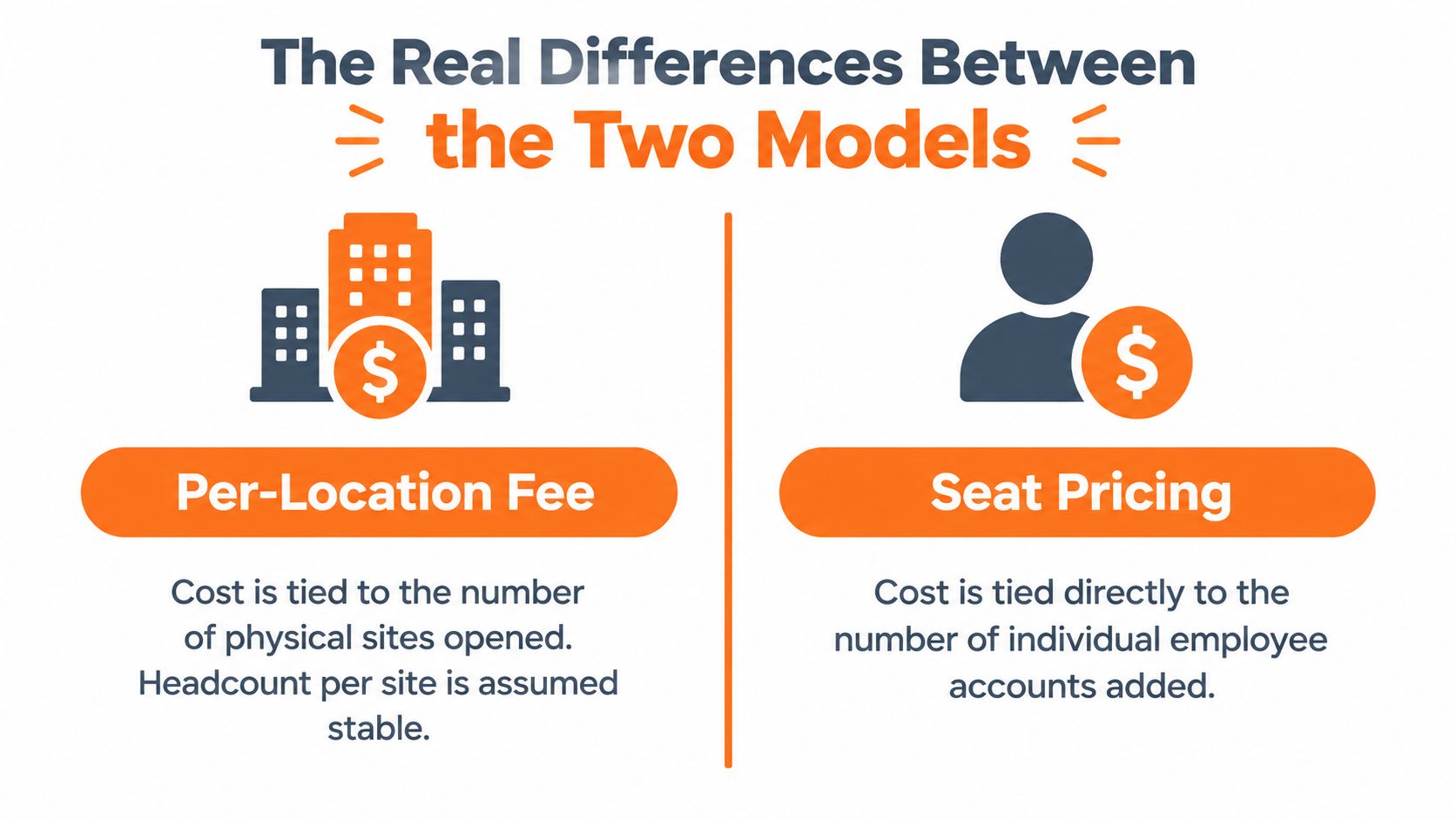
Per-location pricing ties cost to the site. If a store grows from 30 people to 50, the base fee stays put. The bill changes when you add another location, not when the roster gets deeper.
Seat pricing ties cost to active users. That means the bill rises and falls with the schedule. In businesses with churn, floating shifts, and a lot of part-time labor, that usually tracks reality better because you pay for the people in play.
Where each model hides its pain
Per-location pricing looks cheap until the footprint gets wide. A low monthly fee at one site is easy to accept. Spread that fee across many stores, and the fixed cost starts to bite, especially when some locations are small.
Seat pricing has its own pressure point. It looks fair because it follows the workforce, but seasonal hiring, temporary coverage, and backfill roles push the bill up with every active account. That is why more vendors keep drifting toward hybrid pricing in SaaS, because buyers want predictability and operators want pricing that matches usage enterprise software pricing guide.
What I'd watch: the model that looks fair at signing is often the one that punishes the shape of your growth.
The difference is operational, not philosophical. Per-location pricing punishes expansion into small sites. Seat pricing punishes broad headcount. If your operation lives across several stores and you want to keep scheduling from warping the bill, This multi-location scheduling breakdown is the right companion read.
Worked Cost Examples for Different Team Shapes
Strip out the theory and price this the way an ops team would before signing. Homebase's published pricing gives one clean anchor, the Essentials plan at $30 per location per month, with the annual equivalent listed at $24 per location per month Connecteam's Homebase pricing review. A separate published summary places the All-in-One plan at $96 per location per month on annual billing, which is the version that matters when a team wants the full stack.
Single location, 18 hourly employees
A one-site café with 18 workers makes the math easy. Under Essentials, the location fee stays fixed. Under seat pricing, a rate of about $4 per employee per month with time tracking means the bill moves with headcount, so 18 seats land in a very different place When I Work pricing summary.
Per-location pricing usually wins here if the roster stays full and you want a predictable line item. A dense shop can spread one site fee across a lot of labor, so the cost feels manageable. If turnover is high, the seat model gets cleaner because you stop paying for accounts that are sitting idle.
Five locations, uneven staffing
A five-location boutique fitness chain shows the break in the model. One studio has 14 staff, another has 4, and the rest sit somewhere between those two. With per-location billing, every site costs the same, no matter how light or busy it is.
That stability cuts both ways. You get one fixed bill while schedules swing around, but you also pay for the slow studio as if it were full. Seat pricing follows the roster instead, so the lean location costs less and the busier one costs more. For a chain with uneven staffing, that is usually the fairer split because cost tracks actual use.
Twenty sites and payroll in the mix
At 20 sites, the bill starts to behave like a fixed operating cost. If you are on a plan billed at $96 per location per month, the spend rises with every new site you add Connecteam's Homebase pricing review. Add payroll on top and the software line stops looking flexible. It follows the footprint everywhere.
Seat pricing can beat that structure when the roster is the bigger variable. If headcount shifts more often than locations do, you avoid paying site fees for buildings that are open but lightly staffed. That matters most once payroll, hiring, and scheduling live in the same system.
Homebase Cost Comparison Across Team Shapes | Sites | Avg Employees/Site | Per-Location Annual Cost | Seat-Based Annual Cost | Break Point |
|---|---|---|---|---|---|
Single-location café | 1 | 18 | Based on one site fee | Scales with 18 seats | Depends on seat rate |
Five-location boutique fitness chain | 5 | 8 | Based on five site fees | Scales with active users | Depends on churn |
Twenty-site grocery operator | 20 | 60 | Based on twenty site fees | Scales with active users | Depends on add-ons |
Which Pricing Model Fits Which Frontline Reality
Dense single-site operations are where per-location billing usually looks fine. If one location carries a large staff and you are not adding buildings all the time, the flat fee gets spread across enough workers to feel acceptable. That is why a busy café, a large restaurant, or a full-service site can stay on a site-based plan without much pain.
Volatile staffing pushes in the opposite direction. If you are hiring fast, trimming hours, and swapping shifts often, seat pricing follows labor more closely. You avoid paying for empty capacity, and you do not keep funding a site fee just because the building is open.
The cases that tilt the answer
Seasonal businesses feel the mismatch first. The fee does not shrink when the slow months cut the roster, so the bill stays stubborn while headcount drops.
Slow-growth multi-site operators are the ones I would still watch closely. If the locations are steady, staffing is predictable, and new sites are not opening every quarter, per-location billing is easy to budget for. Once payroll or hiring gets layered on top, the clean story gets messy fast.
My blunt take: the pricing model should track the thing that actually changes in your business. If people move more than buildings, seat pricing deserves a hard look.

The mistake is using one pricing rule for every frontline team. A stable multi-floor site with dense crews is not the same problem as a distributed operation with thin locations. Price them the same way, and one side ends up subsidizing the other.
As noted earlier, the bigger issue is paying for structure you do not fully use. Seat pricing usually fits that problem better than per-location billing.
A Decision Checklist for HR and Ops Leaders
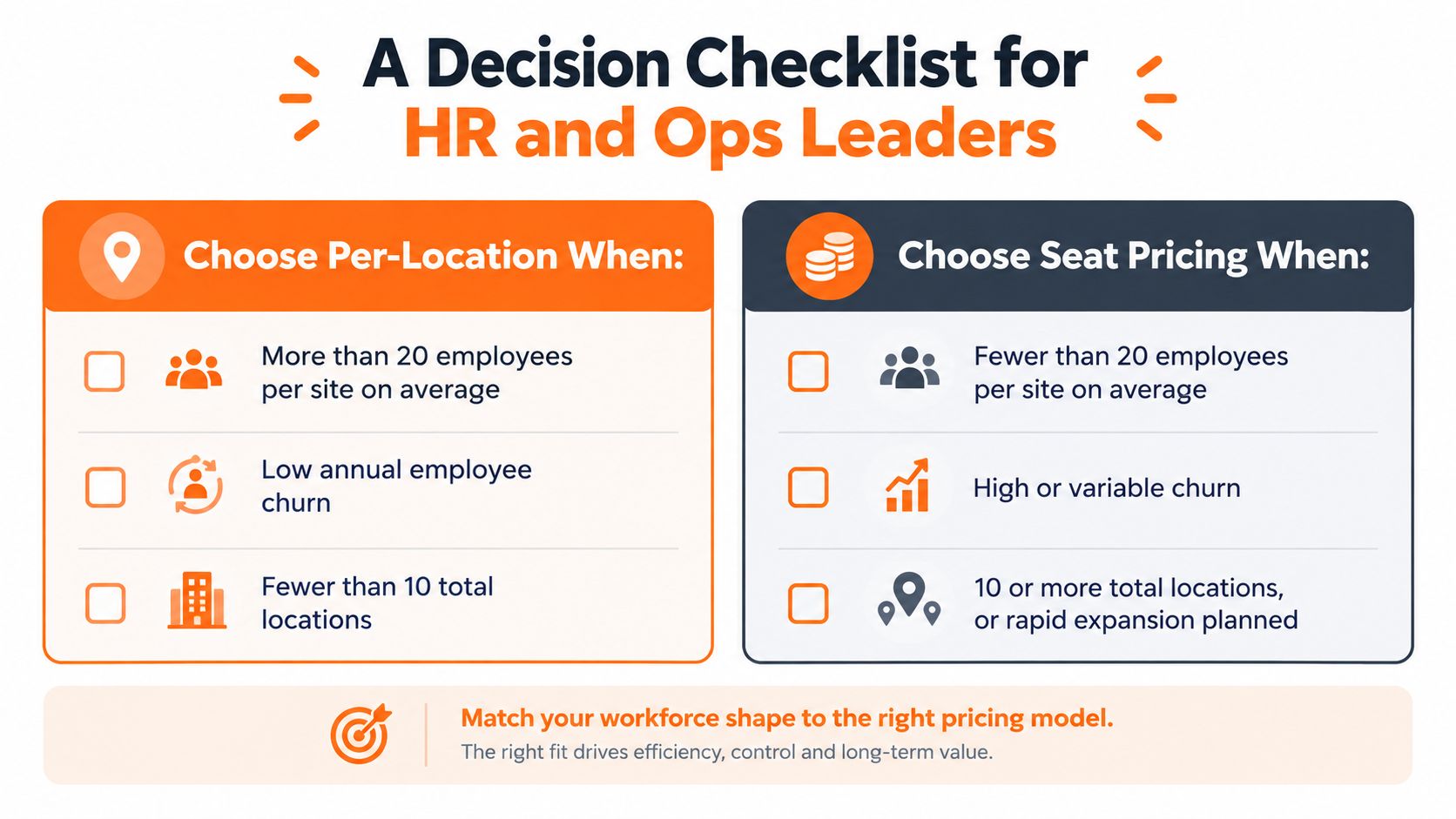
If you want the cleanest call, start with the shape of the workforce, not the quote. Count your sites. Count your average employees per site. Then ask whether your business moves by opening buildings or by adding and dropping people from the schedule.
Choose per-location when
Per-location works best when each site is dense, the roster is steady, and you're not adding new locations every few months. It also makes sense when the team is large enough at each location that the flat fee gets spread across a meaningful number of workers. A stable budget matters here.
Choose seat pricing when
Seat pricing fits volatile labor better. If you've got high turnover, seasonal swings, lean crews, or rapid expansion planned, paying by active user is usually the cleaner deal. It lines up with the actual motion in the business.
A simple decision tree helps:
Count your locations.
Count your average employees per location.
Compare the total workforce against the way each vendor bills.
Ask whether payroll or hiring is a separate add-on.
If you need a hard rule, use two questions. Does headcount per site move more than 30 percent seasonally. Are you adding locations in the next 12 months. If the answer to either is yes, I'd be suspicious of a pure location fee.
Negotiation, Migration, and What to Watch Before You Sign
Homebase can be flexible on some commercial terms, but the per-location base fee itself is a rigid zone, and the same goes for monthly minimums on smaller tiers. If you want a better deal, push on the contract shape, not the core structure.
Annual prepay, longer terms, and bundled credits are the places reps usually have room. The other place to be careful is site count. Map every live, seasonal, and dormant location before you sign, because dormant locations still bill if they're on the account. That's how a clean quote becomes an ugly invoice.
Migration checks that save headaches
If you're moving from a seat-based tool, don't just ask whether schedules transfer. Ask about historical schedule exports, accrual balances, and tip records. Those pieces are what payroll needs to stay clean. And don't cut over in the middle of payroll week unless you like unnecessary drama.
There's a wider SaaS lesson here too. Teams that rush pricing changes often discover the cost only after signing, which is why navigating SaaS repricing challenges is a useful read if you've ever been burned by a contract that looked modest and acted expensive.
Walk away if: the quote is vague on site count, add-on pricing isn't written down, or payroll is quoted separately without integration costs.
These data migration best practices are worth using before you switch, because the technical handoff is where a lot of pricing mistakes become operational ones.
Choosing the Model That Matches Your Workforce
This debate isn't really about price. It's about how your workforce moves. If your locations are dense and your staffing is steady, per-location pricing can be clean and predictable. If your team is spread out, seasonal, or constantly changing, seat pricing usually tracks reality better.
A 20-site operation with 8 employees each is a classic per-location fit. A five-site group averaging 60 staff per location can still lean toward seat pricing if the workforce is active, volatile, and expensive to keep on the books. The right answer comes from the same four signals every time, site count, headcount density, turnover, and seasonality.
Pull the last 12 months of site and headcount data. Put both pricing models against that footprint, not against a guess. Then ask for quotes that match the exact shape of your business, because the only comparison that matters is the one your bill will live through.
If you're tired of stitching together scheduling, communication, and shift updates across too many tools, take a look at Pebb. It brings frontline communication and operations into one place, which makes pricing decisions a lot easier when your team keeps moving.
