
A Guide to Modern Healthcare Document Management
Discover modern healthcare document management. Learn to improve workflows, ensure compliance, and give your frontline teams the tools they deserve in 2026.
Dan Robin
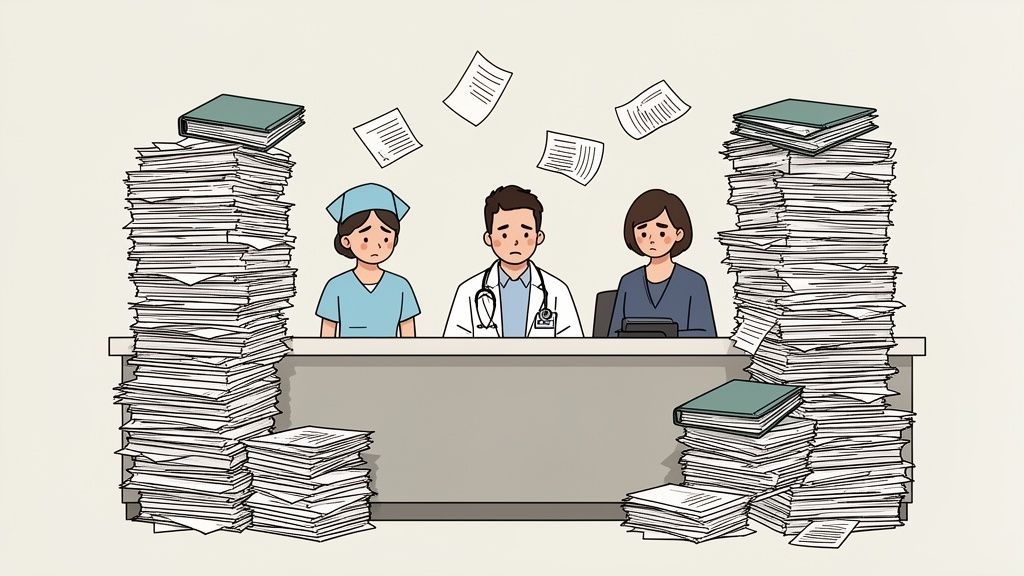
I’ve seen it more times than I can count. The brilliant nurse, at the end of a 12-hour shift, facing a mountain of forms to sign, file, and fax. The administrator, stuck on the phone for twenty minutes, chasing a single lab result lost somewhere in the system.
This isn’t just a minor frustration. It’s a deep, structural problem that slows everything down, burns out your best people, and gets in the way of what actually matters: caring for patients.
Your Team Is Drowning in Paperwork
Let's be honest. This chaos is a breeding ground for mistakes. It creates friction where there should be flow. Worst of all, it crushes the morale of people who got into healthcare to help others, not to become masters of the filing cabinet. It’s more than inefficient. It’s unsustainable.
The good news? Everyone knows this is a problem. The move away from paper is happening, and the numbers show it. The global market for medical document management systems is expected to grow from USD 698.38 million in 2024 to USD 1.51 billion by 2030, according to Research and Markets. This isn't just about new tech; it's a response to a real, widespread need to simply work smarter.
But here’s the thing. Thinking of healthcare document management as just another IT project misses the point entirely.
It’s about restoring focus. It's a choice to help your team operate, communicate, and care for patients the way they were meant to—without the soul-crushing weight of administrative work.
It's More Than Digital Filing Cabinets
When your document systems are a mess, communication breaks down. Teams start using insecure workarounds, critical updates get lost in noisy group chats, and finding a single source of truth feels impossible. The real goal isn't to solve these problems separately. It’s to bring them together.
It's about creating one central, organized home for everything your team needs. For your frontline staff, this changes everything:
Less Searching, More Caring: Every minute spent hunting for a policy or a form is a minute not spent with a patient. A good system gives that time back.
Fewer Mistakes: When the correct, most current protocol is instantly available on a phone, the risk of using outdated information plummets.
A Calmer Workplace: Replacing chaos with clarity does wonders for stress. It helps prevent the burnout that is hollowing out our healthcare workforce.
Rethinking your documents is a huge first step. The next is to improve how your teams communicate around that information. If you're exploring how to bring it all together, our guide on how healthcare teams can centralize all internal communication in one place can help.
In the end, modernizing how you handle documents isn't about managing paper. It's about helping people.
What Good Document Management Actually Means
Let’s be real. When we talk about healthcare document management, we’re not talking about another piece of software. We’re talking about a promise. A simple one: getting the right information to the right person at the right time. Securely.
Think of it less as a digital filing cabinet and more like a brilliant, tireless librarian for your entire organization. This librarian knows where every chart, form, and image is, who can see it, and can put it in your hands in seconds.
The difference on the floor is night and day. It’s the difference between a chaotic home kitchen—with spices hiding in random drawers—and a Michelin-starred one, where every ingredient is prepped, labeled, and exactly where it needs to be. One setup creates stress; the other creates magic.
From Paper Chaos to Digital Clarity
Let’s look at what this feels like for your staff. A good system doesn't just change where documents are stored. It changes how work gets done.
Task | The Old Way (Paper) | The New Way (Digital) |
|---|---|---|
Finding a Patient Chart | Sifting through cabinets or calling medical records, hoping it’s not in use. | Typing the patient's name and having the complete chart appear instantly. |
Updating a Procedure | Printing new copies, then trying to track down and replace every old version. | Uploading the new version once. The system automatically archives the old one. |
Getting a Signature | Chasing a physician down the hall with a clipboard and a pen. | Sending a secure request for an e-signature directly to their phone. |
Answering a Billing Query | Pulling multiple files to find the consent form, insurance card, and service record. | Accessing all related documents—linked together—from a single patient record. |
This isn't a small tweak. It's a fundamental shift that gives time back to your team, reduces errors, and puts the focus back where it belongs.
Beyond Just "Going Digital"
Here’s a common mistake: thinking that scanning paper and saving it to a shared drive is a solution. It’s not. That’s just creating a digital junk drawer. True document management brings order and intelligence to the chaos. An estimated 80–90% of healthcare information is "unstructured"—locked away in documents. A smart system unlocks it.
This is where a few simple ideas turn a mess into a trustworthy source of truth.
Indexing: This is just a fancy word for making things findable. Instead of a vague filename like “Chart_Scan_07.pdf,” indexing adds useful tags—like the patient's name, date of birth, and visit date. It turns a digital haystack into a library card catalog.
Version Control: Let’s be honest, this is a huge source of risk. When a clinical protocol is updated, how do you make sure everyone stops using the old one? Version control takes care of it. It automatically archives old documents and ensures only the most current version is accessible. No more guessing. No more dangerous mistakes.
Access Controls: Not everyone should see everything. Access controls let you set simple rules for who can view, edit, or share specific documents. The billing team sees insurance forms, nurses see care plans. Everyone has access only to what’s relevant for their job. This is security 101.
A good system doesn’t just store your documents; it understands them. It knows what they are, who they’re for, and how they connect to everything else.
Secure From Start to Finish
Finally, good management means thinking about a document’s entire life, from creation to secure disposal. This even includes the old computers and hard drives it once lived on. Protecting patient data means following strict rules, like the HIPAA Requirements for IT equipment disposal, at every single stage.
A good system isn't another complicated tool to fight with. It’s a quiet partner that works in the background, making jobs simpler and safer. It turns information from a burden into an asset.
The Four Pillars of a System That Works
We’ve all seen it happen. A hospital buys a shiny new "document management system," only for it to be a clunky version of the shared drives they already had. It just adds another password to remember and another layer of frustration.
That’s not a system that works. It’s just more noise.
A tool that genuinely helps your team isn't built on a long list of features. It’s built on four simple pillars. Get these right, and everything else falls into place.
The First Pillar: Seamless Integration
Let's be blunt—if a new tool doesn't fit into the workflow your team already uses every day, it won't get used. A great healthcare document management tool doesn't force you to work its way. It adapts to yours.
This means it must plug in smoothly with your Electronic Health Record (EHR). It should feel like a natural extension of your digital workspace, not some awkward add-on. When everything works together, you get rid of the constant friction of switching between five different programs to get one thing done.
The Second Pillar: Effortless Security
Security shouldn't be a manual checklist. It should be automatic, working quietly in the background to protect your patients and your organization. It’s all about building trust directly into the system.
This comes down to two critical things:
Granular Access Controls: Not everyone needs to see everything. A nurse on the ortho floor has no business in pediatric oncology records. A good system makes it dead simple to ensure people only see information relevant to their role.
Complete Audit Trails: An audit trail is more than a compliance checkbox; it's your peace of mind. It’s a detailed, unchangeable log of who accessed what and when. If a question ever comes up, you have a definitive answer.
A well-designed system makes doing the right thing the easiest thing. If you're looking for more ways to manage documents well, our guide on document management best practices offers some great starting points.
The Third Pillar: Intelligent Access
The real magic happens when finding information is effortless. A physician in an emergency or a new nurse getting oriented should be able to find what they need in seconds, from any device.
This is more than a simple search bar. Intelligent access means the system understands context. It can pull up a patient’s consent forms, recent labs, and insurance info all at once because it knows they're related. The days of hunting through endless nested folders should be over.
This diagram shows how information in a good system should work.
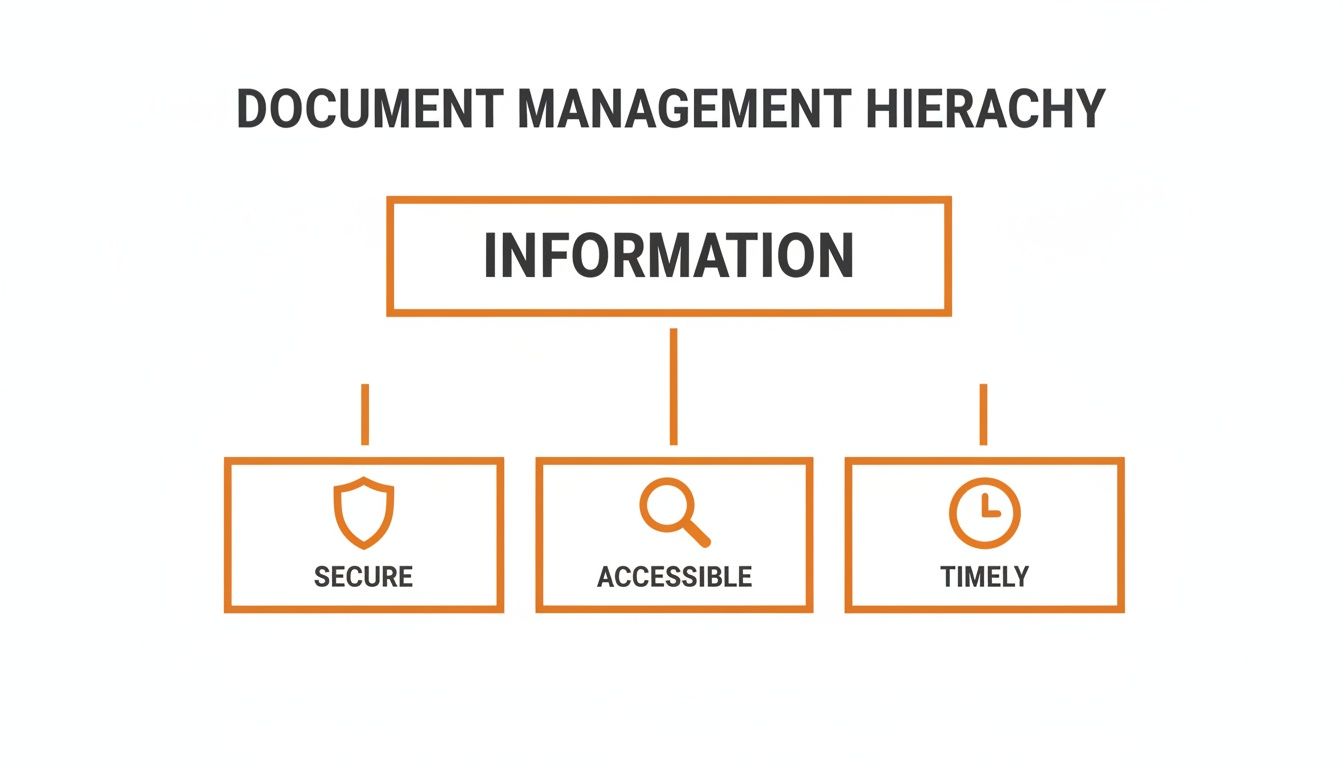
True value comes when security doesn't block access but enables it, paving the way for timely, informed decisions right when they matter most.
The Fourth Pillar: Smart Automation
Finally, a system should do the heavy lifting for you. Your team’s time is too valuable to be wasted on repetitive tasks. Smart automation handles the grunt work, freeing up your people to focus on work that requires a human touch.
A truly useful system automates the tedious tasks that no one wants to do—like classifying new documents, tagging them correctly, or pulling key data from a scanned form.
The scale of this challenge is huge. Healthcare's global data volume is projected to hit 180 zettabytes by 2026. In response, one major U.S. health insurer, which processes 1.2 million medical record requests a year, used AI-powered operations to slash its average turnaround time from 18 days down to just 8. This is the power of automation.
When these four pillars—integration, security, access, and automation—are in place, you don't just have a new tool. You have a calmer, more efficient organization. You have a system that actually works.
How It Works on a Busy Tuesday Morning
It’s easy to talk about “systems” and “pillars.” But that feels worlds away from a chaotic hospital floor. So, let’s make it real. What does modern healthcare document management actually look like on a busy Tuesday morning?
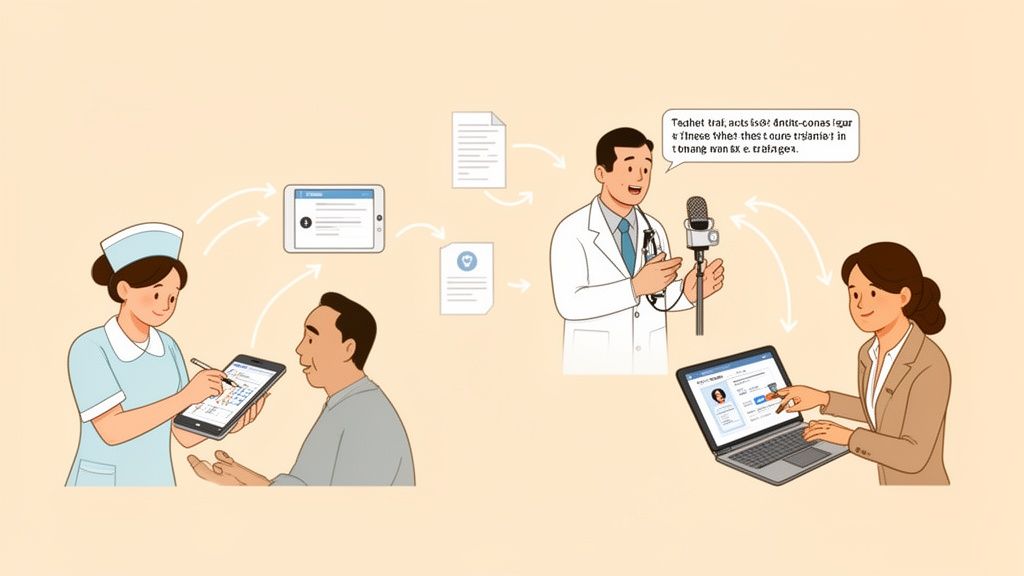
We'll follow three people at a clinic—a nurse, a doctor, and an administrator—and see how one connected tool changes how they work.
The Nurse on Her Rounds
It’s 9:15 AM. Sarah, a nurse, is making her rounds. She needs to check the latest physical therapy protocols for a post-op patient. Instead of walking back to a nursing station to flip through a binder, she just pulls out her phone.
Inside her team’s app, she taps the patient’s profile. In one spot, she sees it all: the updated care plan, yesterday’s signed consent form, and the specific PT instructions uploaded an hour ago.
Everything she needs is right there. No searching. No waiting. No second-guessing. She can walk into that patient's room with complete confidence. This isn't a minor convenience; it's the difference between proactive care and a potential mistake.
The Doctor Between Appointments
Dr. Evans finishes a consultation at 10:30 AM. He used to spend the next ten minutes clacking away at a keyboard—a chore that often followed him home. Today, he just talks.
Using a voice feature in the same app, he dictates his notes. They are instantly transcribed, automatically tagged to the patient’s record, and filed away.
This move away from manual charting is a massive win against burnout. With nearly 80% of providers now using digital records globally, tools that slash documentation time aren't a luxury; they're a necessity. Some physicians have cut their documentation time by 20-50% during a shift and as much as 70% on after-hours charting. You can explore more key EHR trends across global healthcare to see how this is reshaping the industry.
The Administrator Onboarding a New Hire
At 11:00 AM, Mark, an administrator, is onboarding a new medical assistant. The old way involved a giant folder of paperwork and a series of clunky training videos. It was impersonal and a nightmare to track.
Now, Mark opens the same app everyone else uses. He finds the "New Medical Assistant Onboarding" path and assigns it in a few clicks.
This is more than a folder of files. It’s a guided journey: read the clinic’s mission, watch the safety video, then formally acknowledge the infection control policy. Everything happens in one system, and progress is tracked automatically.
The new employee gets a clear, self-paced onboarding, and Mark knows exactly what’s been completed without chasing anyone down. No more ambiguity.
This is what a great system feels like. It’s not about adding another piece of software; it's about removing the friction between tasks, communication, and documents. When everything lives in one connected space, your team can stop fighting the tech and get back to work.
The result is simple: fewer mistakes, faster decisions, and a calmer, more connected team.
How to Choose the Right Tools for Your Team
Let's be honest. The market for healthcare document management is a crowded, noisy place. It’s full of vendors promising the one "solution" to fix all your problems. But we've all been there—a tool is bought with high hopes, only to become another piece of software that makes work more complicated.
So, how do you pick a tool your team will actually use?
My take: you have to start with your people, not a features checklist. The best tool isn't the one with the most bells and whistles. It's the one that solves the most painful, real-world problems for your frontline staff.
Ask the Right Questions First
Before you even book a demo, go talk to your team. But don't ask them what software they want. Ask them about their day.
What are your biggest frustrations?
Where do things completely fall apart?
What information is impossible to find when you need it most?
Their answers will give you a human-centered shopping list. Suddenly, you're not looking for "document management." You're looking for a tool that saves a nurse ten minutes every time she needs a protocol, or helps an administrator onboard new hires without a mountain of paper.
Cut Through the Marketing Fluff
Once you have your team’s pain points, you can flip the script on vendors. Instead of letting them run their canned demo, you drive the conversation with your real challenges.
Don't just ask, “Do you have a search function?”
Instead, challenge them: “Show me how a nurse can find a specific policy and ask a clarifying question about it in under 30 seconds, all from her phone.”
The goal isn’t to see if a feature exists; it’s to see if the tool can solve your specific problem in a way that makes sense for a busy, shift-based team. If the vendor fumbles, you have your answer.
Prioritize Simplicity and Mobile-First Design
Here’s the thing about healthcare—it doesn’t happen at a desk. Your team is constantly moving, and their tools need to keep up. A clunky system designed for office workers is doomed from the start.
Look for tools that are unapologetically simple and mobile-first. The experience on a smartphone should be just as good as—if not better than—the desktop version. If a tool feels like it was built for the reality of fast-paced, distributed work, it has a chance. If your team needs a manual or a full day of training, walk away. Great tools are intuitive.
If you’re managing a distributed team, ensuring secure access is critical. You can learn more about this in our article on secure file sharing for remote teams.
Choosing the right tool comes down to a gut check. Does it feel like something a real person would actually want to use? Trust your instincts. And more importantly, trust the feedback from the people who will use it every day. Their buy-in is the only metric that matters.
This Is About People, Not Just Paper
We’ve spent a lot of time on systems and workflows. But let's be honest for a second. This entire conversation about healthcare document management isn't really about documents. It’s about people.
It’s about giving your team back their time and focus. It’s about bringing a little calm to a profession that is anything but. It's about removing the needless friction that grinds people down, shift after shift.
Building a More Resilient Workplace
Let’s be clear. The goal isn’t to find a “perfect” system that fixes every problem overnight. That doesn't exist. The real goal is to find a fundamentally better way of working, where information flows freely and the tech actually serves the people using it.
When your tools are simple and intuitive, something incredible happens. That constant background noise of administrative chaos just fades away. Your team is no longer fighting the software.
Instead, they’re more present. More focused. They're better equipped to do the one thing they signed up for: caring for patients. This is how you build a more resilient organization from the inside out, creating an environment where your people feel supported enough to do their best work.
Giving Time Back to What Matters
Think about all those minutes lost. The time spent searching for a missing file, chasing a signature, or triple-checking an outdated policy. When you add it all up, the total is staggering.
That’s time that could have been spent with a nervous patient. Time that could have been used to mentor a new nurse. It's even time that could have just been a moment to catch a breath.
The right approach doesn’t just organize files; it gives your team their focus back. It frees them from the tyranny of administrative burden and lets them concentrate on the human side of healthcare.
This isn't just about efficiency. It's about restoring a sense of purpose and acknowledging that your most valuable resource is your people.
This whole thing comes down to a simple choice. We can keep weighing our teams down with clunky, frustrating processes, or we can give them tools that let them work with confidence and clarity. When we choose the latter, we’re not just managing documents—we’re taking care of our people. And that, really, was the point in the first place.
Common Questions About Modernizing Your Documents
When we talk with healthcare leaders about moving beyond paper, the same few questions always pop up. They're good, practical questions—the kind that come from being on the front lines. Let's walk through the ones we hear most.
Isn't This Just Another Burden?
"Our team is already stretched thin. The last thing they need is another complicated system to learn."
This is probably the number one concern, and it’s completely fair. Let's be honest, hospital software has a bad reputation. Too many tools promise to make life easier but only deliver more frustration.
That's precisely why this can't be treated like another IT project. A modern system should feel intuitive the moment your team logs in. The right tool starts solving problems on day one, saving minutes on tasks like hunting for a patient file or tracking down a signed consent form.
The goal is to remove burdens, not add them. The small initial effort to get started should pay for itself almost instantly in time saved and frustration avoided.
How Can We Secure Patient Data on Mobile?
This one is a deal-breaker, as it should be. Security isn't just a feature; it's the foundation. Any system designed for healthcare document management today has robust security woven into its core.
It’s a far more secure approach than the workarounds people create when official tools are too clunky—like emailing sensitive files or using personal messaging apps.
Think of it as a digital fortress with built-in guards. This includes:
Role-based permissions, which ensure a nurse only sees the patient data they need for their shift, and nothing more.
End-to-end encryption that scrambles data, making it unreadable both when stored and when sent between devices.
Detailed audit trails that create an unchangeable log of every single action—who viewed a file, who updated it, and when.
This gives your team secure, controlled access on the go, not a free-for-all.
Will It Work with Our Existing EHR?
It absolutely has to. A new document platform that doesn't talk to your other systems isn't a solution; it's just another information silo. The point is to stop the constant app-switching and create one smooth workflow.
Look for a platform designed from the ground up to be a team player. It should offer simple, proven integrations with major EHRs. Before you consider a new tool, one of your first questions should be: "Show me exactly how this connects with our current tech stack." If the answer is complicated or vague, it's a major red flag.
Pebb is the simple, modern, all-in-one work app that brings your team’s communication, documents, and operations together in one place. See how Pebb can unify your team and simplify your work at https://pebb.io.
