
10 Document Management Best Practices We Actually Use
Tired of document chaos? Explore our 10 calm, opinionated document management best practices for HR and ops. Real tips, no jargon.
Dan Robin
For years, we treated document management like a digital chore. We built elaborate folder structures that looked perfect on day one and became a tangled mess by day thirty. We wrote policies that vanished into a digital void, read by no one. We thought the problem was the tool, or the process, or maybe even the people.
But the real problem was our thinking. We were managing files, not helping people find answers.
That shift in perspective changed everything. It led to a calmer, more intentional approach where the goal isn't a perfectly organized digital filing cabinet, but a team that can find what they need, when they need it. When an HR manager needs the latest benefits summary or a frontline supervisor needs the updated safety protocol, the system should deliver the answer instantly, not send them on a scavenger hunt.
This isn't a theoretical guide. This is what we learned from our own messes and from helping countless distributed teams. These are the 10 document management best practices that actually work, especially for teams on the front lines—in warehouses, hospitals, and stores. These are the places where a quick, clear answer isn't just a convenience; it’s a critical part of the job.
1. Centralized Document Repository with Role-Based Access Control
The days of scattered documents and conflicting versions are over. Or they should be. The foundation of any solid document management strategy is a single source of truth where everyone knows to find the most current information. But just dumping all your files into one place creates a bigger mess. The real magic happens when you pair that central hub with role-based access control (RBAC).
This approach ensures that while information is unified, it’s not a free-for-all. A frontline retail employee can access the latest sales promotion guide without ever seeing sensitive manager-only performance reviews. A warehouse associate can pull up safety protocols on their phone, but they won’t be able to access confidential HR payroll data. This is how you balance accessibility with security.
How to Make It Work
Good access control policies are about giving out specific keys for specific doors.
First, define your roles clearly. Before you assign a single permission, map out the distinct roles in your organization. What does a "Shift Lead" need versus a "Cashier" or a "Regional Manager"? Then, use a tool that simplifies it. In a system like Pebb, you can create custom roles and permissions that mirror your organizational structure. Finally, audit permissions regularly. Don't set it and forget it. Schedule quarterly reviews of who has access to what. This prevents "permission creep," where employees accumulate unnecessary access over time. For a deeper look, you can explore RBAC best practices.
2. Metadata and Document Classification System
If a central repository is the library, then metadata is the card catalog that makes it usable. Just having documents in one place is a start, but without a smart classification system, it quickly becomes a digital junk drawer. A good metadata and tagging system turns your document chaos into a highly organized, searchable resource. It’s the difference between guessing where a safety manual is and knowing you can find it in seconds by filtering for "Warehouse," "Safety Protocol," and "Forklift."
Here's the thing. A restaurant manager needs the new server training guide, not the one from last year. A hospital administrator needs to pull all patient intake forms updated after a specific compliance date. This is where metadata shines, allowing you to slice and dice your document library by department, role, location, or any other tag that matters to your business. This is one of the document management best practices that scales with you, ensuring your system works just as well with 100 documents as it does with 100,000.
How to Make It Work
A thoughtful classification strategy is about creating a common language for your files. It’s about being intentional from the moment a document is created.
Start by creating a metadata "dictionary." Don't let people make up tags on the fly. Create a governance document that defines every possible tag and its purpose. For example, Doc_Type: Policy vs. Doc_Type: Guide. Then, make it mandatory (and easy). Use tools that enforce metadata entry during the upload process. For recurring documents like weekly sales reports, use templates that automatically populate common metadata fields. Finally, review your taxonomy regularly. What works today might not work next year. Schedule a quarterly review of your tags to keep things clean.
3. Document Lifecycle Management and Version Control
A document doesn't just appear out of nowhere, and it shouldn't live forever without a plan. Managing the entire lifecycle of a document—from creation to archival—is a cornerstone of effective document management. This systematic approach, paired with robust version control, ensures your team is always working with the most current, approved information.

Think about a logistics company updating its warehouse safety protocols. A frontline worker accessing an old version could lead to serious accidents. Or a healthcare system where every clinician must use the latest treatment protocols, not a version from six months ago. Version control provides a clear audit trail, showing who changed what and when, which is vital for accountability. The principles from a simple guide to IT Asset Lifecycle Management can be adapted to strengthen how you handle your documents.
How to Make It Work
A controlled document lifecycle prevents confusion and risk. It’s about creating a predictable, manageable flow for your company's most important information.
Use a system that automates the process. When a new safety manual is drafted, it should automatically route to the compliance officer for approval before it's published. Establish clear versioning rules. A typo fix might be version 1.1, but a change to a core safety procedure should be a major update to version 2.0, triggering mandatory read-receipts. Also, set expiration and review dates. Not all documents are meant to last forever. Automatically flag policies for review annually or set promotional materials to be archived the day after a sale ends. For more on this, check out these best practices for team version control.
4. Mobile-First Document Accessibility and Offline Functionality
Your most critical guides are useless if your frontline team can't access them when they actually need them. In the real world, Wi-Fi isn't always reliable, especially in a bustling warehouse, a concrete-walled hospital wing, or a remote job site. This is where a mobile-first approach with offline functionality isn't just a nice-to-have; it's a fundamental requirement.
This means designing your system with the assumption that a phone or tablet will be the primary access point. Documents need to be readable on a small screen and available even when there’s no internet. A hospital team member should be able to pull up emergency protocols instantly, without waiting for a signal. A field technician needs to view equipment manuals on their device, regardless of their location.
How to Make It Work
True mobile accessibility is about reliability and speed. It’s about removing any friction between a worker and the information they need.
Your system must allow employees to download essential files for offline use. In a tool like Pebb, you can designate specific folders, like "Safety Protocols" or "Equipment Manuals," to be available offline. Ensure documents are optimized for mobile viewing—easy to read without endless pinching and zooming. Your app should also clearly indicate when a user is viewing an offline document and notify them when an updated version is available. Finally, let users choose which specific documents they want to save for offline access. This saves device storage and ensures they only download what’s relevant.
5. Automated Document Distribution and Change Notification System
Relying on employees to proactively check for policy updates is a recipe for disaster. In a fast-paced environment, nobody has time to sift through folders to see if the "Employee Handbook v3.4" has been replaced by "v3.5." A modern document system doesn't just store information; it actively pushes critical updates to the right people. This transforms document management from a passive library into an active communication channel.
This is especially critical in compliance-heavy industries. Imagine a healthcare system updating a clinical protocol or a logistics company issuing a new safety procedure. These aren't optional reads. An automated notification system ensures that when a change is published, every affected employee is immediately alerted and can even be required to acknowledge receipt. This closes the communication loop.
How to Make It Work
A great notification system goes beyond a simple email. It's about delivering targeted, actionable information that cuts through the noise.
First, create role-based distribution lists. Don't build lists around individuals; that's a maintenance nightmare. Instead, create lists based on roles or locations. In Pebb, you can create a "Cashiers - West Region" group, so when you update a point-of-sale procedure, only they get the alert. Next, track acknowledgments. For critical updates, you can require employees to formally acknowledge they have read the document, and then track who has and hasn't. Finally, segment your notifications to reduce fatigue. Bundle non-critical updates into a weekly digest and reserve instant push notifications for truly urgent information.
6. Document Search and Discovery Optimization
A perfectly organized repository is useless if your team can’t find what they need. A powerful search function acts as the central nervous system of your document management system, turning a passive library into a responsive knowledge base. Without it, employees waste time digging through folders or, worse, give up and use outdated information.
For distributed organizations, poor discoverability is a direct threat to productivity and compliance. When a warehouse worker searches for "forklift," they should instantly see training videos, safety procedures, and certification requirements—not a jumble of unrelated files. This is where intelligent search becomes essential.
How to Make It Work
Optimizing search is about building an intuitive discovery experience that understands how your employees actually work. The goal is to get the right document into their hands in seconds.
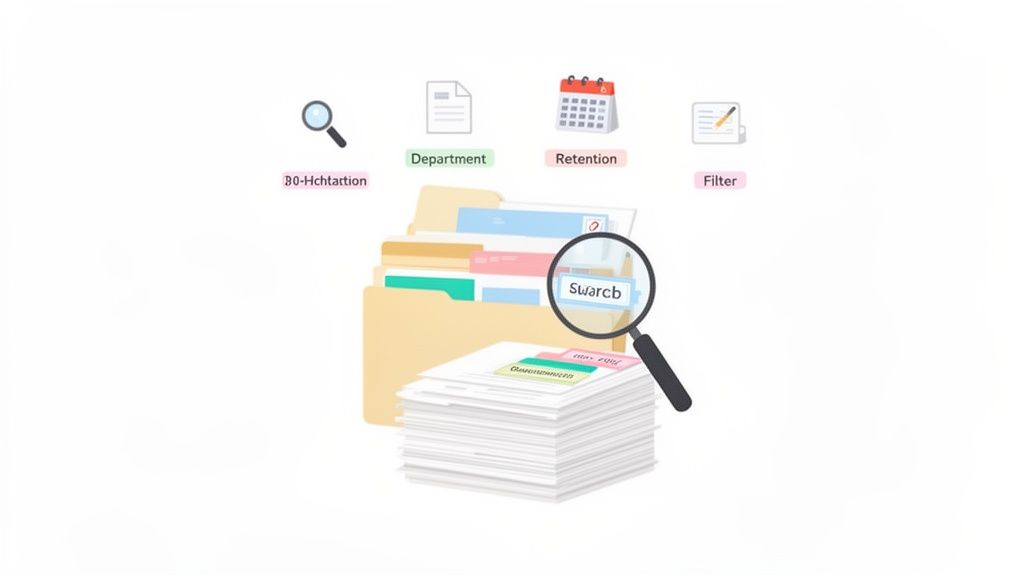
Implement smart filters. Don't make users sift through hundreds of results. Provide quick filters that let them narrow down searches by department, date, or document type. Use analytics to see what your team is looking for. A dashboard showing popular searches and, more importantly, searches with zero results is a goldmine. It tells you exactly where the gaps are. Your search tool should also be forgiving. Implement "did you mean" suggestions for common misspellings or industry jargon. A new hire might search for "PTO," and the system should be smart enough to also show results for "paid time off."
7. Cross-Functional Collaboration and Document Co-Authoring
Document management isn't just about storing files; it's about creating living documents that reflect the collective knowledge of your team. The old way involved emailing a Word doc around and trying to merge "Final_v3_John's_Edits.docx" with "Final_v4_FINAL.docx". That chaotic process is inefficient and often silences valuable voices from the front lines.
True collaboration happens when multiple people can view, edit, and comment on a document at the same time. This turns policy creation from a top-down mandate into a bottom-up conversation. Think of a hospital committee updating a clinical protocol; input from nurses, doctors, and administrators in one shared space is crucial. Or a restaurant chain refining a new procedure with real-time feedback from GMs and in-store staff.
How to Make It Work
Fostering a collaborative environment requires a structured approach to gathering feedback.
First, define clear roles. Not everyone needs full edit permissions. A frontline warehouse associate might be given "comment-only" access to a draft safety procedure, while their supervisor has "suggesting" rights. Next, set comment resolution rules. Before a document is finalized, require that every comment is formally addressed—accepted, rejected with a reason, or resolved. This ensures no feedback gets lost. Finally, archive the conversation. The discussion around a document is often as important as the final version. Keeping a record provides valuable context for future updates.
8. Document Analytics and Usage Intelligence
Creating and distributing a document is only half the battle. The real question is: did anyone actually read it? Simply making information available doesn't guarantee it's being consumed. This is where usage intelligence becomes one of the most transformative document management best practices. By tracking what gets opened, by whom, and for how long, you gain invaluable insight into what’s working and what isn’t.
This data-driven approach moves you beyond assumptions. Imagine a logistics company tracking engagement on new safety training videos. They might see an 80% completion rate but a dismal 45% pass rate on the quiz. This isn't a failure of the employees; it's a clear signal that the video content isn't effective. Without analytics, this critical gap could go unnoticed until an incident occurs.
How to Make It Work
Implementing analytics isn't about surveillance; it's about understanding and improving your communication.
Set clear engagement targets. Don't just collect data; act on it. Establish benchmarks for critical documents. For example, a new workplace safety policy should be accessed by 100% of relevant staff within seven days. Focus on underperforming content. Regularly run reports to identify documents that are being ignored. Are people not reading the new loss-prevention guide? Don’t just send another reminder. Ask your frontline teams why. Is it too long? Hard to find? Irrelevant? Finally, connect data to outcomes. Correlate low engagement on a new procedure document with an increase in procedural errors in a specific store. This provides a clear, actionable link between knowledge and performance.
9. Compliance, Retention, and Legal Hold Management
Failing to manage your documents according to legal standards isn't just a mistake; it's a liability. For businesses in regulated fields like healthcare or finance, this isn't optional. Proper document retention means knowing precisely how long to keep a document, why you're keeping it, and how to dispose of it securely.
This is where automated policies become a lifesaver. Imagine a system where patient records are automatically flagged for secure deletion seven years after the patient's last visit, in line with HIPAA. Or financial firms holding investment records for the exact duration required by SOX auditors, without manual tracking. Embedding compliance into your document lifecycle is one of the most critical document management best practices because it protects your organization from fines and legal challenges.
How to Make It Work
Setting up automated retention policies transforms compliance from a stressful manual chore into a reliable, background process.
Your first step isn’t in a tool; it's with your legal and compliance teams. They understand the nuances of regulations like GDPR or HIPAA. Work with them to define your retention schedules. For every retention rule you create, document the "why" behind it, noting the specific regulation. This creates a clear audit trail. You also need a legal hold system—an emergency brake for automated deletion. When litigation is anticipated, you must be able to instantly pause the destruction of relevant documents. Finally, test and audit. Before rolling out a deletion policy, test it in a safe environment.
10. Employee Training and Adoption Programs for Document Management
You can build the most elegant system in the world, but if your team doesn't use it, it's just an expensive digital paperweight. This is where many companies stumble. They invest in technology but forget the people. Without a thoughtful training and adoption program, your shiny new system will gather dust while employees revert to emailing outdated PDFs.
This is why structured employee education is so vital. A new retail hire needs to know exactly where to find the returns policy on day one. A warehouse associate operating new machinery needs immediate access to the safety manual. Effective training turns a tool into an indispensable part of daily operations.
How to Make It Work
A successful rollout isn't a one-time event; it's a campaign. The goal is to build confidence so using the system becomes second nature.
Create role-specific training. A store manager needs to learn how to upload guides, while a cashier just needs to know how to search. Tailor your training to what each role actually does. Use microlearning for key tasks. Create short, focused videos (2-3 minutes) that cover specific actions like "How to find your schedule." Launch a "Train the Trainer" program. Equip your managers and team leads to be local champions. This manager-led approach builds trust. For more ideas on driving adoption, you can explore strategies for running internal campaigns. Finally, provide "Super User" support. During the first 30 days, designate a few people who can answer questions and provide hands-on help.
Document Management Best Practices: 10-Point Comparison
Solution | 🔄 Implementation Complexity | ⚡ Resource Requirements | ⭐ Expected Outcomes / Impact 📊 | Ideal Use Cases | 💡 Key Advantages & Tips |
|---|---|---|---|---|---|
Centralized Document Repository with Role-Based Access Control | 🔄 Medium — setup of hierarchy + RBAC rules | ⚡ Medium — storage, IAM, admin time | ⭐⭐⭐⭐ — consistent access, faster onboarding, improved compliance | Distributed teams, retail, logistics, healthcare | 💡 Centralizes policies; use consistent naming, pin frequently used docs, audit permissions |
Metadata and Document Classification System | 🔄 High — taxonomy design and governance | ⚡ Medium-High — tagging tools, templates, training | ⭐⭐⭐⭐ — greatly improved discoverability, fewer duplicates, better analytics | Large/multi-location orgs with diverse documents | 💡 Define taxonomy, use templates & mandatory fields, review quarterly |
Document Lifecycle Management and Version Control | 🔄 High — workflows, approvals, versioning rules | ⚡ Medium — platform integration, training | ⭐⭐⭐⭐ — single source of truth, audit trail, safe rollbacks | Compliance-heavy environments, multinational policy updates | 💡 Automate notifications, set clear version rules and approval gates |
Mobile-First Document Accessibility and Offline Functionality | 🔄 Medium — mobile UX + offline sync logic | ⚡ High — mobile development, caching, sync infra | ⭐⭐⭐ — improved frontline access and continuity during outages | Field teams, warehouses, hospitals, retail frontline | 💡 Let users choose offline docs, show sync status, optimize file sizes |
Automated Document Distribution and Change Notification System | 🔄 Medium-High — distribution logic & escalation flows | ⚡ Medium — notification channels, tracking systems | ⭐⭐⭐⭐ — immediate reach, proof of communication, higher compliance | Safety or compliance updates across sites and shifts | 💡 Build role/location lists, require acknowledgments, segment to avoid fatigue |
Document Search and Discovery Optimization | 🔄 High — NLP, indexing, and tuning | ⚡ High — search engine, metadata enrichment, ongoing tuning | ⭐⭐⭐⭐ — rapid findability, higher policy usage, informs content gaps | Organizations with large doc volumes or multilingual needs | 💡 Track zero-result queries, add synonyms, provide saved searches |
Cross-Functional Collaboration and Document Co-Authoring | 🔄 Medium — real-time editing + governance rules | ⚡ Medium — collaboration tools, access controls | ⭐⭐⭐ — faster co-creation, better frontline input, fewer email chains | Policy development, cross-dept procedures, committees | 💡 Define roles (view/comment/approve), use templates and comment resolution rules |
Document Analytics and Usage Intelligence | 🔄 Medium-High — tracking, dashboards, privacy controls | ⚡ High — analytics platform, data governance, integrations | ⭐⭐⭐⭐ — visibility into engagement, guides training and content strategy | Leadership insight, compliance monitoring, content ROI analysis | 💡 Combine analytics with quiz/incident data, use heatmaps, respect privacy |
Compliance, Retention, and Legal Hold Management | 🔄 High — mapping regulations, retention workflows | ⚡ Medium-High — legal input, policy engine, audit logs | ⭐⭐⭐⭐ — reduced legal risk, audit readiness, controlled deletion | Healthcare, finance, multi-country operations | 💡 Involve legal teams, test deletions in staging, implement legal holds |
Employee Training and Adoption Programs for Document Management | 🔄 Medium — content and rollout planning | ⚡ Medium — training materials, time, learning platform | ⭐⭐⭐ — higher adoption, fewer support requests, better data quality | New system launches, seasonal hiring, frontline adoption drives | 💡 Use microlearning, train-the-trainer, gamify and provide super-user support |
The Goal Is Quiet Confidence, Not Digital Perfection
We’ve just walked through ten best practices, from building a central repository and mastering metadata to optimizing search and ensuring compliance. We covered the technical details: version control, retention policies, and mobile-first access. We talked about the human side: training, collaboration, and getting your team on board. It’s a lot to take in.
Let’s be honest. Staring at a list like that can feel overwhelming. It’s easy to get lost in the pursuit of a flawless system, a perfectly categorized digital library where no file is ever out of place. But that’s a trap. The real goal isn’t to build a perfect system. It's to build a useful one.
The best document management systems don’t draw attention to themselves. They operate so smoothly in the background that they become invisible. They don't demand constant maintenance or a PhD in information architecture to navigate. Instead, they provide quiet confidence.
From Chaos to Clarity, One Step at a Time
This quiet confidence looks different depending on who you are.
For an HR leader, it’s knowing that every employee has acknowledged the updated handbook, with a digital trail to prove it.
For an operations manager, it’s the certainty that every frontline team member has instant access to the latest safety protocols on their phone, even if the Wi-Fi is spotty.
For a new hire on their first day, it’s the simple relief of finding the PTO policy without having to interrupt their manager.
This is what effective document management feels like. It’s not about complex workflows or rigid taxonomies. It’s about reducing friction. It’s about giving people the right information at the right time so they can do their jobs well, without hesitation. It’s the difference between an employee feeling supported and feeling lost.
Your Next Move: Start Small, Listen Deeply
You don’t need to tackle all ten of these at once. The most successful rollouts start with a single, high-impact problem. What’s the biggest source of document chaos in your organization right now? Is it outdated forms floating around in emails? Is it the five different places your team stores standard operating procedures?
Find that one pain point and fix it. Maybe you start by simply creating a single, official "Policies & Procedures" folder in a tool like Pebb’s Knowledge Library and communicating that this is the new source of truth. Get that one small win. Then, listen to your team. What do they need next? Their feedback is the most valuable guide you have.
The ultimate measure of your system isn’t its technical sophistication. It’s how quickly it gets out of the way so your people can get to work.
Mastering these document management best practices is about more than just organization. It’s about building a foundation of trust and clarity. It’s about creating a workplace where information flows freely and reliably, helping every single person to act with confidence. Don’t chase perfection. Chase usefulness. Aim for a system that’s so simple and intuitive it just works, letting your team focus on what truly matters.
Ready to move from scattered files to a single source of truth? Pebb combines a powerful knowledge library, file sharing, and mobile-first access into one simple platform, helping you implement these best practices without the complexity. See how you can build a more confident, connected team at Pebb.
