
Author: Ron Daniel
Secure File Sharing for Remote Teams
Practical guide to securing file sharing for remote teams with E2EE, role-based access, audit trails, MFA, and integrated collaboration to cut breaches and save time.
Most people don’t give a second thought to how files are shared in their teams - until something goes wrong. A few months ago, I heard about a company that accidentally shared sensitive client data through an unsecured platform. The result? A data breach that cost them hundreds of thousands of dollars and months of damage control. It was a wake-up call for me. I started thinking about how many times my own team had casually sent files over email or used personal apps like WhatsApp when the official tools felt clunky. Sound familiar?
Here’s the thing: remote and hybrid work have made secure file sharing more critical than ever. The numbers are sobering - 82% of breaches are linked to human error, and 56% of employees admit to using personal platforms for work. That’s a lot of risk for something as simple as sharing a document. And it’s not just about security. Workers waste an hour a day searching for files, which adds up to a massive productivity drain.
In this article, I’ll break down the most effective ways to secure your team’s file sharing without slowing anyone down. We’ll cover the key features to look for in tools, the smartest practices for keeping files safe, and how my team at Pebb has tackled these challenges head-on. Let’s dive in.
Security Features to Look for in File Sharing Tools
At Pebb, we don’t mess around when it comes to security. It’s the backbone of everything we do. Without the right features, a simple file share could turn into a full-blown data breach nightmare. Let me walk you through the essentials we always keep an eye on.
End-to-End Encryption and AES-256
Let’s start with the basics: end-to-end encryption (E2EE). It’s like having a private conversation in a soundproof room - only the sender and the recipient can hear what’s being said. The data gets encrypted on the sender’s device and only decrypts once it reaches the intended recipient. No one else, not even the service provider, can peek in.
Now, pair that with AES-256 encryption, which is often called the “gold standard” in encryption. Here’s how it works: AES-256 does the heavy lifting by encrypting the actual file content, while asymmetric encryption methods like RSA-4096 securely handle the sharing of decryption keys. It’s a powerful one-two punch.
But here’s the kicker: look for tools with a zero-knowledge architecture. This means the provider doesn’t have access to your encryption keys. Even if their servers are hacked, your data stays locked up because the keys are only on your devices. Just remember, while E2EE protects your file content, it doesn’t usually cover metadata like file names or sizes. That’s why combining encryption with strong access controls is a must.
Role-Based Permissions and Access Control
Encryption is great, but it’s only part of the story. You’ve got to control who can actually see and handle your files. That’s where role-based access control (RBAC) comes into play. It ensures that people only have access to what they need - nothing more. By restricting access based on job roles or project involvement, you’re sticking to the “least privilege” principle, which is a cornerstone of Zero Trust security.
Then there’s the beauty of granular permissions. You can decide if someone can just view a file, leave comments, make edits, download it, or even share it further. This level of control can save you from headaches like someone accidentally deleting a critical document or sharing sensitive data outside the company.
For remote teams, centralized management is a lifesaver. If someone leaves the company or moves to a different role, you can revoke their access instantly across all devices. Better yet, integrating your file-sharing tool with identity management systems like Azure AD or Okta ensures your security policies stay consistent, no matter where your team logs in from. Oh, and here’s a tip: use expiration links for external collaborators. That way, shared files don’t hang around forever.
Audit Trails and Monitoring
Now, let’s talk about keeping an eye on things. Audit trails are like having a security camera for your files. They record every action - who accessed what, when they did it, and what changes they made. Not only do these logs help you catch issues early, but they’re also a lifesaver when it comes to compliance with regulations like HIPAA, GDPR, PCI DSS, or SOC 2.
Real-time monitoring takes it a step further. It flags suspicious activity right away, like unusual login attempts, downloads that seem out of the ordinary, or access from unexpected locations. These alerts can stop a potential breach before it spirals out of control.
Having detailed logs also encourages people to be more cautious with how they handle files. And if you ever need to investigate an incident or prove compliance during an audit, those records make the whole process a lot smoother.
At Pebb, we’ve made these features part of our playbook for secure collaboration. It’s not just about protecting data - it’s about giving our team the confidence to work without worrying about security gaps.
Collaboration Features for Remote Teams
At Pebb, we’ve learned that securing data is only part of the equation. The other part? Making sure teams can collaborate seamlessly without compromising security. It’s not enough to just lock things down; the tools we use need to foster smooth teamwork while keeping everything safe. By combining robust security with user-friendly collaboration features, we’ve empowered our remote teams to work smarter and more efficiently.
Real-Time Syncing and Version Control
Let’s face it - nothing derails productivity faster than juggling multiple file versions. That’s why real-time syncing and version control are absolute game-changers. With real-time syncing, everyone on the team can access the most up-to-date version of a file across all their devices, instantly. No more “Which version are we working on?” headaches.
Version control takes it a step further by logging every change, so if someone makes an error, it’s easy to roll back to a previous version. And here’s the kicker: this isn’t just a convenience - it’s a security feature. When you’ve got an audit trail of document changes, you can catch issues early and avoid bigger problems down the line. Plus, these tools naturally integrate with secure sharing and access controls, keeping everything locked down while still accessible to the right people.
Expiration Links and Secure Sharing Options
Here’s a simple but powerful tip we swear by: always set expiration dates on shared links. It’s one of the easiest ways to limit exposure and keep files from floating around indefinitely. Pair that with password protection, and you’ve got a solid layer of defense.
And if a link gets sent to the wrong person? No problem - just revoke access instantly. These features may not sound flashy, but they’re practical safeguards that can stop small mistakes from turning into major headaches.
Multi-Factor Authentication (MFA) Integration
Let’s talk about one of the biggest threats to security: human error. Did you know that 82% of security breaches involve human factors like stolen credentials or phishing attacks? Relying on passwords alone just doesn’t cut it anymore, which is where multi-factor authentication (MFA) comes in.
MFA adds an extra layer of protection by requiring two or more forms of verification. Think of it as a combination of something you know (like a password), something you have (like a phone for a text confirmation), or something you are (like a fingerprint). Even if a password gets compromised, that second factor blocks unauthorized access. Microsoft’s research shows MFA can reduce the risk of account takeovers by up to 99.9%. That’s not just an improvement - it’s a total game-changer.
"Multifactor authentication can dramatically reduce the risk of compromised passwords, data identity thefts and account takeovers because if one factor is cracked, another one steps up to thwart the attack. By up to 99.9%, to be exact, according to Microsoft." - Tresorit Team
For remote teams working across various locations and devices, MFA is a must-have. It’s a cornerstone of the Zero Trust security model, which assumes threats can come from anywhere - even inside your network. At Pebb, we’ve embraced this mindset to ensure that collaboration and security go hand in hand. After all, they’re two sides of the same coin.
Top Secure File Sharing Tools for Remote Teams
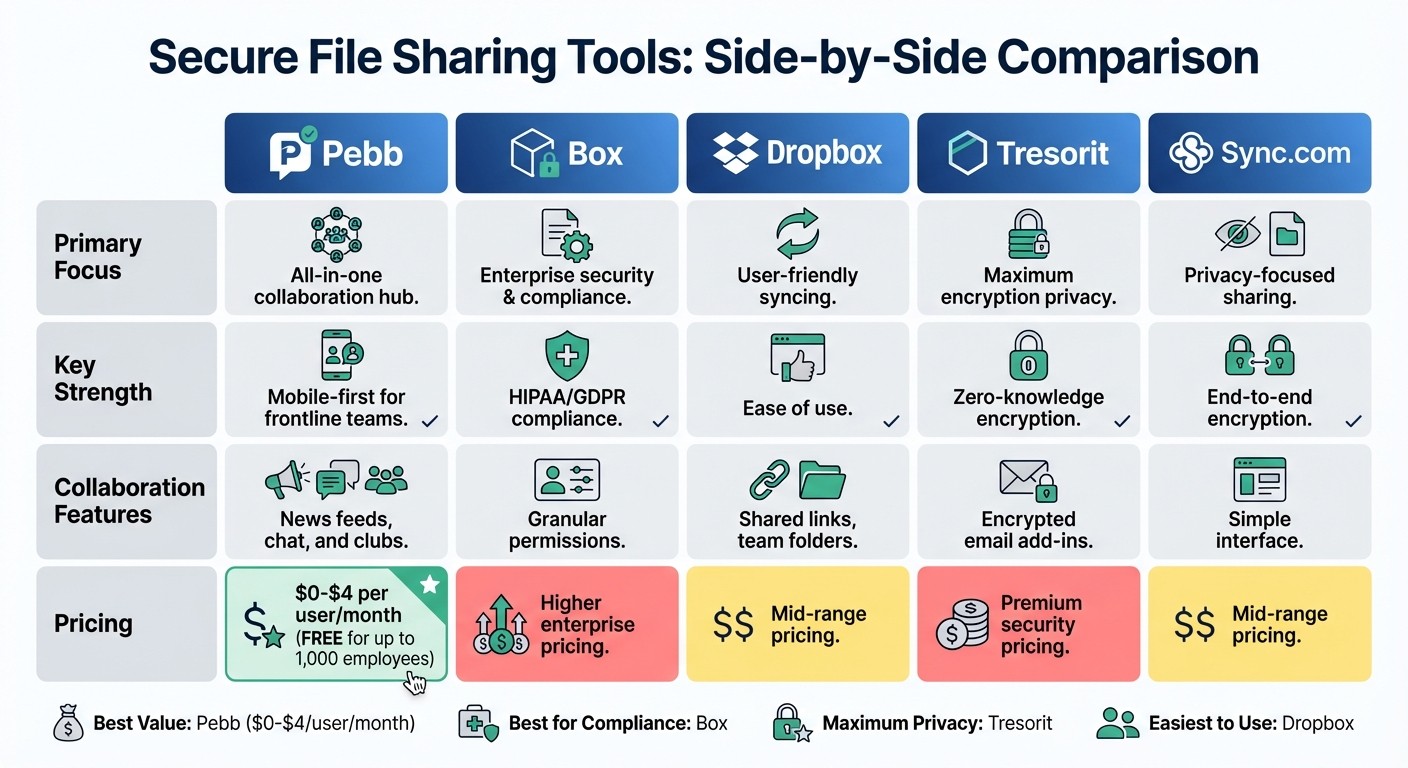
Secure File Sharing Tools Comparison for Remote Teams
Now that we’ve broken down what makes file sharing both secure and collaborative, let’s dive into the tools that actually deliver on those promises. After testing and researching several top options, here’s how they stack up for remote teams.
Pebb: The All-in-One App Solution for Teams and Staff

At Pebb, we’ve taken a different approach. Instead of making teams juggle multiple tools for chat, file sharing, task management, news updates, digital forms, and events, we’ve combined everything into a single platform. Why? Because collaboration shouldn’t mean hopping between five different apps.
What sets us apart is our mobile-first design, which has been a game-changer for frontline and desk-based teams in industries like retail, healthcare, and hospitality. With Pebb, your team can do it all - share files, jump into chats, check the news feed, manage shifts, track time off, clock in and out, manage tasks, fill out digital forms, join events, and access the knowledge library - right from their phones. And don’t worry, security is built-in with role-based permissions, and seamless integration with your existing workflows.
Here’s the kicker: we offer a completely free plan for up to 15 employees. That includes unlimited chat history, news feeds, tasks, digital forms, calendar, clock in, shift scheduling, PTO management, apps, unlimited spaces, teams & branches, and file sharing through our knowledge library. If you need extras like voice and video calls, analytics, unlimited admins, permissions control, advanced work chat, advanced posts, integrations, premium SLA support, or enterprise SSO, our premium plan is just $4 per user per month. Compare that to Slack’s $7.25+ per user or the headache of piecing together multiple tools, and it’s clear we’re offering something special.
Box: Enterprise-Grade Security
For industries like healthcare or finance that need airtight compliance, Box is a solid contender. They’ve nailed HIPAA and GDPR compliance and offer granular permissions to control exactly who sees what. Bonus points for their ability to handle DICOM files for medical imaging, which makes them a go-to for healthcare organizations. That said, their enterprise pricing and steeper learning curve might make smaller teams think twice.
Sync.com: Privacy-Focused Sharing
Sync.com is all about privacy, offering end-to-end encryption to secure files both in transit and at rest. If keeping your data private is your top priority, this is a strong mid-range option. The interface is simple, and while they do offer collaboration features, it doesn’t quite match the depth of an all-in-one platform like Pebb.
Tresorit: Maximum Encryption for Confidential Files
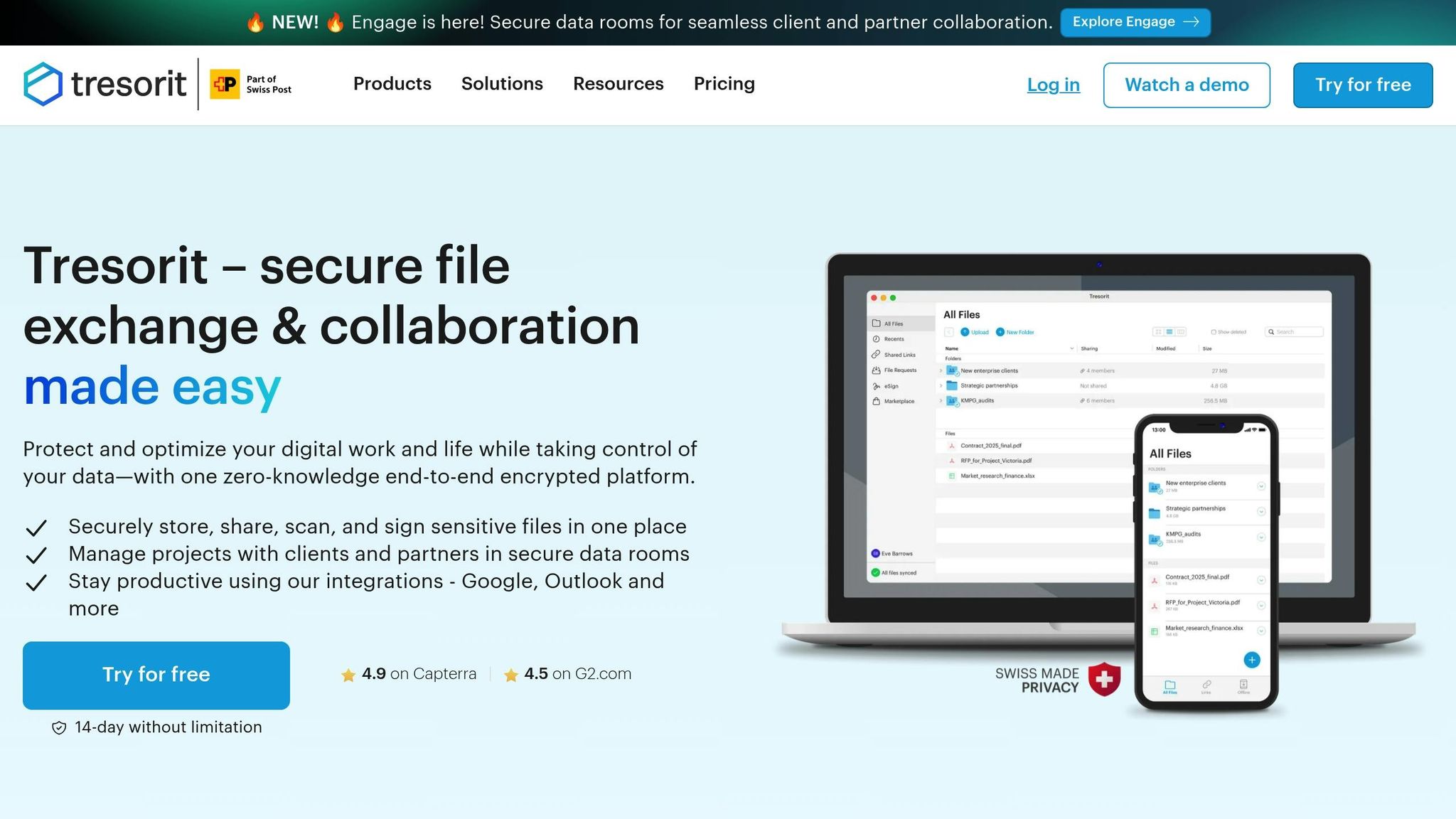
Need zero-knowledge encryption - the kind where even the service provider can’t access your data? Tresorit is your answer. They’ve got features like encrypted email add-ins and ultra-secure sharing for highly confidential files. The trade-off? Their premium security comes with a price tag that can quickly add up, especially for larger teams.
Dropbox: Reliable and User-Friendly
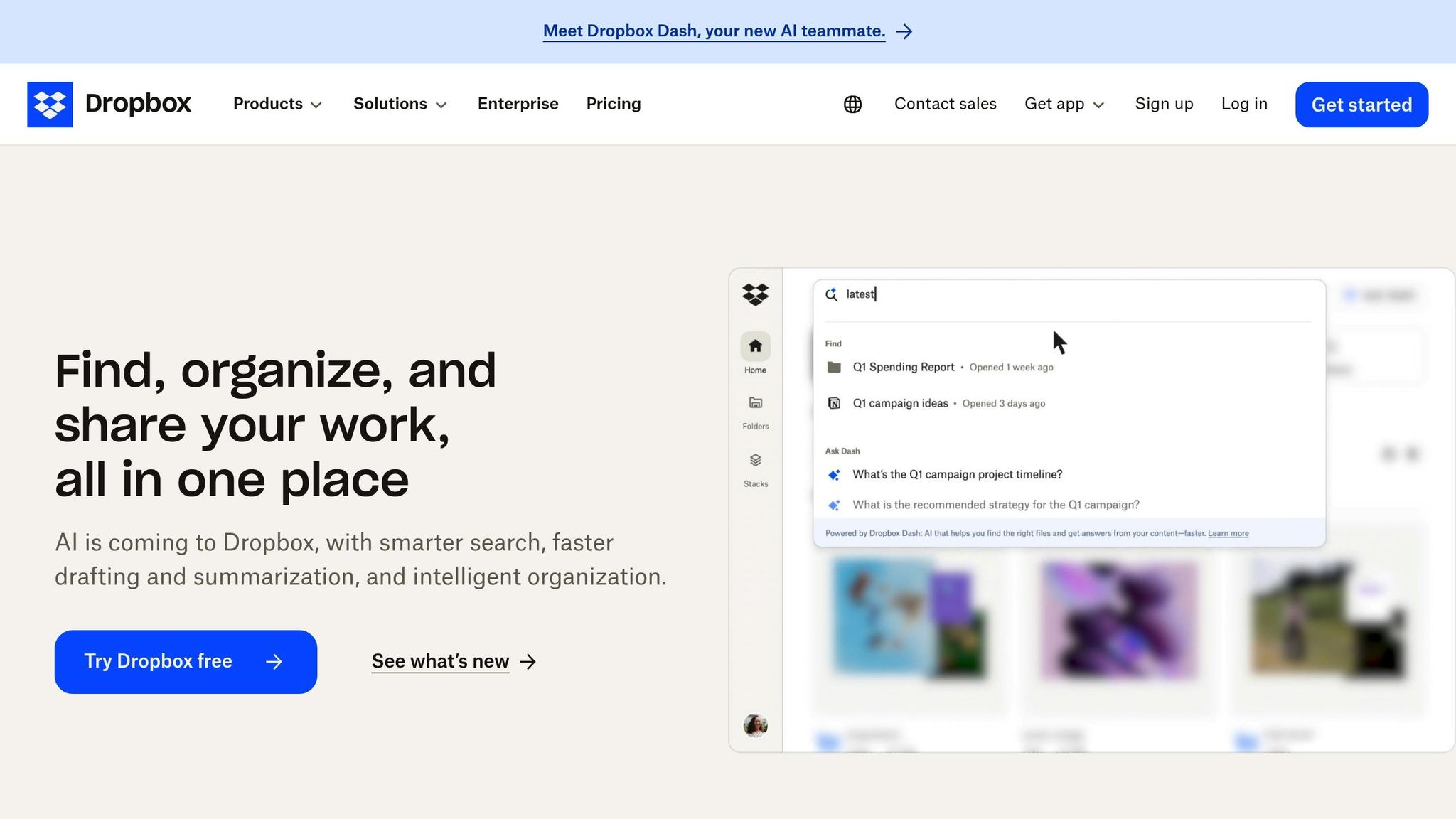
Dropbox is the old reliable of file sharing. It’s easy to use, syncs reliably, and offers solid offline access. But it’s missing some of the advanced security features you’ll find in tools like Box or Tresorit, and it doesn’t include integrated collaboration tools. If all you need is basic file syncing, it’s a decent choice, but remote teams often need more than that.
Quick Comparison
To make things clearer, here’s a side-by-side look at how these tools compare:
Feature | Pebb | Box | Dropbox | Tresorit |
|---|---|---|---|---|
Primary Focus | All-in-one employee app for communication and operations | Enterprise security & compliance | User-friendly syncing | Maximum encryption privacy |
Key Strength | Mobile-first for frontline teams | HIPAA/GDPR compliance | Ease of use | Zero-knowledge encryption |
Collaboration | News feed, chat, tasks, forms, and events | Granular permissions | Shared links, team folders | Encrypted email add-ins |
Cost | Affordable ($0 - $4) | Higher enterprise pricing | Mid-range pricing | Premium security pricing |
If you’re after a tool that combines secure file sharing with team communication and collaboration at an unbeatable price, Pebb is designed for you. But if your needs lean more toward compliance or ultra-secure encryption, options like Box or Tresorit might be the better fit.
Best Practices for Secure File Sharing Implementation
Choosing the right tool is just the beginning - how you configure and use it can make or break your file-sharing security. I’ve seen teams invest in top-notch platforms, only to leave them vulnerable due to misconfigurations. Let’s dive into some key practices that can safeguard your team’s shared files and communications.
Choose Tools with GDPR and HIPAA Compliance
When dealing with sensitive data - like patient records, financial reports, or customer information - compliance isn’t just a box to check; it’s a necessity. Tools such as FileCloud come with pre-built dashboards tailored to meet GDPR, HIPAA, ITAR, and NIST requirements. This saves your IT team from the headache of building compliance tracking from scratch. Another critical feature to look for is data residency options, ensuring files are stored in regions that meet compliance standards. At Pebb, we’ve taken this a step further by designing our all-in-one employee app for communication and operations with both security and compliance baked in, so you can rest easy knowing your files and communications align with your industry’s regulations.
Set Up Permissions and Monitor Access
Here’s a tip I always emphasize: role-based access control (RBAC) is your best friend. From day one, set up permissions so team members only access what they need. For instance, viewers shouldn’t be able to download files, and editors shouldn’t have admin privileges unless it’s absolutely necessary. For added security, enable expiration dates on shared links and require password protection for sensitive files. But don’t stop there - regularly review audit logs to spot anything unusual, like mass file deletions or logins from unfamiliar locations. These proactive steps can save you from potential breaches. And when you integrate these measures with your communication platform, you create a seamless and secure workflow.
Integrate File Sharing with Team Communication Platforms
One of the biggest pitfalls I’ve noticed is when file sharing and team communication happen in separate apps. That’s where mistakes - and security gaps - creep in. With Pebb, we’ve solved this by creating an all-in-one employee app for communication and operations. Instead of juggling Dropbox for files, Slack for chats, and a third tool for tasks, your team can share and discuss files in one place. This isn’t just convenient; it’s safer too. Keeping everything centralized reduces the temptation for employees to turn to unapproved personal apps, which can be a security risk. By integrating file sharing directly into your communication platform, Pebb ensures your team collaborates securely and efficiently, all while staying within approved systems.
Conclusion
Here’s a stat that always grabs my attention: 82% of security breaches involve human factors - things like stolen credentials, phishing attacks, or even just plain old mistakes. When you’ve got a team spread out across different locations, secure file sharing becomes the backbone of your remote work security plan. Tools like AES-256 encryption, role-based permissions, and audit trails aren’t just tech buzzwords - they’re your safety net. They protect sensitive data while keeping your team moving forward. The numbers don’t lie: strong, easy-to-use file-sharing solutions are a must.
From my experience working with remote teams, I’ve learned one thing for sure - security only works if it’s simple. If your file-sharing system feels like solving a Rubik’s Cube, people will find workarounds. And that’s when shadow IT creeps in, creating those dangerous security gaps. That’s why Pebb’s integrated platform has been a game-changer for us. It’s designed to keep things secure and straightforward.
Here’s what we’ve built into our system: a centralized Knowledge Library for quick access to important documents, secure messaging, tasks, calendar events, digital forms, shift scheduling, clock in, PTO management, and multi-factor authentication (MFA) that blocks up to 99.9% of account takeover attempts. Everything’s in one place, so we’re not constantly switching between apps. It’s a setup that protects our data without slowing us down.
And here’s the kicker - it won’t blow your budget. While some platforms charge upwards of $7.25 per user per month, Pebb starts at just $4 per user per month. You get enterprise-level security without the hefty price tag, plus all the collaboration tools your remote team needs to stay connected and efficient.
The bottom line? Secure file sharing doesn’t have to be a headache or cost a fortune. With the right tools and a smart approach, your team can work seamlessly and confidently, knowing their data is safe every step of the way.
FAQs
What security features should a file-sharing tool have for remote teams?
When it comes to securely sharing files with your remote team, there are a few essential features you just can't skip. Let’s talk about encryption first - this one's non-negotiable. Your files need to be protected both while they’re being sent and when they’re stored, so prying eyes can’t get to them. Then there’s access control - a must-have for deciding exactly who can view or download specific files. Add in password-protected links and link expiration dates, and you’ve got some solid extra layers of security.
But wait, there’s more. Tools with audit logs are a lifesaver for keeping tabs on who’s viewing or editing files. And don’t forget multi-factor authentication (MFA) - it’s like locking the door and setting an alarm to keep unauthorized users out. At Pebb, we’ve built all of this right in: end-to-end encryption, role-based permissions, expiring links, and MFA are part of the package. With these tools, you can share files with total peace of mind, knowing your data is secure every step of the way.
How do role-based permissions improve file security for remote teams?
Role-based permissions have completely transformed how we keep shared files secure, especially when working with teams scattered across various locations. By tying access to someone's role - like an HR manager or project admin - we make sure that only the right people can view, edit, or share specific files. Everyone else? They're automatically restricted. No more juggling individual user permissions or dealing with access chaos.
What’s even better is the added flexibility to layer in extra security based on access levels. For instance, external file sharing can include password protection or set expiration dates, while internal team members get hassle-free access. This setup doesn’t just prevent accidental leaks; it also keeps sensitive data locked down while streamlining workflows for everyone involved. It’s a straightforward yet highly effective way to stay both secure and productive.
Why is multi-factor authentication (MFA) important for remote teams?
Multi-factor authentication (MFA) is a game-changer for remote teams. It goes beyond the basic password, adding an extra layer of security that can make all the difference. Whether it's a code sent to your phone, a fingerprint scan, or another verification method, MFA ensures that even if a password falls into the wrong hands, your sensitive information stays protected.
For remote teams, where devices and networks can be all over the map, MFA plays a key role in supporting a zero-trust security model. It’s not just about keeping hackers out - it's also about meeting data protection standards and giving everyone peace of mind. No matter where your team is working, MFA helps lock down your workflows and keep things running smoothly.
