
A Guide to Mobile Workforce Management Tools for Real Teams
Ditch the clipboards. Learn what mobile workforce management solutions do, why they matter, and how to pick one that actually helps your field team succeed.
Dan Robin
It used to be clipboards, paper schedules, and a dozen phone calls just to know where everyone was. We spent more time coordinating the work than actually doing it. It was exhausting.
That old way of running a mobile team—held together by sticky notes and frantic texts—is a recipe for chaos. A single missed call can throw off an entire day. That’s the problem mobile workforce management tools were built to fix.
But let’s be honest. The term "solution" is corporate jargon. What we’re really talking about is a simpler, more human way to work together when you’re not all under the same roof. This isn’t about tracking people for the sake of it; it's about giving your team the information they need to do their jobs well, without all the noise.
Moving Beyond Clipboards and Endless Phone Calls
I remember those days well. The constant back-and-forth was the system. We were reactive, constantly putting out fires instead of preventing them. It felt necessary, but it was just inefficient.

This shift away from paper and chaos isn't just a hunch. It's a massive trend. The market for these tools was valued at $5.8 billion in 2024 and is expected to jump to nearly $20 billion by 2035. That’s not just tech hype; it’s a clear signal that businesses are tired of the old way.
It’s a fundamental change in how we think about work. It’s the realization that a team can be perfectly aligned without being in the same building.
This is about replacing guesswork with genuine clarity. It’s about helping your team with the right information at the right time, so they can focus on what they do best.
Here’s the thing: the best mobile workforce tools feel less like management software and more like a dependable teammate. They handle the tedious logistics of scheduling, dispatching, and communication, freeing everyone up to concentrate on the actual job. For teams spread across job sites or service routes, a great communication tool built for frontline work is essential.
It’s about moving from a state of constant crisis to one where everyone knows the plan. It’s about building a calmer, more organized, and more effective way to run your mobile operations.
What a Good Mobile Workforce Tool Actually Does
Let’s be clear, the word "solution" is vague. It promises everything and explains nothing. So when we talk about a mobile workforce management solution, what do we really mean? What does a genuinely useful tool do that makes a difference?
It’s not about a bloated list of features. It’s about a few core things that work together to bring order to a chaotic day. It’s about turning a phone from a simple communication device into the central hub for an entire mobile operation.
Smart Schedules and Clearer Tasks
A good tool starts with scheduling, but it’s smarter than just putting names on a calendar. It considers the right person for the job based on skills, location, and workload.
Imagine a dispatcher no longer has to guess which plumber is closest to an emergency leak. The tool knows. It finds the nearest qualified technician and sends the job directly to their phone, complete with customer history and site details.
This leads to better task management. A technician shouldn't have to call the office to figure out what they're supposed to do. A good mobile tool gives them their entire day on one screen. They see job details, access documents, and update their progress in real-time.
When a job is done, they mark it complete, snap a photo, and that update is instantly visible back at the office. No paperwork. No follow-up calls. Just clean, clear progress.
Communication That Works
Here’s the thing about mobile work: communication is everything. But endless group texts and phone tag are exhausting. They create noise, not clarity.
A proper mobile workforce tool brings communication into context. Instead of a random group chat, conversations are tied directly to specific jobs. A question about a part number lives with that job's ticket, not buried in a hundred other messages. This is why having the right features is non-negotiable. Our guide on the top features for any employee communication app breaks down what truly matters.
These tools ensure compliance and boost efficiency. For industries like trucking, this even extends to mandated systems like electronic logs (ELDs).
The Lifesavers You Don’t Think About
But that’s only half the story. The best tools are designed for the messy reality of fieldwork.
What happens when a technician is in a basement with no cell service? Offline access is a lifesaver. They can still view job details, fill out forms, and log their work. The app syncs everything the moment they're back online.
And integration? A tool that doesn’t connect to your existing systems—like payroll or invoicing—creates more work, not less. It should fit into your workflow, not disrupt it. It breaks down silos.
This isn’t about technology for its own sake. It’s about giving people the tools they need to just get the work done.
The Real Impact on Your People and Profits
Investing in a new tool is never just about the features. It’s about the ripple effect—the small, positive changes that spread through your team and eventually show up on your bottom line. A little more clarity for a field tech translates into a happier customer, which leads to repeat business.
When you get this right, it isn’t a top-down mandate. It’s a tool that quietly removes the friction from everyone’s day. It marks the end of constant confusion.
Here’s a real-world example. A plumbing company we know cut its average emergency response time by 30%. They didn't hire more people. They just used a tool that instantly found the closest plumber and pushed job details to their phone. No more frantic phone tag while a customer’s basement flooded.
This table breaks down how these tools solve everyday problems for different people across your business.
Impact Across Your Organization
Role | The Old Problem | The New Reality |
|---|---|---|
HR & Payroll | Chasing paper timesheets, correcting errors, and dealing with payroll disputes. | Time is tracked automatically. Payroll is accurate, documented, and runs smoothly. |
Frontline Manager | Constantly calling to check job status and putting out fires all day. | A real-time dashboard shows where everyone is. They can proactively manage the day instead of reacting to it. |
Frontline Employee | Wasting time driving to the office for assignments and fumbling with paper forms. | All job details and communication are on their phone. They can focus on the work, not the paperwork. |
Leadership | Lacking clear data on productivity and job profitability. Decisions are based on guesswork. | Analytics provide a clear view of performance, enabling smarter business decisions. |
The benefits aren't isolated. They create a chain reaction of efficiency that touches every part of the operation.
For Your Frontline Managers
Let’s be honest: a frontline manager’s day is often spent putting out fires. They’re stuck in a reactive loop.
A good mobile tool changes that dynamic. It gives them a clear, real-time view of the operation without forcing them to micromanage. They can see who’s available and where delays are happening before they become problems.
It’s the difference between being a dispatcher and a conductor. Instead of reacting to noise, they can orchestrate the day.
This frees them up to do the work that actually matters—coaching their team and planning for the next day instead of just surviving this one.
For Your Operations and Compliance Teams
Behind the scenes, the people in operations, HR, and compliance can finally breathe a sigh of relief. They get the accurate, reliable data they’ve always needed.
Manual time tracking is notoriously sketchy. Paper safety checklists get lost. With a mobile tool, time is logged accurately, and safety forms are completed and stored digitally. This isn't just about making paperwork easier. It’s about reducing risk. It means payroll is right the first time and compliance is documented.
This visual shows how these core functions—scheduling, tasking, and communication—all connect through a single, central mobile tool.
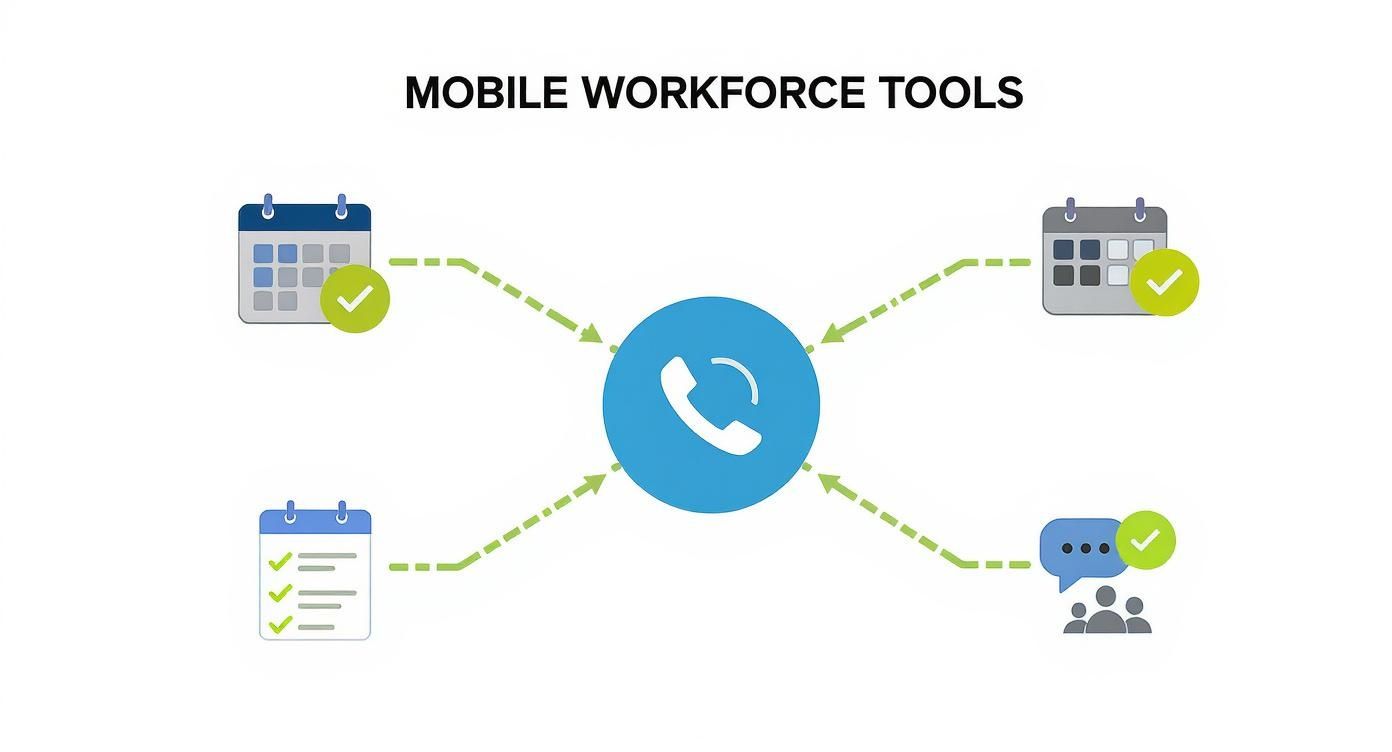
These aren’t separate functions. They feed into each other to create a single source of truth.
A Global Shift Toward Clarity
This move toward connected, mobile work is a broad trend. Industries like retail are adopting these tools at a rapid pace because they’re wrestling with complex teams of in-store staff and delivery drivers. They need a simple way to keep everyone aligned. You can read more about how workforce management tools are being adopted across different sectors to get the full picture.
Ultimately, the impact is simple: faster job completion, fewer errors, and customers who aren't left waiting around.
How to Choose the Right Tool Without the Headache
The market for mobile workforce management is loud. Every vendor promises the world. How do you pick a tool that won’t become expensive, ignored software six months from now?
I’ve been there. You sit through demos and try to translate the jargon into what it means for your real-life team. It’s overwhelming. It’s also easy to get distracted by bells and whistles instead of focusing on the one thing that truly matters.
Will your people actually use it?
If a tool isn’t dead simple for a technician in the field, it has already failed. Adoption is everything. Forget the fancy dashboard for a moment and ask yourself: does this feel intuitive? Does it solve a real headache, or does it just add another task to their already packed day?
Start with Your Biggest Problem
It's tempting to look for a tool that does everything. That's a trap. A better approach is to pinpoint the single biggest point of friction in your daily operations and find a tool that solves that exceptionally well.
Is your scheduling a chaotic mess? Focus on finding the simplest scheduling tool. Is your team drowning in paperwork? Prioritize a tool with great digital forms.
The goal isn't to find a tool with the most features; it’s to find one that makes the most painful part of your day disappear. Solve that one problem first.
Trying to implement a dozen new processes at once is the fastest way to make everyone hate the new system. Start small. Solve the real problem. The rest can wait.
Questions to Cut Through the Sales Pitch
During a demo, steer the conversation into your reality. The salesperson will want to show you their slickest features. You need to see how the tool handles your worst days.
Here are a few questions we’ve learned to ask:
Show me the three clicks it takes for a field employee to start and complete a job. If it takes more than a few taps, it’s too complicated.
What happens when there’s no cell service? Ask them to demonstrate exactly how the offline mode works.
How do we get our existing customer data into your system? If the answer involves weeks of manual entry, walk away.
Can we talk to a current customer in our industry? A real conversation with a peer is worth a thousand case studies.
The market for these tools is growing fast. Globally, it was valued at $5.3 billion in 2024 and is expected to hit $10.9 billion by 2030. That growth means more options, but also more noise. Learn more about the trends driving this market growth to understand the landscape.
Don’t Force a Workflow
Here’s the final, and perhaps most important, piece of advice: find a tool that fits how your team already works, not one that forces them into a rigid, new process. A great tool should feel like a natural extension of their existing methods, just smarter.
If you find yourself thinking, “We’d have to completely change how we do X to make this work,” that’s a red flag. For more advice, check out this guide on what to look for in a modern fleet communication system; the principles apply to any mobile team. Our own guide to picking an employee experience platform also offers a useful framework.
Choosing a tool doesn't have to be a headache. Focus on your people, solve your biggest problem, and demand simplicity. The right tool will feel less like a purchase and more like a relief.
Common Pitfalls You Can Easily Avoid
We’ve seen it happen. A company pours time and money into a shiny new tool. Six months later, it’s a ghost town. Everyone has quietly slipped back into the comfortable chaos of group texts and phone calls.
What went wrong? It’s almost never the technology’s fault. The breakdown is almost always human.
The biggest mistake is the top-down mandate. The tool arrives via a cold email from corporate. Nobody explained the why to the people expected to use it. Your field team doesn't care about your lofty efficiency metrics. They care about one thing: will this app make their job easier?
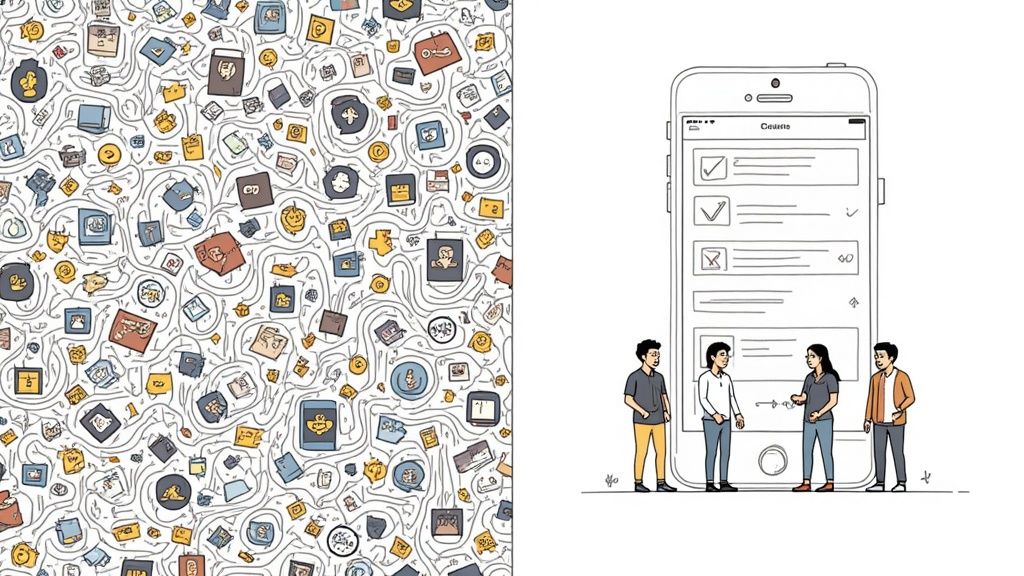
When you skip the buy-in, you get resistance. The tool is immediately viewed as a chore, another box to check, or worse—a sneaky form of micromanagement. Adoption flatlines because the people it was meant to help see it as a burden.
The Trap of Too Much, Too Soon
Another classic blunder is trying to do everything at once. You've just invested in a powerful platform, and the temptation is to flip every switch. Suddenly, your team is drowning in new protocols for scheduling, time tracking, and digital forms.
It’s a recipe for burnout. People get overwhelmed and decide the whole thing is just too complicated.
The most successful launches we’ve witnessed start small. They pinpoint the single biggest headache—maybe it’s shift scheduling—and roll out the new tool to solve only that one problem.
Once the team feels the relief from that one fix, they’re not just willing to try the next feature; they’re genuinely curious. You build momentum by delivering a clear win, not by burying them in new processes.
Forgetting Who the Tool Is Really For
Let's be real. A lot of enterprise software is designed for the people signing the checks, not the people using it. It’s loaded with complex dashboards for managers but offers a clunky interface for employees.
This is a massive failure of perspective. A mobile workforce management solution lives or dies on its mobile experience. If a technician can’t update a job status in three taps on a noisy construction site, the tool has failed. It doesn't matter how pretty the reports look back at headquarters.
Here’s a simple gut check to use during any demo:
Ask to see the employee’s view first.
Count how many taps it takes to do a common task.
Ask yourself, "Was this designed for someone in an office or for someone out in the real world?"
The tool has to serve the team, not the other way around. If it feels like a chore, it will be treated like one.
The path to a successful rollout isn't about finding the perfect technology. It’s about focusing on people. Communicate the "why," start with a single improvement, and choose a tool that respects your team's time. Get those things right, and you're already halfway there.
Got Questions About Mobile Workforce Tools? We Have Answers.
Let's dig into some common questions we hear from people looking into mobile workforce management software. We'll skip the jargon and give you straight answers.
Are these tools only for big companies?
Not at all. While massive logistics companies were early adopters, today's tools are built for small and medium-sized businesses. Modern cloud-based software is affordable, flexible, and easy to get started with.
The trick is finding a tool that matches your scale. A 20-person HVAC crew has different needs than a national delivery fleet, but both benefit from smarter scheduling. Don't let the "enterprise" tag fool you; there's a tool out there for your team.
How do we get our field team to actually use the app?
This is the big one. If your team won't use the tool, it’s a waste of time and money.
First, bring your team into the conversation early. Ask for their input. Their feedback is gold. Next, prioritize a dead-simple mobile experience. If the app is confusing or slow, they'll hate it.
The most important piece is explaining the "why." Show them how this new tool makes their lives easier. Think less paperwork, no more phone tag, and schedules they can rely on. It has to be a clear win for them, not just another task from management.
One last tip: start with a small pilot group of your most tech-savvy employees. Let them become your champions who can show everyone else the ropes.
Isn't this just a fancy task manager or chat app?
It’s easy to think that, but it really comes down to context. A basic task manager is great for a personal to-do list. A true mobile workforce platform weaves tasking, scheduling, and communication together with the operational details that matter.
It’s the difference between a simple checklist and a dynamic work order. The platform connects a task to a specific customer, their service history, a location on a map, and a slot in the schedule. It ties communication directly to a job, so every message is organized and easy to find later.
Think of it like this: you could carry a separate hammer, screwdriver, and wrench. Or, you could have a multi-tool designed for the job at hand. These platforms are the multi-tool for your mobile team.
At Pebb, we focus on building tools that people actually want to use. If you're tired of juggling a dozen different apps and want one simple place to connect your entire team, maybe it’s time for a chat.
