
Your time off request process is broken. Let’s fix it.
Discover how to streamline employee time off request forms, speed approvals, and reduce chaos - click to streamline today.
Dan Robin
An employee time off request form is just a formal way of asking for a day off. It’s meant to be simple. A manager needs to know who’s asking, for what kind of leave, and for which dates. That’s it. But somewhere along the way, we turned this simple exchange into a bureaucratic mess. And that broken process creates a ripple of chaos nobody wants.
The hidden cost of a broken process
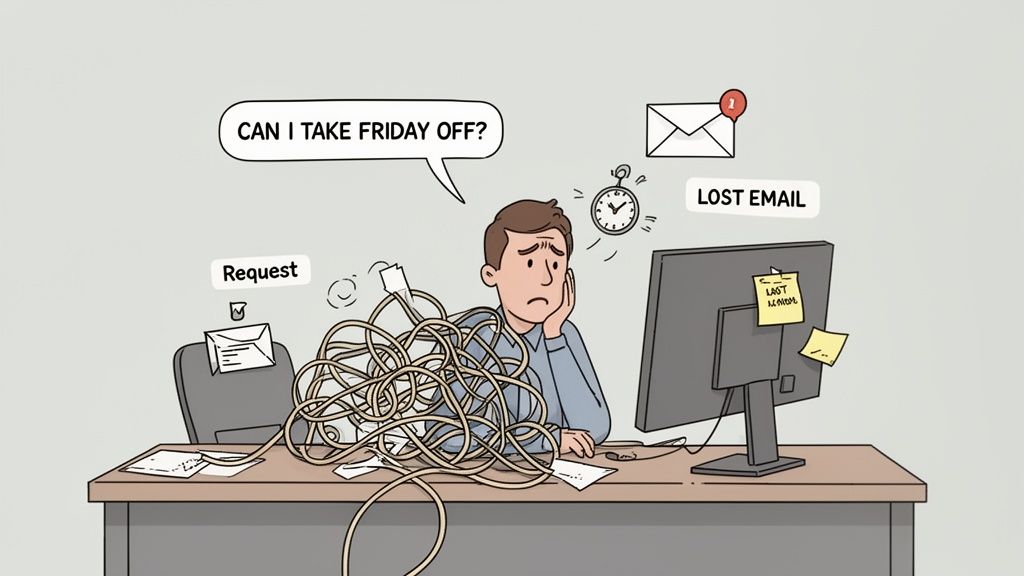
It always starts with a simple question. “Hey, can I take Friday off?”
That innocent question kicks off an invisible, messy process. A lost email. A sticky note that falls off a monitor. A last-minute text that gets buried. We've all lived this. This isn’t just an administrative headache; it’s a silent tax on productivity and morale. Let’s be honest about what a clunky time off request system really costs.
The ripple effect of confusion
The real damage isn't the paperwork. It’s the friction. When the process for requesting time off is unclear, people hesitate. They put off asking, hoping to catch their manager at the right moment. This leads directly to scheduling nightmares.
Believe it or not, some studies show that nearly 25% of employees don’t officially submit their vacation requests until the day of their trip—or even weeks after they get back. This reactive approach makes proactive staffing impossible. It also doesn't help that a third of employees struggle just to understand their company’s policies in the first place.
This confusion creates real, tangible problems:
Operational Chaos: Managers can’t plan schedules. This leads to understaffed shifts, last-minute scrambles for coverage, and projects falling behind.
Eroding Fairness: An informal "tap on the shoulder" system feels like favoritism. Who gets approved often depends on who asked first or loudest, not on a consistent policy.
Decreased Morale: When employees have to chase down an answer or feel their request disappeared into a black hole, it signals a lack of respect for their time and well-being.
It's more than just a form
Let's be clear. This is about more than a form; it’s about respect, clarity, and predictability for everyone. To get ahead of these issues, you have to future-proof your HR management strategies.
A broken time off process tells your team that their time isn't a priority. It creates uncertainty and undermines trust. Fixing it sends the opposite message—that you value them enough to make simple things simple.
It’s time to fix the small process that has such a big impact. Our guide on tracking employee time off offers more practical advice on building a system that just works.
Designing a form people actually use
The best time-off request form is one that doesn't make your team groan. It needs to be simple, fast, and obvious—something an employee can fill out on their phone in 30 seconds while waiting for coffee. We're not building a bureaucratic machine here. We’re just trying to be thoughtful.
Most of the templates I've seen are a mess. They're cluttered with fields that feel more like an interrogation than a simple request. Honestly, asking for a detailed "reason" for a vacation? It’s intrusive and chips away at trust. You hired adults; let's treat them that way. A form’s only job is to gather just enough info for a manager to make a quick decision without a week of back-and-forth emails.
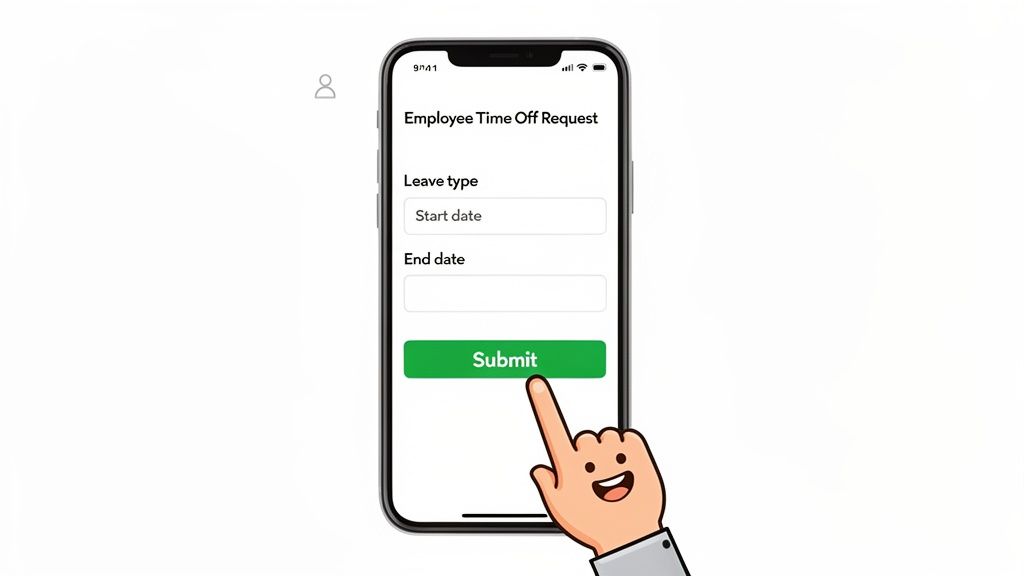
The goal is a one-touch process that works. Anything else is friction, and friction is where good processes go to die.
The only fields that matter
To get that beautiful simplicity, you have to be ruthless. Every field on that form needs to earn its place. After years of refining this, I’ve found you only need a handful of essentials to get the job done right.
Employee Name: This is obvious, but your system should be smart enough to pre-fill this. Please don't make people type their own name.
Type of Leave: A simple dropdown is perfect. Think: Vacation, Sick Day, Personal Day. This keeps your data clean and makes reporting easy.
Start Date & End Date: A clean calendar picker is a must. The form should also do the math and calculate the total number of requested days automatically.
Optional Note: This one is surprisingly critical. A small, optional text box gives people a space to add context if they need it (“FYI, Sarah is covering my morning shift”), but it doesn’t force an over-explanation for a simple dental appointment.
That’s it. Anything more is probably noise. The design of your form sends a message. A minimal one says, "We trust you."
Why it has to be digital and mobile-first
How your team accesses the form is just as important as what's on it. Let’s face it, a printable PDF or a clunky spreadsheet buried on a shared drive is a relic. Today, work happens everywhere—especially for frontline teams who aren't chained to a desk.
A form that isn’t mobile-friendly might as well not exist for a huge portion of your workforce. It creates a barrier that encourages people to fall back on old habits like hallway conversations and last-minute texts.
When an employee can submit a request in seconds from their phone, and a manager can approve it with a single tap, you've officially eliminated the friction. You’ve built something people will actually use, not avoid. We’ve gone deeper into the power of well-designed digital forms and how they can seriously upgrade your workflows if you want to learn more.
A truly great form should feel invisible. It’s just a quiet, reliable tool that helps people sync their lives with their work, no drama involved.
A time off policy that makes sense
Let’s be honest. A slick employee time-off request form is useless if the policy behind it is a confusing mess. We’ve all seen them: dense, jargon-filled documents that feel like they were written by lawyers, for lawyers. They leave managers guessing and employees anxious, which is the exact opposite of what a good policy should do.
Your time-off policy isn’t just a set of rules; it’s a reflection of your company culture. It tells your team how much you trust them and whether you genuinely believe in the importance of rest.
A clear, fair policy helps people plan their lives. It also gives managers the confidence to apply the rules consistently, which is crucial for killing any perception of favoritism. The goal is simple: write something a real person can read and understand in five minutes, answering the most common questions before they’re even asked.
The three big policy questions
Every solid time-off policy needs to nail a few core mechanics. Getting these right builds the foundation for everything else.
Accrual Rates: How do people earn time off? Is it granted in a lump sum at the start of the year, or does it build up with each paycheck? Be crystal clear and maybe even include a simple example.
Request Windows: How much notice do you need? A good rule of thumb is two weeks' notice for a full week off, but flexibility for a single day.
Blackout Periods: Use these sparingly, if at all. If your business has a genuine "all hands on deck" season, define those dates clearly and explain why. Transparency makes all the difference.
These aren't just administrative details—they create predictability. When people know the rules of the game, they can play fairly.
Use-it-or-lose-it vs. rollover
One of the biggest debates is what to do with unused time at the end of the year. Do you have a strict "use-it-or-lose-it" rule, or do you let days roll over? This decision sends a powerful message about how you view employee well-being.
A policy that encourages hoarding vacation days isn't a benefit; it's a burnout machine waiting to happen. The goal should be to get people to actually disconnect, not to build up a massive liability on your balance sheet.
Many companies land somewhere in the middle. The numbers show that to encourage usage and manage liabilities, 56% of organizations cap how much unused time off can be carried over, while 26% enforce strict use-it-or-lose-it policies. It's worth a look to explore the latest PTO statistics and see how different approaches work. Interestingly, a small but growing trend sees 5% of organizations introducing minimum vacation requirements, essentially mandating that employees take time off.
A generous rollover cap—say, letting employees carry over up to 40 hours—often strikes the right balance. It gives flexibility to those saving for a big trip without making it okay to skip vacations entirely.
Before you finalize anything, it helps to break down what truly matters.
Key elements of a modern time off policy
Here’s a quick rundown of what every modern PTO policy should have. Thinking through each one ensures you're creating a policy that's supportive, not just compliant.
Policy Component | What It Is | Why It Matters |
|---|---|---|
Eligibility | Who qualifies for paid time off and when does it start (e.g., from day one, after 90 days)? | Sets clear expectations for new hires and avoids confusion. |
Accrual Method | The rate at which employees earn time off (per pay period, per month, or an annual lump sum). | Defines how PTO is earned, ensuring fairness and transparency in calculations. |
Types of Leave | A clear definition of what falls under PTO (vacation, personal days) vs. other leave (sick, bereavement). | Helps employees categorize their requests correctly and understand their entitlements. |
Request & Approval | The process for submitting requests and the official workflow for manager approvals. | Guarantees a consistent and fair process, preventing scheduling conflicts. |
Rollover Rules | The policy on carrying unused days into the next year, including any caps or expiration dates. | Balances employee flexibility with the company's financial planning and encourages time off. |
Termination Payout | The company's stance on paying out unused PTO when an employee leaves (check state laws!). | Ensures legal compliance and provides clarity for departing employees. |
Building a policy that covers these bases will make it feel less like a rulebook and more like a supportive tool. Our guide on creating attendance policy samples can help you navigate the details.
Automating approvals without being a robot
So, an employee hits "submit." What happens next? All too often, crickets. That dead space is where a good employee experience dies. They're left wondering, Did my manager see it? Is it approved? Do I need to bug them about it?
This is where automation becomes your friend, but not the cold, faceless kind. A good approval workflow should feel fast, transparent, and logical. It’s about creating a clear path that removes guesswork for everyone.
The moment a request is submitted, the system should kick into gear.
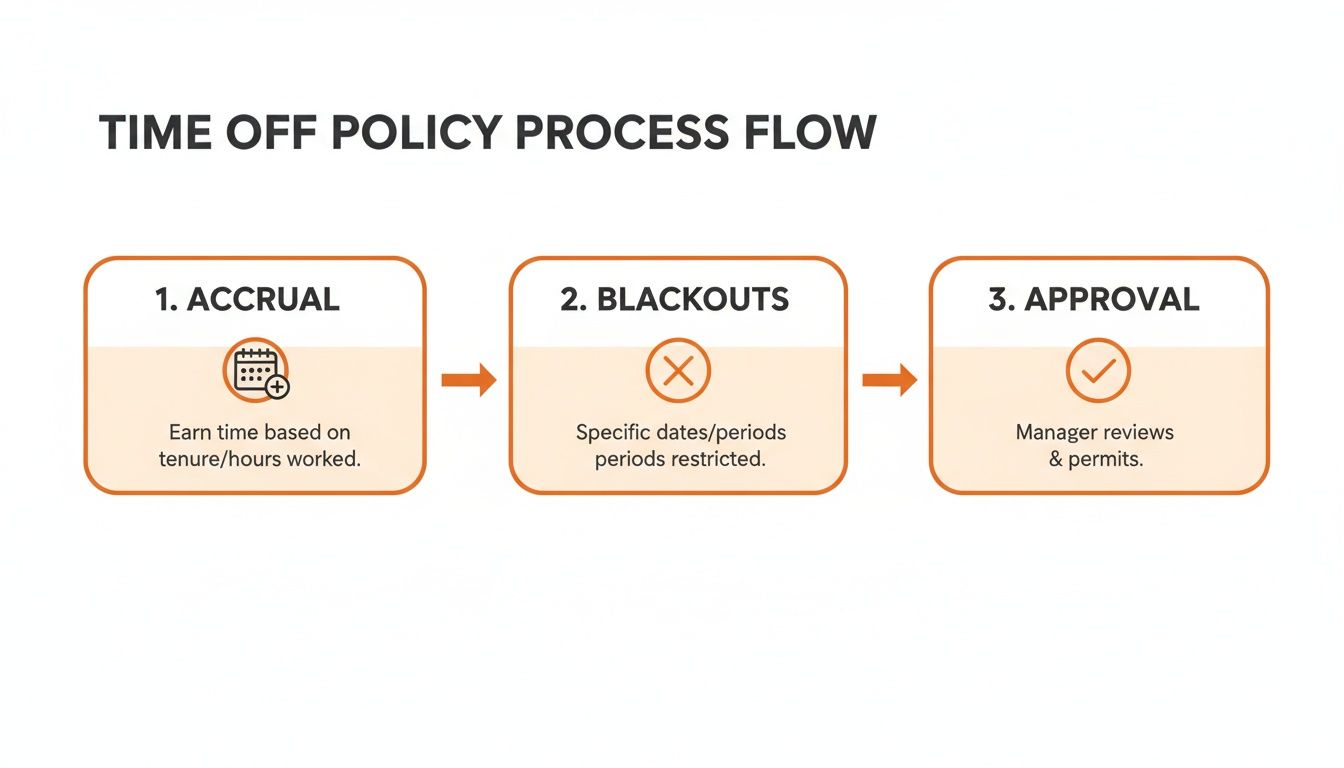
Here's the thing: a smart system applies your rules—like checking PTO balances and blackout dates—before a manager even sees the request. That alone saves a ton of back-and-forth.
The ideal approval workflow
The perfect workflow isn't a complicated Rube Goldberg machine. Its beauty is in its simplicity. We're just trying to connect an employee and their manager with as little friction as possible.
Here’s what that looks like:
Instant Notification: The second a request is submitted, the manager gets a ping. Not an hour later. Instantly. This signals that the system is working.
One-Click Decisions: Your managers should see everything they need in one clean view: dates, leave type, current PTO balance, and any team conflicts. From there, it should be a simple "Approve" or "Deny" button, right from their phone.
Automatic Updates: Once a decision is made, the magic happens. The employee gets an immediate confirmation, their PTO balance is updated, and the approved time off pops onto the shared team calendar.
This isn’t just about efficiency. This level of transparency builds incredible trust. When your team sees the system working for them in real-time, that predictability is deeply reassuring.
Don’t forget the human in automation
But automation is only half the story. Getting a time-off request denied with zero explanation feels awful. A silent “no” is a cold, frustrating experience that turns an administrative task into a source of resentment.
This is why the human touch is non-negotiable, especially when you have to deliver bad news. A simple, automated denial is a failure of leadership.
The single most critical feature in any automated approval workflow is a mandatory comment box for denials. It forces a pause and turns a rejection into a conversation.
This one small step changes everything. Instead of a blunt "Request Denied," the manager can provide context. “Hey, we have that major project deadline that week, but let’s find another time for you,” or “Can we chat about this? Two other team members are already scheduled to be out then.”
It reframes the moment from a conflict into a collaborative problem to solve.
Ultimately, that's the goal. We want to build systems that handle the tedious mechanics so managers can focus their energy on their people, not the paperwork. The right kind of automation doesn't replace human interaction; it creates more space for it.
Getting your team on board
So, you’ve built a brilliant new system. The forms are clean, the policy is clear, and approvals are automated. Now for the real challenge: getting everyone to actually use it.
People get comfortable with their routines. Simply sending a company-wide email and hoping for the best isn't a strategy—it's wishful thinking. A successful launch is about carefully guiding your team to a better way of working.
The secret is to frame the change around what’s in it for them, not just what it does for the company.
Make the "why" obvious
Before you even show them the new form, talk about the headaches everyone already knows. Remind them of the frustration of waiting days for a simple yes or no, the confusion over how much PTO they have left, or that time a request sent by text got forgotten.
Then, present your new process as the solution. Don't just tell them it's better; show them. Walk them through submitting a request on their phone in under 30 seconds and getting an approval notification minutes later. When people see for themselves that it’s genuinely easier, skepticism starts to fade.
Your rollout is a chance to prove you’re investing in tools that make your team's lives simpler, not more complicated. The goal is to make them want to use the new system because it respects their time.
Train your managers first
This is the one step you can't skip. Your managers will either be the champions of this change or its biggest roadblocks. If they aren't confident and bought-in, your rollout is doomed.
Hold a separate training session just for them before you announce anything to the rest of the company. They need to understand not only how to approve requests but why this shift is happening. Equip them to answer questions and, most importantly, lead by example.
When an employee inevitably falls back into the old habit of asking, “Hey, can I take Friday off?” in the hallway, a well-trained manager knows what to do. They can say, “Of course! Just pop that into the new system for me so we have it on record. It’ll get approved in minutes.” That gentle, consistent redirection is what makes the new behavior stick.
You aren't aiming for a big, splashy launch. You're aiming for quiet, steady adoption driven by a system that just works. When you remove the old friction, people naturally take the path of least resistance.
A few common questions
Moving from a casual "just text me" system to something more formal can feel a bit corporate. I get it. But the goal isn't to add red tape—it's to clear up confusion and make things simpler for everyone.
Here are a few questions that always come up.
What's the biggest mistake people make?
Hands down, inconsistency. It’s when policies are just a vague idea in someone’s head, or when one manager is a stickler for the rules while another approves everything with a nod. This breeds resentment and a sense of unfairness faster than anything.
A well-designed digital form and a clear workflow are the perfect antidote. They create one straightforward path for every request.
This ensures the rules are applied the same way for everyone, and every request gets documented. That simple step protects both your employees and the company. Consistency isn't about being rigid; it's about being fair.
But what about last-minute emergencies?
Life happens. A good system has to be flexible enough for the unexpected, because a sick kid or a burst pipe doesn't wait for a formal request. Your process should never get in the way of a team member handling a crisis.
For those situations, the employee can call or message their manager directly. The manager can then pop into the system and submit the request on their behalf to keep the records straight.
The key is to have a clear policy for exceptions. The tool is there to serve you and your team, not the other way around.
How much should we really ask for?
Less is more. A lot more. Only ask for the bare minimum you need to make a decision and keep records accurate.
For most requests, this is all you need:
Employee's name (which should be pre-filled)
Type of leave (Vacation, Sick, Personal)
Start date and end date
Adding an optional field for a brief note is helpful for context, but making it mandatory is a bad idea. Forcing someone to write a detailed 'reason' for a vacation can feel like an interrogation. The point is to build a process based on efficiency and trust, not micromanagement. Respect your team's privacy and keep those employee time off request forms simple.
Ready to stop chasing down sticky notes and searching through old emails? Pebb brings your time off requests, approvals, and team calendars into one simple, mobile-first app. You can build a process your team will actually want to use. Learn more about Pebb's PTO tracking.
