
Your Employee Time Off Request Form Is a Signal
Stop using clunky spreadsheets. Learn how to build an employee time off request form that boosts morale, simplifies approvals, and respects everyone's time.
Dan Robin
An employee time off request form isn't just a document. It's a signal. It tells your team exactly how much you value their time, their well-being, and their trust. Get it right, and the process feels seamless and respectful. Get it wrong, and you’re broadcasting that their time off is an administrative burden. A problem to be managed.
We've all seen the mess. A crumpled sticky note on a manager's keyboard. A confusing email chain with five people copied. A last-minute text begging for Friday off. When asking for a break is chaotic, it’s not just an inconvenience. It’s a quiet tax on morale. It subtly tells your people their personal lives aren’t important enough for you to get organized.
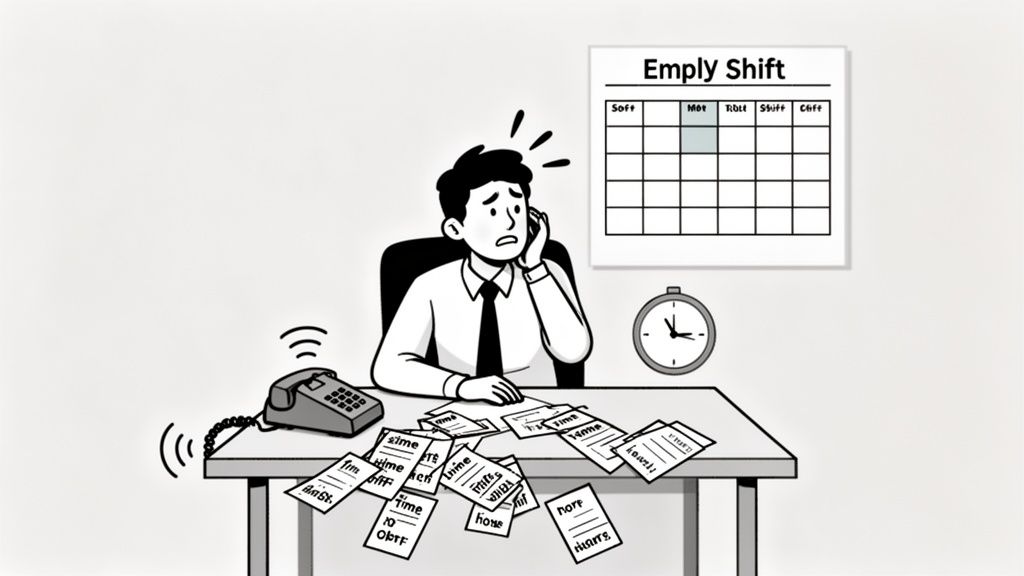
I once knew a retail manager whose "system" was a clipboard hanging by the register. During the holiday rush, two of her best employees needed the same weekend off. One scribbled her name on the list; the other sent a text. The manager, buried in spreadsheets, approved both without connecting the dots.
The Inevitable Scheduling Nightmare
You can guess what happened. That Saturday was a disaster. The manager spent the day in the back office, frantically calling people for help instead of being on the floor. Customers left angry. The team felt abandoned.
That story isn't unique. It gets right to the heart of something many businesses miss: the way you handle time off says everything about how you see your people. A confusing process creates friction around one of the most important parts of work—the ability to rest.
A broken time off system doesn't just cause scheduling problems. It erodes trust. It tells your best people their well-being is an afterthought. This small detail has an outsized impact on your culture.
The real damage isn't just the mad scramble to fill a shift. It's the burnout from people who feel like they can't catch a break. It's the frustration of managers drowning in administrative trivia. It's the quiet message that taking time off is a hassle for everyone. This is so much more than an HR task. It’s a critical moment in the employee experience.
We’ve written before about the broader challenges of tracking employee time off. Now, let’s talk about how to fix the very first step.
Designing a Form That Doesn't Suck
Let’s build a better employee time off request form. One people don't dread using. The secret isn’t to cram it with dozens of fields or bureaucratic nonsense. It's about clarity. It should require zero training.
Your goal is a form so simple it respects everyone’s time—the person asking and the person approving. Think of it as an exercise in thoughtful reduction. A great form only asks for what’s absolutely essential. It should feel less like paperwork and more like a clear, direct conversation.
What Absolutely Must Be on the Form
Let’s start with the basics. You need the employee’s name and the submission date. But the real linchpin, the thing that prevents a world of downstream headaches, is the type of leave.
A simple dropdown menu here is non-negotiable. It should include, at a minimum:
Paid Time Off (PTO)
Sick Leave
Bereavement
Unpaid Time Off
This single field prevents so much confusion. It tells payroll how to process the absence and gives HR clean data for tracking trends. Without it, every request is a mystery that requires a follow-up email. A total waste of time.
Next up: unambiguous dates. This sounds obvious, but you’d be surprised. A request for "next Friday" isn't good enough. The form needs specific start and end dates.
And for teams that work in shifts or need partial days off, adding start and end times is just as critical. A half-day for a doctor’s appointment is a totally different scheduling problem than a full-day absence. Specific times give managers the precise information they need to arrange coverage without any guesswork.
Here’s a look at the essential fields. Nothing more, nothing less.
Essential Fields for Your Time Off Request Form
A solid form is built on a foundation of clear, essential fields. This table breaks down what’s non-negotiable.
Field Name | Type | Why It's Essential |
|---|---|---|
Employee Name | Text/Dropdown | Identifies who is asking. A pre-filled field prevents typos. Simple. |
Submission Date | Date (Auto-filled) | Creates a timestamp. Critical for record-keeping and handling requests fairly. |
Type of Leave | Dropdown Menu | The most important field for payroll and HR. It correctly categorizes the absence. |
Start Date/Time | Date/Time Picker | Defines the exact beginning of the absence. No ambiguity. |
End Date/Time | Date/Time Picker | Clearly states when the employee returns. Vital for planning. |
Notes/Reason (Optional) | Text Area | Provides space for context. This is where the human element comes in. |
Getting these basics right is the first step toward a form that works with people, not against them.
The Power of an Optional Notes Section
Now, here’s where a form goes from functional to genuinely helpful. An optional "Notes" field can be the difference between a robotic denial and a thoughtful approval.
Let’s be honest, context matters. A last-minute request with no explanation feels irresponsible. The same request with a note that says, "Family emergency—my son is sick," changes everything. It turns a scheduling problem into a moment of human support.
This little box gives people a space to share details a manager might need to make a fair decision. It’s not about prying; it’s about communication. It helps managers prioritize conflicting requests and shows employees that their circumstances are actually being heard.
The best tools, like well-designed digital forms, are built to capture this context. When you build a form with these thoughtful elements, it stops being a hurdle. It becomes a quiet, efficient partner that supports your team.
The Approval Workflow Matters More Than the Form
Here’s the thing. You can design the world's most elegant time off request form, but it’s worthless if it disappears into a black hole after someone clicks "submit." The form is just the start. The real magic—or misery—is in the approval workflow. This is where you build trust or break it.
Put yourself in your employee's shoes. A request left hanging isn't just a pending task. It's a source of anxiety. Can I book that flight? Can I promise my family I’ll be at the reunion? A slow, silent process sends a clear message: your time isn't a priority.
The fix isn't some complex overhaul. It’s about creating a transparent loop. It’s about clear communication and simple automation. The system should do the heavy lifting, not your people.
Building a Simple and Transparent Workflow
A solid workflow has three clear stages. First, the employee gets an immediate confirmation that their request was received. No more "Did it go through?" guesswork. This automated response eliminates a huge amount of stress right away.
Next, the direct manager gets a clear, actionable notification. This shouldn't just be a ping. It should contain all the details needed to make a quick decision. A good system provides context—like who else is out that week—right alongside the request.
Finally, you close the loop with a final status update. Whether it’s approved or denied, the employee gets a definitive answer. If it's a "no," a brief, professional reason is essential. "Denied due to conflicting project deadline" shows respect. Silence is disrespectful.
The goal of a workflow isn't just to get a yes or no. It's to make the process feel fair, fast, and predictable. When your team knows what to expect, they can focus on their work, not on chasing down their manager.
This simple process keeps everyone on the same page. This three-step flow shows how a few basic fields can kick off a reliable system.
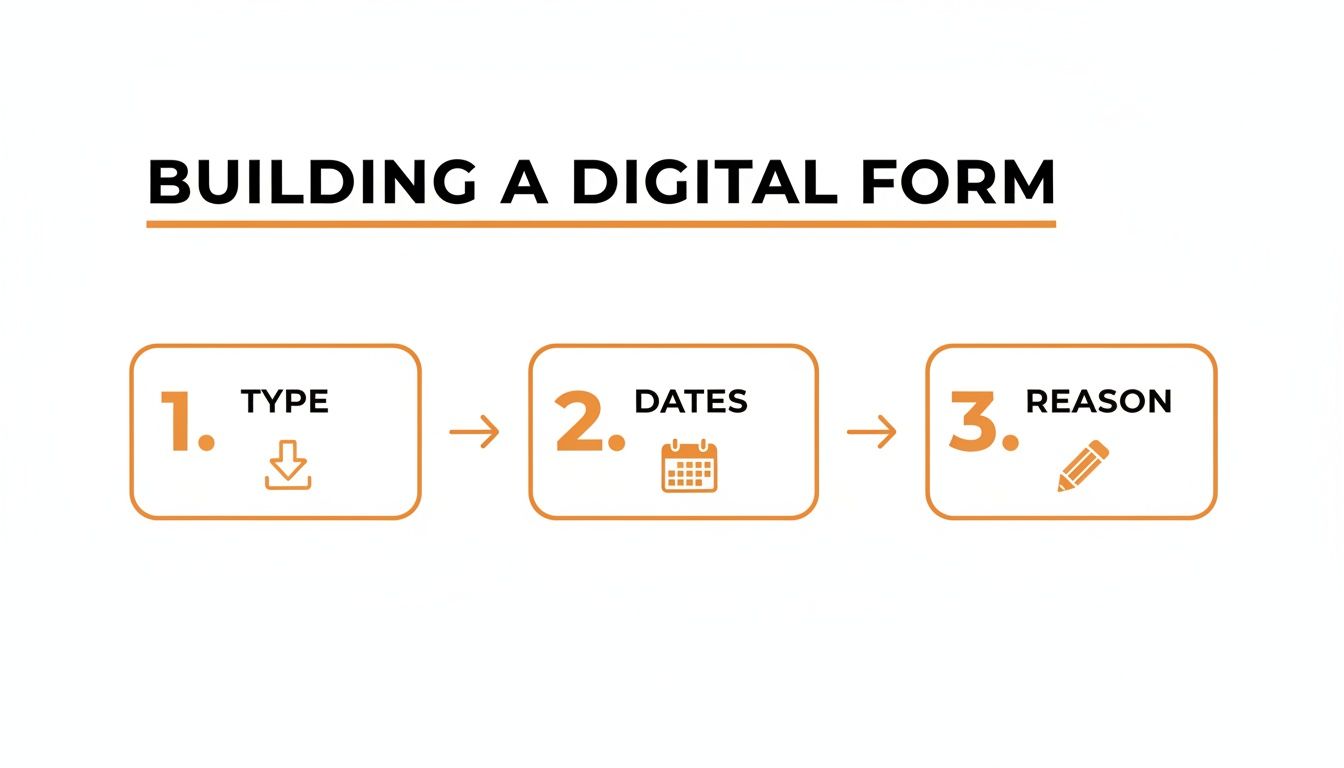
As you can see, capturing the type of leave, dates, and a reason is just the beginning. The real work starts when the workflow takes over.
This principle extends far beyond time off. Effective approval flows are vital for all sorts of processes. For instance, creating structured onboarding processes for remote employees relies on the same logic. Clear steps and automated communication are key.
When you let the system handle the notifications, managers can focus on the human side of the decision. That’s how you turn a simple task into a positive interaction.
Why Your Time Off Policy and Form Must Align
So you spent months perfecting your time off policy. You debated accrual rates, set blackout periods, and defined notice requirements. Then you rolled out a generic request form that ignores all of it.
It’s a classic mistake. The form and the policy start living in different worlds. This disconnect isn't just messy; it’s a time bomb for disputes, frustrated managers, and legal headaches.
Think of it this way: your form is the handshake between an employee’s need for a break and the business’s need for predictability. If the form doesn’t reflect the policy, it makes promises the company can’t keep.
From Policy to Practice
Here’s a real-world example. Your policy requires two weeks' notice for any vacation longer than three days. But your form lets an employee request a 10-day trip that starts next Monday. The system accepts it, the manager gets pinged, and suddenly they're the bad guy who has to say no.
The form should have been the first line of defense. A well-designed system would have gently stopped that request before it was submitted, reminding the employee about the notice period. This isn't about being rigid; it’s about being fair and clear. The form should be a guide, not a trap.
Your form is the daily expression of your policy. If they don't say the same thing, your policy is just a document collecting dust. The form is what people actually experience.
When you get this right, you remove the guesswork. You ensure managers apply rules consistently, not based on who asks the loudest. Fairness gets baked right into the process.
The Overlooked Legal Angle
Here’s something that often gets missed: this isn’t just about keeping things tidy. It's about compliance. Different kinds of leave—PTO, sick time, family leave—all have their own legal and record-keeping requirements.
Your form is your primary record. If it doesn’t accurately capture the leave type and dates, you’re creating a messy paper trail that could become a liability. When the form and policy are in sync, you build a reliable system of record that protects everyone.
This alignment also affects whether people use the time they’ve earned. In the United States, employees use only about 48% of their allocated PTO, leaving $52.4 billion in benefits on the table. Confusing tracking systems are a big reason why. With 56% of employers capping unused time, an aligned digital form is critical. You can dig deeper into these global time off statistics to see the scale of the problem.
Ultimately, aligning your policy and form is an act of respect. It shows you’ve thought through the details because your team’s time matters. It replaces ambiguity with clarity. And that’s the foundation of a healthy culture.
Bringing It All Into a Single Workspace
You can design the perfect time off request form, but if it lives in a forgotten browser bookmark, it's an island. The real change happens when the entire process—asking, approving, and tracking—lives inside the same space your team already uses every day.
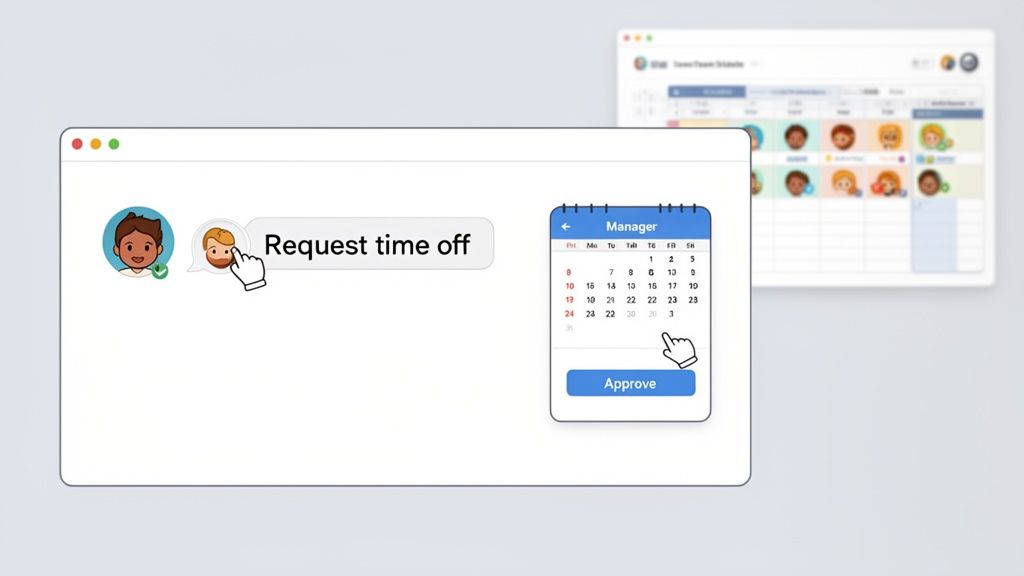
Think about it. An employee needs a day off. They open their team chat, fill out a quick form, and send it. Their manager gets a notification, sees the team calendar, approves with a click, and the shared schedule updates for everyone.
That’s it. No switching apps. No hunting for links. No follow-up emails. That’s how you remove friction.
The Power of a Unified System
When your time off process is woven into your daily workflow, it stops feeling like a chore. For managers, it means having a real-time picture of staffing without cross-referencing three spreadsheets. They can make smarter decisions because all the context is right there.
For employees, it’s even better. They can check their PTO balance and submit a request in seconds, from their desk or their phone. The whole thing becomes transparent. This is the whole point of a good employee time off app—to make rest an easy, natural part of your company's rhythm.
A siloed PTO form asks, "How can we process this request?" An integrated system asks, "How can we make taking time off effortless and transparent?" The first is about administration. The second is about culture.
This integration is also a huge win for HR. Instead of manually compiling reports, they get instant insight into leave trends and burnout risks.
Why Integration Matters for Well-Being
Here’s the bottom line: a smooth process encourages people to actually take the breaks they need. While 62% of employees say PTO is 'extremely important,' a shocking 68% end up working on vacation. Messy handoffs and delayed approvals are often part of the problem. A clear, integrated system helps fix that.
To truly unify your process, you might look into a broader Enterprise Service Management (ESM) strategy, which focuses on bringing HR and other core services together.
But really, this is about more than efficiency. It’s about building a culture where rest isn't just allowed, but is actively supported by the tools your team uses every day.
Got Questions About Time Off Requests? We’ve Got Answers.
We talk to a lot of people trying to fix their time off process. After a while, you start to hear the same questions again and again. Let’s get into the real answers for the things we hear most.
Honestly, most of these questions come from a place of frustration. The process feels clunky, people are confused, and managers feel like they’re constantly chasing down information. It doesn’t have to be this hard.
How Much Notice Should We Require?
This is the big one. The truth is, there’s no magic number. It depends on your business. Two weeks' notice might be fine for a tech company. But for a restaurant covering a Saturday shift? Even 24 hours can feel impossible.
The key isn't finding a universal standard. It's about being clear in your policy and then building that logic right into your employee time off request form. If your policy requires 14 days' notice, the form should gently prevent someone from submitting a request that doesn't meet that rule. This turns a potentially awkward conversation into a simple, automated reminder.
Your policy is just words until your tools enforce it. A smart form doesn't just collect information; it guides people toward doing the right thing. It makes fairness the default.
What’s a Fair Reason to Deny a Request?
No manager enjoys saying no. But sometimes you have to. The only fair reasons are rooted in clear business needs—not a manager’s personal preference.
It usually boils down to a few common scenarios:
Not Enough Coverage: Too many people are already approved for that period.
Policy Violation: The request doesn't meet the notice period or falls in a blackout period.
Critical Deadlines: The employee’s absence would genuinely put a key project at risk.
A denial should never feel personal. It needs to be a straightforward explanation tied to business operations. And you should always provide a reason. Always.
Why Aren’t My Employees Taking Their PTO?
This is a sneaky problem that leads to burnout. It's easy to assume people just don't want a vacation, but the reality is more complicated. A confusing or clunky request process is a huge barrier.
Recent surveys show a shocking 32% of Americans skip their annual vacations. One top reason is the subtle pressure from managers who discourage taking full weeks off. A transparent, easy-to-use form helps counter this by formalizing an employee’s right to take the leave they’ve earned. You can find more data on how workplace culture impacts PTO usage and the fallout it causes.
At the end of the day, a great process shows you trust your team and care about their well-being. It’s a small detail that makes a very big statement.
Ready to build a process that actually works? Pebb brings communication, scheduling, and PTO requests together in a single, simple app your team will love to use. See how it all comes together at https://pebb.io.
