
A Guide to Employee Management Software for Small Business
Discover how the right employee management software for small business brings calm and clarity to your team, moving you beyond spreadsheets and chaos.
Dan Robin
We’ve all been there. It starts with a frantic text to cover a missed shift. A simple payroll question turns into a scavenger hunt through old emails. A critical update gets lost in a group chat, and half the team never sees it.
For a while, you can make it work. You juggle spreadsheets, sticky notes, and a dozen different text threads. You tell yourself this is just the scrappy reality of running a small business.
But it’s a quiet kind of chaos, and it’s costing you more than you think.
When the Scrappy Approach Breaks
It almost always starts small. You get by. You roll up your sleeves. You pride yourself on being hands-on.
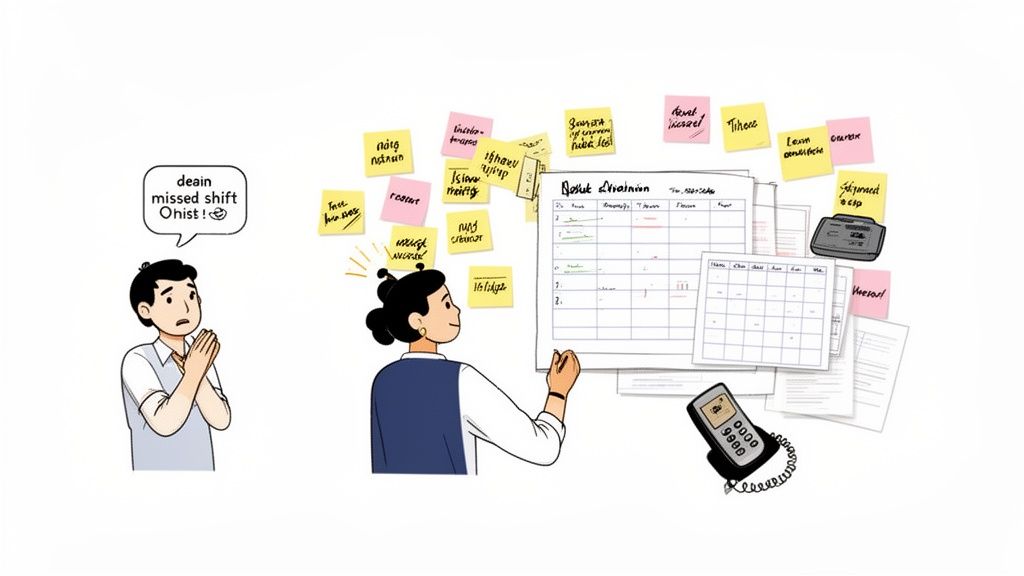
But then, one day, you hit the wall. The organized chaos is just… chaos.
The Moment Things Break
This isn’t a sign you’re failing; it’s a sign you’re succeeding. Growth is the culprit. It's that gut-wrenching moment you realize the very systems that got you from two employees to ten are now holding you back at fifteen. The personal, hands-on style that felt so right now means you’re the bottleneck for every single question.
When your business feels this strain, it shows up in frustrating ways, like struggling with how to reduce staff turnover. It's a clear signal your old methods can't keep up. You spend more time managing the process of work than doing the work that actually matters.
This is the point where you stop running the business, and the business starts running you. It’s exhausting, unsustainable, and it slowly eats away at the passion that made you start this in the first place.
Let’s be honest. The old way of managing a team with a patchwork of disconnected tools is a surefire recipe for burnout—for you and for them. Even something as basic as keeping an accurate staff list becomes a headache, a problem we break down in our guide to a proper employee roster format.
Finding a Calmer Way
This is the exact moment when smart business owners start looking for a better tool. Not some overly complex, corporate software that requires a six-month implementation plan. Just a simple, intuitive piece of employee management software for a small business built to bring back a sense of order.
This isn’t about adding another app. It’s about replacing five of them with one that actually connects the dots. It’s about getting back to doing what you love, feeling confident that the small-but-critical details are handled correctly, without you having to micromanage every single thing. It’s about finding a calmer, smarter way to grow.
So, What Is This Stuff, Really?
Let’s be real. The phrase “employee management software” sounds cold and corporate. It conjures images of complex charts and a tool designed for an HR professional, not a small business owner who’s just trying to figure out who’s working on Tuesday.
Let’s toss that idea out.
At its heart, this kind of tool is much simpler. Think of it as the central nervous system for your team. It’s one reliable place where schedules live, hours are tracked, announcements are made, and time off gets approved without a paper trail.
It’s the difference between a messy junk drawer and an organized toolbox. One has you digging around for what you need; the other puts everything at your fingertips. You spend less time digging and more time doing.
It's Your Team's Digital Home Base
For any small business—especially one with folks who aren't chained to a desk, like in a coffee shop, a retail store, or a landscaping crew—communication gets messy. Fast. Urgent shift swaps happen over text, policy updates get lost in an email chain, and a scribbled note on a bulletin board is the official time-off request system. It’s a guaranteed recipe for confusion.
A solid employee management software for a small business solves that exact problem. It pulls all those scattered conversations and tasks into one simple hub. This isn't about micromanaging; it's about making sure everyone is working from the same playbook.
The goal isn’t to “manage” people. It’s to build a system so clear and intuitive that the team almost manages itself. You stop being the go-to for every little question because the answers are already there.
Here's the thing: moving away from manual systems is quickly becoming a necessity. The market for these tools is booming, projected to grow by USD 3.67 billion by 2029. Why? Because small business owners are tired of the risks that come with spreadsheets and sticky notes. They’re moving to smarter systems to cut errors and stay compliant. You can dive deeper by checking out this market analysis from Technavio.
It’s All About Respecting Everyone’s Time
Here’s something that often gets lost when we talk about software: a good system is a form of respect. It respects your employees' time by letting them check schedules, see pay stubs, and request time off from their phones. And it respects your time by automating the tedious administrative work that used to hijack your nights and weekends.
When a team member can instantly find an answer without having to hunt you down, it helps them. They feel a sense of ownership. That’s a big deal. It shows you value them as people, not just as names on a schedule.
At the end of the day, this kind of tool isn't about adding another complicated thing to your plate. It’s about stripping away the chaos that’s already there. It’s about building a foundation of clarity so you and your team can get back to focusing on what truly matters: serving your customers and growing a business you’re proud of.
The Core Features You Will Actually Use
Let’s be honest. Software companies love to throw a dictionary of features at you, hoping you’ll be impressed by the sheer volume. But we’ve seen it time and again: for a small business, 90% of the value comes from just a handful of core functions. The rest is noise.
You don't need a tool that can do a thousand things poorly. You need one that nails the four or five essentials perfectly. This is about real-world utility, not feature-list bragging rights.
So, let's cut through the fluff and talk about the tools that solve the headaches you deal with every day.
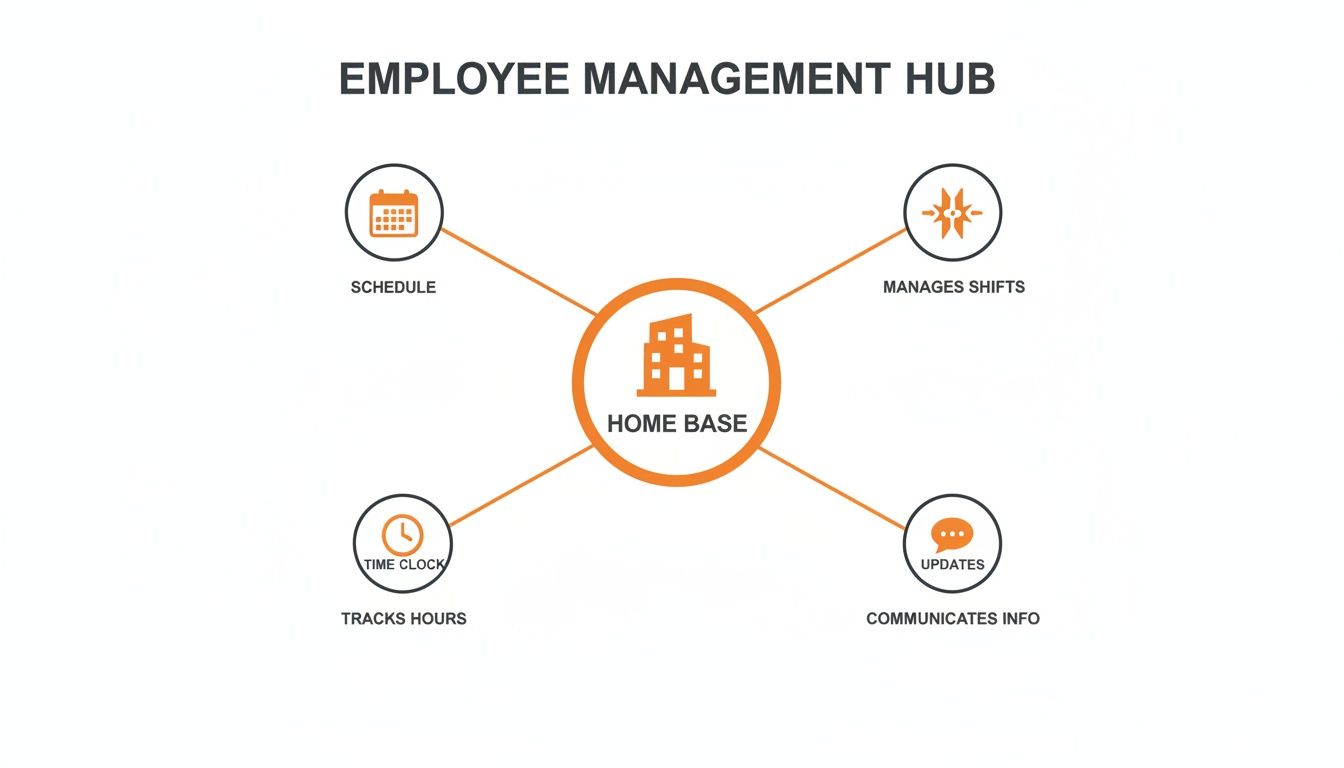
This diagram shows how just a few core features create a central "home base" for your entire team. It’s not about juggling separate apps; it's about having one unified system that connects every part of your daily operations.
A Single Place for Communication
Remember that time you announced an important update in the group chat, only to find out a week later that two people never saw it? Or when you had to piece together a conversation about a shift swap from three different text threads? It’s exhausting.
A central communication hub is probably the most critical feature of any good employee management software for a small business. This isn't just another chat app. It's a dedicated space for all work-related conversations—announcements, team updates, and direct messages.
It means no more lost information and no more asking employees to use their personal messaging apps for work. Everyone appreciates that boundary.
Scheduling and Time Clock Tools That Just Work
Spreadsheet schedules are a ticking time bomb. They're a pain to update, a hassle to distribute, and create constant confusion. Someone always has an old version, which leads to missed shifts and frustrated managers.
A built-in scheduling tool solves this instantly. You build the schedule, publish it, and everyone gets a notification on their phone. If a change happens, the schedule updates in real-time for the entire team. This one feature alone can shave hours off your weekly admin work. You can see how this works in our deep dive on a modern employee scheduling app.
Tied directly to this is the digital time clock. It makes sure you get accurate hours, which means you run accurate payroll. Employees can clock in and out from their phones—no more chasing down manual timesheets or worrying about buddy punching. The hours flow right into your reports. It’s simple, it's fair, and it stops costly errors before they happen.
From Scattered Problems to a Unified Tool
Managing a team with a mix of spreadsheets, texts, and sticky notes creates a ton of friction. Here’s a quick look at how a single, unified tool flips that script.
The Daily Headache | How a Unified App Solves It | What This Means for You |
|---|---|---|
Endless Text Threads: Shift swaps and updates get lost in group chats. | Centralized Communication: All work talk happens in one organized place. | Fewer misunderstandings and a clear record of every conversation. |
Confusing Schedules: Outdated spreadsheets lead to no-shows and coverage gaps. | Real-Time Scheduling: Everyone sees the same, up-to-the-minute schedule on their phone. | No more scheduling chaos and less time spent putting out fires. |
Manual Timesheets: Chasing down hours and fixing errors for payroll. | Digital Time Clock: Hours are tracked accurately and automatically from a phone or tablet. | Faster, error-free payroll and a fair system for your team. |
"Who's doing what?" Recurring tasks get forgotten or missed entirely. | Simple Task Management: Assign tasks and track completion in a shared space. | Clear accountability and less mental energy spent micromanaging. |
Lost Documents: Training guides and policies are buried in binders or email. | Knowledge Base: One central library for all essential information. | Team members can find answers on their own, saving everyone time. |
By bringing these functions together, you’re not just buying software. You’re buying back your time and creating a calmer, more organized work environment.
Simple Task Management for Clarity
“Who’s responsible for cleaning the coffee machine on Tuesday?”
“Did anyone remember to restock the inventory?”
These are the small, recurring tasks that always seem to slip through the cracks. Simple task management built right into your team’s main app brings immediate clarity. You can assign a task, set a deadline, and see exactly when it’s done.
It’s not about building complex project plans. It’s about creating a clear, public record of who is doing what. This accountability reduces the mental load for you and clarifies expectations for your team.
Everyone knows what they're responsible for, and you don’t have to waste your energy following up.
A Home for Your Knowledge
Where does your employee handbook live? The training video for the new point-of-sale system? The official PTO policy? If the answer is "somewhere in a shared drive" or "a binder in the back office," you have a knowledge problem.
A knowledge base acts as a simple, searchable library for all your important documents. It’s the single source of truth. When an employee has a question, they can find the answer themselves, 24/7.
This helps your team be more self-sufficient and makes sure everyone is operating with the same, correct information. It’s a seemingly small feature with a massive impact.
Ultimately, these core features aren't just about efficiency. They’re about creating a workplace that feels organized, fair, and respectful of everyone's time. When the basics are handled this well, you're finally free to focus on the bigger picture.
The Unexpected Return on Your Investment
Sure, any decent employee management software for a small business will save you time. That's the bare minimum. It'll clean up your payroll, cut the hours you spend wrestling with schedules, and take the pain out of tracking time off. That’s the obvious return.
But that’s only half the story.
The real, lasting benefit isn't something you can plug into a spreadsheet. It’s the culture it helps you build. It’s about shifting your business from one that runs on assumptions and chaos to one that runs on clarity and trust.
It's Not Just About Efficiency, It's About Respect
When communication is clear, schedules are predictable, and key information is at everyone's fingertips, something powerful happens. People feel respected. They stop feeling like interchangeable cogs and start feeling like valued members of a team.
This isn’t just feel-good fluff; it has a real-world impact. A less-stressed team is a more engaged team. An employee who can look up the PTO policy on their phone without having to ask you feels capable. A new hire with a clear onboarding plan feels set up for success from day one.
These small moments of clarity add up. They are the building blocks of a healthy culture where people actually want to work.
This is especially true if your team is spread out across different locations or shifts. A unified platform becomes your digital town square, making sure the morning crew is just as in the loop as the night shift. It's the glue that holds everyone together.
The Real Cost of a Bad Employee Experience
So much of a small business's success rides on its people. Keeping your best employees isn't a luxury; it's a core business strategy. The talent management side of employee software is exploding for a reason. Valued at over USD 12.69 billion in 2026, the market is expected to more than double by 2034 because businesses are desperate for better ways to recruit, onboard, and retain their teams. It highlights a simple truth: investing in your employee experience directly impacts your ability to keep good people. You can read more about these talent market trends on Fortune Business Insights.
Think about the hidden costs of low morale. You have the obvious expense of recruiting and training a replacement, but what about the knowledge that just walked out the door? The dip in your team's productivity? The slow erosion of your customer service?
The true ROI of a great employee management tool is in stopping these problems before they start. It’s an investment in stability, happiness, and a shared sense of purpose. These benefits—happier people, lower turnover, and a stronger team—might not show up on a profit and loss statement, but they are the bedrock of a business built to last.
How to Choose the Right Software Without the Headache
Shopping for new software can feel like navigating a maze blindfolded. You're hit with demos, sales calls, and pricing models so complex they seem designed to confuse you. It's a loud, frustrating process that doesn't respect your time.
We believe there's a better way. It starts with a simple shift: stop obsessing over feature checklists and instead, ask a few direct, opinionated questions that cut to what a small business actually needs.
Before you listen to another sales pitch, ask yourself these questions first.
Is It a Partner or Just a Product?
This first question has nothing to do with features and everything to do with philosophy. Is this tool designed to adapt to how your team genuinely works, or will it cram your process into its rigid, one-size-fits-all box? A great tool should feel like a partner. It's intuitive, flexible, and built with a strong point of view on how to make daily work simpler.
A product, on the other hand, is just a box of features. It's often clunky and generic, trying to be everything to everyone, which means it's not great for anyone. You’re not just buying software; you're adopting a new way of working. Make sure it’s a way you believe in.
Pointed Questions to Ask Vendors
Once you get a feel for a company's philosophy, it's time to dig into the practical side. Your goal here is to slice through the marketing jargon. Sales reps are trained to say "yes" to everything. Your job is to find out what that "yes" really means.
Here are a few questions to ask them—and more importantly, to ask yourself:
Is it really mobile-first? Don't settle for "yes, we have an app." Ask if you can run your entire operation from your phone. Can you build a schedule from scratch, approve time off, and send an urgent announcement while you're away from your desk? For any business with employees not chained to a computer, this isn't a bonus; it's the whole game.
Is it a true all-in-one tool, or a patchwork of apps? Be wary of the "we integrate with everything!" line. That often means "you'll spend your weekends trying to get five different apps to talk to each other." A genuinely unified employee management software for small business keeps your scheduling, communication, and tasks in one logical place. That’s the point. We've put together a detailed workforce management software comparison that breaks down why this kind of integration matters so much.
Is the pricing honest? Complicated pricing is a massive red flag. Look for simple, transparent, per-user pricing with no hidden setup fees or scary long-term contracts. If you can't figure out their pricing page in 30 seconds, walk away.
This decision is becoming more common. The global market for this kind of software is expected to hit USD 9.76 billion by 2026 and isn't slowing down. This growth is making room for focused, all-in-one apps designed for small teams who need powerful tools without the enterprise price tag. You can discover more insights about this growing market on Mordor Intelligence.
The best software doesn't just solve your problems; it reflects your values. It should feel like an extension of the culture you’re trying to build—calm, organized, and respectful.
At the end of the day, picking the right tool isn't about finding the one with the longest feature list. It's about finding the one that brings the most clarity. Look for simplicity. Look for honesty. And look for a tool that helps you create a calmer way to work.
Creating a Calmer Way to Work
Let's be honest: running a small business will never be challenge-free. You're always going to face surprise problems, tough calls, and days that test you. We've been there. We know that chaos can often feel like part of the deal.
But it doesn't have to feel like you're constantly putting out fires.
This whole conversation isn’t just about software. It's about a fundamental shift in how your business runs—moving from a frantic, reactive mode to one that's organized and intentional. It’s about building a company that doesn't just survive on the founder's adrenaline but thrives on the strength of its systems.
More Than Just a Tool
Bringing in a single, thoughtfully designed employee management software for small business is about more than efficiency. It’s a statement of respect. It respects your employees’ time by giving them clear, direct access to the information they need. And it respects your time by automating the soul-crushing admin work that pulls you away from the big picture.
When you get rid of the friction from scattered spreadsheets and confusing processes, you start building a more trusting workplace. Your team isn't left guessing what’s expected or digging through old text chains for an answer. They can just show up and do their best work.
The real goal is to build a business that feels calm, even when it’s busy. An environment where clarity is the default, not the exception.
Think of this less as a sales pitch and more as a reflection on a journey we’ve watched countless small businesses take. The journey from feeling perpetually overwhelmed to feeling in control. From just managing people to truly leading a team.
What Does Your Ideal Day Look Like?
I’ll leave you with a question: what would your perfect workday look like?
Would it have fewer interruptions? Would you spend less time chasing down timesheets or fixing payroll mistakes? Would you have more time to talk with your customers, mentor your staff, or dream about the future of your business?
That calmer way of working isn't a pipe dream. It’s possible. It starts with choosing the right systems—the kind that hum along quietly in the background, freeing you and your team to do your best work. That better way is closer than you think.
Frequently Asked Questions
Jumping into a new tool always brings up questions. That’s a good thing—it means you’re thinking critically about what your business really needs. Here are a few of the most common ones we hear, answered directly.
What’s the difference between HR software and employee management software?
This is a great question. The line can feel blurry.
Here’s a simple way to think about it: traditional HR software is usually focused on the big-picture, lifecycle stuff—hiring, payroll, benefits administration, and official compliance records. It’s the company’s digital filing cabinet.
Employee management software for a small business, on the other hand, is all about the day-to-day. It lives in the here and now. Who's on the clock? Did that shift get covered? Where’s the new cleaning checklist? It’s the command center for getting the actual work done. While there’s some overlap, these tools are built for operational things like communication, scheduling, and keeping tasks on track.
Is my business too small for this kind of software?
We hear this one all the time. There's a common myth that you need 50 or 100 employees to justify a tool like this. Honestly, the best time to get your operations in order is right now, while you're still nimble.
Think about it: if you have more than five employees and you're losing even a few hours a week to chasing down timesheets, building schedules in a spreadsheet, or answering the same questions over and over, you're not too small. You're at the perfect stage.
Putting a simple system in place now builds a solid foundation. It prevents the operational headaches that come with growth, letting you scale with calm confidence instead of frantic chaos.
How long does it actually take to get a team set up?
This is an important one, and the answer can vary wildly. Some enterprise systems are notoriously complex, requiring weeks of implementation and training. But for a tool truly built for small businesses, it should be incredibly fast. We're talking about getting your entire team onboarded in an afternoon.
The process should be as straightforward as sending everyone an invitation link. They download the app, set up a profile, and they’re in. If a software vendor starts talking about a "dedicated implementation specialist," that's a big red flag that it probably wasn't designed for you.
Will my employees actually use it?
The million-dollar question. The answer is simple: your team will use a tool if it makes their lives easier. Period. If the software is clunky, hard to navigate, or hidden on a desktop-only website, they’ll ditch it and go right back to texting you.
But if it’s a clean, intuitive app on their phone that gives them instant access to their schedule, lets them request time off with a tap, and keeps them connected—they’ll absolutely use it. In our experience, teams actually appreciate these tools because it shows you respect their time. A mobile-first design isn’t just a nice feature; it’s the single most critical factor for getting your team to buy in.
Ready to replace the chaos with calm? Pebb brings your communication, scheduling, and team operations into one simple, beautiful app that everyone will love to use.
