
A Simpler Way to Work with Internal Communication Software
Discover how the right internal communication software can fix your chaotic workflows, unite your teams, and bring clarity back to your business.
Dan Robin
You know the feeling. An urgent update gets lost in an email chain from hell. You’re trying to manage a frontline team with a messy spreadsheet and five different group texts. For too long, we bought into the idea that more tools meant more work got done. We were wrong. It just led to burnout and silos.
This is where the old way of communicating finally hits a wall.
The Breaking Point of Old Communication Tools
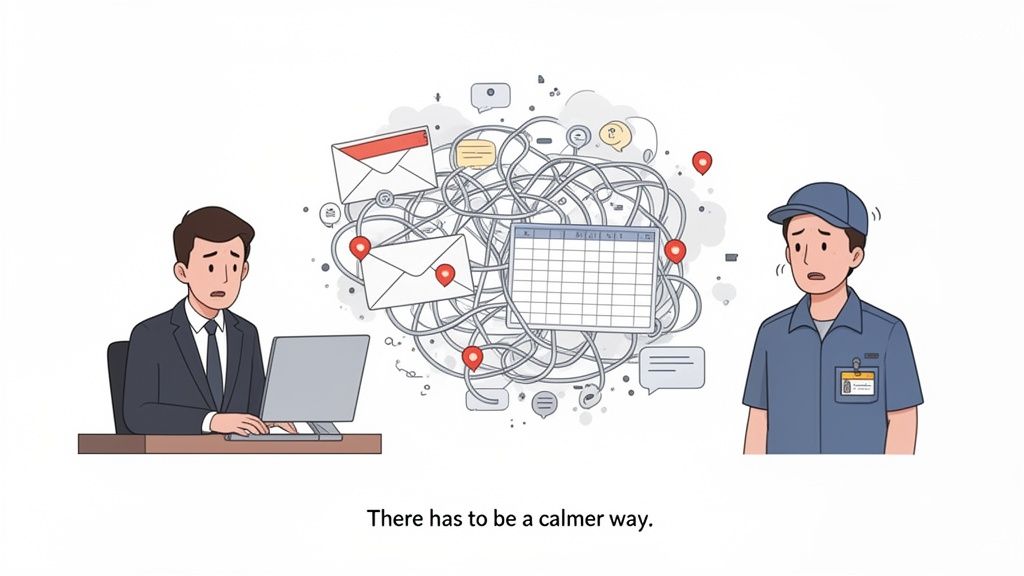
Let’s be honest. Our work conversations are scattered everywhere. Key documents are buried under a mountain of pings, and the gap between office staff and frontline workers has never felt wider. This isn't just clunky—it’s unsustainable.
The sales pitch was always so simple: more apps will make us more productive. But now we’re just swimming in digital noise. We jump between email, a team chat app, project management software, and that ancient intranet nobody has touched since 2012. It’s a mess held together with duct tape and frantic copy-pasting.
A Familiar Story of Fragmentation
I’ve lived this story. At a previous company, the sales team lived in one chat tool while engineering used a completely different one. And our warehouse crew? They were stuck with a chaotic mix of personal texts and paper notices pinned to a corkboard. It was a nightmare trying to get a single, simple message out to everyone at once.
The result? Important announcements got missed. All the time. New hires felt like they were on an island. And managers burned hours just playing traffic cop, forwarding information from one system to another. It was painfully obvious our tools weren't working for us—we were working for them.
That constant app-switching isn't just a small frustration. Research from the American Psychological Association revealed it can slash a person's productive time by as much as 40 percent. Think about that. It's like losing two full workdays every week just from toggling between screens.
The Search for Calm
If you've ever stared at your company’s tech stack and thought, "There has to be a calmer way to do this," you're in the right place. The problem isn't a lack of tools. It’s the lack of a central hub—a single source of truth that connects everyone.
This is the real conversation we need to have about modern internal communication software. It’s not about adding yet another app to the pile. It’s about simplifying. It's about bringing every employee into one shared digital space and finally taming the chaos. It's about building a system that creates clarity instead of just more noise.
What Exactly Is Internal Communication Software?
Let's cut through the jargon. What are we really talking about when we say "internal communication software"? It's not just another chat app. It's not a prettier version of the company intranet from 2005.
At its core, think of it as your company’s digital headquarters.
It’s the one central place where everyone—from the CEO to a cashier on the front line—can connect, find what they need, and feel like they’re on the same team. This is where company news gets shared without getting buried. It’s where teams work together in dedicated spaces. It’s where you can find the right person or file without digging through five different apps.
The entire point is to replace that tangled web of email, disconnected chats, and out-of-date shared drives with a single, intuitive system. One that works just as well on a phone as it does on a desktop.
Beyond Just Another App
We’ve all seen the chaos that comes from patching different tools together. Information gets stuck in silos. Important messages are lost. A huge gap opens up between desk-based employees and those on their feet all day.
Good software doesn’t add more noise. It creates a single source of truth.
Think of it like the difference between a cluttered garage and a well-organized workshop. You can get things done in the messy garage, sure. But the workshop is calmer, more efficient, and just a better place to be. That’s the feeling we’re after. You can dive deeper into the thinking behind these tools in our guide to internal communication platforms.
A unified system isn't about control; it's about clarity. When everyone knows where to look for information and how to connect with their team, they can focus on their actual jobs instead of wrestling with technology.
A Growing Need for Cohesion
This push for better tools isn't just a trend; it's a fundamental shift in how we work. The global market for this kind of software is already valued at around $11.67 billion and is projected to more than double by 2035.
Why the explosive growth? It’s driven by the rise of remote and hybrid work, along with a new focus on keeping every employee engaged—especially frontline teams who have been historically left out of the loop. They need mobile-first tools to stay connected. You can read more about these market projections and trends.
Ultimately, this software is an admission that the old ways of communicating at work are broken. It’s a practical tool built on a simple idea: a more connected and informed team is a more effective one. It’s about building a foundation for a culture of transparency, one clear message at a time.
The Must-Have Features That Actually Make a Difference
When you start looking at internal communication software, the feature lists can feel endless. It's easy to get lost in a sea of buzzwords. But let's be honest. This isn't about finding the tool with the most bells and whistles. It’s about finding one with the right features that actually work together.
Most tools are just a jumble of disconnected parts. A chat function over here, a file storage system over there, a news feed that feels completely separate. This just recreates the mess we’re trying to escape. The real power comes from a calm, unified system where each feature flows into the next.
This flowchart breaks it down beautifully: a great platform acts as a digital hub, giving you a central source for information while genuinely connecting your teams.
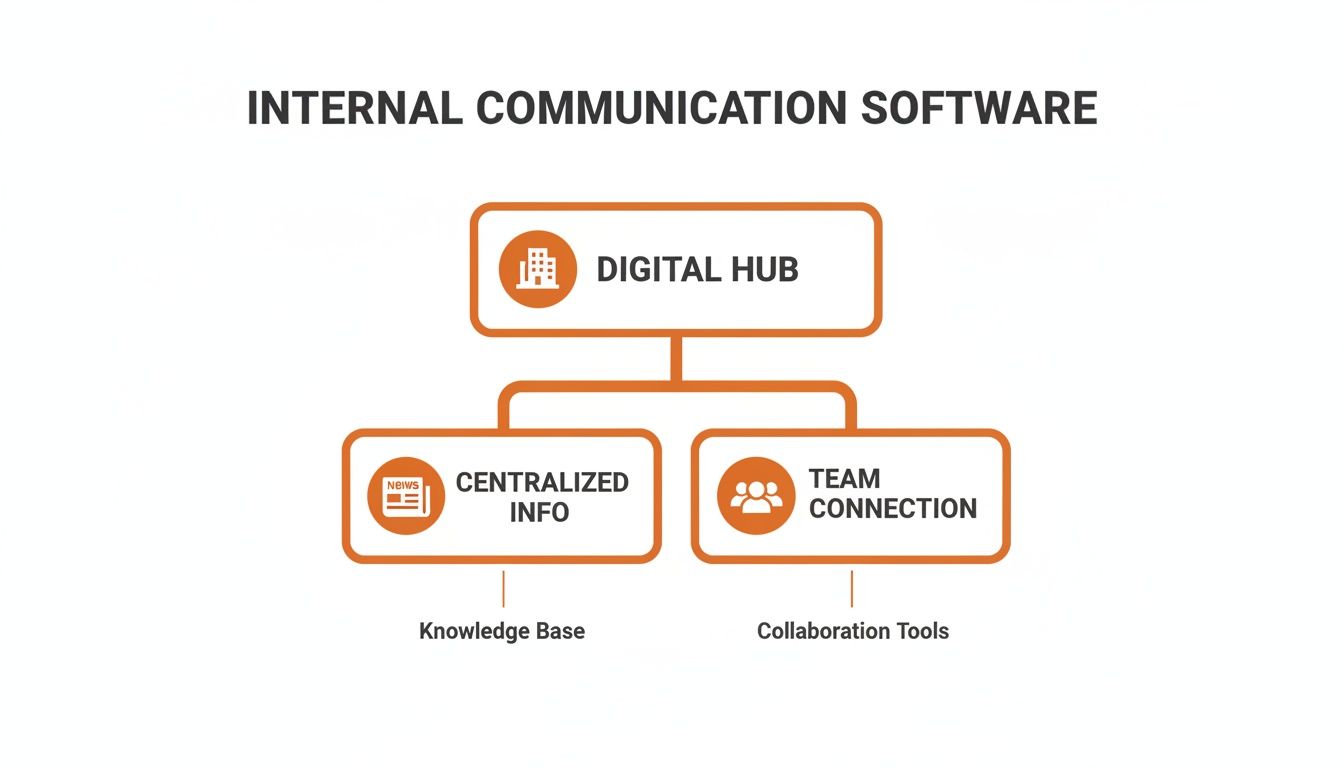
It shows that you don’t need a hundred features, just two strong pillars: a way to get reliable information and a way to work together without the noise.
The Foundations For Connection
Let’s start with the non-negotiables that form the bedrock of any solid platform. These are the tools that handle the day-to-day rhythm of work, making sure everyone feels seen, heard, and in the loop.
First, you need Integrated Chat. This is more than instant messaging. It’s where quick questions get answered without clogging up email. It has to handle one-on-one conversations and dedicated group chats for specific teams or projects.
Next, a Company-Wide News Feed. Think of this as your digital town square. It’s the single, official channel for important announcements—like policy changes or company milestones—ensuring crucial messages from leadership don't get lost. This isn’t for casual chatter; it’s for clarity.
Finally, you need Dedicated Team Spaces. This is where the real work happens. A "Space" is a self-contained hub for a team or project. It’s where that team’s chat, files, tasks, and schedules all live together, keeping everything organized and in context. No more hunting around for what you need.
Tools That Make Work Easier
Once you have the foundation, you need practical tools that simplify daily operations. This is where a platform moves from being just for communication to a true operational tool. These features cut down on administrative headaches for managers and help employees get things done themselves.
We’ve written before about the top features every employee communication app should have, and these operational tools are always at the top of the list. We're talking about built-in task management to assign and track work without leaving the app, and simple shift scheduling that lets team members see their hours and request swaps. A searchable knowledge library is also key, giving everyone one place to find policies or training materials.
The goal isn't just to talk about work; it's to do work. When operational tools are built right into your communication platform, you eliminate the friction of switching between five different apps to manage a single shift or project.
Essentials For Leadership and Security
Finally, a platform has to give leadership the insight and control needed to run the business effectively. This isn’t about surveillance; it's about understanding and stewardship.
You need clear analytics that show what’s actually resonating. Are people reading the weekly updates? Are certain teams more engaged? This data helps you understand what’s working, not just guess. Robust security is another non-negotiable. With sensitive company and employee data in one place, you need to know it's protected.
Lastly, smart integrations are critical. Your internal communication software shouldn't be another island. It needs to connect seamlessly with the HR and payroll systems you already use, like ADP or Gusto. This creates a single source of truth, where everything from communication to operations is finally in one calm, connected place.
A Look at Old Tools vs a Modern Platform
So, what does this shift actually look like? Here’s a side-by-side comparison of how a unified platform replaces the fragmented tools most businesses use.
Task | The Old Way with Fragmented Tools | The New Way with a Unified Platform |
|---|---|---|
Urgent Announcement | Mass email chain, hope everyone reads it. | A post in the company-wide News Feed with push notifications. |
Daily Team Chat | Juggling WhatsApp, SMS, and personal texts. | A dedicated, secure chat channel within the team’s Space. |
Shift Scheduling | Spreadsheets, paper schedules, endless phone calls. | An integrated, self-serve scheduling tool in the app. |
Sharing a New Policy | Email attachment that gets buried, printouts. | A permanent document in a searchable Knowledge Library. |
Assigning a Task | Verbal instruction or a follow-up email. | A trackable task assigned directly to the person in the app. |
Project Collaboration | A mix of Slack, email, and Google Docs. | A single, unified Space with chat, tasks, and files in one place. |
As you can see, it’s not about adding another tool. It’s about simplifying how work gets done by bringing everything under one roof.
How These Tools Work in Different Industries
Internal communication isn't a one-size-fits-all problem. A hospital’s daily rhythm is nothing like a retail chain's. A logistics company operates on a different planet than a tech startup. The right software proves its worth by being flexible enough to become the central nervous system for these completely different businesses.
It’s about understanding the unique challenges each industry faces and providing a calm, central place to solve them. You can't just drop the same tool into every environment and expect it to work. The software has to adapt to the people, not the other way around.
The View from the Front Lines
For a retail business, this means a store manager can instantly share new merchandising guidelines with every employee through a quick mobile post. No more printing out instructions or hoping everyone checks the back-office computer. Staff can use the same app to see their schedules and seamlessly swap shifts, giving them a level of control that email and spreadsheets could never offer. It simplifies the day-to-day chaos.
In a hospital, the stakes are different. A nurse manager can use the same software to securely broadcast an urgent protocol update to a specific unit, ensuring everyone gets the message instantly. This isn't just about efficiency; it's about patient safety. When considering how internal communication software adapts to various operational models, it's insightful to see how these tools are powering productivity in a remote work world by connecting teams regardless of location.
Let’s be honest: for frontline workers, the company has historically been an abstract concept. Good software makes it real by giving them a direct line to their team and the information they need to do their job well, all from the phone in their pocket.
Connecting a Dispersed Workforce
This need for flexible, centralized communication is driving serious growth in the market. Employee communication software is projected to grow from US$1,225.14 million to over US$3 billion by 2034. This growth is happening because industries with dispersed workforces—like healthcare, retail, and logistics—are realizing that real-time, mobile-first communication is no longer a luxury. You can find more on the market drivers behind this trend.
Think about a logistics company. A warehouse supervisor can start their day by assigning tasks to their team directly in the app. They can track progress, answer questions, and adjust priorities on the fly without having to hunt people down on the floor. The software becomes an operational tool, not just a messaging app. You can learn more about how this works in our guide on communication software for healthcare companies, which shares similar principles for connecting mobile teams.
What all these examples share is a shift in thinking. It’s a move away from fragmented, top-down announcements toward a living system where communication and operations are woven together. The real value isn't just in sending messages faster. It's in creating a calmer, more organized, and more connected way to work, no matter what your work looks like.
Choosing and Launching Your New System Without the Headache
The idea of rolling out new software can make anyone’s shoulders tense up. We’ve all lived through a launch that felt more like a mandate than an improvement—a tool dropped on everyone with a clunky interface and a three-hour training video nobody watched.
It doesn’t have to be that way. Making a big change can be calm and thoughtful. With a simple, practical approach, you can make the new tool a valued part of your company's daily rhythm, not just another app people forget to open.
It starts with an honest conversation.
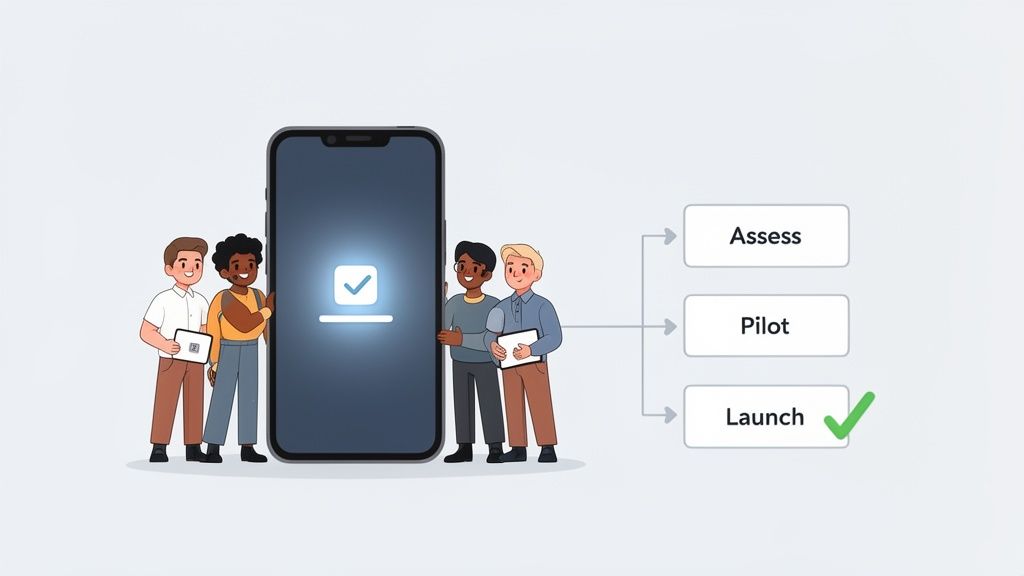
First, Assess What You Actually Need
Before you look at a single demo, get clear on the problems you’re trying to solve. Don’t start with a sales deck. Start with your people.
Talk to a store manager. Ask a warehouse supervisor what their biggest communication bottleneck is. Find out how the night shift gets its updates. The goal is to build a list of real-world needs, not a wishlist of features somebody in an office thinks is a good idea.
Once you have that, you can filter your options. The right internal communication software is almost always the one that feels the most intuitive. If it requires weeks of training, it’s already failed. Prioritize a tool with a clean interface and a simple onboarding process, like sending a single invite link. Your frontline staff will thank you for it.
Let’s be honest: The "best" tool on paper is useless if your team won't use it. Simplicity and ease of use aren't just nice-to-haves; they are the most critical features you can look for.
Start Small with a Pilot Group
Resist the urge to launch everything to everyone at once. Instead, gather a small, curious group of champions—a mix of managers and team members from different parts of the business. These are your pioneers.
Set them up in the new system and give them a simple mission: use it for one week to do their work. Ask for their honest, unfiltered feedback. What’s confusing? What feels clunky? What do they love? This isn’t just about finding bugs. It’s about understanding how the tool fits into the real flow of their day.
This pilot phase does two crucial things. It helps you iron out the wrinkles before a full rollout, and it creates a group of advocates who can show everyone else how it works. When the official launch happens, they’ll be the ones answering questions and showing their colleagues the ropes.
Launch with Clarity and Support
When it’s time to go live, keep it simple. Announce the change with a clear message explaining why you’re making the switch and what specific problems this new tool solves. Skip the corporate jargon. Be direct.
Provide straightforward instructions and make it incredibly easy for people to get started. And remember, the launch isn't the finish line. Offer ongoing support. Be visible. Check in with teams, ask for feedback, and share success stories of how people are using the new system. This shows you’re invested in making it work for them.
The market reflects this need for practicality. While cloud-based deployment models hold over 64% of the communication software market, hybrid solutions are the fastest-growing segment. This signals a clear demand for flexibility—tools that fit the business, not the other way around. You can discover more insights about these communication software market trends.
A thoughtful rollout turns a daunting change into a shared improvement. It respects people’s time, solves real problems, and quietly builds a calmer, more connected way to work.
The Real Return on Better Communication
Let’s be honest, new software isn't about chasing a trend. It’s a business decision. So, what’s the actual return on investment here? It’s a whole lot more than some fuzzy idea of "improved culture." The benefits are real, and they show up on your balance sheet.
When anyone in your organization can find what they need without a twenty-minute scavenger hunt, costly mistakes start to disappear. Productivity doesn't just nudge forward; it takes a genuine leap because you’ve removed the friction that was slowing everyone down. It's about giving your people their time back.
Turning Wasted Hours into Valuable Work
Think about your managers. How many hours a week do they burn piecing together a schedule, tracking down shift swaps, or chasing answers for their team? A 2024 McKinsey study found that the average worker spends nearly 20% of their week just looking for internal information. That’s a full day, every week, lost to digital chaos.
When you put scheduling and tasks into one calm, central place, managers get those hours back. That’s time they can spend coaching their people, solving customer problems, and focusing on the work that grows the business. It’s a direct swap: administrative waste for productive leadership.
This hits especially hard in frontline industries, where every minute counts.
The real cost of poor communication isn't just wasted time; it's lost opportunity. Every moment a manager spends wrestling with a spreadsheet is a moment they aren't training a new hire or improving the customer experience.
The Financial Impact of Engagement
Then there’s the big one: employee turnover. When people feel disconnected, uninformed, and out of the loop, they start looking elsewhere. The cost to replace an employee, especially on the front line, is massive—often thousands of dollars when you add up recruitment, hiring, and training.
A unified internal communication software changes this dynamic. When your team feels connected to the company’s mission and their coworkers, engagement goes up. When they can easily check their schedule, get answers, and feel heard, their job satisfaction improves. This directly slashes turnover, delivering one of the most powerful cost savings a business can get.
It’s not magic. It’s just good business.
From Cost Center to Strategic Asset
For too long, communication has been treated as a soft skill or a necessary expense. The right tool flips that script. It gives you analytics that show you exactly how information is flowing and where engagement is happening, turning communication into a measurable, strategic asset.
It stops being a cost center and becomes a tool that directly strengthens your bottom line by making your entire operation calmer, smarter, and more efficient. It’s an investment in the very engine of your business—your people.
Your Top Questions About Communication Software, Answered
Alright, we've covered a lot of ground. But I know from experience that when teams start talking seriously about switching their communication tools, a few big questions always surface. It can feel like a huge, daunting decision. Let's tackle those common worries head-on with some straight answers.
How Hard Is It Really to Switch from Our Old Tools?
This is probably the number one fear, and it’s understandable. We’ve all been burned by a clunky software rollout that created more chaos than it solved.
But here’s the thing: modern internal communication software is a different beast. The old way meant months of IT projects, mandatory training sessions everyone dreaded, and interfaces that felt like they were designed in another century.
Today's tools are all about simplicity. A great platform lets you invite your entire company with a single link. Your team should be able to download an app on their phone and just get it instantly, no manual required. Honestly, if a tool needs a three-hour training video just to get started, it’s already failed. The switch should feel less like a massive IT overhaul and more like a quiet, welcome upgrade.
The real goal is adoption, not enforcement. If the tool is intuitive and genuinely makes someone's day easier, they'll actually use it. It's that simple.
Won't This Just Create More Noise and Another App to Check?
A totally fair question. The last thing anyone needs is another notification to ignore. But the right tool does the exact opposite—it subtracts complexity. It’s designed to replace that tangled mess of endless email chains, chaotic group texts, and that SharePoint site no one’s logged into since 2018.
Think of it this way: instead of hunting for information in five different places, everyone knows there's one single source of truth. Instead of trying to connect project details from a chat to a task in a separate app, it all lives together in one dedicated Space. The point of good software isn't to give people more to check; it’s to give them fewer, better places to focus.
What If Our Team Isn't Super Tech-Savvy?
I hear this concern a lot, especially from businesses with frontline employees who aren't glued to a desk all day. The best tools are built with this exact person in mind. The interface should feel as familiar and easy to navigate as the social media apps they already use every day on their phones.
Here’s the ultimate test: can a brand new employee, on their first day, figure out how to check their schedule, read a company update, and send a message to their manager in under five minutes? If the answer is yes, you've found a tool that truly works for everyone, not just the folks in the office. It’s about being inclusive by design. Good software shouldn't make people feel left behind; it should bring everyone together.
Ready to bring a sense of calm and clarity to your company’s communication? Pebb unifies your team's chat, tasks, schedules, and knowledge into one simple, delightful app. See how it works at pebb.io.
