
Mastering Document Workflow Software in 2026
Streamline operations with document workflow software. Discover benefits, use cases, & choose the best tool to boost efficiency in 2026.
Dan Robin
On a bad day, document chaos doesn’t look dramatic. It looks ordinary.
A contract is sitting in someone’s inbox. A supervisor has the latest version on a desktop, but legal commented on a different PDF. A new hire sent a photo of a form instead of the form itself. Someone swears the file was approved last week. Nobody can prove it. Work slows down, people get tense, and the whole thing feels more fragile than it should.
That’s why document workflow software matters. Not because “digital transformation” sounds good in a board deck. Because people need a reliable way to create, route, approve, store, and find documents without turning every handoff into detective work.
The Paper Trail That Never Ends
I’ve seen the same scene play out in different industries. The names on the forms change, but the pain doesn’t.
A site manager needs a signed safety document before a crew can start. HR is chasing missing onboarding paperwork from three new starters. Finance is waiting on an approval that got buried in an email thread with a vague subject line. None of this is unusual. That’s the problem. It’s so normal that teams start accepting friction as part of the job.
The real cost is stress
Paper and scattered PDFs don’t just slow work down. They create low-grade anxiety all day long. People stop trusting the process, so they compensate with check-ins, reminders, screenshots, and “just following up” messages.
If your work touches audits, incidents, or regulated processes, that stress gets sharper. You’re not only trying to move paperwork. You’re trying to prove what happened, who approved it, and when. That’s one reason many operations teams look for tools that can simplify compliance for H&S managers, especially when health and safety records are spread across folders, email, and shared drives.
You can feel a broken document process before you can measure it. It shows up in hesitation, rework, and people keeping their own shadow systems.
The mess usually starts small
Nobody plans to build a messy workflow. It starts with one practical shortcut. A form gets sent as an attachment instead of through a system. A manager saves a file locally “just for now.” A team uses chat for approvals because it’s faster in the moment.
Then those shortcuts pile up. Soon you’ve got a process that only works if the right people remember the unwritten rules.
That’s also why simple digital forms matter more than many teams expect. A clear starting point removes a lot of downstream confusion. If you’re still piecing together intake from email, paper, and ad hoc messages, this guide on digital forms for employees is a useful place to rethink the front end of the process.
What Is Document Workflow Software Anyway
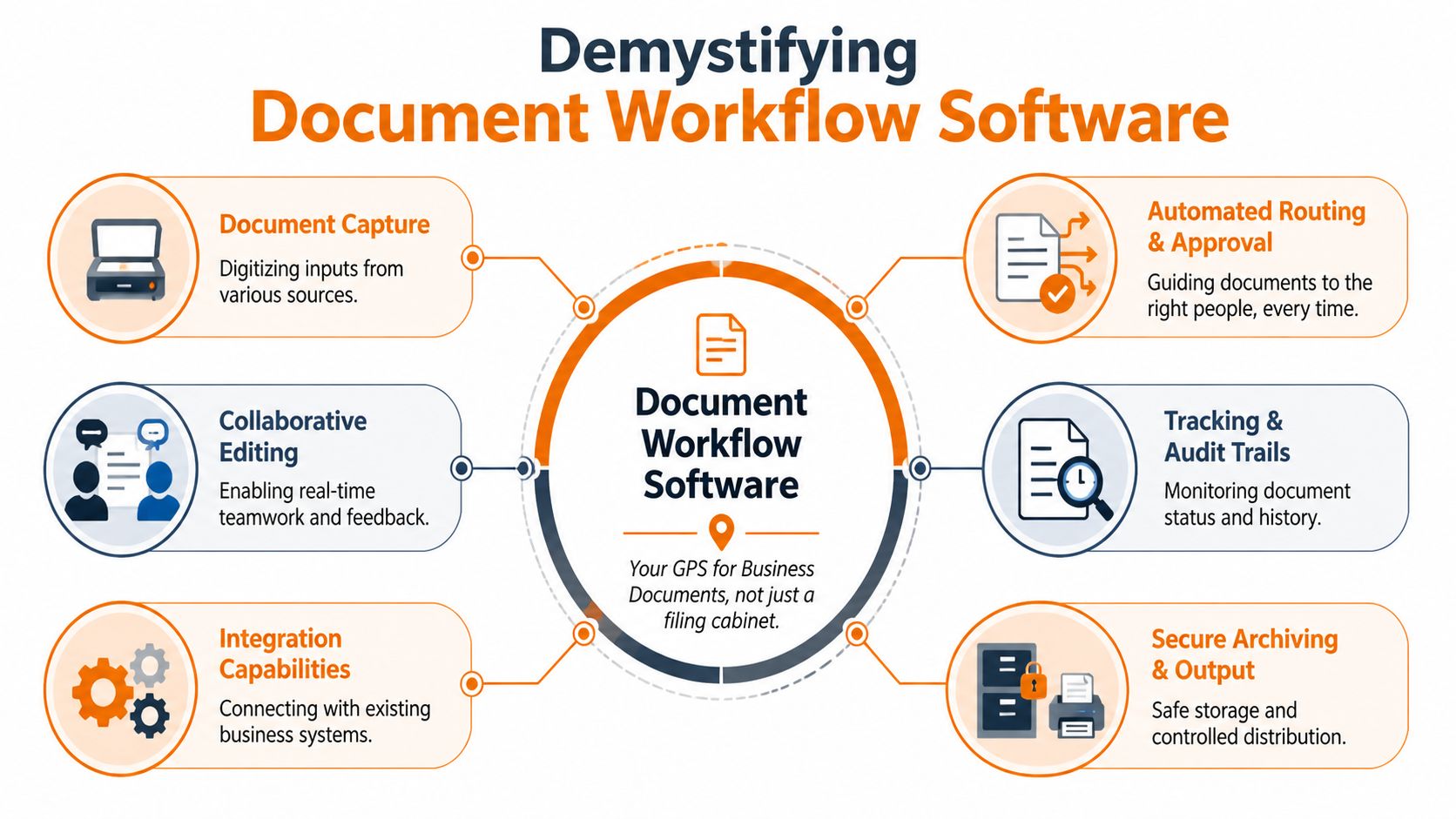
At its simplest, document workflow software is a system that tells a document where to go, what needs to happen to it, and who needs to act next.
It’s not just storage. A folder stores a file. A workflow moves it.
Consider it a GPS for paperwork. The route is defined before the trip starts. A contract goes from draft to review to approval to signature to archive. An onboarding packet goes from employee submission to HR review to manager sign-off to secure storage. The point is to stop relying on memory and polite nudges.
More than a filing cabinet
A decent system handles a few core jobs well:
Capture documents: It pulls in forms, PDFs, scans, photos, and attachments from the channels your team already uses.
Route them automatically: Instead of someone forwarding a file manually, the system sends it to the next person or queue.
Manage approvals: Reviewers can approve, reject, comment, or request changes without losing the thread.
Keep a record: You can see status, history, and the final version in one place.
That sounds obvious, but many teams still buy storage when what they really need is flow.
The part people call AI
Some of the most useful document workflow tools also read documents, not just store them. Enterprise-grade platforms often use Intelligent Document Processing, along with OCR and AI, to turn scanned PDFs and invoices into structured data. In HR document processing, these systems can automate up to 90% of manual data preparation according to Wrike’s overview of document workflow software tools.
That matters because most delays happen before approval. Someone has to open the file, find the right fields, retype them into another system, and hope they didn’t miss a number or transpose a date. If the software can do that extraction and routing for you, people can spend their time checking exceptions instead of doing copy-paste labor.
Practical rule: If a tool only stores documents, it’s not fixing your workflow. It’s just giving your clutter a nicer address.
Documents don’t live alone
There’s another reality vendors gloss over. Documents are often created from meetings, calls, and handoffs that happen elsewhere. If your process starts with conversation, it helps to pair workflow tools with good capture habits. Teams that rely heavily on verbal updates should also think about effective meeting transcription software, because clean records upstream make the document process downstream far less messy.
Why This Actually Matters for Your Team
The business case is easy enough to make. The human case is stronger.
When people don’t have to chase paperwork, they do better work. They spend less time wondering whether a form was submitted, whether the right version is in circulation, or whether an approval got missed. The workday gets quieter in a good way.
Time comes back to the team
Organizations that adopt document workflows report a 90% reduction in processing time, 21% higher productivity, and 50% fewer manual tasks, according to SenseTask’s document management and workflow statistics. The same source says moving away from paper can save a business an average of $20,000 per year, while workflow automation cuts operational costs by 30 to 40%.
Those numbers are compelling, but the daily effect is what teams feel first. Fewer handoffs. Fewer status messages. Fewer mistakes caused by someone entering the same information twice.
Good systems reduce needless friction
A broken document process punishes reliable people first. They become the human glue holding everything together. They know which manager needs a reminder, which form version is current, and where the signed copy probably lives.
That isn’t scale. That’s dependency.
Here’s what tends to improve when the workflow is solid:
What changes | What it looks like in practice |
|---|---|
Less rework | Teams stop rebuilding files from old versions and scattered comments |
Faster decisions | Approvers see what they need without long email chains |
Cleaner accountability | Everyone knows who owns the next step |
Lower stress | Staff stop carrying process details in their heads |
Compliance gets easier when the path is clear
A lot of leaders think compliance is mainly about storage. It isn’t. It’s about traceability. You need to know what was submitted, who touched it, what changed, and when it moved.
When the workflow is defined, that evidence is built into the process instead of reconstructed later. For HR, operations, finance, and regulated teams, that’s the difference between confidence and scrambling.
The best workflow is the one nobody has to think about. People do the work, and the record builds itself.
How It Works in the Real World
Abstract talk about routing and approvals only gets you so far. The critical test is whether the software fits messy, physical, time-constrained work.

On a building site
A project engineer gets a change order while standing near active work. She doesn’t need a giant platform with ten tabs open. She needs the updated document, the context, and one clear action.
A workable process sends the change order to her phone, shows the latest version, captures her approval, and routes the file to the next person automatically. If the system requires a laptop, a VPN, and perfect connectivity, it will be bypassed. Field teams always find a faster path, and I don’t blame them.
In retail and hospitality
Seasonal hiring exposes weak document workflows fast. Managers are busy. New employees are moving quickly. Nobody wants to print forms, scan them back, and chase signatures between shifts.
The better pattern is simple. A candidate receives the right documents, fills them out on a phone, and the workflow sends anything incomplete back for correction before HR ever sees it. The manager only gets pulled in when there’s an actual decision to make.
That last part matters. Good document workflow software doesn’t just move paperwork faster. It keeps the wrong work away from the wrong people.
In healthcare and care settings
Consent forms, policy acknowledgments, and internal records need more than speed. They need control. Staff often work under pressure, across shifts, with little time to sit at a workstation.
The practical win is tight routing plus a clear audit trail. A form gets submitted, reviewed by the right role, stored properly, and remains easy to retrieve later. No guessing. No “which version did we use?” conversation after the fact.
In back office operations
Finance and HR often get treated like desk-based teams with plenty of time for admin. That’s fiction. They’re usually overloaded with exceptions.
A useful workflow does three things well:
It standardizes intake: The team receives information in a consistent format instead of five different ones.
It flags exceptions early: Missing fields or odd entries surface before the file moves deeper into the process.
It closes the loop: Once approved, the document lands in the right place without someone remembering where to file it.
Most failed workflow projects don’t fail on features. They fail in the last ten feet, where a real person has to use the thing during a busy day.
Choosing a Tool That Won’t Gather Dust
Most software demos are theater. Everything looks clean, every step is fast, and the person clicking through the workflow has perfect permissions and no interruptions. Real life is the opposite.
The hard truth is that document workflow software gets abandoned when it asks too much of ordinary users. If a supervisor needs training just to approve a document, adoption is already in trouble.
What I’d look for first
I don’t start with feature depth. I start with the path of least resistance.
Ask these questions during a demo:
Can a frontline manager use it on a phone without a walkthrough?
Can we build one workflow ourselves, or do we need a consultant every time?
Does it connect to the systems we already rely on?
Can users tell what’s waiting on them in one glance?
What happens when a document is incomplete, wrong, or late?
If the answers are vague, the product is probably doing a lot of talking and not enough helping.
Mobile isn’t optional
Many tools are still designed like everyone sits at a desk with two monitors. That’s fine for legal review. It falls apart in operations, retail, healthcare, logistics, and hospitality.
I’d rather have a tool with fewer features and a clean mobile experience than a bloated platform nobody opens outside the office. If you’re sorting through options, this comparison of document management software for small business is helpful because it brings the trade-offs into plain language.
A short comparison makes the point:
Buying lens | What usually works | What usually fails |
|---|---|---|
User experience | Clear next step, few clicks, obvious status | Dense screens and hidden actions |
Setup | Templates and editable rules | Heavy custom builds for simple workflows |
Mobile use | Native approvals, uploads, alerts | Shrunk desktop screens on a phone |
Integration | Connects with core HR, payroll, storage, or communication tools | Standalone islands that create more manual work |
One category is easy to underestimate
Some teams don’t need a giant enterprise stack. They need help stitching together routine approvals, intake, and file movement across the tools they already use. In those cases, working with a specialist such as an AI automation agency can help clarify whether you need a full platform, lighter automation, or better process design first.
I’d also put platforms like Microsoft SharePoint, Box, and DocuSign in different buckets instead of pretending they do the same job. SharePoint can handle governance well for large organizations. DocuSign is strong at the signature end of a process. Box is often a better fit when content management matters. And if your teams need document access inside a broader employee app, Pebb is one option that combines communication, files, tasks, and a knowledge library in the same mobile-friendly workspace.
That last point matters more than most buyers admit. Sometimes the best document workflow tool is the one people are already opening all day.
Beyond the Office The Untapped Potential
Most document workflow software still assumes the user is seated, online, and patient.
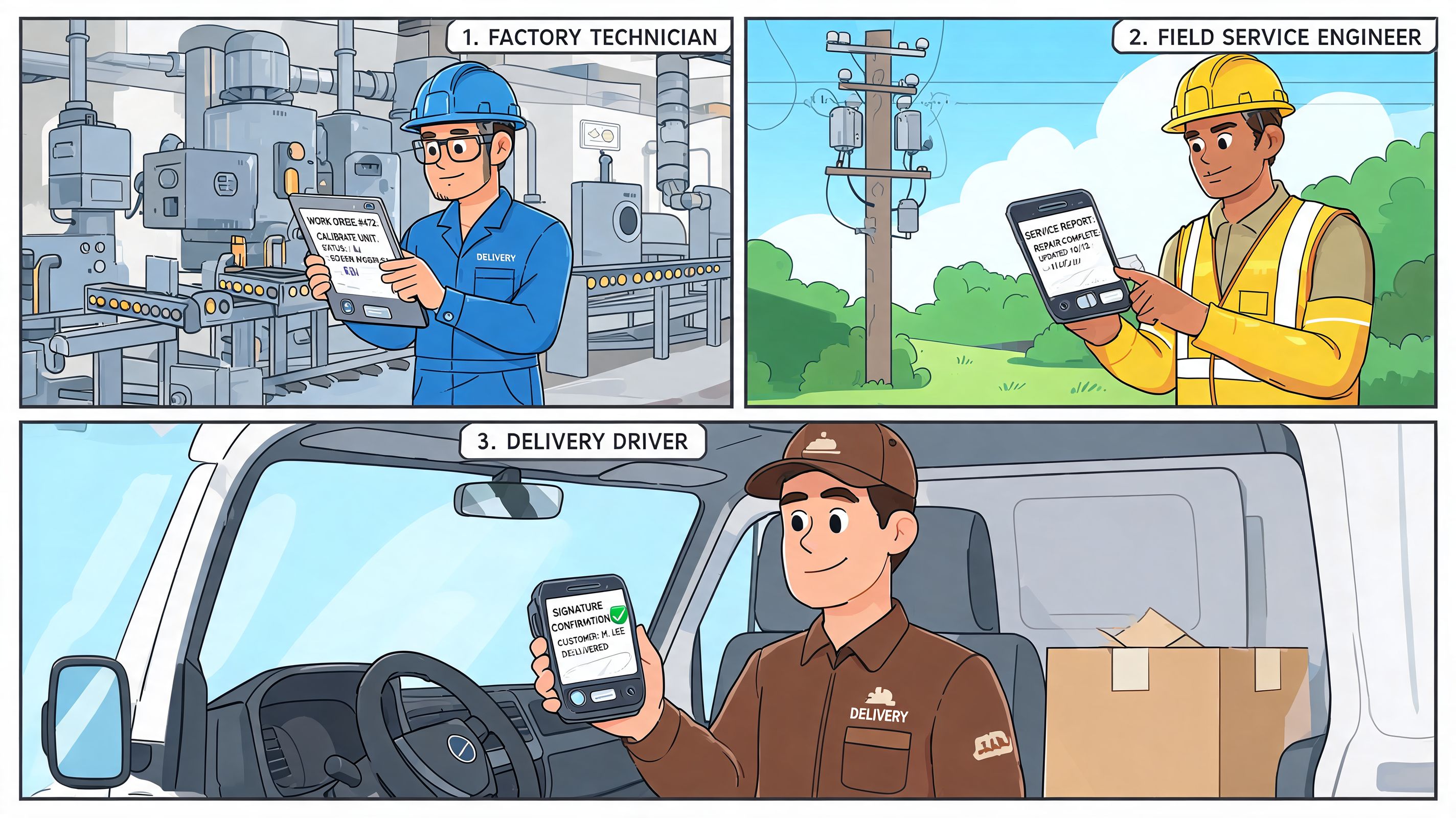
That assumption breaks the minute you step into a warehouse, a hospital floor, a hotel back office, a delivery route, or a retail stockroom. The people doing the work often have the least time for clunky tools, yet they’re the ones closest to the forms, checks, approvals, and incidents that keep operations moving.
Office logic doesn’t travel well
A lot of platforms are polished on a laptop and miserable on a phone. The workflow might be technically available on mobile, but that’s not the same as being usable.
Frontline teams need something different:
Fast input when they have a spare minute, not a long admin block
Clear prompts that don’t depend on deep system knowledge
Simple approvals that work between tasks and across shifts
Shared visibility so handoffs don’t disappear when one person clocks out
Most coverage of document workflow software ignores this. Yet Flowable notes a critical gap around frontline workers and cites Gartner’s projection that by 2025 over 50% of enterprise collaboration will happen on mobile-first apps. That projection should change how buyers think about workflows right now.
The workflow should live where people already work
This is the shift I think matters most. Stop treating documents as a separate universe.
If a supervisor already uses a work app for updates, chat, tasks, and team communication, document steps should sit there too. A policy acknowledgment shouldn’t require a scavenger hunt through email. A safety form shouldn’t depend on someone getting back to a desktop. A manager shouldn’t need to remember which portal handles which kind of approval.
If your workflow only works for office staff, you haven’t fixed the workflow. You’ve moved the burden downstream.
For distributed teams, the opportunity isn’t just automating paperwork. It’s embedding document actions into the flow of daily work, especially on phones. That’s where adoption gets easier, and where compliance gets more realistic instead of more theoretical.
Making It Stick and Seeing the Return
Buying software feels decisive. Implementation is where the truth comes out.
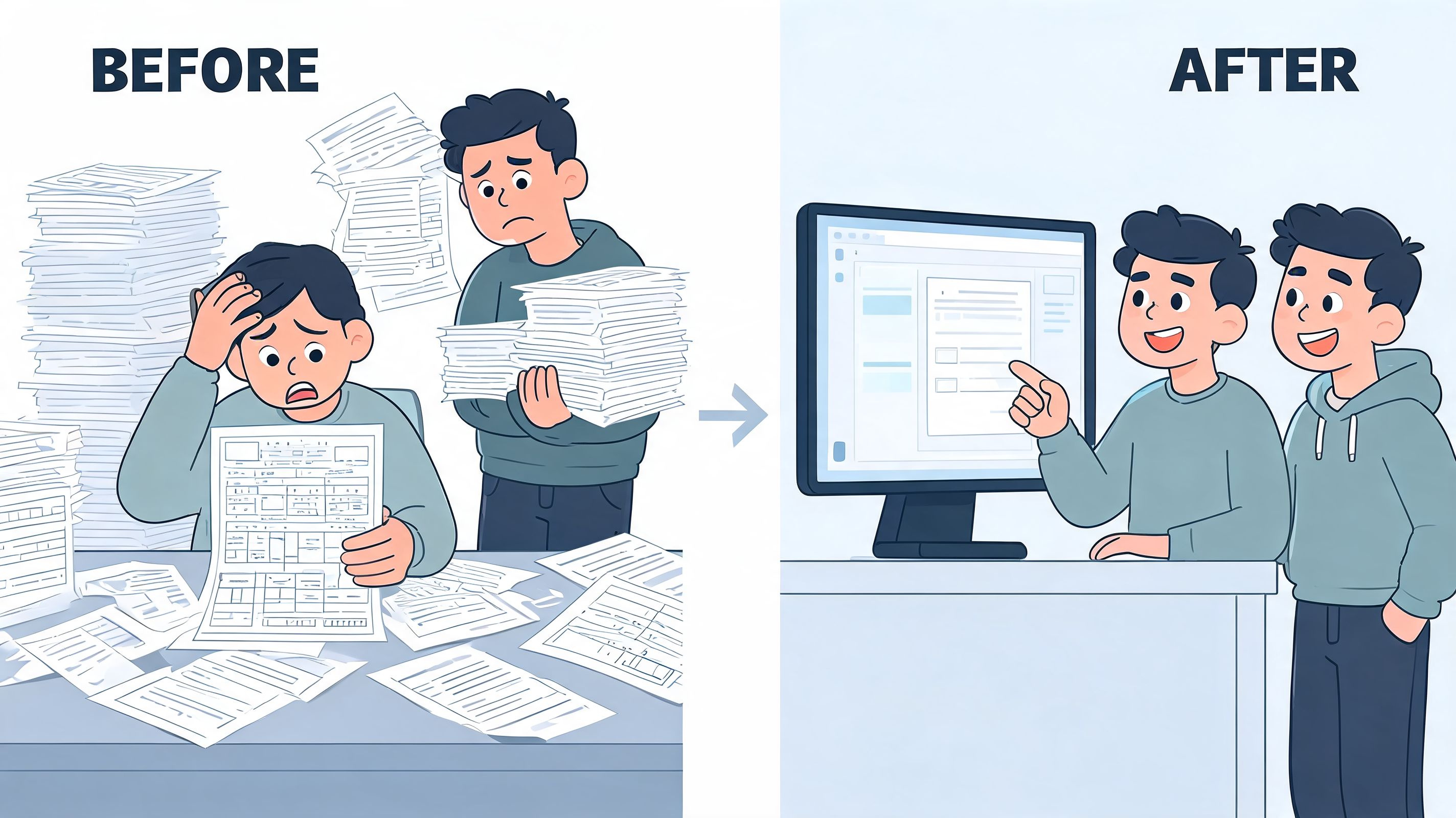
The teams that get value from document workflow software usually don’t start with a grand rollout. They start with one painful process that everyone already wants fixed. New hire paperwork. Invoice approvals. Safety forms. Contract routing. Something visible, annoying, and frequent.
Start smaller than you want to
This is the pattern I trust:
Pick one workflow with real pain. Not the most strategic one on paper. The one your team complains about every week.
Define the minimum path. What gets submitted, who reviews it, what counts as approved, where it ends up.
Test it with real users. Not only admins. Include the busy manager, the skeptical supervisor, and the person who works mainly on mobile.
Tighten the exceptions. Edge cases will show up fast. That’s good. Fix them before expanding.
Teams that try to automate everything at once usually spend months arguing about ideal design while the old mess keeps running in parallel.
The return is real when usage is real
Organizations using document workflow software report 200 to 300% ROI in the first year, driven by roughly 70% less document creation time, 60 to 70% less processing time, and about 90% fewer human data-entry errors, according to Verdocs’ document workflow statistics.
Those gains don’t come from buying a license. They come from changing behavior.
That’s why adoption work matters. Clear ownership matters. A simple rollout plan matters. Good training matters, but not in the usual sense. People don’t need a seminar on workflow theory. They need to know what changed, why it’s better, and how to complete the next action without friction.
Keep the process visible
Once a workflow goes live, don’t disappear and assume the job is done. Watch where people hesitate. Look for steps that still trigger side messages and manual workarounds. Review your structure against sensible document management best practices, especially around naming, access, ownership, and version control.
A calmer workplace is hard to put into a spreadsheet, but teams know it when they feel it. Work moves. Records make sense. Trust goes up.
That’s the true payoff. Not just faster documents. A company that’s easier to run.
If your teams need document workflows to work beyond the main office, Pebb is worth a look. It brings chat, tasks, file sharing, a knowledge library, and mobile access into one work app, which makes it practical to place forms, approvals, and key documents inside the flow of daily work for both frontline and office teams.
