
The End of Paperwork
Stop the paper chase. Learn how to create a digital form for employees that simplifies work, saves time, and gets used by your entire team.
Dan Robin
A digital form for employees isn't just a paperless document. It's a way to fix the slow, manual work that drives everyone crazy. It's the end of retyping data, chasing signatures, and digging through file cabinets for a lost form. It’s a simple change that gives your team back their time.
Why Paper Forms Are Quietly Sabotaging Your Business
We’ve all lived this story. The new hire drowning in a sea of onboarding packets. A time-off request lost on a manager’s cluttered desk. A critical safety report scribbled on a notepad and forgotten. For decades, we’ve relied on paper to collect information. It’s familiar. It feels tangible.
Let’s be honest, though. It’s also slow, messy, and a giant pain.
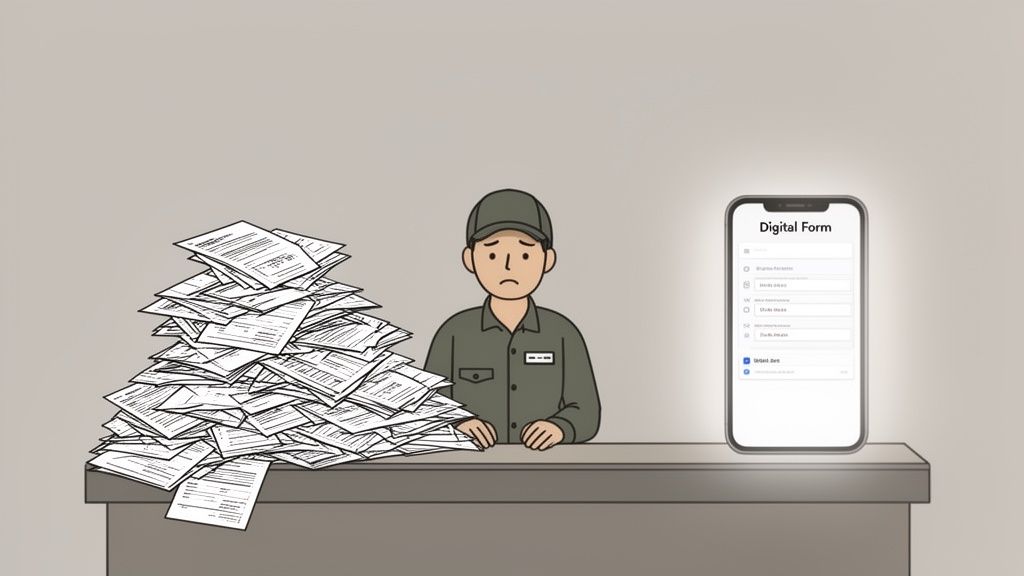
The real cost of sticking with paper isn't the price of a ream; it's the hidden friction it adds to your day. This isn't about "going green." It’s about fixing the broken processes that kill productivity and morale.
The True Cost of Manual Work
Every paper form kicks off a chain reaction of busywork. First, someone fills it out, often with bad handwriting or missing information. Then, someone else has to physically collect it, decipher it, and manually type that data into a spreadsheet or another system. That’s double the work, right off the bat.
The problem with paper is that it has no brain. It can’t tell you if a field is missing, it can’t route itself to the right person, and it certainly can’t update your other systems. It just sits there, waiting for a human to do all the work.
This manual data entry isn't just boring; it's a huge source of errors. A misplaced decimal on an expense report or a mistyped employee ID can create headaches that take hours to fix. When you use a digital form for employees, the information is captured correctly the first time and can flow exactly where it needs to go. Automatically.
A Smarter Way to Work
The shift away from clunky, manual tools is happening everywhere. In fact, the market for digital workplace tools is projected to hit $44.9 billion by 2026. This isn't just a tech trend; it's a clear signal that businesses are hungry for tools that connect teams and make work easier.
It's about giving your people tools that respect their time. To see what this looks like, look at how companies that implemented a digital work time approval system were able to completely eliminate paper timesheets. It's a small change with a huge impact.
A well-designed digital form is one of the most powerful upgrades you can make to your business. It’s about creating a place where technology serves people, not the other way around. It's about giving your team the freedom to focus on their real jobs—not the paperwork that comes with them.
How to Design a Form People Actually Want to Use
Here’s the thing: if you build a digital form that no one uses, it’s just as useless as the paper one it replaced. The goal isn’t just to drag and drop fields onto a screen. It’s to make sharing information faster, simpler, and less of a chore.
When you make a process easy, people will actually follow it. If you make it clunky and complicated, they'll find a way around it. Every single time. It all comes down to respecting their time. A great digital form for employees feels helpful, not like an interrogation.
Think Mobile and One Thumb
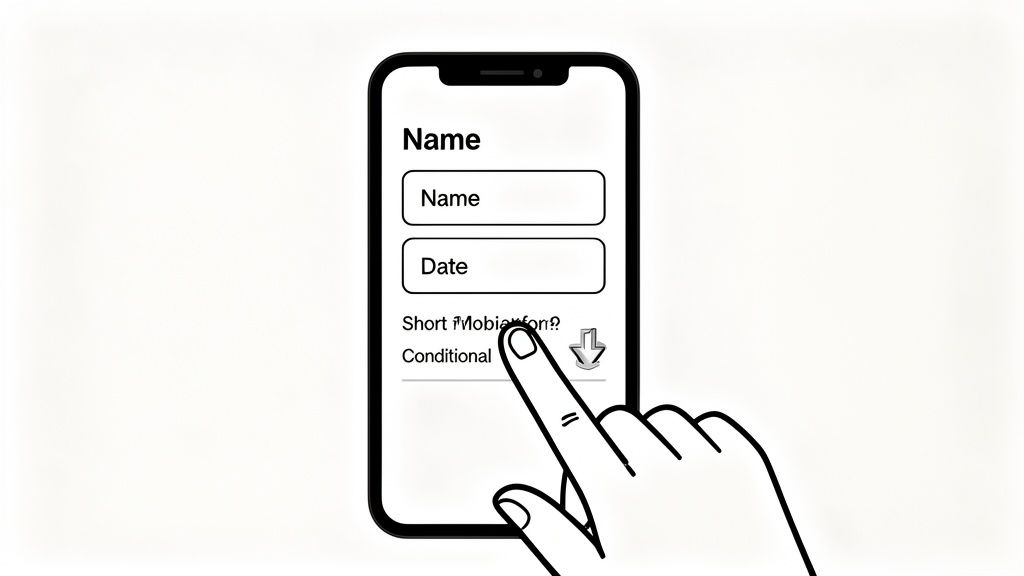
Most of your people aren't sitting at a desk. They're on a factory floor, in a hospital ward, or helping customers in a store. Their phone is their main tool. That means your forms have to be designed for a phone screen. Period.
I always say a form has to pass the "one-thumb test." Can someone fill it out with one hand while holding a coffee or a barcode scanner in the other? This means using big tap targets, clear fonts, and layouts that don't make you pinch and zoom.
This mobile-first approach is non-negotiable. Research shows that 68% of successful companies have embraced mobile internet access for their teams. For frontline managers in healthcare or retail, pulling up schedules, files, and forms on their phone is just how work gets done now.
The Magic of Smart Questions
Here’s where digital forms really shine: they can be smart. Using conditional logic, you can show or hide questions based on how someone answered a previous one.
Suddenly, that intimidating 30-question incident report becomes a simple, three-step process for most situations.
An employee selects "Minor Injury" and only sees fields for a description and a witness name.
Another employee selects "Property Damage" and is instead prompted to upload a photo.
This isn't just about making a form shorter. It's about personalizing the journey. The form adapts to the person, not the other way around. It feels like the tool is actually helping them.
This one feature completely changes the experience. It turns a static checklist into a guided conversation. You get rid of irrelevant questions, which cuts down on confusion and helps you collect much better, more accurate information.
Pre-Fill Everything You Possibly Can
Never, ever ask for information you already have. It's the digital version of making someone write their name on every single page of a paper packet. It’s annoying. And it immediately tells your employee that your systems don't talk to each other.
A good form should automatically fill in details like the employee’s name, department, and ID number. When someone opens a time-off request, their remaining leave balance should be displayed right at the top. This saves a few clicks, but more importantly, it proves you’ve thought about the experience from their perspective. We've built this exact tool, and you can see how it works in our guide on creating an employee request time-off form.
When you start eliminating all these tiny points of friction, the whole process feels effortless. That’s how you build something people actually want to use.
From Paper to Pixel: A Better Way
The difference between a paper-based process and a smart digital one is night and day. It’s not just about saving trees. It’s about saving time, reducing frustration, and getting things done right the first time.
Task | The Old Way (Paper) | The New Way (Digital) |
|---|---|---|
Requesting Time Off | Find the form, fill it out, track down a manager for a signature, and hope it doesn't get lost. | Open an app, see your available leave, pick dates on a calendar, and hit submit. Done. |
Reporting an Incident | Search for the right 5-page packet, fill out dozens of irrelevant fields, and hand it off to HR. | Answer 3-4 simple questions on your phone. The form adapts to show only what's needed. |
Submitting Expenses | Tape receipts to paper, manually enter every line item into a spreadsheet, and submit the packet for approval. | Snap a photo of the receipt with your phone. The system automatically reads the vendor and amount. |
These examples show how digital forms do more than just collect data—they create a fundamentally better, more respectful experience for your team.
Building the Right Form for the Right Job
A safety checklist isn't an expense report. An employee survey isn't a shift swap request. Yet we’ve all seen companies try to cram wildly different needs into a single, generic digital form. The result is always the same: a clunky, confusing mess that no one wants to use.
One size fits all is a recipe for failure. The secret to a great digital form for employees isn't just ditching paper. It’s about building the right tool for the job.
The form itself should be the guide. It should feel so intuitive that it requires no training manual, leading the employee through the process naturally. When you get this right, you don’t just collect data—you make life easier for everyone.
Start with 'Why'
Before you even think about adding a field, step back and ask a simple question: What job is this form being hired to do? Is it to report a safety hazard as quickly as possible? Or is it to gather thoughtful feedback on company culture? The answer changes everything.
A safety incident form, for example, needs to be fast. The priority is capturing the essentials—what happened, where, and who was involved—with as little friction as possible. This is where certain field types become your best friend.
Mandatory Photo Upload: For a damaged piece of equipment, a picture is worth a thousand words. Making this mandatory ensures you get the visual context you need without a lengthy written description.
Location Dropdown: Instead of making someone type out a location, give them a pre-populated list of work zones or floors. It’s faster, eliminates typos, and gives you clean data you can actually use.
Simple Radio Buttons for Severity: Use options like "Minor," "Moderate," or "Critical." This is much quicker than a text box and instantly helps your team prioritize.
Think about it: a form for a logistics company reporting a damaged shipment should look totally different from one at a healthcare facility documenting a patient fall. The context defines the content.
Design Fields That Guide, Not Frustrate
Every single field you add is a small tax on your employee's time and attention. Your job is to make sure each one pays for itself. The choice between a dropdown menu and an open text field isn't just about looks; it’s a strategic decision that affects data quality and the user experience.
A well-structured form doesn’t just ask questions; it provides answers. By limiting choices with dropdowns or pre-filled data, you guide the user toward the correct input, dramatically reducing errors and confusion.
Let’s talk expense reports. Asking an employee to type "Lunch with client" is fine, but it creates inconsistent data that someone has to clean up later. A much smarter approach is a dropdown menu with categories like "Client Meal," "Travel," and "Office Supplies." This standardizes your data from the start, which makes your finance team’s job infinitely easier.
Many teams now use powerful no-code platforms to build these kinds of smart forms. You don't need to be a developer to drag and drop fields, set up rules, and get a custom tool up and running in hours, not weeks.
Real-World Examples That Just Work
Let's get practical. How does this look in different industries?
For a Retail Store: A shift swap request is a daily reality. The form needs to be mobile-first and dead simple. The best ones pre-fill the employee’s current shift and show a dropdown of only the colleagues eligible to swap. Once the other employee accepts, the form should automatically ping the manager for a one-click approval. Simple, fast, and done.
For a Construction Site: An end-of-day equipment checklist is all about safety. It should feature a list of equipment with simple "Pass/Fail" radio buttons. If an item fails, conditional logic should immediately pop up a mandatory text box for details and a photo upload field. This ensures no faulty equipment slips through the cracks.
This isn’t just a nice-to-have. In places like Germany, lawmakers are actively working to reduce written form requirements in employment law, pushing for more efficient digital processes. The message is clear: making work more flexible is becoming a competitive and even legal necessity.
The goal isn't to just put your paper documents on a screen. It's to fundamentally rethink how the work gets done, using the form as a smart, active partner in the process. When the form works for your people, they'll actually want to work with it.
Connecting Forms to Your Actual Work
A submitted form shouldn't be the finish line. It's the starting gun. For a long time, we treated digital forms just like their paper ancestors. Someone would fill one out, it would land with a quiet thud in an email inbox, and then just sit there, waiting for a human to do something about it.
That’s a massive missed opportunity. A form that just sits in an inbox still creates manual work. It just moves the pile of paper from a desk to a screen.
The real power of a digital form is unlocked when you connect it directly to your workflows. This is the leap from just collecting information to turning it into immediate, reliable action. It's how you go from managing digital paperwork to truly managing your operations.
From Data Entry to Action
A form submission should kick off a process, not end one. Think about the everyday tasks that keep your business running. An approved time-off request shouldn't just trigger a confirmation email. It should automatically block out the time on the team calendar and sync with payroll.
What about an incident report? It shouldn't have to wait for a manager to check their email. The moment it’s submitted, it should instantly notify the safety manager via chat, create a follow-up task in their project tool, and log the event in a central safety dashboard.
The goal is to build a system where information flows, not just sits. When a form can trigger other actions, you eliminate the gaps where things get forgotten, delayed, or done incorrectly. The form becomes an active participant in getting the work done.
This isn't some pie-in-the-sky idea. Modern work tools are built to connect these dots. From what we’ve seen, integrating them can dramatically reduce the lag between a request and its fulfillment.
Making Your Workflows Intelligent
Now, this is where it gets really interesting. The next level isn't just about connecting apps; it's about adding a layer of intelligence to the process. Increasingly, this is being driven by AI, which is quickly becoming the backbone of smarter workflows.
For example, an expense report form can do more than just send a notification. It could use AI to scan the receipt and check if the total amount is within the employee’s normal spending habits. If the amount is unusually high, the workflow could automatically flag it for a senior manager's review. If it’s standard, it could be approved almost instantly.
This shift is already happening. A Morgan Stanley survey of key industries showed that AI integration is driving an average 11.5% net productivity boost. It does this by automating the routine decisions that used to eat up managers' time. You can dig into the full findings on AI's impact on productivity and see how it's reshaping the way companies operate.
Simple Automations You Can Start With
You don't need a team of developers to do this. Most modern form builders have simple automation tools built right in, usually based on a "When This Happens, Do That" logic.
Here are a few simple but high-impact workflows you could set up this afternoon:
New Hire Onboarding: When a new hire form is marked "complete," automatically create their user account, assign the "Day 1 Onboarding" checklist to their manager, and add them to the "New Starters" chat channel.
Maintenance Request: When a maintenance request is submitted with "Urgent" priority, instantly send a push notification to all on-duty maintenance staff and post an alert in their team channel.
Inventory Restock: When a stock-take form shows an item is below the minimum threshold, automatically generate a purchase order request and send it to the procurement team for approval.
Each of these examples transforms a manual, error-prone process into a single, automated event. It's less about wrestling with tech and more about thinking through the logical steps that need to happen after someone hits "submit."
This is how you build a business that runs like a well-oiled machine, even when you're not personally watching over it. You're designing systems so efficient they just become "the way we do things here."
How to Roll Out New Forms Without the Headaches
You’ve built the perfect form. You’ve tested the logic and connected the workflows. Now what? The temptation is to hit a big red button and blast it out to everyone at once. A single company-wide email, a new link on the intranet, and you're done.
This is a classic recipe for disaster.
We’ve learned—often the hard way—that forcing change on people, even good change, rarely works. A "big-bang" rollout creates instant resistance. It swamps your support channels and leaves employees feeling like a new process is being done to them, not for them.
There’s a calmer, smarter way.
Start Small with a Pilot Group
Instead of launching to the entire company, kick things off with a small, hand-picked pilot group. This isn’t about formal testing. It’s about finding a handful of friendly, engaged employees who are willing to be your first users. Think of them as your co-creators.
Your goal here is simple: find the problems before everyone else does. Does the form load slowly on the old Android phone your warehouse manager uses? Is there a question that everyone misunderstands? This group will give you gold-standard feedback in a low-stakes environment.
The most valuable feedback comes from real people trying to do their real jobs. A pilot program turns your launch from a performance into a conversation. That changes everything.
We've found the best pilot groups are a mix of personalities. You want a skeptic who will find every flaw, a power user who will push the limits, and a few average employees who just want to get their work done. Their combined feedback is far more valuable than any internal QA process.
Communicate Like a Human
Once you're ready to expand, resist the urge to send a formal corporate memo. Nobody reads those. Instead, write a simple, direct message that explains how this new digital form for employees makes their job easier.
Focus on the "what's in it for me?" angle. Don't talk about "streamlining operational efficiencies." Talk about getting your expenses approved in hours instead of weeks.
Here’s what that looks like:
The Bad Way (Corporate Memo) | The Good Way (Human Message) |
|---|---|
"Effective Monday, all personnel will be required to utilize the new digital incident reporting solution for compliance purposes. Failure to adhere to this policy may result in process delays." | "Hey team, we're trying out a new way to report safety issues that should only take about 60 seconds on your phone. No more hunting for paper forms—just snap a photo, answer two questions, and you're done." |
The difference is respect. One is a command; the other is an invitation. For more ideas on framing these announcements, check out our guide on how internal campaigns can drive platform adoption.
This simple flow shows how an automated form submission can immediately trigger notifications and update other systems—a key benefit you’ll want to highlight.
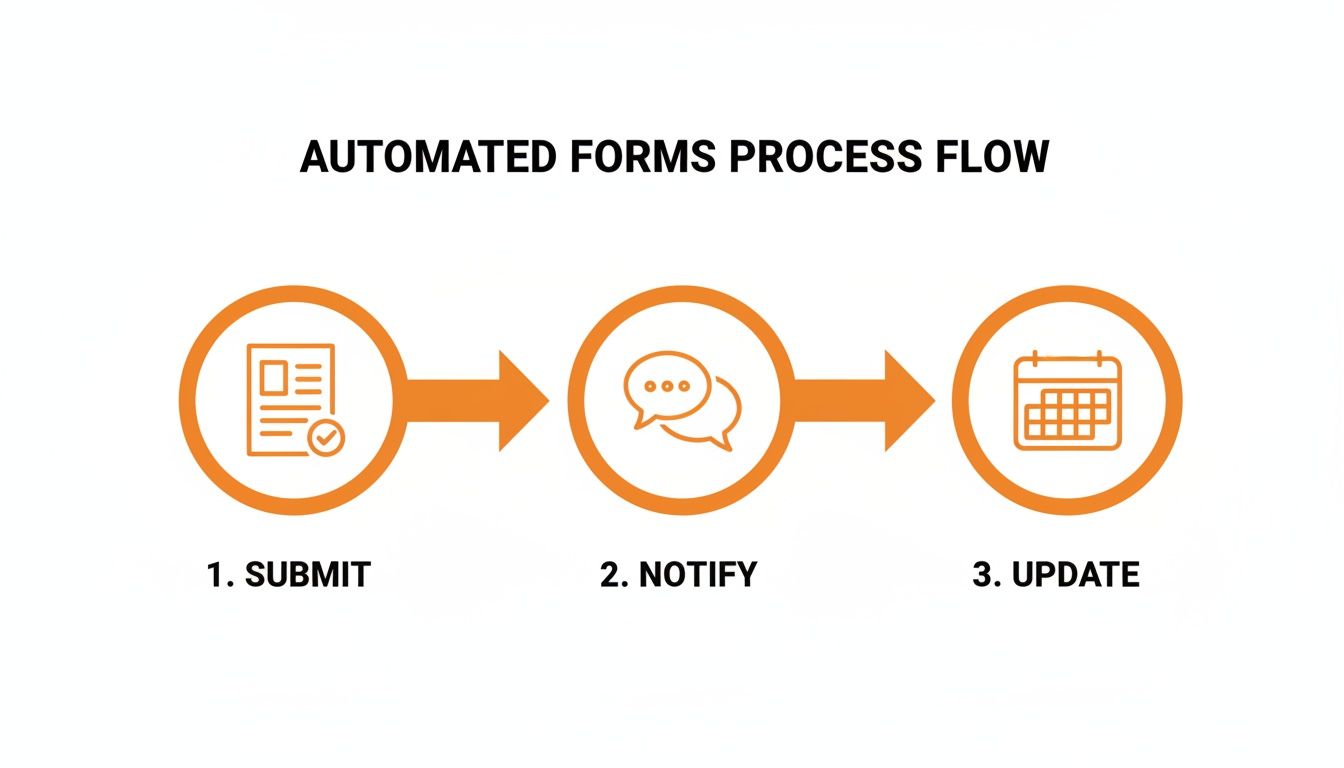
Seeing how a single action can kick off a chain of events that saves everyone time makes the benefit real and immediate.
Find Your Champions
In every company, there are people who get genuinely excited about better ways of working. Find them. We call them "champions." They aren't necessarily managers; they're the respected voices on their teams.
Give these champions early access and a little extra training. When their colleagues inevitably ask, "Hey, what's this new form thing?" your champion will be there to say, "Oh, it's great. Let me show you. It takes like 30 seconds." A peer endorsement is a hundred times more powerful than a directive from management.
Finally, just be present. For the first few weeks, make yourself available. Check in with managers, visit different departments, and ask for feedback. Showing that you're listening and ready to make quick fixes builds trust. It signals that you're in it together.
The goal isn't to force adoption. It's to make the new way so obviously better that people choose it themselves. When the path of least resistance is also the path of greatest efficiency, you’ve won. You’ve made change feel like a relief, not a chore.
Common Questions About Switching to Digital Forms
After helping hundreds of teams ditch paper, I've found the same few "what if" questions pop up every single time. It's normal. Moving away from a system you've used for years, even a clunky one, feels like a big leap.
Let's tackle those common hurdles head-on. The answers are usually much simpler than you'd expect.
How Do We Handle Forms That Need a Legal Signature?
This is the most common question I get, and it's a good one. The solution is simple: modern digital tools come with secure, legally-binding e-signatures built right in. An employee can sign off with a swipe of their finger on a phone or with their mouse on a desktop. No printers, no scanners, no hassle.
What really gives people peace of mind is this: every digital signature is automatically timestamped and locked into a tamper-proof audit trail. For most internal documents like policy acknowledgments or work order approvals, this is actually more secure and easier to verify than a wet ink signature.
What About Employees Who Aren't Tech-Savvy?
We’ve all worked with people who get nervous around new technology. The key isn't forcing them to become tech experts. It's choosing a tool that's so simple, they don't have to be. We're firm believers that if your employees can use a simple app to check the weather, they can fill out a well-designed digital form for employees.
The best tools feel intuitive, like the consumer apps people already use every day. Your rollout strategy is also crucial. Start with a single, high-impact form, like a PTO request. Share a quick two-minute video showing exactly how it works, and empower your managers to be the go-to guides. The goal is to make it so easy that "tech-savvy" is never a requirement.
How Do We Ensure Employee Data Stays Private and Secure?
Security has to be your top priority. Period. Any reputable platform uses multiple layers of defense, starting with data encryption (both for data on the move and data at rest) and strict role-based access controls.
These controls mean only authorized individuals—like a manager or an HR admin—can ever view sensitive information. Think about it: is that data safer locked in a digital vault, or sitting in a stack of paper on someone's desk or in an unlocked filing cabinet? A secure digital system gives you far more control, privacy, and a clear audit log of who accessed what, and when. It’s a massive security upgrade.
Can These Forms Connect to Our Existing HR and Payroll Systems?
Yes, and this is where the real magic happens. This is how you go from just saving paper to saving hundreds of hours of manual work. The best platforms are designed to integrate with the tools you already rely on, either through pre-built connectors or flexible APIs.
Imagine an approved expense report automatically sending data to your accounting software, or a new hire's form instantly creating their profile in your HR system. This eliminates mind-numbing data entry, slashes the risk of costly typos, and ensures all your core systems are always perfectly in sync.
Ready to build a workplace where everyone stays in sync? With Pebb, you can create smart digital forms, automate workflows, and bring your team together in one simple, modern app. See how it works.
