
Cleaning Service Scheduling Software That Works
A calm, no-nonsense guide to choosing cleaning service scheduling software. Learn what features matter, how to measure ROI, and avoid common pitfalls.
Dan Robin
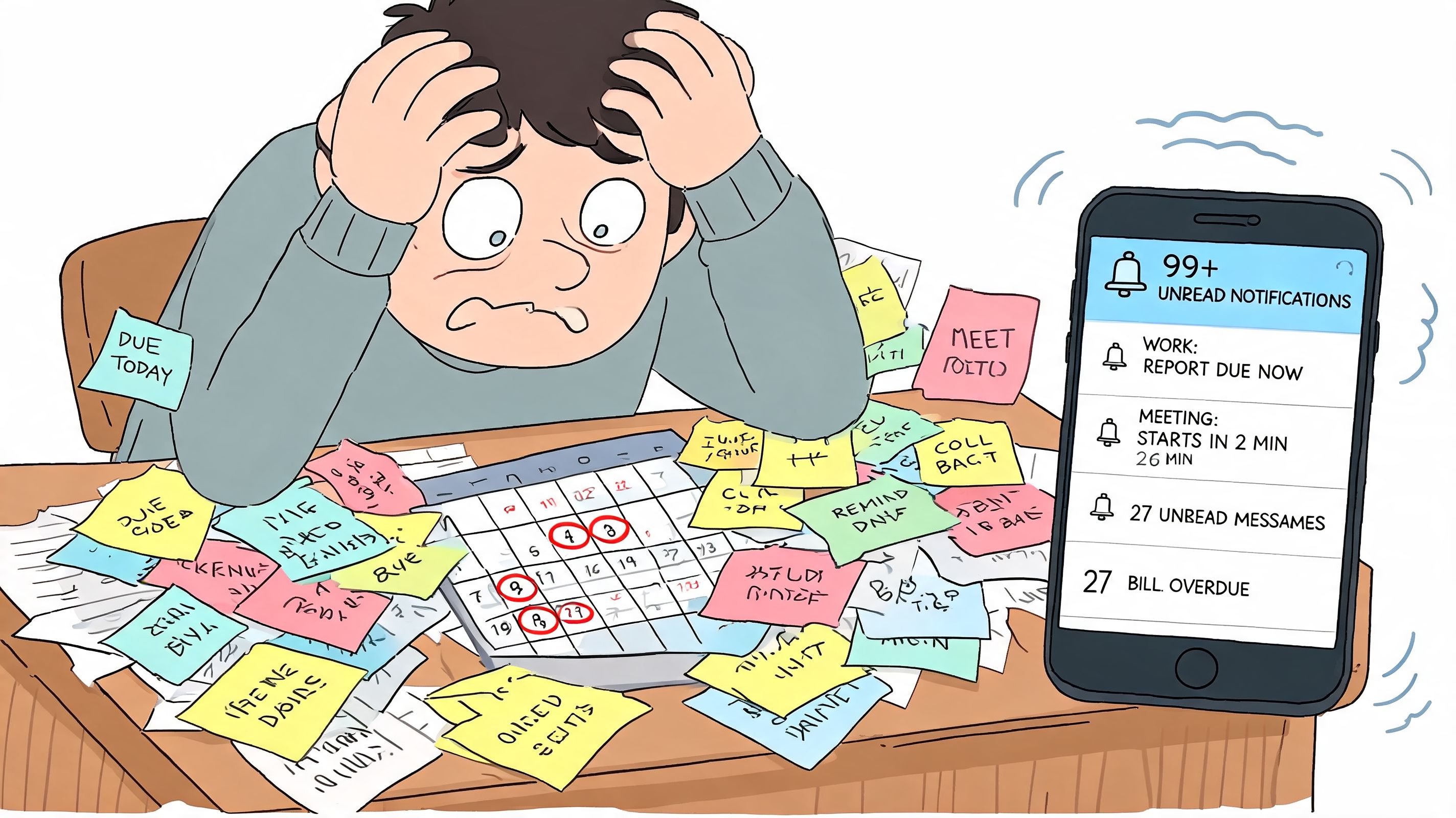
The desk is covered in sticky notes. One cleaner texted that her car won’t start. A client wants to move tomorrow’s clean to this afternoon. Someone copied the wrong address into the spreadsheet. The phone keeps buzzing, and you can feel the day slipping before it’s even started.
If you run a cleaning business, you already know this feeling. The work itself is hard enough. The scheduling chaos is what drains you. Not because it’s dramatic, but because it’s constant. Tiny errors pile up. People get frustrated. Clients start to wonder if you’re organized. Your team starts every week bracing for confusion.
I’ve seen owners treat this as the cost of doing business. It isn’t. It’s the cost of running on tools that were never built for field work, shift changes, route planning, recurring service, and crew communication all at once.
The End of Scheduling Chaos
Manual scheduling doesn’t fail all at once. It fails subtly.
It shows up as late-night texts, missed handoffs, cleaners driving across town for jobs that should’ve been grouped together, and managers spending more time fixing the schedule than improving the business. You don’t notice how much mental energy it eats until you finally stop doing it by hand.
The real cost isn’t just time
A messy schedule doesn’t only waste office hours. It makes people feel disposable.
When a cleaner gets three changes in one morning, they stop trusting the plan. When a supervisor has to chase updates across calls, texts, and paper notes, they stop trusting the system. When a client hears, “Sorry, we had a scheduling mix-up,” they stop trusting your reliability. That trust is hard to win back.
You can survive on hustle for a while. You can’t build a calm business on it.
This is why cleaning service scheduling software matters. Not because software is exciting. It usually isn’t. It matters because the old way keeps everyone in a low-grade state of rework.
The industry has already moved
This shift isn’t small. The global market for cleaning service scheduling software reached an estimated $500 million in 2025 and is projected to reach $1.8 billion by 2033, with a 15% compound annual growth rate, according to Archive Market Research’s cleaning service scheduling software report. That tells you something important. Owners are not buying these tools as a nice extra. They’re moving away from manual coordination because they have to.
A simple comparison makes the point:
Old way | Better way |
|---|---|
Spreadsheet plus phone calls | Shared live schedule |
Reassign jobs manually | Drag, drop, and notify instantly |
Guess routes from memory | Route-aware planning |
Ask “who’s available?” repeatedly | See availability in one place |
Discover problems after the miss | Catch conflicts before they happen |
The best part isn’t speed. It’s calm.
When the schedule lives in one place, and everyone sees the same version, the whole business gets quieter. Fewer surprises. Fewer apologies. Fewer mornings that start in panic.
What Is Scheduling Software Really For
Many might think scheduling software is a calendar with extra buttons. That’s too small a definition.
A good system doesn’t just fill open slots. It coordinates promises. A client books a service. A team gets assigned. Instructions travel with the job. Changes reach the right people. Managers can see what’s happening without calling five people in a row. That’s what you’re buying.
It’s an operating system, not a calendar
If your tool only shows appointments, it’s not doing enough. In a cleaning business, scheduling touches almost everything. Recurring work. crew availability. Time off. job notes. access instructions. quality checks. customer communication. payroll handoff. If those live in separate places, the “schedule” is really just a rough draft.
That’s why I think the smarter way to evaluate cleaning service scheduling software is to ask one blunt question: does this help the business stay in sync?
If it does, great. If it just gives you prettier boxes on a screen, skip it.
Reliability is the real product
Clients don’t buy your scheduling process. They buy confidence.
They want to know someone will show up on the right day, at the right place, with the right instructions. Your team wants the same thing from the other side. They want work that’s clear, fair, and stable enough to plan a life around. The software sits in the middle and either supports that reliability or undermines it.
Practical rule: If a cleaner still needs to text a supervisor for basic job details, the system isn’t finished.
Other service businesses have already learned this lesson. If you want a broader view of how field teams think about job coordination, routing, and mobile work, the roundup of best tools for plumbers electricians is worth a look. Different trade, same operational truth. The schedule is where service quality begins.
The calm comes from connection
The best tools do something subtle. They reduce the number of decisions your office has to remake.
Instead of asking who’s free, you can see it. Instead of checking whether someone got the update, the system pushes it out. Instead of rebuilding next week’s recurring jobs from scratch, the software carries the pattern forward. Instead of wondering whether the team is aligned, you can tell from the activity itself.
That’s why I don’t think “scheduling software” is the best mental model. It’s closer to the business’s central nervous system. Scheduling is just the most visible part.
The Features That Actually Move the Needle
Most software lists are junk. They throw twenty features at you and pretend they all matter equally. They don’t.
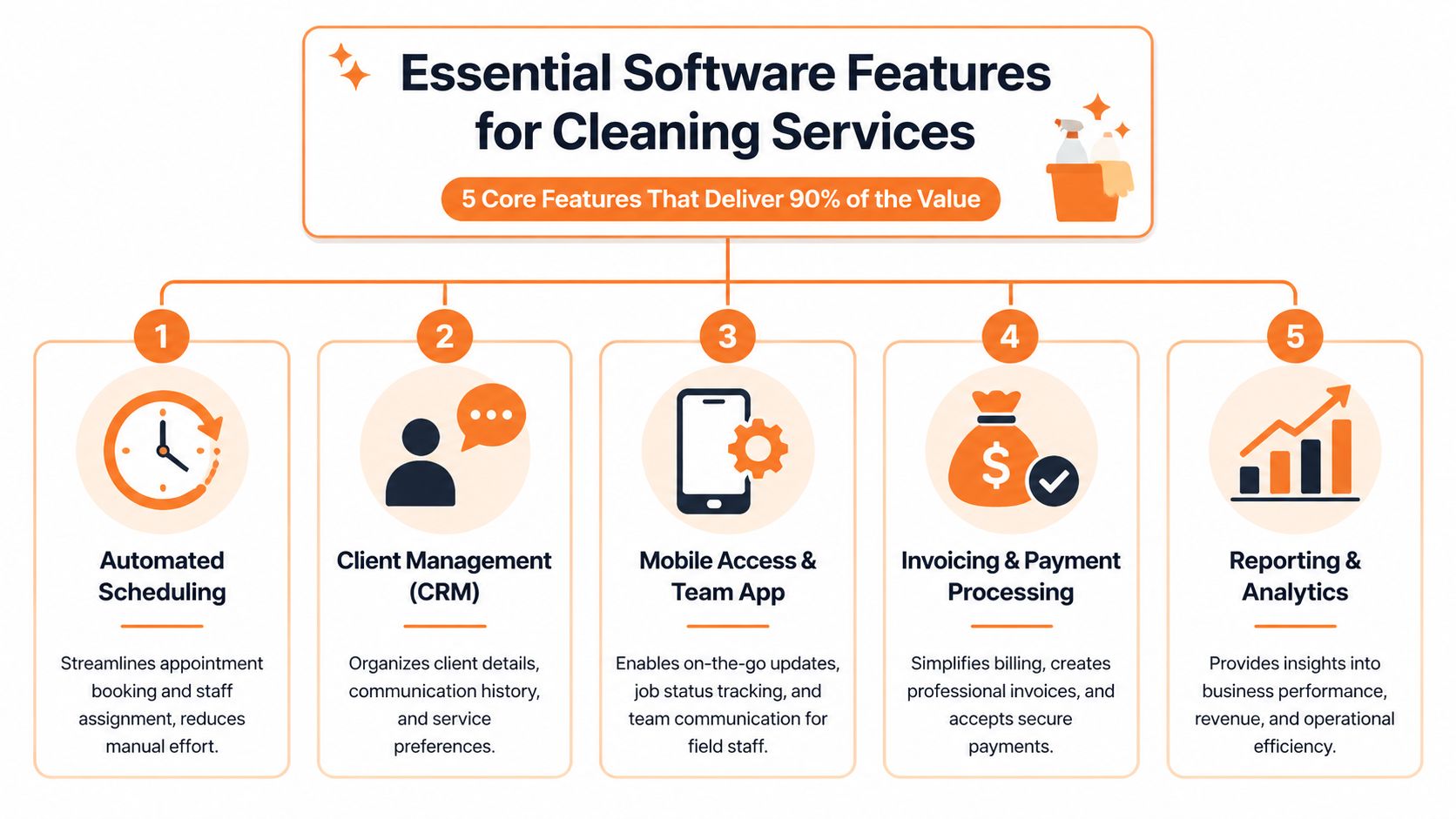
A handful of capabilities do most of the heavy lifting. If those are strong, the rest is optional. If those are weak, the platform will create work no matter how polished the demo looks.
Scheduling that understands field work
The first thing that matters is obvious. You need a live schedule that handles recurring jobs, crew assignments, changes, and visibility across the whole week.
But the useful part isn’t the calendar itself. It’s conflict prevention. You want a tool that shows who’s available, what repeats automatically, what changed, and who has seen the update. That’s how you stop double bookings and missed handovers before they happen.
If you want a good frame for evaluating that side of the stack, this guide to online employee scheduling is useful because it focuses on practical coordination, not flashy features.
Route planning that removes guesswork
This one gets underrated, especially by owners who learned the territory by memory and instinct.
That works for a while. Then your service area grows, crews overlap, traffic changes, and one bad route choice wrecks the whole afternoon. According to Kejoola’s guide to cleaning service scheduling software, software with route optimization can reduce administrative workload by up to 41.2%. That matters because someone in your office is usually paying for weak route planning with their time.
What route optimization really does is remove argument and improvisation. The team knows where to go next. The office doesn’t have to play traffic controller.
Mobile access that respects the cleaner’s day
A field app should be boring in the best way. Open it, see the job, check the notes, clock in, finish the work, move on.
I don’t want a complicated mobile experience for cleaners. I want one clear screen with the address, time, contact details, access instructions, special requests, and any checklist that matters. If your team needs a training session just to mark a job complete, the app is too clever for its own good.
This is also where communication gets practical. A quick update in-app beats a text buried under twenty other messages.
Reminders and messages that reduce chasing
A lot of “admin work” is really follow-up work. Confirming appointments. Reminding staff. Nudging clients. Clarifying changes.
That’s why reminders matter more than they seem. Not as a nice touch, but as a way to stop one-by-one outreach. Even outside cleaning, good reminders are a craft. If you want to see what well-written reminder flows look like, these dental practice reminder templates are a useful example. The lesson carries over. Clear, timely messages prevent confusion before it starts.
Short messages beat clever ones. “Your cleaner arrives at 2 PM” is better than a polished paragraph nobody reads.
Payroll and billing handoff
Many tools fall apart here. They schedule well enough, then leave you to manually rebuild hours, attendance, or completed jobs somewhere else.
You want clean handoff from shift data to payroll and from completed work to invoicing. Not because finance is glamorous, but because nothing poisons trust faster than late pay, wrong hours, or client invoices that don’t match what happened on site.
A quick filter helps:
If it tracks time but not job status, expect reconciliation pain later.
If it invoices but doesn’t reflect field changes, expect billing disputes.
If it handles scheduling but hides attendance details, payroll will still be manual.
If it makes the office export CSV files every week, you’re still doing patchwork.
Good cleaning service scheduling software doesn’t just assign work. It carries that work through to the end of the process.
The All-In-One Myth and The Integration Trap
A lot of owners get sold a fantasy. Buy the “best” tool for scheduling, another for chat, another for HR, another for payroll, another for forms, and somehow they’ll all fit together.
They usually don’t.
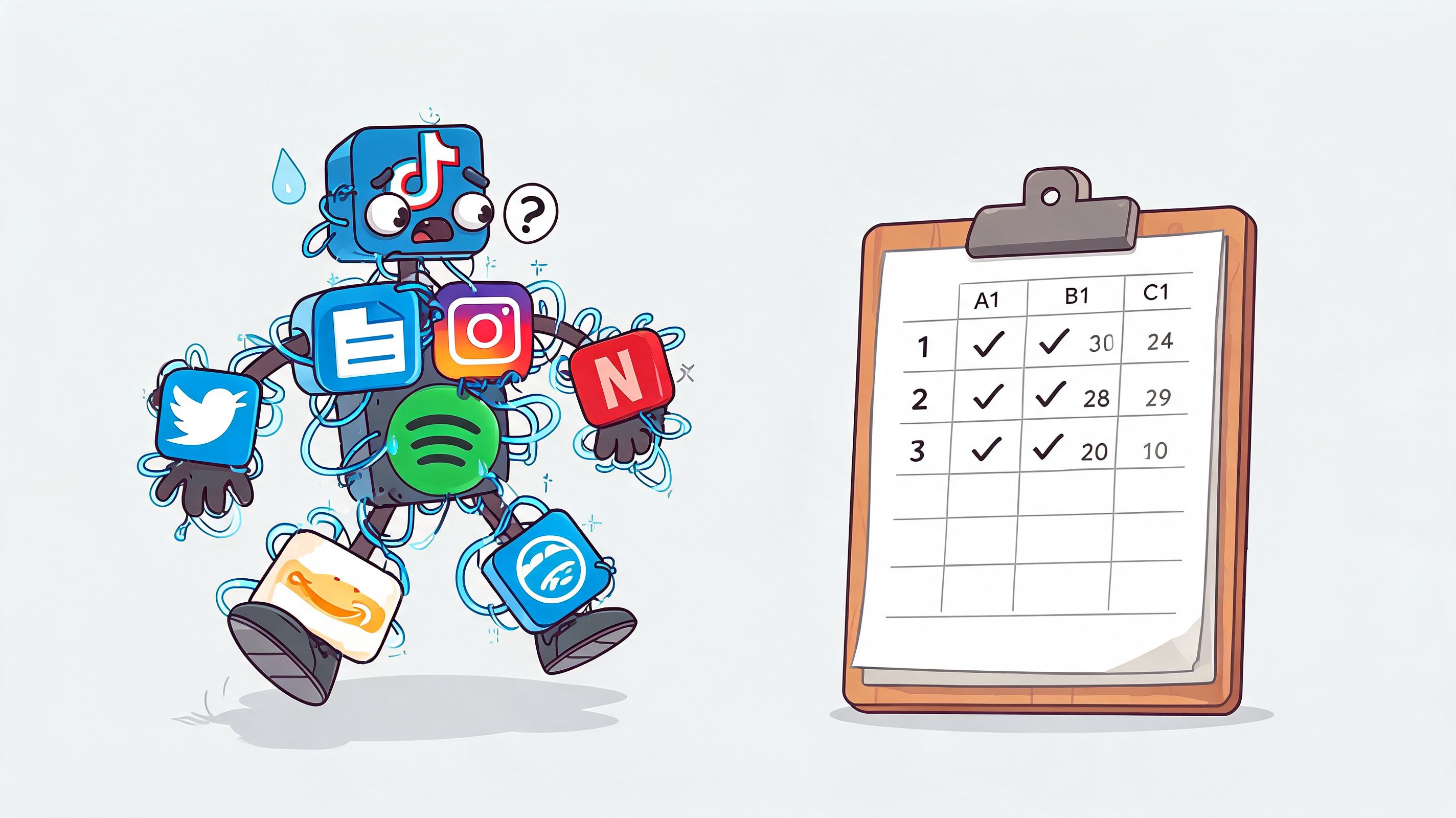
What you get is a Franken-system. Data copied from one place to another. Staff using one app for shifts, another for messages, another for time off, and text messages for the stuff that falls through the cracks. Every separate tool might be good on its own. Together, they create drag.
Separate systems create separate truths
When scheduling, communication, and people data live in different places, your team starts working off mismatched information.
The office updates a job in one app. The cleaner checks another app and sees the old time. Payroll exports hours from a third system. A manager approves time off in email, but the scheduling board doesn’t reflect it yet. Nobody is being careless. The system is.
That pain is common. A 2025 Field Service Management Report found that 68% of cleaning businesses cite integration gaps between their tools as a top pain point, and those gaps lead to error rates as high as 25% to 40% from manual data entry between systems, as noted in Square’s overview of cleaning business tools.
All in one is often fake
Plenty of vendors say “all in one” when they really mean “we added a few features and some loose integrations.”
That’s not the same thing as a unified system. A unified system gives one version of the truth. The shift, the message, the clock-in, the note, the time-off request, the task. They connect naturally, without someone in the office acting as human middleware.
If you’re comparing platforms, it helps to explore business management software outside the cleaning niche too. You’ll start to notice the difference between a bundle of modules and a product that was designed to work as one environment from the start.
The hidden cost of bad integration isn’t software spend. It’s the manager who spends half the day translating between apps.
The cleaner feels the mess first
Owners often notice the integration problem only when reporting gets messy. The frontline team notices it much earlier.
They feel it when they have to check multiple places before starting work. They feel it when a shift change arrives in chat but not in the scheduling tool. They feel it when time-off requests disappear into a side system. Fragmentation feels like disrespect because it tells people, every day, that the company’s internal setup is their problem to manage.
That’s why I’m skeptical of “best-in-class” stacks for cleaning businesses that want to grow. A messy toolbox slows you down. A well-designed multi-tool keeps the job moving.
How Different Cleaning Services Use Scheduling Software
Not every cleaning operation needs the same thing. The basics overlap, but the pressure points differ. That’s why the best way to judge cleaning service scheduling software is to see how it behaves in real settings.
Commercial janitorial teams
A commercial janitorial company isn’t usually fighting one-off bookings. It’s managing crews, buildings, access windows, keys, equipment, and repeat work across multiple sites.
In the old setup, the supervisor spends the evening checking whether the floor machine is at the right site, whether the relief cleaner knows the alarm code, and whether tomorrow’s crew list still matches reality. In a better setup, the recurring schedule holds the site instructions, team assignment, and task expectations in one place. The supervisor stops rebuilding the same plan every day.
Facilities work with sudden requests
Facilities cleaning is different. The work starts with a routine, then gets interrupted by urgency.
A spill in a lobby. A washroom issue. A tenant complaint. A meeting room that needs immediate turnaround. With manual coordination, those requests bounce through radio calls, texts, and whoever picks up first. With the right software, the office can slot the request into a live board, assign the nearest available person, and keep the rest of the day intact.
If your operation blends recurring work with on-demand dispatch, this overview of field service management software free is worth reading because it helps separate true dispatch support from basic scheduling.
Hospitality turnover work
Hospitality teams live on timing. A unit isn’t just “scheduled.” It has to be ready between guests, often under pressure, with no appetite for confusion.
The old way is a chain of calls and screenshots. The new way is cleaner. Booking changes trigger cleaning work, staff get the right property details, and managers can see what’s finished and what’s still in progress. For short-turn windows, visibility matters as much as staffing.
Healthcare and sensitive environments
Healthcare cleaning has its own stakes. The issue isn’t just coverage. It’s consistency, documentation, and confidence in sensitive spaces.
A room changes status. A discharge happens. A terminal clean is needed. The team needs the right checklist, the right timing, and a clear record of completion. In these environments, software earns its keep by reducing ambiguity. People should never have to guess what standard applies or whether a job was completed.
In healthcare, uncertainty is the problem. Clear instructions and visible completion matter more than fancy dashboards.
Different context. Same principle. The schedule works best when it carries the operational truth with it.
Choosing and Implementing Your Software Without The Headache
Most software rollouts go wrong before the contract is signed. The wrong people choose the tool, the demo focuses on manager features, and the actual users see it for the first time on launch day. That’s backwards.
If you want this to work, start with the people who’ll use it in the field.

Pick with the frontline in the room
Bring in one supervisor and one cleaner who will tell you the truth. Not the most agreeable people. The honest ones.
Ask them to do simple tasks in the demo. Find tomorrow’s first job. Check a site note. Report a completed clean. Request time off. If those basic actions feel clumsy, don’t talk yourself into it because the reporting dashboard looks nice.
A useful shortlist should answer these questions:
Can a new cleaner understand it fast? If not, training becomes a tax.
Does it reduce switching between apps? If not, you’re buying partial relief.
Can managers change the day without causing confusion? That’s where real value shows up.
Does it handle communication cleanly? Schedules fail when updates scatter.
For a practical benchmark, this guide to choosing an employee scheduling app is worth scanning because it keeps the focus on usability and rollout, not feature theater.
Run a small pilot, not a grand launch
Don’t migrate the entire company in one dramatic push. Pick one crew, one supervisor, one service line, and one clear test period.
Use real jobs. Real route changes. Real clock-ins. You’re not testing whether the software works in theory. You’re testing whether your people will use it without friction. During the pilot, pay attention to the questions people ask repeatedly. Those questions tell you where confusion lives.
A pilot should reveal friction, not hide it. If the vendor only shows the happy path, keep digging.
Measure calm, not just cost
This part gets missed all the time. Owners look for hard savings and ignore human signals until turnover or service quality slips.
That’s shortsighted. A Connecteam survey on cleaning business software found that 72% of cleaning operations managers lack visibility into engagement trends, which correlates with 15% to 20% higher staff turnover. That matters because a schedule is not just an operations tool. It shapes whether people feel informed, respected, and able to do their work without chaos.
A better scorecard includes both operational and human markers:
What to watch | Why it matters |
|---|---|
Fewer schedule corrections | Shows planning quality is improving |
Less manager chasing | Means communication is landing |
Faster time-off handling | Reduces friction for the team |
Cleaner payroll handoff | Builds trust and saves office time |
Staff sentiment about clarity | Reveals whether the tool helps daily work |
If the software saves time but makes the team hate their day, it’s a bad deal.
Common Pitfalls And How To Sidestep Them
I’ve watched smart operators make the same mistakes over and over. Not because they’re careless. Because software buying is full of distractions.
Buying on price alone
The cheapest tool often keeps the expensive problems.
A low monthly fee looks good until someone is still spending hours every week fixing schedules, answering routine questions, and cleaning up admin work the software should’ve handled. According to Anolla’s cleaning service software overview, AI-driven automation can resolve up to 79.3% of routine support queries autonomously, and its bigger operational value is cutting internal administration time by up to 39.3%. That’s the point many buyers miss. The software’s price is only one cost. The admin time you keep paying for is another.
Falling for the feature parade
A long feature list can hide a clumsy product.
If a vendor keeps showing advanced automations, custom workflows, and analytics but basic daily tasks feel awkward, walk away. Your team lives in the basics. Open job. read note. update status. clock in. message supervisor. A tool that does those five things cleanly will beat a bloated platform every time.
Treating rollout like an order
Bad rollouts sound like this: “Starting Monday, everyone uses the new app.”
That approach creates resistance for a reason. People don’t push back because they hate change. They push back when they think the new system was chosen for management convenience and dumped on the field without explanation. Show them how it reduces confusion, protects their hours, and gives them clearer communication. Then train them on real scenarios, not abstract walkthroughs.
A simple way to avoid trouble:
Tell people why it’s changing. Link the tool to fewer surprises and cleaner handoffs.
Use real examples in training. A shift swap beats a generic tutorial.
Keep one place for questions. Confusion spreads when answers scatter.
Fix early friction fast. Small irritations become “this app is terrible” if you ignore them.
The pattern is simple. Most software failures aren’t product failures first. They’re decision failures and rollout failures.
More Than Software Its About The Business You Want To Run
Nobody gets into the cleaning business because they dream of managing schedules.
You do it because you know how to deliver good work. You know how spaces should feel when they’re cared for properly. You know what reliable service looks like. The software is only useful if it protects that standard and makes the business feel more livable for everyone inside it.
A calmer business is a better business
The right cleaning service scheduling software changes more than the board on the wall or the app on the phone.
It changes the tone of the day. Managers stop playing detective. Cleaners stop guessing. Clients stop hearing apologies. Communication becomes ordinary instead of frantic. That shift is easy to underestimate until you experience it.
Good operations should feel quiet. Not empty. Just clear.
There’s also a dignity piece here that doesn’t get enough attention. A clean schedule, clear notes, fair updates, and reliable pay signals respect. It tells your team you take their time seriously. In service work, that matters more than a flashy interface ever will.
The point is to get your head back
What most owners want isn’t “digital transformation.” They want fewer 6 AM emergencies. They want to stop carrying the whole operation in their head. They want a team that can move without constant intervention.
That’s why I think the buying question is bigger than software features. It’s this: what kind of business are you trying to run?
One that depends on memory, heroics, and endless follow-up. Or one that runs with more clarity, steadier communication, and less noise. The tool won’t do the work for you. But it can stop making the work harder than it needs to be.
And once that happens, you get something valuable back. Not just time. Attention. Energy. Patience.
That’s usually what people were missing all along.
If you want one place for scheduling, chat, tasks, PTO, files, updates, and engagement analytics, Pebb is worth a serious look. It gives frontline and office teams a shared digital home instead of another patchwork of apps. For cleaning businesses trying to run a calmer, more connected operation, that kind of unity matters.
