
Your Business Management System Project Roadmap
A calm, practical guide to your business management system project. Learn to plan, execute, and measure success without the corporate jargon. For real teams.
Dan Robin
Teams often start a business management system project at the breaking point. Schedules live in one tool. PTO requests sit in email. Shift changes happen in text threads. Managers keep their own spreadsheets because they don't trust the shared one. Nobody means to build a messy operation. It just happens one workaround at a time.
Then leadership says, “We need a system.”
That's usually the moment when the project gets framed as a software problem. It isn't. It's a work problem. A communication problem. A trust problem. The software matters, of course. But the primary job is getting a whole group of people to change how they work, how they share information, and how they make decisions when the day gets busy.
I've seen these projects go well, and I've seen them turn into expensive furniture. The difference is rarely the feature list. The difference is whether the team treated the work like an org change instead of an IT install.
Before the Project Starts
A business management system project often begins with visible chaos. The office team says they need better reporting. Supervisors say nobody follows the process. Frontline staff say they never know where to look for updates. All three are usually right.
What's happening underneath is simpler than it looks. Work is fragmented. Nobody has one clean place to see what matters, who owns it, and what changed. People fill the gap with habits. More emails. More calls. More side conversations. More personal notes that vanish when someone takes a day off.
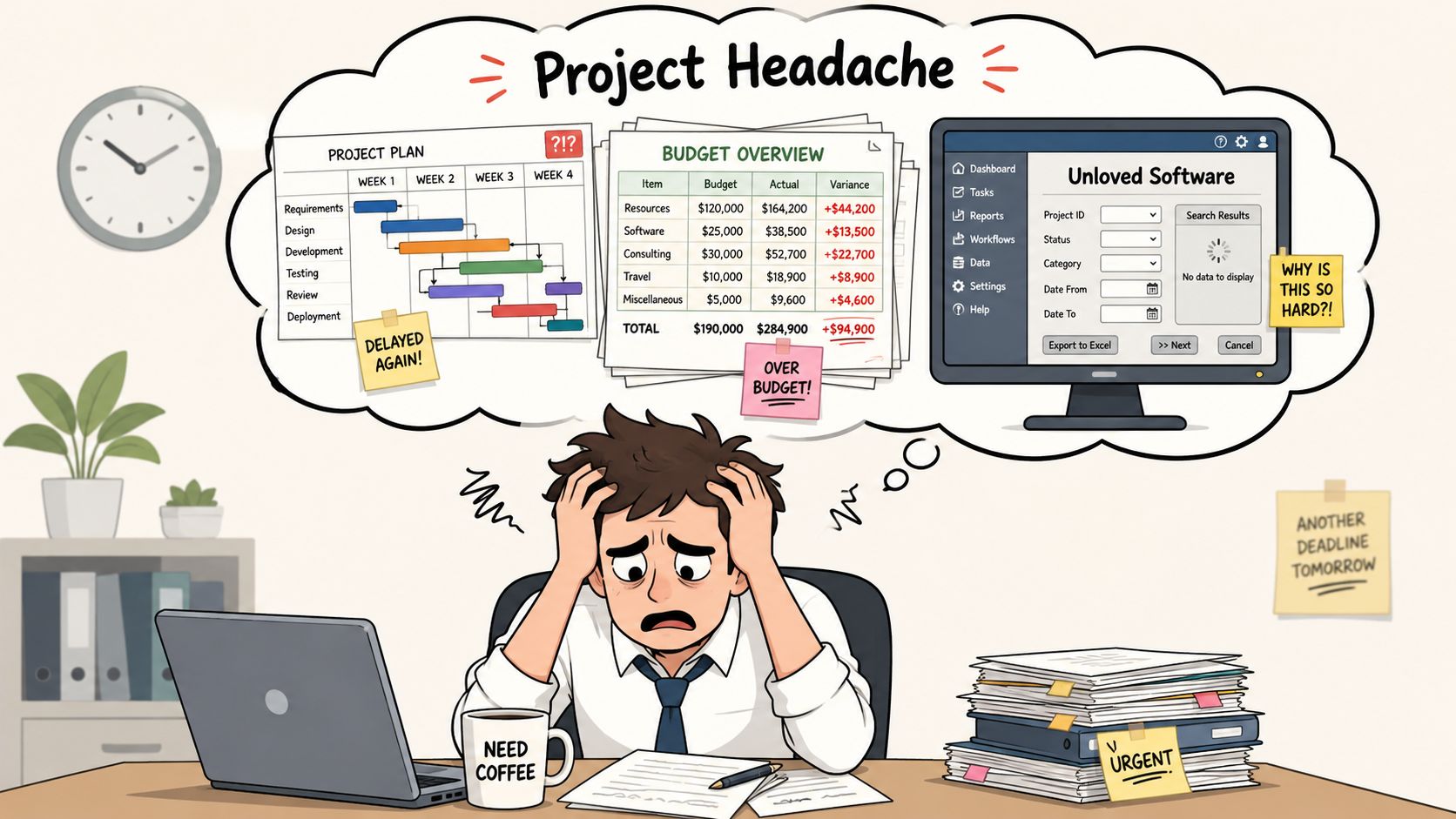
The project usually fails before kickoff
This is the hard part people don't like saying out loud. A lot of project failure is baked in early. Independent project-management statistics report that 70% of projects fail in some form, but a formal management process can reduce that failure rate to 20% or below. The same source says poor communication accounts for about 30% of project failures in these project management statistics.
That lines up with what most operators already know. Teams can survive a clunky tool for a while. They can't survive confusion about ownership, timing, and why the change is happening.
Practical rule: If your kickoff deck spends more time on software screens than on operating problems, you're already drifting.
A lot of leaders are already carrying too much noise before this project even starts. If that sounds familiar, this piece on addressing the daily grind for leaders is worth reading because it gets at the operational drag that keeps good teams stuck in reaction mode.
Start with operating pain, not procurement
Before vendors enter the picture, write down what feels broken in plain language. Not “insufficient visibility into workflows.” Write what people say.
Managers say they can't tell what's done and what's stuck.
Frontline staff say they miss updates or have to ask twice.
HR or ops say approvals disappear into email.
Finance says reporting takes too much manual cleanup.
That's the true start of the project.
If you need a broader planning frame before you get tactical, a simple read on digital transformation roadmaps can help you avoid treating this like a one-time software swap. Because it isn't one. It's a reset in how work moves.
First Find the Real Problems
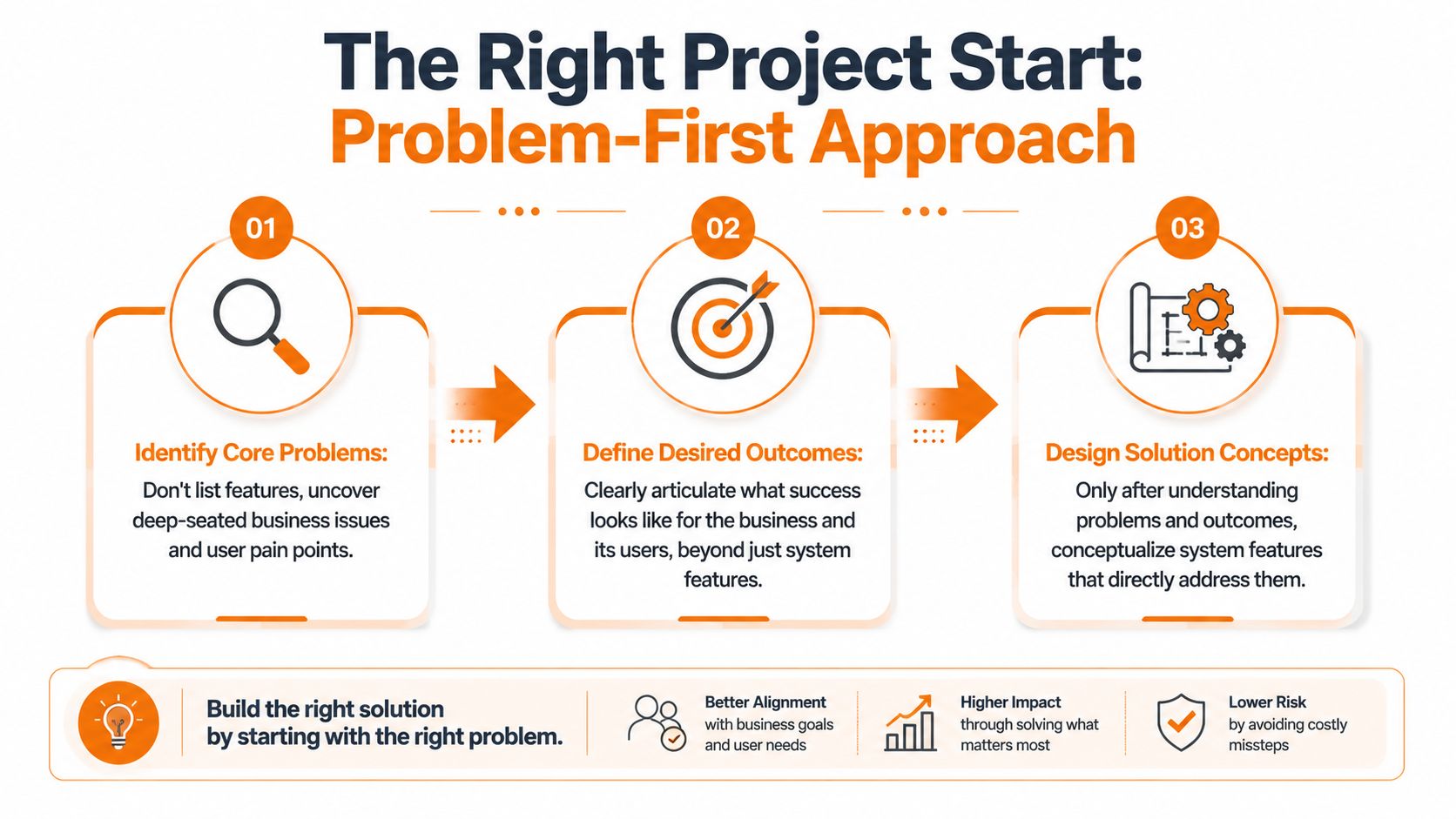
Projects often begin with requirements workshops. A conference room. A whiteboard. A list of requested features. It feels productive. It usually isn't.
Feature requests are often symptoms wearing business clothes. Someone asks for a dashboard. What they may really need is fewer daily surprises. Someone asks for mobile alerts. What they may really mean is, “I'm not at a desk and I keep missing changes.”
That's why discovery should feel more like field research than documentation.
Go where the work happens
Sit with the people doing the work. Watch a shift handoff. Watch how a store manager handles a callout. Watch how an office coordinator chases approvals. Watch how a nurse manager, warehouse lead, or restaurant supervisor gets answers when the day goes sideways.
You're looking for friction, not opinions.
A good discovery pass pays attention to things teams stop noticing:
The extra step someone added because the official process is too slow
The shadow tracker kept on paper or in a private spreadsheet
The repeat question people ask every day because information isn't easy to find
The manager bottleneck where one person becomes the human API for the whole operation
Ask better questions
People rarely describe a problem in system terms. They describe it in moments. That's useful. Keep your questions grounded in the day.
Try questions like these:
What part of your day feels harder than it should?
Where do requests go to disappear?
What do you have to double-check because you don't trust the process?
What do new hires struggle to find on their own?
When something changes fast, how do people hear about it?
If one step could disappear tomorrow, which one would you remove?
These questions pull out operational truth. They also surface the gap between office assumptions and frontline reality.
A manager might ask for reporting. A frontline employee might ask to know whether their request was approved. Build around the second answer first.
Separate pain from preference
This part matters. Not every request should turn into scope.
If one team wants a dark mode, that's a preference. If every location has a different way to report incidents, that's a process problem. If people can't use the tool easily on their phones, that's not feedback to log for later. That's a core adoption risk.
I like to sort findings into three buckets:
What you heard | What it usually means | What to do next |
|---|---|---|
“We need more reports” | People don't trust visibility | Find where data goes missing or gets delayed |
“Nobody follows the process” | Process may be unclear or too heavy | Simplify steps before automating them |
“I never know what changed” | Communication path is weak | Define one source of truth and who updates it |
The point of discovery isn't to collect everything. It's to identify the few operating problems worth fixing first.
Drafting a Simple and Honest Blueprint
Once you know the underlying problems, planning gets easier. Not easy. Easier.
Now you can ignore half the vendor pitch because you know what matters. The market is crowded, and that won't change soon. The global project management software market was estimated at $6.59 billion in 2022 and is projected to reach $20.47 billion by 2030, with a projected 15.7% CAGR according to this market snapshot on project management software. That growth tells you two things. There are plenty of options, and many of them will promise the same happy future.
Pick for adoption, not applause
A polished demo can hide a bad fit. I'd rather choose a tool that's clear on a phone and boring in a good way than one that dazzles a steering committee for an hour.
When I evaluate a system, I care about three things first.
Can people use it without training wheels forever? If the basic flows confuse a supervisor or frontline employee, the project will drag.
Can it connect to the systems that already matter? Payroll, HRIS, identity, scheduling, file storage. A new island won't fix old silos.
Does it fit the operating model you use? Multi-site teams, shift work, approvals, role-based access, mobile use. These details matter more than feature volume.
A practical example helps. Tools like Asana, Monday.com, ClickUp, and Microsoft Teams each solve different parts of the work puzzle. In teams that need one place for communication, tasks, knowledge, and frontline operations, Pebb is one option because it combines chat, posts, tasks, file sharing, scheduling, clock-ins, and PTO tracking in a single app. That may fit some organizations well. It may be too broad for others. The point is to match the tool to the work, not the other way around.
Write a one-page plan people can follow
You do not need a majestic document that nobody reads. You need a blueprint that names the phases, owners, risks, and decisions.
A simple roadmap usually works better than a large plan because it stays visible. It also forces honesty. If you can't explain the rollout on one page, the team probably doesn't understand it yet.
Here's a sample phased rollout timeline:
Phase | Office Teams (Weeks 1-4) | Frontline Teams (Weeks 5-8) |
|---|---|---|
Discovery | Interview team leads, map approvals, review current tools | Observe shift workflows, identify mobile needs, gather pain points |
Configuration and integration | Set up spaces, workflows, permissions, data connections | Adapt forms, mobile views, alerts, and access for shift teams |
Pilot testing | Test with managers and admin users | Test with one location or one frontline pilot group |
Phased rollout | Launch by department | Launch by team, shift, or site |
Measurement | Review adoption, workflow use, decision speed | Review access, usage, completion, and support issues |
Put one person in charge
Shared ownership sounds kind. In these projects, it usually means delayed decisions.
One accountable owner should run the business management system project. Not as a dictator. As the person who can make trade-offs, chase decisions, and keep the work moving when departments pull in different directions.
The best plan is the one your team can still follow on a hard Tuesday.
Leading the People Through the Change
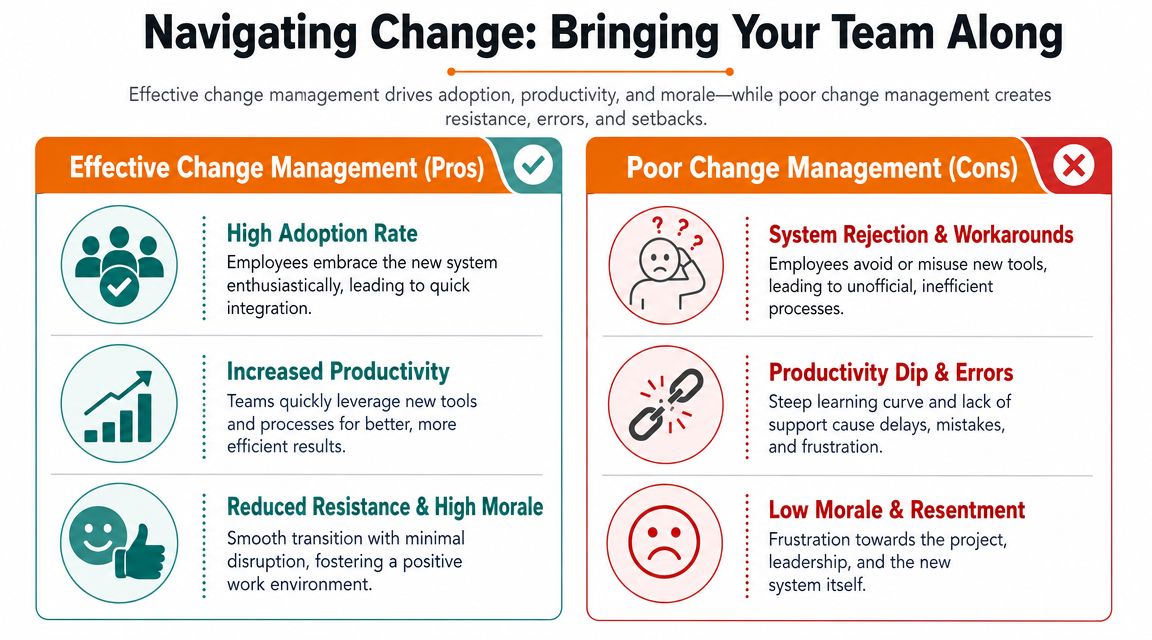
Most business management system projects lose the room at this stage. Leadership announces the new platform. IT sends instructions. Managers forward the note. People nod, then keep using the old habits.
That isn't resistance in the dramatic sense. It's normal human behavior. People return to what feels safe, especially when work is busy and nobody has time to learn a new system badly.
The Project Management Institute warns against “band-aid” implementations and says teams need to address people, processes, and technology together in PMI's guidance on implementing business systems. That sounds obvious. It's still the part many teams skip.
Tell the truth about why the change is happening
People don't need a polished slogan. They need a reason that matches their experience.
If the old process forces managers to chase updates across five channels, say that. If frontline teams miss important changes because communication is scattered, say that. If approvals are slow and nobody knows who owns what, say that too.
Then connect the system to those frustrations. Not to a vague future. To the actual day they're living now.
A useful change message sounds more like this:
For managers: you'll have one place to track requests, updates, and ownership.
For frontline teams: you'll know where to find shift info, forms, and status updates on your phone.
For support teams: fewer duplicate questions, less manual follow-up, clearer records.
Train by role, not by software menu
This is the biggest training mistake I see. Teams teach the platform instead of the job.
Office staff and frontline workers don't need the same training path. A department lead may need workflow setup, reporting habits, and approval logic. A shift-based employee may only need three things on day one: where updates live, how to complete a task, and how to submit a request.
That's why role-specific training works better than a universal demo. It also matches the practical advice in PMI's guidance. Accessibility matters. Process optimization matters. Training should meet people where they are.
For office teams, a scheduled live session often works. For frontline teams, use short mobile-friendly videos, QR codes in shared areas, supervisor coaching, and visible support during shifts. If the learning format assumes everyone sits at a laptop with an hour to spare, you've designed training for the wrong workforce.
A thoughtful guide on using strategic communication to lead change is useful here because it pushes leaders to match the message, channel, and rhythm to the audience instead of blasting one generic announcement.
Build a champion network
Formal leadership helps. Peer confidence moves adoption.
Pick a small group of respected users from different teams. Include frontline people, not just managers. Let them test early. Let them complain openly. Let them help shape quick fixes and job aids.
When the rollout starts, those champions become translators. They explain the system in real language. They spot confusion faster than the project team can. They also make the change feel less imposed and more shared.
If the only voices supporting the system are executives and project managers, adoption will be shallow.
A Calm and Controlled Go-Live
Go-live day shouldn't feel like a fire drill. If it does, the project team usually confused launch with proof of success.
The cleanest rollouts I've seen were almost quiet. Not because nothing went wrong. Because the team expected a few things to go wrong and planned for them. That's a very different mood.
Avoid the big-bang switch
Turning on a new system for everyone at once sounds efficient. In practice, it creates noise faster than the support team can absorb it. Questions pile up. Managers improvise. Old workarounds return within hours.
A phased rollout gives you room to learn while the stakes are still manageable.
Start with one department, one location, or one pilot group. Choose people who are credible, patient, and willing to give direct feedback. Let them run real work through the system, not fake test scenarios. Watch where they hesitate. Watch what they skip. Watch what they ask someone else to do for them.
That pilot tells you more than any formal readiness meeting.
Prepare support before people ask for it
Launch week is not the time to decide who answers questions.
Set up visible support ahead of time. Name the project owner. Name the champions. Tell people how to get help and when someone will respond. Keep support channels simple. One clear path is better than five half-monitored ones.
I also like to prepare for the predictable trouble spots:
Login and access issues need a fast owner.
Permission mistakes need a same-day fix path.
Manager confusion needs live coaching, not another PDF.
Frontline questions need short answers in the tool, on the floor, or on mobile.
A calm go-live depends on visible humans. Not hidden tickets.
Fix in public, learn in public
When something breaks, don't go silent. Tell the team what happened, what changed, and what to do now.
That kind of communication does two useful things. It reduces rumor, and it shows people the project team is paying attention. Silence creates more resistance than a small issue ever will.
A good launch rhythm usually includes:
A short morning update for managers during rollout
Daily check-ins with the pilot or newly launched team
A simple issue log with owners and status
A fast path for process confusion, not just technical bugs
A smooth rollout isn't the absence of problems. It's the presence of fast, human response.
Once the first group is stable, move to the next team. Keep the sequence deliberate. Confidence compounds when each group sees the previous one survive the change.
Measuring What Actually Changed
Three weeks after go-live, the rollout deck may look great. Green status. Training complete. Tasks closed. Then you walk the floor and see supervisors texting updates outside the system, frontline staff still asking where to find basic information, and managers exporting data into their old spreadsheet because they do not trust what they see. That is the true scorecard.
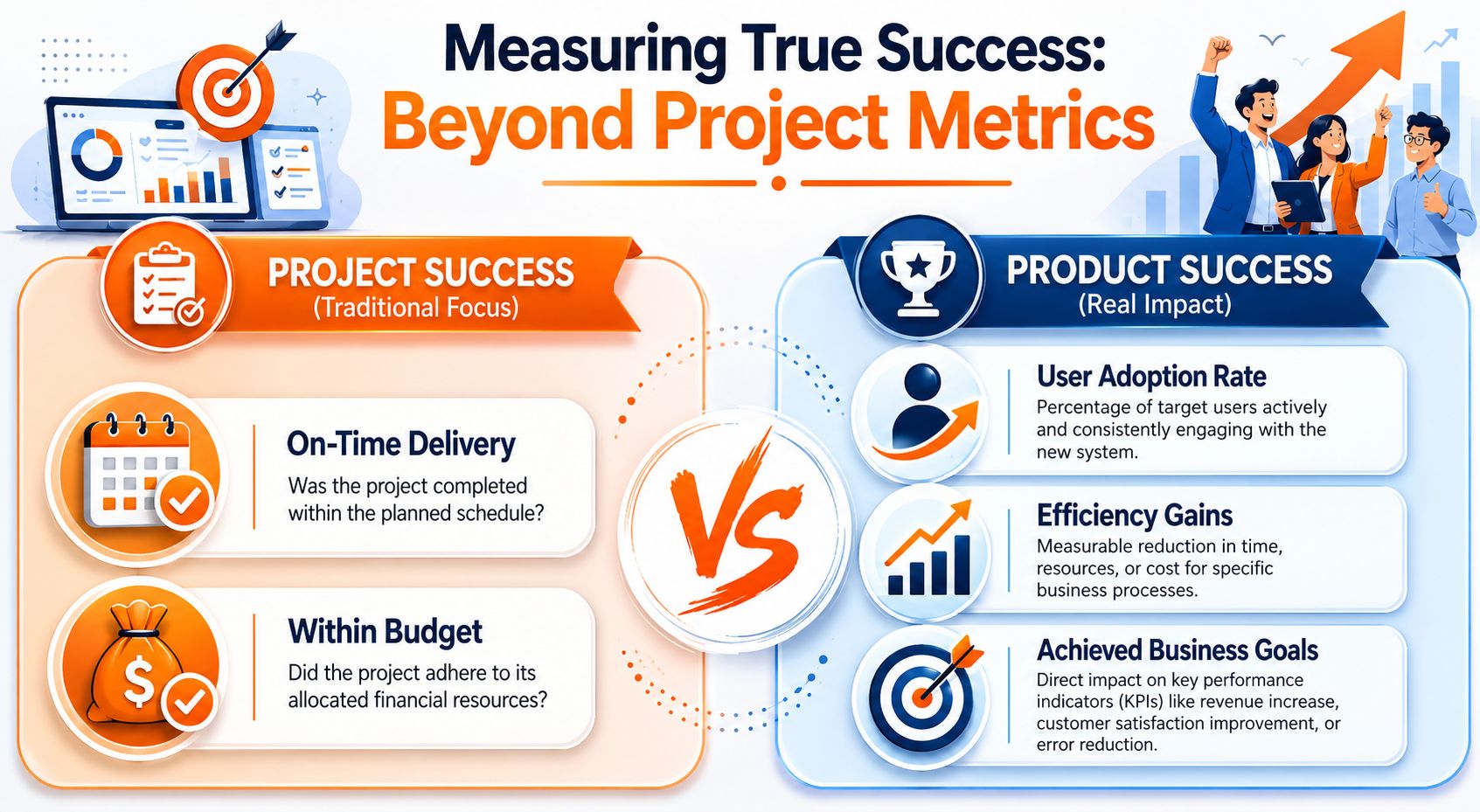
A business management system project succeeds when work gets clearer and more consistent for the people doing it every day. Analysts reviewing information-systems project success draw a useful line between project management success and product success in this review of information-systems project success. Hitting the date matters. Solving the operating problem matters more.
Measure the change in daily behavior
Post-launch reporting often rewards activity instead of results. It counts completed training, configured workflows, and live users. Those checks have value, but they do not tell you whether the organization changed.
The better measures sit closer to the work:
Are people using the system without being chased?
Did the new tool replace side channels, or did it just add another one?
Can managers make decisions faster because information is easier to trust?
Can frontline employees find what they need without stopping someone else?
Did handoffs improve across teams, shifts, or locations?
Those questions are less comfortable because they expose adoption problems early. Good. You want that truth while people still remember the old process and can explain where the new one breaks down.
Use two scorecards
I review every implementation through two separate lenses.
Lens | What it asks | What good looks like |
|---|---|---|
Project success | Did we deliver the implementation as planned? | Stable rollout, controlled scope, usable workflows |
Product success | Did the system improve how the organization works? | Higher adoption, fewer workarounds, clearer decisions |
Teams get into trouble when they treat those as the same thing. A project can be well run and still leave the operation unchanged. I have seen clean launches fail because leaders measured completion and ignored behavior.
That is why the best review combines system data with direct feedback. Look at repeat usage, drop-off points, search patterns, incomplete tasks, and where people still fall back to email or chat. Then ask plain questions. What still feels slower? What still confuses new staff? What step are people skipping because it adds no value? If you need a practical way to assess whether messages are landing, this guide on measuring communication effectiveness in the workplace is a useful frame.
Fix the gaps people reveal
This stage is where the human side shows up. If adoption is weak, the answer is rarely “send another announcement.” The answer is usually more specific. A supervisor does not trust the dashboard. A store lead cannot complete a task easily on mobile. A new hire got trained once and then learned the old workaround from a veteran employee.
Those are management issues first and system issues second.
The research review above also points to the same pattern. Better outcomes are tied to clear planning, defined responsibilities, communication quality, team capability, culture, and visible support from senior leaders. In practice, that means post-launch improvement should stay small and disciplined. Remove unnecessary steps. Tighten permissions that create confusion. Rewrite instructions in plain language. Retrain the teams that are struggling, not the whole company at once.
Measure what people changed, then keep adjusting until the new way becomes the normal way.
The Work After the Work
Once the system is live, the software fades into the background. That's a good sign.
Payoff shows up in smaller moments. A manager can see what's waiting without sending three follow-ups. A frontline employee can find the update, submit the request, and move on. A new hire learns the rhythm of the place faster because the knowledge isn't trapped in somebody's head.
That's what a good business management system project changes. Not just tools. Behavior. Clarity. Pace. Confidence.
And the work doesn't end there. It shouldn't. Every team keeps changing. Locations grow. Processes drift. New managers join. Old habits creep back in. The point isn't to finish improvement forever. The point is to give your organization a calmer way to keep improving.
If your team is trying to replace scattered tools with one place for communication, tasks, knowledge, and frontline operations, Pebb is worth a look. It's built for teams that need office and frontline staff working from the same system without making the rollout heavier than it needs to be.
