
Buddy Punch Prevention Frontline Playbook for Teams
Stop buddy punch prevention frontline losses with a calm step-by-step playbook for policy, biometrics, GPS and supervisor checks.
Dan Robin

A late employee texts a coworker from the parking lot: “Can you clock me in?” The coworker taps a shared terminal, enters a PIN, or swipes a badge. The record looks clean. The floor manager sees a full shift on paper, even though one person hasn't arrived.
That small favor is where most frontline attendance problems begin. The hard part isn't spotting that the system was fooled. It's building buddy punch prevention frontline controls that verify the right person, at the right place, while keeping honest workers moving through a busy shift change.
Why Buddy Punching Hits Frontline Teams Hardest
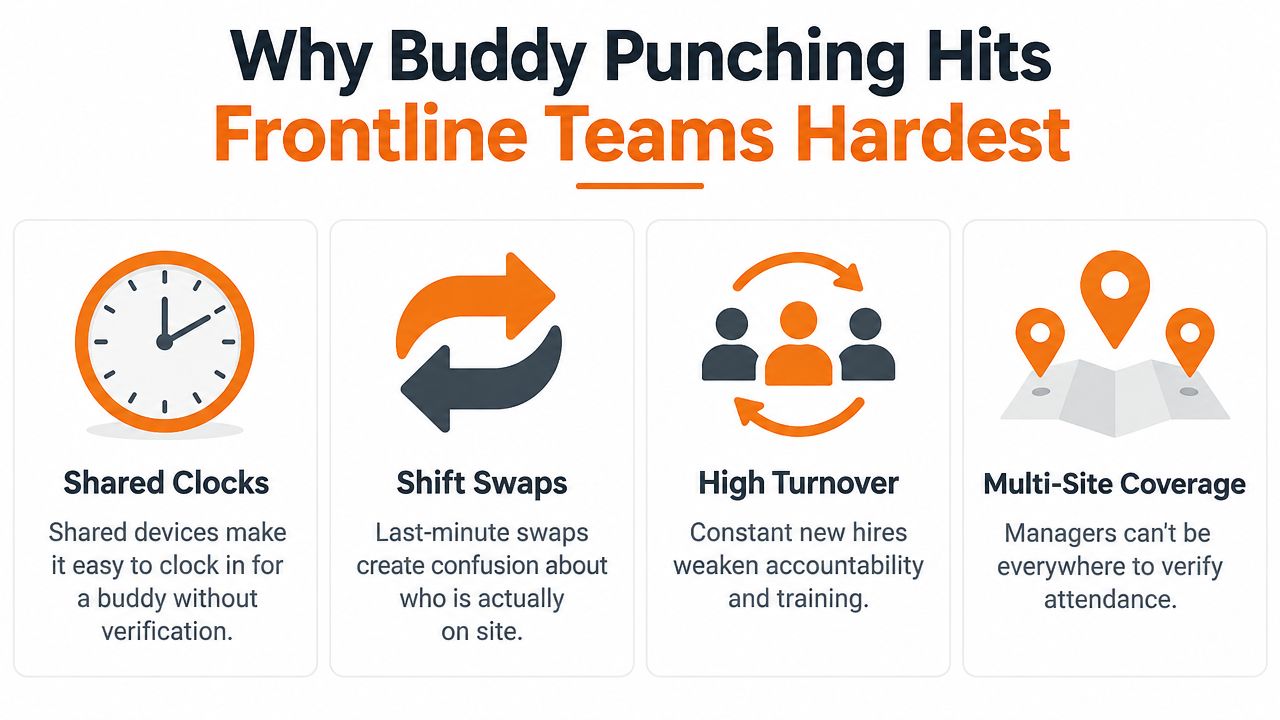
Frontline teams create the exact conditions that make proxy clock-ins easy. Employees share wall clocks, cover different entrances, swap shifts at short notice, and move between sites. A manager may be watching a restaurant opening, a warehouse handoff, or a hospital unit while attendance records are being created somewhere else.
A badge or PIN only proves that someone used a credential. It doesn't prove who used it. That distinction matters when one employee is late, another is already on site, and the system accepts both punches without asking another question.
The cost is larger than the missing minutes
Buddy punching creates direct payroll leakage, but the operational damage spreads further. A false start time can distort overtime calculations, hide staffing gaps, and make a schedule appear properly covered when the floor is short-handed. Honest employees may then carry the extra work while seeing someone else paid for time they didn't work.
A widely cited benchmark estimates that buddy punching affects 75% of U.S. businesses and contributes to about $373 million in annual U.S. payroll losses. The estimate combines an assumption that 16% of hourly employees have admitted clocking in for a coworker with a workforce of more than 78 million hourly workers, and it models just 15 minutes added to a coworker's timesheet. The figures and arithmetic are outlined by QuickBooks' buddy-punching prevention guide.
That context matters for retail, hospitality, logistics, healthcare, and similar operations because hourly work is organized around shifts and shared access points. The problem isn't an office employee changing a spreadsheet once. It's a repeatable gap in a system used every day.
Practical rule: Treat buddy punching as a workflow failure first, then investigate individual behavior.
Fix the system before policing the floor
The strongest approach has three layers. First, write a policy that explains exactly what employees may and may not do. Second, verify identity at the punch instead of trusting a transferable credential. Third, give supervisors a short exception queue to review before attendance data reaches payroll.
That combination is more durable than a stern memo or a manager standing beside the clock for a week. It also protects honest workers. When the system makes the correct action easy and the dishonest action visible, supervisors can spend less time guessing and more time coaching.
Designing a Policy Frontline Workers Will Actually Follow
A frontline attendance policy should fit on one screen and make sense to someone reading it during onboarding on a phone. If workers need a manager to interpret every sentence, the policy will be applied differently from site to site.
Start by defining the prohibited action in plain language: only the employee who is working may clock in or out for that employee. Say that sharing a badge, PIN, phone, or account for attendance is not allowed. Then define the common edge cases that create confusion, especially shift swaps, early arrivals, missed punches, and leaving before the scheduled end.
Write the exceptions before they happen
A shift swap shouldn't require an improvised favor at the terminal. Require employees to submit the swap through the approved scheduling process, and tell them what to do if the change happens too late for normal approval. The record should show who worked, not merely which scheduled name appeared on the clock.
Early clock-ins need the same treatment. Decide whether an employee can clock in before the scheduled start, who approves that time, and how the system handles work performed before a shift officially begins. The policy should also explain what to do after a forgotten badge, dead phone, or failed identity check. A reliable fallback prevents honest workers from asking a colleague to clock for them.
Consequences should be specific, fair, and consistent. Don't threaten extreme discipline for every first mistake, but don't leave managers to invent outcomes either. A first unclear or accidental violation may call for a documented coaching conversation, while repeated or deliberate falsification can move through the normal disciplinary process.
Put the rule where work happens
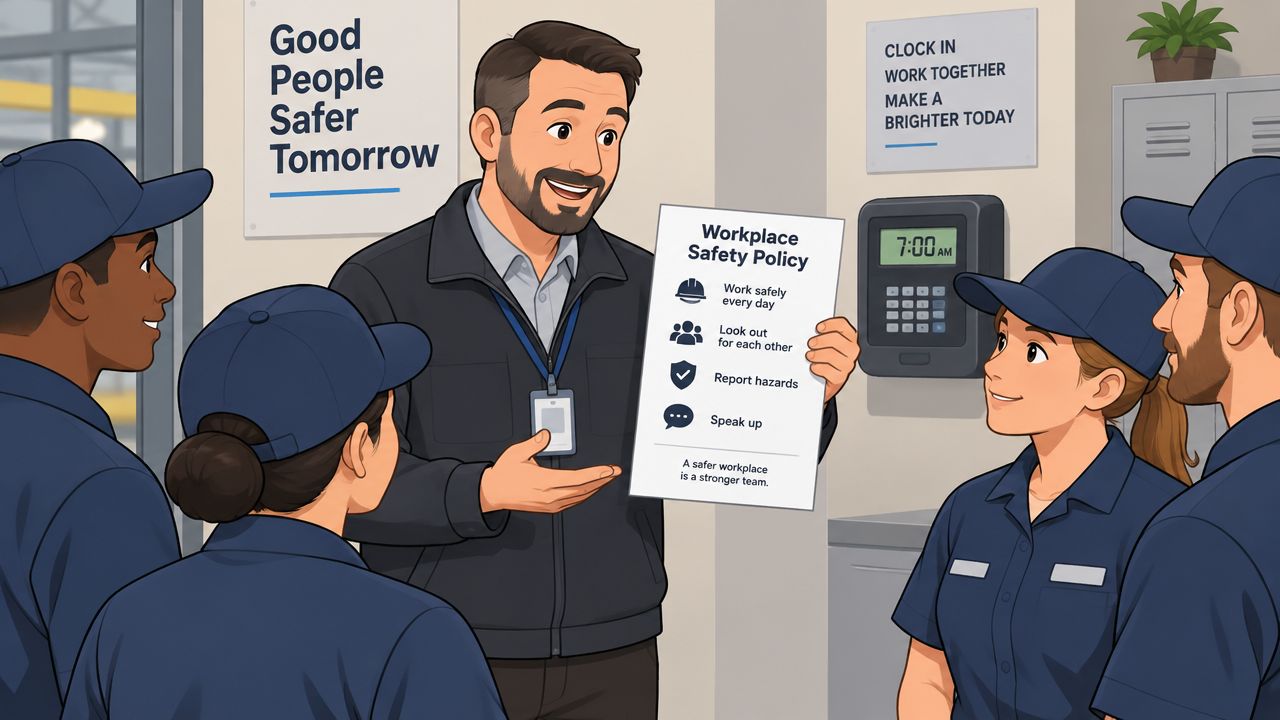
Include the policy in onboarding, require an acknowledgment, and place the same short version near every clock. Publish it in the employee app, not only in an HR folder. Pebb's attendance policy samples can help teams compare wording before creating a version that matches their own rules.
Managers need their own playbook. It should explain what counts as a confirmed violation, what evidence to review, how to document a conversation, and when to escalate. Different enforcement styles across locations create more resentment than the original policy.
For a useful framework on choosing between consistent rules and context-sensitive decisions, review these policy enforcement models. The point isn't to make supervisors rigid. It's to make the employee experience predictable.
A short policy can say:
Clock in and out only for yourself. Approved shift changes must be recorded through the scheduling process. If you forget a credential or the clock fails, contact your supervisor and use the approved correction process. Never ask another employee to clock for you.
That language gives workers a clear path and gives managers something they can enforce without debate.
Choosing the Right Verification Mix for Your Sites
There isn't one attendance control that fits every frontline site. A hospital, warehouse, restaurant, and retail store may all need identity verification, but their queues, privacy concerns, device layouts, and movement patterns are different.
PINs and badges are cheap and familiar, but they authenticate a secret or object that another person can use. Photo verification adds an identity record without requiring a full biometric program. Fingerprints can work well at a fixed terminal, while facial recognition with liveness can reduce touch and make shared-device use simpler. Mobile GPS and geofencing help dispersed teams, but location data can be imprecise around large buildings, dense urban sites, or areas with weak connectivity.
Control | How It Verifies | Friction Level | Best Fit |
|---|---|---|---|
PIN | Matches an entered code to an employee record | Low | Small, low-risk sites that need a basic starting control |
Badge or card | Matches a physical credential to an employee record | Low | Fixed sites with strong badge governance and supplemental review |
Fingerprint | Matches a physical biometric at a terminal | Medium | Fixed warehouses, plants, and other controlled entry points |
Facial verification with liveness | Matches a live face and checks for spoofing | Low to medium | High-throughput sites where touchless identity matters |
Photo verification | Captures proof of the person using the clock | Medium | Teams needing visual review without full biometric enrollment |
GPS | Records the phone's location at the punch | Medium | Mobile crews and employees working across approved sites |
Geofencing | Allows a mobile punch inside a defined site boundary | Medium to high | Field operations where physical presence must be validated |
Choose by site, not by brochure
Hospitals need a low-touch process that doesn't create a crowd near clinical entrances. A fixed terminal with facial verification or fingerprint authentication may work for staff who start in one location, while mobile location checks can be unsuitable in buildings where signals behave unpredictably.
Warehouses often benefit from fixed identity verification at the employee entrance. A fingerprint terminal may be practical where workers pass through a controlled point, but a large site may also need location-aware exceptions for teams starting in separate zones.
Restaurants need speed during opening and closing transitions. A shared tablet with photo or facial verification can be more useful than a badge system if managers can position it away from customer traffic and keep a manual fallback for device failures.
Retail stores often have smaller teams and changing coverage. A mobile clock-in app can work when employees move between approved stores, but geofencing should be tested around malls and mixed-use buildings before it becomes a hard block.
A clock-in app for employees is worth considering when workers need to punch from phones rather than a single wall terminal. The key is to avoid stacking every control on every worker. Start with identity at the punch, add location where the work model requires it, and route uncertain events to review instead of rejecting honest employees automatically.
Building Supervisor Workflows That Catch Issues Early
Technology records events. Supervisors decide what those events mean.
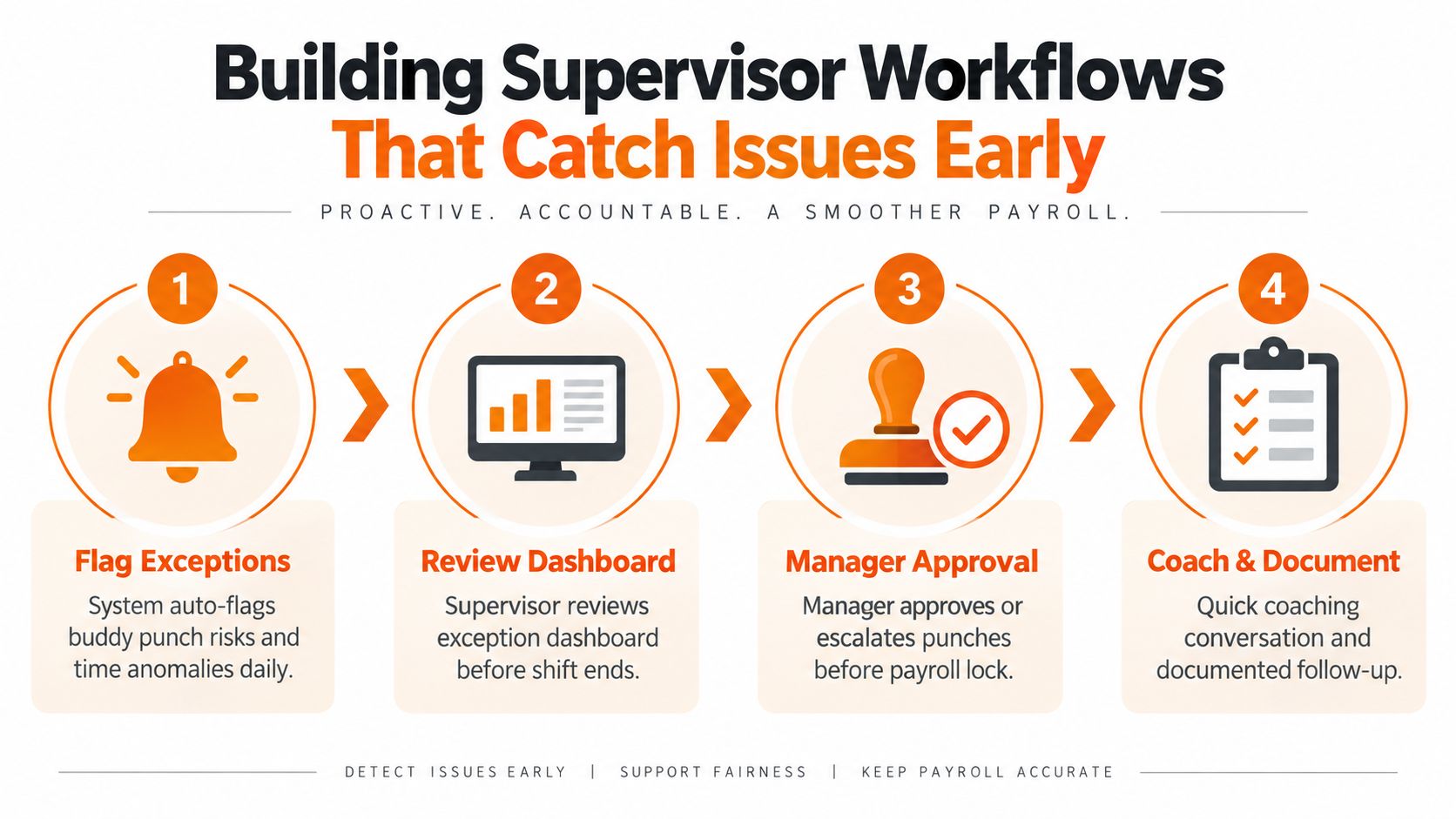
A useful workflow answers three questions for every questionable punch: who clocked in, where did it happen, and did a manager review the exception before payroll was locked? An industry guide describes this combination of biometric identity, GPS for mobile teams, and manager approval as the reliable foundation for making false punches visible before they become paid hours. The approach is summarized in this guide to biometric and GPS attendance controls.
Build a small daily exception queue
Don't ask supervisors to inspect every punch. Give them a focused dashboard that surfaces events such as an early punch outside the permitted window, a missed punch, a location mismatch, an unusual edit, or an identity check that failed.
The supervisor should review exceptions during the operating day, while the facts are still easy to confirm. A quick question to the employee or shift lead can resolve a legitimate issue before the record turns into a payroll dispute.
Use a simple ownership model:
The shift lead confirms the context. Was the worker on site? Was the shift swap approved? Did the device fail?
The site manager approves or escalates. Routine corrections can be approved; suspected falsification should move into the documented investigation process.
Payroll receives reviewed records. Unresolved exceptions shouldn't disappear into an unexamined export.
Coach before you punish
A failed check isn't proof of misconduct. A phone may have lost connectivity, a camera may have struggled with lighting, or an employee may have used the wrong clock after moving between sites. Managers should record the reason, correct the time through the approved path, and look for repetition.
The behavioral evidence supports this balanced approach. A 2024 study of 402 employees found that supervisor developmental feedback negatively predicted employee time theft through perceived insider status and work passion. A separate 2025 study of 330 employees found that work connectivity behavior increased employee time theft by triggering revenge motives. Both findings are discussed in the peer-reviewed study available through PMC.
That doesn't mean supervisors should ignore fraud. It means surveillance alone is a weak operating model. Clear expectations, useful feedback, and targeted coaching should sit beside the controls.
Rolling Out Changes Without Slowing Down Shifts
The fastest way to lose trust is to install a new clock at the busiest entrance and let the first shift discover how it works. Honest employees experience the queue, the failed scan, and the forgotten badge. They need to see that the new process protects their time rather than treating everyone as a suspect.
Start with one site that represents the operating conditions. Don't choose the quietest location. Choose a site with the kind of shift changes, device sharing, connectivity, and staffing pressure that the wider rollout will face.
Use a short, visible rollout
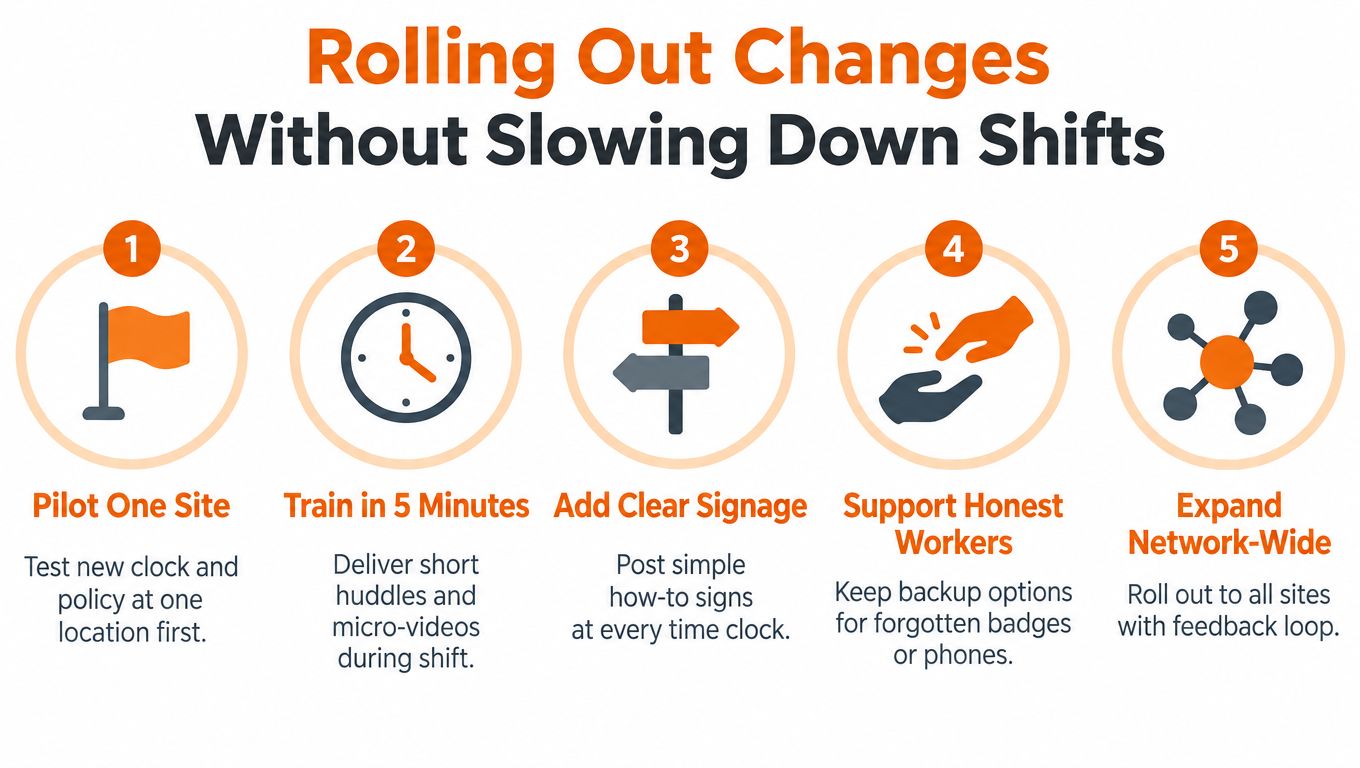
A practical sequence looks like this:
Pilot one site: Test the clock, policy, fallback process, and supervisor review with a real shift team.
Train in five minutes: Use a short huddle, a simple demonstration, and a brief phone-friendly video. Employees need to know how to punch, fix an error, and ask for help.
Add clear signage: Place one instruction card at each clock. Show the correct action, not a paragraph of warnings.
Support honest workers: Keep a backup process for forgotten badges, dead phones, failed scans, and accessibility needs. A fallback should create a review record, not an invitation to bypass identity checks.
Expand with feedback: Move to other sites only after supervisors and employees can explain what happens when a punch is flagged.
Pebb's rollout planning guidance is useful for organizing updates, training, and feedback across locations. In practice, put the policy and how-to video in the Knowledge Library, use Spaces for site questions, and assign follow-up Tasks to local managers.
Be direct about privacy
Before collecting biometric or location data, explain what the system captures, why it captures it, who can access it, and how long records are retained. Consent requirements and privacy rules vary by location, so legal and employee-relations teams should review the design before enrollment.
A clear script is better than a vague assurance:
We're adding identity checks so your time record belongs to you. We'll explain what data the clock collects, how we protect it, and what backup process to use if the clock doesn't work. You won't be asked to solve a system failure by asking a coworker to punch for you.
Test queue behavior at the busiest handoff, not during a quiet demonstration. If the process slows a shift, move the device, add another approved point, change the interaction, or use a different control. Prevention that creates a daily bottleneck will eventually be bypassed.
Measuring Results and Staying Compliant Over Time
A buddy-punch program needs evidence, but not a mountain of reports. Track a small set of measures that tell you whether the process is working and whether it is fair to employees.
Start with the exception rate, grouped by site and shift. Then watch how quickly supervisors resolve exceptions, how often payroll receives edited records, and whether the same employees, devices, or locations generate repeat flags. A rising exception count may indicate misconduct, but it may also reveal poor camera placement, weak connectivity, unclear schedules, or a geofence drawn too tightly.
Use trends to improve the operation
Review payroll variance alongside attendance corrections. If approved schedules and worked time frequently diverge, investigate the scheduling process before blaming the clock. If a particular shift produces many missed punches, observe that handoff in person. The data should tell managers where to look, not replace their judgment.
Pebb Analytics can help leaders compare activity and attendance patterns across locations without asking supervisors to manually assemble every report. Use it to find recurring trouble spots and test a process change, then review whether the exceptions become easier to resolve.
A separate industry summary places the possible payroll impact of buddy punching at about 2.2% of gross payroll in organizations using traditional, unverified clocks. It illustrates the scale of the control problem, including the example that a $10 million gross payroll could correspond to roughly $220,000 in annual loss. The same source reports that biometric clocks can reduce buddy punching by 95% to 100%, although actual results depend on implementation and workplace conditions. These figures are provided in the time-theft statistics summary.
Another independent article says buddy punching can cost employers up to 5% of payroll, while noting that the figure varies by business. The useful conclusion isn't to treat one estimate as a promise. It's to recognize that small falsifications can compound in shift-based operations, as explained in this discussion of biometric time clocks.
Keep identity controls privacy-aware
Biometrics and mobile tracking deserve more care than a checkbox during procurement. Confirm the legal basis for collection, document consent where required, restrict access, set a retention schedule, and understand liveness or spoofing limits. Offer a defined alternative where policy or law requires one, and monitor whether the chosen control creates problems for particular workers or environments.
Review the program regularly. Teams change, sites move, devices age, and local requirements evolve. The best attendance system isn't the one with the most surveillance. It's the one that verifies work fairly, catches real exceptions early, and leaves honest employees confident that their time will be recorded correctly.
Pebb brings clock-in, GPS and geofencing controls, photo proof, manager review, policies, Tasks, and frontline communication into one work app. Visit Pebb to see how you can build a clearer attendance process without separating the policy, the punch, and the follow-up.
