
12 Apps for Small Business We Actually Use
Tired of app chaos? Discover the 12 essential apps for small business that simplify your work, from communication to payroll. Real insights, no fluff.
Dan Robin
It starts with one app. Maybe a simple to-do list. Then another for chat. Soon, you’re drowning in a sea of logins, notifications, and monthly bills. Each app promised to fix a problem, but together they created a new one: chaos.
We’ve lived this story. The endless search for the “perfect” software stack is a rite of passage for every small business. But what if the goal isn't to find more apps, but the right ones? The kind that feel less like software and more like an extension of your team. This constant juggling isn’t just distracting; it’s expensive. You can see how specialized things get by looking at lists like the 12 Best Business Expense Tracking Apps of 2025 (Reviewed). It shows just how siloed the app world can be.
This isn't another listicle scraped from the internet. It’s an opinionated guide based on years of running a business, making mistakes, and finally finding what works. We’re going to walk through the essential apps for small business that we’ve found genuinely useful, explain why they matter, and talk honestly about when it’s time to stop collecting tools and start simplifying.
Here’s our take on the tools we use for communication, projects, payroll, and more. No marketing fluff. Just short, honest thoughts on what each tool is really for, who should use it, and what it costs. Let’s find software that helps, not hurts.
1. Pebb
For years, we watched small businesses get tangled in a web of separate apps. One for chat, another for schedules, a third for company announcements. It’s a mess. Employees get confused, things fall through the cracks, and managers spend their days just trying to hold it all together.
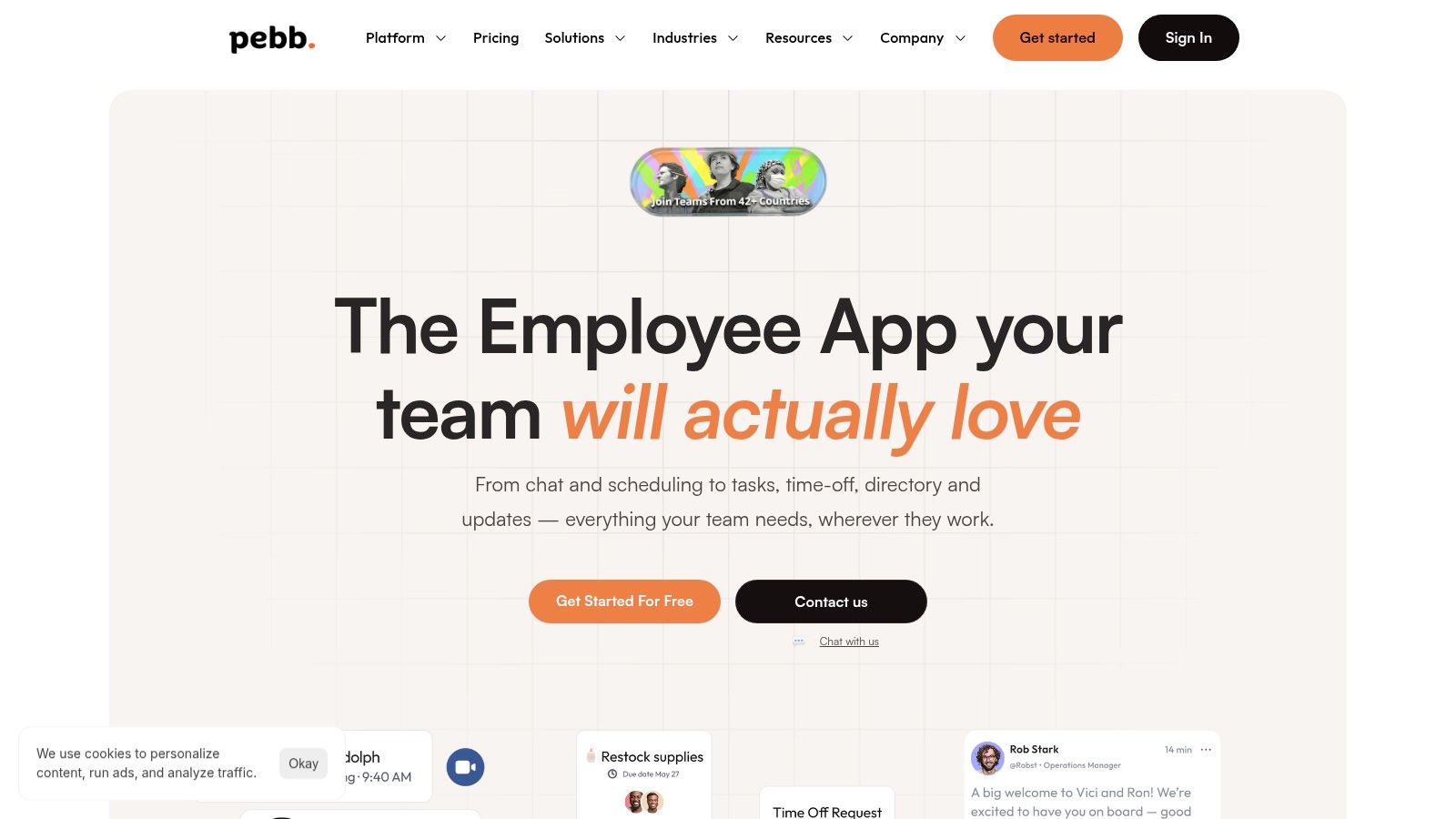
Pebb was built to fix this. It’s our top pick because it replaces the entire messy stack by combining the core tools a small business needs into a single, mobile-first platform. It’s designed to bring order.
What makes Pebb different is its focus on the gap between frontline and office teams. Most software is built for people sitting at desks. Pebb feels made for the realities of retail, hospitality, and logistics, where most of the team is on their feet, not in front of a computer.
Why it works for us
Pebb’s strength is its unified design. A manager can publish a schedule, see who claimed an open shift, send out a task list, and post a company update—all from one place. An employee can clock in, check their tasks, request time off, and chat with their team without ever leaving the app. This simplicity is its power.
The platform is built around "Spaces," which are basically focused channels for specific teams or topics. A "Store #102" space can have its own shift schedule and task list, while a company-wide "Announcements" space keeps everyone in the loop. It brings a sense of calm to internal communication.
“Pebb's focus on frontline operations is what sets it apart. Features like shift claiming, mobile clock-in, and a searchable knowledge library aren't afterthoughts; they are central to the experience. It feels built by people who understand the daily grind of an hourly workforce.”
Things to consider
The one catch is that Pebb doesn’t list its pricing publicly. You get a free trial to start, but for specific plans, you’ll need to talk to their sales team. This makes a quick cost comparison hard. Also, while it integrates with over 50 HR and payroll systems, businesses with highly custom workflows might need a bit of help getting everything connected.
Ideal For: Small to mid-sized businesses looking to replace a handful of communication and operations apps with one platform, especially those with frontline or hourly workers.
Pricing: A free plan is available to get started. You’ll need to contact sales for detailed pricing.
Website: https://pebb.io
2. Slack
Slack became the default for a reason. It moves conversations out of cluttered email inboxes and into organized channels. This is its core strength. You can create a channel for a project (#project-website), a team (#marketing), or just for fun (#random). Discussions stay focused and easy to find later. For teams that need a central hub for daily chatter, it’s one of the best apps for small business.
But here’s the thing: its real magic is the massive integration library. It connects with thousands of other apps, letting you pull notifications from Google Drive, Asana, or your CRM directly into a channel. It turns Slack from just a chat app into a command center. The interface is clean and easy to pick up, which helps everyone get on board.
The rundown
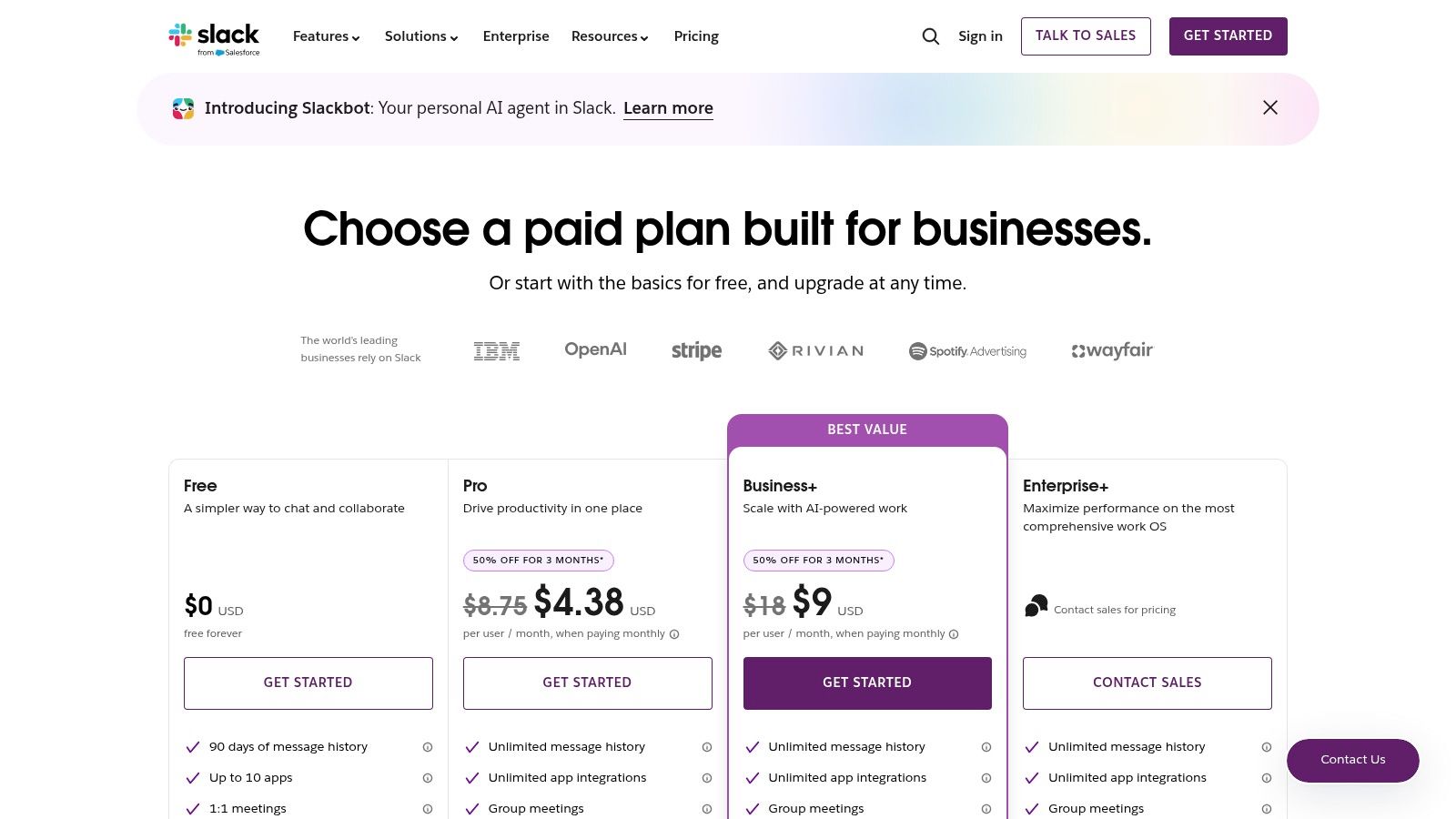
Pricing: Starts with a Free plan (90-day message history). Paid plans like Pro ($8.75/user/month) and Business+ ($15/user/month) add unlimited history and more integrations.
Best For: Tech-savvy teams, remote companies, and anyone who wants to kill internal email.
Pros: Intuitive, huge ecosystem of integrations, and its channel structure keeps things organized.
Cons: The cost adds up fast as you grow. And without discipline, you can end up with too many channels, creating more noise than signal.
If you’re trying to decide on a chat tool, our breakdown of the best team communication apps might help.
Website: https://slack.com
3. Microsoft Teams
If your business already lives in the Microsoft ecosystem, Teams is a no-brainer. It pulls together chat, meetings, and collaboration, but its real power is its deep connection to Microsoft 365. If you already rely on Outlook, OneDrive, and SharePoint, Teams creates a single workspace, which means less time spent switching between apps. This is where it shines.
What makes it compelling is the file collaboration. You can co-author a Word doc or edit an Excel sheet right inside a chat. The conversation happens in context, next to the work. While Slack has a giant app store, Teams focuses on perfecting the experience for Microsoft users. It offers a familiar feel and serious, enterprise-grade security.
The rundown
Pricing: Included with most Microsoft 365 Business plans (starting at $6/user/month). A standalone Teams Essentials plan is $4/user/month if you aren’t on Microsoft 365.
Best For: Companies heavily invested in the Microsoft suite and those who need strong security and compliance features.
Pros: Unbeatable integration with Microsoft 365. It scales well from small teams to large enterprises.
Cons: The interface can feel a bit busy if you're not using the full suite. The learning curve is steeper than its competitors.
Website: https://www.microsoft.com/en-US/microsoft-teams/compare-microsoft-teams-business-options
4. Google Workspace
For most small businesses, Google Workspace is the simplest, most effective "office-in-a-box" you can get. It bundles everything you need to look professional: a business email on your own domain (you@yourcompany.com), cloud storage, and the familiar trio of Docs, Sheets, and Slides. Its power is how seamlessly these tools work together, without you ever having to touch a server. It’s one of the most practical apps for small business owners who just need to get going.
The real-time collaboration is what makes it work. Your team can edit a document at the same time in Docs or crunch numbers together in Sheets. Every change appears as it happens. Add in integrated video calls via Meet and a shared Calendar, and you have a solid hub for getting work done. Millions of people already use these tools personally, so there’s almost no learning curve.
The rundown
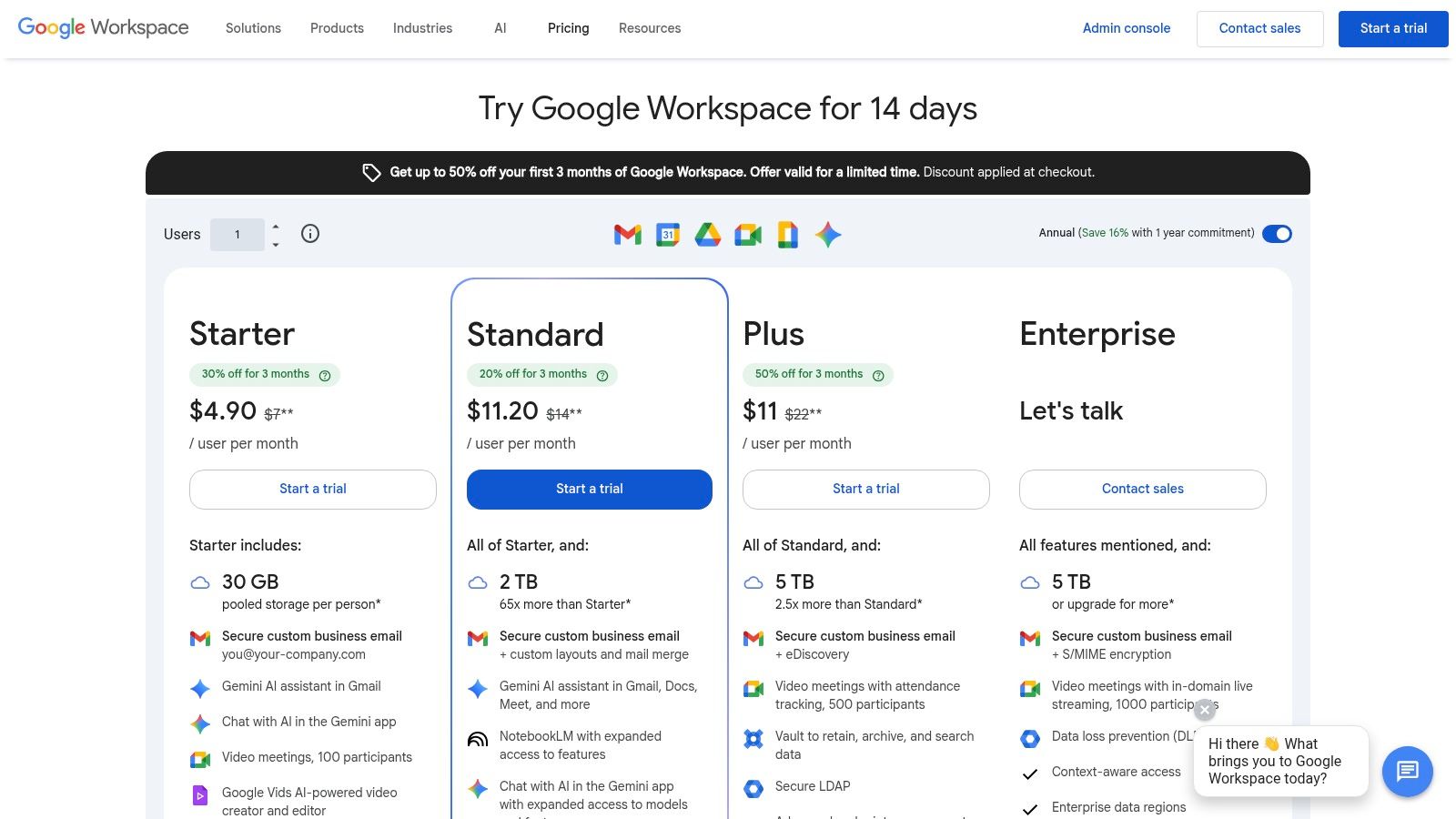
Pricing: The Business Starter plan is $6/user/month. Business Standard ($12/user/month) and Business Plus ($18/user/month) add more storage and features.
Best For: Any small business that needs professional email, cloud storage, and a reliable office suite without the IT headache.
Pros: Incredibly easy to set up. The familiar interface means quick adoption. The collaboration tools are top-notch.
Cons: As you grow, managing file permissions and shared drives requires discipline to avoid becoming a digital junk drawer.
Website: https://workspace.google.com/pricing
5. Zoom Workplace
Almost everyone has used Zoom. That familiarity is its greatest strength. When you need to meet with clients, partners, or new hires, there’s no friction. They just click a link and join. But Zoom is more than just meetings now. It's grown into Zoom Workplace, a platform that includes add-ons like Zoom Phone and dedicated Room systems. It's one of those essential apps for small business owners who just need video calls to be reliable and easy for guests.
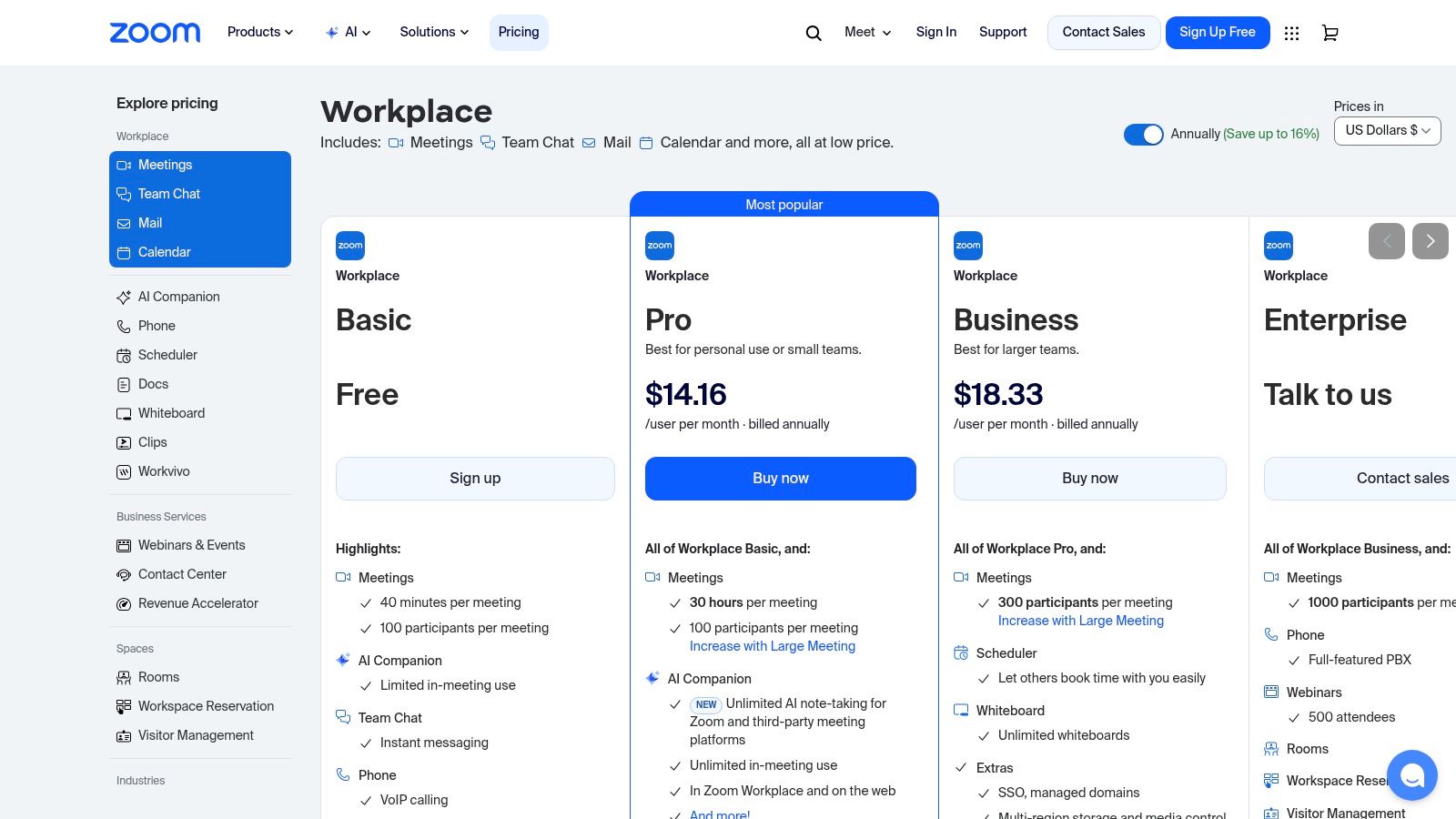
Zoom stays relevant because of its rock-solid performance. HD video, recordings, breakout rooms, and calendar integrations all just work. The newer AI Companion can summarize meetings, which saves time. The ability to add a cloud phone system or webinar tools means it can grow with you. Instead of patching things together, you can build a unified communication stack under one roof.
The rundown
Pricing: The Basic plan is free (40-minute meeting limit). Paid plans like Pro ($15.99/user/month) and Business ($19.99/user/month) remove time limits and add more features.
Best For: Businesses that do a lot of external video calls and need a simple, reliable meeting tool.
Pros: So familiar that it's easy for anyone to join. The add-on catalog lets you expand its use as you grow.
Cons: The total cost can climb quickly once you start adding phone, webinar, or advanced AI features.
Website: https://zoom.us/pricing
6. Asana
When your to-do lists are on sticky notes and project plans are buried in email, it’s time for a proper work management tool. Asana brings clarity by turning big projects into clear, actionable tasks. It’s built on a simple idea: everyone should know who is doing what, by when. This makes it one of the best apps for small business teams trying to formalize their workflow without getting bogged down. You can see your work as a list, a Kanban board, or a timeline.
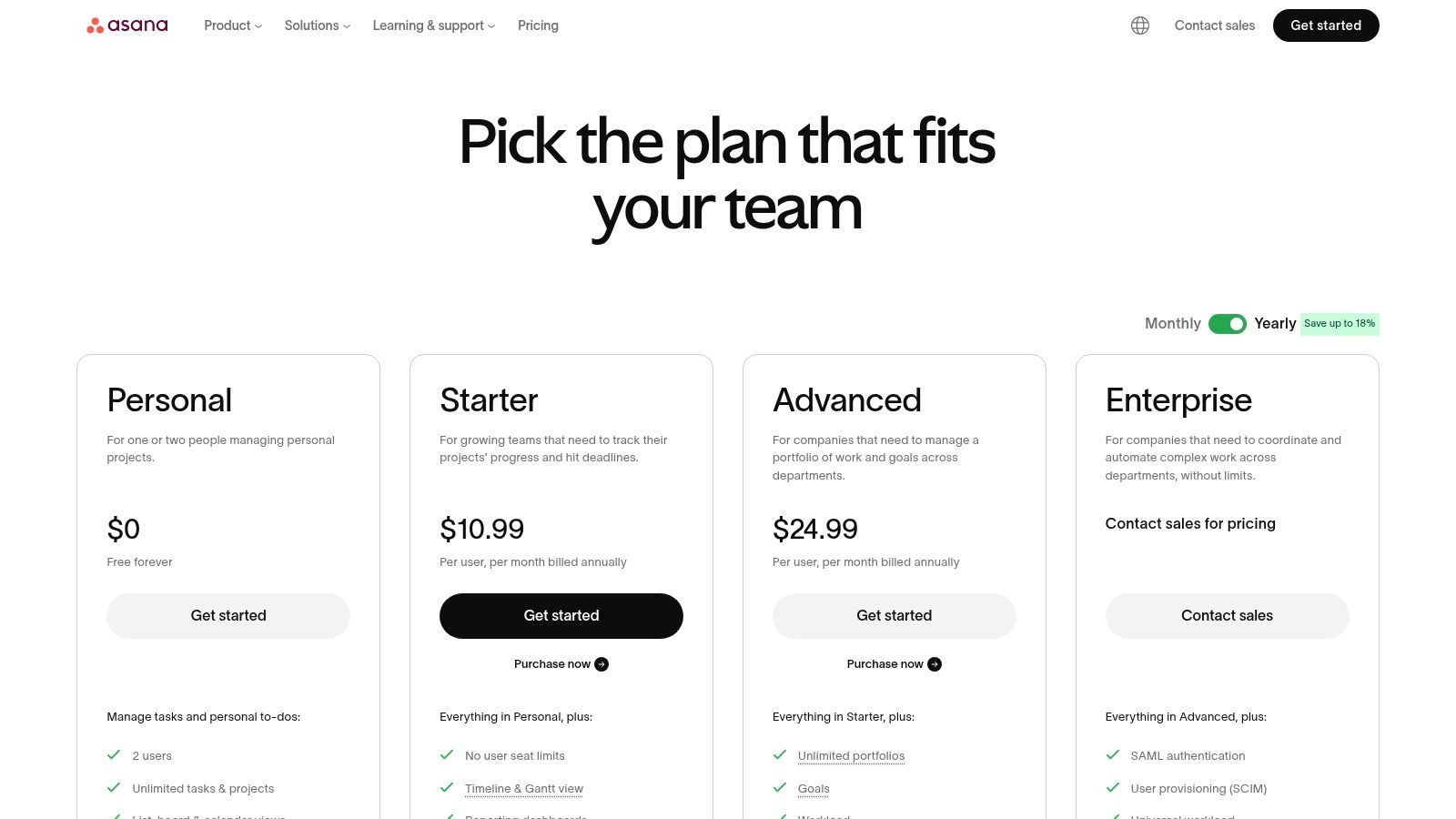
Asana’s power is its flexibility. It’s not just for engineers. Marketing, operations, and product teams can all bend it to their will using its template library. As your business grows, features like Portfolios give you a high-level view of all your projects, and Workload helps you see who’s overloaded. It also connects smoothly with tools like Slack and Google Workspace.
The rundown
Pricing: A solid Basic free plan for up to 10 people. Paid plans like Premium ($13.49/user/month) and Business ($30.49/user/month) unlock timeline views, automation, and advanced reporting.
Best For: Growing teams in marketing, operations, or product that need a shared space to track work and align on goals.
Pros: Flexible with multiple project views, an easy-to-understand interface, and plenty of integrations.
Cons: The price gets steep as you add more people. Some of its best features are reserved for the expensive tiers.
Website: https://asana.com/pricing
7. ClickUp
ClickUp’s big promise is to be "the one app to replace them all." It tries to bring your tasks, documents, whiteboards, goals, and chat into a single place. For small businesses drowning in a sea of different tools, this approach can be a lifesaver. It’s a powerful and highly customizable option among apps for small business, especially if you want one hub to manage everything.
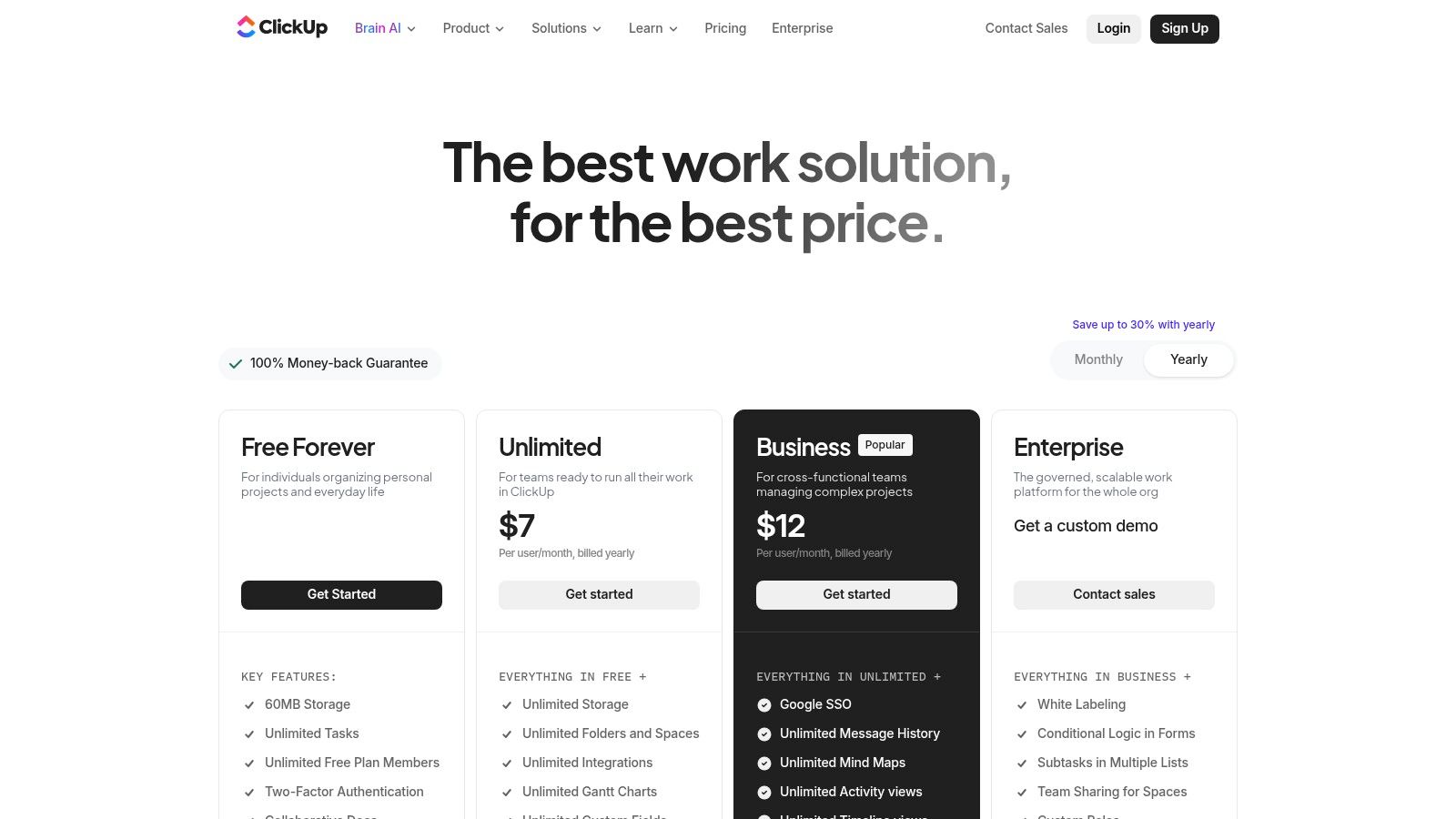
What makes ClickUp different is its sheer flexibility. You can view projects as a simple list, a Kanban board, a calendar, or a Gantt chart. This lets different teams work in a way that makes sense for them. Features like built-in Docs and Whiteboards for brainstorming make it a true work hub. But that’s also the challenge. This breadth of features means you need discipline to set it up right and not overwhelm your team.
The rundown
Pricing: A generous Free Forever plan is available. Paid plans like Unlimited ($10/user/month) and Business ($19/user/month) unlock more storage, views, and features.
Best For: Teams that want an all-in-one platform and are willing to invest time in setting up a custom workflow.
Pros: Its huge feature set reduces the need for other tools. The price is great for what you get.
Cons: The number of features can feel overwhelming at first. It requires someone to own the setup and keep it organized.
To get the most out of a tool like this, it helps to have a plan. You can read more in our guide to project management strategies.
Website: https://clickup.com/pricing
8. Notion
Notion is like a box of digital LEGO bricks for your company’s brain. It blends documents, wikis, databases, and simple project boards into one flexible workspace. We’ve seen small businesses use it to build their internal knowledge base, document procedures (SOPs), manage onboarding, and track simple tasks. Its real power is its customizability. You build the exact system your team needs, instead of being forced into a rigid structure.
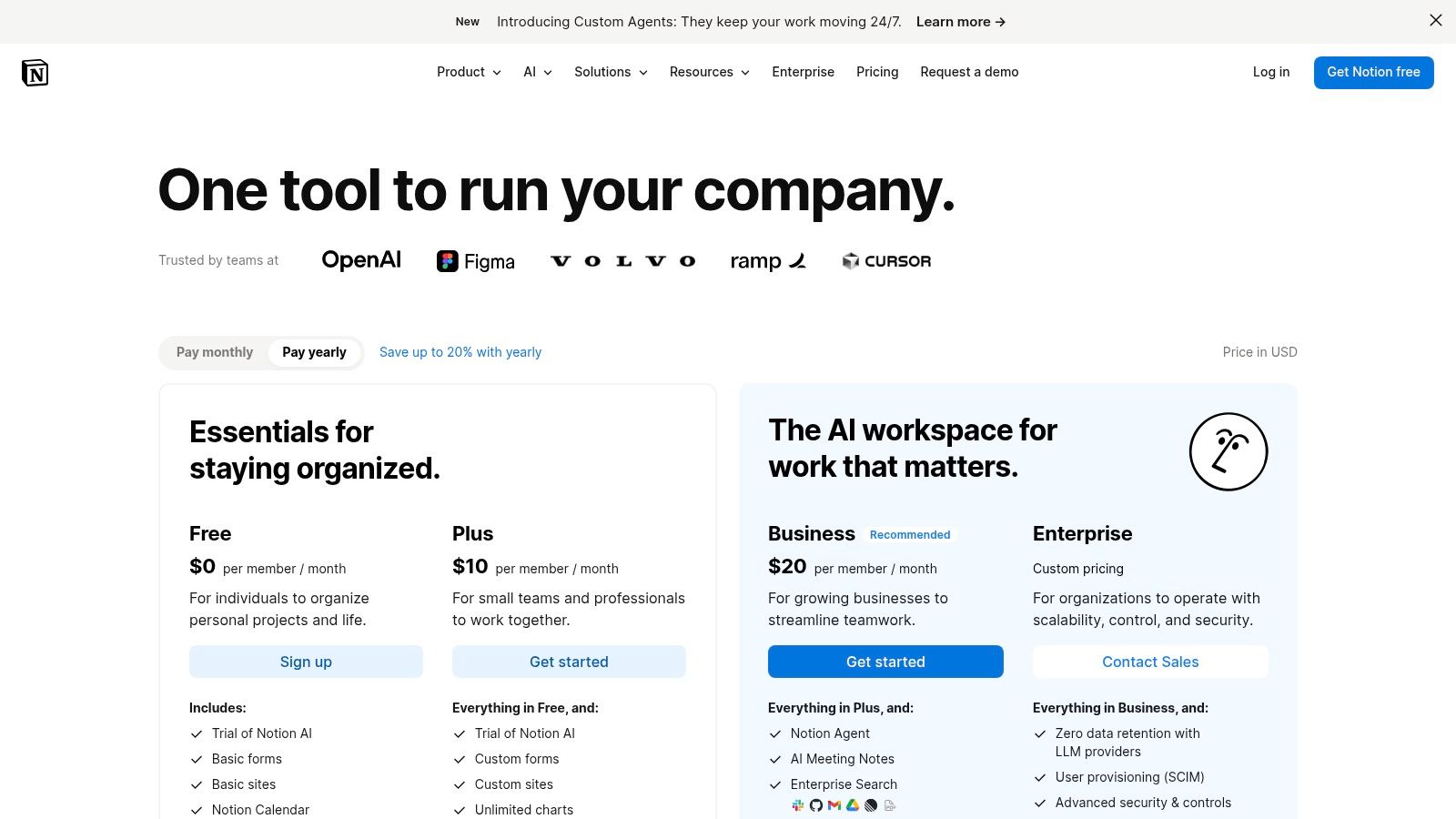
What makes Notion stand out is its ability to create interconnected "living" documents. A note from a client meeting can link directly to a task on a project board, which can link to the company’s policy in the wiki. This context prevents information from getting lost. The huge library of community-made templates means you don't have to start from scratch, whether you're building a content calendar or a simple CRM.
The rundown
Pricing: A Free plan is great for individuals or tiny teams. Paid plans like Plus ($10/user/month) and Business ($18/user/month) add more users, file uploads, and better permissions.
Best For: Teams that need a central source of truth, businesses documenting processes, and anyone who wants a more flexible alternative to Google Docs and Trello combined.
Pros: Extremely flexible for creating company wikis and SOPs. A huge template library helps you get started quickly.
Cons: Its flexibility can be a weakness. Without a plan, it can become a mess. It’s not a true project management tool for complex work.
Website: https://www.notion.so/pricing
9. Gusto
Payroll is one of those things that feels terrifying for a new business owner. Gusto takes that fear away. It's an HR and payroll platform built for people who aren't experts in tax law. It guides you through running payroll, automatically calculates and files your taxes, and helps manage employee benefits. Its friendly interface makes it one of the best apps for small business owners who just want to get payroll right without the headache.
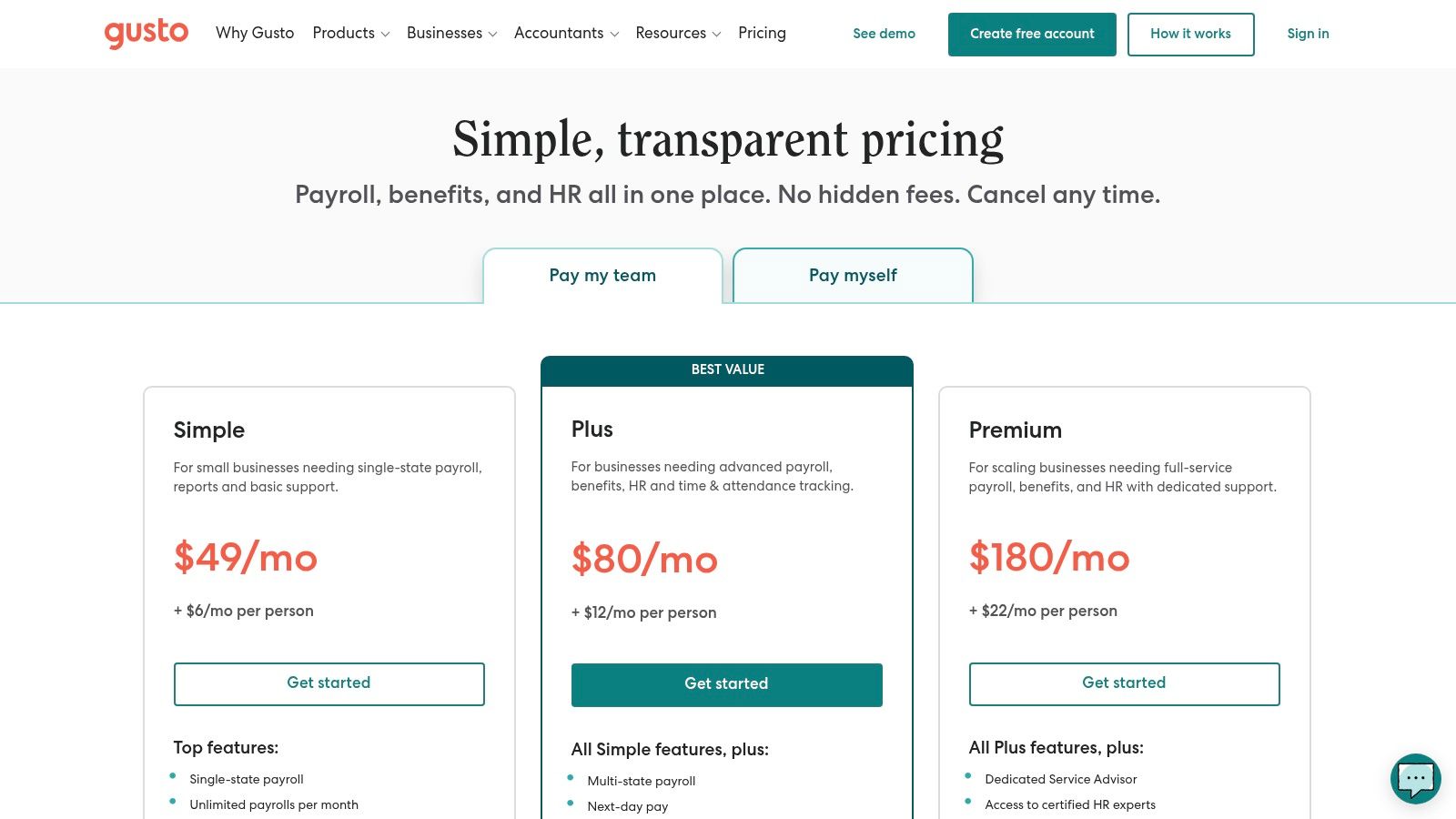
What makes Gusto special is how it grows with you. You can start with basic payroll, then add benefits, HR support, and time-tracking tools as you expand. This modular approach means you only pay for what you need. It handles everything from W-2s to 1099s and integrates with accounting software like QuickBooks, keeping your finances in sync.
The rundown
Pricing: The Simple plan starts at $40/month plus $6/person/month. The Plus plan ($80/month + $12/person/month) adds time tracking and project management.
Best For: First-time business owners, startups, and any small business that needs a simple, reliable way to manage payroll, taxes, and basic HR.
Pros: Extremely user-friendly. Strong automation for compliance. It can scale up with modular HR and benefits features.
Cons: The per-employee cost can add up as you grow. Advanced HR features are locked behind pricier plans.
Website: https://gusto.com/pricing
10. QuickBooks Online
For most small businesses in the U.S., QuickBooks Online is the default for managing money. It’s the standard for good reason. It offers a complete accounting suite that handles invoicing, expense tracking, bank feeds, and reporting all in one place. It’s a foundational app for small business owners who need to understand their cash flow and stay ready for tax season.
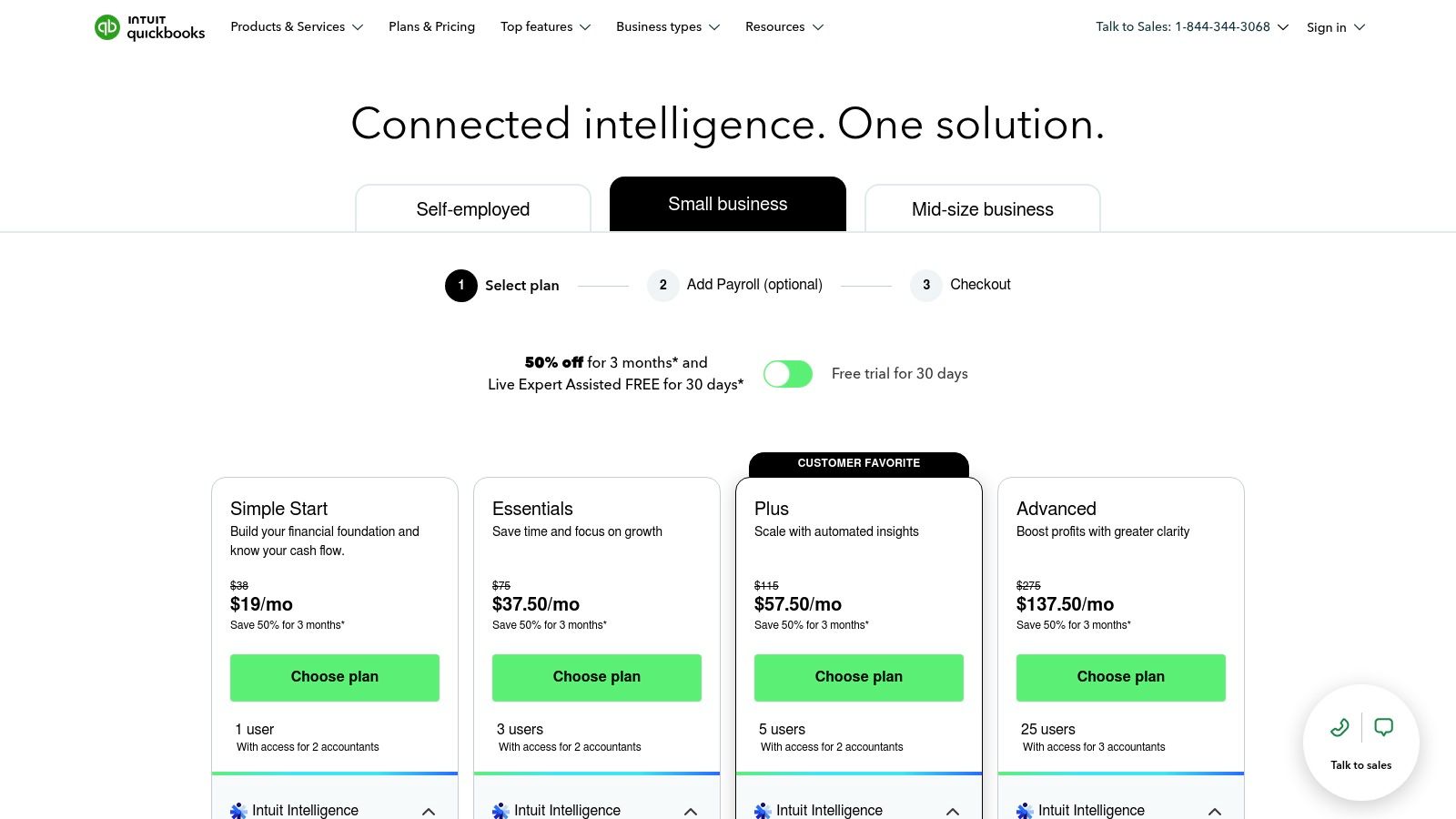
What makes QuickBooks so sticky is that nearly every accountant already knows how to use it. This simplifies collaboration and tax time. Its marketplace of connected apps means you can automate workflows by linking it to your sales, CRM, or time-tracking software. While powerful, the plans and payroll add-ons can get expensive. For businesses weighing their options, a detailed QuickBooks vs Sage comparison can help clarify which platform fits best.
The rundown
Pricing: Starts with Simple Start ($30/month) for basic invoicing. Plans scale up to Essentials ($60/month), Plus ($90/month), and Advanced ($200/month).
Best For: Any U.S.-based small business needing a robust, accountant-friendly bookkeeping system.
Pros: It’s the industry standard, so it's easy to find professional help. It scales well and connects to a massive ecosystem of apps.
Cons: The subscription costs add up, and price increases are common. The interface can feel a bit dated and complex for total beginners.
Its payroll service can also link with dedicated employee management software for small businesses, creating a more connected back office.
Website: https://quickbooks.intuit.com/pricing/
11. Square
Square is the go-to for so many small businesses, especially in retail or services, because it makes getting paid incredibly simple. It started with a tiny white card reader you could plug into a phone. The hardware has changed, but the mission hasn't. It’s built around a free, powerful Point of Sale (POS) app that acts as the nervous system for your sales, inventory, and customer data. This makes it one of the most accessible apps for small business owners just starting out.
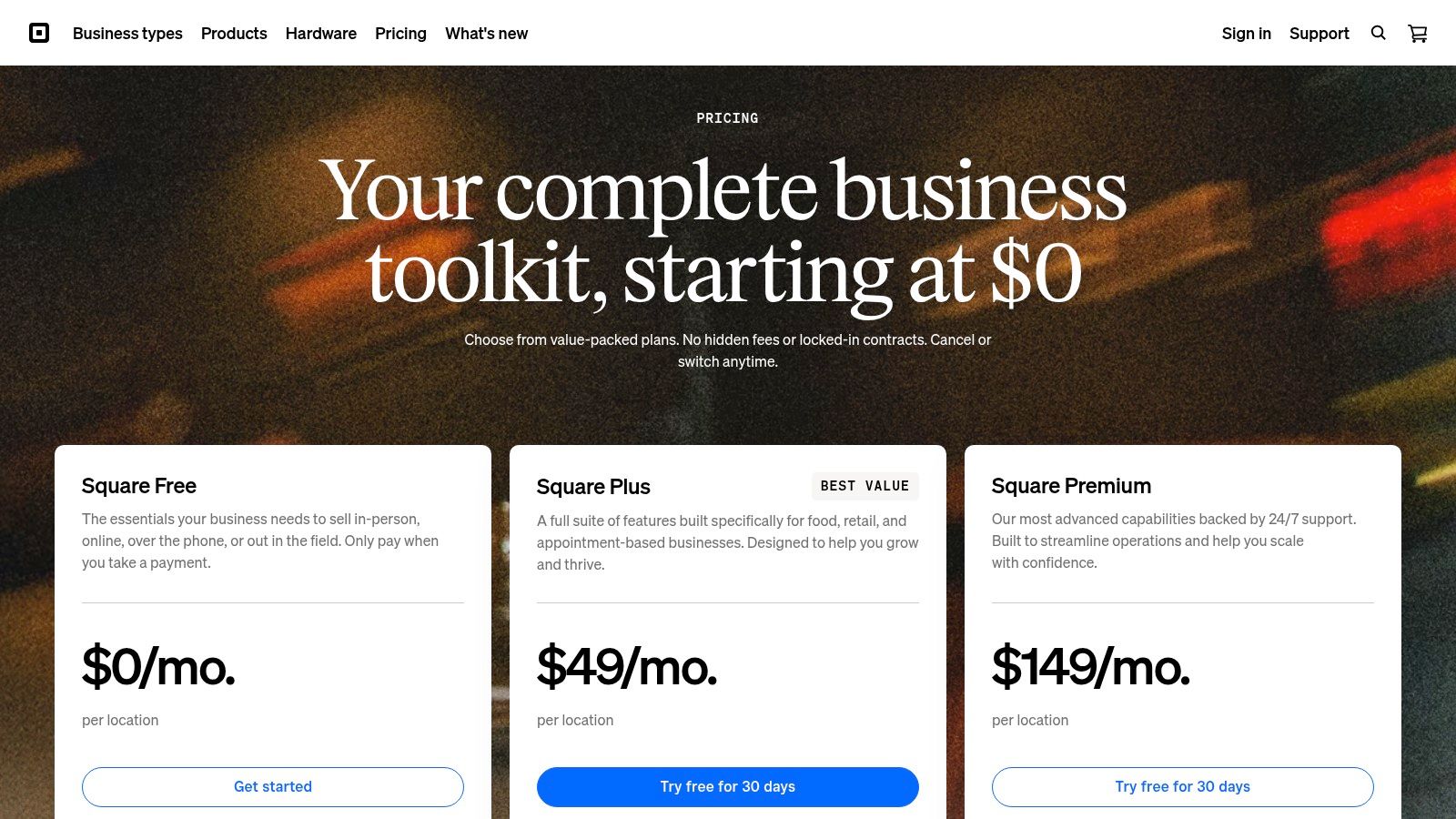
The real strength of Square is how it grows with you. Start with basic payments, then add what you need, when you need it. Need an online store? Square has it. Managing appointments? There’s a booking system. The ecosystem extends to invoicing, payroll, and even marketing, all managed from one dashboard. This prevents the classic small business problem of duct-taping ten different tools together. You can be up and running in minutes, not days.
The rundown
Pricing: The POS software is free with a flat-rate processing fee per transaction. More advanced plans for Retail, Restaurants, or Appointments have monthly fees (starting around $29/month) for specific features.
Best For: New brick-and-mortar stores, service providers (salons, contractors), and businesses that need a unified system for in-person and online sales.
Pros: Extremely fast setup, clear pricing, and a broad ecosystem of tools you can add as you expand.
Cons: Processing and software fees can vary based on which products you use, so it's important to confirm the final costs for your specific setup.
Website: https://squareup.com/pricing?utm_source=openai
12. When I Work
If you manage an hourly team, you know that scheduling can feel like a full-time job. When I Work is designed to fix that one, specific headache. It’s a scheduling and time-tracking app for businesses where shifts and last-minute changes are the norm—like restaurants, retail stores, and clinics. Its strength is simplifying the whole process, moving it from messy spreadsheets to a clean, mobile-first interface. This is one of the best apps for small business owners who need to stop spending hours on schedules.

The platform gives managers a drag-and-drop scheduler and lets employees set their availability, request time off, and swap shifts from their phones. This self-service aspect is a game-changer. It gives your team ownership and drastically cuts down on the back-and-forth texts and calls. When I Work also includes a time clock, so employees can clock in for shifts, and the app automatically generates timesheets for payroll. It’s a straightforward tool that solves a very real, very time-consuming problem.
The rundown
Pricing: The Standard plan is $4.00/user/month for scheduling. The Advanced plan at $6.00/user/month adds time and attendance features. A plan with on-demand pay is $8.00/user/month.
Best For: Businesses with hourly workers like restaurants, retail stores, and healthcare providers who need a simple, mobile-friendly scheduling and time clock tool.
Pros: Purpose-built for hourly teams. It significantly reduces scheduling admin time. The mobile app is easy for everyone to adopt.
Cons: More advanced labor forecasting features may require a higher-tier plan or a more complex tool.
Website: https://wheniwork.com/?utm_source=openai
Top 12 Small-Business Apps: Quick Comparison
Product | Core features | UX ★ | Pricing 💰 | Target 👥 | Unique strengths ✨ |
|---|---|---|---|---|---|
🏆 Pebb | Chat, voice/video, Spaces, scheduling, clock‑in/PTO, tasks, Knowledge Library | ★★★★★ Mobile‑first, heartbeat feed | 💰 Free start; contact sales for enterprise | 👥 Frontline + office teams, hourly & distributed | ✨ All‑in‑one frontline workflows; 50+ HR/payroll integrations; fast single‑link onboarding |
Slack | Channels, DMs, huddles, workflows, file sharing | ★★★★☆ Fast, familiar, searchable | 💰 Freemium → per‑user tiers | 👥 Office & remote teams, SMBs | ✨ Massive app ecosystem; powerful search |
Microsoft Teams | Chat, meetings, calling, channels, OneDrive/SharePoint integration | ★★★★☆ Enterprise‑grade, integrated | 💰 Included in M365 / standalone paid | 👥 Microsoft 365 organizations & enterprises | ✨ Deep M365 integration & compliance controls |
Google Workspace | Gmail, Drive, Meet, Docs/Sheets/Slides, Calendar | ★★★★ Easy, collaborative real‑time UX | 💰 Per‑user tiers (simple pricing) | 👥 SMBs & distributed teams | ✨ Real‑time docs + simple admin |
Zoom Workplace | HD meetings, webinars, breakout rooms, Phone/Rooms add‑ons | ★★★★ Reliable meeting UX, low friction | 💰 Tiered plans + paid add‑ons | 👥 Remote teams, events, guest‑heavy workflows | ✨ Excellent guest experience; rich add‑on catalog |
Asana | Tasks, timelines, boards, automation, portfolios | ★★★★ Task‑centric, visual project UX | 💰 Freemium → Premium/Business tiers | 👥 PMs, ops, marketing, cross‑functional teams | ✨ Templates, portfolio & workload views |
ClickUp | Tasks, custom fields, Docs, Whiteboards, Goals, dashboards | ★★★★ Feature‑rich, flexible | 💰 Competitive per‑user tiers; add‑ons | 👥 Teams replacing multiple point tools | ✨ Broad all‑in‑one feature set + optional AI |
Notion | Pages, databases, wikis, boards, templates | ★★★★ Highly customizable knowledge UX | 💰 Freemium → Team/Enterprise plans | 👥 Knowledge bases, SOPs, startups | ✨ Flexible databases, strong template ecosystem |
Gusto | Payroll, tax filings, benefits admin, onboarding, time tools | ★★★★ Friendly payroll UX for non‑experts | 💰 Base + per‑employee pricing; add‑ons | 👥 SMBs needing payroll & HR compliance | ✨ Guided payroll flows & benefits integration |
QuickBooks Online | Invoicing, bank feeds, expense tracking, reporting | ★★★★ SMB accounting standard | 💰 Tiered plans; payroll as add‑on | 👥 SMBs & accountants (US focus) | ✨ Large accountant marketplace & reporting |
Square | Payments, free POS, online store, appointments, hardware | ★★★★ Fast onboarding for merchants | 💰 Transaction fees + paid POS tiers | 👥 Retail, restaurants, service businesses | ✨ Unified payments + software + hardware |
When I Work | Drag‑and‑drop scheduling, time clock, shift swaps, messaging | ★★★★ Purpose‑built hourly UX | 💰 Per‑user scheduling plans | 👥 Hourly/shift workers (hospitality, retail) | ✨ Focused shift scheduling & payroll exports |
From a Dozen Tools to One Digital Home
We just walked through a dozen different apps for small business. From Slack for chat to Gusto for payroll, there’s a tool for nearly every task imaginable. For a while, that feels like progress. You find a problem, you find an app, you solve it.
But then, a funny thing happens. The tools you bought to save time start stealing it. You’re toggling between five tabs just to figure out who’s working today. Your team is messaging on one app, getting their schedule on another, and requesting time off through a third. Each tool works, but they don’t work together. This isn't efficiency. It's digital gymnastics.
Let’s be honest. Stitching together a dozen different apps is exhausting. You pay for twelve tools, train people on twelve interfaces, and manage twelve sets of notifications. It’s a tax on your time and attention. We’ve lived it. We spent years gluing systems together, thinking the perfect combination was just one more app away. It never was.
The Tipping Point of Tool Fatigue
At some point, the complexity starts to outweigh the benefits. That's the tipping point. It's when you stop asking, "What's one more app we can add?" and start asking, "How can we do more with less?"
This is especially true for businesses with frontline workers—the people in retail, hospitality, or healthcare who don't sit at a computer all day. For them, a collection of disconnected apps isn't just inconvenient, it's a barrier. If you have to download four different apps just to do your job, you'll probably just give up and ask your manager instead.
So, when have you hit that point? Ask yourself this:
How much time do I spend managing the tools instead of doing the work? If you're playing tech support more than you're running your business, that's a red flag.
Is my team actually using them? Low adoption means you’re paying for shelfware. It means the system is too complicated.
Can I get a single, clear picture of my day? If you need to pull reports from three different places to see what’s going on, your tools are working against you.
Choosing How You Want to Work
The journey through the world of small business apps is a cycle. You start simple, with email and spreadsheets. Then you graduate to specialized tools like When I Work for scheduling or Square for payments because they solve specific, painful problems. This is the "best-of-breed" approach.
But eventually, many businesses reach a ceiling. The cost—both in dollars and in mental energy—of managing so many separate systems becomes its own problem. This is when you start looking for a different way.
This is where all-in-one platforms come in. For many of us, especially those managing frontline teams, the answer isn’t another specialized tool. It's a platform like Pebb, designed to unify communication, operations, and culture in one place. It’s about trading a cluttered folder of apps for a single digital home. A place where schedules, tasks, and messages live together, speaking the same language.
Choosing your tools is about choosing how you want to work. Do you want to be a system integrator, constantly patching together different software? Or do you want to run your business? The choice is yours. There is no single "best app for small business" because your business is unique. The best tool is the one that gets out of your way and lets you and your team do your best work.
If the idea of trading a dozen scattered apps for one digital home sounds like a relief, maybe it’s time to see what that looks like. We built Pebb to be that calm, unified platform for businesses tired of tech chaos. See how Pebb brings your team and tools together.
