
10 Real Strategies for Improving Workplace Communication
Tired of the noise? Here's a practical guide for improving workplace communication with 10 actionable strategies that cut through the clutter. No jargon.
Dan Robin
Remember the game of telephone? You’d whisper a message down a line, and it would come out hilariously mangled at the other end. That’s pretty much how communication works at most companies, just without the laughs.
We're buried in a blizzard of emails, pings, and meetings that somehow leave us feeling more disconnected than ever. Everyone’s talking, but who’s actually connecting? We’ve tried the endless Slack channels and the 'all-hands' meetings that could have been an email. It hasn't worked.
Here’s the thing: improving workplace communication isn’t about adding more tools or scheduling more meetings. It’s about being more intentional, more human, and a lot calmer. We've spent years building tools to solve this, not just because it's our business, but because we've lived the frustration of disjointed systems and missed messages.
This isn’t another list of vague tips like “listen more.” Instead, we’re going to walk through ten specific, structural changes you can make to your communication ecosystem. We’ll cover everything from building a central information hub and designing mobile-first strategies for frontline teams to using analytics to see what’s actually working.
Let's talk about what actually moves the needle, the stuff that cuts through the static and helps people do good work together, whether they’re at a desk or on the factory floor.
1. Unified Communication Platforms and Centralized Information Hubs
Let's be honest, nothing kills productivity faster than hunting for information. Is that new policy in an email, a Slack channel, a Google Doc, or a carrier pigeon? When information is scattered, your team spends more time searching than doing. The simplest fix is often the most powerful: get everything in one place.
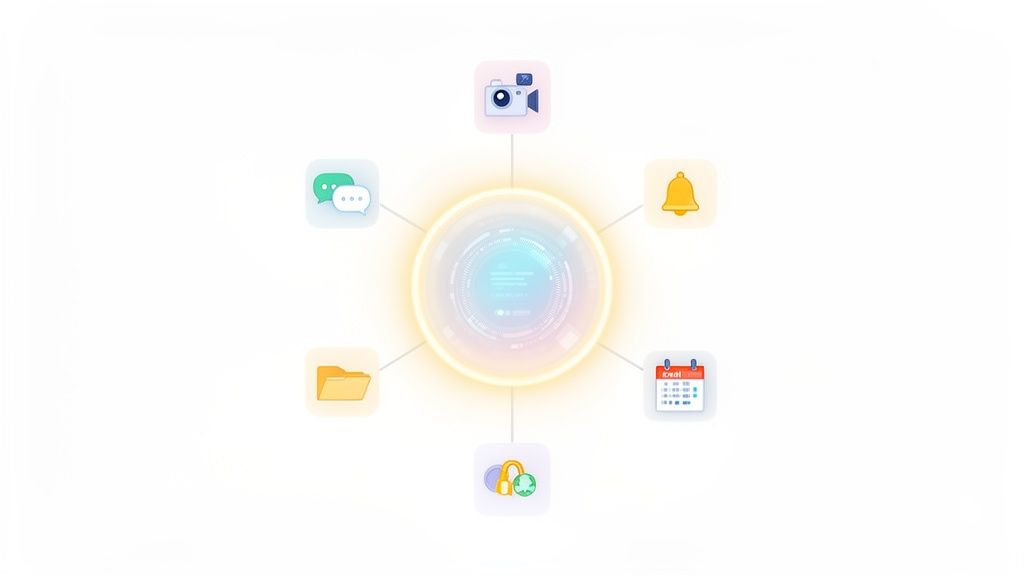
A unified communication platform acts as a digital headquarters. It’s a single, central hub where all conversations, files, announcements, and tasks live. This isn't just about tidying up your digital workspace; it's about creating a single source of truth that everyone, from the front desk to the back office, can rely on. This approach is fundamental to improving workplace communication because it eliminates confusion and ensures everyone is on the same page.
Why This Works
For distributed and frontline teams, this is a game-changer. A retail associate can quickly pull up the latest promotions on their phone, and a healthcare worker can confirm shift changes without digging through emails. We've seen platforms like Pebb help frontline organizations consolidate chat, scheduling, and tasks into one app, drastically reducing missed updates. To establish truly centralized information hubs and improve collaboration, understanding comprehensive platforms like Unified Communications as a Service (UCaaS) is essential.
How to Get Started
Implementing a central hub doesn't have to be a massive undertaking. Here are a few practical steps:
Start Small: Begin with a pilot group or a single department. Get their feedback and work out the kinks before rolling it out company-wide.
Set Clear Guidelines: Create and share a simple guide on what goes where. For example, "Urgent updates go in the #Announcements channel, and project discussions happen in dedicated project channels."
Provide Simple Training: Focus on the core features people will use daily. A quick video or a one-page guide is often more effective than a lengthy manual.
By creating one central place for communication, you give your team the clarity and focus they need to do their best work. You can learn more about how a communication hub can transform your business on Pebb.io.
2. Structured Team Spaces and Contextual Organization
If a unified platform is your digital headquarters, think of structured spaces as the dedicated conference rooms, break areas, and project zones within it. A single, massive chat feed for the entire company is pure chaos. Important updates get buried under birthday announcements, and project-specific questions vanish into the digital ether. The key to improving workplace communication isn't just bringing everyone together; it's giving them the right places to connect with purpose.
Creating dedicated digital spaces organized by team, project, or location keeps conversations focused and easily searchable. This structure ensures that a nurse can find critical shift handoff notes without sifting through cafeteria menu updates, and a retail manager can discuss inventory for their specific store. For distributed teams, these spaces become virtual gathering points where team identity is built, even across different shifts and miles.
Why This Works
Context is everything. When communication is organized contextually, it becomes relevant and actionable. For frontline organizations, this is non-negotiable. A restaurant chain can create a space for each location to manage schedules and daily specials, while a logistics company can have separate spaces for warehouse operations and driver dispatch. In Pebb, we see how "Spaces" allow teams to integrate their chat, tasks, and schedules, ensuring operational conversations live right alongside the work being done. This keeps every interaction focused and productive.
How to Get Started
Setting up structured spaces is about creating clarity, not complexity. Here’s how you can roll this out effectively:
Establish Clear Naming Conventions: Create a simple, predictable system like
[Location]-[Team](e.g.,NYC-Sales) or[Project]-[Topic](e.g.,ProjectAlpha-Updates).Define the Purpose of Each Space: In the space description, clearly state what it's for. For example, "#Safety-Alerts is for urgent incident reports only. General safety questions go in #Safety-QandA."
Empower Team Leads: Allow managers to configure spaces for their specific workflows. They know their team's needs best and can adapt the space as projects evolve.
By giving every conversation a home, you reduce noise and empower your team to find the information they need to succeed. You can see how Pebb.io uses Spaces to bring order and focus to team collaboration.
3. Mobile-First Communication Design for Frontline Workers
Your desk-based teams have everything they need on their laptops, but what about the people actually on the floor? The nurses, cashiers, warehouse staff, and drivers who don't sit in front of a computer are the backbone of your business, yet they're often the last to get critical information. Expecting them to check a dusty breakroom computer or sift through old emails just doesn't work. Communication for them needs to live where they do: on their phones.
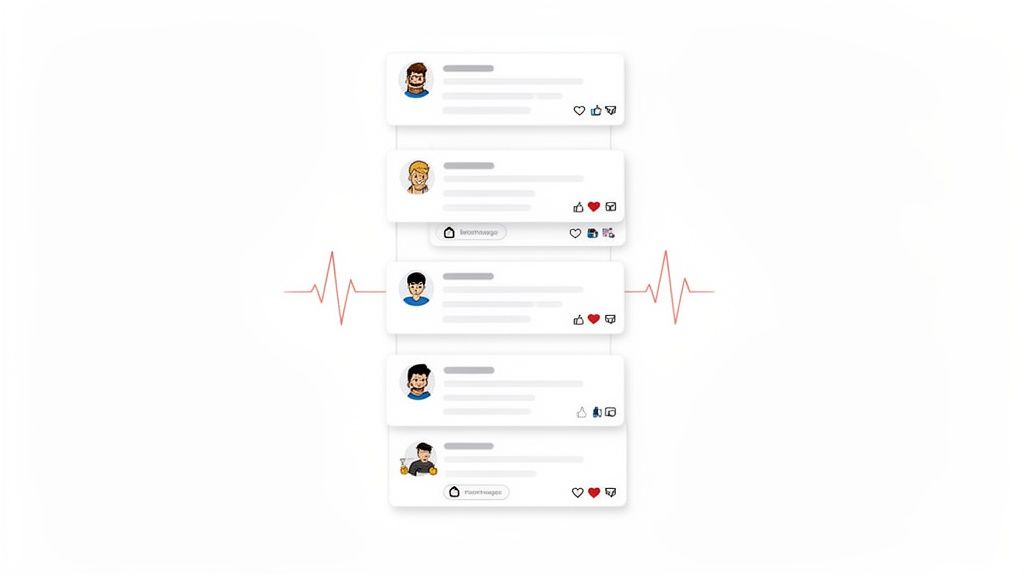
A mobile-first approach isn't about shrinking your desktop software onto a smaller screen. It's about fundamentally rethinking how information is delivered to an on-the-move workforce. It means simple interfaces, offline access for spotty Wi-Fi zones, and smart push notifications that inform without overwhelming. This strategy is key to improving workplace communication because it ensures your frontline team is connected, informed, and valued, no matter where their work takes them.
Why This Works
For a hospital nurse, this means getting patient updates instantly without leaving their floor. For a retail associate, it means checking a new promotion's details right before helping a customer. We've seen platforms like Pebb completely change the game for these teams by putting scheduling, tasks, and chat in one mobile app. By designing for the realities of their work, you close the communication gap that so often leaves frontline employees feeling disconnected. You can learn more about why a frontline employee experience needs a mobile-first approach to truly succeed.
How to Get Started
Adopting a mobile-first strategy is more about mindset than massive tech overhauls. Here’s how to begin:
Think Like a Frontline Worker: Design for quick glances, not deep reads. Information should be findable in seconds. Test interfaces in real-world conditions, like a busy store or a low-signal warehouse.
Prioritize Smart Notifications: Don't blast everyone with everything. Use targeted channels and allow users to customize alerts to avoid notification fatigue. An urgent safety update is critical; a new company holiday can wait.
Ensure Offline Access: Critical information like schedules, contacts, or safety protocols should be accessible even when a connection is weak or unavailable. This builds reliability and trust in the tool.
4. Real-Time Activity Feeds and Pulse Communications
The endless stream of company-wide emails is a familiar pain point. Important updates get buried, team wins go unnoticed, and by the time you read an announcement, it’s already old news. This information overload creates silos and a disconnected culture, especially when your teams are spread out. The fix is to move away from static announcements and embrace a living, breathing channel for company life.
A real-time activity feed, much like a social media newsfeed, provides a central, dynamic stream of company updates, team milestones, and organizational news. This "pulse" communication keeps everyone in the loop without clogging inboxes or scheduling yet another meeting. It’s a powerful tool for improving workplace communication because it fosters a sense of shared experience and makes information instantly accessible and engaging.

Why This Works
For distributed teams, this is the modern-day water cooler. A retail chain can instantly share photos of a successful new store display, a logistics company can celebrate a safety milestone in real-time, and a healthcare network can post a patient success story that inspires every employee. We've designed the Pebb platform with a heartbeat-style news feed specifically for this purpose, turning one-way announcements into ongoing conversations that build culture. It creates a searchable, persistent record of company life.
How to Get Started
Launching an engaging activity feed is straightforward. Focus on consistency and participation with these steps:
Establish Simple Content Guidelines: Define what the feed is for. Is it for celebrating wins, sharing key updates, or employee spotlights? Let everyone know the purpose.
Encourage Manager Participation: Ask leaders and managers to be the first to post. When they share updates and recognize their teams, others will follow their lead.
Feature Your People: Make recognition a core part of your feed. Regularly post about employee anniversaries, promotions, and personal achievements to show you value your team.
By creating a central feed for pulse communications, you give your organization a heartbeat that everyone can see and feel, strengthening connections and keeping the entire team aligned. You can explore how Pebb’s feed builds culture and engagement at Pebb.io.
5. Transparent Roles, Permissions, and Hierarchical Clarity
Let’s be honest, few things are more frustrating than not knowing who to ask. Who approves this expense? Where do I send this request? Who has access to that report? When roles and responsibilities are murky, simple tasks turn into a bureaucratic scavenger hunt, which is a major barrier to improving workplace communication.
Creating transparent roles, permissions, and a clear hierarchy isn’t about rigid corporate structures; it’s about providing a clear map of your organization. It defines who is responsible for what, who can see specific information, and who makes the final call. This clarity eliminates guesswork, reduces bottlenecks, and ensures that the right information gets to the right people securely and efficiently.
Why This Works
For large or distributed organizations, this clarity is non-negotiable. In a hospital setting, it ensures only the authorized clinical team can access sensitive patient data, protecting privacy and compliance. Similarly, in a retail chain, it gives store managers the autonomy to run their locations while providing district managers the oversight they need. We designed Pebb’s admin tools with this in mind, allowing businesses to create custom roles and permissions that mirror their real-world operational structures, from frontline staff to regional leadership.
How to Get Started
Implementing a clear roles-based system is about thoughtful planning, not just flipping a switch. Here are a few practical steps to begin:
Map Your Structure: Before touching any software, draw out your organizational chart. Define who reports to whom and outline the key decision-making paths for common scenarios.
Document and Define: Create a simple document that outlines each primary role and its corresponding access level. For example, "Store Associate: Can view schedules and company announcements. Shift Supervisor: Can edit schedules and send team-wide messages."
Conduct Regular Audits: Set a recurring calendar reminder, perhaps quarterly, to review access permissions. This helps ensure that as people change roles, their permissions are updated accordingly, preventing security gaps.
By defining who does what, you replace confusion with confidence and empower your team to act decisively. You can see how Pebb's powerful roles and permissions engine can bring this clarity to your organization.
6. Knowledge Library and Searchable Documentation Systems
How many times a day does a manager answer the same question? "What's our return policy?" "Where do I find the safety checklist?" "Who do I contact for IT issues?" Each question is a small interruption, but together, they create a constant drag on productivity for everyone involved. The problem isn't the questions; it's the lack of a single, reliable place to find the answers.
A searchable knowledge library acts as your organization's collective brain. It’s a central, digital home for all the critical information your team needs to do their jobs: policies, procedures, training guides, and best practices. This isn't just a folder of documents; it's an accessible, self-service resource that empowers employees to find what they need, when they need it. This method is crucial for improving workplace communication because it replaces repetitive questions with immediate, consistent answers.
Why This Works
For frontline teams, a knowledge library is a lifeline. A hospital technician can pull up clinical protocols on a tablet before entering a patient's room, and a new retail hire can review customer service standards during their first week without having to shadow a busy manager. We see organizations use Pebb's integrated Knowledge Library to give their teams instant, mobile-friendly access to everything from recipes and safety procedures to onboarding checklists, which significantly cuts down on errors and speeds up training.
How to Get Started
Building a company-wide library can feel daunting, but you can start small and make a big impact quickly. Here are a few practical steps:
Start with FAQs: Begin by documenting the answers to the top 10-15 questions your managers hear every day. This immediately addresses the biggest pain points.
Establish Clear Ownership: Assign an owner to each document or category. This person is responsible for keeping the information accurate and up-to-date, adding a "last reviewed" date to build trust.
Make it Searchable and Mobile: The system is only useful if people can find what they need in seconds, especially from a mobile device on the floor. A powerful search function is non-negotiable.
By creating a single source for procedural knowledge, you give your team the autonomy and confidence to solve problems on their own. You can learn more about how to launch a company knowledge base that your team will actually use.
7. People Directory and Cross-Organizational Connection Tools
Let’s be honest, in a distributed or large company, finding the right person can feel like searching for a needle in a haystack. Who’s the expert on the new POS system? Who on the marketing team speaks Spanish? When employees can’t find each other, silos form, knowledge gets trapped, and collaboration grinds to a halt. The solution is to make your people easily discoverable.
A dynamic people directory is more than just a list of names and job titles; it’s a living, searchable map of your organization's talent and expertise. It’s a tool that helps a new hire in one city find a mentor in another or a project manager quickly assemble a cross-functional team. By making it simple to find and connect with colleagues, you are actively improving workplace communication and breaking down the invisible walls that separate departments and locations.
Why This Works
For global organizations and remote-first companies, a people directory is the digital equivalent of walking over to someone's desk. A retail manager can find a peer at another store to share best practices for inventory management, or a remote engineer can locate a product manager with specific market knowledge. We've seen platforms like the Pebb People Directory humanize the remote experience by allowing employees to share skills, interests, and even fun facts, turning a faceless name into a real person.
How to Get Started
Implementing a useful directory is about more than just technology; it’s about culture. Here are a few ways to bring it to life:
Make Profiles Actionable: Go beyond job titles. Include fields for skills, project experience, and even "ask me about" topics to make the directory a true knowledge-sharing tool.
Encourage Personalization: Allow employees to add a personal touch, like hobbies or a favorite quote. This small step helps build culture and makes connecting feel more natural.
Integrate It Into Workflows: Train managers to use the directory to find collaborators for new projects or to recommend mentors during 1-on-1s. Make it a go-to resource, not an afterthought.
By creating a central, searchable hub for your people, you give your team the power to connect, collaborate, and build a stronger, more integrated organization.
8. Analytics, Engagement Insights, and Leadership Visibility
You can't fix what you can't see. For too long, leadership has relied on guesswork and gut feelings to gauge communication effectiveness. Are people reading the updates? Are they engaged? Is morale trending up or down? Without data, you’re flying blind and hoping for the best.
This is where analytics and engagement insights come in. By giving leaders a clear, data-driven view of communication patterns and activity levels, you replace assumptions with facts. It’s not about surveillance; it's about having a dashboard that shows you the health of your organization's communication. This approach is essential for improving workplace communication because it allows you to make informed decisions, identify hidden problems, and measure the real impact of your efforts.
Why This Works
For organizations with distributed or frontline teams, this visibility is a game-changer. A hospital administrator can see which clinical teams have the highest communication engagement during shift changes, helping to identify best practices. A retail director can spot which stores have low engagement and might need extra support or training. We’ve seen how platforms like Pebb Analytics give leaders the insights they need to understand activity, task completion, and engagement trends without invading privacy.
How to Get Started
Implementing analytics doesn't mean you need to become a data scientist overnight. Here are a few simple ways to begin:
Establish a Baseline: Before you launch a new communication initiative, measure your current state. What are your open rates, response times, or channel activity levels? This gives you a benchmark to measure against.
Focus on Actionable Metrics: Don’t get lost in vanity metrics like total messages sent. Instead, track things that lead to action, like task completion rates after an announcement or engagement levels in specific project channels.
Share Insights, Not Just Data: Don't just show teams raw numbers. Explain what the trends mean. For example, "We noticed engagement in the #Safety channel is up 30% since we started sharing weekly tips. Great work, everyone!"
By using data to guide your strategy, you can turn your communication efforts from a shot in the dark into a precise, effective tool for building a more connected and engaged workforce.
9. Asynchronous Communication and Recorded Content for Distributed and Shift-Based Teams
The 9-to-5, everyone-in-the-office model is no longer the default. For many organizations, work happens across different time zones, on different shifts, and in different locations. Trying to force real-time, synchronous communication on a team that isn't working in real-time is a recipe for exclusion and burnout. Not everyone can make that Tuesday morning all-hands meeting.
Asynchronous communication flips the script. It’s about sharing information without the expectation of an immediate response. Think recorded video updates, threaded messages, and voice notes instead of back-to-back live meetings. This approach respects everyone's schedule, ensuring that important information is accessible when they are ready for it. This shift is critical for improving workplace communication because it prioritizes clarity and access over presence, creating a more inclusive environment.
Why This Works
For distributed or frontline teams, this isn't a luxury; it's a necessity. A healthcare network can use recorded video briefings for shift handoffs, ensuring nurses starting their shift get the exact same context as those ending theirs. Likewise, global tech companies rely on asynchronous updates to keep teams aligned across continents without demanding anyone take a call at 3 AM.
Platforms like Pebb.io are built for this reality, allowing managers to record video announcements or leave voice notes that field staff can review during their shift. This creates a searchable, permanent record, eliminating the "you had to be there" problem and giving people the ability to review information as needed.
How to Get Started
Adopting an asynchronous-first mindset requires a cultural shift, but you can start with a few simple steps:
Set Clear Expectations: Establish guidelines for response times. For example, a 24-hour response window for non-urgent messages can reduce anxiety and the pressure to be "always on."
Record Key Meetings: If a meeting must happen in real-time, record it. Share the recording with a brief summary for anyone who couldn't attend, and make sure to include captions for accessibility.
Embrace Different Formats: Encourage the team to use the best format for the message. Use voice notes to add tone and personality, and threaded discussions in your communication app to keep conversations organized and easy to follow.
By embracing asynchronous communication, you empower your team to work more effectively on their own terms, fostering a culture of trust and autonomy.
10. Integration with HR, Payroll, and Operational Systems
Nothing creates friction like having to jump between five different apps just to manage a single shift. When your communication platform is a lonely island, separate from your HR, payroll, and scheduling tools, you’re creating extra work and opening the door for costly mistakes. The real magic happens when these systems talk to each other.
An integrated ecosystem connects your core operational tools directly to your communication hub. This means your employee directory syncs automatically from HR, shift schedules are always up-to-date, and logging in is seamless with single sign-on (SSO). It’s not just about convenience; it’s about building a reliable, automated foundation for your entire operation. This approach is a powerful way of improving workplace communication by turning siloed data into a streamlined workflow.
Why This Works
For a busy hospital, this means a new nurse added to the HR system is instantly active in the communication app and available for scheduling. For a retail chain, a manager can approve timesheets and communicate schedule changes in the same place they send daily updates. We designed Pebb to integrate with leading HR, payroll, and authentication systems precisely for this reason, ensuring data stays synchronized and reducing manual data entry for everyone.
This creates a single, trusted source of information. When an employee's details are updated in one place, they're updated everywhere, which reduces confusion and ensures compliance.
How to Get Started
Connecting your core systems doesn't have to be a complex IT project. Here’s a simple way to begin:
Map Your Data Flow: Start by identifying the most critical connection. Is it syncing your employee directory from your HR system? Or is it connecting shift scheduling? Focus on the one integration that will solve the biggest headache first.
Prioritize SSO: Implement single sign-on (SSO) early. It simplifies access for employees, enhances security, and makes it easier for everyone to adopt the new, unified platform from day one.
Test with a Pilot Group: Before a full rollout, test the integration with a small team. Ensure data syncs correctly, permissions are right, and the workflow feels natural. This helps you catch any issues before they affect the entire company.
By connecting your tools, you create a more intelligent and efficient work environment, giving your team a single, seamless experience.
10-Point Workplace Communication Comparison
Solution | Implementation Complexity 🔄 | Resource & Maintenance ⚡ | Expected Outcomes 📊 | Ideal Use Cases | Key Advantages ⭐ |
|---|---|---|---|---|---|
Unified Communication Platforms and Centralized Information Hubs | High 🔄 — platform rollout, migration, change management | Moderate–High ⚡ — licensing, admins, training | Consistent messaging; faster response; reduced tool fragmentation 📊 | Distributed/frontline + office teams needing one source of truth | Single login, governance, improved onboarding ⭐⭐⭐ |
Structured Team Spaces and Contextual Organization | Medium 🔄 — configure channels, governance rules | Low–Medium ⚡ — admins, periodic cleanup | Better findability; reduced notification noise 📊 | Multi-location projects, shift teams, departmental orgs | Focused context, team autonomy, easier handoffs ⭐⭐ |
Mobile-First Communication Design for Frontline Workers | Medium–High 🔄 — native apps, offline & push support | Medium ⚡ — mobile dev, MDM, testing across devices | Higher accessibility and real-time responsiveness 📊 | Retail, healthcare, logistics, hospitality, shift workers | On-the-go access, safety reporting, increased engagement ⭐⭐⭐ |
Real-Time Activity Feeds and Pulse Communications | Low–Medium 🔄 — enable feed + editorial cadence | Low–Medium ⚡ — content creation, moderation | Improved engagement, transparency, informal culture 📊 | Distributed orgs needing frequent updates and recognition | Two-way dialogue, visibility, celebration channels ⭐⭐ |
Transparent Roles, Permissions, and Hierarchical Clarity | Medium–High 🔄 — RBAC, workflows, org mapping | Medium ⚡ — admin upkeep, audit processes | Clear accountability; faster escalation; better security 📊 | Large or regulated organizations, matrix teams | Compliance support, reduced confusion, auditability ⭐⭐⭐ |
Knowledge Library and Searchable Documentation Systems | Medium 🔄 — taxonomy, content creation, versioning | Medium–High ⚡ — authors, CMS, ongoing updates | Faster onboarding; self-service; fewer repetitive queries 📊 | Frontline teams, regulated industries, training-heavy orgs | Consistency, reduced errors, audit trail ⭐⭐⭐ |
People Directory and Cross-Organizational Connection Tools | Low–Medium 🔄 — directory setup, profile policies | Low ⚡ — data sync, occasional updates | Easier discovery; increased cross-team collaboration 📊 | Remote/distributed companies, mentorship programs | Internal networking, talent discovery, onboarding aid ⭐⭐ |
Analytics, Engagement Insights, and Leadership Visibility | Medium 🔄 — dashboards, data integration | Medium–High ⚡ — analysts, privacy controls, tooling | Data-driven decisions; spot disengagement; measure impact 📊 | Leadership review, large-scale change programs | Evidence-based strategy, resource optimization ⭐⭐ |
Asynchronous Communication and Recorded Content | Low–Medium 🔄 — enable recording, transcription, threading | Low–Medium ⚡ — storage, transcripts, indexing | 24/7 access; reduced meetings; searchable decisions 📊 | Time-zone distributed teams, shift-based schedules | Flexibility, archival decisions, inclusivity ⭐⭐ |
Integration with HR, Payroll, and Operational Systems | High 🔄 — API work, data mapping, SSO, sync rules | High ⚡ — IT resources, testing, ongoing maintenance | Reduced manual entry; accurate scheduling and payroll 📊 | Large frontline operations with scheduling/payroll needs | Single employee record, faster onboarding, compliance ⭐⭐⭐ |
The Goal Isn’t More Communication. It’s Better Connection.
We’ve covered a lot of ground. Ten strategies, from unified platforms and mobile-first design to asynchronous updates and deep analytics. It’s easy to look at that list and see a massive project, a mountain of work to overhaul your entire company. But that’s the wrong way to think about it.
Improving workplace communication isn't a one-time initiative you can check off a list. It’s a practice. It’s a series of small, intentional choices made every day by everyone in the organization. The goal isn't to flood every channel with more messages, more pings, and more announcements. The real goal is to create clarity and build trust, so people feel connected to their work and to each other.
The Real Takeaway: From Noise to Signal
If you walk away with one thing, let it be this: technology is a powerful enabler, but it's not the solution on its own. A great platform can provide the structure for success, but the culture you build on top of it is what makes the difference.
All the strategies we discussed, from structured team spaces to a searchable knowledge library, are designed to do one thing: reduce the noise so the signal can get through.
A centralized information hub means your frontline team isn't guessing which policy is the right one.
Asynchronous updates mean your night shift doesn't miss a critical message from the day crew.
A clear people directory means a new hire can find the right person to ask a question without interrupting five other people.
This isn’t about just sending more information. It’s about making information easy to find. It’s about building a system so reliable that people trust it. When trust is high, anxiety is low, and people can focus on doing their best work.
Your Next Move: Start Small, Think Big
You don't need to implement all ten strategies by Friday. That would be overwhelming and counterproductive. Instead, pick one. What’s the biggest source of friction in your organization right now?
Is it frontline staff feeling disconnected from company news? Start by focusing on mobile-first, real-time updates.
Is it cross-departmental projects getting stuck in email chains? Focus on creating dedicated, contextual team spaces.
Is it institutional knowledge walking out the door every time someone leaves? Start building a simple, searchable knowledge library.
The power of a unified approach is that these small wins build on each other. When you solve one communication problem, you often create positive momentum that helps you solve the next. By consistently improving workplace communication, you’re not just making things more efficient; you’re building a more resilient, connected, and fundamentally human place to work.
So, here’s the real question: What’s the first small step you’ll take tomorrow to turn down the noise and dial up the connection?
Ready to replace the chaos of multiple tools with a single, calm platform for your entire workforce? See how Pebb brings all these communication strategies together to connect your frontline and office teams. Start building a more connected workplace with Pebb.
