
Fixing Collaboration And Teamwork In The Modern Workplace
Feeling the chaos of too many tools? Learn how to fix collaboration and teamwork by creating a calmer, more focused, and productive work environment.
Dan Robin
Great teamwork isn’t just about people liking each other. It’s about creating a shared understanding that makes work feel less like a grind and more like a shared mission. It's the difference between five people rowing in five different directions and five people rowing in sync. One creates chaos; the other builds momentum.
The Collaboration Paradox: More Tools, Less Teamwork
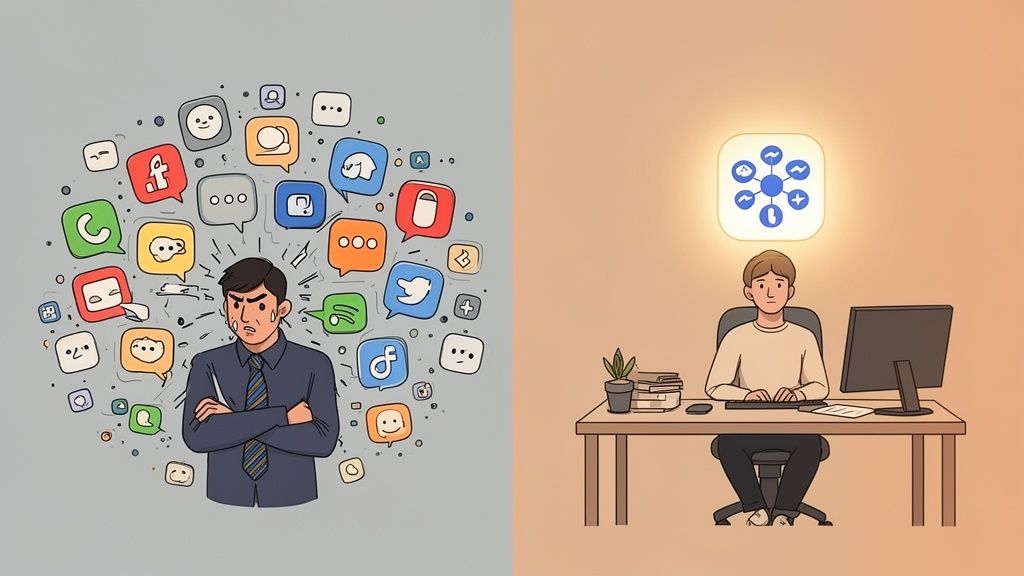
We were all sold a dream, weren't we? More apps, more integrations, and more channels were supposed to create perfect harmony. Instead, many of us are just drowning in notifications. Our days are spent chasing down updates across a dozen different platforms, leaving us feeling busy but rarely productive.
Let’s start with a hard truth. Most so-called ‘collaboration’ tools are just communication channels in disguise. They’re really good at generating noise, not progress.
The High Cost of Digital Noise
This constant app-switching comes with a hidden tax on our focus. Researchers call it "context switching," and it’s an absolute productivity killer. Every time an employee has to jump from a chat app to their schedule, then over to an email, their brain has to completely re-focus. A 2024 McKinsey study found that employees lose a shocking amount of time each day just navigating between applications.
For frontline staff who aren’t chained to a desk, this problem is magnified. They need quick answers, not a digital treasure hunt.
This tool fatigue actively poisons genuine teamwork. It creates information silos where crucial details get lost in the digital shuffle. The conversation about a new safety protocol happens in one app, the schedule is in another, and the official policy is buried in a third. It’s a recipe for confusion.
The result? A workforce that’s perpetually out of sync. People spend more time looking for information than acting on it, which is the exact opposite of what effective collaboration and teamwork should feel like.
A Different Way Forward
Here’s the thing. After spending years building software and talking to countless companies, I’ve learned the solution isn’t just another app. It's a fundamentally different approach. It’s about creating one calm, central place where work and communication can finally coexist.
This isn’t about finding a single tool that claims to do everything. It's about finding a platform that brings everything—and everyone—together. Imagine a place where a manager can post a schedule, a new hire can find their onboarding documents, and a team can celebrate a win, all without opening three different windows.
The real goal is to turn down the noise so your team can focus on the work that actually matters. Because when you stop managing the tools, you can finally start leading the people.
Building Your Single Source Of Truth
Before you can really get teamwork humming, you have to give it a home. And no, I'm not talking about picking yet another chat app. I'm talking about intentionally creating a central hub where everything your team needs to know actually lives. We call this a single source of truth.
Think of it as your team's digital town square. It’s the one place everyone knows they can go for reliable information—from company announcements and schedules to getting quick answers without having to dig through a week's worth of emails or a dozen different message threads.
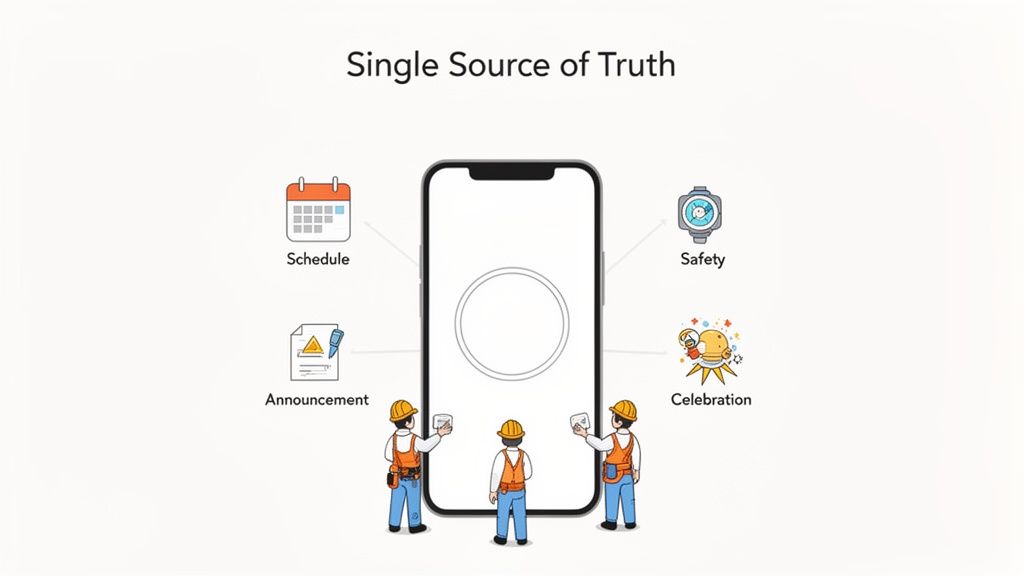
This isn't just about making things tidy; it’s about creating real clarity. When you have teams spread across different locations or working different shifts, a shared hub is the only way to guarantee everyone gets the same message at the same time. Imagine a retail team prepping for a huge promotion or a healthcare unit rolling out a new safety protocol. In those moments, confusion isn't just inefficient—it can be a serious risk.
What Actually Goes In The Hub?
First things first, you have to decide what information belongs in your hub. The key is to avoid turning it into a digital junk drawer. Start with the essentials that genuinely impact your team’s day-to-day.
A great starting point usually includes:
Critical Operations: This is the non-negotiable stuff. Daily schedules, time-off requests, and safety protocols absolutely have to live here.
Key Information: Think company-wide announcements, updates to policies, and a solid FAQ section. You want to make this the first place people look for answers.
Cultural Touchstones: This is what turns a tool into a community. Celebrate team wins, welcome new hires, and share photos or stories that build a real sense of connection.
The whole point is to build muscle memory. When someone on your team has a question, their first instinct should be to check the hub, not fire off another message that pulls a manager away from their work. This all ties into establishing solid best practices for knowledge management.
Let's be honest. If your hub is complicated and requires a manual to figure out, people simply won't use it. It has to feel intuitive from the get-go, especially for frontline employees who are likely accessing it from their phones in between tasks.
Why This Matters More Than Ever
The need for a central information hub has become incredibly urgent. Research shows that while the pandemic led to a 16% increase in collaboration within our immediate teams, it also caused a shocking 21% drop in communication with colleagues outside of that core circle.
What does that mean? We’ve become really good at creating little information silos. Close-knit teams get stronger, but the cross-functional collaboration that sparks real innovation starts to wither on the vine. A single source of truth is your best tool for bridging these gaps, making work visible across departments and giving everyone a clearer picture of what’s happening in the wider organization.
For a more detailed walkthrough on setting one up, you can check out our guide on how to build a central knowledge hub for your team.
At the end of the day, building this hub isn't just an IT project. It’s an act of deep respect for your team's time and attention. You're giving them a calm, organized space where they can truly do their best work.
Designing Workflows That Actually Flow
Great teamwork isn't about endless meetings or a constant barrage of Slack messages. It’s about having calm, predictable systems. It’s that feeling of knowing exactly who’s doing what, when it’s due, and where to find the information you need without having to shoulder-tap someone.
This is where we get our hands dirty and move from abstract ideas to concrete action. Real, sustainable collaboration is built on systems that make the right way to work the easiest way to work.
From Chaos to Clarity
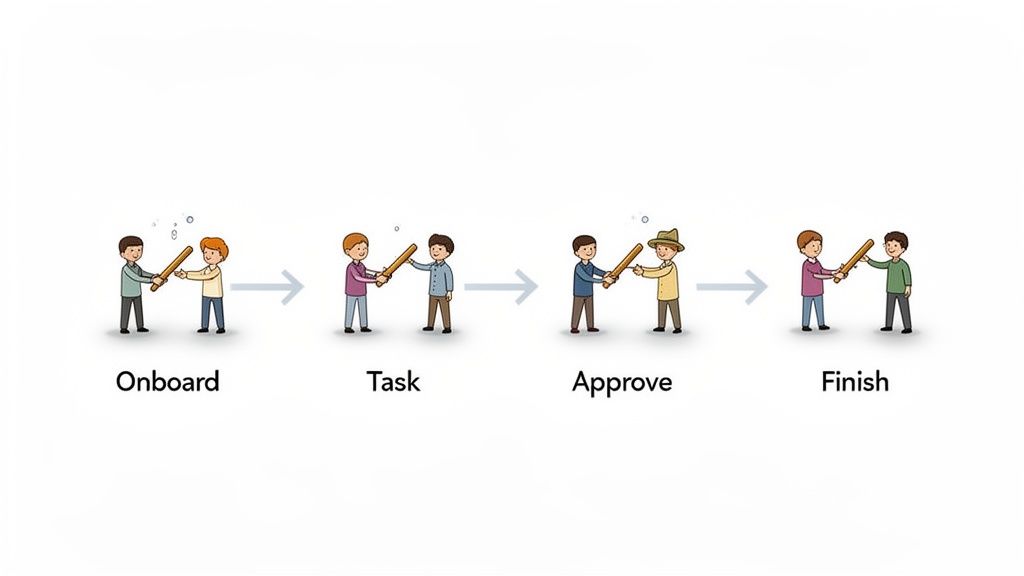
Let’s take a classic example: onboarding a new hire. At too many companies, it’s a chaotic scramble of scattered documents, forgotten introductions, and the same questions asked over and over. It's overwhelming for the new person and a massive time-suck for their manager.
Now, picture that same process as a defined workflow inside your team’s central hub. Imagine a dedicated space for "New Hire Onboarding" with a clear checklist, links to all essential documents, and pre-scheduled introductions. Suddenly, the process is repeatable, reliable, and far less stressful for everyone.
That’s what designing a workflow is all about. You’re looking at your core processes and turning them from messy, ad-hoc scrambles into calm, step-by-step systems. You aren't just organizing work; you're fundamentally reducing the mental load on your entire team.
Workflows aren't about rigid control. They're about creating clarity. When a process is clear, people have the freedom to focus on the work itself, not the administrative chaos surrounding it.
The impact here is bigger than you might think. Employee engagement is at a dismal 21% globally, and research from Fierce Inc. found that a staggering 86% of workplace failures trace back to poor collaboration or communication. By building clear workflows, you’re directly tackling the root of this dysfunction.
Your First Workflows
You don't need to boil the ocean and map out every single process overnight. That's a recipe for burnout. Instead, start with the things that cause the most friction and deliver the quickest wins.
Here are a few common pain points that make great starting points:
Time-Off Requests: Ditch the messy email chains and verbal reminders. Create a simple request-and-approve workflow in a dedicated channel. It provides a clear, undeniable record and ensures nothing falls through the cracks.
Inventory Restock Alerts: For a retail or warehouse team, a simple workflow can be triggered when stock hits a certain level, automatically notifying the right person to place an order. No more manual checks or stock-outs.
Project Handoffs: Define the exact steps for passing a project from one person to the next. Managing these handoffs is a crucial part of knowing how to manage workflow dependencies across teams.
My advice? Start small. Pick one painful process, map it out with the team, and build a simple workflow for it. Once everyone feels the relief that comes from that first taste of clarity, they'll be lining up to help you tackle the next one. This is how you build real momentum and create a culture where clarity is the default, not the exception.
How To Choose Your Tools With Intention
Let's be real for a moment. The tools you pick have a huge impact on your company's vibe. But it's not about which one has the longest, shiniest feature list. It's about the philosophy that's built right into the software.
Does it encourage deep, focused work, or does it feel like a constant stream of noisy, urgent demands? Is it genuinely built for every single employee, or does it only really work for the folks at headquarters?
Too many companies let their tools dictate how they work. We've all been there. The better way is to consciously choose tools that support the kind of calm, effective teamwork you actually want to see. This isn't about just adding another app to the pile. It's about intentionally consolidating your tech stack with a clear purpose.
You're looking for a single, secure digital home for your company—a place that ties together communication, day-to-day operations, and culture without creating more chaos.
A Simple Framework for Choosing
When you start evaluating options, it's incredibly easy to get dazzled by flashy demos and endless feature-comparison spreadsheets. I'd suggest grounding your decision in a few simple, human-centered questions instead. This is a long-term decision that will shape your team's daily reality.
Here's a straightforward checklist to keep you focused on what really matters:
Is it built for everyone? Your frontline teams are almost always the most disconnected. The right tool has to have a dead-simple mobile experience that works just as well on a factory floor as it does in an office.
Does it reduce noise? The last thing anyone needs is another notification buzzing in their pocket. Look for a platform that consolidates alerts and embraces asynchronous communication, giving people back the space to think.
Can we start using it tomorrow? A complicated rollout requiring months of specialized training is a deal-breaker. Your team should be able to jump in and get going with minimal friction.
That’s really the heart of it. You aren't just buying software; you're designing your company's daily experience. If you want to go a level deeper, our guide on how to choose the best internal comms platforms in 2025 offers a more detailed perspective.
The best tool is the one that gets out of the way. It should feel less like a piece of software and more like a natural extension of how your team already wants to work together—calmly and effectively.
The Real Cost of a Fragmented System
The push to consolidate isn’t just about making your tech list look tidier; it’s a direct hit on performance. Teams today are more complex than ever, with research showing 84% of U.S. employees now work across multiple teams. This is where a fragmented system starts to crack.
Leaders are feeling the pain, with tool overload (83%) and trouble finding basic information (82%) cited as major barriers to getting work done. This isn't just an annoyance—it leads directly to burnout and missed deadlines. The data shows that people juggling ten or more apps lose a significant chunk of their day just trying to stay on top of it all.
Thinking about your tool stack with intention also means considering how innovations like how AI tools can revolutionize productivity can help simplify workflows, not just add another layer of complexity.
Tool Consolidation: A Before-and-After Scenario
To see what this looks like on the ground, let's compare the daily reality of a team stuck with a messy collection of apps versus one that has moved to a single, unified platform. The difference is night and day, especially for managers and frontline staff.
Challenge | Fragmented Tools (The 'Before') | Unified Platform (The 'After') |
|---|---|---|
Urgent Updates | Manager sends texts, posts in Slack, and emails. Some people see it, some don't. | A single, prioritized announcement reaches everyone on their preferred device. Acknowledgment is tracked. |
Shift Swapping | A tangled mess of text threads, paper forms, and verbal requests. Chaos. | An integrated scheduling tool allows for easy, manager-approved shift swaps in just a few taps. |
Finding Information | "Where's that safety protocol again? Was it in Dropbox, an email, or that old wiki?" | One central, searchable knowledge hub. The right document is found in seconds, every time. |
Employee Feedback | Annual surveys get low response rates. Daily feedback gets lost in the noise. | Quick pulse surveys and dedicated feedback channels make it easy for everyone to share their thoughts. |
This table isn't just a hypothetical; it's the reality for thousands of companies. Moving to a unified platform isn't just an IT project; it's a strategic move to create a calmer, more coherent environment for your people.
When you remove the friction caused by a dozen different apps, you give them back their most valuable resource: their focus and attention.
Rolling Out Your New System: A Human-Centered Guide
Let's be honest. Buying and installing new software is the easy part. The real challenge—the one where most initiatives fail—is getting people to actually use it. And not just use it, but prefer it to the old, clunky way of doing things. This is where the real work of boosting collaboration and teamwork begins.
Forget those massive, one-size-fits-all training sessions that everyone tunes out. A successful launch isn't a big bang event. It’s a carefully managed process of listening, adapting, and proving to your team that this new way of working is genuinely better for them.
This journey is about moving from fragmented chaos to intentional clarity. It's a shift from just having tools to having an integrated tool that people want to use.
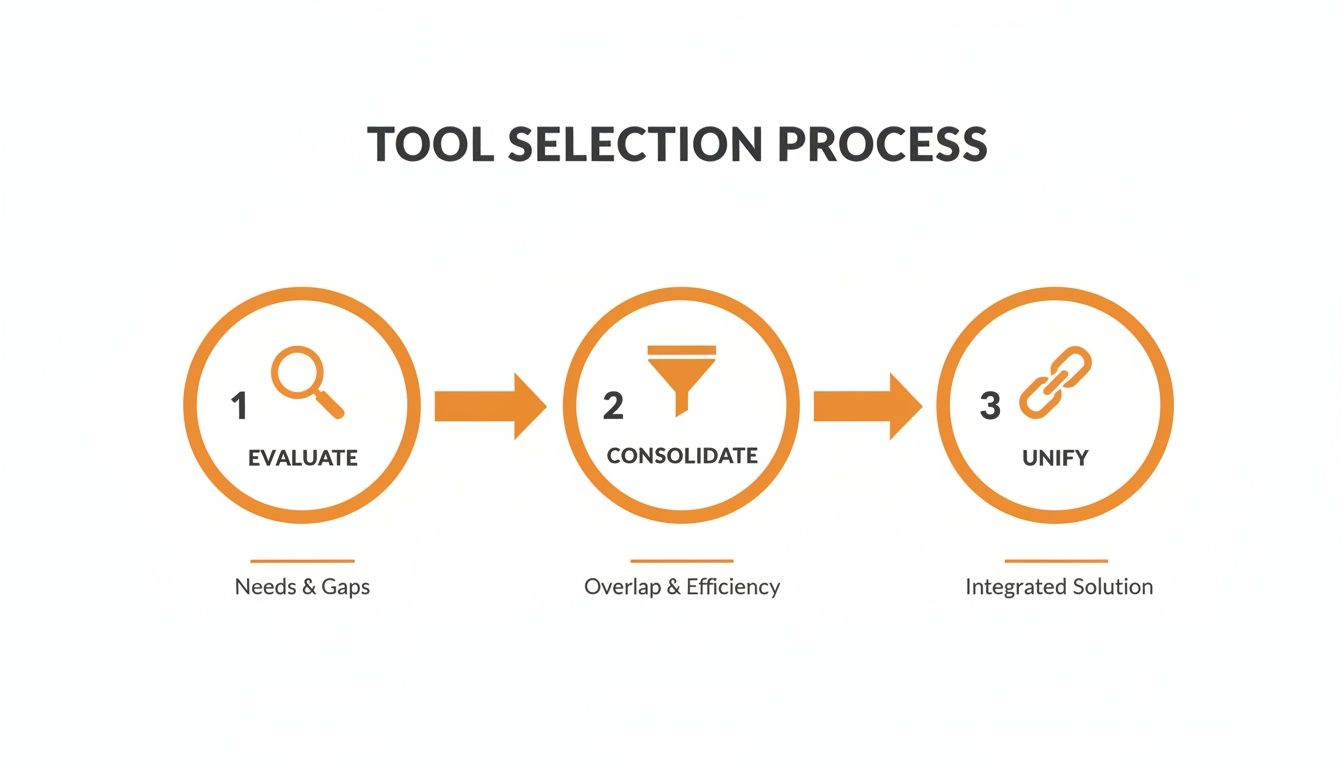
Start With Quick, Tangible Wins
Your first goal isn't 100% adoption overnight. It's momentum.
Find a small group of influential team leaders or frontline managers. I'm talking about the people who are not only respected but are also visibly feeling the pain of the current system. Don't pitch them on vague concepts like "better teamwork." Instead, solve a specific, nagging problem they complain about every week.
Maybe it's the nightmare of managing shift swaps via text message chains, or the hunt for the latest safety checklist. When you make their lives noticeably easier with the new tool, they become your most authentic champions. Their genuine endorsement in a team huddle is worth more than a dozen polished emails from corporate.
The best rollout strategy is simple: find the biggest point of friction and apply the new tool as the point of greatest relief. Prove its value in a small, meaningful way, and natural curiosity will handle the rest.
Seed the Platform for Success
Nobody wants to walk into an empty room. An empty software platform feels just as uninviting. Before you send out the first login invitation, you need to "seed" it with the essentials so it feels alive and immediately useful from day one.
Make sure these things are in place before anyone logs in:
Essential Information: Don't just dump the entire company handbook. Start by uploading the top 10 most-requested documents, policies, or forms into the knowledge hub.
A Welcome Post: Have a senior leader post a warm, personal announcement. It shouldn't just say "Here's a new tool." It should explain why you're making this change and how it will help the team.
Key People: Make sure all managers and team leads have their profiles filled out completely. When a new user logs in, they should immediately see who to connect with.
This initial setup transforms the first login from a confusing, "what-do-I-do-now?" moment into a welcoming and productive experience.
From that point on, your job is to pay attention. Use the tool's analytics to see where people get stuck or what features they're loving. Instead of sending out generic help guides, offer targeted, personal support to those who need it. This isn’t a launch; it’s the beginning of a conversation—one that proves you’re building a better way to work with them, not just for them.
Beyond Efficiency To Real Human Connection
Let's be real for a moment. Great collaboration and teamwork aren't just about ticking off tasks faster. Sure, that’s a nice perk, but it’s not the whole story. The real win is helping your people feel genuinely connected—to their work, and even more importantly, to each other.
Once you’ve laid the groundwork with the right tools and clear workflows, you can finally shift your focus to the human side of things. This is the moment a unified platform stops feeling like just another piece of software and starts acting as the soil where your company culture can actually grow. You’re not trying to force connection; you’re simply removing the friction that stops it from happening naturally.
Turning a Tool into a Community
Think about what this looks like day-to-day. A simple, searchable people directory is no longer just an org chart. It's a way for an engineer in one office to find a designer on another continent who shares their passion for vintage sci-fi novels. It helps people see the whole person, not just the job title.
Or consider a company-wide news feed. Suddenly, you have a central spot to celebrate every win, from landing a huge client to a team member running their first marathon. It makes success visible and shared, pulling it out of departmental silos and putting it on center stage for everyone to applaud.
A tool can't create culture out of thin air. But the right environment can give your culture the space it needs to breathe and grow organically. It creates the conditions for connection.
The numbers back this up. A study from Queens University of Charlotte found that while 75% of employers say teamwork is “very important,” a whopping 39% of employees feel their companies don't collaborate nearly enough. That disconnect isn't a failure of strategy; it’s a failure of connection.
Ultimately, the goal isn't just to build a more efficient company. It's to build a more human one, where people feel seen, heard, and part of something bigger than their daily to-do list. That’s the real work—and it's the only work that truly matters in the long run.
Common Questions We Hear About Improving Teamwork
We’ve spent countless hours in the trenches with leaders, helping them untangle the knots of team collaboration. Along the way, a few questions always seem to come up. If you're asking these, you're not alone. Let's get into some real talk.
How Do We Get Buy-In From Already Overwhelmed Managers?
This is the big one, isn't it? The absolute key is to stop talking about "better collaboration" and start solving their most annoying problems. Don't add another thing to their to-do list; take something off it.
Show them a tool or a process that saves them 30 minutes a day on scheduling headaches or a simple resource hub that stops the same five questions from hitting their inbox every morning.
Find a small, willing group of your most respected managers for a pilot. Fix a real, nagging issue for them. Once they see the light, they'll become your most powerful advocates. A quick, tangible win will always beat a top-down mandate.
The goal is to make their lives easier, not give them more homework. If the new way of working is genuinely better, they’ll see it for themselves—no hard sell required.
Seriously, Why Is a Dedicated Platform Better Than Just Using WhatsApp?
I get it. Everyone already has WhatsApp, so it feels easy. But that convenience comes at a steep price. Consumer chat apps completely demolish work-life boundaries, open up massive security holes, and make finding critical information virtually impossible. Work conversations get buried between family photos and weekend plans.
A dedicated platform for work communication is your digital headquarters. It creates a single, secure, and searchable home for everything work-related. This gives you control over company data and, just as importantly, gives your team permission to disconnect when the workday is done. It’s the difference between a noisy, chaotic group chat and a professional, organized command center.
How Do You Actually Measure the ROI of Better Teamwork?
It's tempting to look for a simple productivity spike, but the real return on investment shows up in your people metrics. That’s where the magic happens.
Here’s where to look:
Employee Turnover: Are you keeping more of your people? Pay special attention to retention rates in the first 90 days for new hires. A good collaboration system is a great onboarding tool.
Manager Time: Survey your managers. How much time are they spending on low-value admin tasks versus high-value coaching? The goal is to flip that ratio.
Employee Engagement: Your platform's analytics are a goldmine. Are people actually reading important updates? Are they connecting with colleagues outside their immediate team? High participation is a sign of a healthy culture.
The true ROI isn’t just about getting more stuff done. It’s about creating a place where your best people feel supported, connected, and motivated to stick around for the long haul.
Ready to build a calmer, more connected workplace? Pebb unifies your communication, operations, and culture into one simple app. Start building your digital home today.
