
What Is Vendor Lock in: Prevent Traps & Save Costs
Learn what is vendor lock in, its real business risks for your teams, and how to choose software without getting trapped. A practical guide for HR & Ops in
Dan Robin

We bought the shiny new app because it promised to clean up a mess. Six months later, nobody wanted to touch the old spreadsheets, and that felt like progress until we realized we couldn't make a basic change without bending our whole operation around one vendor's rules.
That Feeling of Being Stuck
At first, lock-in doesn't feel like a trap. It feels like relief.
A new workplace app rolls in and suddenly shift updates, announcements, task lists, and time-off requests all live in one place. Managers stop chasing people across text threads. Employees know where to check. HR finally gets one record of what happened instead of five half-broken ones.
That's the honeymoon.
Then the cracks show. A workflow you thought was simple turns out to be hard-coded. A report you need can't be exported cleanly. A policy acknowledgment lives inside the app, but the proof you need for audits is awkward to retrieve. The vendor says they have an integration, but it only works well if you also buy the rest of their stack.
I've seen the worst moment come much later. It's not when the tool fails. It's when the business outgrows it, and everyone knows it.
You start asking practical questions. Can we move our data? What happens to message history? Will store managers need retraining? How much of our daily rhythm exists because the app made us work that way? That's when people go quiet, because they can feel the answer before they can name it.
For teams trying to leave a legacy employee platform, the pain usually isn't just technical. It's operational. It touches habits, trust, and muscle memory. If you've been looking at options for a switch from Meta Workplace, you've probably already felt this. The hard part isn't only choosing something new. It's untangling all the invisible decisions the old tool made for you.
You know you're stuck when keeping the tool feels expensive, but leaving it feels risky.
That's vendor lock-in in real life. Not as an abstract IT term. As a business that can't move without friction.
So What Is Vendor Lock-In Really
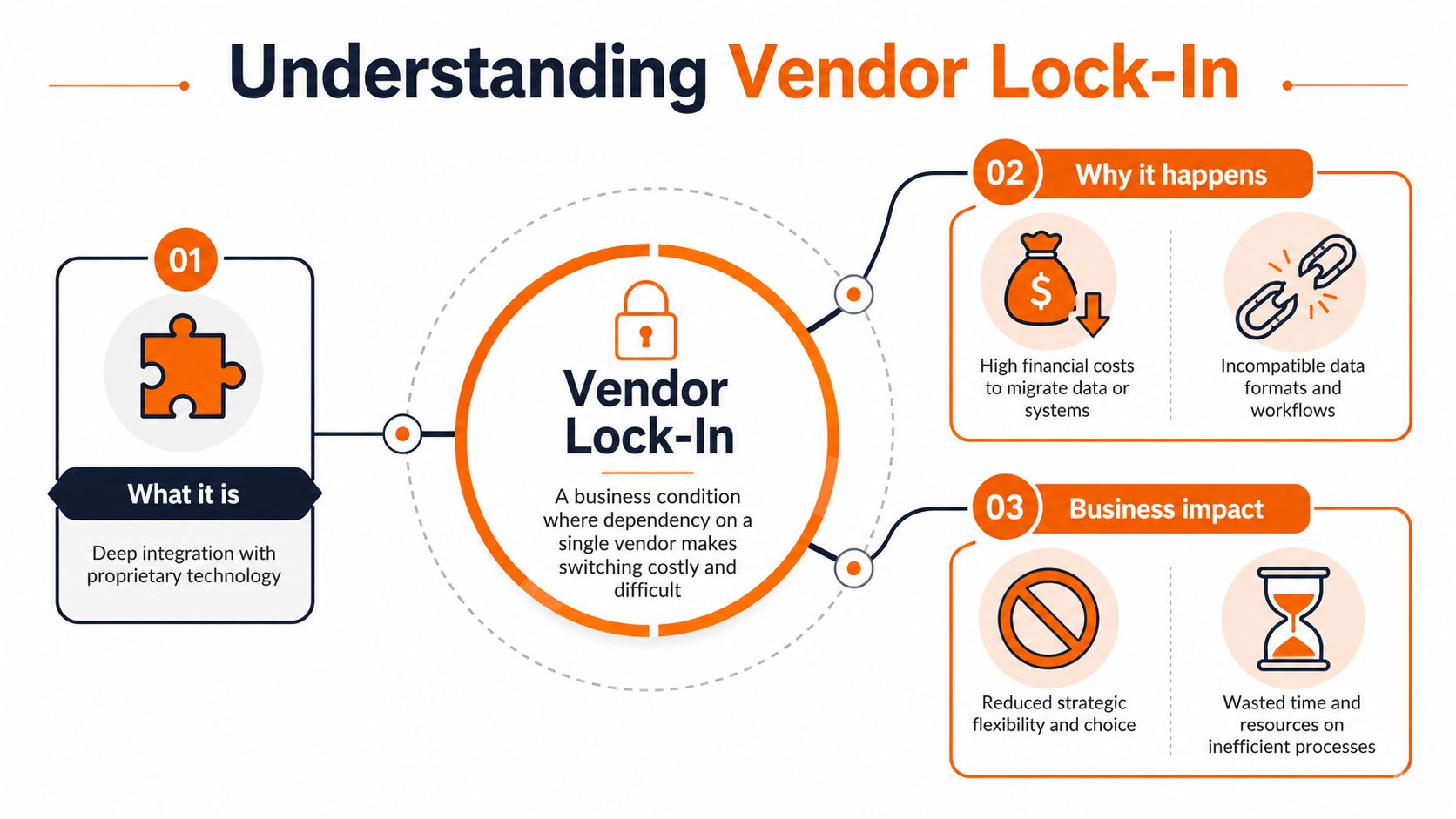
Vendor lock-in is what happens when switching away from a product becomes so costly, disruptive, or complicated that you stay put, even when you'd rather leave.
That's the clean version. The lived version is simpler. Your tool stops being a choice and starts becoming a dependency.
Imagine buying a car that only takes one company's fuel, one company's tires, and one company's repair parts. The sticker price might have looked fine. The problem shows up later, when every future decision runs through that same seller.
It's older than most people think
This isn't some new cloud-era headache. Vendor lock-in gained broad recognition in the 1980s and 1990s through scrutiny of companies like IBM and Microsoft, whose proprietary ecosystems created substantial switching barriers. Studies show that when switching costs exceed 15–20% of a new system's annual benefit, organizations tend to stay with incumbent vendors, even when better alternatives exist, as summarized in this background on vendor lock-in history and switching costs.
That matters because it explains why smart teams stay with bad-fit software for too long. They're not lazy. They're doing the math, even if it's rough math.
The three kinds of lock-in that matter most
Organizations often notice one kind first. In practice, they usually get all three.
Type | What it looks like | Why it hurts |
|---|---|---|
Data lock-in | Exports are incomplete, messy, or trapped in vendor-specific formats | You own the records, but moving them is painful |
Platform lock-in | The app works best with the vendor's other products and APIs | Every added integration deepens the dependency |
Process lock-in | Your people learn one tool's way of scheduling, communicating, approving, and reporting | Changing tools now means changing habits |
Data lock-in is the obvious one. If you can't cleanly export employee records, task history, file structures, or communication archives, leaving gets expensive fast.
Platform lock-in is sneakier. A vendor offers chat, documents, forms, scheduling, analytics, and identity management. Each piece works nicely with the next. That convenience is real. So is the trap. Once your workflows span their full ecosystem, replacing one module becomes harder because it affects the others.
Process lock-in is the one most articles miss. Teams adapt to the software in ways they barely notice. Managers learn where to post updates. Supervisors learn how to approve swaps. Employees learn where to find payroll notices or safety checklists. After a while, the product doesn't just support work. It shapes how work happens.
Practical rule: If leaving a tool would force you to rebuild habits, not just data, you're dealing with real lock-in.
Why the definition matters
If you define vendor lock-in too narrowly, you'll miss it. It's not just “can we export a CSV?” It's “can we leave without breaking the business?”
That's the better question. It covers the files, the integrations, the contracts, and the human routines. It also shifts the buying conversation. Features matter, of course. But freedom matters too.
A tool can be useful and still be dangerous. Those two things aren't opposites.
The Hidden Costs for Your People and Operations
The loudest conversations about vendor lock-in usually happen in IT. The more impactful consequences often emerge in other areas.
HR feels it when onboarding becomes dependent on one brittle flow. Operations feels it when a field team has to use workarounds just to handle a simple shift change. Internal comms feels it when leadership wants a cleaner channel strategy but the app can't support it without forcing everyone into a new pattern.
The lock isn't only in the data
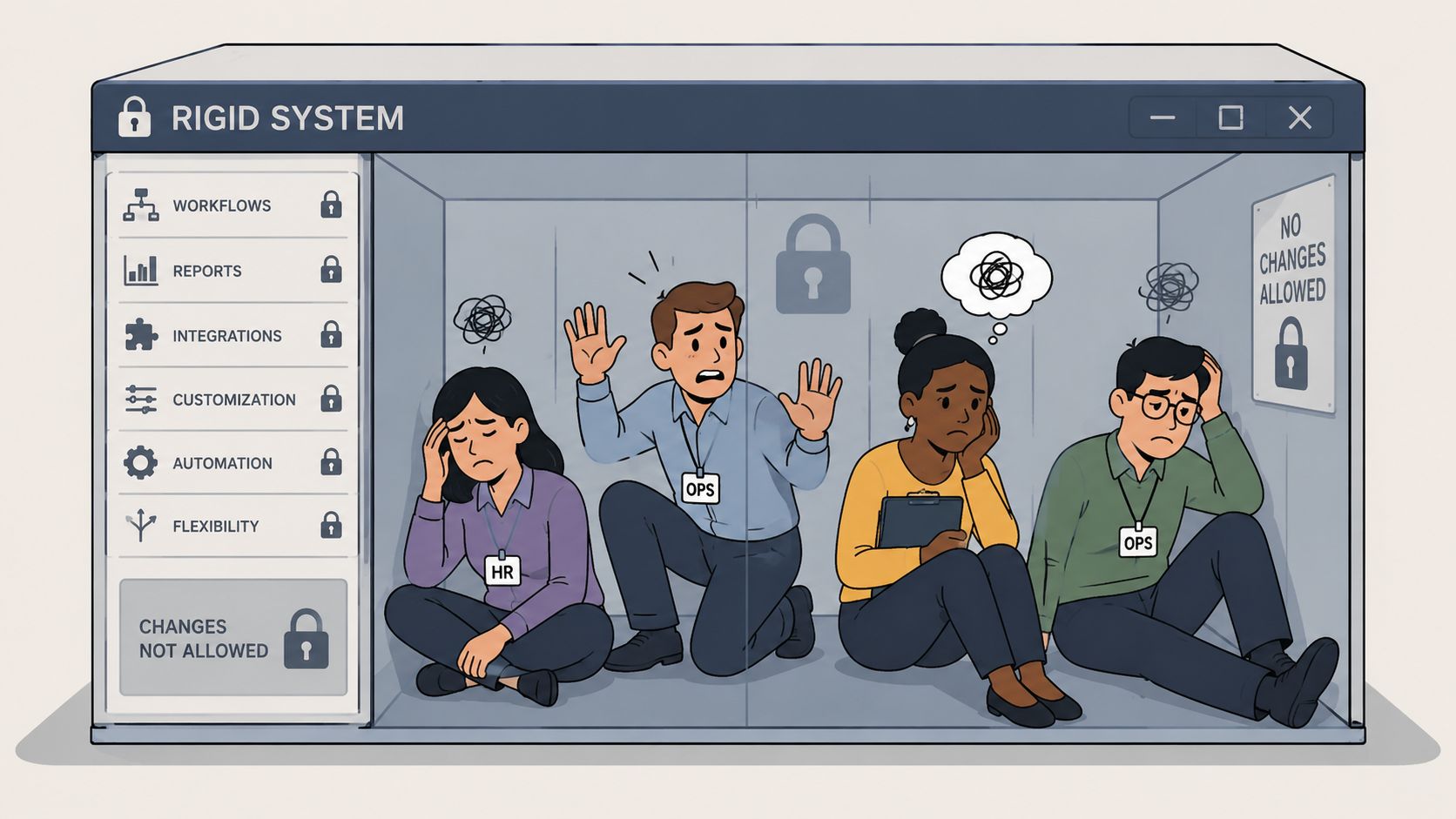
Most writing on this topic stays focused on cloud storage, databases, or infrastructure. That's fine as far as it goes, but it misses what unified employee apps do inside a company.
According to neutral HR tech research on vendor lock-in, only 35% of organizations have a formal exit strategy for their employee platforms, despite 60% expecting to switch tools within five years. That gap tells you something important. Teams know change is likely, but many still buy as if they'll never need to leave.
The result is a softer kind of dependency that's harder to price and easier to ignore.
What the soft costs look like
These costs rarely show up in the vendor demo.
Retraining fatigue. People don't mind learning a new app once. They hate relearning basic tasks they had already internalized.
Manager workarounds. Supervisors create side processes in email, paper notes, or WhatsApp because the system won't bend.
Policy drift. Official process lives in one tool, actual behavior lives somewhere else.
Communication confusion. Employees stop knowing which channel is for urgent updates, which one is for culture, and which one is just noise.
None of this looks dramatic on a spreadsheet. It still slows the business down.
When one app becomes the place for scheduling, clock-in, PTO, team updates, documents, and daily instructions, it turns into more than software. It becomes part of the operating model. Switching then feels less like replacing a tool and more like changing the company's internal language.
Why frontline teams feel this hardest
Office teams can usually absorb a little tool chaos. Frontline teams can't.
In retail, hospitality, healthcare, and logistics, people need simple flows that work on a phone, under time pressure, often between physical tasks. If the app gets clunky, they don't write a long complaint. They stop using it properly. Then managers compensate. Then admins clean up the mess later.
A locked-in workplace app can turn basic coordination into daily maintenance.
That's why I treat organizational lock-in as seriously as technical lock-in. Not because culture is fluffy. Because culture is operational. If the software dictates how teams communicate, approve, escalate, and document work, then getting trapped inside that pattern is a real business risk.
The cost isn't only what you pay the vendor. It's what your people pay in friction.
Red Flags That Signal You Are Being Trapped
You can spot a lot of lock-in before you sign. Vendors won't call it that, of course. They'll call it convenience, depth, or an integrated ecosystem.
Some of that is fair. Deep products are often good products. But if you know what to watch for, the warning signs are usually in plain sight.
Watch the product demo like a skeptic
When a vendor shows you a polished workflow, ask what happens at the edges.
Can you export not just the obvious records, but the useful context around them? Do comments, timestamps, permissions, attachments, acknowledgment history, and audit trails move too? If the answer gets vague, that's a signal.
The same goes for integrations. A lot of tools claim to be open because they have an API. That isn't enough. If your team has to rebuild half the plumbing to connect payroll, identity, scheduling, or document systems, you're not looking at openness. You're looking at custom dependency.
A technical guide to vendor lock-in and migration effort notes that data migration and schema conversion account for 40-60% of the effort to leave a provider. It also notes that when teams depend on vendor-specific features, the cost to switch can be 2-3 times higher than staying with the incumbent over a 3-5 year period. That's why “we can probably migrate later” is not a strategy.
The red flags I take seriously
Proprietary exports. You can download data, but only in formats that are hard to reuse elsewhere.
Feature dependency. The vendor's best functions rely on extensions, workflows, or objects that don't translate cleanly.
Bundled pressure. The sales team keeps steering you toward adjacent modules because the core product “works best” that way.
Thin deconversion answers. When you ask how to leave, they answer with account management language instead of process detail.
Contract fog. Exit fees, notice periods, support obligations, or data retrieval terms are buried in legal language.
Some red flags are behavioral, not technical. If a vendor gets impatient when you ask about export fidelity, migration support, or post-contract access, pay attention. Healthy vendors know those are fair questions.
A simple test during procurement
I like to ask one blunt question in demos: “Show me how a customer leaves.”
Not tell me. Show me.
Show me the export screen. Show me what format the data comes out in. Show me how files, metadata, and user relationships are handled. Show me whether integrations can be mapped without rewriting the business around your product.
If the demo has ten slides for onboarding and zero screens for offboarding, you've learned something useful.
You don't need perfect portability. That doesn't exist. You do need honest trade-offs. The danger starts when a vendor hides them.
A Practical Checklist for Choosing Freely
Most buying teams still overvalue feature breadth and undervalue exit clarity. I get why. Features are easy to demo. Freedom is quieter.
But freedom is a feature. If a tool saves you time today and boxes you in tomorrow, you didn't buy simplicity. You rented it.

What to ask before you buy
I don't mean polite throwaway questions. I mean the kind that force a concrete answer.
Ask for full data portability. Can you export all records, attachments, metadata, and history in standard formats that another system can use?
Ask about integration ownership. If your team connects the app to HRIS, payroll, SSO, or scheduling systems, who maintains that logic and how portable is it?
Ask for the exit process in writing. What happens at contract end, what help is included, and what costs or restrictions apply?
Ask what breaks first. If you stop using one module, does the rest of the platform still work cleanly, or does everything start to unravel?
Ask who controls your archive. Not just current data. Historical records too.
These questions change the tone of a buying process. That's good. The right vendor won't be bothered by them.
Use procurement discipline, not just product enthusiasm
A surprising number of lock-in problems start because buyers separate software selection from operational risk review. They treat the app like a product decision and the exit terms like paperwork.
That's backwards.
I've found it useful to borrow thinking from adjacent operational disciplines. If your team already uses criteria for responsible IT asset disposition when choosing downstream partners, the principle is the same here. You want clarity on control, accountability, chain of custody, and what happens at the end of the relationship, not just at the start.
A good software vendor should withstand that level of scrutiny.
The green lights I trust
Not everything is a warning sign. There are patterns that usually point the right way.
Green light | Why it matters |
|---|---|
Standard exports | Your data has a future outside the tool |
Clear API documentation | Integrations are easier to maintain and replace |
Modular adoption | You can use one part without being forced into all parts |
Straight contract language | Fewer surprises when priorities change |
Honest migration discussion | The vendor respects your long-term agency |
If you're evaluating a broader employee platform or looking for a company intranet alternative, keep your eye on how the tool fits into your stack without trying to become your entire stack by force.
That's the balance worth looking for. Tight enough to be useful. Open enough to leave.
Planning Your Escape from a Tool You Outgrew
If you're already locked in, panic won't help. A rushed migration usually replaces one bad decision with three new ones.
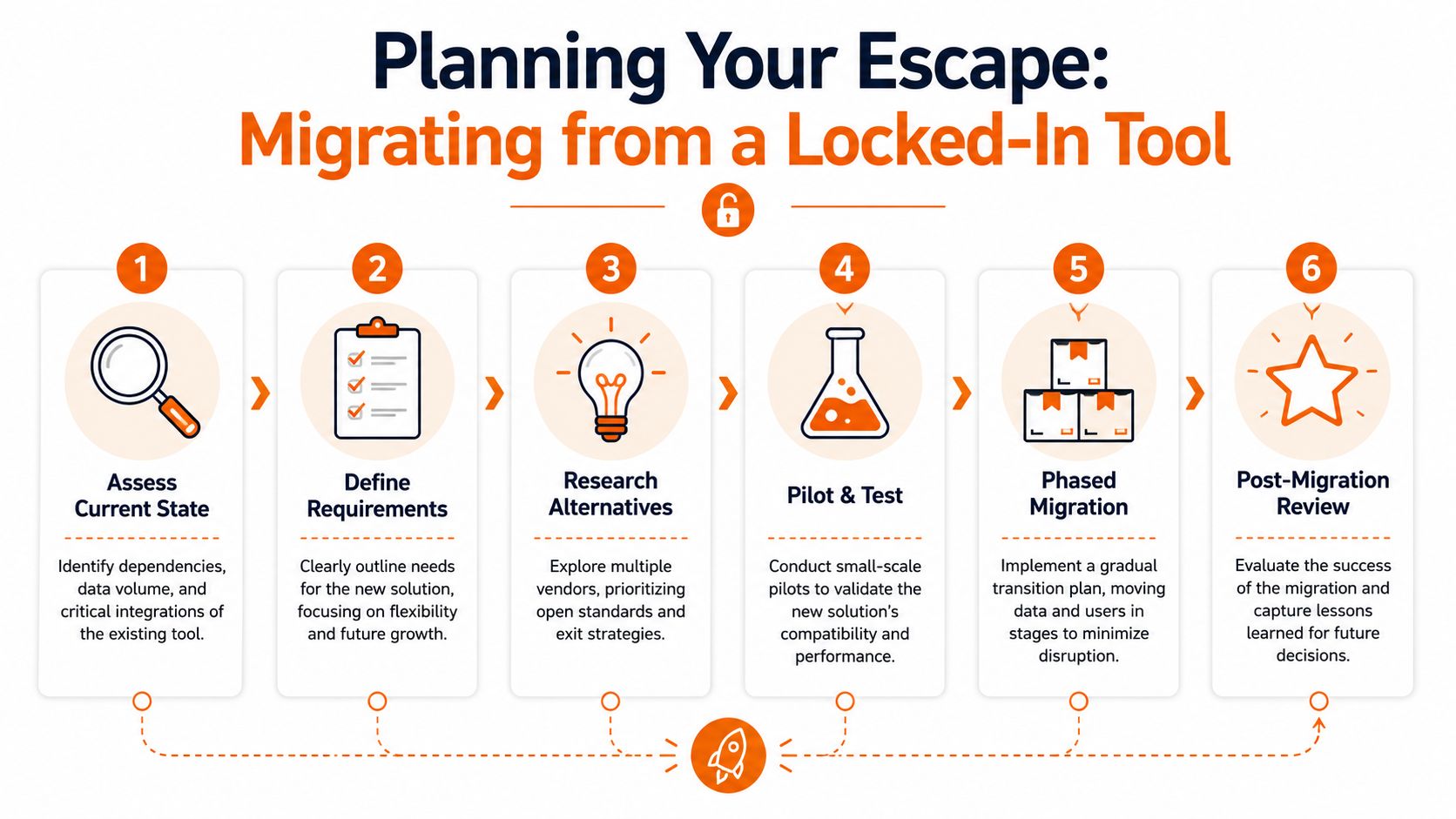
The better move is to turn the exit into an operations project. Calm, documented, phased.
Start with one page of truth
A practical recommendation in this piece on quantifying vendor lock-in risk is to answer three questions for every major vendor: how long it would take to exit, what it would cost, and what capabilities or data would be lost. If your team can't answer that on a single page, your risk isn't well understood.
That's one of the clearest tests I know.
Don't start with replacement shopping. Start by writing down what the current tool does for the business. Not the brochure version. The lived version. Which workflows are mission-critical? Which features are mostly decorative? Which teams use it heavily, and which ones already route around it?
Build the exit in stages
This work goes better when it follows a sequence.
Audit the dependency
List the data types, integrations, admin routines, compliance needs, and team habits tied to the platform. Include the unofficial workarounds. Those matter.Separate core needs from vendor-shaped habits
Some workflows are essential. Others only exist because the software forced awkward behavior. Don't carry junk into the next system.Design the migration path before the tool switch
Decide what moves, what gets archived, what gets rebuilt, and what can be retired. If you need a framework, these data migration best practices are a useful starting point for avoiding chaos.Pilot with a contained group
Choose one region, function, or location. Watch where people get confused. Watch what managers recreate manually. Those are the weak points.
Don't ignore the human cutover
The technical move is only half the job.
Teams need to know what's changing, when it's changing, and where old habits will stop working. People can handle change when the path is clear. What creates resistance is uncertainty. If message channels are moving, say exactly where urgent updates go. If approvals are changing, explain who owns them now. If archives are limited, tell people that upfront.
Migrations fail in the gap between system design and daily behavior.
Experienced operators earn their keep not by making the project look easy, but by reducing surprises.
What works and what doesn't
What works is a phased plan, tight ownership, realistic timing, and blunt communication.
What doesn't work is assuming the new vendor will magically fix bad governance. It won't. If your naming conventions are sloppy, permissions are loose, and process ownership is fuzzy, you'll carry that mess forward.
The point of an exit isn't just to leave. It's to regain control.
And once you've done that well, you'll never buy software the same way again.
If you're rethinking your employee app stack, Pebb is worth a look. It brings communication, operations, and engagement into one place for frontline and office teams, while staying focused on practical rollout, mobile use, and the day-to-day realities managers deal with. The best tools should help your company run better without making your future harder.
