
What Is Real Time Sync: Boost Your Team's Efficiency
Wondering what is real time sync? Learn how instant data updates keep frontline and office teams perfectly in sync for peak efficiency. Discover why it matters.
Dan Robin

You can feel it before you can name it.
A manager updates a shift. One person sees the change in the app. Another is still looking at yesterday's schedule. Someone on the night team never checks the email because email isn't where work happens for them. By the time the confusion shows up on the floor, it looks like a people problem. It usually isn't.
That's why the question what is real time sync matters more than it sounds. It's not a technical footnote. It's the difference between a team moving together and a team guessing. For frontline work especially, delayed information creates friction that spreads fast. People show up to the wrong place. Tasks get duplicated. Safety notes land too late. Trust takes the hit.
I've seen teams try to patch this with more reminders, more channels, more follow-ups. That rarely fixes the root issue. If the system lets different people see different truths at different times, the team will keep paying for that gap.
The Feeling of Being Out of Sync
The worst communication failures are often quiet at first.
A store opens with the wrong promo signage because the update went out after the closing shift had left. A warehouse lead changes the pick sequence, but half the team is still following the old workflow from a screenshot saved earlier in the week. A hospital unit moves a patient care note into a new place, and one nurse sees it while another is still relying on what was true an hour ago.
Nobody wakes up hoping to work from stale information. They do it because the system makes stale information normal.
When delay turns into doubt
This is the part leaders often miss. The damage isn't only operational. It's emotional too. When employees keep discovering that what they were told is already outdated, they stop trusting the tools. Then they stop trusting the process. After that, they start building workarounds.
You can spot it when people ask the same question in three places. You can hear it when someone says, “I just wanted to double-check.” That sentence sounds careful. Often, it's a sign that the system has trained people not to believe the first answer.
Stale information makes good employees look careless.
That's a hard thing to sit with, but it's true. Teams get blamed for mistakes that started upstream, in the gap between a change being made and that change reaching everyone who needed it.
The cost shows up in small moments
Most of the pain doesn't arrive as one dramatic failure. It arrives as a hundred tiny interruptions.
Missed updates: A supervisor sends a change, then spends the next hour repeating it in calls and texts.
Conflicting versions: One device shows the latest note, another still shows the old one.
Extra caution: Employees pause, verify, and wait because they're not sure what's current.
Frayed trust: People start believing that official channels are slower than asking a coworker.
That last one matters more than most software teams admit. The minute your official system becomes the slow lane, culture starts shifting away from it.
And once that happens, communication gets expensive. Not always in money first, but in time, focus, and confidence. Teams slow down because they have to.
Real Time Sync Is Not Just Faster Refresh
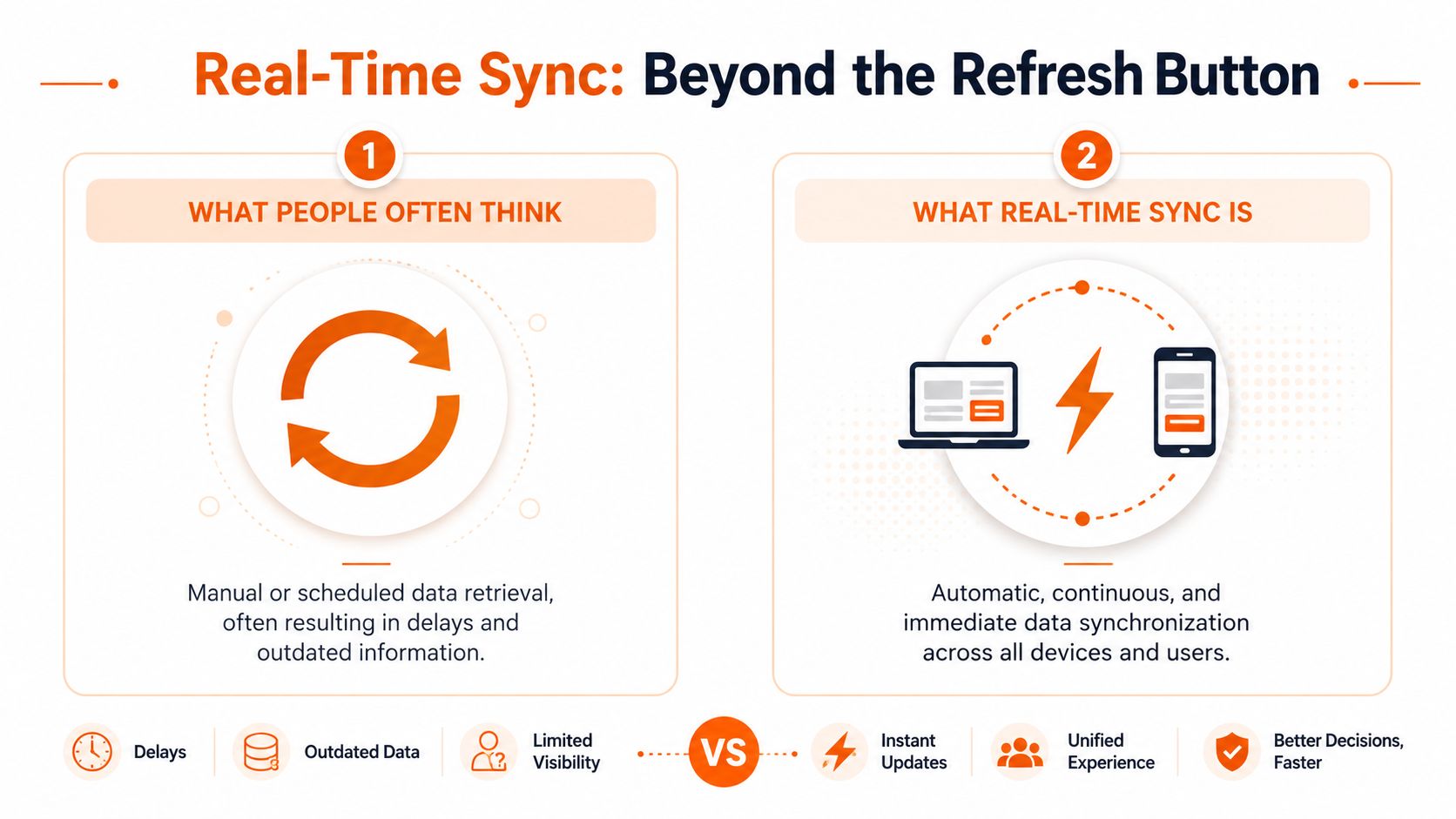
People often hear “real-time” and assume it means the app refreshes a little faster. That's not it.
Real time sync is a different model. Instead of the app repeatedly asking, “Anything new?” it stays connected so updates can arrive as soon as they happen. It feels less like checking a mailbox and more like staying on an open phone line.
The phone line test
Here's the simplest way I know to explain it.
If you call someone every few minutes and ask whether anything changed, that's polling. If you call them very frequently, that's near-real-time. If you stay on the line and they speak the moment something changes, that's real-time sync.
The distinction matters because users feel it immediately. Polling creates little pockets of uncertainty. You don't know whether what you're seeing is current or just current enough. Real-time sync removes that question from the experience.
Sync methods compared
Method | Analogy | Data Delivery | Best For |
|---|---|---|---|
Manual refresh | Hanging up and calling back whenever you remember | Only when the user asks for it | Low-stakes pages that rarely change |
Polling | Calling every so often to ask for updates | Scheduled checks at intervals | Simple systems where delays are acceptable |
Near-real-time | Calling very frequently | Frequent checks that can feel almost live | Dashboards or feeds that don't need immediate precision |
Real-time sync | Keeping the line open | Updates arrive automatically as changes happen | Chat, shift changes, live coordination, shared work |
Why it feels different
The key difference isn't speed for its own sake. It's confidence.
When a manager posts an urgent note and everyone sees it without pulling to refresh, the team stops wondering whether they're behind. When a schedule changes and every device reflects the new state right away, the app starts to feel dependable in a very human way.
Practical rule: If a delayed update can cause confusion, duplicate work, or safety risk, “close enough” sync usually isn't close enough.
That doesn't mean every part of every product needs to be live all the time. A historical report doesn't need the same behavior as a team chat. But when people are coordinating work together, the burden of checking for new information is the wrong burden to place on them.
That's the core answer to what is real time sync. It's not an animation, a spinner, or a faster reload. It's a promise that shared information will behave like shared information.
The Tech That Makes Instant Feel Instant
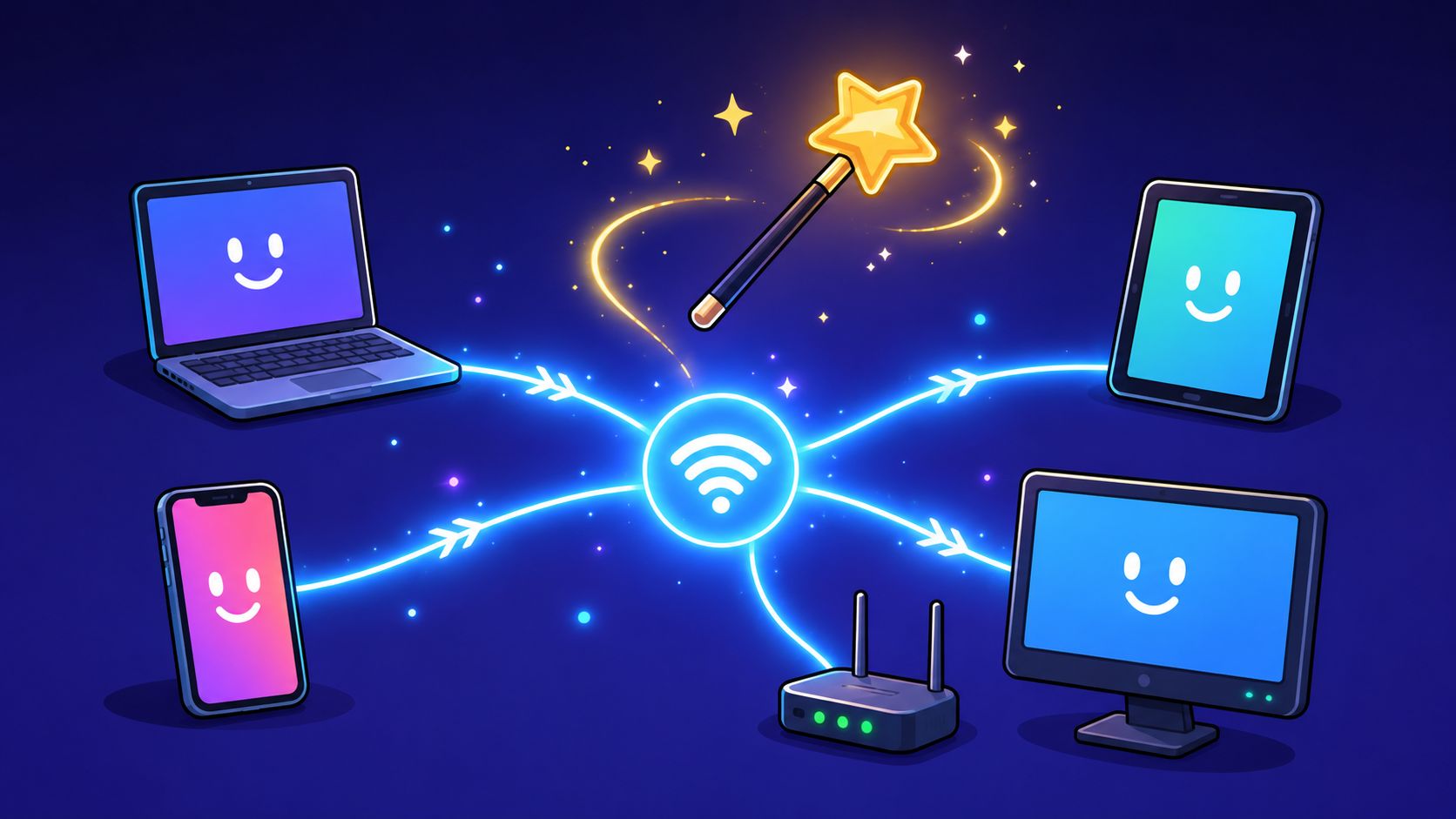
The machinery underneath real-time sync isn't magic. It just needs to be designed for conversation instead of repeated requests.
The old web model is simple. A device asks the server for information, the server responds, and the connection ends. That works fine for static pages. It's awkward for shared work that keeps changing.
WebSockets, SSE, and push in plain English
WebSockets are the closest thing to a dedicated two-way radio channel between an app and a server. Both sides can speak whenever they need to. That's why chat, collaborative editing, and live presence often use them. The conversation stays open.
Server-Sent Events, often shortened to SSE, are more one-way. The server can keep sending updates down to the client, but the client doesn't use the same channel to talk back. That's often enough for live feeds or status streams where updates mostly flow in one direction.
Push notifications are different again. They're less about keeping a screen live and more about reaching someone when they're not actively in the app. Useful, yes. But they're not the same as sync. A push notification can tell you something changed. Sync makes the app reflect that change.
Choosing the right behavior
The right setup depends on the moment you're designing for.
Chat and urgent coordination: This usually needs a live two-way connection.
Announcements and activity feeds: One-way streaming can be enough.
Background awareness: Push helps bring people back when something needs attention.
If you want a practical example of how this plays out across phones, tablets, and desktops, this piece on cross-device sync for remote teamwork is worth reading.
A good real-time system doesn't just move data fast. It makes the right things feel immediate and lets the less urgent things stay quiet.
That last part matters. Teams don't need every metric to twitch the second a database row changes. They do need a new message to feel immediate. They do need a shift approval to show up where people rely on it. The art is matching the sync pattern to the human expectation.
Why Instant Communication Matters for Your Team
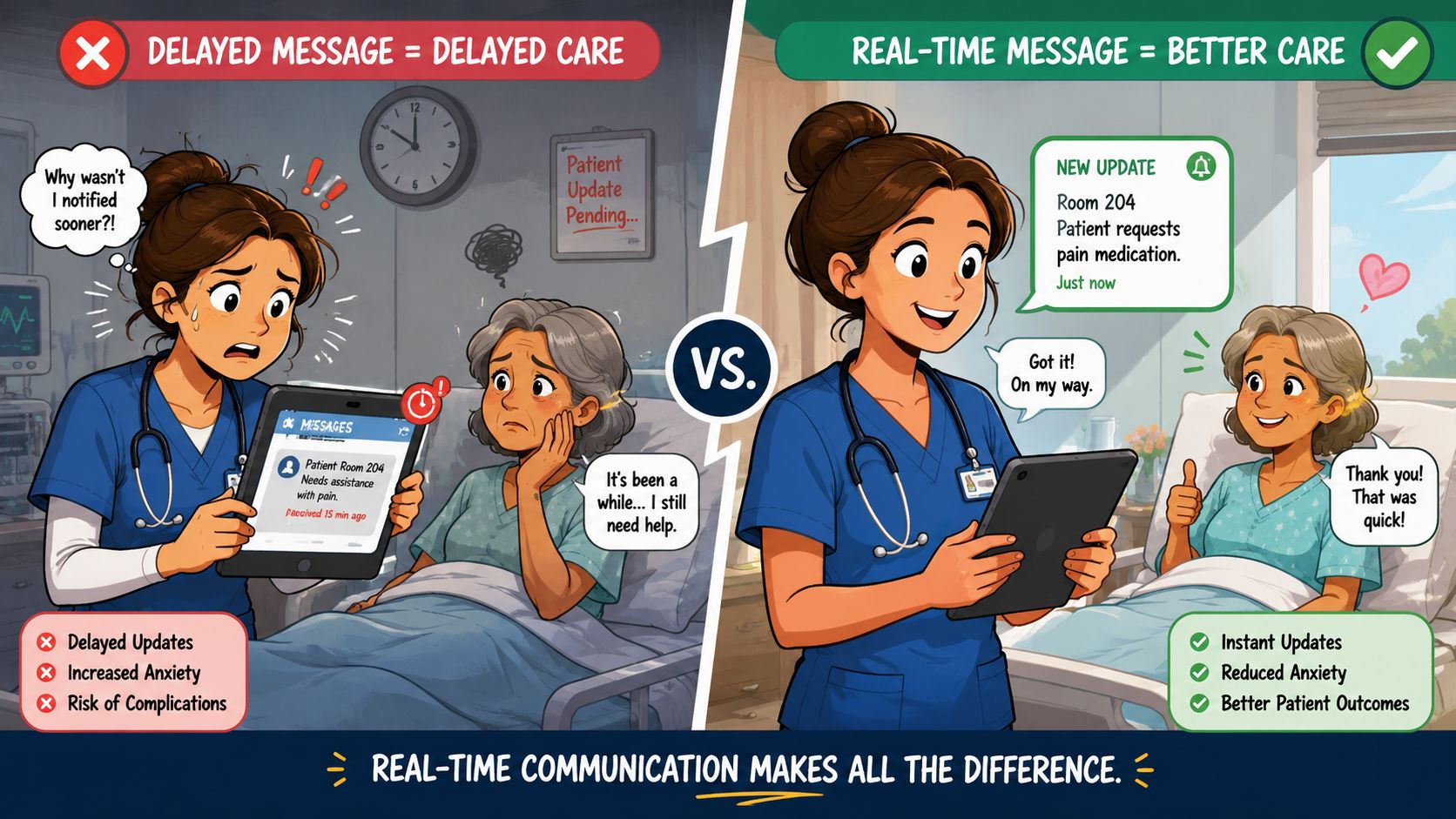
Delayed communication lands hardest on the people closest to the work.
A frontline employee can't keep ten tabs open and refresh them all day. They're moving. They're serving customers, stocking shelves, handing off patients, loading trucks, opening stores, closing issues. If the latest information reaches them late, the cost isn't abstract. It shows up in the work itself.
Safety, fairness, and respect
In office settings, a delay can be annoying. On the frontline, it can be unfair or unsafe.
If one shift gets a change immediately and another gets it later, you haven't communicated evenly. If a task update arrives after someone has already done the work the old way, you've wasted their effort. If an urgent notice sits in a queue while people are already on the move, your system has introduced risk into a moment that needed clarity.
This is why I don't see real-time sync as a nice extra. I see it as operational respect. It tells employees, “We won't make you guess what's current.”
Trust is built in the gap
Teams trust systems that reduce ambiguity.
They trust the schedule when it updates everywhere at once. They trust the feed when a company announcement appears without delay. They trust chat when read receipts, replies, and status changes reflect what's happening, not what happened a while ago.
That trust changes behavior. People stop relying on side channels. They stop screenshotting things “just in case.” They stop asking three coworkers whether the update is real.
If you're thinking about the communication side of this, instant messaging in business is really a story about speed, clarity, and response loops. The technology matters, but the human outcome matters more.
What better sync changes day to day
You can see the difference in ordinary moments:
A stock issue appears: The floor lead updates the team, and everyone works from the same current instruction.
A location changes a shift plan: Staff don't keep checking whether the roster caught up.
A policy note goes out: Employees know the app is the place where the latest version lives.
If your team needs to verify the truth outside your main system, your main system isn't doing its job.
That may sound blunt, but it's the standard modern teams should hold. Choosing tools without true sync means accepting built-in delay. Sometimes that trade-off is fine. For frontline coordination, it usually isn't.
The Honest Truth About Implementation and Risks
Real-time sync sounds obvious from the outside. From the inside, it's a serious architectural choice.
Keeping a large number of live connections open takes work. Systems have to manage connection state, recover cleanly from drops, handle retries, protect against duplicate events, and make sure devices reconnect without creating a mess. It's one thing to demo “instant.” It's another thing to keep it reliable during a busy week, across spotty mobile networks, on older phones, with people moving in and out of coverage.
Complexity is the real price
This is why not every app gets real-time sync right.
The challenge isn't only sending updates. It's deciding what counts as the source of truth, how conflicts get resolved, and what happens when someone edits from one device while another device is briefly offline. If you skip that design work, the system can look live while still creating inconsistency underneath.
There's also the plain cost of operating it. Persistent connections, event delivery, message fan-out, monitoring, and failover all add infrastructure and engineering overhead. That can be worth it. But it's never free.
Mobile constraints are not a footnote
Frontline teams live on phones. That means battery life matters, background behavior matters, and weak connectivity matters.
A system that tries to stay aggressively live in every context can drain devices or behave unpredictably when the network gets rough. Good products make trade-offs. They keep the critical paths fast, throttle what doesn't need urgency, and recover gracefully when someone steps into an elevator, a basement stockroom, or a rural loading area.
Battery use: Constant activity has a cost, especially on older devices.
Network reliability: Connections drop. The system has to catch up cleanly.
Security: A persistent channel needs strong authentication, careful permissions, and disciplined data handling.
Observability: Teams need to know when sync is delayed, broken, or only partially working.
One hard lesson: A real-time feature that fails silently can be worse than a slower system that makes delay obvious.
That's why monitoring matters so much. If an app promises instant updates, people will act on that promise. You have to earn it operationally, not just in product copy.
Real-Time Sync in the Wild
The easiest way to understand real-time sync is to watch what it changes in ordinary work.
A supervisor on a retail floor spots a staffing problem. Lunch traffic is building, one register is down, and the line is growing. They send an urgent message to the floor team. In a real-time system, that message doesn't sit waiting for the next refresh. It lands across devices as the situation is unfolding, and the supervisor can see who has read it.

A shift change that doesn't create confusion
Shift scheduling is where weak sync gets exposed fast.
Someone requests a swap. A manager approves it. If that approval updates one screen but not another, people start texting screenshots and asking for confirmation. If it syncs properly, the schedule reflects the new state right away, calendars align, and nobody has to wonder which version is real.
That's not a flashy experience. It's a calm one. And calm is underrated in operations.
A feed that behaves like a shared heartbeat
Company updates are another good test.
When leadership posts an announcement, employees shouldn't need to hunt for whether it has reached their device yet. A heartbeat-style feed works because it feels shared. Everyone sees the new post as part of the same moment, whether they're on a phone, desktop, or tablet.
That shared timing changes the experience from “content was published” to “the company just told us something.”
One example from a unified employee app
This is also where products such as Pebb become easier to evaluate in practical terms. If chat, updates, shifts, and day-to-day coordination all live in one place, then real-time sync isn't a decorative feature. It's the layer that makes those experiences trustworthy.
For teams comparing tools, the question isn't whether the app says “real-time” on the website. It's whether urgent messages, shift updates, feeds, and shared work all stay aligned under normal pressure. The label matters less than the behavior.
The best real-time experiences don't feel high-tech. They feel uneventful, because nobody has to stop and check whether the system is behind.
That's the standard I'd use in the wild. Not the demo. Not the sales screen. The messy middle of a normal day.
Does Your Culture Move at the Speed of Trust
Teams often don't struggle because people don't care. They struggle because the truth arrives unevenly.
That's why real-time sync matters beyond software. It closes the gap between action and awareness. It helps a company behave like one company, not a collection of people each holding a slightly different version of reality.
The tools are part of the culture
We like to talk about culture as values, habits, and leadership style. That's all true. But culture also lives in the systems people touch every day. If those systems create uncertainty, then uncertainty becomes part of the culture. If they create clarity, people feel it.
A team that trusts its tools moves differently. Faster, yes. But also with less friction and less second-guessing.
If trust is something you're actively working on, this piece on how to build trust in teams connects the human side well. Tools won't create trust by themselves, but they absolutely can weaken it or reinforce it.
The useful question isn't whether your app can sync in real time. It's where delay is still accepted in your organization, and who pays for it when it happens.
If your team needs one place for chat, updates, scheduling, tasks, and frontline coordination, Pebb is worth a look. It's built around the idea that communication and operations should stay in sync across devices, shifts, and locations, without making employees chase the latest version of the truth.
