
What Is OAuth Authentication? a Complete Guide for 2026
Confused? Learn what is oauth authentication, how it works, its difference from authorization, and why it's vital for your apps in 2026.
Dan Robin
OAuth isn't really an authentication protocol. It's an authorization standard published as RFC 6749 in 2012, and in practice it works like a digital valet key for apps, letting them do specific jobs for you without handing over your master keys, your password.
If you're asking what is OAuth authentication, you're in good company. Almost everyone uses that phrase. Product teams say it. Buyers say it. Even technical teams say it when they mean something a little different. That's because the user experience looks like login, while the machinery underneath is mostly about permission.
That distinction sounds picky until something breaks.
If you run HR, Ops, or internal systems, this matters in very practical ways. It affects how employees sign in, how third-party tools connect to calendars or files, what happens when access should be revoked, and how much damage a leaked credential can do. OAuth is one of those quiet internet standards that feels invisible when it works and painfully obvious when it doesn't.
That "Sign in with Google" Button
You've seen the button a thousand times. Sign in with Google. Continue with Microsoft. Tap once, pick an account, and you're in. It feels simpler than creating yet another password, and it usually is.
What's easy to miss is the old problem that button replaced. Years ago, many apps solved integrations the lazy way. They asked for your username and password directly. Want your calendar in a scheduling tool? Hand over your credentials. Want photos pulled into another app? Same idea. That was a bad trade. One weak app could expose the keys to everything.
Why the button became normal
OAuth fixed that pattern by changing the handoff. Instead of giving the new app your password, you get redirected to a trusted provider such as Google or Microsoft, approve a request, and come back with a limited token instead of raw credentials. That basic shift is why OAuth became so widely used across web, mobile, and desktop software.
The tricky part is the name people use for it.
According to the background and history summarized in Wikipedia's OAuth overview, OAuth 2.0 is not originally an authentication protocol. It is an authorization standard, its specification was published as RFC 6749 in 2012, and its core job is delegated access, not user login.
People call it login because that's how it feels. Engineers call it authorization because that's what it is.
Both perspectives are understandable. The user sees a login button. The protocol sees a permission grant.
Why this isn't just semantics
If you blur those two ideas, you make bad decisions. You might treat any OAuth token like proof of identity. You might ask for broader permissions than you need. You might connect systems in a way that works in a demo but creates a mess when someone changes roles, leaves the company, or needs access removed fast.
That's why this topic deserves a cleaner explanation than most articles give it. Not more jargon. Just the truth in plain English.
The Digital Valet Key Explained
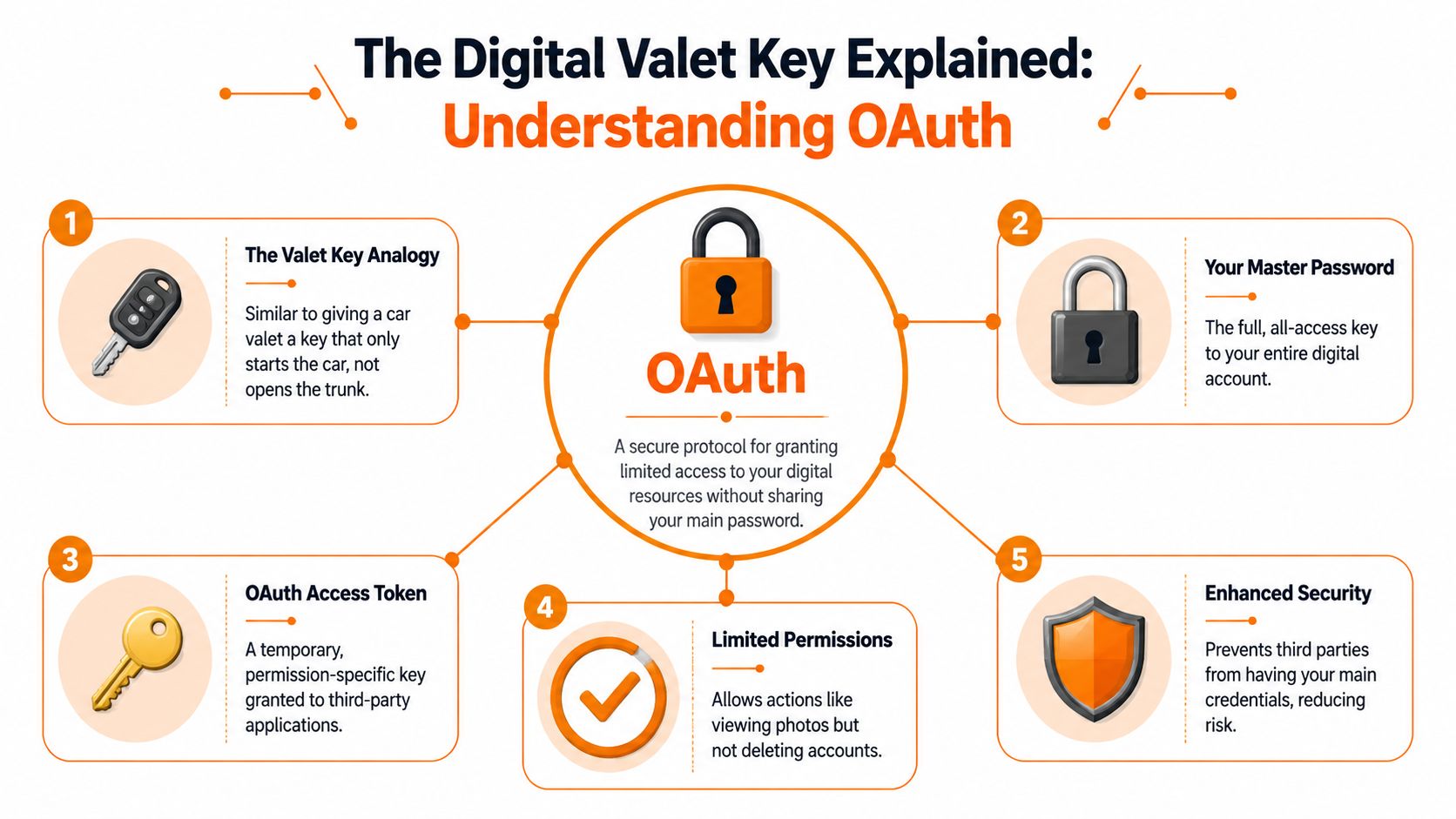
The best mental model I know is this. OAuth is a valet key for software.
You wouldn't hand a valet your only car key if that key also opened the trunk, glove box, and your house. You'd give a limited key that starts the car and nothing more. OAuth does the same thing for apps. It lets one system do a specific job on your behalf without ever learning your password.
The four parties in the room
Under the hood, there are four actors. You don't need to memorize them, but it helps to know who's doing what.
You, the user. You own the data or account.
The client app. This is the app asking for access.
The authorization server. This is the trusted party that asks you to approve access and then issues a token.
The resource server. The actual data lives here, such as your calendar, files, or profile.
The formal definition in RFC 6749 says OAuth 2.0 lets a third-party application obtain limited access to an HTTP service on behalf of a resource owner by receiving access tokens with defined scope, lifetime, and access attributes instead of using the user's credentials directly.
That's the whole game. Don't share the password. Share a limited token.
What this looks like in real life
Say an employee wants a scheduling app to read their company calendar. The app doesn't need their email password. It doesn't need access to every admin setting in the identity system. It just needs permission to view or update the calendar, depending on the job.
That's where OAuth shines.
Practical rule: If an app asks for broad account access when it only needs one narrow capability, that's a product decision, not a protocol requirement.
A good OAuth implementation asks for the smallest useful scope. A sloppy one asks for everything because it's easier for the developer.
If you're building this into a hybrid mobile app, the implementation details matter too. A practical walkthrough like these steps for Capacitor OAuth2 setup is useful because the hard part usually isn't the concept. It's getting redirects, token handling, and app-to-browser handoffs right without creating a weird user experience.
Why this model aged well
OAuth fits how modern software works. One company's app talks to another company's API. A scheduling tool pulls from a calendar. An employee app connects to file storage. A support system reads a profile. In all of those cases, password sharing is the wrong primitive.
OAuth gives you a safer one.
Different Keys for Different Jobs
OAuth isn't one fixed login ceremony. It's a framework with different grant types, which is just a formal way of saying different access patterns for different situations.
The official overview at OAuth.net describes OAuth 2.0 as the industry-standard authorization protocol for web, desktop, mobile, and device scenarios, with major grant types including authorization code for server-side apps and client credentials for machine-to-machine access.
That variety is a feature. A phone app, a back-office web app, and a smart TV shouldn't all authenticate the same way.
The grant types people actually run into
Grant Type | Primary Use Case | Involves User? | Best For |
|---|---|---|---|
Authorization Code | User approves access through a browser flow | Yes | Web apps and many mobile sign-in patterns |
Client Credentials | One service accesses another service directly | No | Back-end integrations and machine-to-machine calls |
Device Code | Limited-input devices complete approval on another screen | Yes | TVs, kiosks, and some device-based sign-ins |
Authorization code in plain English
This is the one behind many familiar sign-in flows.
The app sends you to the identity provider. You leave the app for a moment and land on Google, Microsoft, or another trusted provider.
You sign in and approve the request. The provider shows what the app wants.
The provider sends the app a code. Not the final access token yet. Just a short-lived code.
The app exchanges that code for tokens. That exchange happens on the back end, where secrets can be handled more safely.
This flow is popular for a reason. It keeps the riskiest pieces away from the browser and away from the app code a user can poke at.
When there is no human in the loop
Some systems just need to talk to each other. Payroll syncs with an HR system. A reporting service reads data from another internal API. No employee is clicking an approval screen in that moment.
That's where client credentials fits. The application itself is the actor. No user session. No “sign in with Google” experience. Just one service proving who it is to another and receiving a token for a defined purpose.
If your team is also thinking through who should have access after a token gets you in the door, role-based access control best practices are the next layer worth getting right. OAuth answers “can this app access this resource right now?” RBAC answers “what should this person or role be allowed to do once they're inside?”
The weird one that makes sense on a TV
The device code flow feels odd until you use a smart TV. You open an app on the TV, it gives you a short code, and you enter that code on your phone or laptop. The TV gets access after you approve it somewhere else.
OAuth has different flows for the same reason buildings have different doors. A loading dock, a front entrance, and a service entrance all solve access in different ways.
This is why asking “what is OAuth authentication” can lead to muddy answers. There isn't one universal ceremony. There's a framework for granting access in different contexts, with different trade-offs.
Authorization Is Not Authentication
This is the part most articles rush past, and it's the part that causes the most confusion.
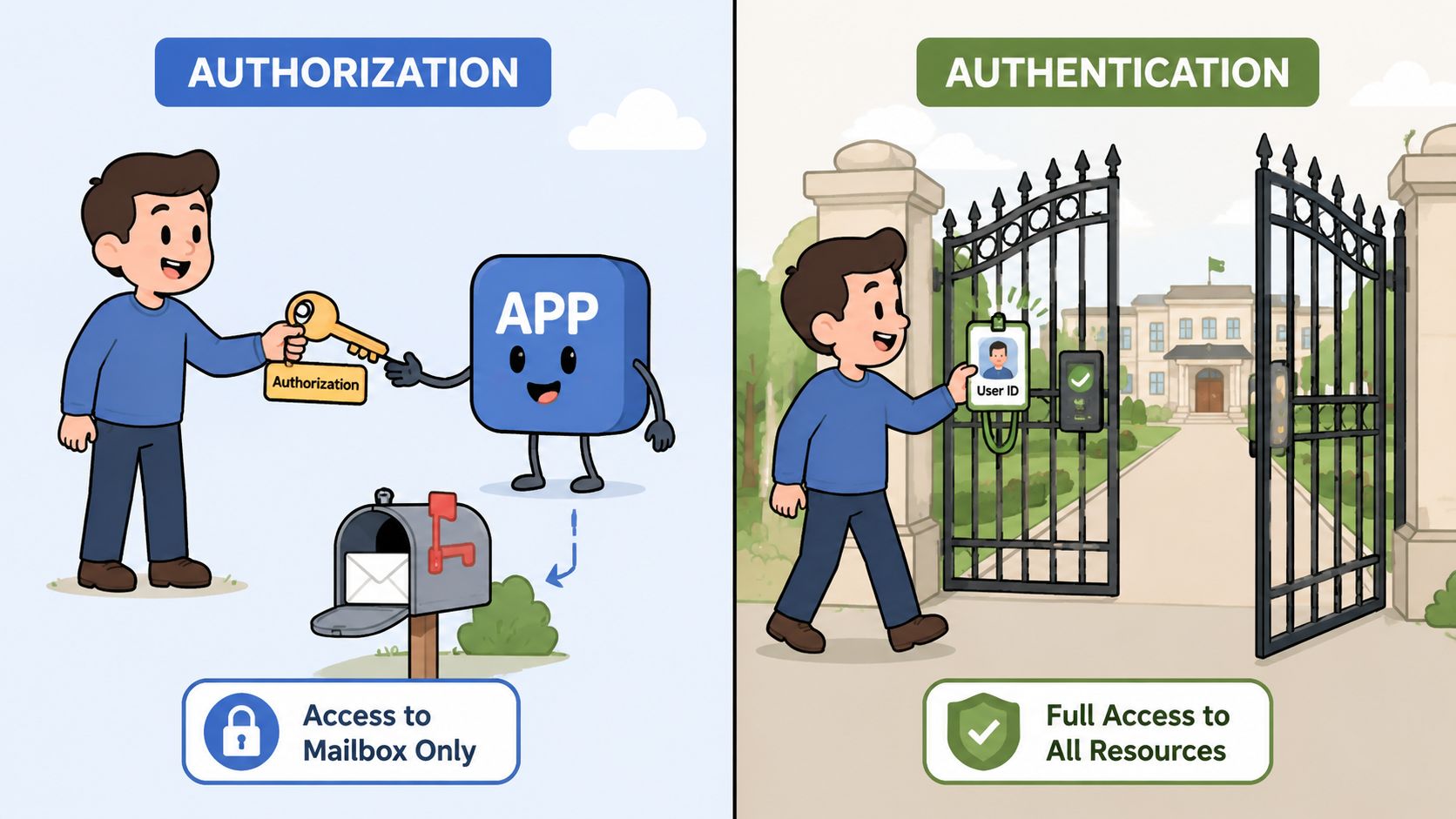
Authorization answers: what is this app allowed to do?
Authentication answers: who is this user?
Those are different questions. OAuth is built for the first one.
The missing piece is OpenID Connect
When a site says Sign in with Google, the login experience usually isn't plain OAuth by itself. It's OAuth plus OpenID Connect, often shortened to OIDC. Think of OAuth as the keycard that opens a few approved doors. Think of OIDC as the ID badge clipped to that keycard, showing who the person is.
A clear summary from Fortinet's OAuth explainer points out the persistent confusion here. Many sources stress that OAuth is an authorization framework, while login and identity are handled by separate systems such as OpenID Connect.
That's why the phrase “OAuth authentication” is both common and slightly wrong. People are usually describing a bundled experience. OAuth handles permissioned access. OIDC handles identity.
Why this matters outside engineering
If you manage employees, vendors, contractors, or internal tools, this distinction changes how you think about risk.
SSO decisions get cleaner when you separate identity from downstream access.
App reviews get sharper when you ask not just “who signs in?” but also “what can this connected app do after sign-in?”
Offboarding gets safer when identity and access grants are managed deliberately instead of as one blurry concept.
If a tool can identify the employee but asks for more data than the job requires, you have an authorization problem, not an authentication problem.
That's the heart of it. A person can be validly signed in and still be over-permissioned. Companies get burned when they confuse those two states.
How OAuth Powers an App Like Pebb
Take a modern work app. Employees need a simple way to get in. Admins need control. Teams want integrations that save time instead of creating another island of data. OAuth shows up in all of that, but not always in the same role.
Here's a product view of where it matters.
Signing employees in
One common pattern is company sign-in through a provider the employee already uses, such as Google or Microsoft. For the user, it feels fast. For IT, it keeps identity management centralized. Password policy, account disablement, and access review stay closer to the source of truth.
That's the case where the phrase “OAuth authentication” usually shows up in conversation, even though the actual experience depends on the identity layer riding on top.
Connecting useful tools
A second pattern is integration.
Say a work app needs access to a shared calendar, files, or another business tool. That should not require handing over a broad password with unlimited reach. It should request a narrow permission for a narrow job. A team calendar sync is a good example. The app may need to read or write scheduling data, but it does not need full control of someone's personal inbox.
That same principle shows up in product updates around integrations, like this Google Drive integration in Pebb. The useful part for a buyer or operator isn't the label. It's the fact that modern integrations can ask for specific access instead of demanding the whole account.
Why this is healthier for the business
Three practical benefits show up fast:
Less password sprawl. Employees aren't inventing and reusing more credentials than they should.
Cleaner revocation. Admins can cut off access without playing whack-a-mole across every connected tool.
Better boundaries. An integration can be approved for one purpose without implicitly approving ten others.
For HR and Ops teams, that's what good security usually looks like. Not drama. Just smaller, clearer permissions attached to real work.
Living with OAuth
Once OAuth is in place, the day-to-day question isn't “what is it?” It's “are we using it well?”
That mostly comes down to tokens, scopes, and discipline.
Short-lived tokens are a feature
Modern OAuth systems usually rely on temporary, scoped tokens, not permanent credentials. Security guidance summarized by Aembit's comparison of API keys and OAuth notes that access tokens commonly last about 5 to 15 minutes, and even a 30-minute token reduces the window for misuse compared with an API key that may never expire.
That's one of the biggest practical advantages. If a token leaks, the blast radius is smaller because time is working against the attacker.
A refresh token may still exist behind the scenes to obtain new short-lived access tokens, but the key idea is simple. The token used for immediate access shouldn't live forever.
The best habit is still least privilege
Most OAuth mistakes aren't cryptographic. They're human.
Ask for less. If the app only needs calendar read access, don't request broader mailbox or account-level permissions.
Review scopes during procurement. The permissions page tells you a lot about how carefully a vendor thinks.
Clean up old connections. Teams change tools, pilot programs end, and old grants often linger longer than anyone expects.
For leaders thinking about the broader governance side, strong data protection strategies pair well with OAuth because access control only works when the rest of the handling model is also intentional.
Good OAuth hygiene is boring in the best way. Small scopes, short-lived tokens, and clean revocation paths keep incidents small.
The bigger point
OAuth matters because it changed the default relationship between apps and trust.
Before OAuth, too many integrations worked by copying the master key. After OAuth, apps could ask for a narrower key with a defined purpose. That shift gave users and organizations a more sensible way to connect systems without surrendering everything at once.
If you remember one thing, make it this. When people ask what is OAuth authentication, the honest answer is that OAuth usually isn't the identity proof by itself. It's the permission framework that makes modern sign-in and app connectivity safer. The internet got better when we stopped giving every app the kingdom keys and started handing out valet keys instead.
If you're trying to bring chat, scheduling, files, policies, and secure employee access into one place, Pebb is worth a look. It gives frontline and office teams a single work app that fits how people work, with the integrations and governance you need without turning daily operations into an IT project.
