
Staff Clocking in App That Actually Works for Real Teams
Cut through the noise around staff clocking in app choices. Clear guidance on features, compliance, frontline realities, and how the right tool pays for itself.
Dan Robin

Monday morning usually starts with a small payroll problem. Someone missed a punch. A paper timesheet contains a number no one can read. A supervisor gets a text asking whether lunch was counted, and the answer depends on memory.
That's where a staff clocking in app earns its place. Not through a colorful punch button, but by replacing the loose chain of paper, shared credentials, manager recollection, and last-minute payroll repairs with a record people can review. The best systems stay useful when the signal disappears, a shift changes, or an employee disputes a time entry.
What a Staff Clocking In App Replaces
I've seen this pattern across frontline operations. The first week looks orderly. Employees fill out timesheets, supervisors initial them, and payroll receives a stack of paper. Then someone works at a second site, swaps a shift, forgets to record a break, or clocks in for a colleague. The paperwork still exists, but nobody can confidently explain what happened.
A modern staff clocking in app replaces more than paper cards. It can replace shared PINs, handwritten corrections, buddy punching, scattered spreadsheets, and the email chain between supervisors and payroll. It also gives employees a way to see what was recorded instead of discovering a mistake after payday.
The basic workflow has been around for a long time. Staff clock-in systems grew from workplace administration during industrialization. Charles E. Van Voorhis patented an autograph recorder in Chicago in 1888, while Willard Le Grand Bundy developed an influential mechanical time clock in November 1888. Employees punched in and out, and the device preserved a physical attendance record. The history of punch clocks shows the same pattern modern apps still follow: identify the worker, capture the start or end of a shift, and preserve a time-stamped record.
The upgrade isn't just digital paper
Electronic systems later replaced mechanical cards, and mobile apps carried the workflow onto phones and shared devices. The purpose stayed steady, but the surrounding work changed. A useful app can connect attendance to schedules, breaks, location rules, approvals, PTO, and payroll preparation.
That connection matters because managers rarely need an isolated timestamp. They need to know whether the employee was scheduled, whether the shift changed, whether a missed punch needs approval, and whether the final record can be exported without retyping every entry.
Practical rule: If the app only makes the punch digital, it has moved the paperwork. If it helps resolve the exceptions around the punch, it has improved the operation.
The quiet benefit is visibility. A supervisor can see who has started, who has not arrived, and which entries need attention before payroll closes. Employees get a clearer record of their own hours. Payroll receives a trail that is easier to inspect than a set of handwritten notes.
That doesn't mean every paper process should disappear overnight. A shared kiosk may still suit a restaurant, and a browser may be enough for an office team. The point is to match the capture method to the work, then preserve the same reliable record behind it.
Core Features That Matter Day One
A vendor demo can make almost any time clock look finished. I prefer four questions that can be answered on the actual floor.
How does a worker make the punch?
Start with the ordinary shift. Can an employee clock in from a phone, a browser, or a shared kiosk? Can the manager choose which methods are allowed by location? A web-only tool may work for desk teams but frustrate cleaners, warehouse crews, or employees who begin work away from a computer.
A kiosk is practical when everyone enters through one site. It becomes awkward when workers move between locations or when the tablet loses power. A mobile app gives people more freedom, but it can create BYOD and connectivity problems. The right answer is often a mix, not a single mandatory device.
What happens without a signal?
Ask the vendor to demonstrate an offline punch, not just describe one. The app should save the event securely, retain the original capture time, and synchronize it when connectivity returns. The server should distinguish the time the employee made the punch from the time the system received it.
A late upload shouldn't turn into a late arrival. Managers also need to know whether an event failed, queued, duplicated, or violated a policy.
Who reviews exceptions?
A missed punch is not automatically misconduct. The system should let an employee explain it, let a manager approve or reject the correction, and retain the original event alongside the edit. Role-based permissions matter because payroll history shouldn't be editable by everyone with dashboard access.
How does time reach payroll?
Test a full path, from the shift assignment to the approved timesheet and payroll export. Look for overtime handling, break records, PTO, schedule changes, and forgotten clock-outs. A clean export is more valuable than a long feature page.
A shortlist should also expose what the tool doesn't do. Geofencing can help confirm a location, but it isn't a complete time record. A single-device kiosk can simplify a fixed site, but it won't serve a mobile crew. A beautiful dashboard can't repair an approval process that leaves corrections trapped in email.
Why Identity Verification Is Harder Than It Looks
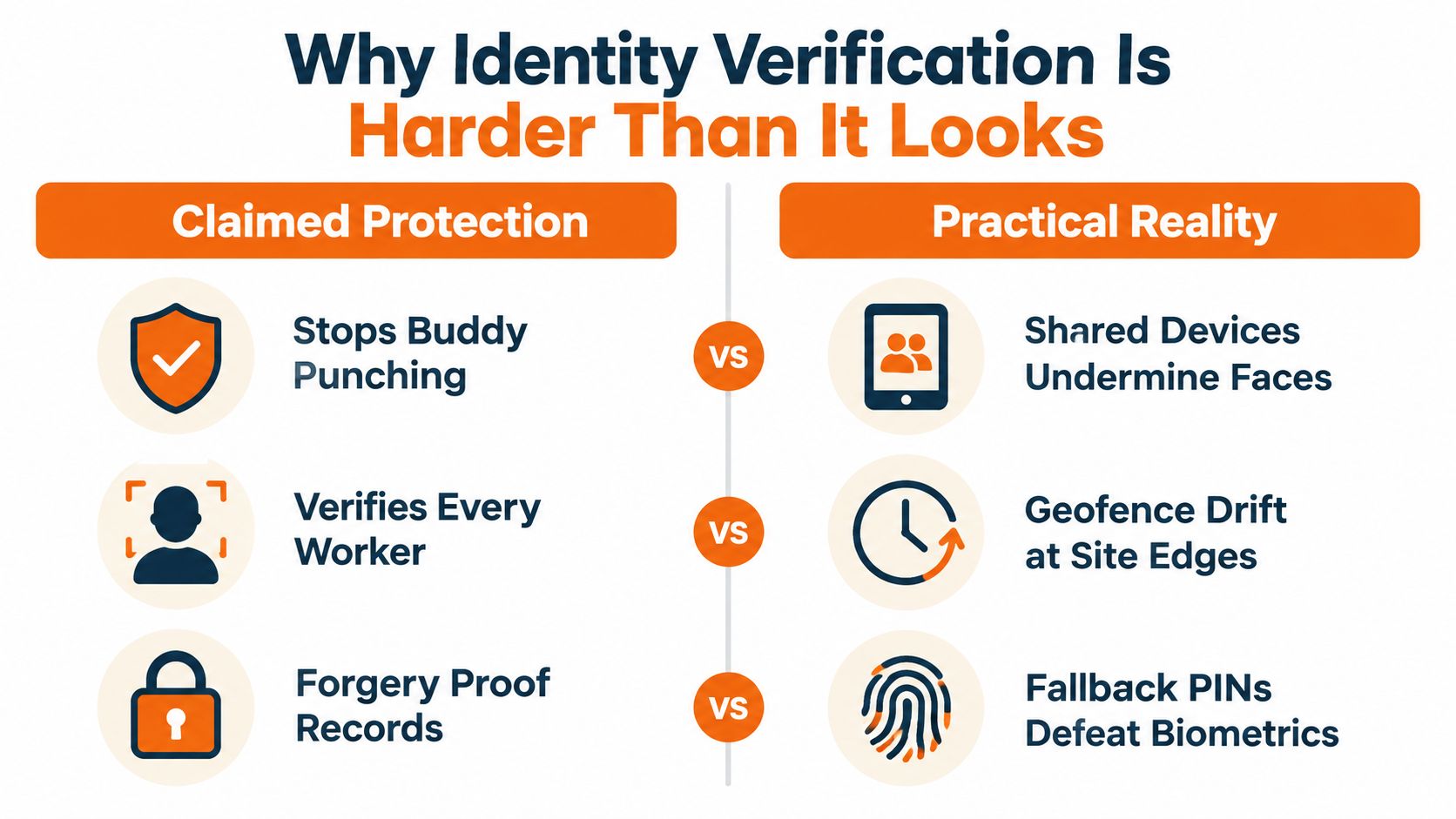
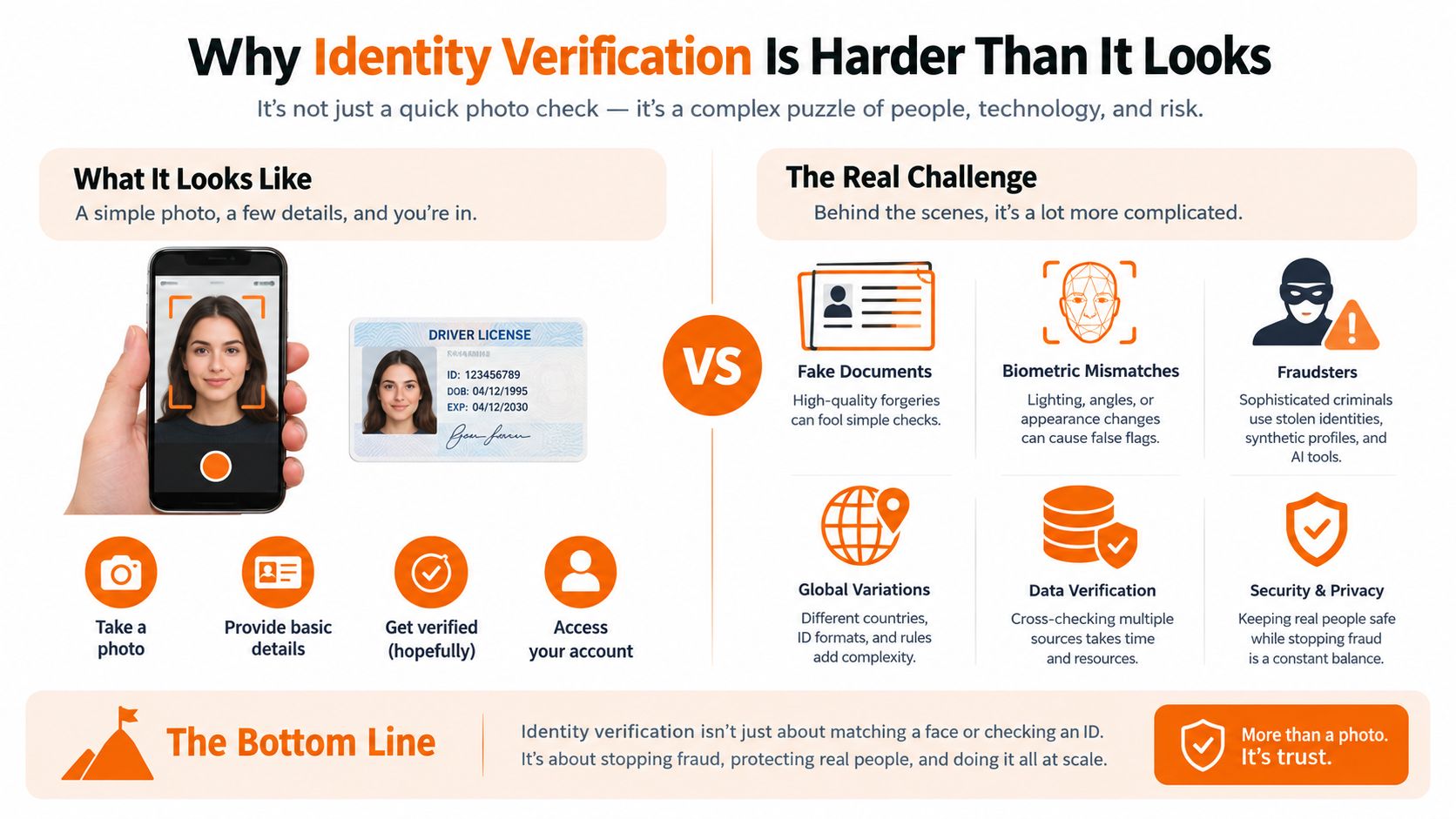
The promise sounds simple: stop one employee from clocking in for another. How well it works depends on how identity, device access, location, fallback methods, and exception handling work together.
Payroll-industry estimates cited in available research place buddy punching at roughly 75% of U.S. businesses, while about 19% of employees have admitted clocking in or out for a coworker. The same estimates put employee time theft at roughly 4.5 hours per employee per week. These are widely circulated industry estimates, not current government measurements, and the underlying American Payroll Association research isn't presently hosted publicly. The payroll workflow discussion and cited estimates provide useful context, but they shouldn't be treated as precise national measurement.
For a worker earning $10 per hour, 4.5 hours each week represents about $2,340 annually, before payroll taxes or overtime effects. The calculation explains why businesses look beyond a shared PIN, but the remedy needs judgment. A PIN is easy to share. A badge can be passed to another person. A selfie can fail in poor light. A fingerprint scanner can fail when hands are wet or the sensor is dirty.
Match the control to the work
Biometrics can bind an attendance event to an individual physiological identifier. In a study of 144 university employees, respondents rated a biometric system's accuracy at a 4.19 weighted mean on a five-point scale, while approximately 1.39% of the population experienced a monthly discrepancy between the printed attendance record and the actual time entry. The biometric timekeeping study supports a measured approach. Verification can reduce proxy clock-ins, but it can't eliminate reconciliation.
A strong identity workflow should capture the employee identifier, use synchronized server time, preserve an audit record, and provide a fallback when the sensor, phone, or network fails. Managers should inspect incomplete punches and disputed records, not only count successful face or fingerprint matches.
For background on the wider identity problem, Identity verification is a useful starting point, especially for teams comparing identity checks across operational contexts. The question isn't whether a vendor offers biometrics. It's whether the vendor explains failure states, data handling, alternatives, and the record created after a failed attempt.
A control that creates more unresolved exceptions than it prevents isn't control. It's another queue for payroll.
The privacy cost also rises with the strength of the identity method. Biometric data used to identify workers can trigger stricter obligations than a badge or ordinary mobile punch. If a vendor can't clearly explain retention, access, deletion, fallback authentication, and administrator permissions, don't approve the feature because the demo looked impressive.
The same principle applies to location. GPS can support identity and site validation, but it can't prove every minute worked. A face match at a kiosk proves who used the device. It doesn't prove the employee worked the full shift. The audit trail still needs schedule context, edits, breaks, and manager review. A HR technology integration should connect those records rather than leave identity data stranded in a separate dashboard.
Connecting the App to Shifts and Payroll
The punch is only one moment in the workday. A useful system starts earlier, with the employee seeing the right shift, and ends later, with an approved record ready for payroll.
A worker checks tomorrow's schedule, sees the assigned location, and clocks in within the permitted window. The app records the start. At the end of the shift, the employee clocks out, records the break, and submits an exception if the schedule changed. A supervisor reviews late starts, no-shows, missed punches, and overtime before approving the timesheet.
That sequence sounds ordinary. It often breaks at the handoffs.
The schedule is the context
Without a schedule, the time clock sees a timestamp but not the operating decision behind it. If a manager moved an employee from one site to another, the app should update the shift and preserve who made the change. If someone swaps shifts, the record should show the approved swap rather than flagging the employee as an unexplained absence.
PTO belongs in the same workflow. Otherwise a supervisor may spend time investigating a person who was never expected to work. Forgotten clock-outs need a review path, not an automatic assumption about when the shift ended.
A shift scheduling app is useful when the schedule, attendance, and staffing conversation live together. The exact tool matters less than the handoff. Employees should know what they are working, managers should know what changed, and payroll should receive the approved result.
Test the Friday workflow
During a pilot, don't stop after a successful clock-in. Run a worker through a schedule change, an offline punch, a missed break, a forgotten clock-out, a PTO request, and a manager correction. Then export the timesheet and inspect the result as if payroll were due that afternoon.
The system should show original punches, edits, approvals, and reasons. It should distinguish a technical failure from an employee policy violation. It should also make the common path quick enough that supervisors don't invent a parallel spreadsheet.
Tools built for HR teams often focus on records, approvals, and administrative handoffs. That perspective is useful here. Payroll integration isn't complete because a vendor displays a logo for your payroll provider. It's complete when the hours, breaks, exceptions, and approvals arrive in the format your payroll process can use.
The best workflow feels almost boring. Employees see the shift, make the punch, correct genuine mistakes, and move on. Managers spend time on exceptions rather than reconstructing every person's day.
Compliance Is Where Quiet Costs Become Loud Problems
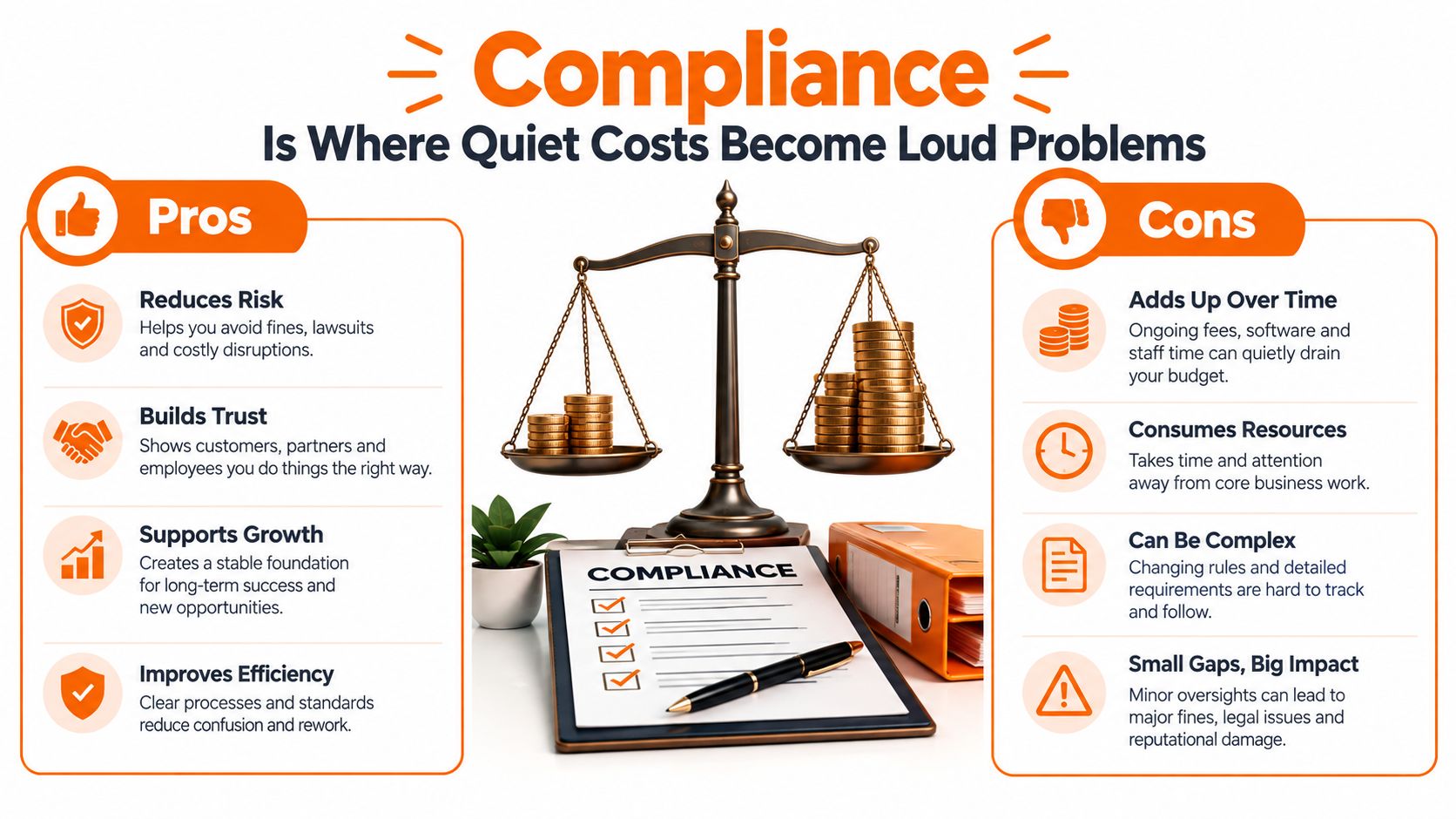
Compliance usually appears as a checkbox in buying guides. It should be one of the first questions in the demo.
Time rounding is a good example. In the United States, employers may use common rounding increments only when the practice doesn't undercompensate employees over time, and employers aren't required to round at all. Under the quarter-hour method, one to seven minutes may be rounded down, while eight to fourteen minutes must be rounded up. The U.S. Department of Labor's guidance on rounding makes the important point clear. Rounding is payroll logic, not a harmless display preference.
A U.S. Department of Labor investigation cited in available coverage required a Florida manufacturer to pay $594,313 in back wages and liquidated damages to 419 workers after time-rounding practices reduced recorded hours and unpaid overtime. The coverage of the time-rounding enforcement example shows how small adjustments can become an expensive pattern.
Preserve the original record
A responsible staff clocking in app should retain the original punch, display any rounded value separately, and let managers compare the two over time. It should flag repeated pre-shift work, post-shift work, and edits that consistently move in one direction.
Ask these questions before signing:
Original punches: Can payroll see the exact captured time after an adjustment?
Rounding audit: Can the system test whether rounding stays neutral across sites, shifts, and employees?
Approval history: Does every edit retain the person, time, and reason behind the change?
Location inference: Can the record distinguish an employee punch from an automated location-based inference?
Data access: Can administrators limit who sees attendance, location, and identity information?
Location creates a similar risk. The U.S. Department of Labor has warned that automated systems may use a phone or wearable to infer when an employee enters or leaves a worksite. That can fail when someone works across multiple places, performs tasks before reaching the tracked location, or continues working during a period the app labels as a break. The Department of Labor fact sheet on automated time systems supports a simple rule. Geofencing should support the record, not implicitly define all payable time.
Biometrics need a separate decision
UK data-protection guidance treats biometric data used to identify workers as special-category data. Organizations must complete a data protection impact assessment, document necessity, consider less intrusive alternatives, identify the relevant legal basis, consult workers, and explain the system.
The regulator's enforcement against Serco Leisure involved facial recognition and fingerprint scanning for attendance and payment checks affecting more than 2,000 employees across 38 facilities. The regulator found that cards or fobs could have been less intrusive alternatives and ordered the biometric processing stopped. The ICO guidance on biometric time and access control is a useful reminder that a technically effective control can still be the wrong operational choice.
When Frontline Reality Shapes the Right Choice
A supervisor opens the app on a new starter's first shift. The site Wi-Fi is patchy, the worker has an older phone, and policy does not clearly say whether personal devices are required. That is where a clock-in tool either holds up or starts creating exceptions on day one.
Mobile-first does not automatically mean accessible. A phone-based workflow can look clean in a demo and still fail for someone with weak connectivity, limited data, an aging device, or no permission to use a personal phone for work.
Recent frontline research found that only 23% of workers said technology should help them access critical information needed to do their jobs effectively. Separate 2025 research reported that 60% of surveyed frontline workers preferred mobile training access, while 37% specifically wanted to use personal phones rather than a work computer. The 2025 Frontline Workforce Report shows the tension clearly. Workers may want mobile access and still feel that the tools they are given do not fit how the job gets done.
Give people more than one path. A shared kiosk suits a fixed site. A browser option helps employees who cannot install an app. Offline capture matters for crews working through low-signal areas. SMS or assisted workflows can work in narrow cases, but only if security and recordkeeping stay intact.
BYOD needs plain answers. If the employer expects a personal phone, who pays for data use? What happens when someone does not have a suitable device? Does the app use location only at the moment of the punch, or keep collecting it in the background? For teams comparing access models across kiosks, browsers, and personal devices, a frontline employee app overview can help frame the trade-offs before rollout.
Accessibility and language support decide adoption faster than most feature lists. If the button is hard to see, the form breaks with assistive technology, or the instructions exist in only one language, payroll exceptions start before the first week closes.
A nearshore staffing company may be managing workers across regions and uneven conditions, but the same test applies to any distributed team. The telling test is the newest hire on a slow shift with one bar of signal, not the manager showing the app from a quiet office.
A good frontline app lets teams configure clock-in options without turning attendance into continuous surveillance. Keep clock-in location separate from broader tracking. Make failures visible. Let employees review what was recorded and request a correction.
Picking the App Your Team Will Actually Use
A good vendor demo ends with fewer questions, not more screenshots. Bring a real shift, a real exception, and a real payroll export to the conversation.
Start with the failure path. Ask what happens when a worker forgets to clock out, the device goes offline, the GPS boundary is inaccurate, or a manager changes the shift after the employee has already punched. If the answer is “the administrator can edit it,” ask whether the original event, editor, reason, and approval remain visible.
Then test fairness. Can the app preserve exact punches? Can it compare rounded and actual time? Can it identify patterns across employees and locations? A system that hides the raw record makes a later audit harder, even if the day-to-day interface feels simple.
A short buyer test
Run the offline test: Put a phone in a weak-signal area, make a punch, restore connectivity, and inspect the synchronized record.
Use the access test: Try a kiosk, browser, personal phone, and managed device. See which workers are excluded by each method.
Inspect privacy controls: Ask where location and biometric data are stored, who can access it, how long it is retained, and what alternatives exist.
Follow the exception: Submit a missed punch, manager approval, PTO change, and schedule swap. Watch whether the workflow stays in one place.
Read the payroll output: Export approved hours and verify that breaks, overtime, edits, and original punches remain understandable.
Pebb is one option when a business wants clock-in and attendance alongside communication, shifts, PTO, tasks, files, and employee updates. Its clock-in feature supports work-session start and end times, break tracking, session history, manual time entries, and timesheet reports on web and mobile, with optional location-based tracking and branch validation.
That broader setup won't suit every organization. Some teams need a narrowly focused time clock. Others need the punch to sit beside the daily conversations and shift information employees already use. The decision depends on whether another standalone dashboard removes work or adds another place to check.
A staff clocking in app should make the honest path easy for employees and the questionable path visible to managers. Convenience matters, but so do original records, privacy, offline behavior, and fair payroll logic. Choose the tool you can explain to an employee, a supervisor, and an auditor without changing the story.
Pebb brings clock-in, attendance, shifts, PTO, communication, tasks, and employee information into one work app for frontline and office teams. Visit Pebb to see whether its web and mobile workflow fits the way your teams work.
