
Shift Work Schedule App: What Managers Need in 2026
Discover what a shift work schedule app actually does for your team. Compare features and find the right tool for your frontline workforce in 2026.
Dan Robin

Sunday night, the roster looks clean. By Wednesday, someone has called out, two people are asking to swap, a manager is checking a group chat for the latest version, and payroll is warning about overtime. The schedule didn't fail because the calendar was hard to read. It failed because the calendar never knew what was happening on the floor.
A shift work schedule app should do more than publish start and end times. It should help managers protect coverage, control changes, respect worker availability, reduce avoidable fatigue, and keep a record of decisions. That's the difference between digitizing a rota and building dependable frontline operations.
Why Most Shift Scheduling Setups Quietly Fail
Most scheduling problems begin with a harmless shortcut. A supervisor copies last week's spreadsheet, sends a screenshot to a group chat, and pins a paper copy in the break room. Everyone understands the process because everyone has learned to work around it.
Then reality arrives. An employee's availability has changed, but the spreadsheet still shows the old hours. A shift swap is approved in a text message, yet the official schedule never changes. Someone sees an outdated screenshot and reports for the wrong shift. The manager spends the afternoon calling qualified workers instead of managing the operation.
The system has no single version of the truth.
A calendar can tell you that a shift exists. It can't reliably tell you whether the assigned person is qualified, approaching an overtime limit, owed notice-related compensation, or moving from a late finish into an early start. Those details sit in other files, other messages, or someone's memory. A shift schedule maker for frontline teams only becomes useful when it connects the roster to the conditions that make the roster workable.
The hidden cost is coordination
Spreadsheets don't show the time spent answering “Am I working tomorrow?” They don't show the trust lost when workers discover that a manager changed a shift without a clear record. They also don't flag fatigue risks caused by disruptive rotations.
A prospective cohort found fatigue prevalence of 18.1% among day workers, compared with 28.6% among three-shift workers, 23.7% among five-shift workers, and 19.1% among irregular shift workers (prospective cohort research on shift work and fatigue). The figures don't mean every rotating schedule is unsafe. They do show why a manager shouldn't treat every available worker as interchangeable.
Practical rule: A schedule is operationally sound only when it protects coverage and accounts for the people doing the work.
Fragmentation creates avoidable risk
One tool stores availability. Another records time off. A third handles clock-ins. Managers use messages for swaps, while payroll works from a different export. Each tool may function properly in isolation, but nobody sees the complete chain from planned shift to worked time.
That's why a dedicated app has become frontline infrastructure for many operations teams. The value isn't a prettier calendar. It's the ability to connect scheduling decisions with communication, attendance, compliance, and accountability before a small change becomes a floor-wide problem.
What a Shift Work Schedule App Actually Does
A useful shift work schedule app acts like a control layer for frontline staffing. It helps a manager build a roster from real constraints, publish it clearly, let workers respond through an approved process, and preserve the record when conditions change.
The strongest tools usually connect several jobs that managers otherwise handle separately:

Build from rules, not blank cells
Shift templates reduce repetitive work, but templates alone aren't enough. The scheduler should understand roles, locations, credentials, availability, time off, and staffing requirements. A drag-and-drop interface can make editing faster, but the important question is whether the app warns you when a convenient edit creates an operational problem.
Open shifts need the same discipline. A manager shouldn't broadcast a vacant shift to everyone and hope the right person responds. Buyer guidance for modern scheduling tools recommends broadcasting open shifts to workers who match credentials, location, and overtime constraints, along with pre-publish FLSA overtime alerts and California meal and rest warnings (modern employee scheduling buyer guidance).
Make changes visible
Workers need a current schedule on their phones, not a chain of screenshots. They also need a clear way to request swaps, offer availability, claim open work, and receive approval. Notifications matter because a schedule change that stays inside a manager's spreadsheet hasn't reached the person affected by it.
Time tracking should connect back to the planned shift. If a worker clocks in early, stays late, or works a different assignment, the manager should be able to see the difference without reconciling separate systems by hand.
Treat compliance as part of scheduling
Audit logs are not decorative. They show who published a schedule, who changed it, what changed, and when the change happened. That record helps HR investigate disputes and gives operations a reliable history instead of forcing managers to search old messages.
Predictability also affects performance. A retail study found that more predictable, better-quality schedules improved store productivity by 5.1%, with a 3.3% rise in sales and 1.8% labor savings from increased worker effort and reduced tardiness (retail scheduling study). The practical lesson is simple. Optimize for stable hours and advance notice, not just filled boxes. A deeper look at the employee scheduling app workflow should always include those operational outcomes.
Spreadsheets Versus a Real Scheduling App
Spreadsheets are often the right starting point. They're familiar, flexible, and already available. A small team with a stable roster can run on one for a while.
The trouble begins when the spreadsheet becomes a system of record without gaining the controls of one. Managers add color codes for availability, comments for swaps, extra tabs for time off, and formulas for overtime. Eventually, a file designed to list shifts becomes a fragile database that only one or two people understand.
A purpose-built app costs money and requires implementation. It also forces the organization to define rules that spreadsheets let people ignore. That can feel slower at first. In practice, the discipline is often the point.
Factor | Spreadsheet Approach | Shift Work Schedule App |
|---|---|---|
Schedule creation | Managers copy rows, adjust cells, and check conflicts manually. | Managers use templates, assignments, availability, and staffing rules in one workspace. |
Worker access | Employees depend on printed rosters, screenshots, email, or messages. | Employees view the current schedule through a mobile or web app. |
Shift swaps | Requests happen in texts or informal conversations, with inconsistent approval. | Workers submit requests through a defined workflow, and approved changes update the roster. |
Open shifts | Managers contact people one at a time or broadcast to broad groups. | Qualified workers can receive and claim suitable open shifts. |
Overtime control | Managers rely on formulas, memory, or a later payroll review. | Pre-publish warnings can flag potential overtime before publication. |
Change history | The latest file may hide who changed a cell and why. | Audit logs preserve schedule edits and approval history. |
Compliance exposure | Notice windows and penalty obligations are tracked outside the file. | The system can connect publication dates, edits, and compensation workflows. |
Worker confidence | Employees may not know which version is current. | Notifications and a central schedule reduce conflicting instructions. |
Seattle's Secure Scheduling Ordinance shows why this distinction matters. Employers must post work schedules at least 14 days in advance, provide written good-faith estimates of expected hours, and pay extra when they change a posted schedule. The ordinance also covers situations such as sending a worker home early, assigning an unused on-call shift, or changing a posted shift (Seattle Secure Scheduling rules).
A spreadsheet can display a date. It can't reliably enforce the full relationship between notice, edits, and penalty pay. The app earns its keep when it prevents managers from making an expensive change accidentally, then leaves a defensible record if someone asks what happened.
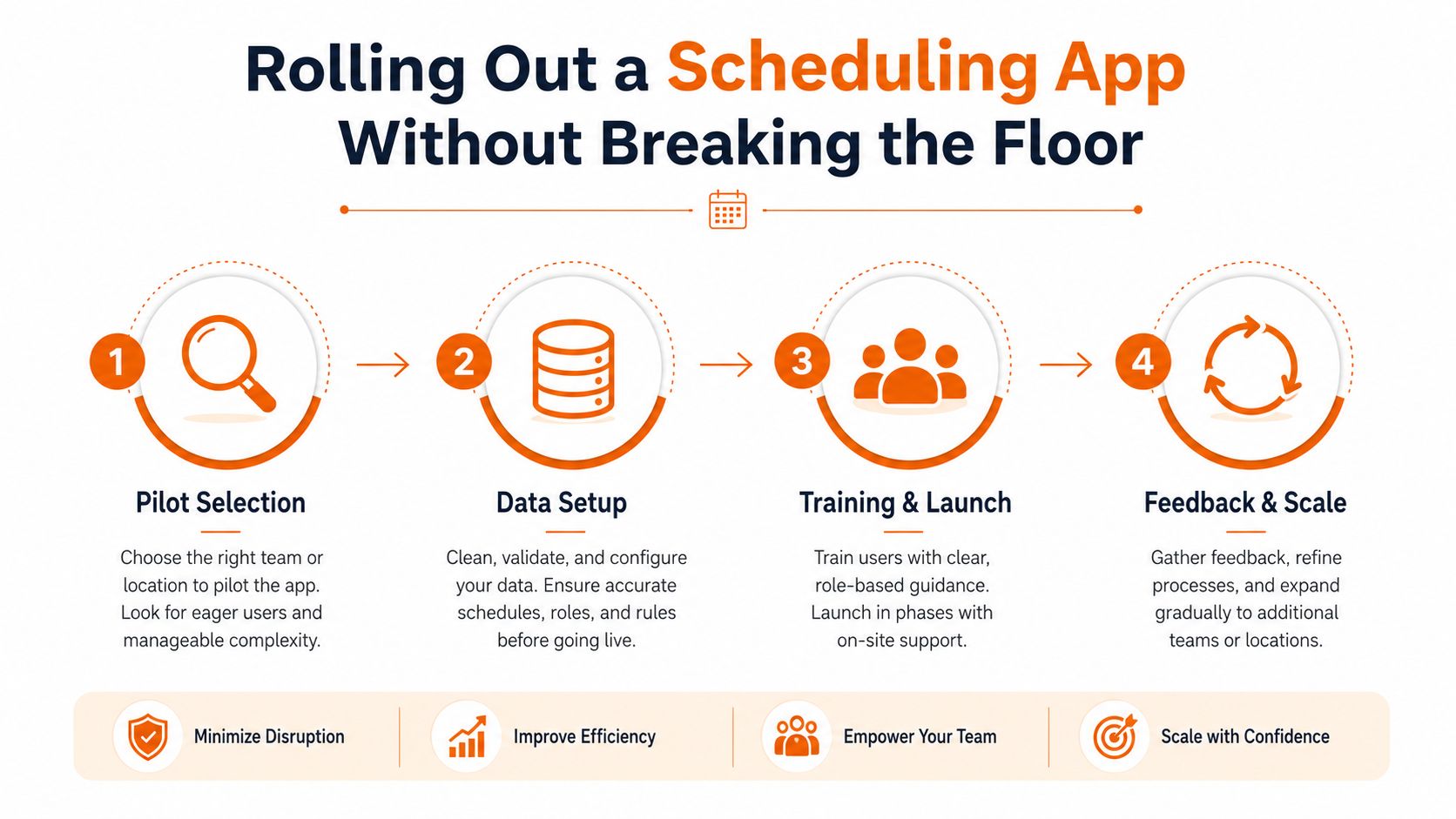
Rolling Out a Scheduling App Without Breaking the Floor
A scheduling rollout fails when leaders treat it as an IT installation. Frontline workers don't care that the database is configured correctly. They care whether they can find tomorrow's shift, request a change, and get help when the app doesn't match what their supervisor said.
Start with one site or department that has enough complexity to expose problems, but enough local stability to support a careful pilot. Don't choose the easiest location just to produce a smooth launch. Choose a team where the scheduling pain is visible and the supervisor has the credibility to explain the change.
Set the rules before importing data
Decide what the app will enforce before you load every historical employee record. Keep the first rule set short:
Notice: Define the minimum publishing window and who can approve exceptions.
Swaps: Decide whether supervisors must approve every swap or only those affecting qualifications, coverage, or overtime.
Open shifts: Set the order in which qualified workers receive opportunities.
Time off: Establish who approves requests and how approved leave blocks assignments.
Call-outs: Document the channel workers must use when they can't attend.
Oregon's predictive scheduling rules require schedules to be provided in writing at least 14 calendar days before the first day of the schedule. A change inside that window can create additional compensation unless the worker requested it (NIOSH guidance on Oregon predictive scheduling). Your app configuration should reflect the legal rules that apply to your operation, but no software replaces a qualified legal review.
Make the first month boring
During the first live period, measure whether people can use the basic workflow. Can workers find the current schedule? Can managers publish without exporting to another tool? Can a supervisor approve a swap without opening a separate message thread? Can payroll identify what changed?
Don't start by measuring every possible engagement signal. Watch for duplicate schedules, unapproved changes, workers missing notifications, and supervisors creating side channels. Those are signs that the process is unclear or the app isn't fitting the floor.
Train supervisors first, then give workers a short demonstration at the place and time they already gather. Use actual shifts from the pilot. Let people practice opening a schedule, requesting time off, and responding to an open shift. A printed quick guide still helps, especially for employees who don't spend their workday at a desk.
An Evaluation Checklist for HR and Operations Leaders
Vendor demos tend to reward spectacle. A polished calendar, animated dashboards, and endless configuration options look impressive on a large screen. They matter less than what happens when a qualified employee claims an open shift five minutes after a manager changes the roster.
Use the evaluation around four questions: can the tool protect coverage, reduce compliance risk, earn worker trust, and connect cleanly to the systems that pay people?
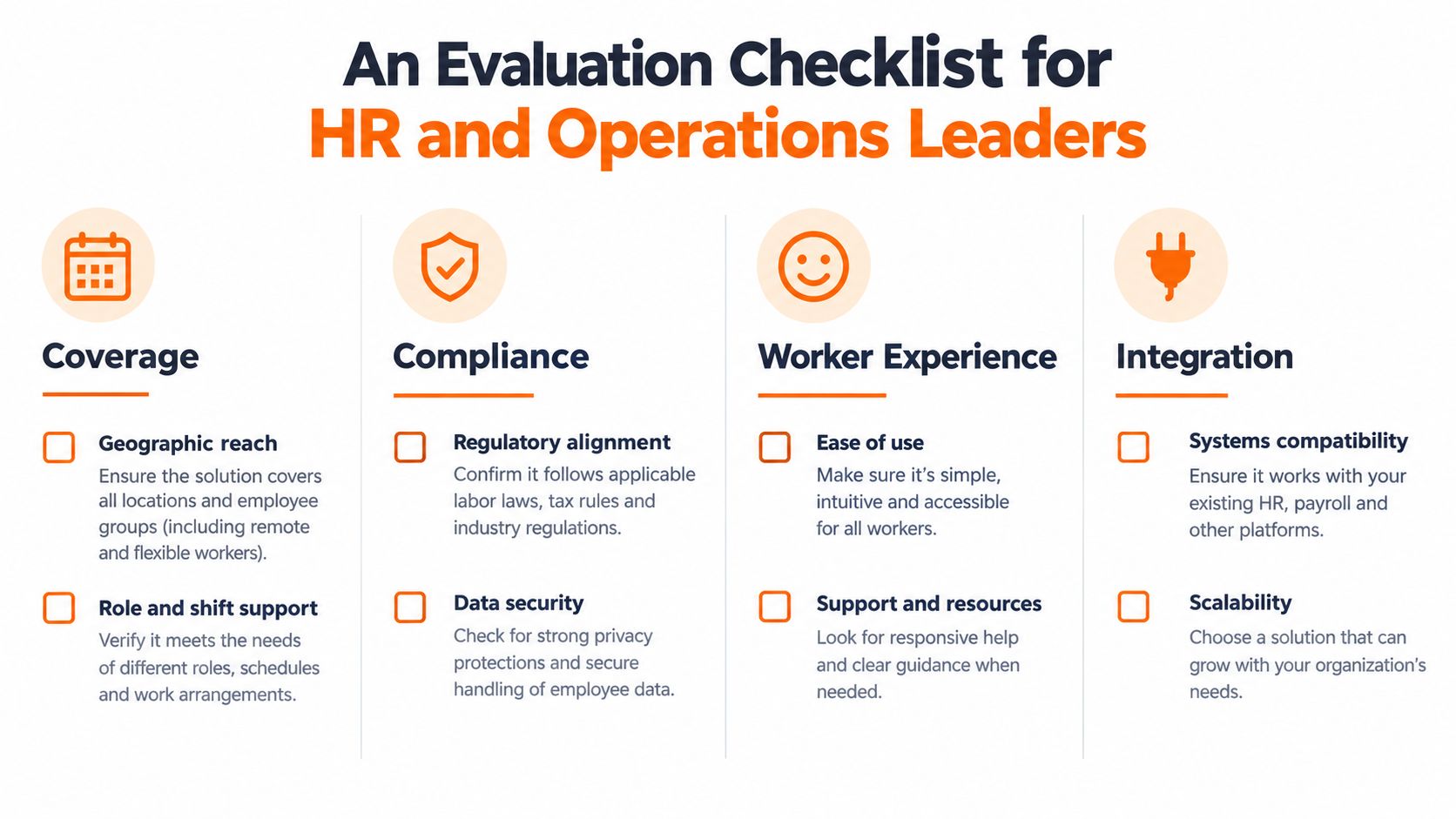
Coverage
Ask the vendor to demonstrate a real staffing problem, not a blank schedule.
Skills and credentials: Can the app prevent an unqualified person from taking a restricted assignment?
Availability and leave: Do availability and approved time off affect recommendations automatically?
Open shifts: Can the manager target eligible workers instead of sending a general message?
Scenario testing: Can the system show what happens when someone calls out during a busy period?
If the vendor needs a custom explanation for each answer, the product may not be ready for frontline use.
Compliance
Compliance controls should appear before publication, not after payroll discovers an issue. Ask whether the app supports FLSA overtime alerts, California meal and rest warnings, predictive scheduling notice, audit logs, and change history. Those capabilities are specifically identified in current scheduling buyer guidance.
Also ask how the tool handles local rules. A generic “compliance ready” badge tells you very little. You need to know which rules are built in, which require configuration, and which still require manual review.
Worker experience
A worker should be able to answer basic questions without contacting a supervisor. Is my shift current? Can I request time off? Can I offer or claim an open shift? Has my swap been approved? Does the app notify me when something changes?
Fairness deserves a direct test. Collaborative shift scheduling research in healthcare has treated subjective fairness as a core concern, while frontline research has highlighted low schedule control, missed personal events, and schedule-related stress as major pain points (frontline scheduling research). A tool that fills coverage while making workers feel powerless won't solve the underlying problem.
Integration
Finally, follow one shift into payroll. Check whether planned hours, clock-ins, edits, PTO, and approvals connect without manual copying. Ask what happens when a worker clocks outside the planned time or a manager corrects attendance.
Be skeptical of features nobody will use. An advanced forecasting screen won't compensate for a clumsy mobile experience. Choose the tool workers can open quickly and managers can trust under pressure.
How a Unified App Like Pebb Changes the Math
A standalone scheduler fixes one slice of the problem. The supervisor still needs a chat tool for call-outs, a time clock for attendance, a PTO process, a place for tasks, and another channel for company updates. Every extra handoff creates a chance for conflicting information.
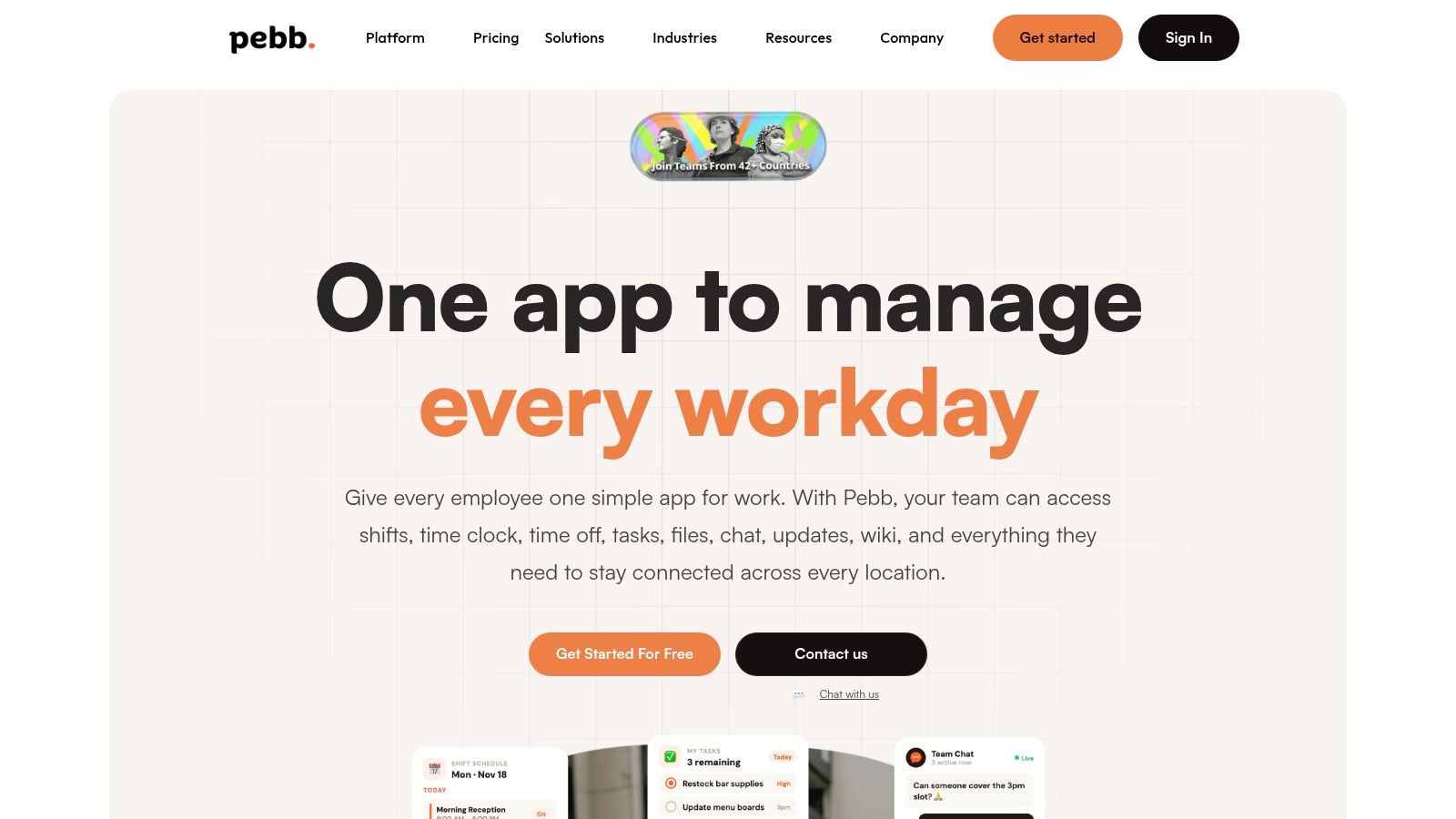
A unified frontline app keeps those workflows close together. In Pebb, teams can work inside configurable Spaces that bring together chat, posts, tasks, files, events, shift scheduling, clock-in, and PTO tracking. That arrangement matters because a schedule question rarely stays a schedule question for long. It becomes a coverage request, a task assignment, or a time and attendance issue.
One workflow from roster to handoff
A supervisor can create a roster, assign shifts, publish it to the relevant team, and use chat for the questions that follow. A worker can view the shift on mobile, claim an available opening when eligible, request time off, or ask for a swap through the same digital home. The manager sees the request in context instead of reconstructing it from messages and spreadsheet edits.
That context continues after the shift starts. Clock-in data can sit alongside the planned assignment, while tasks and handover notes give the next team a clearer starting point. The point isn't to turn every action into a workflow. It's to remove the unnecessary gaps between actions that already belong together.
Pebb also includes a heartbeat-style news feed, private and group chat, voice and video calls, a Knowledge Library, file sharing, a searchable People Directory, and analytics for engagement and activity trends. Those features don't replace good scheduling rules. They reduce the tool sprawl that causes workers to miss updates or managers to repeat the same information in several places.
The trade-off is consolidation
A unified app asks leaders to make more decisions up front. Teams need clear permissions, sensible Spaces, clean employee data, and a defined process for schedule changes. That's real work.
The payoff is a simpler daily experience. Workers don't have to remember which app holds the roster and which one holds the latest announcement. Managers don't have to treat communication as a separate project from operations. For leaders comparing a scheduler with a broader all-in-one employee app, that distinction is often more important than another calendar view.
Scheduling Is a Frontline Retention Problem in Disguise
People experience your company through the hours they're asked to work. A schedule that changes without warning tells them their time is flexible, even when the company expects perfect attendance. A schedule that ignores fatigue or fairness makes the cost personal.
The fatigue evidence is hard to dismiss. In the prospective cohort cited earlier, prevalence was 18.1% for day workers, 28.6% for three-shift workers, 23.7% for five-shift workers, and 19.1% for irregular shift workers (research on fatigue across shift patterns). Managers can't remove every difficult shift, but they can stop pretending that rotation design is neutral.
Worker experience also includes the physical reality of long shifts. For employees who spend much of the day standing or moving, a practical shift shoe guide from Swift Running can help with comfort, but footwear advice can't compensate for an unstable roster or poor recovery time.
Scheduling is a retention issue because it shapes control, trust, and daily stress. The right app won't fix a bad staffing model by itself. It can make the rules visible, give workers a voice in changes, and help managers spot the patterns that keep exhausting the same people.
Ask yourself one uncomfortable question: if your current scheduling setup is burning people out, what would it mean to fix it this quarter?
Pebb brings shift scheduling, clock-in, PTO, communication, tasks, files, and frontline updates into one connected app, so managers can run the floor without stitching together disconnected tools. Visit Pebb to see how one digital home can make schedules clearer for workers and more manageable for operations.
