
Retail Employee Scheduling Software That Actually Works
A guide to retail employee scheduling software. Learn why spreadsheets fail, key features to look for, and how to choose a tool that actually helps your team.
Dan Robin
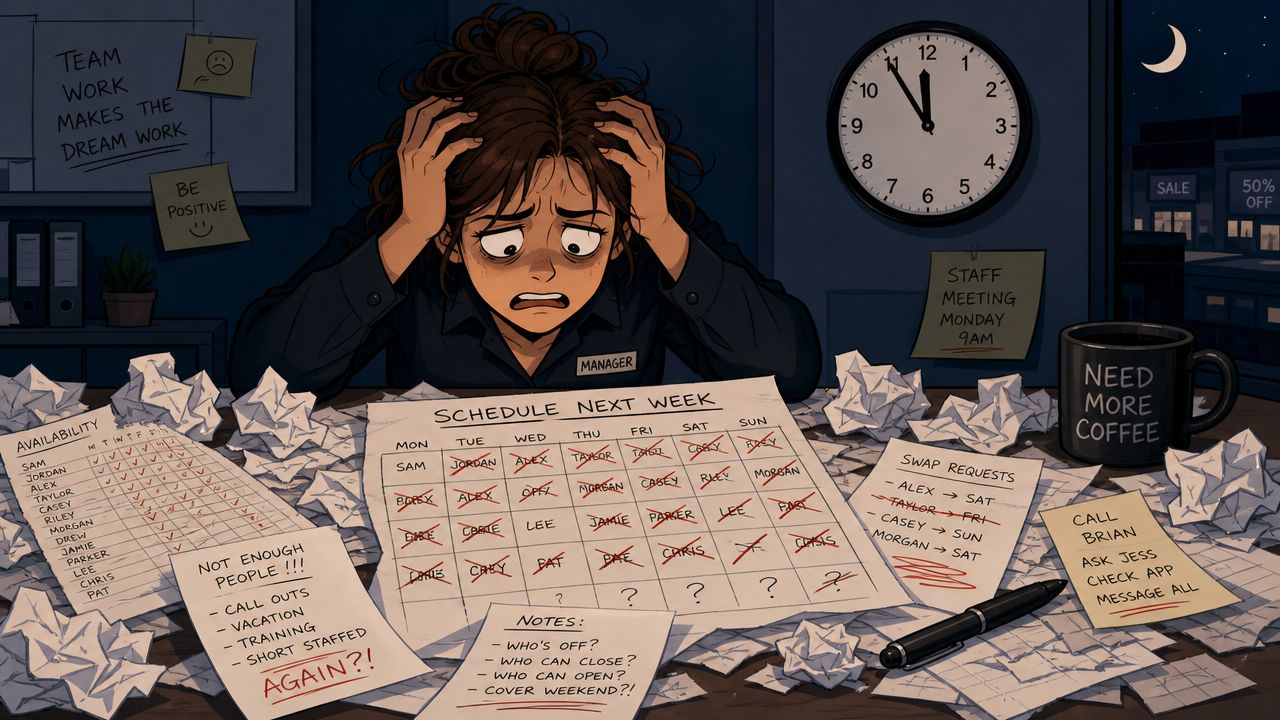
Sunday night used to mean one thing for me. A half-finished schedule, a desk covered in scribbled notes, and a phone buzzing with messages that all seemed to arrive at once.
Someone needed fewer hours this week. Someone forgot to mention a class change. Someone wanted to swap Saturday but only if they could keep Sunday. And underneath all of it sat the same pressure every retail manager knows well. You still need the floor covered, the budget respected, and the opening shift staffed by people who will show up.
The Sunday Night Scheduling Scramble
Paper schedules and spreadsheets make retail scheduling feel harder than it should be. Not because managers are careless. Because the job itself has too many moving parts for a static tool.
I've seen the usual routine. A manager builds a draft schedule, prints it, crosses out three names, rewrites two shifts, then starts a text thread to patch the holes. By the time the week starts, there are already exceptions taped to the office wall. The schedule exists, but nobody fully trusts it.
The chaos feels random. It usually isn't
Retail demand changes, yes. Promotions hit. Weather shifts traffic. Holidays distort everything. But the underlying pattern is often steadier than it feels when you're building next week's roster by hand.
In the UChicago Work Scheduling Study key findings, researchers found that for most stores, more than 80% of staffing hours assigned to stores stayed the same from month to month. That matters. It means the problem usually isn't that retail is impossible to predict. The problem is that managers are still trying to match people to a mostly predictable pattern with clumsy tools.
Practical rule: If your store needs roughly the same labor shape month after month, you shouldn't be rebuilding the schedule from scratch every week.
That's why decent online employee scheduling systems for retail teams feel like relief so quickly. They don't remove judgment. They remove the repetitive guessing, the copying, the forgotten requests, and the constant hunt for the latest version.
Manual scheduling breaks trust fast
The worst part of bad scheduling isn't admin time. It's what it does to the team.
When employees see last-minute edits, inconsistent hours, or schedules that ignore their availability, they stop believing the process is fair. Then every shift change becomes an argument. Every open shift becomes a favor. Every mistake feels personal, even when it's just the predictable outcome of running a complex store on paper and memory.
Retail managers don't need magic. They need a system that remembers the rules, keeps everyone looking at the same information, and makes routine changes boring again.
That's what good retail employee scheduling software is for.
What Is Retail Scheduling Software Really For
Retail employee scheduling software's common description is too narrow, often stating merely that it helps make schedules faster. True, but that's the shallow version.
Its primary function is to translate demand into a work plan people can live with. It takes signals from the business, then turns them into shifts that fit real employees, real availability, and real labor limits.
It turns store signals into hourly decisions
A store already leaves clues. Sales history, traffic patterns, promotions, local events, delivery days. Good software uses those signals to estimate when the floor needs more coverage and when it doesn't.
As HubEngage's retail employee scheduling overview explains, effective scheduling software converts historical sales, traffic, and promotions into hourly labor requirements, which helps managers avoid overstaffing during slow periods and understaffing during peaks. That's the part many buyers miss. The calendar view is the output. The true value sits underneath it.
A simple analogy helps. Restaurants know Friday dinner isn't staffed like Tuesday lunch. Retail works the same way. If your scheduler can't think in hours, it can't protect service or payroll very well.
It balances business logic with human reality
Here, weak tools fall apart. They can fill shifts, but they can't do it in a way that respects how stores run.
A useful tool needs to hold a few truths at the same time:
The store needs coverage: Peak hours need the right people in the right roles.
The budget matters: Managers need to see labor impact while they build, not after payroll.
Employees need predictability: Availability, time-off requests, and preferences can't live in side messages.
Corrections have to be fast: When demand changes, the schedule has to change without causing chaos.
Good scheduling software isn't just a calendar. It's a translator between operational pressure and human limits.
That's why the best systems feel less like software and more like a calm assistant. They absorb the repetitive math. They flag the obvious mistakes. They show the consequences while you're still editing. And they help you produce a schedule that works for the store without treating the staff like interchangeable parts.
When that translation is done well, managers spend less time patching holes. Employees spend less time chasing answers. Customers feel the difference on the floor, even if they never see the system behind it.
The Features That Actually Matter
Retail software demos love shiny features. Most of them don't matter much on a Tuesday morning when someone calls out and the line is already forming.
What matters is whether the tool helps a busy manager make good decisions quickly, and whether employees can use it without training that feels like homework.
Start with mobile and rules
The first imperative is mobile-first self-service. If employees can't check shifts, submit availability, request time off, and swap shifts from their phones, the system will fail in practice no matter how nice it looks in a browser.
The second is compliance guardrails. According to Lark's guide to retail staff scheduling software, a modern platform must let employees manage availability and shift changes from mobile devices while also enforcing compliance rules that help prevent labor-law violations. That combination matters because one without the other creates a new mess. Freedom without guardrails leads to errors. Guardrails without self-service creates bottlenecks.
If you're comparing tools, a solid shift scheduling software guide for frontline teams can help you separate useful features from deck-polishing fluff.
What earns its keep
I'd put the must-have features into a short, practical group:
Auto-scheduling with constraints: The software should build a draft schedule around availability, role requirements, and labor rules. Managers should edit, not start from zero.
Real-time alerts: Overtime risks, missed breaks, and role mismatches should show up while the manager is still working.
Clean employee app: If shift swaps, acknowledgments, and schedule updates take too many taps, people go back to texting.
Open-shift handling: Open coverage should go to the right eligible employees fast, with approval built in.
Time-off visibility: Approved leave should already be in the system, not discovered after the roster is published.
What usually disappoints
Some features sound advanced but create more doubt than value.
AI-generated schedules are useful only if managers trust them. In retail, there are always exceptions. Someone is great with returns but not new-hire training. Someone can close but can't open after class. Someone technically has availability but has been carrying too many bad shifts in a row. If the tool can't account for those realities, the “smart” draft gets overridden so often that nobody respects it.
Desktop-heavy systems are another trap. If a manager has to go back to the office for every change, the tool isn't built for frontline work. It's built for procurement checklists.
A feature matters when it removes daily friction. If it only looks impressive in a demo, it's decoration.
The right retail employee scheduling software does a few things very well. It helps managers build faster. It stops avoidable mistakes. It gives employees more control over routine changes. And it keeps the whole schedule living in one place people will use.
How to Choose the Right Scheduling Tool
This market is crowded now, and that's not changing soon. The Business Research Insights employee scheduling software market report says the global market is projected to grow from $0.48 billion in 2024 to $1.36 billion by 2033, which tells you two things. First, this category is established. Second, there will be no shortage of vendors telling you their interface is simple and their automation is smart.
The hard part isn't finding a tool. It's finding one that fits how retail work moves.
Point tool or operating system
A standalone scheduler can work if your process is disciplined and your communication is tightly managed elsewhere. But many retailers end up with a split brain. The schedule lives in one app. Shift swaps happen in text messages. Call-outs come through email. Announcements land in a chat tool. Payroll gets fixed later.
That setup breaks down under pressure.
A scheduling tool should match the path of real work. If an employee calls out, what happens next? Who gets notified? How does an open shift go out? Where is the approval recorded? Does payroll see the final truth, or just the original version?
That's why I'd compare tools less by feature count and more by workflow fit. Deputy, When I Work, and Sling are familiar names in this category. Some teams may also prefer a broader employee app such as Pebb when they want scheduling tied closely to communication, tasks, and day-to-day operations rather than handled as a separate point tool.
A useful outside reference is this guide to optimal Shopify app choices. It's about a different software category, but the evaluation logic is sound. Look at workflow impact, support quality, ease of use, and whether the app adds complexity instead of removing it.
Questions worth asking in the demo
Ask vendors to walk through messy reality, not polished setup screens.
Call-out flow: Show me what happens when a cashier reports they can't work tomorrow's opening shift.
Shift-fill process: Show me how an open shift gets offered, accepted, and approved.
Rule handling: Show me what the manager sees before scheduling someone into overtime or a role they aren't cleared for.
Frontline usability: Show me the employee mobile experience without using admin shortcuts.
Data handoff: Show me how approved time off, worked time, and final schedules flow into payroll.
Here's a simple scorecard I'd use:
Evaluation Criteria | Yes / No |
|---|---|
Employees can manage availability and swap shifts from mobile | |
Managers see labor impact while editing the schedule | |
The tool enforces overtime, break, and role rules | |
Open shifts can be broadcast and approved inside the system | |
Schedule updates notify the right people instantly | |
Payroll and timekeeping connect cleanly | |
Multi-location visibility is easy to use | |
Frontline staff can learn it quickly without much training | |
Support feels practical, not scripted |
If you want a more retail-specific starting point, this employee scheduling app guide for shift-based teams is worth a look.
Buy the tool that matches your operating habits, not the one with the longest feature list. A shorter list that fits your day is worth more.
Beyond Efficiency The Real ROI Is Trust
Most buying conversations start with labor cost. Fair enough. Scheduling affects payroll directly, so that's the obvious place to begin.
But if you stop there, you miss the bigger payoff.
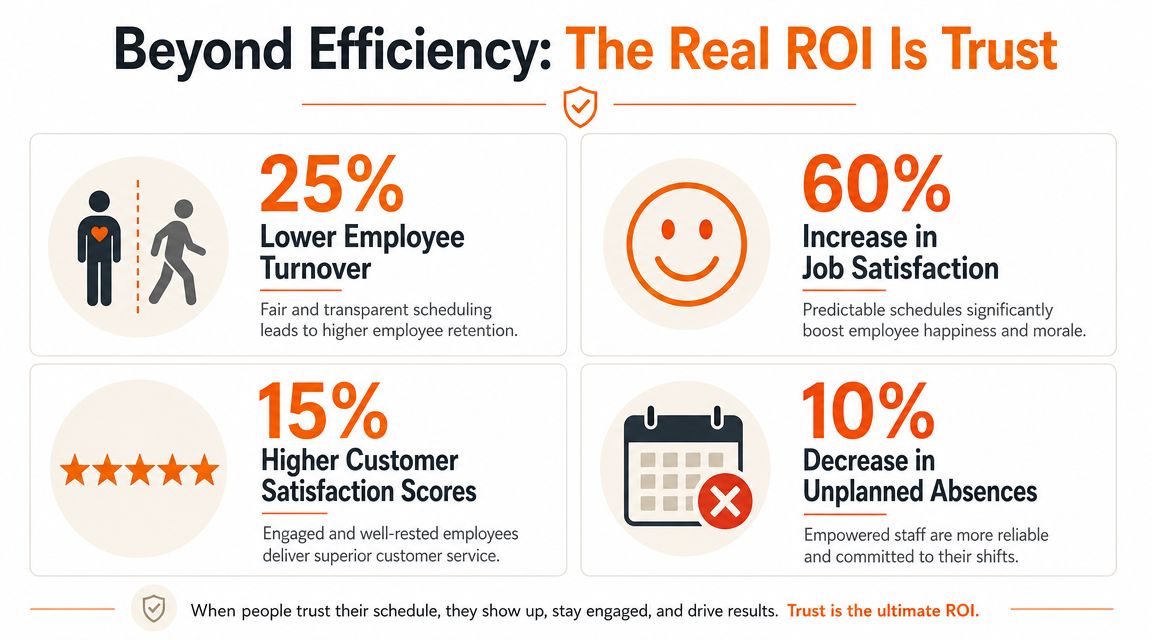
Bad scheduling drains people before it drains budgets
When employees can't predict their hours, they can't plan much of a life around work. Childcare gets harder. Classes get harder. Second jobs get harder. Even simple things like doctor appointments become stressful.
That's why the retention angle matters so much. In a survey cited by Sutisoft's retail scheduling article, 71% of hourly workers said their schedule changed with less than a week's notice. Those workers were far more likely to report work-life conflict and financial stress. You don't need much retail experience to see where that leads. Frustration first. Disengagement next. Then turnover.
A stable schedule tells people, "You can build your week around this job." That message carries more weight than most managers realize.
Fairness is operational, not sentimental
Retail leaders sometimes treat fairness like a soft issue. It isn't. Fairness shows up in very practical ways.
A fair schedule respects stated availability. It spreads unpopular shifts without obvious favoritism. It gives enough advance notice that people can make arrangements. It makes changes visible to everyone. It records who picked up what, who requested what, and who approved what.
Those details matter because they remove suspicion. If employees can see the process and trust the rules, they spend less energy decoding whether they're being treated differently. Managers also get fewer hallway negotiations and fewer emotional disputes over what was “supposed” to happen.
What trust looks like in a store
You can usually spot a healthier scheduling culture without reading a report.
Employees check the app instead of chasing the manager
Shift swaps follow a process instead of private side deals
People know their availability was seen
Managers spend less time defending the schedule
New hires learn the system quickly because it matches common sense
None of that comes from software alone. A bad manager can still make a mess with a good tool. But the right retail employee scheduling software gives a fair process somewhere to live. That matters.
When the schedule is stable, visible, and consistent, people don't just work their shifts. They trust the operation a little more. In retail, that's a serious return.
Common Questions from Retail Managers
The first questions are easy. Can it build schedules? Can it handle time off? Can employees swap shifts? The harder questions come after that, when you're trying to decide how this tool will live inside a real store.
Should I trust AI to build the schedule
Trust it to draft. Don't trust it to decide everything.
The practical issue is exceptions. As noted in Shiftlab's review of what to look for in scheduling software, many managers still need human overrides for exceptions and preference conflicts. That lines up with what most retail operators already know. A system can process patterns, but stores still run on context.
Use AI for the repetitive layer. Let it assemble a strong starting point based on demand, availability, and rules. Then let a manager make the judgment calls that only a human can make.
When does scheduling need to live inside a broader team app
When scheduling problems are really communication problems.
If your biggest headaches involve call-outs, urgent coverage, policy reminders, handoff notes, and manager follow-up, a standalone scheduler may leave too much work outside the system. In that case, it helps to use a platform where scheduling connects to messages, tasks, approvals, and payroll inputs instead of sitting alone.
If your store is simpler and the team is small, a focused scheduler can be enough. If your operation runs across locations, has frequent changes, or struggles with fragmented communication, integration matters much more.
Don't judge the tool by how it builds the first draft. Judge it by how it handles the sixth change.
How do I know it's working
Don't look only at labor spend. Look at friction.
A better process usually shows up in everyday signs before it shows up in a quarterly review. Fewer scheduling arguments. Less time spent chasing confirmations. Fewer missed availability details. Faster fill time on open shifts. Less confusion about who is working and who approved the change.
I'd also ask employees a blunt question: does the schedule feel more predictable and fair than it did before? If the honest answer is yes, you're probably on the right track.
What usually goes wrong after rollout
Two things.
First, managers keep old habits. They still text schedule changes instead of using the system, which creates two versions of reality. Second, the company buys software without deciding on scheduling rules. The tool can enforce policy, but it can't invent one.
Good rollout work is boring. Define the rules. Train people on the mobile flow. Make one system the official source. Repeat that until nobody needs reminding.
Retail scheduling won't ever become effortless. People are people. Stores are messy. Demand still shifts. But with the right setup, the work stops feeling like controlled damage and starts feeling manageable.
If you're trying to move beyond spreadsheets and disconnected apps, Pebb is worth a look. It combines shift scheduling with chat, tasks, updates, PTO tracking, and clock-in tools, which makes it useful for retail teams that want scheduling to live inside a broader day-to-day operating system instead of as a separate app.
