
Retail Employee App: What It Is and How to Pick One
A retail employee app brings scheduling, chat, and tasks to store teams. Learn what features matter, how to choose, and why Pebb fits.
Dan Robin

At 4 p.m. on a Tuesday, retail rarely looks like the org chart.
A manager is calling around to cover a sick cashier. Someone can't find the markdown sheet. A customer is waiting while an associate searches for the binder that supposedly contains the answer. The schedule sits in one system, the update lives in a group chat, and the task is written on a break-room whiteboard.
The phone already in each associate's pocket is the only practical place to bring those pieces together. But installing an app isn't the same as changing how a store works. A retail employee app earns its keep only when someone opens it during a busy shift, without being reminded.
That distinction matters because retail teams are under real retention pressure. In May 2024, there were about 2.5 million more job vacancies than job seekers, and 44% of frontline retail employees surveyed in May 2023 were considering leaving within the next three to six months, according to McKinsey's analysis of the frontline retail workforce. Losing one frontline retail employee costs a retailer nearly $10,000 on average, including open-shift coverage, recruiting, and ramp-up time, according to the same source.
So this isn't mainly a communications purchase. It's an operations and retention decision.
Why Retail Operations Finally Need a Phone in Every Pocket
A store floor has no natural desktop moment. Associates move from register to stockroom to fitting room and back again. The useful information has to follow them.
That sounds obvious, yet many retailers still spread daily work across paper schedules, wall notices, manager texts, email, and separate workforce tools. McKinsey's retail operations guidance connects the growing importance of employee apps to a structural labor gap and the need to remove friction from shift-based work. If an associate can't find a schedule update quickly, the cost shows up as manager interruptions, missed coverage, and another reason the job feels harder than it needs to be.
The test is simple: would an associate open the app at 4 p.m. with a line at the register?
A mobile-first app gives the answer a fighting chance. An associate can check the next shift, request a swap, read a store update, or find a policy without walking to a back office. A manager can send a location-specific message instead of hoping the right person sees a group text.
That doesn't mean every retail process belongs in an app. The phone should handle the moments where delay creates friction. Scheduling, shift changes, urgent updates, task instructions, and quick access to knowledge qualify. A long corporate announcement that nobody reads doesn't.
Retail operations is a broad discipline, and this practical guide to retail operations provides useful context for how people, processes, and store execution fit together. For teams building product or retail knowledge, Shopify and online learning resources can also help connect store activity with broader commerce training.
The rest comes down to adoption. A polished app that sits unopened is an expensive noticeboard. A plain app that reliably helps an associate swap a shift or answer a customer question becomes part of the store's retention infrastructure.
What a Retail Employee App Actually Is
A retail employee app is a mobile-first work platform for hourly store associates. It gives people one place to view their schedule, clock in, receive updates, complete tasks, ask questions, and find the documents or training they need.
It should work without corporate email or desktop access. Retail associates aren't office workers who happen to visit stores. They're deskless employees, often using personal smartphones, shared devices, older phones, or inconsistent store networks. A practical retail app needs a fast login, low-bandwidth performance, sensible battery use, and a clear path to the one thing the worker came to do.
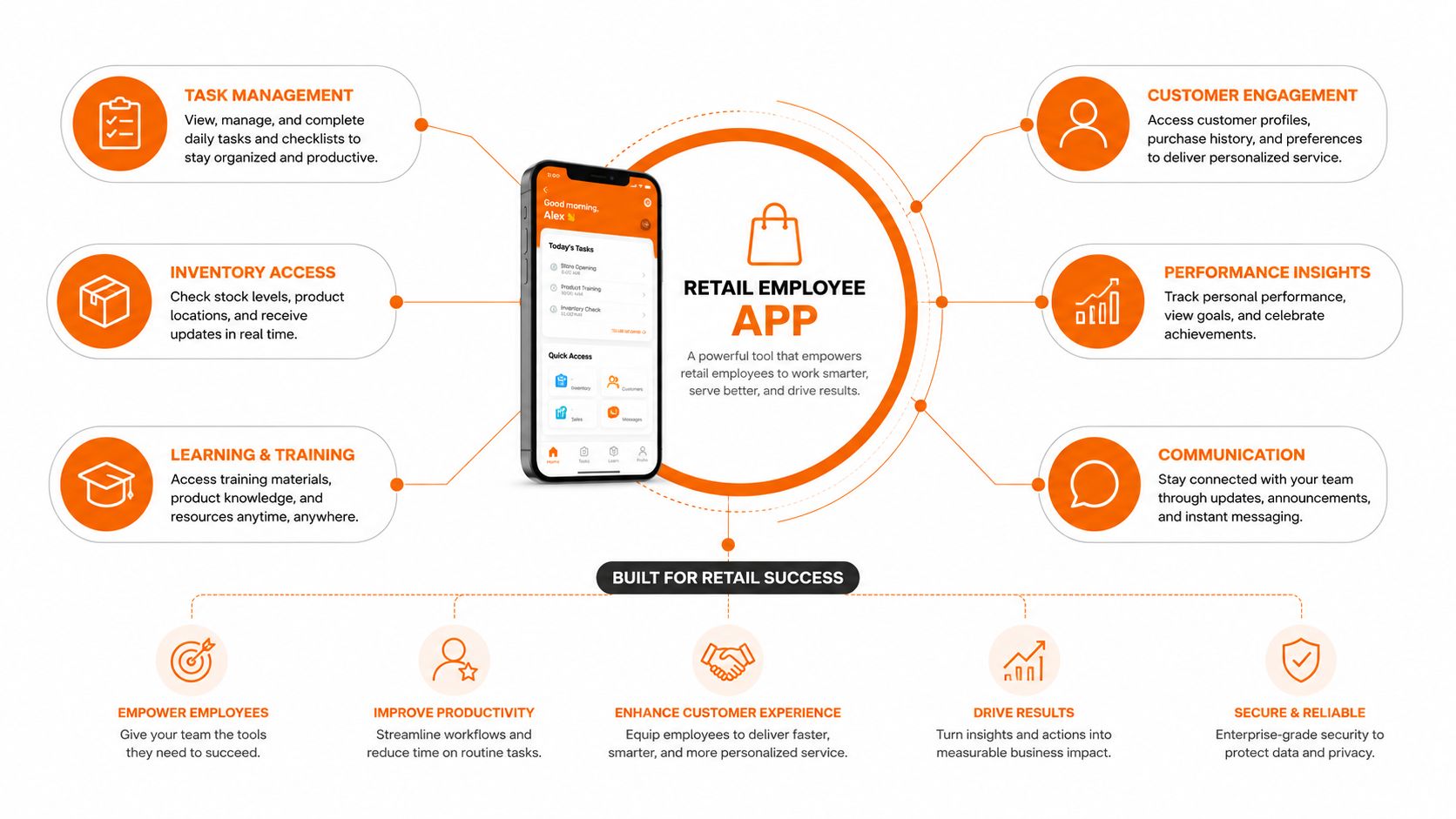
The core surface usually includes:
Scheduling: Show shifts, availability, open shifts, and approved changes in one place.
Time and attendance: Support clock-in and clock-out, breaks, absence requests, and accurate records.
Communication: Give managers private, team, department, and store-wide channels.
Task management: Assign work by role, location, priority, and time of day.
Knowledge and training: Put policies, product information, onboarding material, and short lessons within easy reach.
Integrations: Connect with POS, HRIS, LMS, payroll, identity, and authentication systems so managers aren't re-entering the same information.
The point isn't to create another destination. It's to replace the scattered destinations people already use. A retail scheduling product such as Shifton's retail workforce scheduling approach makes the same practical case: hourly staff need schedules on their phones because they're rarely near a desk.
A good app also respects the rhythm of retail. The home screen should make today's shift obvious. The notification should lead to an action. The search should return the policy, not a maze of folders. If the app behaves like a repackaged office intranet, associates will treat it like one.
The Features That Matter on a Store Floor
Feature lists are easy to approve. Store-floor behavior is harder.
Scheduling comes first because it creates a daily reason to open the app. An associate should see the current schedule, availability, open shifts, and swap requests together. A swap needs a defined approval path, and the schedule should update after approval rather than leaving one version in the app and another in a manager's notes.
Time and attendance needs the same discipline. Clock-in and clock-out, break tracking, absence handling, and payroll export should connect cleanly. If a manager has to reconcile a time record in a spreadsheet before payroll, the app has moved work around instead of removing it.
Communication needs more shape than a single group chat. A store manager may need a private conversation with one associate, a department announcement, or a store-wide policy update. Safety and compliance messages should support read acknowledgement, while routine updates shouldn't bury urgent ones.
Tasks should reflect the floor. Assign a stockroom count to the right location, give a price-change task to the relevant role, and allow photo confirmation when completion needs proof. A task app that merely recreates a checklist without context won't survive a busy shift.
Practical rule: every feature should answer one question, “What does the associate do next?”
Knowledge is where many products become frustrating. Associates need the return policy, product details, opening checklist, or training file quickly. The best experience surfaces an answer in a couple of taps, with search that works on a phone and permissions that don't force every employee through the same content.
The final test is integration. POS, HRIS, LMS, payroll, and identity systems are records of truth for different parts of the operation. A retail employee app should carry the work between them instead of creating another isolated record.
Feature | What good looks like |
|---|---|
Scheduling | Current shifts, open shifts, availability, swaps, and approvals in one flow |
Time and attendance | Simple clock actions, break records, absence handling, and payroll-ready data |
Communication | One-to-one, team, department, and store channels with acknowledgement for critical updates |
Tasks | Role- and location-based assignments with due times and completion proof |
Knowledge and training | Searchable policies, product information, onboarding content, and short learning actions |
Integrations | Reliable connections to POS, HRIS, LMS, payroll, SSO, and identity tools |
For a broader view of the communication layer, these employee communication app features are a useful reference. But don't buy from the table alone. Test each workflow with an associate who has no patience for admin software.
How the Same App Behaves Across Store Formats
The right retail employee app doesn't behave identically everywhere. Its basic controls stay familiar, but the priority changes with the store.
A 12-store boutique chain may need a light operating rhythm. At 7 a.m., a manager posts a styling brief, confirms the opening team, and approves a swapped shift. The app should keep that interaction fast and personal. A large learning system may add little value if the store mostly needs clear product notes and quick manager communication.
A grocery store has a different tempo. Produce rotation, temperature checks, replenishment, and closing duties need task lists tied to departments and time windows. A union-friendly shift swap workflow may matter as much as chat because the rules around coverage and approval are part of daily scheduling.
A big-box electronics floor has a different kind of urgency. An associate handling a price-match escalation needs to reach the duty manager quickly, with the relevant policy close at hand. The app should route the question, not turn it into a public debate in a large channel.
A chain with hundreds of locations has a different communication problem. Regional leaders need to publish consistent announcements without flooding every store with messages that don't apply. Location targeting, role permissions, language support, and clean integrations become more important than a flashy feed.
The common layer is straightforward: mobile access, schedule visibility, real-time communication, and a dependable way to find work information. The configuration is where the value lives.
Store format | Top priority features | Typical daily use case | Configuration demands |
|---|---|---|---|
Boutique chain | Schedule access, styling updates, simple swaps | Manager shares a product brief and confirms coverage | Store groups, role permissions, lightweight training |
Grocery store | Department tasks, attendance, swap rules | Produce rotation and replenishment checks | Department workflows, labor rules, location controls |
Big-box electronics | Escalation, knowledge, targeted messaging | Associate routes a price-match question to a duty manager | Approval paths, policy search, role-based routing |
Multi-region chain | Targeted communication, analytics, integrations | Regional team publishes one update to the right stores | Multi-language support, geofencing, identity and systems integration |
Store format dictates feature priority. Don't let a vendor's demo dictate your operating model.
How to Choose the Right Retail Employee App
Choose the app by watching a real associate use it during a busy shift. A tool that looks polished in a demo can still fail if a worker cannot open it quickly on an older Android device or a personal phone. Test access without corporate email. If account recovery needs a desktop or a manager's help, treat that friction as a rollout risk.
Start with the daily action
Begin with the task workers must complete on a Tuesday at 4pm. Scheduling is a strong test. Associates should be able to request swaps, view open shifts, set availability, and see approval status. Managers should be able to identify overtime risk and review labor-budget information without exporting data. A calendar alone does not manage a workforce.
Test communication, tasks, and listening in one workflow. A manager should be able to send a two-way message, confirm who saw a critical update, assign work, and escalate an exception. Pulse surveys belong in the same operating rhythm. Short, mobile-friendly surveys of three to five questions delivered monthly are described as more actionable for shift workers than long annual forms in guidance on engaging retail workforces. If the app cannot support that routine, it will not strengthen retention.
For broader criteria, use this guide to evaluate an employee communication app, then test each requirement against store-floor work.
Treat integration as a launch condition
Payroll, POS, LMS, HRIS, and SSO determine whether the app becomes part of daily operations or another place for managers to copy information. Ask who owns each integration, how failures appear, and what happens when a worker changes location or role.
Review security with the same care. Request SOC 2 documentation, data-residency details, role-based access, audit controls, and device policies. Pricing should state what counts as an active user, which modules cost extra, and whether integrations sit outside the core plan.
Finally, demand evidence of continued use. Ask whether the vendor can show workers still log in 90 days after launch, not only during installation. Research on retail mobile adoption identifies resistance to change, limited staff capacity, security concerns, management support, and integration complexity as barriers. One retail survey cited in that research found skill and talent shortages at 35%, data security concerns at 31%, management support at 28%, and integration complexity at 25%. Treat these as rollout risks to address, not footnotes. The retail workforce management app research provides context for the adoption problem.
From Rollout to Real Adoption
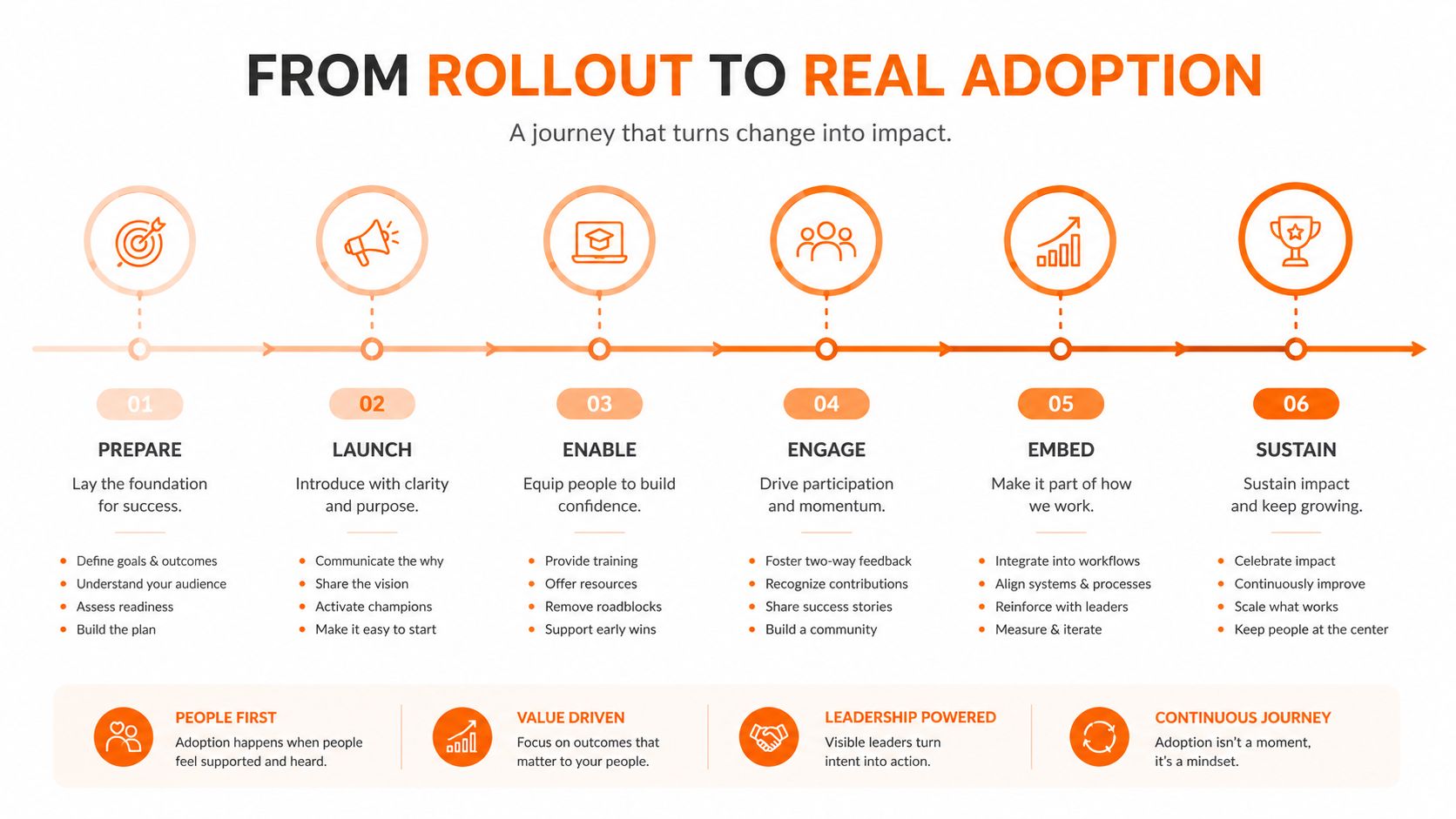
The installation is the easy part. Adoption starts when the store manager uses the app to run a real shift.
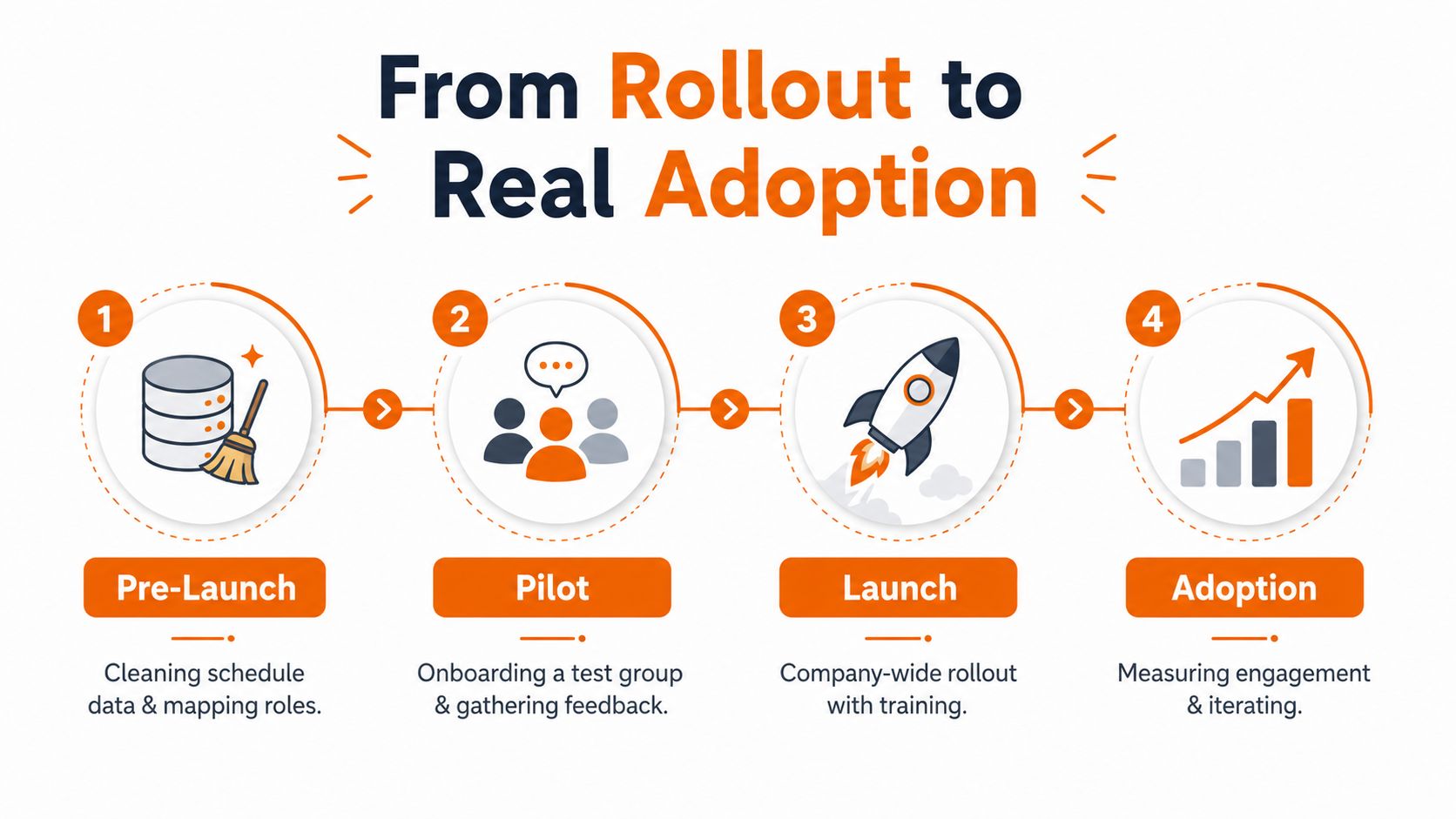
Before launch, clean the schedule data. Map roles to permissions. Pre-load store groups and make sure the right people see the right announcements. Write a one-page launch script that a manager can deliver in five minutes. If the script sounds like a product tour, rewrite it around one useful action.
Choose one anchor habit for launch week. Schedule checks work well because every associate needs to know when they're working. Clock-in can work just as well if the process is fast and reliable. Don't ask the team to learn every feature at once.
Put managers in the middle
Manager-first training is essential. Associates copy what their direct manager does, not what the head office says in a launch email. Train store leads to post a clear update, answer a question, approve a swap, and remove the old process that the app replaces.
Create a rapid feedback channel for launch week. Store leads should be able to report login friction, missing permissions, bad schedule data, or confusing notifications while the problem is still visible.
A rollout succeeds when the old habit becomes inconvenient to keep.
During the first month, review engagement by store rather than staring at one company-wide number. Look for schedule checks, approved swaps, task completion, message acknowledgement, and survey responses. Short check-ins every two to four weeks, paired with recognition and small opportunities for frontline input, are recommended in this retail engagement guidance.
Keep a small group of power users close to the rollout. They can test new workflows, answer basic questions, and tell you where the app still creates work. At the same time, maintain a kill list of legacy processes. Remove the paper schedule, duplicate group chat, or manual update only when the replacement works.
The business case lives here. Retail turnover makes friction expensive, but a deployment doesn't reduce friction by itself. A worker who checks the schedule, gets a timely answer, and can handle a coverage change without chasing a manager has a better workday. That is the retention infrastructure you're buying.
Where Pebb Fits for Retail Teams
Pebb fits the retailer that wants communication, daily operations, and engagement in one mobile workspace. It includes shift scheduling, clock-in, PTO tracking, chat, updates, tasks, a knowledge library, file sharing, and configurable team areas. It also connects with HR, payroll, and authentication systems, which matters when the app needs to sit alongside existing records rather than replace all of them.
The mobile experience is the primary surface for deskless hourly teams, not a small companion to a desktop portal. That makes it relevant for store associates who need a schedule, a task, a document, or a manager conversation while moving through the day.
The engagement layer is the part I would examine closely. Surveys, pulse feedback, and analytics can connect the operational signal to the human one. A missed task may point to unclear instructions. A quiet store feed may mean managers aren't posting. A recurring absence request may reveal a scheduling problem. The app should help leaders investigate those patterns instead of treating engagement as a yearly HR exercise.
Pebb is a reasonable fit for retailers with five to several hundred stores that want one app associates can open for routine work. It is less suited to an enterprise chain that needs heavy custom workflow builders or wants the app to become an embedded HRIS replacement.
That boundary matters. Pebb doesn't need to be the system of record for every retail process to be useful. Its role is to give people a practical front door to communication, schedules, tasks, resources, and feedback.
The right buying question isn't whether the platform has the longest feature list. It's whether the features connect cleanly enough that a cashier, stock associate, department lead, and regional manager can each use the same app for different work without feeling like they're operating four separate tools.
What Success Looks Like After You Launch
Downloads are a weak success metric. They tell you that someone installed the app, not that the app changed a shift.
Define one daily habit the app must replace in the first sixty days. It might be text-message scheduling, the printed break-room schedule, repeated questions about a return policy, or manager calls to find coverage. Choose one. Measure whether the old behavior declines while the new behavior becomes normal.
That single habit gives the rollout a spine. It also keeps leaders from celebrating ten feature adoption rates that don't improve store execution. If associates check shifts in the app but still rely on texts for swaps, scheduling hasn't moved. If they read updates but can't find the policy they need, communication hasn't become useful.
Measure behavior, then listen
Track unprompted schedule checks, completed swaps, responses to direct questions, task completion, and short pulse feedback. Compare patterns by store and role. A retail-focused engagement dataset cited by MangoApps reports 72.2% in one dataset versus 57.0% in another market comparison, which illustrates why a benchmark without context can mislead. Your own behavior change matters more than a polished industry number.
The app's retention value also appears outside the app. Fewer manager interruptions, clearer coverage, faster answers, and a less frustrating shift can influence whether people stay, even when a headcount dashboard can't show the cause cleanly.
A retail employee app is infrastructure. It compounds through ordinary use across weeks and quarters. Pick one behavior, replace one broken process, and keep asking whether an associate would open the app on a busy Tuesday at 4 p.m.
Pebb brings scheduling, clock-in, chat, tasks, knowledge, and employee feedback into one mobile work app for retail teams. Visit Pebb to see whether it can replace one of your store's daily friction points with a workflow associates will use.
