
The Messy Reality of Managing a Team (and a Better Way)
Is your team lost in a sea of apps? Discover how a mobile workforce management app can unify operations and bring clarity to your frontline teams.
Dan Robin
Let's be honest for a moment. Managing a team that isn't tethered to a desk is… chaotic. If you're running a business with frontline workers, your day is probably a frantic mix of group texts, scattered emails, dog-eared spreadsheets, and maybe a few sticky notes for good measure. A mobile workforce management app is supposed to fix this. In theory, it's the one place where communication, schedules, and tasks finally come together. But most of them are just more software.
Are You Juggling Too Many Apps?
You’ve seen this movie before. A well-meaning manager tries to modernize the operation, but ends up creating more chaos. The schedule lives in one app. Urgent messages fly back and forth in a group text that nobody can keep up with. Important company updates get buried in an email inbox.
Maybe there’s a separate tool for clocking in and a Slack channel for announcements. Each new piece of software just adds another login, another notification, another headache. This constant app-switching is exhausting. It's especially tough on the people just trying to get their work done.
The Real Price of a Disconnected Team
This isn't just a minor annoyance; it's a real business problem. Fragmented communication has a cost. When a manager has to hunt someone down just to confirm a shift swap, or an employee misses a key update because it was buried in a chaotic text thread, the business feels it.
Mistakes pile up. Morale takes a hit. People feel out of the loop when there's no single place to turn for answers. We've actually detailed the high price of these communication silos in our guide.
Here’s the thing: The problem isn't a lack of tools. It's the lack of a single, unified place where work actually happens. The goal shouldn’t be to add yet another app, but to replace the entire disjointed mess with one cohesive system.
This shift in thinking is why we're seeing huge growth in this space. By 2026, the global workforce management market is projected to hit anywhere between $4.0 billion and $10.0 billion. That number tells a story: countless companies are realizing their patchwork systems just aren't cutting it anymore.
One Place for Everything
Imagine this for a second: your entire team, from the front-of-house staff to the back-office crew, all operating from a single app on their phones.
Schedules are posted and shift swaps are approved right where the conversation happens.
Company-wide announcements are sent out, and you can see who has actually read them.
Tasks are assigned and tracked without ever leaving the app.
Key documents like training guides and employee handbooks are always easy to find.
That’s what a true mobile workforce management app delivers. It’s more than just a new tool. It’s a fundamentally calmer, more organized way to run your business. It’s built on the idea that things just work better when they're all in one place. It’s less about managing a workforce and more about building a connected team.
What a Mobile Workforce App Actually Does
Let's ditch the formal definitions. Picture your business as a busy workshop. Right now, it might feel more like a chaotic garage—tools are everywhere, projects are half-finished, and finding what you need is a daily scavenger hunt. That's the reality when schedules live in one app, team chats in another, and urgent updates are buried in an endless email thread.
A mobile workforce management app is like hiring a professional organizer for that garage. It creates a designated, logical place for everything. Every tool has a home, every project is clearly labeled, and everyone knows exactly where to look. It’s less about adding another piece of tech and more about creating a calmer, more focused way to get work done.
One Hub to Rule Them All
At its core, a good mobile workforce management app really only does three simple things. First, it gets everyone in sync by putting schedules and communication in the same place. Second, it makes work easier by giving your team direct access to the info and tools they need on the job. Finally, it builds a sense of connection by creating a single, shared space for the entire team.
This isn't just about shaving a few minutes off a task; it's about how it feels to work inside a system designed for clarity. A mobile workforce management app is a specialized type of enterprise software. To get a feel for the complexity under the hood, you can explore the world of enterprise mobile app development and see how these powerful tools are built from the ground up.
The image below perfectly captures the "app chaos" many managers deal with when trying to connect with their teams using a bunch of separate tools.
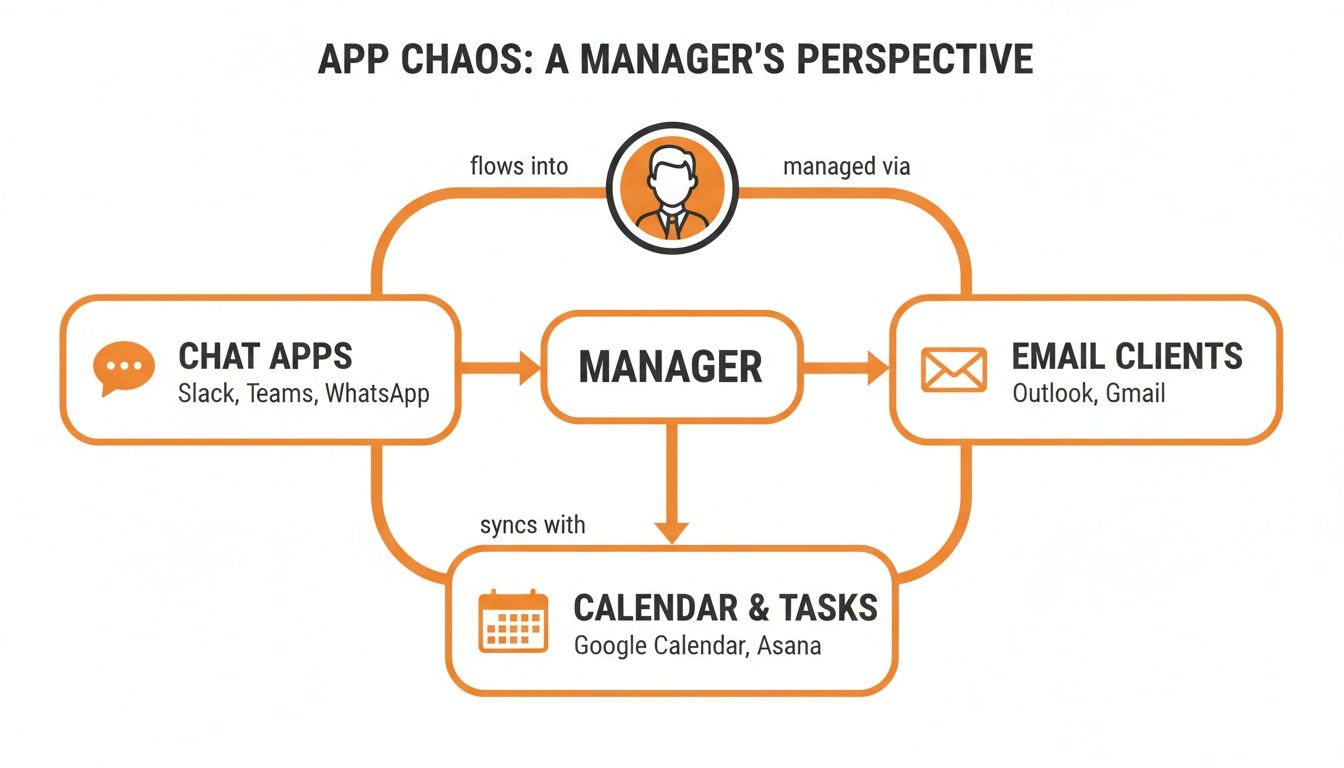
This diagram shows how managers become the bottleneck, forced to constantly juggle texts, emails, and scheduling apps just to keep the business running.
From Fragmented Tools to a Unified App
Let’s be honest: the old way of doing things is draining. Your team has to constantly jump between different apps just to piece together what's happening on any given day. A unified app changes that dynamic completely.
It's all about making work simpler. We've all seen how messy things get when communication is spread too thin. A single platform brings it all together, creating one reliable place for everything.
Take a look at how this shift plays out in the real world:
The Old Way (Multiple Apps) | The New Way (One Unified App) |
|---|---|
Schedule changes are sent via a chaotic group text. | Shift updates appear directly in the app's schedule, notifying only the relevant employees. |
Important policy updates get lost in a crowded email inbox. | Key documents live in a searchable resource library, accessible to everyone, anytime. |
New tasks are assigned verbally or in a chat, then easily forgotten. | Tasks are assigned, tracked, and marked complete in a dedicated module, creating clear accountability. |
This isn’t a minor improvement. When you bring these core functions together, you're not just saving a little time. You’re building a more reliable foundation for your entire operation. It’s about creating that one single source of truth that your team can depend on, day in and day out.
Core Features That Actually Solve Problems
Most feature lists are a trap. They’re designed to impress you with a long checklist of bells and whistles that look great in a demo but rarely solve the real problems your team faces. Let’s be honest, you don’t need more buttons to click. You need tools that make work feel less chaotic.
After years in this space, we've learned what truly matters for a team on the move. It isn’t about having a feature for every imaginable scenario. It's about having a few, incredibly well-designed tools that fix the biggest headaches.
The market for these tools is exploding—valued at USD 5.7 billion in 2024 and projected to hit USD 15.32 billion by 2032. This shows just how many businesses are searching for a better way. But all that growth also means more noise and more confusing feature lists. You can read more about the mobile workforce management market surge to get a handle on the trends.
So, let’s cut through the fluff. Here's what actually moves the needle.
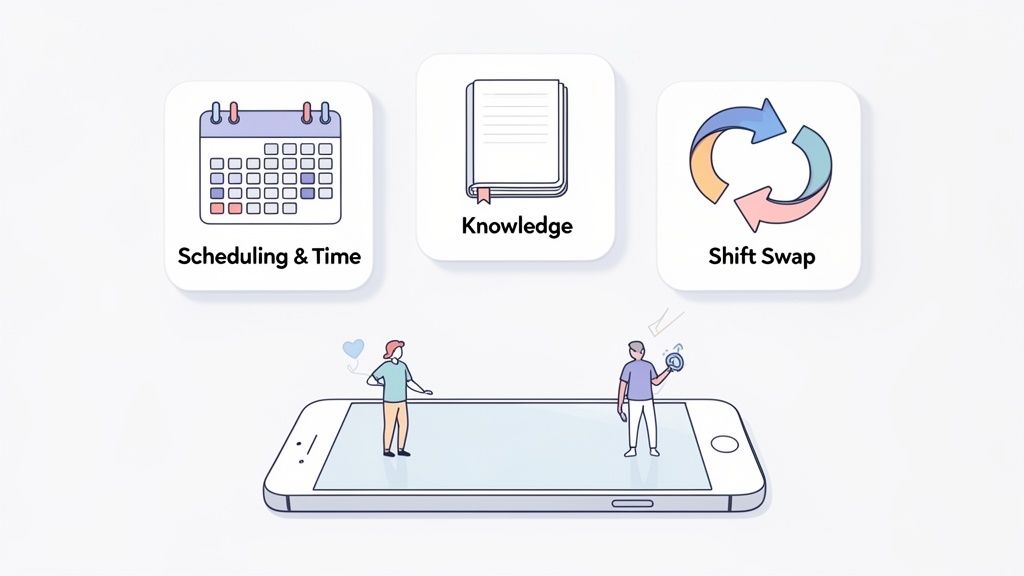
Integrated Scheduling and Time Tracking
Scheduling is the heartbeat of any frontline operation, but it's often a source of constant stress. Managers build schedules in a spreadsheet, text them out, and then spend the rest of the week fielding a firehose of calls and messages about swaps, sick days, and last-minute changes. It’s messy. It’s exhausting.
A great mobile workforce management app weaves scheduling directly into the communication hub. This isn’t just about putting a calendar on your phone; it’s about creating a living system.
The magic happens when scheduling and communication live in the same place. A shift swap isn’t a favor a manager has to broker—it’s a simple request an employee can post, a teammate can claim, and a manager can approve, all without a single text message.
That simple connection between who is working and how you talk to them solves a dozen problems at once. You can send a message to just the "Closing Shift" or an urgent update to everyone scheduled for Saturday. It gives employees a sense of control over their work-life balance and gives managers their time back.
A Single Source Of Truth With a Knowledge Library
Think about all the vital information your team needs. Training manuals, safety protocols, HR policies, new product specs—where does it all live right now? For too many businesses, it’s in a dusty binder, a messy shared drive, or scattered across old email threads.
When someone has a question, they have to interrupt a manager. That manager has to stop what they’re doing to dig up the answer. It’s a huge bottleneck.
A Knowledge Library inside a workforce app acts as the one true source for all company information. It's a simple, searchable library that lives in every employee's pocket. Need to know the return policy? It’s there. Not sure how to operate the new machine? The manual is in the app.
This does more than just save time. It builds autonomy and trust. You’re telling your team, “We trust you to find the answers you need,” which is a powerful message that fosters independence and ensures everyone is working from the same playbook.
Communication Tools That Build Culture
Finally, let’s talk about communication itself. Lots of tools offer chat, but they often miss the point. A good mobile workforce management app understands that not all communication is created equal. A solid platform should reflect that reality. For a deeper look, you can explore the top 10 features every employee communication app should have in our dedicated guide.
Here’s what that looks like in practice:
Urgent Announcements: For critical, need-to-know-now information, like a store closure or a safety alert.
Team Chat: For the day-to-day collaboration and quick questions that keep work moving.
Company News Feed: For celebrating wins, sharing stories, and making everyone feel like part of something bigger.
These aren’t just features; they’re tools for building a culture of clarity, connection, and trust. They recognize that a well-informed team is an engaged team. The best work happens when everyone feels like they’re on the same page.
How Different Industries Use a Workforce App
Theory is nice, but let's talk about the real world. A mobile workforce management app isn't a rigid, one-size-fits-all product. Think of it more like a Swiss Army knife—it has a core set of tools, but you use different ones depending on the job.
Let's walk through a few stories to see what this looks like on the ground. These aren't just hypotheticals; we’ve seen scenarios like these play out time and again with teams that finally find a single, calm place to coordinate their work.
Keeping Healthcare In Sync
Picture a busy hospital floor. A nurse manager, Sarah, gets an urgent update to a patient protocol mid-shift. In the old days, this would trigger a frantic scramble of phone calls. She'd also have to post a note on a bulletin board that might not get read. The risk of someone missing a critical update was dangerously high.
Today, she just uses her workforce app. She posts the new protocol in the "Clinical Updates" channel, which instantly pings every nurse scheduled for that day. She can even require a read receipt, giving her a clear, time-stamped log of who has seen the information.
Later that week, a nurse calls in sick for a night shift. Instead of burning an hour on the phone trying to find a replacement, Sarah simply posts the open shift in the app. Within minutes, a qualified nurse from another unit claims it, and the schedule updates automatically. No panic, no phone tag—just a simple, direct solution that lets the entire team focus on patient care.
This isn't just about efficiency. In healthcare, a breakdown in communication can have serious consequences. A unified app provides a reliable, auditable trail that ensures critical information gets to the right people at the right time.
Streamlining The Chaos In Retail
Now, let's step into a retail store during the holiday rush. The manager, David, is facing a familiar storm of scheduling conflicts, last-minute shift swaps, and getting seasonal staff up to speed. His phone is a mess of group texts, and his desk is buried under sticky notes with availability requests.
With a mobile workforce app, that chaos melts away. David builds the entire holiday schedule in one place and publishes it. His team gets instant notifications. When two employees need to swap shifts, they propose the change directly between themselves in the app. All David has to do is tap "approve."
He also uses the app's knowledge library to create a "Holiday Product Guide." Instead of pulling new hires off the floor for training, he assigns them the guide to review on their phones. Now, when a customer asks about a new gadget, the employee has the answer in their pocket. This simple shift turns a reactive, stressful environment into a proactive, organized one.
Connecting The Unconnected In Logistics
Finally, think about a logistics warehouse. Many workers on the floor don't have a company email. For years, the supervisor, Maria, relied on printed schedules taped to a wall and word-of-mouth announcements during morning huddles. If a truck was delayed, getting the word out was a slow, manual grind.
Now, every worker is connected through the workforce app on their personal phone. Maria can send a push notification to the entire warehouse team about a safety alert or a last-minute change in loading dock assignments. Everyone gets the memo, instantly.
She also uses the app to assign and track daily tasks. Instead of handing out clipboards, she creates a digital checklist for her team. As they complete their jobs—from inventory checks to cleaning routines—they mark them as done in the app. This gives Maria a real-time view of progress without having to constantly walk the floor. For a team that was once disconnected from the main office, the app has become their digital homebase.
How to Choose the Right App for Your Team
Let's be honest, the market for workplace tools is a jungle. Every vendor website is throwing around words like “transformative” and “revolutionary,” promising to completely change how you work. It’s mostly marketing fluff. So, how do you cut through the noise and find a tool that genuinely helps?
After years of building these tools and watching teams use them, I’ve learned it’s not about finding the app with the longest feature list. It’s about ignoring the shiny objects and asking a few simple questions.
Does It Solve Communication And Operations Together?
This is the big one. If a mobile workforce management app treats communication as just another feature, separate from scheduling or tasks, it’s missed the point. The whole idea is to bring the work itself and the conversations about the work into one seamless place.
Think about it. When your team can discuss a shift swap right within the schedule, you eliminate a dozen frustrating steps. No more jumping between a chat app and a scheduling tool. A great app gets that operations and communication are two sides of the same coin.
Choosing an app isn't about finding the one with the most features. It's about finding the one with the right philosophy—one that believes in unifying work, not just adding more digital clutter.
Can Everyone Use It Without A Week Of Training?
Here’s a hard truth: if a tool is complicated, your team won’t use it. It doesn’t matter how powerful the backend is. The best app is the one that feels so intuitive it requires almost no training. Your newest hire should be able to clock in, check their schedule, and find a training document without having to ask for help.
Simplicity is a feature, not a compromise. It’s a sign that the creators respect your team’s time. As you sit through a demo, ask yourself, “Could my least tech-savvy employee figure this out on their own?” If the answer is no, walk away. For more on what to look for, our guide on employee communication platforms offers some helpful advice.
Will It Grow With You?
The tool you pick today needs to work for you two years from now. This isn't about having a crystal ball; it's about choosing an app built for flexibility. Can you easily add new locations? Can you create different chat channels for different teams? Does the pricing model punish you for adding more people?
Your business will change, and your app should adapt without a massive overhaul. Look for a simple, modular design that lets you start with what you need now and add more capabilities as you grow. This is why cloud-based tools are taking over—they’re expected to claim 57% of the market share by 2035, precisely because of this flexibility. You can dig into the numbers in a recent market analysis from Grand View Research.
In the end, picking the right app is less of a technical decision and more of a human one. You’re looking for a tool that helps you build the kind of calm, organized, and connected company you want to be.
It’s About Trust, Not Just Technology
Let's zoom out. We've covered a lot—features, benefits, what to look for—but if you remember just one thing, let it be this: introducing a mobile workforce management app is a culture project first and a technology project second.
You're not just installing software on your team's phones. You're fundamentally changing how they connect with their work, their managers, and each other. For this to work, it has to be built on trust.
The Real Goal Is A Calmer Workplace
Let's be real—no one gets excited about learning another app. What people want is less chaos, fewer last-minute phone calls, and knowing what’s expected of them. A good app is simply the tool that delivers that sense of order.
It helps build trust by making schedules transparent and predictable. It gives everyone clear instructions for their tasks. Most importantly, it ensures critical updates reach the whole team at once, so no one is left out of the loop.
When you put everything your team needs in one place, you’re doing more than improving efficiency. You’re sending a clear message: "We respect your time and we trust you to get the job done."
A huge part of that trust comes from knowing their information is safe. Understanding frameworks for securing your remote workforce with ISO 27001 isn't just an IT concern; it's a promise to your team that you're protecting their data. It’s a critical piece of the puzzle.
Look Beyond The Productivity Metrics
In the end, the best tools feel almost invisible. They fade into the background because they work so seamlessly, letting the human side of the job—collaboration, problem-solving, customer service—shine through. The objective isn't to micromanage and squeeze every last drop of productivity out of your team.
The real win is a team that's more connected, organized, and resilient. It’s about creating a work environment where people feel informed and supported. The technology is just the bridge to get you there. It's the trust you build that will truly last.
Frequently Asked Questions
We get it. Choosing a new tool for your team is a big decision. Let's tackle some of the most common questions we hear from managers who are thinking about bringing their operations into a single mobile workforce management app.
What’s the Biggest Mistake Companies Make When Rolling Out a New App?
Hands down, treating it like an IT project. The reality is that a successful launch is 80% people and 20% technology. You could have the most amazing tool on the planet, but if your team doesn't understand why you're making the change, it’s going to fall flat.
You have to clearly communicate how this new app will make their daily work easier, not just create more reports for management. The key is to get buy-in from your team leaders first. Turn them into champions. A tool that's just pushed down from the top without clear benefits for the people actually using it will always struggle.
Our advice? Start small. Find one enthusiastic team, pilot the app with them, and then share their wins. Those success stories create momentum that pulls the rest of the organization along.
How Does a Workforce App Handle Security for a Distributed Team?
A solid app bakes security into its foundation. You should be looking for controls like roles and permissions. This ensures employees only see the information they need for their job. A part-time cashier has no business seeing company-wide financial reports, and a good app makes setting up that boundary simple.
Beyond that, all data should be encrypted—both when it's being sent from a phone to the server (in transit) and when it's just sitting there (at rest). It’s also worth asking if the app can connect with your company's existing login systems to make signing in both secure and painless. The goal is to make information accessible to the right people without creating frustrating hoops for them to jump through.
We Already Use Different Apps for Chat and Schedules. Why Consolidate?
That’s a great question. The answer boils down to two things: focus and context. When your team chat, your schedules, and your daily tasks all live in separate apps, context gets lost every time you switch screens. A chat about a shift swap in a group text has to be manually copied over to the scheduling app. It feels like a tiny bit of friction, but it adds up fast across a whole team.
Think about it—an urgent task assigned in a busy chat can easily get buried and forgotten.
When you bring all of these functions into one central hub, the work just flows. The conversation about a specific project lives right next to that project's to-do list and files. It dramatically cuts down on the mental drain of app-switching and gives everyone that single, reliable source of truth every team needs.
Ready to see how a single app can calm the chaos for your team? Pebb brings communication, scheduling, and operations into one simple homebase. Learn more about Pebb and start building a more connected team today.
