
Intranet and Extranet: A Guide for People Tired of Pointless Portals
Confused about intranet and extranet? We cut through the jargon to explain what they are, why they fail, and what today's best teams use instead.
Dan Robin
Let’s be honest. The words “intranet” and “extranet” sound like they were pulled from a dusty 90s tech manual. They conjure images of clunky, gray websites that nobody ever wanted to use. But the ideas behind them—a private space for your team and a secure bridge to partners—are more relevant than ever.
An intranet is meant to be your company’s private, internal website. It’s the digital town square just for your people. An extranet is similar, but it opens a small, secure door to specific outsiders, like suppliers or clients.
The problem is, the old way of doing this is broken. We’ve all seen it.
What's the Difference, Really? The House Analogy
We’ve all felt the pain of scattered information. Important files are buried in email chains, announcements get lost in noisy chat channels, and nobody knows where to find the latest version of anything. This is the chaos that private networks were supposed to fix.
To make sense of it, let’s think of your company as a house.
Your intranet is everything inside the house. It's the kitchen bulletin board, the family calendar, and the photo albums on the shelf. It’s where your team—the family—goes to find company news, HR policies, or project updates. It’s a private, trusted space. Only people with a key (your employees) can get in.
The extranet, on the other hand, is like a secure guest room with a private entrance. You’re letting a trusted guest—a partner, a supplier, a client—inside, but only into that specific area. They can get what they need without getting the keys to the whole house.
Here's the thing: Both create controlled environments. One is for your team only. The other selectively and securely opens a small door to the outside world.
A Quick History Lesson
This isn't a new idea. When the internet exploded in the mid-90s, businesses immediately saw the need for a private space to organize their internal worlds.
The adoption was stunningly fast. By 1997, a staggering 70% of Fortune 1000 firms had launched their own intranets, up from almost zero just two years before. It was a clear signal that companies were desperate to swap paper memos for digital clarity.
Intranet vs Extranet At a Glance
To make it even simpler, here’s a breakdown of the core differences.
Aspect | Intranet (The Internal Hub) | Extranet (The Private Bridge) |
|---|---|---|
Who Uses It? | Employees only. | Employees and select external users (partners, clients, suppliers). |
What Is It For? | Internal communication, culture building, and sharing knowledge. | Secure collaboration and sharing data with external parties. |
Information Shared | Company news, HR documents, employee directories, project files. | Joint project plans, inventory data, client portals, training materials. |
These systems are fundamentally about creating order from chaos. They draw clear lines between what’s for your team and what’s for your partners. If you want to dive even deeper, we have a guide that compares the differences between the internet, intranet, and extranet.
At the end of the day, having a private, organized digital space isn’t a luxury. It’s the foundation for clear communication and real collaboration—something every company, big or small, struggles with.
The Intranet: Your Team's Digital Campfire
A great intranet should be the digital campfire for your company. It’s the one place everyone gathers to get the real story. In a perfect world, it's the single source of truth for everything from big company news and benefits info to the official employee directory.
It's where a new hire finds the onboarding schedule. Or where a sales rep grabs the latest case study. It’s supposed to create connection and clarity. A sense of belonging.
But let’s be honest. Most old-school intranets are where information goes to die. They are clunky, impossible to navigate, and useless on a phone. They become digital graveyards for outdated PDFs and forgotten policies. Nobody visits, because there's no reason to.
A good intranet does the opposite. It pulls people in. It makes critical information easy to find and gives every employee a voice. When done right, it cuts through the email chaos and keeps everyone on the same page, whether they're at a desk or on the factory floor.
The Shift to a Living, Breathing Hub
The good news? The era of the static, top-down intranet is ending. The entire model is changing, driven by modern teams who expect their work tools to be as intuitive as their personal apps.
This shift to cloud-based ‘Intranet as a Service’ tools has completely changed the game. The global market for these tools hit around USD 18.58 billion recently and is on track to explode to USD 55.68 billion by 2035. That growth is happening for one reason: businesses are tired of their painful on-premise portals and want modern tools that people will actually use.
An intranet isn’t a filing cabinet; it’s a conversation. It’s the ongoing story of your company, written by everyone. If it feels static, it’s broken.
This move toward a more dynamic hub is about more than technology—it's a change in philosophy. It recognizes that communication isn't just top-down; it flows in every direction. For businesses looking to build a truly customized internal hub, working with specialized company intranet development services can help create that perfect digital campfire for your team.
What a Modern Intranet Actually Looks Like
A modern intranet feels less like a corporate website and more like a private community. It's a living feed where company news, team wins, and important updates are shared in real time.
Here's a quick look at how that comes to life in Pebb—a central spot for all updates and news.
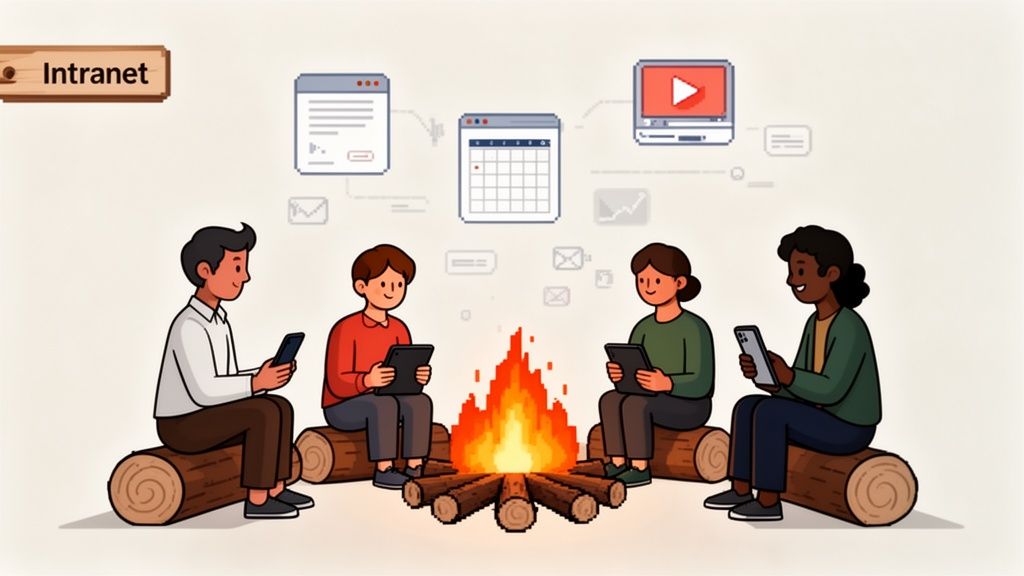
Notice how it’s designed for conversation, not just broadcasting information at people. It invites comments and reactions, turning passive reading into an active dialogue.
This gets to the heart of what an effective intranet should do: connect people to the company and, just as importantly, to each other. We’ve talked before about the power of employee intranets to revolutionize communication, and it always comes back to fostering real connection.
When your intranet is a campfire, it provides warmth, light, and a reason to gather. When it’s a graveyard, it’s just a cold, quiet place nobody wants to be.
The Extranet: A Secure Bridge to Your Partners
So, we've covered keeping things organized inside your company. But what happens when you need to work with people on the outside? That’s where the extranet comes in. Don't let the clunky name fool you; it's a powerful idea.
Think of an extranet as a secure, private bridge connecting your business to your most trusted partners. You're not just throwing the doors open. You're building a controlled access point, deciding exactly who gets a key and what they can see once they're inside.
This isn't new tech. Extranets have been around since the late 1990s as a way for companies to safely share information with suppliers and clients. By 2000, adoption had already hit 40% among large enterprises. Early data showed these connections made a real difference, leading to 25-30% cuts in procurement cycle times because everyone had access to the same live info. You can dig into more of these trends over at marketdataforecast.com.
Finally, An Escape from Endless Email Chains
Let’s make this real. Imagine you're a logistics manager, drowning in emails and phone calls just to coordinate shipments. It’s chaos.
Now, imagine giving your shipping partners access to a dedicated extranet portal. In this secure space, they could see live inventory levels, track delivery schedules, and get automated updates. Suddenly, the endless "just checking in" emails vanish. No more frantic calls hunting for a missing pallet. It’s all right there, clear as day for everyone involved.
Or think about a hotel chain. They could set up a portal for food suppliers to upload invoices, confirm orders, and check payment status. The suppliers get the clarity they need, and the hotel's finance team gets a break from chasing paperwork.
The real magic of an extranet isn't just sharing files. It's about creating a shared reality with your partners. When everyone is looking at the same live data, trust skyrockets and mistakes plummet.
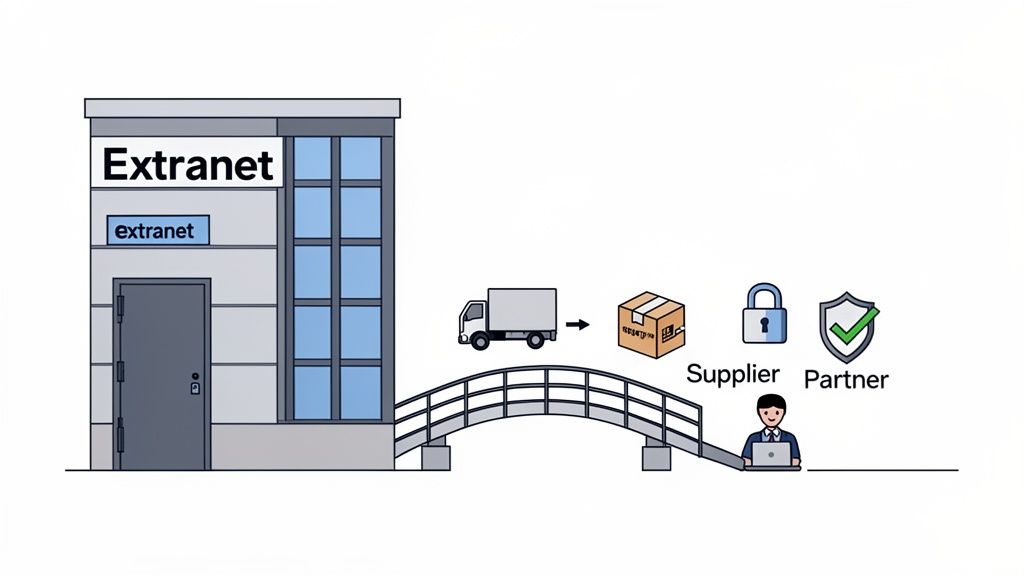
Control Is Everything
The entire concept rests on one principle: you are in complete control. This is what separates an extranet from a shared cloud folder. An extranet is built from the ground up with permissions at its core.
You create specific access levels for each partner:
A client might get a login to view a project dashboard and track milestones.
A supplier could see purchase orders and delivery specs, but nothing else.
A freelancer might only have access to a specific project folder and a dedicated chat channel.
This fine-grained control is what makes it work. You can build efficient, collaborative relationships without exposing sensitive internal information. When you're working with outside partners, having a system for secure file sharing for remote teams isn't just a nice-to-have; it's essential.
An extranet is about working smarter. It replaces messy, manual processes with a clean, secure, and often automated system. It saves time, slashes human error, and builds stronger, more transparent relationships with the partners who matter most.
Why Old-School Portals Are Broken
Let's be honest about most traditional intranets and extranets: they’re awful. We’ve seen them, we’ve used them, and we’ve heard the horror stories. They were built for a world that doesn't exist anymore—a world of desktop towers, top-down memos, and nine-to-five office life.
These old portals are rigid, ugly, and a nightmare to manage. Nobody gets excited about logging into a clunky system they can only access from a work computer. It feels like a chore.
But that’s not how we work today. Our teams are mobile, our collaborations are fluid, and everyone expects better from their technology. They want the same simple, intuitive experience from their work tools that they get from their personal apps. This is where the old model completely falls apart.
The Mobile-First Reality Check
Here's a hard truth: if your team can’t access critical information from their phones, your system is broken. It's that simple. A retail worker needs the new schedule on the go. A logistics partner needs to update a shipment status from a warehouse, not a desk.
Old-school intranets and extranets were never designed for this. They were built assuming all work happens at a desk. That assumption is now obsolete, leaving these platforms as little more than digital relics.
This disconnect is a major reason why engagement on these platforms is abysmal. People won’t use what’s inconvenient, and a desktop-only portal is the definition of inconvenient today.
A Graveyard for Stale Content
And here’s another painful truth: keeping the content on these legacy systems updated is a full-time job. The back-end is often so complicated that posting a simple announcement requires an IT ticket and a week of waiting.
To understand why old portals fall so short, it's helpful to compare Headless CMS vs Traditional CMS approaches. The rigid structure of traditional systems is what makes them so slow to change. As a result, the content goes stale, and the portal quickly becomes a digital graveyard of outdated policies and irrelevant news.
When people stop trusting the information, they stop visiting. It’s a vicious cycle that ends with a very expensive, very useless piece of software that everyone actively ignores.
Information isn't useful if it's not current. A portal that’s hard to update is, by design, a portal full of old, unreliable information. It actively works against the goal of clarity.
The market is finally catching on, especially as hybrid work becomes standard. The Intranet Software market is expanding at a 14.5% CAGR, with cloud-based services leading the charge. A projected 38% market expansion is expected as companies flee from outdated on-premise systems toward more agile tools.
This isn't just about a better interface. It's a fundamental shift in philosophy. We need to move away from rigid, top-down information silos and toward something more fluid, connected, and built for the way we actually work.
The Modern Alternative: One App for Everything
So, if the old-school intranets and extranets are broken, what’s the fix? It’s not about finding a slightly better intranet or a slicker partner portal. The real solution is to stop thinking in terms of separate, single-purpose tools in the first place.
It's about having one place where work happens. One app that becomes your company's digital home base.
That's the philosophy we baked into Pebb. We didn't set out to build another intranet. We wanted to create a single app where all your work—from communication and operations to team collaboration—could finally live together.
From Silos to a Single Home
Here’s a different way to think about it. Your intranet isn't some separate website you have to log into. It's the real-time news feed and searchable Knowledge Library sitting right inside the app you already use for everything else.
And your extranet? It's not a clunky, external portal. It's a secure, dedicated Space you can create in seconds for a vendor or client. It comes with its own private chat, tasks, and file sharing, all with permissions you control.
Your internal communications no longer get buried in email; they happen in focused group chats. Your core operations, like shift scheduling and task management, all happen in the same place. No more toggling between a dozen different systems. No more context-switching fatigue.
How It Works for Real People
Enough theory. For an HR leader, this unified approach means onboarding checklists, policy updates, and company announcements all live in one predictable spot. In fact, companies that adopt this model report 21% better reach for their HR policies, simply because the information is where people are already working. You can dig deeper into these trends in this market analysis on modern intranet platforms.
For an operations manager running a busy warehouse, it means shift changes, safety alerts, and inventory updates are instantly available on their phone. It’s not an "extra" tool they have to check; it’s the central hub for their day.
Here’s a glimpse of what one of these secure, collaborative Spaces looks like in Pebb—a simple, self-contained environment for a team or an external partner.
This isn't just a glorified folder. It's a complete workspace. It seamlessly combines conversation, tasks, and key documents, giving everyone—employee or contractor—a single source of truth for a project.
The most powerful tool is the one people actually open. By putting everything in one app, you're not just simplifying technology; you're removing the friction that stops people from staying informed and engaged.
Consolidating Intranet and Extranet Functions
This model finally solves the problems that old-school portals tried to fix, but in a way that fits how we work today. It's a shift away from buying a dozen different "solutions" and toward adopting one cohesive system that does it all.
Let’s break down how this single-app approach replaces those outdated tools:
For Internal Communication (The Intranet Job):
Updates & News Feed: Your company-wide broadcast channel, replacing those static announcement pages.
Knowledge Library: A central, searchable hub for HR policies, training guides, and SOPs—always up-to-date.
People Directory: A living directory that actually helps people connect.
For External Collaboration (The Extranet Job):
Secure Spaces: Create an invite-only Space for each client or supplier. All communication and files stay organized and private.
Granular Permissions: You control exactly who can see and do what.
Shared Task Lists: Assign tasks to external partners and track progress in a single shared view, finally killing the "just checking in" emails.
It’s a much simpler way to get things done. By bringing everything under one roof, you eliminate the digital clutter that drains everyone's energy. You give your team one reliable place to turn for everything they need.
Stop Searching for Portals, Start Building a Home
For too long, we’ve been told there's a specific "solution" for every business problem. Need a better culture? Buy an intranet. Need to work with partners? Get an extranet. Need to talk to each other? Add a chat app.
Frankly, it was a recipe for disaster. This siloed approach created a Frankenstein's monster of disconnected software that frustrated employees, confused partners, and piled on administrative work. People found themselves drowning in logins and notifications from systems that wouldn't talk to each other.
But thankfully, that old way of thinking is fading.
From Disconnected Tools to a Unified Digital Home
The goal isn't just to find a better intranet or a slicker portal. It's about building a fundamentally better way of working. It’s about taking a hard look at your digital toolkit and radically simplifying it by bringing everything into one central place.
Imagine giving your team one simple tool for everything—from checking a project update to collaborating with a vendor. When everything lives under one roof, the friction melts away. Information flows where it needs to, and people feel more in sync with their work and each other.
The question isn't whether you need an intranet or an extranet. The real question is: Does your team have a digital home?
A digital home is more than a portal. It's a central hub where employees feel informed, connected, and ready to do their best work, no matter where they’re logging in from. It's a place where your partners feel like they're truly part of the team, not just an external account number.
If you look at your current setup and see a messy collection of disjointed apps instead of a cohesive home, it might be time for a change. Maybe it’s time to stop shopping for another portal and start thinking about what it would take to build a true home for your organization. A place where work finally feels like it belongs.
Frequently Asked Questions
It’s easy to get tangled up in the jargon when talking about intranets and extranets. We get it. Let's clear the air with some straight answers to the questions we hear all the time.
What Is the Main Security Difference Between an Intranet and an Extranet?
Let's cut right to it: the real difference is who you're locking out. An intranet is your company’s private fortress, locked down behind your firewall and accessible only to employees. Think of it as an exclusive, members-only club.
An extranet, on the other hand, is like a guarded side entrance to that fortress. You’re deliberately creating a secure, monitored opening for specific outsiders—like a key client or a trusted supplier. This naturally makes its security more complex. You have to be incredibly careful about who gets a key and what they can access, ensuring they only see what they need without giving them a view into your entire internal network.
Can a Small Business Benefit from an Intranet?
Absolutely, but it's time to ditch the image of a clunky, expensive portal. For a small business, it’s the idea of an intranet that counts: having one central hub for team information and a secure space to work together.
Honestly, a modern, all-in-one platform is a much better fit. You get the perks without the massive cost and IT headaches. A small retail shop can use it to post weekly schedules and training videos. A boutique agency can create a secure spot to share project files with a client. It’s all about the function, not the formal name.
How Do I Know When to Replace My Old Intranet?
Chances are, you already have a gut feeling. But if you're looking for signs, here are the big ones that scream your intranet is a fossil.
First, check for cobwebs. If no one is logging in, it's a ghost town. Second, pull out your phone. If your people on the floor or in the field can't easily use it on their mobile devices, it's useless to a huge part of your workforce.
A tool that isn't accessible where work actually happens isn't a tool. It's an obstacle.
Third, ask your internal comms team how much of a headache it is to update. If they have to file an IT ticket just to post an announcement, your system is causing more problems than it solves.
And finally, does it connect to anything else? If it's just another information silo, completely walled off from the other tools you use every day, it's not helping anyone. If you’re nodding your head to any of this, it’s time to stop patching it up and start exploring a modern alternative that gets the job done.
Ready to build a digital home where your team can communicate, operate, and engage better? Pebb unifies everything into one simple, modern app for both frontline and office teams. See how it works at https://pebb.io.
