
Hotel Staff Communication App: Boost Efficiency
Tired of radios, paper notes, & WhatsApp? Discover how a hotel staff communication app brings calm & clarity. Our guide details features & team adoption tips.
Dan Robin
A guest asks for extra pillows at 6:10 p.m. The front desk writes it down. Housekeeping is slammed with arrivals. Shift change happens. The note stays under a keyboard, then disappears. By 10:30, the guest is annoyed, the night team is apologizing for something they never saw, and a small miss turns into a public complaint.
That story is ordinary in hotels. Too ordinary.
Most communication breakdowns aren't about lazy staff or bad attitudes. They're about bad systems. Radios create noise but not clarity. Paper logs depend on perfect handwriting and perfect memory. WhatsApp groups start as a shortcut and end as a junk drawer. One chat for maintenance. Another for housekeeping. A private side thread for managers. Someone posts a room issue between a birthday meme and a shift swap request, and now everyone hopes the right person saw it.
That isn't operations. It's improvisation.
A good hotel staff communication app doesn't make your team smarter or kinder or more hardworking. It gives those people a calmer way to work. It puts messages, tasks, handovers, and updates in one place so the hotel runs on shared visibility instead of crossed fingers.
The Missed Note That Cost a 5-Star Review
The painful part is how small the original miss usually is.
A guest asks for hypoallergenic pillows. A VIP early check-in gets mentioned at the desk but never reaches housekeeping. Maintenance says a room is back in service, but the update never makes it to reservations. Nobody failed on purpose. The system failed on schedule.
I've seen hotels run on a mix of radios, scribbled notes, and personal messaging apps for years. It works, until it doesn't. And when it doesn't, the guest sees the failure as one hotel mistake, not three separate communication gaps across three departments.
Where the old system breaks
The old setup creates the same problems again and again:
Radios are fast but messy. Everyone hears everything, half of it isn't relevant, and nothing is documented.
Paper logs look orderly until a busy shift hits. Then updates get skipped, pages get buried, and handover becomes a memory test.
WhatsApp feels convenient. Then work mixes with personal phones, scattered groups, and no clear record of ownership.
What stings is that these are not big strategic failures. They're little dropped handoffs. But hospitality is built on handoffs.
Practical rule: If a guest request can disappear between one person hearing it and another person acting on it, the process is broken.
A five-star review often depends on plain operational discipline. Did the request get seen? Did someone own it? Did the next shift know it was still open? That is the ultimate test.
The cost of organized chaos
Hotels often tolerate messy communication because the team has learned how to cope with it. Strong supervisors chase updates. Experienced housekeepers know who to ask. Engineers walk over in person. Managers patch holes with effort.
But coping isn't the same as control.
Once the hotel gets busy, the patchwork shows its limits. One missed message creates three follow-up calls. One forgotten task creates guest recovery work. One weak handover forces the next shift to start behind. The stress spreads faster than the original mistake.
That is why the right app matters. Not because it's modern. Because calm, accountable communication is easier to run than chaos.
What a Hotel Communication App Actually Is
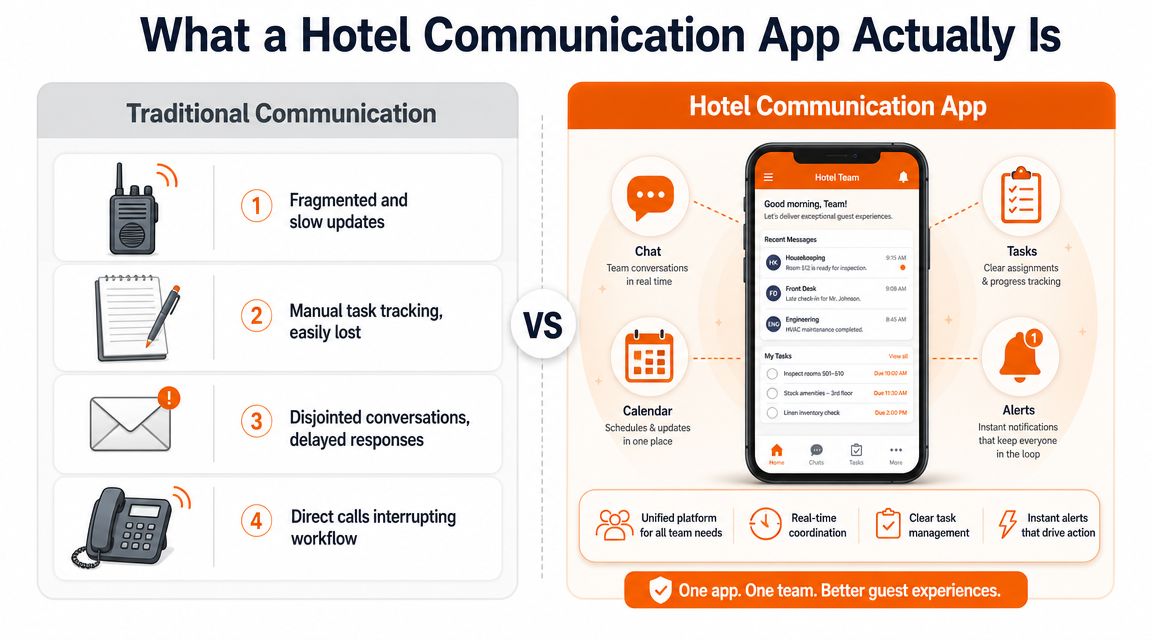
A hotel communication app isn't just chat on a phone. It's a shared operating layer for the hotel.
The old model was fragmented. One tool for calls. Another for schedules. A paper log for handover. Maybe a separate folder for SOPs. According to hotel communication guidance from Training Hotels, the shift from radios and fragmented channels to mobile, real-time platforms matters because modern tools centralize communication and add task tracking, reducing dropped tasks that happen with radios, paper notes, or scattered WhatsApp threads.
That shift is bigger than it sounds. It means the hotel stops relying on memory and starts relying on a system.
One place, not five
The best way to think about it is simple. A hotel staff communication app becomes the place where the team checks what matters now, what changed, and what still needs to be done.
That includes real-time messages, yes. But it also includes asynchronous updates. A night auditor should be able to open the app and see what happened without chasing people for context. A housekeeping supervisor should see open room issues and handover notes in the same place. A manager should know whether an announcement was posted, read, and acted on.
If you're working on improving communication in hospitality, this is the turning point. You stop treating communication as a side activity and start treating it as part of the workflow itself.
Less chatter, more clarity
Old tools are built for noise. Newer ones should be built for accountability.
A radio tells everyone something happened. A proper app shows who owns it. A text thread may mention a room issue. A useful platform keeps the note attached to the task, the deadline, and the status. That difference is what separates a busy hotel from a controlled one.
Some teams describe this as their single source of truth. I don't love the phrase, but the principle is right. One place. One record. Fewer excuses.
For a concrete look at how one platform can connect departments in practice, this example of a hotel communication app that works for every department is worth studying because it shows the app as an operational hub, not just a messaging tool.
The Few Features That Genuinely Matter
Most software demos are feature parades. They show everything except the parts that save a shift.
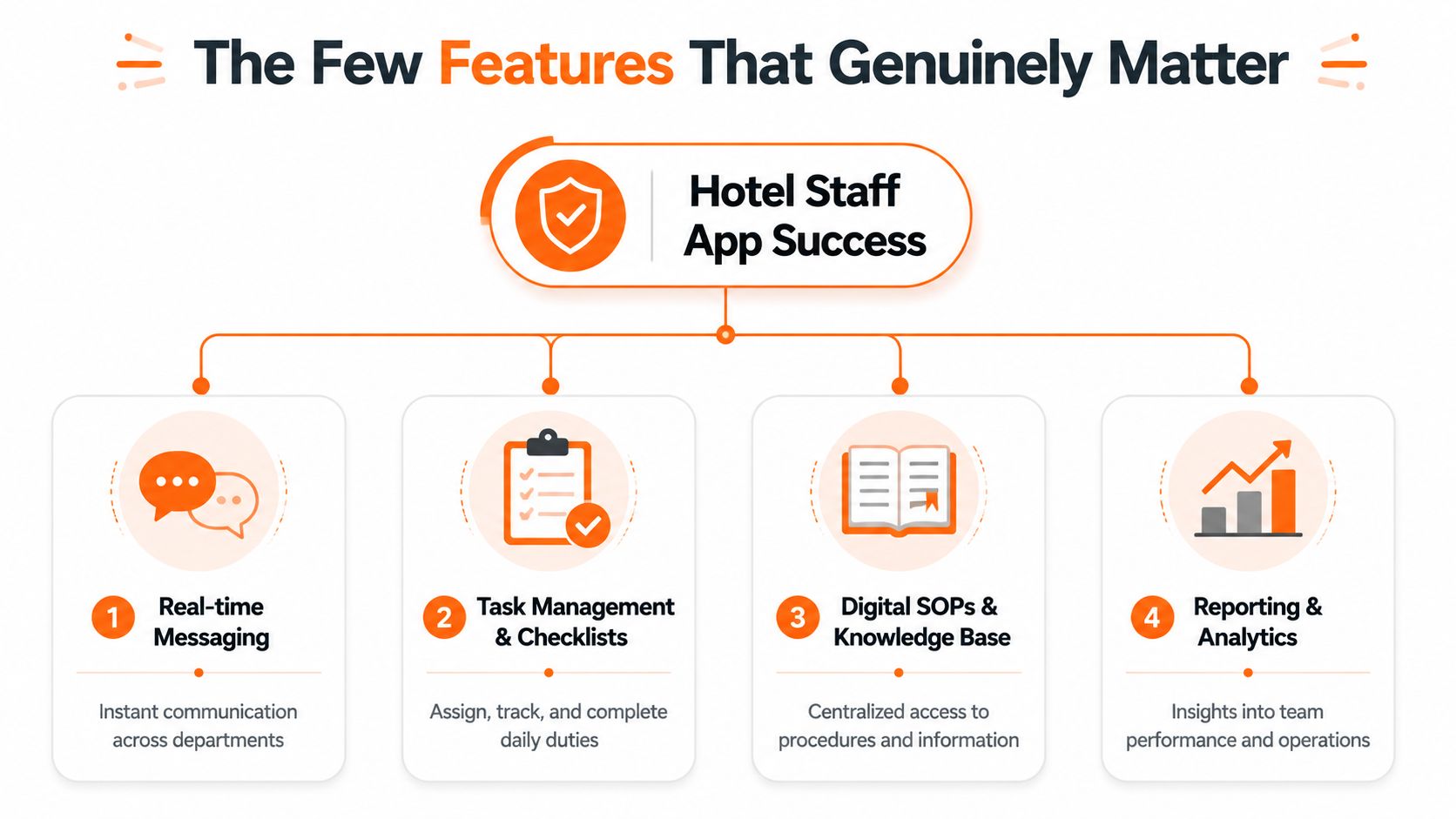
In hotel operations, only a few things really matter. The rest is decoration.
Chat that fits hotel work
You need messaging, but not the kind that turns into a wall of chatter. You need department spaces, role-based channels, and a way to keep updates tied to context.
Front desk shouldn't have to dig through maintenance jokes to find the status of room moves. Housekeeping shouldn't have to post in a giant all-staff thread to ask about a late checkout. The app should let each team speak clearly while still making cross-department work visible when needed.
For some situations, text isn't enough. A short voice or video call inside the same platform can settle a complicated issue fast, then the result should be captured so the rest of the team isn't left guessing.
Tasks, not just talk
Weak tools falter here. They let people discuss work, but not manage it.
According to Hotel Tech Report's overview of collaboration tools for hotel operations, the most effective apps combine real-time team messaging with operational workflows like task assignment, shift handover, and digital logbooks. The practical reason is straightforward. Miscommunication drops when each message links to a responsible owner, due time, priority, and status.
That sounds basic because it is basic. And basic is what hotels need.
A message says, "Can someone check AC in 814?" A task says, "Engineering owns AC in 814, due before check-in, status in progress." Those are not the same thing.
The second one is operational control.
Handover that survives the shift change
Shift handover is where hotels either look disciplined or exposed.
A useful hotel staff communication app should carry the day forward cleanly. Open issues, guest notes, unresolved maintenance jobs, room priorities, and management updates should stay visible after the people change. That is what digital logbooks are for. They stop the hotel from starting over every eight hours.
I don't care how polished the interface is. If the app can't support handover without side notes and verbal patching, it won't hold up in a real property.
The quiet power of a mobile knowledge base
Teams lose time asking the same questions because the answer lives in a binder, an email chain, or one manager's memory.
A solid app gives staff fast access to SOPs, checklists, training notes, and policy documents on their phone. That matters on the floor, not in theory. New staff can look up the lost-and-found process. Night teams can verify a late-arrival procedure. Managers can update a policy once instead of repeating it five times.
If you're comparing products, this roundup of features every employee communication app should have is useful because it forces the right question. Does the tool help people do the work, or just talk about it?
Getting Your Team to Actually Use the Thing
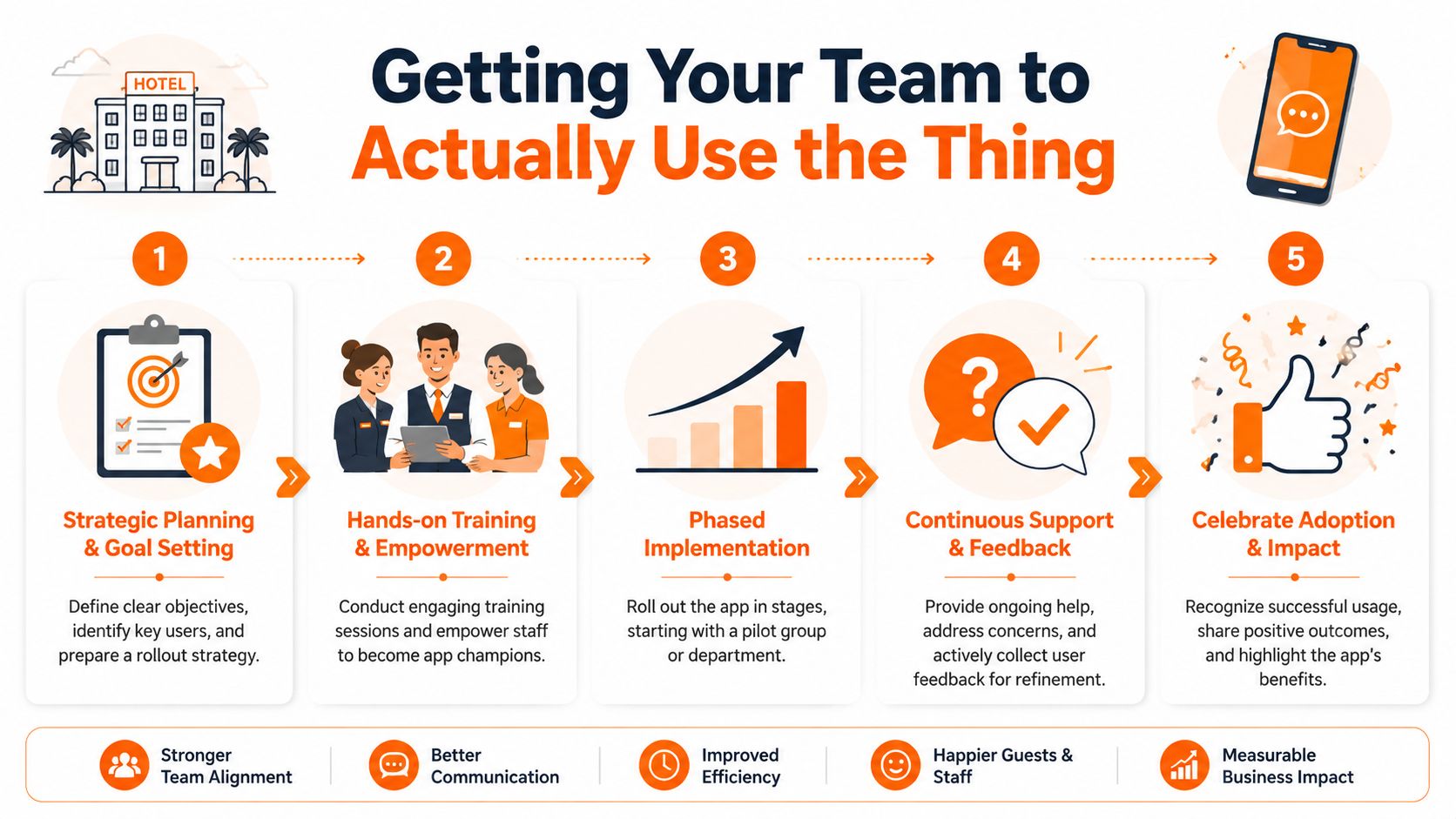
Most app rollouts fail for a boring reason. Management announces a new tool and assumes adoption will happen by itself.
It won't.
A hotel can buy the right software and still end up back in hallway conversations and unofficial WhatsApp groups if the rollout is clumsy. In hospitality, this problem is sharper because teams are mobile, turnover is real, and not everyone works in the same language all day. Alert Software's hospitality guidance points to the core challenge clearly: adoption depends on practical onboarding, intuitive language design, and role-based experiences that work for seasonal and hourly staff on mobile.
Start with one team and one pain point
Don't launch to the whole hotel because you're excited.
Start where the pain is obvious. Housekeeping is often a good candidate because the work is mobile, time-sensitive, and full of handoffs. Pick one use case first. Room status updates. Maintenance requests. End-of-shift handover. Something concrete.
When a team sees that the app removes friction from a real task, adoption becomes practical instead of theoretical.
A simple rollout pattern works well:
Pick one department. Choose the team that feels the communication pain most sharply.
Solve one daily problem. Don't start with every feature at once.
Name champions on the floor. Supervisors and trusted staff carry more weight than posters and launch emails.
Make the official path obvious
People use side channels when the main channel is slow, confusing, or optional.
If schedules live in one place, announcements in another, and urgent requests somewhere else, staff will keep improvising. If the app is the official place for shifts, updates, and tasking, people learn fast where work happens.
That also means leadership has to behave. Managers can't post a policy in the app and then send the actual answer in a private text.
The old WhatsApp group never dies on its own. Management has to stop feeding it.
Design for real people, not ideal users
The hotel team is not a desk-based software company. Some staff are new. Some are seasonal. Some are fluent readers in one language and conversational in another. Some are comfortable with apps, some are not.
That changes what good rollout looks like.
Keep access simple. A single invite link is better than a long setup ritual.
Use role-based spaces. People should land in the parts of the app that matter to their job.
Choose plain language. Simple labels beat clever naming every time.
Re-onboard often. In a high-turnover environment, onboarding isn't a one-time event.
This guide to employee app rollout best practices is useful for that reason. It focuses less on launch theater and more on the habits that make adoption stick.
Keeping Your Operations Safe and Sound
Security sounds abstract until someone leaves the hotel and still has access on their personal phone.
Then it becomes very concrete.
For a hotel staff communication app, "security" usually means control. Who can see what. Who can post where. Who can access files, staff details, or policy documents. It doesn't need to feel complicated, but it does need to be deliberate.
Permissions are part of operations
Different roles need different visibility. Front desk may need guest-related operational updates. HR may need private employee records. Maintenance may need issue reports and SOPs, but not payroll conversations.
A good setup keeps those boundaries clean. Not because staff can't be trusted, but because a busy hotel needs fewer loose ends. Role-based permissions reduce confusion as much as they reduce risk.
Access should be easy to grant and easy to remove
Hotels hire quickly, replace quickly, and reshuffle teams often. The app has to keep up with that reality.
Common-sense controls matter most:
Simple sign-in options that don't create IT bottlenecks for every new starter
Fast deactivation when someone leaves
Clear admin rights so not every supervisor can edit company-wide settings
Controlled file access for handbooks, SOPs, and internal documents
If removing access takes days, the process is too loose. If setting up a new staff member takes too long, managers will go around the system.
Governance should feel boring
That's a compliment.
The right communication tool should make access control feel routine. You add the person, assign the role, confirm what they can see, and move on. When governance is clean, the hotel runs with less drama. Sensitive information stays contained, and operational information reaches the people who need it.
That is the point. Fewer surprises.
How to Know If the App Is Actually Working
You can track ROI in spreadsheets, and you should. But hotels often miss the first signs of success because they only look for dramatic financial proof.
The earliest signal is usually operational calm.
People stop repeating the same questions. Fewer tasks depend on hallway reminders. Shift handovers sound less frantic. Managers spend less time chasing updates and more time correcting exceptions. Those changes matter because they tell you the system is reducing friction, not just adding another screen.
Look for behavioral proof
A working app changes how people behave during the shift.
Read rates on announcements are useful. Task completion trends matter. So does whether people are using the app across departments instead of falling back to side channels. Staffbase's hospitality overview makes one practical point that gets overlooked: mobile employee apps can deliver shift plans and vacation requests directly to distributed staff, which saves administrative time and improves operational efficiency.
That kind of return doesn't always show up first as a line item. It shows up as less admin drag.
The real indicators managers trust
I pay attention to signs that staff can feel and supervisors can verify.
Signal | What it usually means |
|---|---|
More tasks closed inside the app | Work is becoming visible and owned |
Fewer repeat questions | Information is easier to find |
Cleaner handovers | The next shift is inheriting context, not confusion |
Fewer guest issues tied to internal misses | Coordination is improving where guests can feel it |
If the hotel feels less reactive, the app is probably doing its job.
Don't chase perfect attribution
You won't be able to prove that one better review came from one app notification. Hospitality doesn't work that way.
What you can judge is whether the hotel is easier to run. Are managers spending less time translating chaos? Are staff better informed? Are routine requests getting handled with less friction? Financial gains usually follow operational discipline, not the other way around.
A Simple Checklist for Choosing the Right Tool
Hotel software purchases usually fail for a predictable reason. The demo looks polished, the managers in the room like the interface, and nobody tests how it holds up at 6:30 a.m. with rooms turning, radios crackling, and three departments asking for updates at once.
A better buying process is simpler. Put the vendor in a real operating scenario and make them show the work.
Ask how the app handles real hotel pressure
One question separates tools that help from tools that create new failure points. Can the app distinguish routine communication from urgent escalation?
As noted earlier, LoungeUp's review of instant messaging in hospitality highlights an operational truth hoteliers know well. Messaging works for non-urgent requests. Emergencies and formal procedures need a different path. That same rule applies behind the scenes. A minibar refill, a blocked drain, and a guest safety incident should not land in one undifferentiated stream.
If everything looks like a chat message, staff will treat everything like a chat message.
Practical Evaluation Checklist
Criteria | Why It Matters | What to Look For |
|---|---|---|
Can it separate routine communication from urgent escalation? | Hotels need one path for daily coordination and another for incidents that need immediate action and clear ownership. | Look for priority levels, escalation rules, and issue assignment instead of a single running chat feed. |
Can a message become a task without copying it somewhere else? | Re-entering details wastes time and introduces mistakes, especially across shifts and language gaps. | Staff should be able to convert a request into a task with an owner, deadline, and status. |
Does it support shift handover cleanly? | Good handovers protect service quality. Poor ones create repeat work and missed details. | Open items should stay visible, searchable, and easy for the next team to understand. |
Will frontline staff use it on mobile? | If the app feels built for office staff, adoption will stall on the floor. | Test the phone experience first. Ask how a room attendant, houseman, or engineer would use it one-handed during a live shift. |
Can staff find SOPs and policy documents fast? | Teams lose time when answers live in binders, desk drawers, or one manager's memory. | Look for a clear document hub with permissions, search, and language support where needed. |
Can managers control access by role? | Hotels need visibility, but not every message or document belongs with every team member. | Check permissions, department-level access, and how quickly admins can remove access when staff leave. |
Does it replace multiple tools or add another one? | Another app can create one more place to miss information. | Favor a system that brings together chat, tasks, files, and operational updates in one place. |
Good answers are specific
Do not accept broad claims about collaboration or engagement. Ask the vendor to show a housekeeping issue coming in from mobile, getting assigned to engineering, updated during the shift, handed over at night, and closed with a record. Then ask what happens if the person assigned leaves after two weeks, or if a new starter speaks limited English, or if the issue is urgent enough to require escalation outside the normal flow.
Those are hotel questions. Serious vendors should be ready for them.
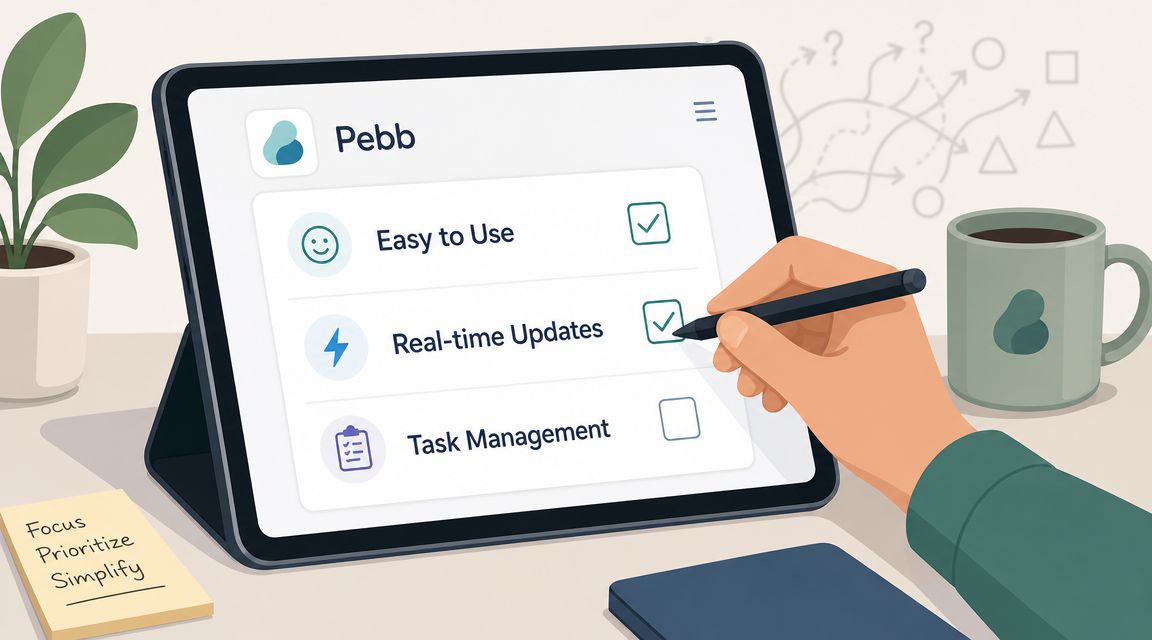
Pebb is one example of the all-in-one model buyers should test against. It combines chat, tasks, spaces, file sharing, a knowledge library, scheduling, clock-in, PTO tracking, roles, permissions, and analytics in one mobile-first app. The point is not the feature count. The point is whether one system can reduce side channels and make daily operations easier to run.
Choose the tool that keeps work clear under pressure, not the one that gives the best demo.
